HubSpot vs. Pipedrive: How to Choose the Right CRM in 2026?
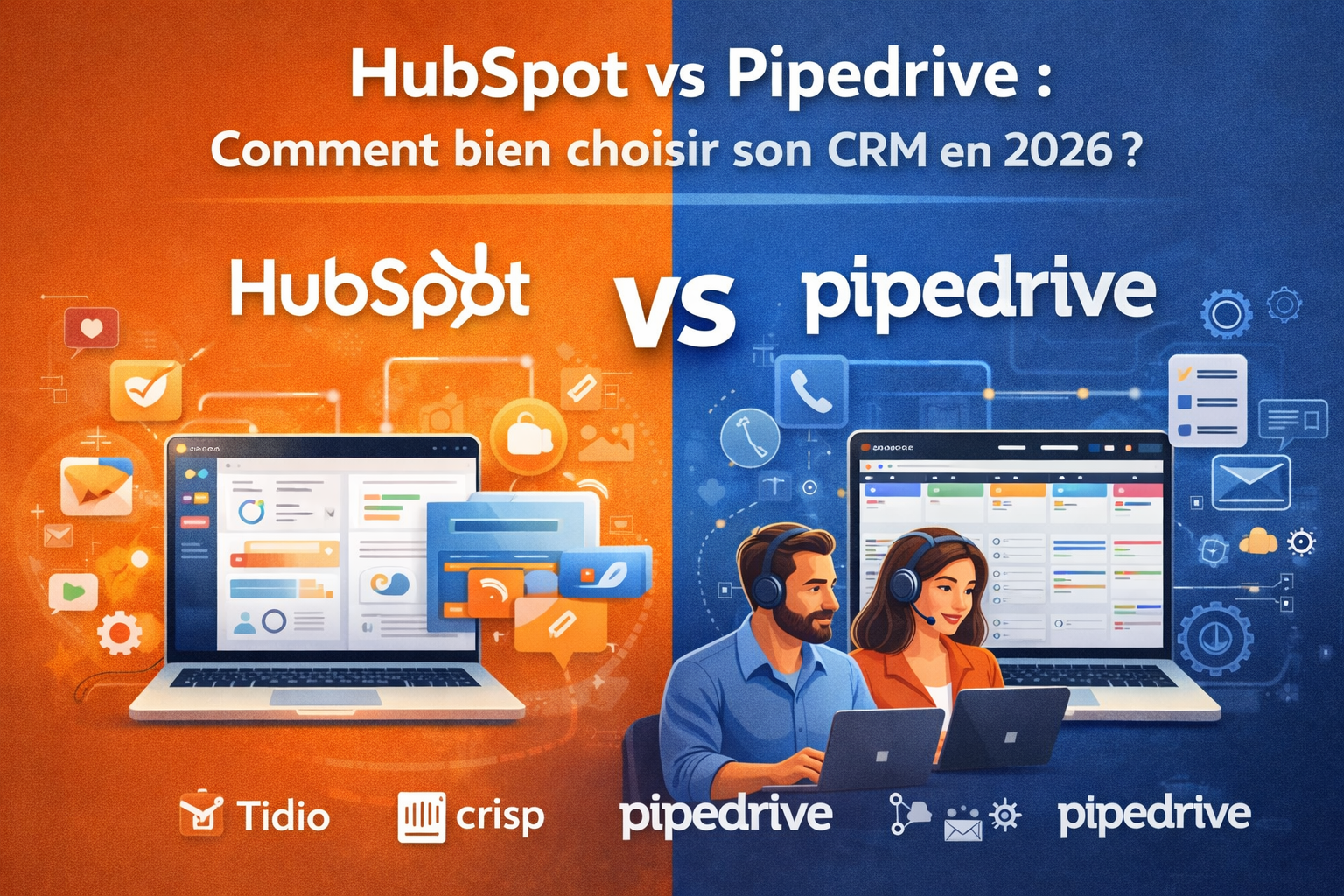
In this comparison, we’ll help you see things more clearly - not to pick a “winner,” but to determine which of these two tools truly aligns with your work style, the size of your team, and your business goals.
We often start with an Excel spreadsheet. Then a shared Google Sheet. Then a contact list that’s overflowing, forgotten follow-ups, and missed opportunities due to a lack of follow-through. The moment we realize we finally need a real CRM usually comes too late-when growth becomes hard to manage.
By 2026, customer relationship management tools have evolved significantly. AI has become an integral part of workflows, interfaces have become more intuitive, and the line between CRM, marketing tools, and sales platforms has blurred considerably. In this context, HubSpot and Pipedrive remain two of the most frequently cited leaders in the market, each with distinctly different positioning.
This comparison is designed to help you see things more clearly: not to pick a universal "winner," but to help you determine which of these two tools truly aligns with your work style, the size of your team, and your business goals.
HubSpot was founded in 2006 in the United States and has gradually established itself as one of the most comprehensive all-in-one platforms on the market. What sets it apart right from the start is its scope of functionality: HubSpot is not limited to a CRM. It natively integrates modules for marketing, sales, customer service, content management, and operations.
The CRM itself is free, with no time limits or user limits on basic features. This is actually one of the main reasons why it’s a top choice for startups. You set up your pipeline, import your contacts, and start working without ever having to pull out your credit card.
HubSpot's true power becomes apparent when you activate the paid hubs: Marketing Hub, Sales Hub, Service Hub, and Operations Hub. That's where the advanced features come into play, including automations, lead scoring, email sequences, custom reports, and AI tools integrated under the name Breeze.
HubSpot pricing:
HubSpot's pricing structure is one of the most complex on the market. Here is an overview for 2026:
Free CRM Plan: Free (unlimited users, essential features included).
Starter Plan: starting at ~€15/month/user (access to the basic tools in each hub).
Professional Plan: starting at ~€90/month/user (advanced automations, custom reporting, ABM).
Enterprise Plan: starting at ~€150/month/user (advanced features, multi-team management, sandbox).
⚠️ Prices increase significantly when combining multiple hubs, which can represent a substantial investment for an SME. Bundles (Customer Platform, etc.) are available and allow you to group multiple modules together at a slightly discounted rate.
Benefit from a on HubSpot .
90% off during 1 year
Find our best discount right now with HubSpot and save on your software subscriptions. We offer over 850 promo codes and discounts on the best software and SaaS on the market.
Pipedrive was founded in 2010 in Estonia based on a simple idea: to create a tool designed by salespeople, for salespeople. This philosophy is immediately apparent when you open the interface. You’re taken directly to a Kanban-style pipeline view-visual and intuitive-where each deal is represented as a card that you drag from one stage to the next.
While HubSpot aims to cover the entire customer lifecycle (from marketing acquisition to support), Pipedrive focuses on what it does best: sales pipeline management. You can track your deals, schedule follow-ups, and analyze your sales performance. No unnecessary features-everything is right at your fingertips.
The tool is particularly popular among sales teams that need to track their opportunities accurately without getting lost in an overly complex system. Small and medium-sized businesses, micro-businesses, and fast-growing sales teams are often its most loyal users.
Pipedrive has also integrated AI features, including the ability to predict the likelihood of closing a deal, suggest follow-up actions, and automatically enrich contact profiles.
Pipedrive pricing:
Pipedrive has a more straightforward pricing structure than HubSpot, with five subscription tiers:
Essential Plan: starting at ~€14/month/user (pipeline management, contacts, calendar, basic reports).
💡 Pricing is listed per user per month (billed annually), which makes it easier to compare directly with HubSpot. Prices may vary depending on current promotions or negotiated deals.
Benefit from a on Pipedrive .
20% off on any plan during 12 months
Find our best discount right now with Pipedrive and save on your software subscriptions. We offer over 850 promo codes and discounts on the best software and SaaS on the market.
HubSpot's most significant advantage is its ability to connect the entire customer journey within a single tool. A lead generated through a form on your website can be automatically qualified, nurtured via email sequences, scored based on its behavior, assigned to a sales representative, and then tracked in the sales pipeline-all without ever leaving HubSpot.
For teams that have both a marketing function and a sales team, this continuity saves a significant amount of time and improves quality. No more haphazard transfer of leads between two separate tools, and no more loss of information between marketing and sales.
🤖 Seamlessly integrated AI features:
With Breeze, its in-house AI engine, HubSpot offers practical features: assisted drafting of sales emails, automatic summaries of interactions with contacts, predictive lead scoring, and suggestions for actions on deals. These tools don’t replace sales reps, but they reduce repetitive work.
📊 High-level reporting:
HubSpot's dashboards and reports are among the most comprehensive on the market on any plan . You can create highly detailed views: conversion rates by source, performance by sales rep, revenue attribution, average sales cycle length, and more.
🌐 A massive ecosystem of integrations:
HubSpot has one of the most extensive integration marketplaces in the industry: over 1,500 connected apps, including Slack, Zoom, Salesforce (as an add-on), Google Workspace, Shopify, and many others. Most can be installed in just a few clicks.
Typical use cases:
HubSpot is particularly well-suited for the following situations:
A startup in the scaling phase that aims to align marketing and sales on a single platform.
An SME that generates leads through content (SEO, blogs, social media) and wants to convert them in a structured way.
A team that needs advanced marketing automation without adding more tools.
An organization looking for a tool that can scale over the long term.
What Pipedrive does really well.
🎯 An interface designed for sales activities:
From the moment you log in, Pipedrive makes you want to get to work. The pipeline view is the centerpiece: you can see your deals, their value, their status, and the next steps to take. It’s designed so that salespeople spend as little time as possible on administrative tasks and as much time as possible selling.
It's easy to get started. The learning curve is gentle. You can be up and running in just a few hours, without any special training.
⚙️ Targeted and effective automation:
On the Advanced plan and above, Pipedrive offers a powerful automation system for sales processes: automatic creation of tasks when a lead moves to a new stage, sending follow-up emails, and automatic field updates based on defined conditions. These automations are accessible even to users without technical expertise.
📱 A robust mobile app:
Sales reps on the go particularly appreciate Pipedrive’s mobile app, which is regularly cited as one of the best in its category. It allows users to update deals, add notes, schedule calls, or view the pipeline in real time-even without a stable internet connection.
🔍 Monitoring day-to-day business activities:
Pipedrive offers a system of activities (calls, emails, meetings, tasks) that are directly linked to deals and contacts. Every interaction is tracked, recorded, and visible in an integrated calendar view. For salespeople juggling numerous prospects, this is an invaluable daily tool.
Typical use cases:
Pipedrive is particularly well-suited for:
A sales team focused on prospecting and closing deals.
A freelancer or consultant who manages their project opportunities without needing a marketing tool.
A small business or SME with a well-defined sales cycle and a need for structured tracking.
Teams that want a tool they can deploy quickly, without a lengthy setup process.
Pros and cons of HubSpot.
✅ Benefits:
A completely free basic CRM, with no time limit.
A unified platform for marketing, sales, and customer service.
Some of the most advanced marketing automation solutions on the market.
Native AI features (Breeze) seamlessly integrated into workflows.
Comprehensive reporting and dashboards.
Extensive integration marketplace (1,500+ apps).
Scalability: The tool grows with your organization.
❌ Limits:
The total cost can quickly add up once multiple hubs are activated.
Pricing complexity: it's hard to make sense of it without carefully assessing your needs.
Advanced features available only on Professional and Enterprise plans.
An interface that is sometimes perceived as complex by teams focused solely on sales.
Some marketing modules are of little use to organizations that are highly sales-focused.
Pros and cons of Pipedrive.
✅ Benefits:
Very intuitive visual interface; easy to learn.
Designed specifically for sales teams.
A clear and predictable pricing structure.
Business automation features are available starting with the Advanced plan.
Excellent mobile app.
Good value for money on the mid-tier plans.
Built-in AI for deal forecasting and tracking.
❌ Limits
Limited marketing features: no built-in lead generation tool comparable to HubSpot.
Reporting capabilities are less robust than HubSpot's at comparable price points.
Less suitable for organizations with closely integrated marketing and sales needs.
The integration ecosystem, while robust, remains less extensive.
Some advanced features (multi-pipeline support, granular permission management) are available only on higher-tier plans.
Summary comparison.
💡 The prices listed are those provided by the publishers as of the date this article was written (March 2026), based on annual billing. They are subject to change.
Criterion
HubSpot
Pipedrive
Admission price
Free (Basic CRM)
Starting at €14 per month per user
Mid-range
~€90/month/user (Pro)
~€49/month/user (Pro)
Easy to use
⭐⭐⭐
⭐⭐⭐⭐⭐
Marketing features
⭐⭐⭐⭐⭐
⭐⭐
Sales Pipeline Management
⭐⭐⭐⭐
⭐⭐⭐⭐⭐
Automations
⭐⭐⭐⭐⭐
⭐⭐⭐⭐
Reporting
⭐⭐⭐⭐⭐
⭐⭐⭐⭐
Mobile Application Development
⭐⭐⭐⭐
⭐⭐⭐⭐⭐
Integrations
⭐⭐⭐⭐⭐
⭐⭐⭐⭐
Built-in AI
⭐⭐⭐⭐⭐
⭐⭐⭐⭐
Scalability
⭐⭐⭐⭐⭐
⭐⭐⭐⭐
Value for money
⭐⭐⭐
⭐⭐⭐⭐
Who is each tool intended for?
👤 Are you a freelancer or an entrepreneur consultant entrepreneur
If you’re managing dozens of leads at once and need a simple tool to keep track of everything and organize your follow-ups, Pipedrive is probably the most obvious choice. It’s quick to set up, easy to use, and the cost remains reasonable even on the mid-tier plans.
That doesn't mean HubSpot is out of the running, though: its free CRM offering may be sufficient if you don't need advanced automation features. However, its extensive feature set may be overkill if your sales operations remain relatively simple.
🏢 You run an SME with a dedicated sales team:
This is where the choice really depends on your organization. If your sales team operates independently, with a well-defined pipeline and sales reps who track their deals on a daily basis, Pipedrive offers an environment tailored to their needs.
If your small or medium-sized business also has a marketing team that generates leads through content, email campaigns, or ads, and you want sales and marketing to share the same data, HubSpot becomes a much better fit.
🚀 You are a startup in a phase of rapid growth:
HubSpot was designed to support fast-growing businesses. You can get started for free and then activate features as your needs evolve. Its ability to centralize marketing, sales, and support operations makes it a powerful ally for teams that are scaling up.
That said, if your top priority in 2026 is to grow your sales pipeline above all else, Pipedrive can help you get started faster with a smaller initial investment.
🌍 Do you have an international or multi-site sales team:
Both tools support distributed teams, but HubSpot offers more advanced management of permissions, team hierarchies, and data segmentation by region on its Enterprise plans. For complex organizations with multiple business units, HubSpot has the edge.
💼 Your priority is value for money:
If you're looking to keep costs under control without sacrificing key sales features, Pipedrive is generally the better choice. Its transparent pricing makes it easy to plan your budget without any unpleasant surprises. HubSpot can quickly become expensive once you move beyond the Starter plan.
Please note that you can access discount CRM software through Freelance Stack, including HubSpot and Pipedrive, which can significantly impact the financial picture when making your decision.
See all the software of this category: Clients
Check out all the other software and discount we offer in this category. Explore other tools and choose the perfect solution to grow your business.
FAQ: Answers to the most frequently asked questions about HubSpot and Pipedrive ❓
Before you get started, you probably still have a few questions. Here are the answers to the most common questions to help you make the right choice.
1️⃣ Is HubSpot really free?
Yes, HubSpot's basic CRM is free and has no time limit. It includes contact management, deal management, task management, and a few reporting tools. However, advanced features (automations, sequences, custom reporting, and advanced AI) require upgrading to a paid plan, starting with the Starter plan.
2️⃣ Is Pipedrive suitable for non-sales teams?
Pipedrive is primarily designed for sales teams. While it can technically be used to manage other types of projects, it does not offer native marketing features. For an organization that needs to manage both marketing campaigns and a sales pipeline, HubSpot will be a much better fit.
3️⃣ Is it easy to switch from one to the other?
Both tools support importing and exporting data in CSV format and offer integrations with migration tools. The transition is technically feasible, but it requires thorough preparation: data cleansing, reconfiguring pipelines, and training teams. It’s best to make this decision at the right time rather than under pressure.
4️⃣ Do HubSpot and Pipedrive offer mobile apps?
Yes, both offer iOS and Android apps. The Pipedrive app is known for its smooth performance and is particularly popular among field sales reps. The HubSpot app is also functional but may be perceived as more complex to navigate.
5️⃣ Can I connect Pipedrive or HubSpot to other tools I already use?
Absolutely. Both integrate with the vast majority of popular tools: Gmail, Outlook, Slack, Zoom, Zapier, Make, and dozens of others. HubSpot has a broader ecosystem of integrations (1,500+ apps), but Pipedrive does a great job of covering the everyday needs of sales teams.
6️⃣ Are there any alternatives to HubSpot and Pipedrive?
Yes, there are several CRM solutions worth considering depending on your needs: Salesforce for large organizations, Zoho CRM for tight budgets with a wide range of features, or tools like Notion CRM for simpler use cases. The CRM category on Freelance Stack lists the best options available if you’d like to explore other choices.
7️⃣ Is AI in CRM really useful in everyday life?
More and more. On HubSpot, Breeze helps users draft emails, summarize contact profiles, and reliably predict lead scores. On Pipedrive, AI helps prioritize deals and suggests follow-up actions. While these features haven’t yet revolutionized the sales profession, they do eliminate a significant portion of repetitive tasks, freeing up time for value-added interactions.