Goodbye Excel: Finally Make the Switch to CRM in 2026
This article presents a selection of the best CRMs available today, along with their key features, pricing, and-most importantly-the scenarios where each one shines. The goal is simple: to help you identify the tool that fits your way of working, not that of a Fortune 500 company. You can also find our complete selection of CRMs and lead management software on Freelance Stack.
Why is Excel no longer enough to manage your customers?
There’s something universal about the story of the poorly organized spreadsheet. Duplicate columns, missing rows, cell colors used to represent the sales pipeline… Almost every entrepreneurs, consultant, or startup founder has at some point managed their leads in an Excel or Google Sheets file. It’s free, familiar, and it works-to a point.
The problem is that this point comes sooner than you might think. As soon as you have more than twenty active contacts, are working as a team, or start wanting to track the history of a conversation, the spreadsheet becomes a hindrance rather than a tool. No automatic reminders, no pipeline view, no traceability of interactions, and collaboration made cumbersome by version control.
By 2026, CRM software available to small businesses had matured significantly. The number of options had grown, prices had dropped, and several solutions now offered free or very affordable plans designed specifically for freelancers, microbusinesses, and startups in their growth phase. There was really no excuse left to put off the transition.
This article presents a selection of the best CRMs available today, along with their key features, pricing, and-most importantly-the scenarios where each one shines. The goal is simple: to help you identify the tool that fits your way of working, not that of a Fortune 500 company. You can also find our complete selection of CRMs and lead management software on Freelance Stack.
#1 - Pipedrive: The visual CRM designed for salespeople.
Pipedrive has established itself as a global leader for sales teams seeking simplicity without sacrificing power. Its mission is clear: to put the sales pipeline at the center of everything.
The interface is organized around a Kanban view where each deal moves from column to column, from the initial contact all the way to closing. At a glance, you can see where your deals stand, which follow-ups are needed, and which opportunities are at risk of falling through the cracks. It is this visual clarity that has built Pipedrive’s reputation and sets it apart from more general-purpose solutions.
In terms of features, the tool covers all the essentials: tracking emails and calls directly within the contact record, code-free workflow automation, sales performance reports, and native integration with hundreds of apps (Slack, Google Workspace, Zoom, etc.). The mobile version is robust, which is a significant advantage for professionals who are often on the go.
Estimated pricing:
Essential Plan: ~€14/month/user.
Advanced Plan: ~€29/month/user.
Professional Plan: ~€59/month/user.
Power Plan: ~€69/month/user.
Enterprise Plan: ~€99/month/user.
👤 Who is it for?
Pipedrive is particularly well-suited for entrepreneurs, business development consultants, and small sales teams (2 to 15 people) whose work revolves primarily around lead generation and opportunity management. If your day-to-day involves following up with prospects, negotiating quotes, and tracking pipelines, Pipedrive is likely your best ally.
👍 The benefits:
A highly intuitive visual pipeline that's easy to get started with.
Automation features available starting with the intermediate plans.
A well-designed mobile app.
Excellent value for money for small sales teams.
👎 The downsides:
Less suited to marketing needs (email campaigns, landing pages).
Advanced reports require a higher-tier subscription.
It may seem limited for a wide range of uses (support, projects, billing).
Benefit from a on Pipedrive .
30% off on any plan during 12 months
Find our best discount right now with Pipedrive and save on your software subscriptions. We offer over 850 promo codes and discounts on the best software and SaaS on the market.
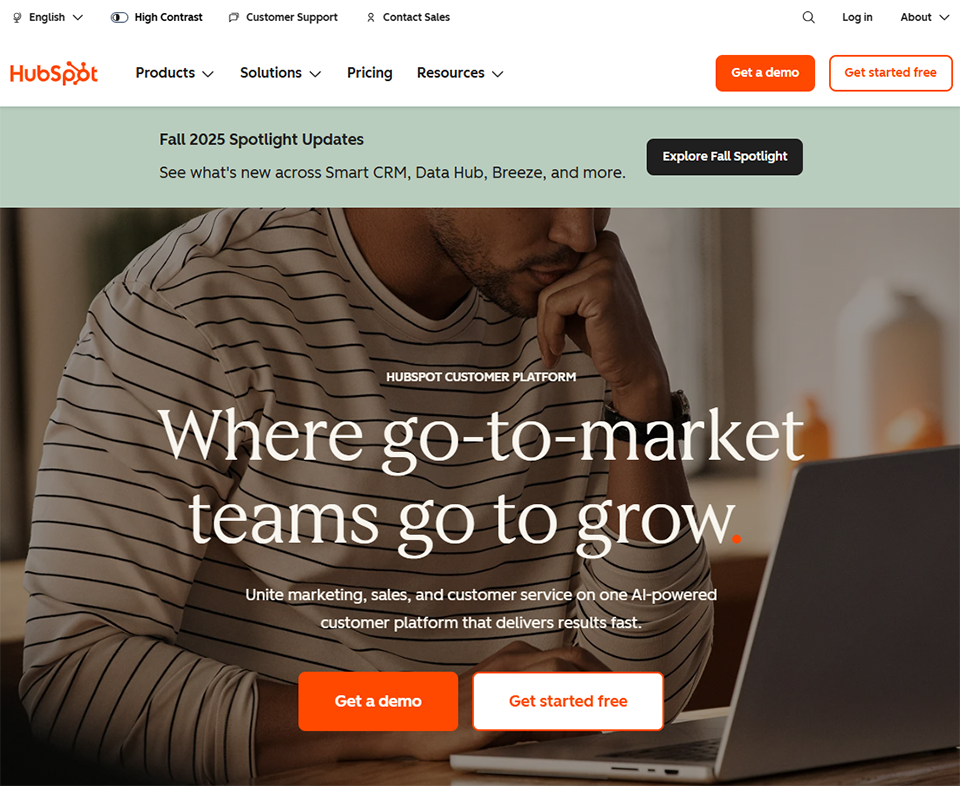
#2 - HubSpot CRM: The all-in-one ecosystem for ambitious startups.
HubSpot stands out in the CRM landscape. It is one of the few tools capable of supporting a business from its initial sales efforts through to fairly sophisticated marketing and sales operations, without switching platforms.
Its free plan is one of the most generous on the market: unlimited contact management, a deal pipeline, email tracking, forms, live chat, and even an appointment scheduling feature. For a freelancer or a startup just getting started, this is often more than enough during months-or even years.
As your needs grow, HubSpot offers its "Hubs": Sales Hub, Marketing Hub, Service Hub, and CMS Hub. Each operates independently and integrates seamlessly with the others. The strength of this architecture lies in the fact that customer data is shared across all modules, which prevents the information silos typical of companies that use five different tools.
The downside of this wealth of features is a significant increase in pricing that can become a burden once you reach a certain point. The paid plans become quite expensive as soon as you start using multiple Hubs at the same time.
HubSpot is primarily suited for growing startups and teams that want to unify their marketing, sales, and customer support within a single platform. It’s also a good choice for organizations that produce content and need a direct link between their inbound efforts and their sales pipeline.
👍 The benefits:
A comprehensive free plan to get you started.
Unified ecosystem (sales, marketing, support).
A wide range of native integrations.
A polished interface and guided onboarding.
👎 The downsides:
High pricing for the Pro and Enterprise plans.
It may be overkill for solo freelancers with few contacts.
Some advanced features create a dependency on the HubSpot ecosystem.
Benefit from a on HubSpot CRM .
90% off during 1 year
Find our best discount right now with HubSpot CRM and save on your software subscriptions. We offer over 850 promo codes and discounts on the best software and SaaS on the market.
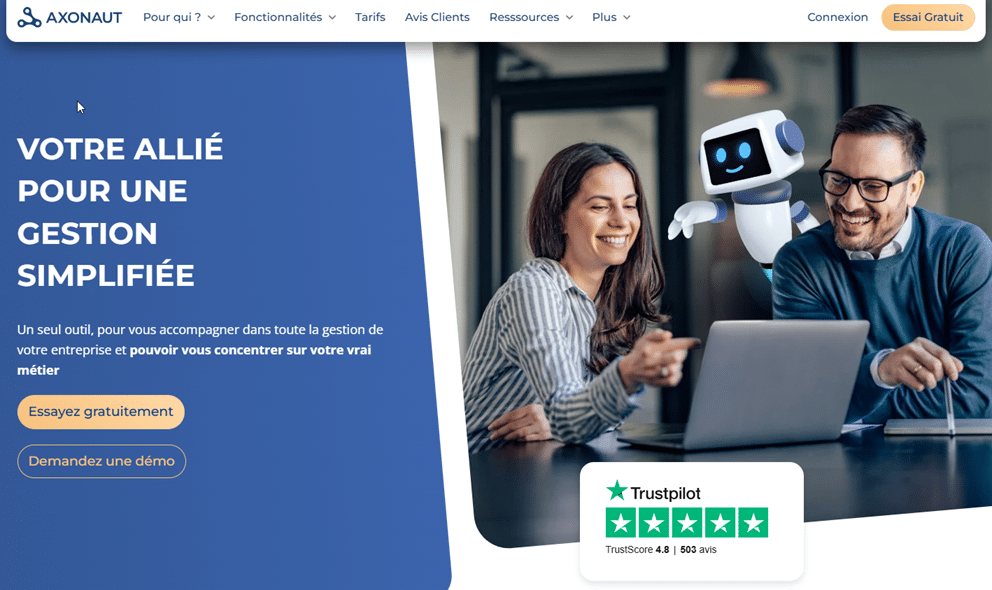
#3 - Axonaut: The French solution that goes beyond basic CRM.
Axonaut is often underestimated, especially internationally, where it remains relatively unknown. Yet for a freelancer or a small business in France, it is one of the most comprehensive solutions on the market if you’re looking for a tool capable of handling both customer relations and administrative tasks.
The core idea behind Axonaut is to centralize as many tasks as possible in one place: lead tracking, quotes, invoicing, cash flow management, expenses, human resources, and even a ticketing module for customer support. For someone who usually juggles a spreadsheet, an invoicing tool, and a calendar, this is a real game-changer.
The CRM itself is functional, though not revolutionary. It allows you to manage a sales pipeline, assign tasks and follow-ups to each contact, and track the history of interactions. Where Axonaut really stands out is in the seamless integration between sales and admin: create a quote from an opportunity, turn it into an invoice with a single click, and see the direct impact on your cash flow-all without leaving the interface.
Estimated pricing:
Solo Plan: ~€34.99/month (1 user).
Team Plan: ~€49.99/month (up to 3 users).
Business Plan: ~€79.99/month (up to 10 users).
👤 Who is it for?
Axonaut is primarily designed for freelancers with a steady flow of work, small business owners, and small agencies looking to avoid using multiple tools. If you’re looking for comprehensive management software rather than a pure CRM, Axonaut is definitely worth considering.
👍The benefits:
Sales and administrative management in a single tool.
French interface, responsive French support.
Billing and cash flow management integrated into the CRM.
Ideal for organizations without a dedicated accountant.
👎 The downsides:
A CRM that is less powerful than Pipedrive or Salesforce in terms of the sales pipeline.
Fewer integrations with third-party tools than HubSpot.
The interface can be a bit overwhelming for new users.
Benefit from a on Axonaut .
Up to 6 months free
Find our best discount right now with Axonaut and save on your software subscriptions. We offer over 850 promo codes and discounts on the best software and SaaS on the market.
#4 - Sellsy: The comprehensive French solution for sales teams.
Sellsy is perhaps the most sophisticated French solution for small and medium-sized businesses looking to regain control over their entire sales cycle. Founded in France, hosted in France, and GDPR-compliant by design, the platform has won over thousands of French companies.
Where Sellsy stands out is in the comprehensiveness of its offering: a traditional CRM with a sales pipeline, as well as modules for email marketing, quote and invoice management, online payments, and even a ticketing tool for customer support. Each module communicates with the others, eliminating the need for duplicate data entry and providing a 360° view of every customer, from the first contact to the last paid invoice.
The CRM module is well-suited for sales teams: lead scoring, advanced segmentation, automated follow-ups, and customizable dashboards for tracking performance. Integrations with tools like Slack and Zapier make it easy to connect Sellsy to your existing workflow.
Estimated pricing:
Essentials Plan: ~€29/month/user.
Standard Plan: ~€49/month/user.
Advanced Plan: ~€79/month/user.
👤 Who is it for?
Sellsy primarily targets French microbusinesses and SMEs (5 to 50 employees) that want a unified, independent sales solution that isn’t reliant on U.S.-based tools. It’s also an excellent option for organizations that bill regularly and want to integrate their CRM with their financial management system.
👍 The benefits:
A 100% French solution, with self-hosted infrastructure.
The entire sales cycle in a single tool.
Integrated marketing and billing modules.
French customer support.
👎 The downsides:
Higher pricing than some competitors for advanced features.
The wide range of features may take some time to get used to.
Fewer ready-to-use templates and automations than HubSpot.
Benefit from a on Sellsy .
20% off on any plan
Find our best discount right now with Sellsy and save on your software subscriptions. We offer over 850 promo codes and discounts on the best software and SaaS on the market.
#5 - folk: The next-generation CRM for founders and entrepreneurs.
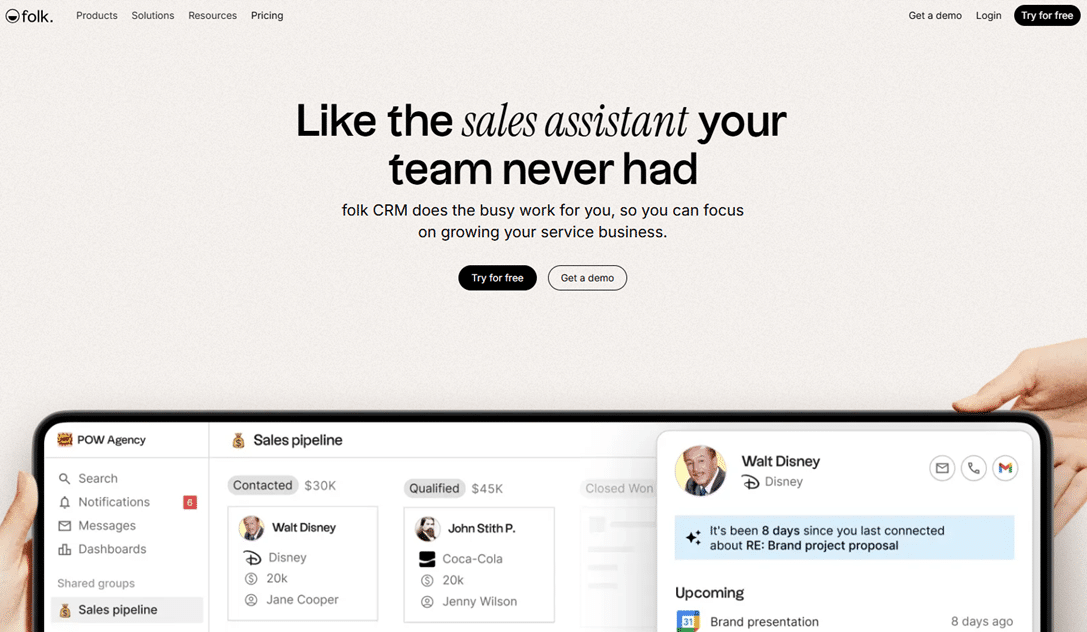
Folk is the CRM everyone in French startup circles has been talking about since 2022. Its promise: to combine the flexibility of a spreadsheet with the power of a true customer relationship management tool. And honestly, the result is impressive.
Folk's interface is deliberately minimalist. No drop-down menus, no features hidden behind dozens of clicks. You land on a contacts view that looks just like a spreadsheet-but with added features: tags, custom fields, pipelines, notes, and, most importantly, an email synchronization feature that lets you centralize all your correspondence with a contact in one place.
What really sets Folk apart is its ability to function as a relationship-based CRM: it’s designed for partnerships, fundraising, and recruitment-not just traditional sales. The tool also features a Chrome extension for enriching contacts directly from LinkedIn or websites, and built-in AI for drafting personalized messages at scale.
Estimated pricing:
Standard Plan: ~€20/month/user.
Premium Plan: ~€40/month/user.
Custom Plan: Price upon request.
👤 Who is it for?
folk is particularly well-suited for startup founders, investors, content creators, consultants, and anyone whose professional value depends on the quality of their network. It is a relationship-focused CRM tool rather than a sales-focused one, designed for people who manage a high volume of human interactions rather than a traditional sales pipeline.
👍 The benefits:
A super-smooth interface that’s easy to pick up right away.
Highly flexible, suitable for a wide range of applications.
Chrome extension for adding information to contacts from LinkedIn.
Built-in AI for message personalization.
👎 The downsides:
Fewer reporting features than Pipedrive or HubSpot.
Automation features that are even less advanced than those found in more mature tools.
May lack depth against top-tier teams.
Benefit from a on folk .
30% off on the first 3 months
Find our best discount with folk and save on your software subscriptions. We offer over 850 promo codes and discounts on the best software and SaaS on the market.
The name says it all. NoCRM was born out of a simple observation: most CRMs are too cumbersome, too bureaucratic, and end up turning off the salespeople who should be their primary users. So the tool was designed with the user in mind: action first, data entry second.
Whereas a traditional CRM requires you to create a contact record, then an opportunity, then a quote, and then a follow-up, NoCRM starts with the lead -the sales opportunity-and structures everything else around it. You create a lead, assign a next action to it, and work through your daily to-do list. This closely mirrors how a salesperson actually works, and it makes all the difference in terms of adoption.
The tool also makes it easy to import leads from photographed business cards, CSV files, LinkedIn, or web forms. Email and calendar synchronization is quick to set up. And the dashboards remain easy to read even for teams unfamiliar with reporting tools.
Estimated pricing:
Starter Kit Plan: ~€10/month/user.
Sales Experts Plan: ~€19/month/user.
Dream Team Plan: ~€29/month/user.
👤 Who is it for?
NoCRM is designed for field sales reps, real estate agents, consultants, and entrepreneurs are actively prospecting and for whom filling out forms is a waste of time. If your priority is closing deals rather than managing a database, NoCRM offers a refreshing alternative to the industry giants.
👍 The benefits:
An approach focused on action, not data entry.
Very affordable, especially for sales teams.
Import leads from multiple sources (LinkedIn, business cards, etc.).
A minimalist interface, perfect for those who aren't fans of CRM systems.
👎 The downsides:
No built-in marketing or billing module.
Reporting capabilities are less advanced than Pipedrive's.
Less suitable for managing post-sale customer relations (support, after-sales service).
Benefit from a on NoCRM .
No deals currently available
Find our best discount right now with NoCRM and save on your software subscriptions. We offer over 850 promo codes and discounts on the best software and SaaS on the market.
Attio has quickly established itself as the go-to CRM for product teams and founders in the tech industry. Its approach is radically different from traditional CRMs: here, everything can be modeled. You can create your own objects (not just contacts and deals), define relationships between them, and build custom views and workflows.
In practice, Attio is like a cross between Notion and a traditional CRM. You work with "records" organized into tables, with properties that can be freely defined. This makes the tool extremely flexible but also more demanding in terms of initial setup.
The tool automatically syncs emails and calendars to populate contact records without manual entry, and offers an open API that makes it easy to integrate into technical workflows. This is where Attio really shines: for teams that want to automate complex processes and build a CRM that perfectly reflects the way they work.
Estimated pricing:
Free Plan: Free (up to 3 members).
Plan Plus: ~$34/month/user.
Pro Plan: ~$69/month/user.
Enterprise Plan: Price upon request.
👤 Who is it for?
Attio is ideal for tech founders, product teams, digital agencies, and B2B startups with unique CRM needs who want a tool that adapts to their business model-not the other way around. It’s also an excellent choice for professionals who manage multiple types of relationships simultaneously (partners, investors, customers, and prospects).
👍 The benefits:
Ultra-flexible data modeling.
Automatic synchronization of emails and the calendar.
Robust API for technical integrations.
A generous free plan for small teams.
👎 The downsides:
A steeper learning curve than Folk or NoCRM.
Less suitable for teams without a data-driven culture.
Reporting features are still under development.
Benefit from a on Attio .
10% off during 12 months
Find our best discount with Attio and save on your software subscriptions. We offer over 850 promo codes and discounts on the best software and SaaS on the market.
Comparison Chart: Which CRM Should You Choose Based on Your Profile? 📊
Before reviewing this table, keep in mind that there is no single CRM system that is universally superior to others; it all depends on your specific situation, the size of your team, and the nature of your business.
CRM
Ideal Profile
Free map
Admission price
Key strength
Main limitation
Pipedrive
Sales / Sales Team
❌
~14 s per month
Visual pipeline
Limited to non-sale items
HubSpot
Startup / Marketing + Sales
✅
Free
Comprehensive ecosystem
Expensive per unit
Axonaut
Small Business / Freelancer (with invoicing)
❌
~34,99 s per month
All-in-one FR
Less powerful CRM
Sellsy
French SME / Billing
❌
~29 s per month
Sovereignty (FR)
Learning curve
folk
Founder / Network
❌
~20 s per month
Minimalist UX
Streamlined reporting
NoCRM
Field Sales Representative
❌
~10 s per month
Action-oriented
No marketing
Attio
Tech Team / B2B
✅
Free (3 users)
Data flexibility
Complex to set up
The prices listed are for reference only and are subject to change. Please check the respective deals pages for current offers.
Find all our discounts on all of these CRM systems in our CRM & Lead Management category.
See all the software of this category: Clients
Check out all the other software and discount we offer in this category. Explore other tools and choose the perfect solution to grow your business.
FAQ: Everything You Need to Know Before Switching to a CRM ❓
1️⃣ Why switch from Excel to a CRM if my file still works?
Because a spreadsheet will never remind you that a prospect has been waiting for your follow-up for 10 days. A CRM will. The real difference isn’t in the ability to store data; it’s in what the tool does with that data to help you take action. Automatic reminders, communication history, pipeline visibility, and real-time collaboration are features that no Excel formula can properly replace.
2️⃣ Which CRM is best suited for a solo freelancer?
It all depends on your needs. If you're looking for something free and easy to get started with, HubSpot Free or Attio Free are excellent places to start. If you want a tool that also handles invoicing, Axonaut is a better fit. For a highly lead-generation-focused approach, NoCRM remains unbeatable in terms of value for money.
3️⃣ How long does it take to migrate from Excel?
Most of the CRMs mentioned support CSV imports, which means your Excel data can be transferred in just a few minutes. The real transition-the one that involves adopting new habits-usually takes 2 to 4 weeks. Choose a tool with a simple interface if you’re worried about this change.
4️⃣ Is a free CRM really enough to get started?
Yes, in most cases. HubSpot Free and Attio Free let you manage several hundred contacts and set up a basic sales pipeline without spending a dime. The downside of free plans is usually the limit on the number of users, automations, or advanced reports. For a solo freelancer or a small team, these restrictions often won’t be a major obstacle in the first few months.
5️⃣ What is the difference between a CRM and a tool like Notion?
Notion can certainly serve as a lightweight CRM if you set up a dedicated database. It works well up to a certain volume. The fundamental difference is that CRMs are built around the concept of business relationships: they understand what a “lead,” a “deal,” and an “opportunity” are. They send reminders, track emails, and calculate conversion rates. Notion, on the other hand, doesn’t do any of that natively.
6️⃣ Are these CRMs GDPR-compliant?
French solutions such as Axonaut and Sellsy are GDPR-compliant by design and host their data in France. HubSpot, Pipedrive, and other U.S.-based solutions offer GDPR compliance options (DPA, European hosting available), but require more rigorous configuration your part. This is an important factor to consider if you work with sensitive personal data.
7️⃣ Can you use multiple CRMs at the same time?
Technically, yes, but it’s rarely a good idea. The whole point of a CRM is to centralize information. Working with two separate contact databases is like recreating the problems of a spreadsheet only more complicated. If you’re torn between two tools, most offer free trials ranging from 14 to 30 days. Benefit from to test the software before committing.