Startups that establish their customer relationships from the very first weeks gain a decisive advantage. Not because they have more resources than others, but because they’ve chosen the right tools. A good CRM, a well-configured chat feature, and smart feedback forms: these aren’t unnecessary frills. They’re the foundation. Here’s our selection: six tools covering the key pillars of customer relations, from CRM and support to email marketing and feedback collection.
Why Customer Relations Are a Strategic Priority from Day One?
Most startups focus on their product. That’s understandable-it’s even essential. But there’s a reality that catches up with every team sooner or later: the quality of customer relationships determines the company’s survival long before the product is perfect.
A customer who feels heard and well supported stays, recommends your business, and overlooks the glitches. A customer who doesn’t get a response in a reasonable amount of time, who has to follow up multiple times, or who receives generic, impersonal emails… will leave-and sometimes make a big fuss about it.
Startups that establish their customer relationships from the very first weeks gain a decisive advantage. Not because they have more resources than others, but because they’ve chosen the right tools. A good CRM, a well-configured chat feature, and smart feedback forms: these aren’t unnecessary frills. They’re the foundation.
The key is to choose tools that match your stage of development-ones that aren’t too complicated to learn but also aren’t too limited to support your growth. This selection was curated with that in mind: six tools covering the key pillars of customer relations, from CRM and support to email marketing and feedback collection.
#1 - HubSpot: The CRM that grows with you, without breaking the bank.
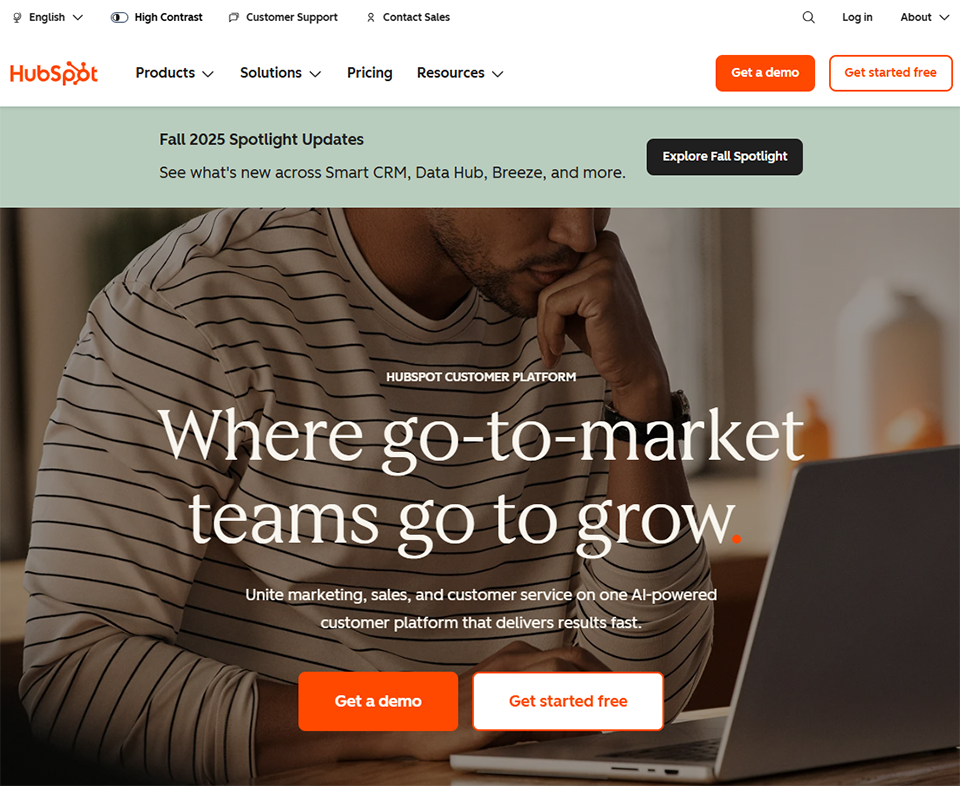
HubSpot is probably a name you’ve come across if you’ve looked into CRM tools. It has a solid reputation-and it’s well-deserved-but not for the reasons people often assume. What sets HubSpot apart isn’t so much the depth of its features as the unusual generosity of its free version.
Unlimited contacts, a visual sales pipeline, real-time email tracking, task and appointment management: all of this is available without spending a dime. For a startup that hasn't yet established a sales budget, this is a rare opportunity in the CRM industry.
The platform operates as a modular ecosystem. You start with the CRM, then you can gradually activate hubs dedicated to marketing, sales, or customer service as needed. This architecture allows you to pay only for what you actually use, without having to switch to a different tool at every new stage of growth.
Main features :
HubSpot brings together everything a sales team needs in a single interface. The sales pipeline can be configured as a Kanban board or a list, depending on your preferences, and includes an activity log that automatically updates with every interaction (email sent, call made, meeting scheduled).
Email tracking is built-in : you can see in real time when a contact opens your message or clicks on a link. With paid plans, marketing sequences automate follow-ups without requiring manual intervention.
The tool also includes forms, landing pages, a basic chat feature, and a ticketing system, which helps avoid having to sign up for multiple services in the early stages. Its library of integrations is one of the most extensive on the market, with native connections to Gmail, Outlook, Slack, Zoom, and Stripe.
Professional Plan: starting at €450/month (billed annually).
Enterprise Plan: Price upon request.
🎯 Who is this for?
The founder who is handling his first ventures on his own:
When you’re the only one managing sales conversations, it’s easy to lose track of things. A CRM like HubSpot centralizes everything: email exchanges, calls, and follow-ups to schedule. The free version is more than enough to manage your first few dozen contacts without any complex setup. It’s often the first business tool a founder should have adopted right from the start.
The fledgling sales team of 2 to 5 people:
When multiple people are working on the same customer accounts, coordination becomes critical. HubSpot allows each team member to view a contact’s complete history, assign tasks, and leave internal notes. The Starter plan becomes useful at this stage for enabling automated follow-ups and individual performance reports.
The scaling startup that aims to align marketing and sales:
This is where HubSpot really comes into its own. By enabling the Marketing Hub alongside the Sales Hub, teams can build fully automated workflows-from the first click on an ad all the way to signing a contract. Sharing data between the two departments within a single interface prevents information silos that result in costly missed opportunities.
Benefits:
✅ One of the most comprehensive free versions available in the CRM market.
✅ User-friendly interface; easy to get started even without training.
✅ An integrated ecosystem (marketing, sales, support) all in one platform.
✅ Extensive library of integrations.
✅ HubSpot Academy: free, high-quality training resources.
Limitations:
⚠️ The Professional and Enterprise plans are significantly more expensive than those of the competition.
⚠️ Advanced automation features are available only on the Professional plan.
⚠️ Certain combinations of hubs can quickly drive up the cost.
⚠️ The tool may seem overkill for a startup that’s just looking for a lightweight CRM.
Benefit from a on Hubspot .
90% off during 1 year
Find our best discount right now with Hubspot and save on your software subscriptions. We offer over 850 promo codes and discounts on the best software and SaaS on the market.
#2 - Folk: The next-generation CRM for teams that work at the speed of the network.
Benefit from our free deal on Folk.
Find over 300 free deals as well as over 850 Premium deals right now with Folk and save on your software subscriptions. Whether you're an entrepreneur, a startup or a solo freelancer, save hundreds of euros thanks to our discounts and promo codes.
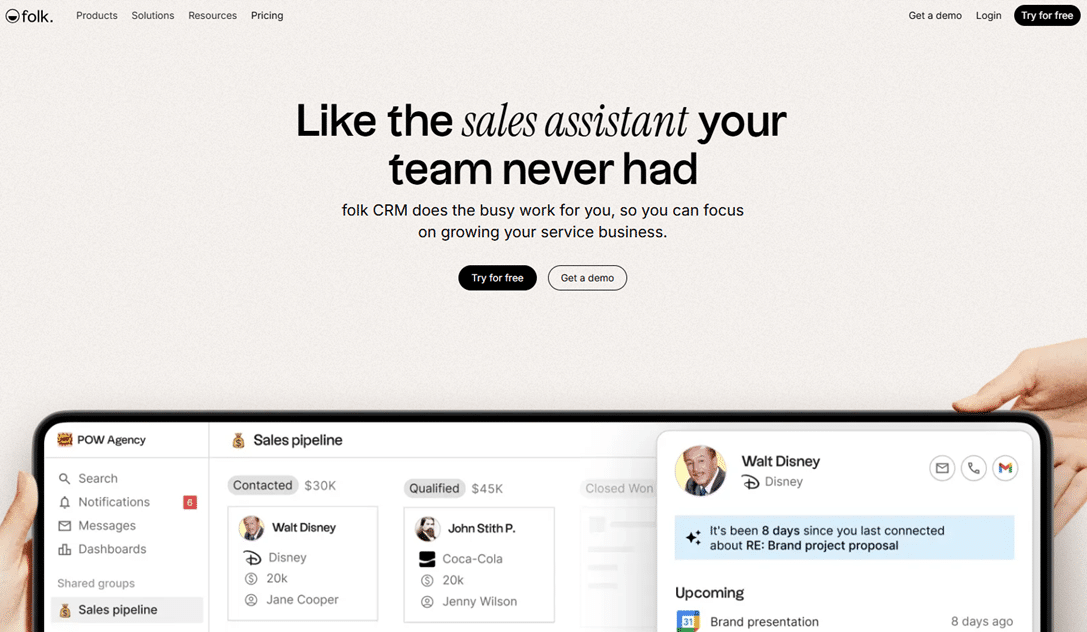
Folk occupies a unique position in the world of CRM. It is a tool built on a simple belief: most CRMs are designed for structured sales teams with defined processes and a high volume of contacts. Folk, on the other hand, was designed for teams that build relationships before building a pipeline.
The interface resembles Notion more than Salesforce. It’s flexible, visual, and designed so that anyone can customize it to fit their workflow without needing a configuration team. Contacts can come from anywhere (LinkedIn, email, social media), and Folk brings them all together in a single, automatically updated space.
What early-stage teams particularly appreciate is how quickly they can get started. In less than an hour, you can have your contacts imported, enriched, and organized into actionable lists. For a startup in the active prospecting phase, this saves a considerable amount of time.
Main features :
Folk works like an enhanced contact list. The Chrome extension lets you import a LinkedIn profile directly into the CRM in just two clicks, automatically populating the work email and job title. Once contacts are in the interface, you can organize them into multiple views (table, list, Kanban), segment them using custom tags and fields, and then send them personalized email sequences without leaving Folk.
Real-time collaboration allows multiple team members to work on the same contacts simultaneously, with shared visibility into each relationship’s history. Integrations with Gmail, Outlook, Slack, and automation tools like Zapier or Make round out the picture.
Prices:
14-day free trial.
Standard Plan: starting at $20 per month per user.
Premium Plan: starting at $40 per month per user.
Custom Plan: Price upon request.
🎯 Who is this for?
The B2B founder whose growth relies on LinkedIn:
If you do most of your prospecting and networking on LinkedIn, Folk is a game-changer. The Chrome extension lets you import a LinkedIn profile in just two clicks, automatically populating the professional email address. No more switching back and forth between tabs or manual copy-and-pasting.
The small team that wants a CRM without the complexity of a traditional CRM:
Folk is the natural choice when you want the precision of a CRM without the hassle of lengthy setup and mandatory training. It’s up and running almost immediately, making it particularly well-suited for startups that don’t have a RevOps specialist on staff to configure a complex tool.
The sales team that is testing its positioning and frequently changes its target audience:
When your Ideal Customer Profile (ICP) isn’t set in stone yet, you need a CRM system that’s easy to reconfigure. With Folk, you can recreate lists, rename fields, and switch views in just a few seconds. This flexibility is invaluable in the early months, when business assumptions are changing rapidly.
Benefits:
✅ You can get started almost immediately, with no learning curve.
✅ A highly effective LinkedIn extension to speed up lead generation.
✅ A modern interface that's a pleasure to use every day.
✅ Native contact enrichment .
✅ Excellent flexibility for teams in the testing phase.
Limitations:
⚠️ No permanent free version (14-day trial).
⚠️ Reporting and analytics are less robust than those of HubSpot or Pipedrive.
⚠️ Less suitable for structured sales organizations with complex workflows.
⚠️ Some third-party integrations are still under development.
Benefit from a on Folk .
Find our best discount right now with Folk and save on your software subscriptions. We offer over 850 promo codes and discounts on the best software and SaaS on the market.
#3 - Crisp Chat: The unified inbox that lets you connect with your customers wherever they are.
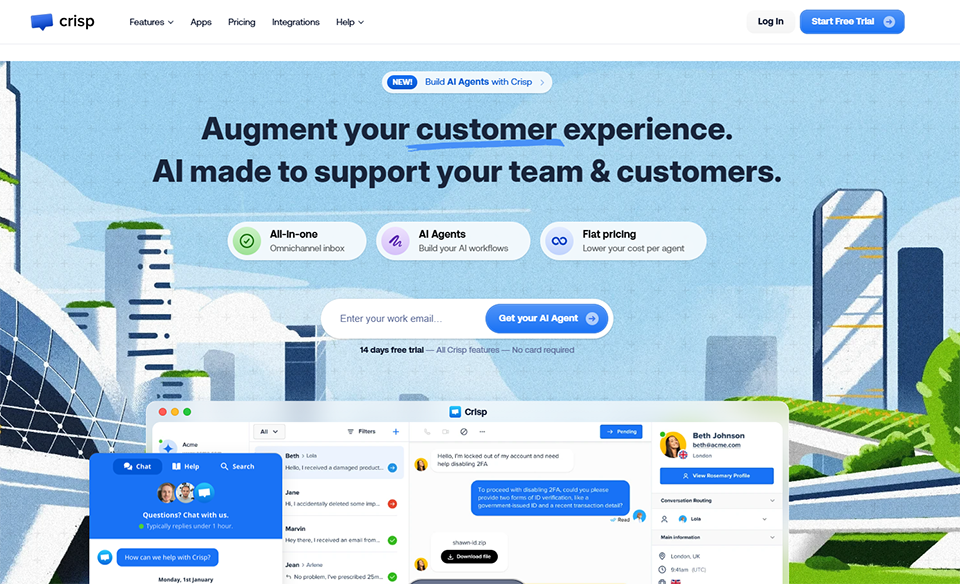
Crisp is often described as a live chat tool. That description doesn’t do justice to what the platform is actually capable of. In practice, Crisp is a shared inbox that brings all customer communication channels together in one place: website chat, support emails, WhatsApp, Instagram, Messenger, and Telegram.
For a startup that’s starting to receive inquiries across multiple channels at once but doesn’t have the resources for a dedicated support team, this is a very practical solution to a very common problem. No more messages getting lost in a personal Gmail inbox, no more unanswered questions because no one saw the notification.
Crisp is a French tool, which is worth noting: support is available in French, as is the interface, and GDPR compliance is built-in without requiring any additional configuration. For startups serving a European audience, this is a detail that makes life easier.
Main features :
Crisp consolidates all customer communication channels into a single inbox: chat messages on your website, support emails, and messages from WhatsApp, Instagram, Messenger, or Telegram all arrive in one place.
Thechat widget can be integrated into any website in just a few minutes and can be customized visually without any technical expertise. A no-code editor allows you to create chatbots that automatically triage incoming requests before they reach an agent.
The visitor's browsing data is visible in real time during conversation, which helps quickly put the request into context. The integrated knowledge base can be populated over time to reduce the volume of repetitive questions.
Prices:
Free Plan: free, 2 agents, basic chat.
Pro Plan: €25/month for 4 agents.
Unlimited Plan: €95/month, unlimited agents, all features.
🎯 Who is this for?
A brand-new startup looking for reliable customer support:
An active chat on your site sends a strong signal to your first users: someone is there. For a startup that hasn’t yet established a reputation, this visible presence can make the difference between a visitor who signs up and one who leaves. The free version of Crisp is enough to get off to a good start with two agents.
SaaS or marketplaces with a growing volume of messages:
As customer interactions increase, a shared inbox becomes essential. Crisp allows multiple team members to handle requests simultaneously, see who is responding to what, and avoid duplicate responses that can negatively impact the customer experience. The Pro plan quickly pays for itself at this stage.
A support team of 2 to 5 people looking to save time on recurring requests:
Crisp's no-code chatbot automatically filters inquiries before they reach a human agent. Frequently asked questions can be redirected to the knowledge base. As a result, the team can focus on cases that truly require personalized assistance.
Benefits:
✅ French tool , GDPR-compliant, support in French.
✅ A free version that can be used indefinitely by very small teams.
✅ Multi-channel without complex setup.
✅ No-code chatbot included starting with the Pro plan.
✅ Very user-friendly interface ; no technical expertise required.
Limitations:
⚠️ Analytics and reporting are less advanced than Intercom's on the lower-tier plans.
⚠️ The chatbot editor has its limitations when it comes to highly complex scenarios.
⚠️ Some CRM integrations require configuration via Zapier or Make.
⚠️ Less suitable for large support teams with more than ten agents.
Benefit from a on Crisp Chat .
20% off on any plan "Essentials" and "Plus" on any plan
Find our best discount right now with Crisp Chat and save on your software subscriptions. We offer over 850 promo codes and discounts on the best software and SaaS on the market.
#4 - Intercom: customer engagement built right into the product itself.
Intercom isn't exactly a support tool, even though it performs those functions. It's more of a customer engagement platform, built around a central idea: communication with your users should be driven by their behavior within your product, not just by their incoming requests.
A user who hasn't completed their onboarding after 48 hours automatically receives a tailored message. A customer who regularly uses an advanced feature receives a targeted suggestion for a complementary feature. A user who appears to be stuck on a specific page is shown a contextual help suggestion. This "right message at the right time" approach is what sets Intercom apart from most of its competitors.
For several years now, the tool has included an AI agent (Fin) capable of independently resolving a significant portion of support requests by drawing on the existing knowledge base. For teams handling high volumes, this is a real productivity booster.
Main features :
What sets Intercom apart technically is its ability to trigger specific messages based on product events: a user who hasn’t completed a key onboarding step, a customer who hasn’t used the app in ten days, or a subscriber who has just upgraded to a higher plan. Each scenario can generate a tailored message at the right time, without manual intervention. The Fin AI agent autonomously responds to support requests by drawing on the existing knowledge base.
For more complex requests, a ticketing system and structured workflows take over, complete with comprehensive performance dashboards. Native integrations with Salesforce, HubSpot, Slack, Jira, and Stripe make it a tool that seamlessly connects with the most common tech stacks used by SaaS startups.
Prices:
Essential Plan: starting at $39/month/seat.
Advanced Plan: starting at $99 per month per seat.
Expert Plan: starting at $139/month/seat.
Early Stage Program available to eligible startups (discount ).
🎯 Who is this for?
A SaaS startup with an active online product and usage data:
This is where Intercom truly shines. If you have a digital product with identified users and events that you track, linking this data to messages sent via Intercom unlocks highly targeted engagement opportunities. User activation, retention, and onboarding can be managed almost automatically.
The Customer Success team of three or more people:
The comprehensive reporting and granular support workflows make Intercom a highly effective tool for customer service teams that want to closely track their key metrics (CSAT, resolution time, volume by channel) and adjust their operations accordingly.
The scale-up that wants to reduce its operating costs without compromising the user experience:
Intercom's Fin AI agent, powered by OpenAI models, is one of the most effective on the market. Drawing on well-maintained knowledge bases, it can autonomously handle a significant portion of repetitive inquiries, allowing the human team to focus on complex, high-value cases.
Benefits:
✅ Message personalization based on product behavior-unmatched by any other solution.
✅ One of the most effective AI support agents on the market.
✅ Numerous integrations that are very well maintained.
✅ Comprehensive reporting and analytics.
✅ A strong community and high-quality documentation.
Limitations:
⚠️ High costs , especially as the team and workload grow.
⚠️ A comprehensive learning process that may take several weeks.
⚠️ The most advanced features are available only on higher-tier plans.
⚠️ May be overkill for a startup with fewer than 200 to 300 active users.
Benefit from a on Intercom .
$100 in credits
Find our best discount right now with Intercom and save on your software subscriptions. We offer over 850 promo codes and discounts on the best software and SaaS on the market.
#5 - Brevo: professional email communication that offers unbeatable value for money.
Benefit from our free deal on Brevo.
10% off on annual plan
Find over 300 free deals as well as over 850 Premium deals right now with Brevo and save on your software subscriptions. Whether you're an entrepreneur, a startup or a solo freelancer, save hundreds of euros thanks to our discounts and promo codes.
Brevo, formerly Sendinblue, has established a strong foothold in the European email marketing market. In just a few years, the platform has become the leading European alternative to Mailchimp, offering pricing that is significantly more affordable for startups.
The tool addresses several complementary needs: sending newsletters and marketing campaigns, transactional emails (sign-up confirmations, invoices, notifications), workflow automation, and SMS marketing. What teams appreciate is being able to manage all their outbound customer communications from a single interface, without having to sign up for multiple services.
The free version is one of the most generous in the industry: unlimited contacts and up to 300 emails per day, which amounts to over 9,000 emails per month. For a startup just starting to build its list, this is more than enough to launch a real email strategy without any upfront investment.
Main features :
Brevo lets you manage all outgoing communications from a single interface. The drag-and-drop email editor requires no technical knowledge and allows you to create visually polished messages in just a few minutes. Automation workflows are built visually, with triggers based on specific actions (sign-up, click, inactivity).
Transactional emails (confirmations, invoices, notifications) are sent via API or SMTP and are included in all plans at no extra cost. SMS marketing is available natively within the same interface, which simplifies the coordination of multichannel campaigns. Deliverability and performance statistics are available in real time, with clear data on open rates, click-through rates, and unsubscribe rates.
Prices:
Free Plan: free, unlimited contacts, 300 emails per day.
Starter Plan: starting at €9/month (20,000 emails/month).
Business Plan: starting at €18/month, advanced automation, A/B testing, comprehensive reporting.
Enterprise Plan: Price upon request.
🎯 Who is this for?
The early-stage startup that wants to build its customer list right from the start:
Brevo's free plan is perfect for this situation. With unlimited contacts, a full-featured editor, and basic analytics, there’s nothing stopping you from launching a professional email campaign the very day the product launches. It’s often the tool you wish you’d signed up for sooner.
SaaS or apps looking to automate their email onboarding:
Brevo's automation workflows let you create email sequences triggered by specific actions: sign-up, first login, prolonged inactivity, or plan upgrade. For a small product team, this is a powerful tool for improving user activation without having to dedicate time to each new user.
E-commerce platforms or marketplaces looking to combine email and SMS:
The native integration of SMS into the same platform as email is a real advantage of Brevo. Startups that sell online can coordinate their post-purchase communications (email confirmation + SMS reminder) without having to switch between multiple tools or pay for multiple subscriptions.
Benefits:
✅ One of the best value -for-money options on the market.
✅ Free version with unlimited contacts, available for long-term use.
✅ European tool , GDPR-compliant, support in French.
✅ Strong deliverability for transactional emails.
✅ Transactional email included in all plans at no extra cost.
Limitations:
⚠️ Less advanced automation than ActiveCampaign or Klaviyo when it comes to complex behavioral segmentation.
⚠️ The email editor works well but is less flexible than some premium competitors.
⚠️ The built-in CRM is still very basic and is not a substitute for a full-fledged CRM tool.
⚠️ Some automation features are only available on the Business plan or higher.
Benefit from a on Brevo .
75% off on annual plan
Find our best discount with Brevo and save on your software subscriptions. We offer over 850 promo codes and discounts on the best software and SaaS on the market.
#6 - Typeform: Forms that turn a chore into an experience.
Benefit from our free deal on Typeform.
16% off on annual plan
Find over 300 free deals as well as over 850 Premium deals right now with Typeform and save on your software subscriptions. Whether you're an entrepreneur, a startup or a solo freelancer, save hundreds of euros thanks to our discounts and promo codes.
Typeform starts with a simple observation: no one likes filling out forms. So the platform has completely reimagined the format, moving away from a list of static fields toward a conversational experience-one question at a time-featuring a sleek design and conditional logic that adapts the flow based on the user’s answers.
The results are immediately evident in completion rates. A well-designed Typeform form consistently generates more responses than a Google Forms form or a basic embedded form in comparable use cases. For a startup looking to qualify leads, collect user feedback, or conduct an NPS survey, the difference is significant.
There are numerous integrations, all of which are well-documented. Responses can be automatically fed into a CRM, a Notion sheet, or an Airtable database, or trigger a workflow via Zapier or Make. This connectivity makes Typeform a natural fit within a broader customer stack.
For teams with simpler needs or a tighter budget, Tally is a solid alternative, offering a very comprehensive free plan and an interface similar to Notion’s.
Main features :
Typeform is based on a conversational approach: questions are displayed one at a time in a visually appealing interface, which reduces the respondent’s cognitive load and significantly improves completion rates.
Conditional logic allows youto tailor the flow based on previous answers, so that each person sees only the questions that apply to them. Calculations and scores can be built directly into the form to create quizzes or personalized recommendations. The design is easily customizable (colors, fonts, background images), and the form can be embedded on any page as a pop-up or iframe.
Integrating with HubSpot, Mailchimp, Slack, Google Sheets, or automation tools like Zapier allows you to automatically send responses to where they're needed.
Prices:
Free Plan: 10 questions per form, 10 responses per month.
Basic Plan: starting at €25/month, unlimited responses.
Plan Plus: starting at €50/month, advanced logic, removal of Typeform branding.
Business Plan: starting at €83/month, with advanced collaboration features.
🎯 Who is this for?
The B2B startup looking to qualify its inbound leads:
A well-designed lead qualification form on your website can turn a simple contact form into a powerful sales tool. With Typeform’s conditional logic, you can display different questions based on a prospect’s industry, company size, or estimated budget. Qualified leads save the sales team valuable time.
The product team that collects user feedback:
User feedback is one of the most valuable assets for a startup, and one of the hardest to collect in a structured way. A Typeform sent after onboarding, following a support session, or triggered in the app after a key product action generates much richer data than a simple open-ended comment field.
The founder or startup organizing an application or selection process:
Typeform works very well for structured processes: beta program applications, partner selection, and webinar registration with pre-registration questions. Conditional logic allows you to tailor the form to the respondent’s profile without asking irrelevant questions, which improves the user experience and the quality of the data collected.
Benefits:
✅ A significantly higher completion rate than traditional forms.
✅ Professional design without the hassle of customization.
✅ Powerful conditional logic that's easy to set up.
✅ Extensive integrations with tools from a standard startup stack.
✅ A wide range of use cases : onboarding, feedback, NPS, quizzes, job applications.
Limitations:
⚠️ Very limited free version (10 responses per month).
⚠️ The pricing may seem high for infrequent use.
⚠️ Less suitable for very long forms or for collecting large volumes of highly structured data.
⚠️ Alternatives like Tally or Jotform meet basic needs for free.
Benefit from a on Typeform .
Additional 40% off on annual plan
Find our best discount right now with Typeform and save on your software subscriptions. We offer over 850 promo codes and discounts on the best software and SaaS on the market.
Before you get started, this chart will help you quickly identify which tool best suits your current stage and priorities.
Tool
Category
Free map
Admission fee
Suitable for
Getting Started
HubSpot
Comprehensive CRM
✅ Yes, unlimited contacts
~€15 per month per user
All startups, of all sizes
⭐⭐⭐⭐
Folk
Relationship Management CRM
❌ 14-day trial
~$20/month/user
B2B, networking, agile teams
⭐⭐⭐⭐⭐
Crisp Chat
Multichannel support
✅ Yes, 2 agents
€25/month (4 agents)
Early-stage, responsive support
⭐⭐⭐⭐⭐
Intercom
Commitment & Support
❌ No
~$39/month/seat
SaaS with product data
⭐⭐⭐
Brevo
Email & Automation
✅ Yes, 300 emails per day
~€9/month
Scalable customer communication
⭐⭐⭐⭐⭐
Typeform
Forms & Feedback
✅ Limited (10 times per month)
~€25/month
Qualification, NPS, feedback
⭐⭐⭐⭐⭐
The prices listed below are for informational purposes only and are based on the publicly available price lists at the time this article was written. They are subject to change: please check the publishers’ websites directly for current prices.
See all the software of this category: Client
Check out all the other software and discount we offer in this category. Explore other tools and choose the perfect solution to grow your business.
❓ Frequently Asked Questions About Customer Tools for Startups
Here are the questions that come up most often when choosing and structuring your client stack during the startup phase.
1️⃣ Do you really need a CRM right from the start, or is a spreadsheet enough?
A spreadsheet may work for the first few weeks, when the number of contacts is very small and a single person manages all the relationships. As soon as multiple people start working with the same contacts, or when it becomes important to keep a record of past communications, the spreadsheet quickly reaches its limits. A CRM like HubSpot’s free version costs nothing and can be set up in a few hours. Objectively speaking, there is no valid reason to delay this transition.
2️⃣ How do I choose between Crisp and Intercom?
The two tools cater to different stages of maturity. Crisp is the natural choice for an early-stage startup with a small team and a moderate volume of messages. It’s quick to get started, the free version works well, and the learning curve is practically nonexistent. Intercom becomes relevant when you have product behavior data to analyze, a significant volume of requests, and a dedicated team to manage the platform. It’s a powerful tool, but its value is proportional to how much you use it.
3️⃣ Can Brevo replace Mailchimp?
In the vast majority of cases, yes. Brevo offers features comparable to Mailchimp, with more competitive pricing for European volumes, native GDPR compliance, and support available in French. The migration process from Mailchimp is well-documented and generally straightforward. The only area where Mailchimp retains a slight advantage is its more extensive library of email templates.
4️⃣ Can HubSpot and Intercom coexist in the same stack?
Yes, and this is a relatively common setup in growing SaaS startups. HubSpot handles sales CRM (pipeline, deals, leads and contacts), while Intercom manages relationships with active product users (support, in-app onboarding, engagement). The two tools integrate natively, allowing customer data to be synchronized between the two platforms without significant technical effort.
5️⃣ Is Typeform really worth the extra cost compared to Google Forms?
For internal use or simple forms that don’t require conversion tracking, Google Forms remains a perfectly suitable and free option. The real difference becomes apparent when the form is aimed at customers or prospects: Typeform’s conversational format generates significantly higher completion rates for this type of use. If each response represents a potential lead or valuable product feedback, the difference in completion rates more than justifies the investment.
6️⃣ Folk or Attio: Which one should you choose for a modern B2B CRM?
Both tools are positioned in the same segment of next-generation CRM solutions for B2B teams. Attio is slightly more advanced in terms of reporting features and workflow customization, while Folk is more user-friendly right out of the box and particularly strong when it comes to LinkedIn imports. If you do a lot of prospecting via social media, Folk has the edge. If you need more detailed sales reports, Attio is worth a look.
7️⃣ Which tool should you start with if you can only activate one at the beginning?
The answer is almost always CRM. It’s the foundation of your entire customer relationship management strategy-the central hub where all your contacts and interactions are tracked. HubSpot’s free version is the most logical starting point: it also includes basic chat functionality, email tracking, and a sales pipeline, which covers the most urgent needs of a startup in its launch phase. Other tools come into play once this foundation is in place.