logo anime freelance stack white
Logo de l'outil JotForm sur Freelance Stack
All deals (850+)
Freelance Stack > Legal > Form & Online Survey >

Jotform Promo Code

Logo de l'outil JotForm sur Freelance Stack

Jotform

Free Deal
2 deals available
Simply create powerful online forms
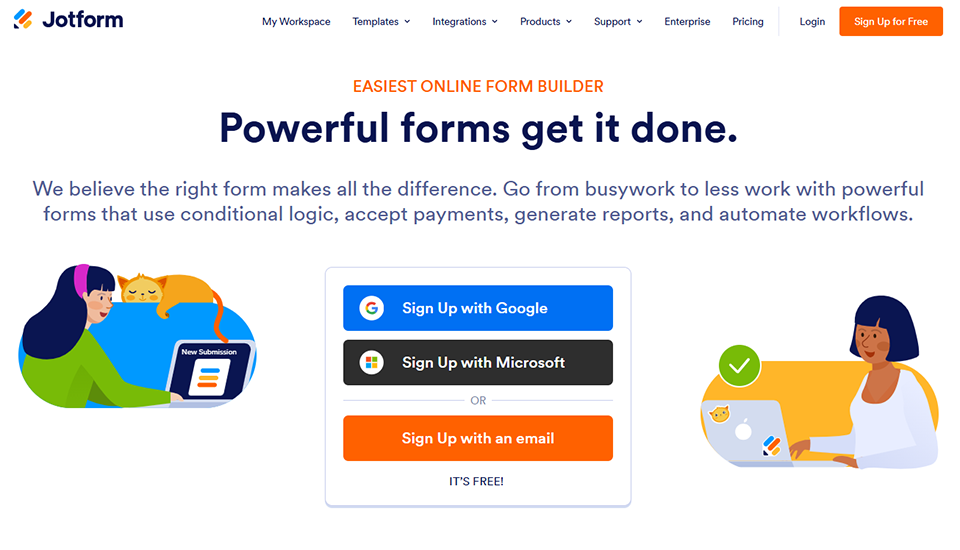
Having the right form makes all the difference to your business. Whether you need to create a registration form, a quiz, collect payments, or have reports automatically generated? Create your online form in just a few minutes, without coding, simply and free of charge.
Save big with 850+ deals 💶
Explore all deals
Illustration of Jotform on Freelance Stack's deal page
2 deals available
Free Deal
Premium Deal #1

30% off on annual plan

All our deals are negotiated by our team to give you the best discount and are updated regularly.
This deal requires you to create a new account to benefit from the discount. It is reserved for new customers

Additional 50% off on annual plan

All our deals are negotiated by our team to give you the best discount and are updated regularly.
This deal requires you to create a new account to benefit from the discount. It is reserved for new customers
Save Money !
Logo Freelance Stack blanc
Freelance Stack 
Premium
Access our 850+ exclusive promo code for $55/year.
and over 850 other deals.
and +850...
general information
ALTERNATIVES
YOU MAY ALSO LIKE...

📅 May 2026 -

 Our promo code verified with the software 

Jotform

Benefit from an additional 50% off on annual plan on Jotform.

Save an additional 50% off on annual plan on Jotform through our exclusive partnership.

Freelance Stack is the first deals platform to access best discounts, coupon codes and credits on 650+ software, SaaS and online services for entrepreneurs and startups. We offer exclusive and validated discounts that we negotiate directly with partners to help you to grow and save money. Our coupon codes enable thousands of entrepreneurs, startups, freelancers and consultants to save thousands of euros on the best software.

Don't wait any longer and save an additional 50% off on annual plan on Jotform.

📄 Information about 

Jotform

Jotform is an online form creation platform that enables users to easily design customized forms for a variety of needs, such as surveys, registrations and payment collection. With an intuitive drag-and-drop interface, Jotform offers thousands of predefined templates and customization options.

The platform also integrates analysis tools for tracking responses and managing the data collected. Jotform allows forms to be shared via links, or integrated directly into websites. In short, Jotform is an effective solution for creating and managing online forms quickly and easily.

Jotform is a powerful online form generator that makes it easy to collect and process data online. Popular with over 25M users worldwide, including charities, educational institutions, small businesses and large corporations, Jotform is a great way to collect the data that will help your business thrive.

  • Powering businesses, one form at a time: At Jotform, we don't believe that paperwork should be complicated. We're committed to making online data collection and payments as simple as possible, so you can create a better workflow while growing your business.

With Jotform:

  • Create the form you need in minutes: Create professional forms without writing any code, thanks to Jotform's online form generator. You can design your forms with your own logo, font and logo.
  • Integrate your form with business applications: Jotform's 150+ integrations let you send registration form submissions directly to e-mailing services, project management spreadsheets, CRMs, cloud storage applications and more, without having to do anything manually.
  • Easily collect online payments: Whether you're offering goods and services, or collecting registrations, Jotform lets you get paid directly through your online form.

📋 Jotform features:

In this section, you will find our opinion the main features of Jotform. All of these features are subject to regular updates. We recommend that you check that they are available before purchasing any software.

Jotform has established itself as one of the most versatile form-building solutions on the market, enabling businesses and professionals to design custom forms without any technical expertise. This no-code platform offers an intuitive drag-and-drop approach that makes it easy for anyone to create complex forms, whether they’re customer questionnaires, contact forms, satisfaction surveys, or online ordering processes.

The tool stands out for its exceptional integration capabilities with over 150 third-party applications, including management systems such as Salesforce, payment tools such as PayPal and Stripe, and marketing automation platforms. This native connectivity allows users to create automated workflows that instantly convert form responses into concrete actions within their existing software ecosystems.

With over 20 million users worldwide, Jotform meets the diverse needs of freelancers, small and medium-sized businesses, and large enterprises thanks to a wide range of advanced features and remarkable customization flexibility that adapts to all industries.

  • Intuitive drag-and-drop editor: The design interface lets you build sophisticated forms in just a few minutes, with a library of over 10,000 ready-to-use templates covering all business use cases. You can fully customize the appearance, add your branding, and adapt the layout to your specific needs.
  • Advanced conditional logic: This feature allows you to create smart forms that adapt to user responses in real time, showing or hiding certain fields based on the choices made. This enables you to design personalized workflows that significantly enhance the user experience and boost conversion rates.
  • Secure payment integrations: Jotform natively supports over 40 payment gateways, including PayPal, Stripe, Square, and Authorize.Net, allowing you to collect payments directly through your forms. This feature transforms any form into a complete e-commerce solution with automatic receipt management and order confirmation.
  • Real-time team collaboration: Collaborative features allow multiple users to work on the same form simultaneously, with granular permissions and a revision history. This approach streamlines content validation and accelerates creation processes for distributed teams.
  • Workflow Automation: Jotform’s automation system allows you to trigger specific actions based on the responses received, such as sending personalized emails, creating tasks in project management tools, or automatically updating CRM databases. These automations eliminate repetitive manual tasks and ensure optimal lead follow-up.
  • Detailed analytics and reporting: The tool offers comprehensive analytical dashboards with graphical data visualization, export to Excel or Google Sheets, and the ability to generate custom reports. You have access to real-time performance metrics to optimize your forms and measure their effectiveness.
  • Enhanced security and compliance: Jotform adheres to the strictest security standards, including 256-bit SSL encryption, GDPR compliance, HIPAA certification for health data, and hosting in secure data centers. These safeguards allow you to collect sensitive information with confidence.

Jotform's rich feature set makes it a truly comprehensive tool that grows with your needs, from creating simple forms to complex solutions that incorporate payments, automation, and regulatory compliance-all without requiring any special technical skills.

📊 Jotform Pros and Cons:

This section provides a summary of the advantages and limitations of using Jotform on a daily basis. We are not paid or influenced by brands, and this content is solely our own. These features, their advantages and disadvantages are likely to change regularly, both positively and negatively. If you have complex needs, we invite you to contact the software publisher directly for more information about your requirements. 

👍 Pros with Jotform:

  • Intuitive drag-and-drop interface: Jotform stands out for its user-friendly visual editor, which allows you to create complex forms without any technical expertise. You can literally drag and drop the fields you need (text, checkboxes, dropdown menus, file uploads) and arrange them as needed. This visual approach saves you a considerable amount of time compared to solutions that require coding, while still delivering a professional result. The real-time preview lets you see the final result immediately, making adjustments and customization a breeze.
  • An exceptionally extensive template library: With over 10,000 ready-to-use templates, Jotform covers virtually every business need imaginable. Whether you’re looking for a simple contact form, a complex satisfaction survey, an order form with automatic calculations, or even a booking system, you’ll find a suitable starting point. These templates are designed by professionals and regularly updated according to UX best practices. You can fully customize them to match your brand guidelines and specific needs, saving you the trouble of starting from scratch.
  • Powerful native integrations and advanced automations: Jotform’s strength lies in its ability to connect your forms with over 150 popular third-party apps, such as Google Sheets, Mailchimp, PayPal, Salesforce, and Slack. These integrations allow you to fully automate your processes: responses can be automatically transferred to your CRM, trigger email campaigns, or generate customized PDF documents. Advanced conditional rules let you create smart forms that adapt to user responses, delivering a seamless and personalized user experience.
  • Secure online payment processing: Jotform excels at collecting payments thanks to its native integrations with over 40 different payment gateways, including PayPal, Stripe, Square, and Authorize.net. You can create order forms with automatic calculations for taxes, shipping costs, and discounts, all while complying with PCI DSS security standards. This feature transforms a simple form into a fully-fledged online store, which is particularly useful for freelancers, consultants, or small businesses that need to collect payments without investing in a complex e-commerce solution.
  • Advanced customization and branding options: Unlike many form builders that impose their own branding, Jotform gives you complete control over the appearance of your forms. You can customize colors, fonts, and backgrounds, add your logo, and even inject custom CSS for total control. Professional themes let you create forms that integrate seamlessly with your website. On paid plans, you can also completely remove the "Powered by Jotform" label, ensuring a consistent brand experience for your users.
  • GDPR compliance and enhanced data security: Jotform takes the protection of personal data very seriously and offers full GDPR compliance, including features such as consent collection, the right to be forgotten, and data portability. Forms are hosted on secure servers with SSL encryption, automatic backups, and built-in spam protection. You also have access to advanced options such as geographic restrictions on responses, user authentication, and electronic signatures for official documents, meeting the requirements of the most heavily regulated industries.

👎 Cons with Jotform:

  • The free plan has fairly restrictive limitations: Although Jotform offers a free version, it is limited to just 5 forms with a maximum of 100 submissions per month. This limitation quickly becomes a problem for businesses that want to create multiple forms or receive a significant volume of responses. Additionally, Jotform branding remains visible on free forms, which can harm your organization’s professional image.
  • A wealth of features that requires a systematic approach: Given the vast array of widgets and settings, a user who wants to build a highly complex form (dynamic calculations, nested conditions) will need to proceed in stages. The difficulty lies not in the tool itself, but in the structural logic one wishes to apply to the form. For basic needs, getting started is immediate and requires no training.
  • Performance varies depending on the form's complexity: Highly complex forms with numerous fields, multiple conditional logic rules, or third-party integrations may experience longer load times. This issue is particularly pronounced on mobile devices, where the user experience can deteriorate significantly. Long forms or those with many visual elements may also cause display issues on some older browsers.
  • File storage volume limit: The real jump in pricing becomes apparent when you collect large files (photos, documents) through your forms. The storage space allocated in the first few paid plans can quickly fill up if you receive hundreds of attachments per month. It’s therefore important to anticipate your cloud storage needs in order to choose a plan that will prevent any service interruptions.
  • Consistency of third-party widgets: While the core of the form is fully customizable, some integrated external widgets (such as video players or certain specific selectors) may sometimes retain a standard appearance that is difficult to modify. This can create slight visual inconsistencies if you have a highly refined visual style guide and use very specific modules from the community library.

💰 Jotform pricing:

All prices listed are taken from the Jotform software website. However, these prices are subject to change regularly. We recommend that you check them directly on each software's website to be sure. 

Jotform offers a range of pricing plans across four distinct tiers, allowing users to choose the option that best suits their needs in terms of forms and advanced features. The platform provides a generous free version to get started, as well as paid plans that gradually unlock more advanced professional capabilities.

Pricing is calculated on a monthly basis, but discount are available for annual commitments. Each plan includes specific limits on the number of forms, monthly submissions, and available storage space.


Plan Rates Included
Starter Free 5 forms, 100 submissions per month, 100 MB of storage
Bronze €34/month 25 forms, 1,000 submissions per month, 10 GB of storage
Silver €39/month 50 forms, 2,500 submissions per month, 100 GB of storage
Gold €99/month 100 forms, 10,000 submissions per month, 1 TB of storage
Enterprise Upon request Unlimited forms, unlimited submissions, custom storage

💬 Frequently asked questions about Jotform's promo:

In this section, you will find all the main questions you may have about accessing this discount. We wanted to provide you with as much information as possible to help you save as much as possible on your software subscriptions. 

1️⃣ How to access to the deal with Jotform?

This promo code allows you to save money and enjoy premium features on Jotform paid plans and subscriptions. Check the eligibility criteria on this page to see if you can benefit from this discount. Don't miss out on the opportunity to pay less for your subscription to one of the best tools on the market.

2️⃣ Why Freelance Stack can help you to access to Jotform discount?

As a partner of Jotform, you can easily save on your subscription to this software. Without us or another affiliate partner, you will have difficulties to activate the discount. We are the largest discount promo code platform for software and SaaS in the world.

3️⃣ How to use Jotform deal?

To use the discount with Jotform, you need to click on the various buttons that may be available on the right side of the deal page and follow the instructions to unlock this promotion.

4️⃣ What are Jotform's promo requirements?

We specify all the terms and conditions on each deal page. You must click on the various buttons on the deal page to view all the terms and conditions. This deal requires you to create a new account to benefit from the discount. It is reserved for new customers of Jotform.

🔄 Alternatives to Jotform software:

Find the right software with our suggestions for alternative solutions.

When growing a business, comparing the right tools is essential. With thousands of options available, these solutions are strong alternatives to Jotform 
Indeed, Jotform is a solution that can adapt according to your needs:

1️⃣ If you are a freelancer or consultant:

For your freelance business, Typeform is an excellent option thanks to its ultra-intuitive interface and conversational forms that impress your clients. The tool offers a remarkable user experience and is perfect for creating client onboarding questionnaires or creative brief forms. Google Forms remains must-have its simplicity and the fact that it’s completely free, making it particularly well-suited if you’re just starting your business or managing simple projects. Its native integration with Google Sheets greatly simplifies the analysis of responses. Finally, Tally deserves your attention for its modern design and free advanced features, including the ability to create sophisticated multi-step forms. These three solutions will allow you to efficiently collect client information while keeping costs under control-a crucial aspect when every dollar counts in your freelance business model.

2️⃣ If you are a startup:

Notion Forms stands out as a particularly relevant alternative for startups that already use Notion for their internal operations. This native integration allows you to centralize all your data within a single ecosystem, thereby reducing the costs associated with multiple subscriptions. Airtable Forms offers a hybrid approach that combines forms and databases, making it ideal for immediately structuring your collected data and leveraging it within your business workflows. For tech startups, Formspree offers a developer-friendly solution that allows you to easily integrate forms into your applications without a complex backend. This technical approach gives you full control over the appearance and behavior of your forms. These alternatives are perfectly suited to the agility required during the growth phase, while offering the scalability you’ll need to support your startup’s development.

3️⃣ If you are a small business or an SME:

For established businesses, Microsoft Forms is a strategic choice if you’re already operating within the Office 365 ecosystem. Its seamless integration with Teams, SharePoint, and Excel greatly facilitates team collaboration and the analysis of collected data. Cognito Forms stands out for its advanced calculation and conditional logic capabilities, making it perfect for creating dynamic quotes or complex order forms. The tool also offers built-in payment features that can transform your forms into true sales tools. Gravity Forms is the go-to solution for businesses using WordPress, offering remarkable flexibility and numerous third-party integrations. These professional solutions guarantee the robustness, security, and advanced features needed to effectively support your daily business operations and long-term growth.

Otherwise, these other software programs may also be a good alternative to Jotform

🆕 Our new Premium deals:

We offer discounts on 650+ different software. We regularly add new discounts on the best software for freelancers, consultants and entrepreneurs.

Discover these new software in addition to the deal we offer with Jotform.

👤 Our members have just used these other deals:

We offer on 850+ different software. That's both a lot and a little compared to all the software that exists and that could help you in your business as entrepreneur or business owner.

Discover new software and discounts to complement the deal we offer on Jotform

🔗 Related resources and articles:

We've gathered a selection of resources that might interest you. You'll discover exclusive content related to Jotform.

Our blog allows you to find guides, comparisons, tutorials to help you grow your business with the best software and SaaS available on the market. Don't wait any longer, the best tips are here!