logo anime freelance stack white
Logo de l'outil WordPress sur Freelance Stack
All deals (850+)
Freelance Stack > Web development > Website creation >

WordPress Promo Code

Logo de l'outil WordPress sur Freelance Stack

WordPress

Premium Deal
1 deal available
The best features for creating a powerful website.
Create your online presence easily with WordPress.com - whether it's a blog, online store or portfolio, it all starts here.
Save big with 850+ deals 💶
Explore all deals
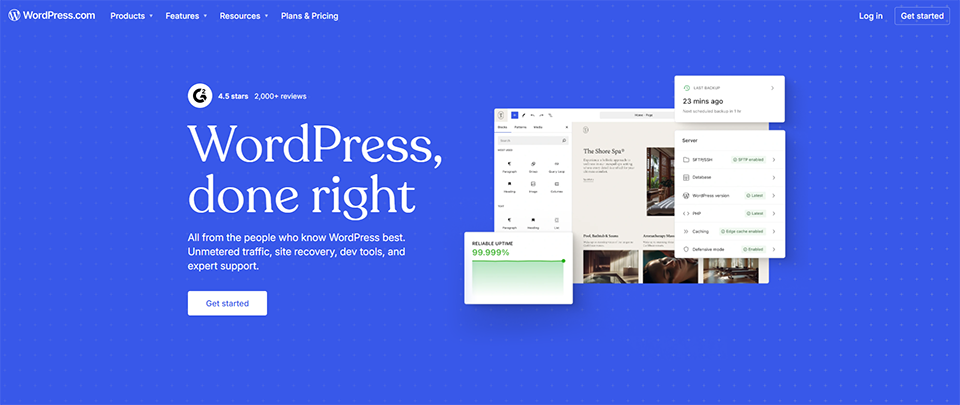
Illustration of WordPress on Freelance Stack's deal page
1 deal available
Premium Deal #1

30% off on any plan

All our deals are negotiated by our team to give you the best discount and are updated regularly.
This deal is available to new customers or customers on a free plan of the tool.
Save Money !
Logo Freelance Stack blanc
Freelance Stack 
Premium
Access our 850+ exclusive promo code for $55/year.
and over 850 other deals.
and +850...
general information
ALTERNATIVES
YOU MAY ALSO LIKE...

📅 May 2026 -

 Our promo code verified with the software 

WordPress

Benefit from 30% off on any plan on WordPress.

Save 30% off on any plan on WordPress thanks to our exclusive partnership.

Freelance Stack is the first deals platform to access best discounts, coupon codes and credits on 650+ software, SaaS and online services for entrepreneurs and startups. We offer exclusive and validated discounts that we negotiate directly with partners to help you to grow and save money. Our coupon codes enable thousands of entrepreneurs, startups, freelancers and consultants to save thousands of euros on best software.

Don't wait any longer and save 30% off on any plan on WordPress.

📄 Information about 

WordPress

WordPress is an open source content management system (CMS) that makes it easy to create websites, blogs or online stores, without advanced technical knowledge. Flexible and customizable, it offers thousands of themes and extensions to adapt your site to your needs.

Whether you're a beginner or an experienced developer, WordPress offers an intuitive interface and a host of advanced features. It's also optimized for Search Engine Optimization (SEO), making it easier for search engines to find your site. Its large, active community guarantees constant support and continuous evolution of the platform. WordPress is used by over 40% of the world's websites, making it a reliable, proven and scalable solution. Thanks to its compatibility with numerous third-party tools, it integrates seamlessly into your digital ecosystem.

The main features of WordPress :

  • Intuitive content management:

Easily create, modify and organize your pages, articles, images and files thanks to a clear, accessible user interface.

  • Customization via themes and extensions:

Access thousands of free or premium themes and add functionality via plugins to tailor your site to your needs.

  • Search engine optimization (SEO):

WordPress is designed to be compatible with SEO best practices, with extensions like Yoast SEO to take things a step further.

  • Responsive design:

The majority of themes are adapted to all screen types (computer, tablet, mobile), guaranteeing an optimal user experience.

  • User management system:

Assign different roles (administrator, editor, author, etc.) to better manage rights and security on your site.

  • Multilingual support:

WordPress can be used in dozens of languages, and allows the creation of multilingual sites thanks to extensions such as WPML or Polylang.

  • E-commerce with WooCommerce:

Turn your site into a full-featured online store with the WooCommerce plugin, featuring product management, payments, shipping and promotions.

  • Enhanced security:

Regular updates, security extensions and best practices ensure effective protection against online threats.

  • Easy integration with other tools:

WordPress is compatible with third-party tools such as Google Analytics, Mailchimp, Stripe and social networks.

  • Active community and rich documentation:

An extensive community of developers, users and contributors provides ongoing support, tutorials, forums and online resources.

📋 WordPress features:

In this section, you will find our opinion the main features of WordPress. All of these features are subject to regular updates. We recommend that you check that they are available before purchasing any software.

WordPress has established itself as the world’s most popular content management system (CMS), powering more than 40% of all websites. This open-source platform offers exceptional flexibility that appeals to everyone from novice bloggers to experienced developers working on complex enterprise projects. Its philosophy is based on democratizing web publishing, allowing anyone to create and manage a professional website without requiring in-depth technical skills.

What sets WordPress apart from its competitors is its dual nature: it’s available as a hosted service (WordPress.com) for maximum simplicity, and as a self-hosted platform (WordPress.org) for total control. This modular approach extends across the entire ecosystem, with a system of themes and plugins that transforms a basic installation into a custom solution. Whether you want to create a personal blog, an online store, a showcase website, or a community platform, WordPress adapts to your specific needs.

The platform’s ongoing evolution—particularly with the introduction ofthe Gutenberg editor—modernizes the user experience while maintaining the robustness for which it is renowned. This capacity for innovation, combined with an active global community of developers and contributors, ensures a sustainable solution that keeps pace with current web standards.

  • Gutenberg Content Editor: This visual block-based editor revolutionizes content creation by allowing you to assemble pages like building blocks. You can directly manipulate columns, images, buttons, and multimedia elements without touching the code, while retaining the ability to customize each block to suit your needs.
  • Advanced theme system: WordPress’s theme architecture intelligently separates content from presentation, allowing you to completely change the look and feel of your site without losing your data. Thousands of free and premium themes cover every industry, with advanced customization options.
  • Plugin Manager: With over 60,000 plugins available, WordPress transforms into a comprehensive solution for e-commerce (WooCommerce), SEO (Yoast SEO), security (Wordfence), and backups (UpdraftPlus). This modularity prevents bloat and allows you to add only the features you need.
  • Sophisticated multi-user management: The built-in role system precisely defines permissions for each team member, from simple contributors to full administrators. This level of granularity facilitates collaboration on projects involving writers, moderators, and developers.
  • Native SEO optimization: WordPress automatically generates clean URLs, manages essential meta tags, and structures content in a way that is search engine-friendly. This solid foundation is perfectly complemented by specialized plugins for optimal SEO.
  • Automatic responsive design: Modern themes natively support mobile responsiveness, ensuring an optimal user experience across all devices. This responsive approach has become essential given the prevalence of mobile traffic.
  • Full REST API: The API allows WordPress to be used as a headless backend, powering mobile apps or websites built with modern JavaScript frameworks. This technical flexibility opens up new possibilities for use.
  • Comment and moderation system: The integrated comment management system includes automated anti-spam tools and customizable moderation workflows, making it easy to foster an active community around your content.

This wealth of features, accessible through an intuitive interface, explains why WordPress remains the go-to choice for creating a professional, scalable website that is perfectly suited to today’s digital landscape.

📊 WordPress Pros and Cons:

This section provides a summary of the advantages and limitations of using WordPress on a daily basis. We are not paid or influenced by brands, and this content is solely our own. These features, their advantages and disadvantages are likely to change regularly, both positively and negatively. If you have complex needs, we invite you to contact the software publisher directly for more information about your requirements. 

👍 Pros with WordPress:

  • Modular architecture and business flexibility: WordPress stands out for its open-source structure, which provides a solid foundation for building custom web projects. Thanks to its theme system and block builders like Gutenberg, you have a structured framework for organizing your visual identity. This flexibility allows businesses to evolve their site from a simple blog into a more complex platform, while enjoying precise control over content layout for those who wish to invest in customizing their digital tool.
  • Functional extensibility through a comprehensive ecosystem: With thousands of plugins available, WordPress lets you add specific features (e-commerce, SEO, forms) without starting from scratch. This wealth of software offers a library of solutions proven by millions of users, allowing you to quickly test and implement business tools. This is a major advantage for building a feature-rich platform, provided you carefully select well-maintained plugins to ensure the stability of your ecosystem.
  • SEO-optimized semantic foundations: WordPress is designed to generate a code structure that search engines can easily crawl. Native support for Categories, tags, and clean URLs provides a solid SEO foundation right from installation. Combined with rigorous technical configuration, this tool allows you to build a high-performing organic visibility strategy by providing search engine crawlers with a clear and professional content hierarchy.
  • Intuitive and collaborative content management: The WordPress admin interface remains accessible even to non-technical users, while offering advanced features for experts. The roles and permissions system makes it easy to manage editorial teams, with differentiated access levels for administrators, editors, authors, and contributors. The Gutenberg editor simplifies the creation of rich content with its reusable blocks, while features for revision, scheduling, and media management optimize your content production workflow.
  • Open-source business model and return on investment: As open-source software, WordPress eliminates the recurring licensing fees associated with proprietary solutions, allowing you to allocate your budget to value creation (design, content, marketing). This investment is secured by full ownership of your site and your data. While technical management requires regular attention, the total cost of ownership remains highly competitive for organizations seeking to build a sustainable digital asset without being locked into a single provider.
  • A global community and guaranteed longevity: WordPress is backed by one of the most active developer communities in the world, ensuring constant evolution, regular security updates, and accessible technical support. This community-driven approach ensures the longevity of your technological investment, unlike proprietary solutions that may disappear or drastically change their terms of use. Comprehensive documentation, support forums, local meetups, and thousands of available tutorials make it easy to learn and troubleshoot issues, creating a particularly rich and responsive support ecosystem.

👎 Cons with WordPress:

  • Technical learning curve: Although WordPress is accessible to beginners, mastering it fully requires time and technical knowledge. You’ll need to familiarize yourself with themes, plugins, database management, and sometimes even work with PHP or CSS code. This complexity can be intimidating for non-technical users who simply want to create a website without worrying about the technical aspects. Regular updates to the core, themes, and plugins also require constant monitoring to maintain compatibility.
  • Security vulnerabilities and ongoing maintenance: WordPress’s popularity makes it a prime target for hackers. You must constantly keep your installations up to date, monitor security vulnerabilities, and implement robust security measures. This maintenance requires a significant time investment, especially if you manage multiple sites. Third-party plugins can also introduce vulnerabilities, and a poorly coded plugin or one abandoned by its developer can compromise the security of your entire installation.
  • Performance issues with high traffic volumes: WordPress can reach its limits on high-traffic sites or those with large amounts of content. The database structure and architecture can result in slow loading times without extensive optimization. You’ll need to invest in caching and database optimization solutions, and sometimes rethink your site’s architecture. This issue becomes particularly critical for e-commerce sites or community platforms with many concurrent users.
  • Dependence on third-party plugins and associated risks: The WordPress ecosystem relies heavily on plugins developed by third parties, creating a potentially problematic dependency. An essential plugin may be discontinued by its developer, become incompatible with new versions of WordPress, or cause conflicts with other plugins. This fragmentation can make your site unstable and force you to constantly search for alternatives or develop custom solutions. The varying quality of available plugins requires careful selection and thorough testing.
  • Limitations for complex web applications: WordPress remains primarily a content-focused CMS and has limitations when it comes to developing sophisticated web applications. Creating specific business features, advanced user interfaces, or complex integrations with third-party systems can be laborious and suboptimal. You may find yourself having to work around WordPress’s native architecture, which can negatively impact your project’s performance and maintainability in the long term.

💰 WordPress pricing:

All prices listed are taken from the WordPress software website. However, these prices are subject to change regularly. We recommend that you check them directly on each software's website to be sure. 

WordPress offers two distinct approaches: WordPress.com provides a turnkey hosted solution, while WordPress.org offers the free software that you must host yourself.

Here are the official WordPress.com pricing plans, which include hosting and various features depending on the plan you choose:


Plan Rates Included
Free Free 1 GB of storage, WordPress.com subdomain, basic themes
Personal €4/month Free domain name, 6 GB of storage, email support
Premium €8/month 13 GB of storage, premium themes, ad monetization
Business €25/month 200 GB of storage, plugins, unlimited themes, e-commerce tools
e-commerce €45/month 200 GB of storage, advanced e-commerce features, integrations

💬 Frequently asked questions about WordPress's promo:

In this section, you will find all the main questions you may have about accessing this discount. We wanted to provide you with as much information as possible to help you save as much as possible on your software subscriptions. 

1️⃣ How to access to the deal with WordPress?

This promo code allows you to save money and enjoy premium features on WordPress paid plans and subscriptions. Check the eligibility criteria on this page to see if you can benefit from this discount. Don't miss out on the opportunity to pay less for your subscription to one of the best tools on the market.

2️⃣ Why Freelance Stack can help you to access to WordPress discount?

As a partner of WordPress, you can easily save on your subscription to this software. Without us or another affiliate partner, you will have difficulties to activate the discount. We are the largest discount promo code platform for software and SaaS in the world.

3️⃣ How to use WordPress deal?

To use the discount with WordPress, you need to click on the various buttons that may be available on the right side of the deal page and follow the instructions to unlock this promotion.

4️⃣ What are WordPress's promo requirements?

We specify all the terms and conditions on each deal page. You must click on the various buttons on the deal page to view all the terms and conditions. This deal is available to new customers or customers on a free plan with WordPress.

🔄 Alternatives to WordPress software:

Find the right software with our suggestions for alternative solutions.

When growing a business, comparing the right tools is essential. With thousands of options available, these solutions are strong alternatives to WordPress 
Indeed, WordPress is a solution that can adapt according to your needs:

1️⃣ If you are a freelancer or consultant:

Webflow offers a modern alternative for creating websites without in-depth technical knowledge. Its no-code philosophy lets you visually design your site while generating clean code. Hosting is included and performance is excellent, making it perfect for portfolios or showcase sites. Ghost is also a great choice if you’re focused on content creation and blogging. This platform stands out for its ease of use, elegant themes, and built-in SEO features. The writing interface is particularly well-designed, making it ideal for regularly publishing professional content. For an even simpler approach, Carrd lets you quickly create effective landing pages or one-page sites. Its intuitive interface and responsive templates are perfect for presenting your services in a concise and professional manner, without getting bogged down in technical complexity.

2️⃣ If you are a startup:

Framer has established itself as an innovative solution for startups looking to create interactive web experiences. This platform combines design and development, enabling users to quickly prototype and publish modern websites with advanced animations. Its collaborative approach facilitates teamwork, which is essential during the growth phase. Notion can also serve as an alternative CMS for creating simple websites directly from your workspace. This unified approach is particularly well-suited for tech startups that already use Notion for their internal organization. Bubble offers a more ambitious alternative if you’re planning to develop a full-fledged web application. Its no-code platform allows you to create complex user interfaces and integrate databases, making it perfect for quickly testing an MVP before investing in custom development. These solutions save you valuable time during the seed stage.

3️⃣ If you are a small business or an SME:

Shopify is must-have your business has a significant e-commerce component. This all-in-one platform handles hosting, payments, and inventory management, and offers a wide range of professional themes. Its robustness and scalability make it ideal for growing businesses. Wix offers a user-friendly alternative with its intuitive drag-and-drop editor and numerous industry-specific templates. The built-in business features (booking, basic CRM, analytics) simplify the day-to-day management of your online presence. HubSpot CMS is worth considering if you’re looking to integrate your website into a broader marketing strategy. This solution combines website creation, marketing automation, and CRM into a cohesive ecosystem. Although more complex, it offers a compelling ROI for businesses that are seriously investing in their digital transformation and want to centralize their marketing tools.

Otherwise, these other software programs may also be a good alternative to WordPress

🆕 Our new Premium deals:

We offer discounts on 650+ different software. We regularly add new discounts on the best software for freelancers, consultants and entrepreneurs.

Discover these new software in addition to the deal we offer with WordPress.

👤 Our members have just used these other deals:

We offer on 850+ different software. That's both a lot and a little compared to all the software that exists and that could help you in your business as entrepreneur or business owner.

Discover new software and discounts to complement the deal we offer on WordPress