A guide to choosing the right digital signature tool for your needs.
This guide helps you make sense of it all. We compare five major solutions available on the market, offering an honest look at their strengths, limitations, and the types of users for whom each is truly suitable.
Electronic signatures are no longer just an option.
There was a time when signing a contract required a printer, a pen, an envelope, and several days of waiting. Those days are clearly behind us. Whether you’re a freelancer, a startup founder, or a manager at an SME, electronic signatures have become as much a part of daily work as email or video conferencing.
According to a study by Forrester Research, companies that adopt electronic signatures reduce their signing cycle by an average of 80%. In practical terms: a contract that used to take 5 days to sign can now be signed in less than an hour.
The global electronic signature market was worth approximately $4.3 billion in 2023 and is projected to exceed $35 billion by 2032 (Grand View Research). Growth is accelerating rapidly. And along with it, the number of available tools has skyrocketed, with each targeting different use cases, markets, or pricing models.
It’s hard to figure things out in this context. Is DocuSign really the must-have solution must-have Is Yousign a good fit for a small French business? Does PandaDoc really make a difference if you have salespeople? And what about Zoho Sign?
This guide helps you make sense of it all. We compare five major solutions available on the market, offering an honest look at their strengths, limitations, and the types of users for whom each is truly suitable.
What the Law Says: What You Need to Know Before Making a Choice.
Before we even get into the user interface or pricing, there’s one key point to note: not all electronic signatures are equal on plan . In Europe, the eIDAS Regulation (in effect since 2016) governs all of this. It distinguishes between three levels:
Simple Electronic Signature (SES):
A basic digital record consists of a checked box and a confirmation email. It is sufficient for many common commercial contracts, but offers little protection in the event of a dispute.
Advanced Electronic Signature (AES):
Requires a clear link between the signature and the signer, as well as the ability to detect any changes made to the document after it has been signed. It is suitable for most serious business applications.
Qualified Electronic Signature (QES):
This is the most stringent level: it is based on a certificate issued by an accredited trusted service provider (the list of which is maintained by each Member State). It has the same legal weight as a handwritten signature in court. It is mandatory for certain notarial acts, public procurement contracts, or sensitive contracts.
Most tools on the market offer SEA by default. Some, such as Yousign or Signaturit, also provide access to SEQ depending on the plan. First, identify your legal needs before focusing on the features.
#1 - Yousign: The European solution designed for teams that want to move quickly without compromising on legal compliance.
Founded in 2013 in Caen, Yousign has become the leading provider of electronic signatures in France. What sets it apart right from the start is its firmly European focus, with native eIDAS compliance, servers hosted in France, and an interface available in several languages—including French, of course.
Here's what Yousign actually offers:
The tool covers the entire document workflow: sending documents for signature, automatic reminders, real-time notifications, contract template management, and a robust API for developers who want to integrate digital signatures into their own applications. All of this is presented in an interface that requires no learning curve.
Since 2023, Yousign has also offered a contract management module that allows users to centralize, track, and archive all signed documents. This addition positions the tool far beyond a simple e-signature solution.
The quality of the signing experience is also worth noting: people who receive a document to sign do not need to create an account, and the process is seamless on both mobile and desktop.
Pricing:
Plan One: Starting at €25/month for 1 user with unlimited access to signatures.
Team Plan: Starting at €65/month for 5 users—collaboration, advanced templates, integrations.
Business Plan: Pricing based on a quote, depending on volume and features.
A free trial is available (14 days).
Benefit from a on Yousign .
20% off on annual "PLUS" plan
Find our best discount right now with Yousign and save on your software subscriptions. We offer over 850 promo codes and discounts on the best software and SaaS on the market.
#2 - DocuSign: The global standard for electronic signatures, with all that entails.
Benefit from our free deal on DocuSign.
First month free, then 40% off on annual plan
Find over 300 free deals as well as over 850 Premium deals right now with DocuSign and save on your software subscriptions. Whether you're an entrepreneur, a startup or a solo freelancer, save hundreds of euros thanks to our discounts and promo codes.
DocuSign is pretty much the gold standard in the industry. Founded in 2003 in San Francisco, the company claims to have over a billion users in more than 180 countries. If someone sends you a document to sign and you’re not familiar with the tool, there’s a good chance it’s DocuSign.
This widespread adoption offers tangible benefits: your customers, partners, and service providers have often already used the interface. No friction, no explanation needed. And when it comes to integrations, DocuSign connects to just about everything: Salesforce, HubSpot, Google Drive, Microsoft 365, Slack, and hundreds of other applications.
Features that make a difference:
DocuSign is more than just a signing solution. The Contract Lifecycle Management (CLM) suite helps manage negotiations, internal approval workflows, renewals, and archiving. For sales or legal teams handling large volumes of work, it’s a real time-saver.
When it comes to advanced signatures, DocuSign offers identity verification options via text message, email, or even ID scanning, depending on the plan. eIDAS compliance is ensured for use in Europe.
Pricing:
Personal Plan: about 10 € per month, limited to 5 envelopes.
Standard Plan: About 25 € per month for unlimited envelopes, notifications, and reminders.
Business Pro Plan: approximately €40/month—advanced forms, integrated payments, branding.
Enhanced Plan: Pricing available upon request.
Please note: The entry-level plan has fairly limited storage capacity. For regular use, the Standard or Business Pro plan is often must-have.
Benefit from a on DocuSign .
additional 20% off on any plan
Find our best discount right now with DocuSign and save on your software subscriptions. We offer over 850 promo codes and discounts on the best software and SaaS on the market.
#3 - PandaDoc: The e-signature solution designed for sales teams that want proposals that convert.
Benefit from our free deal on PandaDoc.
Up to 46% off on annual plan
Find over 300 free deals as well as over 850 Premium deals right now with PandaDoc and save on your software subscriptions. Whether you're an entrepreneur, a startup or a solo freelancer, save hundreds of euros thanks to our discounts and promo codes.
PandaDoc isn't exactly a direct competitor to Yousign or DocuSign. Its positioning is different: it is primarily a platform for creating and managing business documents (proposals, quotes, contracts) that integrates electronic signatures as the final step in a sales process.
PandaDoc's real value lies in its document editor. You can create visually appealing sales proposals with dynamic content blocks, interactive pricing tables, embedded videos, and custom variables. The result looks more like a real landing page than a standard PDF.
What this means in practice:
Sales teams that use PandaDoc report significantly higher conversion rates on their proposals, thanks in part to real-time analytics: you know exactly when your prospect opened the document, how much time they spent on each section, and whether anyone else viewed it.
For internal workflows, PandaDoc offers multi-level approvals, content libraries (clauses, reusable sections), and integrations with the most popular CRMs, such as HubSpot and Pipedrive.
Pricing:
Free Plan: Unlimited documents, but no electronic signatures.
Starter Plan: approximately €19 per user per month—electronic signatures, templates, PDFs.
Business Plan: approximately €49 per user per month. Includes CRM sync, approval workflows, and advanced analytics.
Enterprise Plan: Price upon request.
Benefit from a on PandaDoc .
Additional 25% off on any plan
Find our best discount right now with PandaDoc and save on your software subscriptions. We offer over 850 promo codes and discounts on the best software and SaaS on the market.
#4 - SignNow: The affordable solution for users who need robust features without breaking the bank.
SignNow may be the least well-known of the five tools in this comparison, but it deserves serious consideration. Developed by airSlate, a U.S.-based company specializing in document automation, SignNow offers value for money that’s hard to beat—especially for small businesses or entrepreneurs moderate volumes.
The interface is clear, straightforward, and free of unnecessary frills. It includes everything you need: multi-signature sending, role management, reusable templates, invitations via link or email, and an API available starting with the mid-tier plans. Compliance with HIPAA (healthcare) and CFR Part 11 (pharmaceutical) is specifically highlighted for regulated industries.
The hidden strength: automation:
Thanks to the airSlate ecosystem, SignNow integrates seamlessly into automated workflows: form filling, conditional document routing based on business rules, and synchronization with tools such as Google Workspace or Salesforce. For freelancers or consultants who automate their client processes, this is a real advantage.
Pricing:
Business Plan: About €8 per user per month for unlimited sends, templates, and invitations via link.
Business Premium Plan: approximately €15 per user per month; conditional fields, automatic reminders, branding.
Enterprise Plan: approximately €30 per user per month. Advanced API, HIPAA compliance.
Business Cloud Plan: Price upon request (full airSlate suite).
SignNow is billed annually by default; standalone monthly rates may be slightly higher.
Benefit from a on SignNow .
An additional 40% off on any plan
Find our best discount right now with SignNow and save on your software subscriptions. We offer over 850 promo codes and discounts on the best software and SaaS on the market.
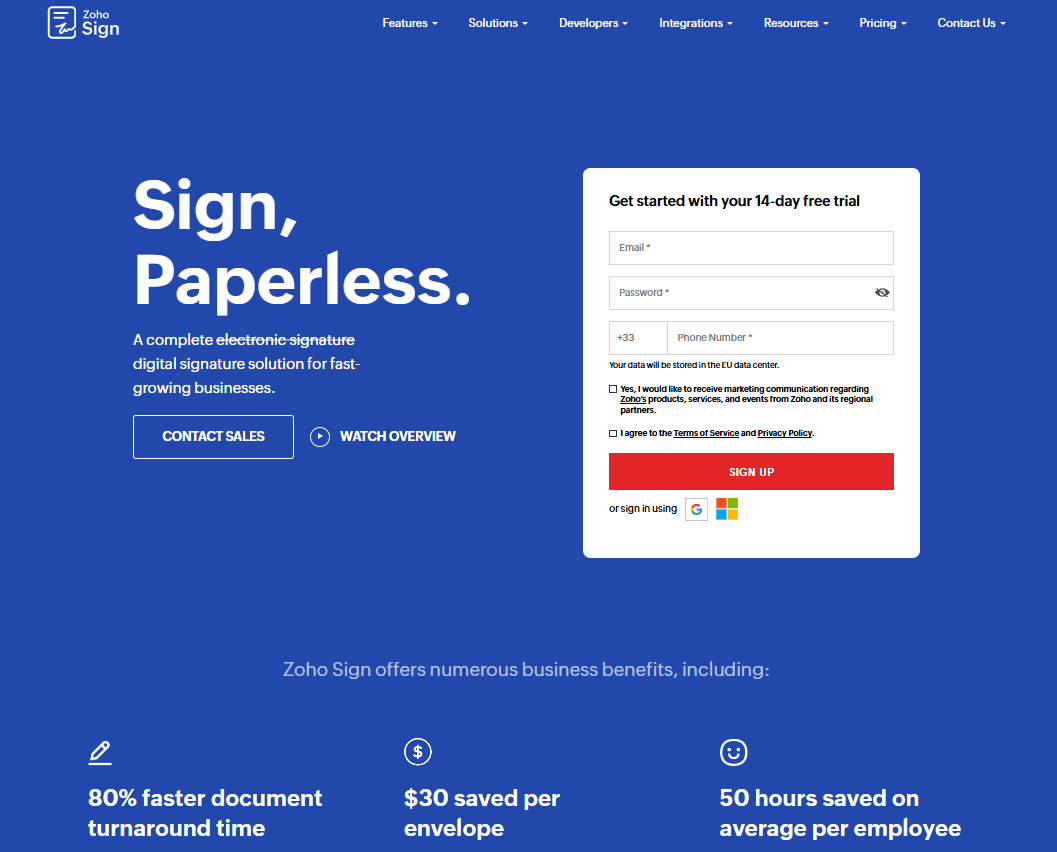
#5 - Zoho Sign: The signature tool from the Zoho ecosystem, ideal if you're already using Zoho products.
Zoho Sign is part of one of the most comprehensive SaaS ecosystems on the market. Zoho Corporation offers a suite of more than 45 applications covering CRM, accounting, project management, customer support, and much more. For users who already use Zoho tools, native integration with Zoho CRM, Zoho Books, or Zoho Contracts is a significant advantage.
Outside of this ecosystem, Zoho Sign stands out for its very affordable pricing and its compliance with eIDAS, ESIGN, and UETA. Its features cover all the essentials: sending documents to multiple signers, specifying the order of signatures, SMS authentication, document templates, and integration with Google Drive, Dropbox, and OneDrive.
Where Zoho Sign Excels:
Permissions and roles are particularly well-designed for teams, with the ability to define approval workflows, document reference prefixes, and granular user management. The audit trail is comprehensive and exportable.
For teams looking for a reliable, low-cost solution without trying to revolutionize their sales workflow, Zoho Sign checks all the important boxes.
Pricing:
Free Plan: Up to 5 documents per month, 1 user.
Standard Plan: approximately €14 per user per month for unlimited documents, templates, and integrations.
Professional Plan: approximately €20 per user per month; bulk signing, reminders, and custom fields.
Enterprise Plan: Price upon request.
Benefit from a on Zoho Sign .
$100 in credits
Find our best discount with Zoho Sign and save on your software subscriptions. We offer over 850 promo codes and discounts on the best software and SaaS on the market.
🎯 Freelancer or entrepreneur consultant entrepreneur
Your need is often simple: to send service agreements, quotes, or engagement letters to your clients and get a clean, hassle-free signature from them. You don't need a solution designed for 200 users.
Yousign is clearly the natural choice in this context: a French-language interface, eIDAS compliance without any hassle, and an entry-level plan tailored for individual use. If you regularly work with clients who need reassurance about the legal framework (major contracts, NDAs, long-term projects), the “made in Europe” positioning can also work in your favor when sending documents.
Zoho Sign is a solid alternative if budget is a major constraint. The free plan already covers a reasonable volume for many freelancers.
PandaDoc may be worth it if you send complex, polished sales proposals—in that case, the document editor more than makes up for the extra cost.
🚀 Startup in the growth phase:
At this stage, electronic signatures are being used across several areas simultaneously: recruitment, partnerships, fundraising, commercial contracts, and terms of service. Scalability and integrations are becoming top priorities.
DocuSign is often the go-to choice here for one simple reason: your investors, legal counsel, and institutional partners are likely already using it. Avoiding friction when dealing with high-stakes documents is sometimes worth the higher cost. A CLM suite becomes essential as soon as your contract volume increases.
PandaDoc is ideal for the sales team, alongside a more formal solution for internal contracts. The two can coexist.
Yousign remains a valuable option for French startups or those with a strong European presence that want to keep their data within Europe and ensure uncompromising compliance.
🏢 SMEs with structured teams:
You likely have several departments that sign different types of documents (HR, sales, legal, executive management), handle larger volumes, and need to integrate with your existing business tools.
DocuSign is often the choice of large mid-market companies because of its extensive functionality and multiple certifications. However, the cost can be significant at scale.
SignNow is definitely worth looking into: it offers similar features at a significantly lower price, and its API opens up some interesting automation possibilities.
Zoho Sign is the logical choice if you're already using the Zoho suite. Native integration with Zoho CRM or Zoho HR reduces data silos and simplifies administration.
💼 Legal or regulated profile:
Lawyers, certified public accountants, the real estate sector, and the healthcare industry: certain documents require a higher level of security and compliance.
Yousign offers qualified signature (SEQ) options tailored to these use cases, with enhanced authentication levels. It is one of the few tools available to small and medium-sized businesses that covers this range of needs.
SignNow is suitable for HIPAA-compliant environments (U.S. healthcare) and highly regulated industries in the United States.
Please note: For certain very specific transactions (notarial acts, sensitive public procurement contracts), a qualified, eIDAS-accredited trusted service provider is required. Always check this with your legal counsel.
Advantages and disadvantages of each tool.
Pros and Cons of Yousign:
Yousign combines a polished user experience with flawless compliance with European regulations. Its French-language interface, local data hosting, and support for qualified digital signatures make it a standout solution in the French-speaking market. The contract management module further strengthens its market position.
On the other hand, Yousign is less well-known internationally than DocuSign. If you frequently work with partners in the U.S. or Asia, you might encounter some initial resistance when introducing it to them. While third-party integrations are available, there are fewer of them than with its U.S. competitors.
Pros and Cons of DocuSign:
DocuSign benefits from a network effect that’s hard to ignore: its global reputation reduces the time needed to explain the process to signers, and its certifications cover an extremely broad regulatory spectrum. Its CLM suite is the most mature on the market.
The downside remains the pricing: the entry-level plans are restrictive, and actual professional use often requires the mid-tier or higher plans. The value-for-money ratio may seem unbalanced for small organizations. The interface, while functional, is starting to look dated in some modules.
Pros and Cons of PandaDoc:
The document editor is unmatched in this category. For sales teams, the ability to create engaging, personalized, and trackable proposals represents a real competitive advantage. The CRM integrations are among the best on the market.
PandaDoc isn't for everyone: if you don't need elaborate sales proposals, you'll be paying for features you don't use. It is eIDAS-compliant, but this is less prominently highlighted than with providers like Yousign. For purely "HR or partnership contract signing" purposes, it's probably overkill.
Pros and Cons of SignNow:
SignNow's pricing strategy is its strongest selling point: the features included at these prices would cost two to three times as much with market leaders. The API and automation capabilities with the airSlate ecosystem are genuine.
Its lower profile can be an issue in certain professional contexts where the "DocuSign signature" is expected. The interface sometimes lacks polish compared to Yousign or PandaDoc. According to user feedback, customer support for non-enterprise accounts is inconsistent.
Pros and Cons of Zoho Sign:
Zoho Sign offers the best value for money in this comparison, with a fully functional free plan and very affordable paid plans. Its integration into the Zoho ecosystem is native and well-designed.
Outside of this ecosystem, Zoho Sign is less impressive: integrations with third-party tools are available but aren’t as seamless, and the overall interface sometimes reflects the complexity of the Zoho suite. For standalone use outside the ecosystem, other options in this comparison will often be preferable.
Comprehensive comparison table. 📊
The prices listed are for reference only and are based on the published rates at the time of writing. We recommend that you check directly with each publisher before making a purchase decision.
Criterion
Yousign
DocuSign
PandaDoc
SignNow
Zoho Sign
eIDAS Compliance
✅ Advanced + Qualified
✅ Progress
✅ Progress
✅ Progress
✅ Progress
Data Hosting
🇫🇷 France (EU)
🇺🇸 USA (EU option)
🇺🇸 USA
🇺🇸 USA
🇮🇳 India/U.S.
Admission price
~€25/month
~€10/month
~19 € per user
~8 € per user
Free
Free map
14-day trial
No
Yes (unsigned)
No
Yes (5 documents per month)
Document Editor
Basic
Basic
⭐ Advanced
Method
Basic
CRM Integrations
Good
Excellent
Excellent
Good
Bonne (Zoho)
API available
Yes
Yes
Yes
Yes (more details)
Yes
French Interface
✅ Native
Midterm
No
No
Midterm
Ideal for
Freelancers, SMEs in France
Top Teams, International
Sales Teams
Tight budget, automation
Zoho Users
Overall Rating
⭐⭐⭐⭐½
⭐⭐⭐⭐
⭐⭐⭐⭐
⭐⭐⭐½
⭐⭐⭐
See all the software of this category: Juridique
Check out all the other software and discount we offer in this category. Explore other tools and choose the perfect solution to grow your business.
Electronic signatures have become the norm, but many questions remain. Here are the ones that come up most often.
1️⃣ Does an electronic signature have the same legal validity as a handwritten signature?
In Europe, yes, under certain conditions. A qualified electronic signature (QES) that complies with the eIDAS Regulation has the same legal validity as a handwritten signature. Advanced electronic signatures (AES) are also admissible in the vast majority of commercial disputes, provided that the document’s integrity can be proven. Simple electronic signatures (SES) offer fewer guarantees. For documents with high legal stakes, always opt for an advanced or qualified electronic signature.
2️⃣ Can you sign any type of document online?
The vast majority of commercial contracts, quotes, NDAs, employment contracts, commercial leases, and terms of service can be signed electronically. There are a few exceptions: wills, notarized documents, certain civil status records, and marriage contracts require a handwritten signature or a specific procedure. If in doubt, consult a lawyer.
3️⃣ Does the signer need to have an account on the platform?
No, in most cases. With Yousign, DocuSign, PandaDoc, or SignNow, the recipient receives a link via email, signs directly in their browser without creating an account, and receives an archived copy of the document. The process is intentionally simple to maximize signature rates.
4️⃣ How can you ensure that a signed document has not been altered?
That is precisely the purpose of an advanced electronic signature. Each signed document generates an integrity certificate and a qualified timestamp. If the document is modified after it has been signed, the signature is invalidated. Reputable platforms also maintain an audit trail detailing every step of the process.
5️⃣ What is the difference between “envelope” and “document” in the billing of certain tools?
At DocuSign, for example, billing is based on “envelopes,” which correspond to a single submission regardless of the number of signers or documents in that submission. A contract sent to two signers counts as a single envelope. Other tools, such as Yousign, bill differently (per user or by monthly volume), which may be more cost-effective depending on your usage.
6️⃣ What file formats are accepted?
PDF is the universal standard accepted by all platforms. Most also accept Word (.docx) files, and some platforms, such as PandaDoc, even offer a native editor. For PDFs, make sure they are not password-protected before sending them.
7️⃣ How do you choose between a general-purpose tool and a dedicated solution?
If signing is just one component of a broader process (sales proposals, CRM, contract management), an integrated solution like PandaDoc or DocuSign CLM would be more appropriate. If you’re simply looking to digitize your signatures with maximum legal compliance and minimal friction, Yousign or Zoho Sign will perfectly meet that need without overburdening your tech stack.
8️⃣ Is the electronic signature secure?
The solutions presented in this guide use SSL/TLS encryption, secure storage of cryptographic keys, and regular security audits. Yousign is ISO 27001 certified, while DocuSign holds SOC 2, ISO 27001, and FedRAMP certifications. These standards exceed those provided by sending documents via regular email. In practice, electronic signatures are more secure than their paper counterparts.
For further reading.
Choosing an e-signature tool isn't just about comparing features in a table. It's about identifying the level of legal compliance you need, the volume of documents you process, the tools you want to integrate with, and how your customers or partners will experience the signing process.
For entrepreneurs freelancers and entrepreneurs , Yousign remains the most logical choice in 2026: native eIDAS compliance, a French-language interface, data hosted in Europe, and pricing with no hidden surprises.
For startups with a strong commercial focus and an active sales team, PandaDoc truly sets them apart in terms of the quality of the proposals they send out.
For large teams or international settings where the tool's reputation matters, DocuSign is hard to ignore.
And if you're looking to make the most of your budget without sacrificing essential features, SignNow or Zoho Sign offer solid alternatives, depending on your situation.