The Top 5 Electronic Signature Software Programs in 2026.
This article reviews the top 5 electronic signature solutions available in 2026, taking into account features, pricing, use cases, and the types of users each tool is best suited for.
The electronic signature: a standard that has become must-have.
A few years ago, signing a contract still meant printing, initialing, scanning, and then emailing back a PDF that was often illegible. Those days seem long gone. Electronic signatures have become second nature for any organization that works remotely, manages multiple partners, or simply wants to speed up its contract cycles.
According to the latest available data, the global electronic signature market is projected to exceed $5 billion by 2024 and is growing at a rate of approximately 30% per year. In France, this growth is driven both by the digital transformation of small and medium-sized enterprises (SMEs) and by a robust legal framework: since the adoption of the European eIDAS Regulation (2014), electronic signatures have been fully recognized on plan , provided they meet certain certification standards.
For freelancers, startups, and growing teams, the challenge isn’t just about “signing online.” It’s about shortening closing times, improving the customer experience, and securing sensitive documents without a cumbersome legal infrastructure. A qualified electronic signature can hold the same weight as a handwritten signature in a European court—which shows just how important the choice of tool is.
This article reviews the top 5 electronic signature solutions available in 2026, taking into account features, pricing, use cases, and the types of users each tool is best suited for.
#1 - Yousign: The European leader, designed for teams.
Yousign is likely the best-known e-signature tool in France. Founded in Caen in 2013, the platform has established itself as a credible European alternative to American giants, with a focus on eIDAS compliance and data protection under the GDPR.
The interface is clear, simple, and designed to be easy to use, even for users with limited technical expertise. You can create a document in just a few clicks, specify the fields to be signed, invite signers via email, and you’re all set. The signing process for recipients is particularly seamless: there’s no need to create an account—a simple link is all it takes.
Beyond simple signing, Yousign offers approval workflows, the ability to define a signing order among multiple parties, and automatic reminders to follow up with signers who haven’t responded. The tool also features a well-documented API that allows you to integrate signing directly into a CRM, contract management tool, or business application. Native connectors include Salesforce and HubSpot, as well as Zapier integrations for lighter-weight stacks.
One strength frequently cited by users is the responsive and readily available French-language support, which is a game-changer compared to American providers whose customer service can sometimes be lacking for French speakers.
Pricing:
Solo Plan: starting at ~€17/month for one user.
Team Plan: starting at ~€35/month for multiple users.
Business Plan: Pricing based on a quote depending on volume.
Free trial available (14 days).
Why choose Yousign based on your profile:
👤 Freelancers and entrepreneurs
If you sign fixed-term contracts, engagement letters, or quotes with repeat clients, Yousign is likely the best value for money on the French market. The Solo plan is more than enough for most needs, and its compliance with European regulations eliminates any legal concerns.
🏢 Small and medium-sized businesses:
For teams of 3 to 30 people who manage HR contracts, confidentiality agreements, or business partnerships, the Team plan offers a good balance between features and price. Multi-user management and automatic reminders save valuable time.
🚀 Growing startups:
The Yousign API is a real asset for technical teams looking to integrate digital signatures into their own tools. The documentation is in French, and the developer onboarding process is well-designed.
👍 The benefits:
Yousign checks a lot of boxes: guaranteed eIDAS compliance, data hosting in Europe, a French-language interface, and responsive support. The fact that the product was developed in France is significant—the teams understand the legal and operational constraints of the local market, and this is reflected in the features.
👎 The downsides:
The document templates are still limited compared to solutions like PandaDoc. For highly complex contracts with variable clauses or dynamic forms, you’ll need to use another tool. There are also fewer native integrations than with U.S. providers.
Benefit from a on Yousign .
20% off on annual "PLUS" plan
Find our best discount right now with Yousign and save on your software subscriptions. We offer over 850 promo codes and discounts on the best software and SaaS on the market.
#2 - DocuSign: The global standard for those who work with large companies.
Benefit from our free deal on DocuSign.
First month free, then 40% off on annual plan
Find over 300 free deals as well as over 850 Premium deals right now with DocuSign and save on your software subscriptions. Whether you're an entrepreneur, a startup or a solo freelancer, save hundreds of euros thanks to our discounts and promo codes.
DocuSign is the undisputed pioneer of electronic signatures. Founded in the United States in 2003, it is now used by more than a million businesses worldwide, including many Fortune 500 companies. This long-standing reputation has a direct benefit: when you send a document for signature via DocuSign, almost everyone recognizes the interface and knows how to use it.
Technically speaking, DocuSign is a comprehensive contract lifecycle management (CLM) platform. Beyond simple signing, users can create complex templates, automate multi-level approval workflows, archive signed documents with a detailed audit trail, and integrate the tool with virtually any CRM or ERP system on the market (Salesforce, Microsoft Dynamics, SAP, etc.).
The platform supports several levels of signatures: simple, advanced, and qualified, with the latter being equivalent to a handwritten signature and carrying the highest legal validity in Europe. For highly regulated sectors (banking, real estate, healthcare), this is often a decisive factor.
Pricing:
Personal Plan: ~$13/month (limited to 5 envelopes/month).
Standard Plan: ~$40/month per user.
Business Pro Plan: ~$65/month per user.
Business plans: pricing available upon request.
30-day free trial.
Why choose DocuSign based on your profile:
👤 Freelancers and consultants:
DocuSign is particularly useful if you regularly work with large companies or international clients that have standardized purchasing processes. Many large corporations have DocuSign integrated into their internal systems, and receiving a document through this tool makes it easier for clients to adopt it.
🏢 Small and medium-sized businesses with complex contractual needs:
DocuSign’s rich feature set becomes a real asset when you’re managing multi-party contracts, multi-level internal approvals, or documents subject to specific regulatory requirements.
🌐 Companies with international operations:
For signatures involving parties in multiple countries, DocuSign offers legal coverage and certifications in a wide range of jurisdictions. This is a strong selling point for organizations operating outside the European Union.
👍 The benefits:
Brand recognition is a real asset in formal B2B settings. The level of workflow customization, international legal coverage, and depth of integrations are hard to beat.
👎 The downsides:
Pricing can quickly add up, especially once you move beyond the basic plan. For a small business that signs just a few contracts a month, the value for money isn’t always there. Furthermore, while the interface is comprehensive, it may seem a bit overwhelming for users looking for simplicity. Finally, data is hosted in the United States by default, which may raise concerns in certain GDPR contexts.
Benefit from a on DocuSign .
additional 20% off on any plan
Find our best discount right now with DocuSign and save on your software subscriptions. We offer over 850 promo codes and discounts on the best software and SaaS on the market.
Find over 300 free deals as well as over 850 Premium deals right now with PandaDoc and save on your software subscriptions. Whether you're an entrepreneur, a startup or a solo freelancer, save hundreds of euros thanks to our discounts and promo codes.
PandaDoc isn’t just an e-signature tool—it’s primarily a platform for creating and managing business documents. From sales proposals and quotes to contracts and customer onboarding, the entire document lifecycle is centralized there. E-signature is natively integrated, but it’s part of a broader workflow.
What really sets PandaDoc apart is its document editor. You can create visually polished proposals right within the tool, using reusable content blocks, product catalogs, dynamic pricing tables, and collaborative comment sections. The final result looks like a professional document created by a designer, not a scanned contract.
The signature process itself is easy to set up: you define the required fields, invite the signatories, and the tool handles the follow-ups. An analytics dashboard lets you know exactly when the recipient opened the document, how long they viewed it, and where they stopped—valuable data for sales teams.
PandaDoc integrates natively with the leading CRMs on the market: HubSpot, Salesforce, Pipedrive, Zoho CRM, and more. For a sales team, this is often the deciding factor.
Pricing:
Essentials Plan: ~$35/month per user.
Business Plan: ~$65/month per user.
Enterprise Plan: Pricing available upon request.
Free version available (limited features, signature included).
Why choose PandaDoc based on your profile:
👤 Sales representatives and sales teams:
It's probably the best tool on the market for teams that regularly send out sales proposals. The combination of "document creation + signing + analytics" saves a huge amount of time throughout the sales cycle.
🏢 Agencies and service providers:
For agencies that send briefs, quotes, or service agreements to their clients, PandaDoc helps project a highly professional image while automating some of the administrative work.
🚀 B2B startups:
Real-time tracking of document opens and CRM integrations make PandaDoc a strategic tool for startups looking to understand and accelerate their sales funnel.
👍 The benefits:
The quality of the reports generated is truly a cut above the competition. The analytical features (which show who opened what, when, and for how long) are a real asset for sales teams. The free version, while limited, gives you a solid idea of what the tool can do before you commit.
👎 The downsides:
The pricing may seem high for a solution used solely for signing. If your only need is to have a document signed without worrying about layout or tracking, other solutions will do the job for less. The learning curve is also a bit steeper, especially when it comes to mastering the document editor and templates.
Benefit from a on PandaDoc .
Additional 25% off on any plan
Find our best discount right now with PandaDoc and save on your software subscriptions. We offer over 850 promo codes and discounts on the best software and SaaS on the market.
#4 - SignNow: The cost-effective solution for high-volume needs.
SignNow is often overlooked in e-signature comparisons, yet it is one of the most competitive solutions on the market in terms of value for money. Developed by airSlate, it is primarily designed for teams that need to sign a large number of documents without breaking the bank.
The interface is functional and straightforward. You create a document, place the fields, and send it—it’s quick and easy to get started. SignNow supports multiple signatures on a single document, sequential or parallel workflows, and offers a highly rated mobile app for signing on the go.
One key point to note: SignNow offers bulk signing links, a useful feature for organizations that need to have a large number of people sign the same document (terms and conditions, internal policies, confidentiality agreements). Rather than sending individual invitations, you share a single link that each signer can use at their own pace.
The tool integrates with Google Drive, Dropbox, and Salesforce, and also offers an API for more technical use cases.
Pricing:
Business Plan: ~$20/month per user (billed annually).
Business Premium Plan: ~$30/month per user.
Enterprise Plan: ~$50/month per user.
7-day free trial.
Why choose SignNow based on your profile:
👤 entrepreneurs a high volume of contracts:
For freelancers or consultants who regularly sign engagement letters, terms of service, or contracts, SignNow offers excellent value for the price. The basic plan is among the most affordable on the market for its comprehensive features.
🏢 HR and operational teams:
The bulk signature feature is particularly valuable for HR teams that manage employment contracts or administrative documents on a large scale. There’s no need to create individual mailings for each employee.
🛠️ Teams looking to automate:
SignNow's API is robust and well-documented, making it a good choice for teams that want to integrate digital signatures into their own workflows without paying the price of an enterprise solution.
👍 The benefits:
Pricing is clearly its biggest selling point. For comparable features, SignNow is often 30 to 50% cheaper than DocuSign or PandaDoc. The mobile app is one of the best in its class. Its bulk signing features address needs that other tools handle less effectively.
👎 The downsides:
While the interface is user-friendly, it lacks a bit of polish compared to Yousign or PandaDoc. For companies that place a strong emphasis on design or brand image, this could be a drawback. Support is available in English only, which may pose challenges for French-speaking teams. Finally, eIDAS compliance is not as prominently highlighted as it is with European providers—be sure to verify this based on your regulatory requirements.
Benefit from a on SignNow .
An additional 40% off on any plan
Find our best discount right now with SignNow and save on your software subscriptions. We offer over 850 promo codes and discounts on the best software and SaaS on the market.
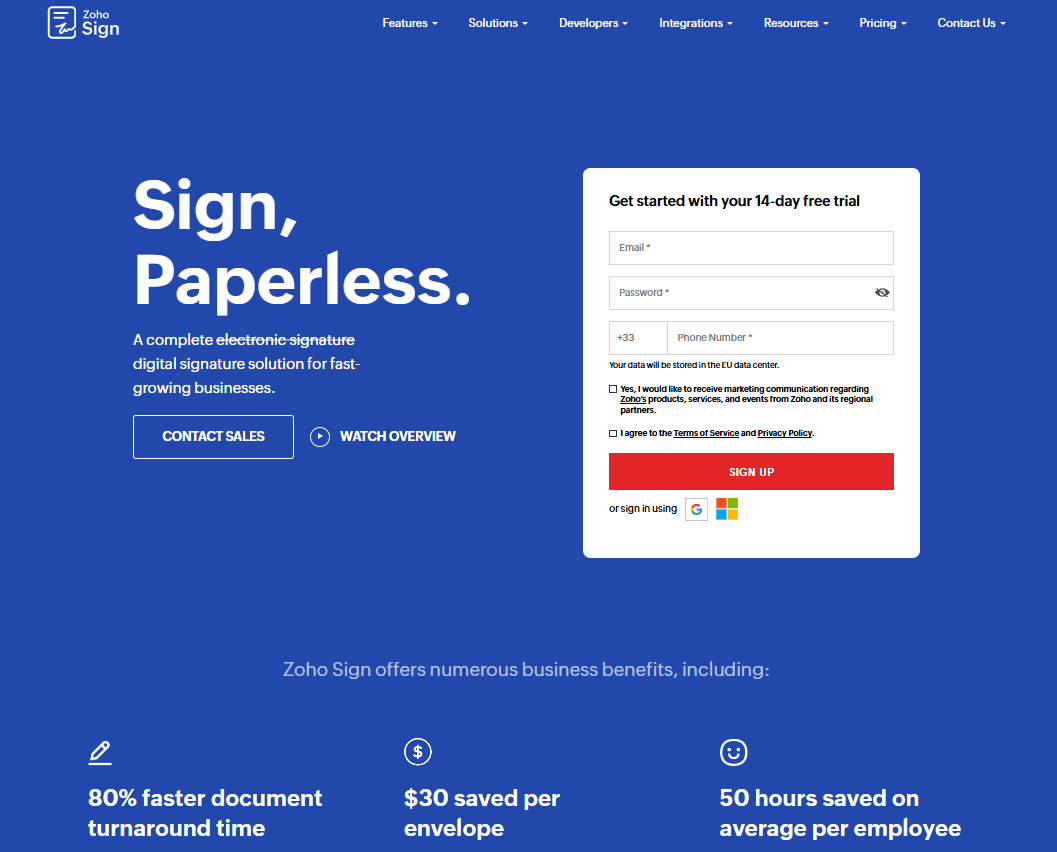
#5 - Zoho Sign: The e-signature tool designed for the Zoho ecosystem.
Zoho Sign is the e-signature solution developed by Zoho, the Indian software company known for its integrated suite of business tools. If you already use Zoho CRM, Zoho Books, or other Zoho products, adopting Zoho Sign is a natural fit: integrations are built-in, data is centralized, and the overall pricing for the suite remains competitive.
Technically, Zoho Sign covers all the essential features: document preparation, customizable fields, multi-signature workflows, automatic reminders, and a comprehensive audit trail. The platform complies with eIDAS standards and offers several levels of digital signatures depending on certification requirements.
What sets Zoho Sign apart from the rest is, above all, its native integration with over 40 Zoho applications and connectors to third-party tools such as Google Workspace, Microsoft 365, and Dropbox. For a startup that has already built its tech stack around Zoho, adding Zoho Sign doesn’t disrupt existing workflows.
The tool also offers a customizable signing portal that can be branded with your company's colors, which helps project a professional image when sending client contracts.
Pricing:
Free Plan: up to 5 documents per month.
Standard Plan: ~$12/month per user.
Professional Plan: ~$20/month per user.
Enterprise Plan: Pricing available upon request.
Included in certain Zoho One bundles.
Why choose Zoho Sign based on your profile:
👤 Users already in the Zoho ecosystem:
If you use Zoho CRM, Zoho Books, or Zoho People, Zoho Sign integrates seamlessly with your existing suite of tools. This saves you both time and money compared to adopting a third-party tool.
🏢 Small and medium-sized businesses looking for a cost-effective, comprehensive solution:
The Standard plan, at around $12/month, offers one of the lowest prices on the market for a solution that includes an audit trail, multi-signature workflows, and eIDAS compliance. For standard needs, it more than covers what most teams require.
🔧 Teams that handle many different types of documents:
The customizable portal and reusable templates help standardize document workflows, which is invaluable for companies that handle multiple types of recurring contracts.
👍 The benefits:
The pricing is particularly attractive, especially for organizations that already use Zoho tools. The free plan is generous enough for occasional use. The ability to customize the signing interface is a plus for brand image.
👎 The downsides:
Outside the Zoho ecosystem, there are fewer third-party integrations than with DocuSign or PandaDoc. The interface may seem less modern than that of the competition. For highly specialized needs in terms of compliance or complex contract management, more specialized tools are preferable.
Benefit from a on Zoho Sign .
$100 in credits
Find our best discount with Zoho Sign and save on your software subscriptions. We offer over 850 promo codes and discounts on the best software and SaaS on the market.
Comparison chart of the top 5 e-signature software programs. 🔍
Here is a summary table comparing the five solutions discussed in this article. The prices listed are monthly estimates; we recommend that you verify them directly with the providers, as rates are subject to change.
Criterion
Yousign
DocuSign
PandaDoc
SignNow
Zoho Sign
Monthly fee
~17 €
~13 $
Free (limited)
~20 $
~12 $
Free version
14-day trial
30-day trial
✅ Yes
7-day trial
✅ Yes
eIDAS Compliance
✅ Yes
✅ Yes
✅ Yes
Partial
✅ Yes
Data hosted in Europe
✅ Yes
⚠️ USA
⚠️ USA
⚠️ USA
⚠️ India/USA
API available
✅ Yes
✅ Yes
✅ Yes
✅ Yes
✅ Yes
CRM Integrations
✅ Several
✅ Very numerous
✅ Many
✅ Several
✅ Native Zoho
Document creation
⚠️ Basic
⚠️ Basic
✅ Progress
⚠️ Basic
⚠️ Basic
Mobile signature
✅ Yes
✅ Yes
✅ Yes
✅ Very good
✅ Yes
Support in French
✅ Yes
⚠️ Limited
⚠️ Limited
❌ No
❌ No
Ideal for
Freelancers & Small Businesses FR
Key Accounts / International
Dirty teams
Volume / Budget
Zoho Stack
The prices listed are approximate monthly estimates. Please check the current pricing terms directly on the publishers' websites before making any commitments.
See all the software of this category: Juridique
Check out all the other software and discount we offer in this category. Explore other tools and choose the perfect solution to grow your business.
FAQ: Everything You Need to Know About Electronic Signatures. 💬
Here are the answers to the most frequently asked questions about electronic signatures, whether you're in the process of choosing a tool or are simply curious about the topic.
1️⃣ Is the electronic signature legally valid in France?
Yes, absolutely. Electronic signatures are legally recognized in France and throughout the European Union under the 2014 eIDAS Regulation. There are three levels of signatures: simple, advanced, and qualified. A qualified signature offers the highest legal validity and is considered equivalent to a handwritten signature. For most standard commercial contracts, a simple or advanced signature is more than sufficient.
2️⃣ What is the difference between a simple, advanced, and qualified electronic signature?
A simple signature involves providing basic consent, often by clicking a button or checking a box. An advanced signature requires more thorough identity verification, such as an SMS code sent to the signer. A qualified signature requires certification by an accredited trusted service provider and represents the highest level of legal validity. In practice, the advanced signature is the one most frequently used in the tools presented here.
3️⃣ Can I use electronic signatures for all types of contracts?
No, not all of them. Some documents still require a handwritten signature or a specific format, such as notarized documents, certain real estate contracts, or wills. For standard commercial contracts (service agreements, terms and conditions, NDAs, employment contracts, quotes), an electronic signature is perfectly valid.
4️⃣ How do I choose between Yousign and DocuSign?
The choice often depends on who you’re working with. If you primarily work with French or European companies and GDPR compliance is important to you, Yousign is the natural choice. If you collaborate with large international companies, U.S. corporations, or partners with highly formalized processes, DocuSign will be more widely recognized and easily adopted by your clients.
5️⃣ Do you need a digital certificate to sign electronically?
It depends on the type of signature. For a simple or advanced signature, the tools listed in this article handle everything internally, so you don’t need a personal certificate. For a qualified signature, a digital certificate issued by a trusted service provider (TSP) is required. In this case, the software vendors typically guide you through the process.
6️⃣ Is the electronic signature secure?
Yes, provided you use a certified tool. The solutions presented here all include an audit log that tracks every action—sending, opening, and signing—with a timestamp. In the event of a dispute, this log serves as legally admissible digital evidence. Data security in transit is ensured through encryption (TLS/SSL), and signed documents are securely archived.
7️⃣ What are the actual costs of electronic signature software?
Pricing varies depending on the tools and volume of data. For individual use, expect to pay between €10 and €20 per month for an entry-level solution. For a team of 5 to 10 people with more advanced needs, the monthly budget is often between €100 and €300. Be sure to compare offers based on the number of mailings included, as some providers charge per envelope once a monthly quota is exceeded.
8️⃣ Can electronic signatures be integrated into your own software?
Yes. All the tools listed here have an API. This allows you to integrate the signature feature directly into your application, CRM, or management tool, without the end user having to leave the environment they’re familiar with. This is a particularly useful option for software developers or startups that want to offer the signature feature as a native function.
To sum up. 📌
The electronic signature market has matured significantly. The five tools presented here cover most needs: from quick and easy signing for a freelancer who sends a few contracts a month, to complex contract workflows for sales teams or growing small and medium-sized businesses.
If you're just starting out and looking for a French solution with good support, Yousign is often the first choice that comes to mind. If your tech stack is already built around Zoho, Zoho Sign is the natural choice. For sales teams looking to turn their proposals into closing experiences, PandaDoc offers much more than just a signature. And for those dealing with high volumes but limited budgets, SignNow is definitely worth serious consideration.
You can find promo codes and discount for all of these solutions directly on the dedicated pages on Freelance Stack, whether it’s for Yousign, DocuSign, PandaDoc, SignNow, or Zoho Sign.