Our selection of cybersecurity tools for small and medium-sized businesses.
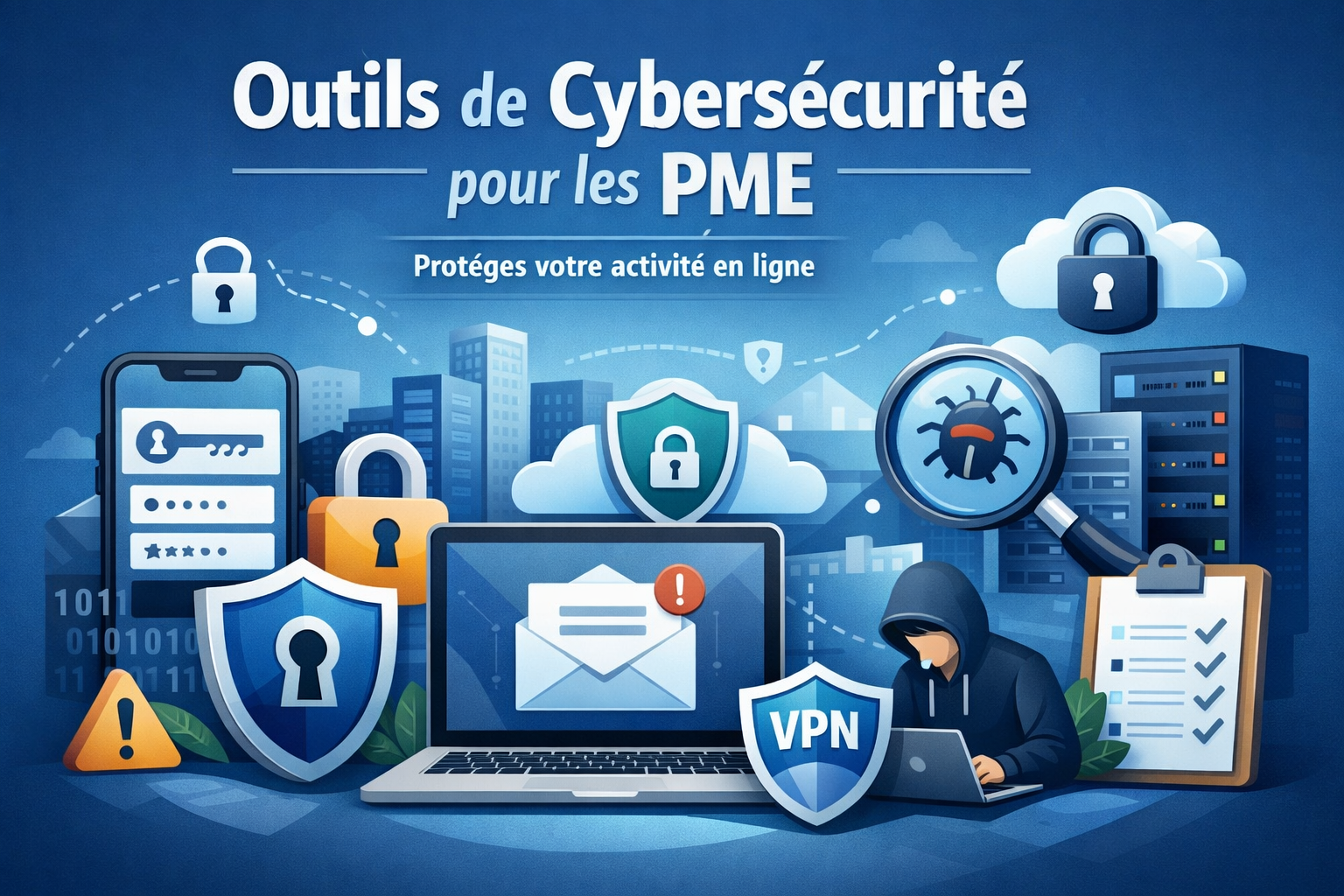
This ranking reviews the best cybersecurity tools available to small and medium-sized businesses and entrepreneurs 2026-including password managers, VPNs, and privacy suites-each of which comes with a discount available on Freelance Stack.
Why cybersecurity has become a must-have small and medium-sized businesses.
We often hear that cyberattacks mainly target large companies. This is not true; in fact, the opposite is true: small and medium-sized businesses (SMEs), micro-businesses, and independent teams are now prime targets, precisely because they have fewer resources to defend themselves. According to the annual report from ANSSI (the French National Cybersecurity Agency), SMEs account for a growing share of ransomware and cyberattack victims in France.
The paradox? Most serious incidents are preventable. A reused password, an unsecured Wi-Fi connection while traveling, an exposed API in a development project... These are common entry points, but they are enough to compromise months of work-or even an entire information system.
The good news is that the security tools market has evolved. Today, there are affordable solutions designed for teams of 1 to 50 people that don’t require an IT director or advanced technical expertise to deploy. That’s exactly what we’ve put together here: a selection of practical tools, available with discount on Freelance Stack, to secure your business without spending a disproportionate amount of your budget.
Password managers, business VPNs, privacy suites, penetration testing tools: here’s what you need to know.
#1 - 1Password: The go-to password manager for professional teams.
Benefit from our free deal on 1Password.
19% off on annual plan
Find over 300 free deals as well as over 850 Premium deals right now with 1Password and save on your software subscriptions. Whether you're an entrepreneur, a startup or a solo freelancer, save hundreds of euros thanks to our discounts and promo codes.
1Password is one of the most widely used password managers in professional settings. Its target audience is clear: it is designed for teams, businesses, and entrepreneurs juggle dozens of different accounts, logins, and credentials.
The basic idea is simple. You use a single master password (a strong one) to unlock an encrypted vault that contains all your login credentials. 1Password generates complex passwords, stores them securely, and automatically fills them in when you need them.
But 1Password does more than just manage passwords. It also includes:
A shared vault that allows a team to share access without ever sending a password in plain text (via email, Slack, or other means).
Watchtower, an alert system that monitors in real time whether your credentials have been compromised in known data breaches.
Management of SSH keys, certificates, and application secrets (particularly useful for developers).
Native compatibility with all systems: macOS, Windows, iOS, Android, and extensions for all major browsers.
SSO (Single Sign-On) integration with tools such as Okta, Azure AD, or Google Workspace for Business plans.
Key features :
Shared vaults and permission management: You can create multiple separate vaults (accounting, development, HR, etc.) and precisely control who has access to what. A freelancer who leaves the team doesn’t take anything with them.
Secret Automation: For tech teams, 1Password allows you to store secrets (tokens, API keys) directly within CI/CD pipelines, without exposing them in configuration files.
Travel Mode: a unique feature that allows you to hide certain vaults while traveling, to prevent them from being accessed if a device is inspected at a border.
Security Report: An overview of weak, reused, or potentially compromised passwords within your organization.
Pricing:
Teams Starter Plan: starting at $19.95/month for up to 10 users.
Business Plan: approximately $7.99 per user per month.
Enterprise Plan: Pricing available upon request.
👤 Who is this for?
1Password is primarily designed for teams of three or more people who manage shared access to SaaS tools, servers, or APIs. It’s also an excellent choice for tech freelancers who work with multiple clients and need to keep their access separate. Startup founders looking to build a solid foundation from the start will also find it to be a mature and scalable solution.
👍 Strengths:
A particularly polished interface that’s easy to get the hang of.
Comprehensive team and permission management.
Advanced features for technical profiles (secrets, SSH, CI/CD).
Proven track record of security, regular audits.
👎 Cons:
No free version (only a 14-day trial).
The cost may be a burden for small organizations with few users.
Some advanced features require the Business or Enterprise plan.
Benefit from a on 1Password .
Additional 30% off on annual plan
Find our best discount right now with 1Password and save on your software subscriptions. We offer over 850 promo codes and discounts on the best software and SaaS on the market.
#2 - Keeper Password: Zero-knowledge security for the most demanding businesses.
Keeper is often seen as 1Password’s direct competitor in the enterprise market, and the comparison is valid. Both tools share a similar philosophy, but Keeper stands out for its focus on compliance and enterprise security, with certifications that are particularly relevant for organizations subject to regulatory requirements (SOC 2 Type II, ISO 27001, FedRAMP, etc.).
Its architecture is based on a zero-knowledge model: not even Keeper can access your encrypted data. All encryption is performed on the client side using AES-256. Even if Keeper’s servers are compromised, your data remains unreadable.
Key features :
KeeperChat: an integrated encrypted messaging service, ideal for teams that share sensitive information and want to avoid relying on third-party tools.
BreachWatch: 1Password’s equivalent of Watchtower, but with real-time monitoring of the dark web to detect whether your login credentials are being traded on forums for stolen data.
Compliance Report: Keeper generates detailed audit reports on login activity, vault access, and credential changes. This is a significant advantage for companies that need to demonstrate GDPR or SOC 2 compliance.
Device management: You can see in real time which devices your employees are using to access the vaults, and revoke access remotely if a device is lost or stolen.
Keeper Secrets Manager: Similar to 1Password’s feature, it allows you to inject secrets into development environments without exposing them in plain text.
Pricing:
Business Plan: approximately $4.99 per user per month (billed annually).
Enterprise Plan: Pricing available upon request.
BreachWatch Module Plan: available as a paid option.
👤 Who is this for?
Keeper is particularly well-suited for small and medium-sized businesses (SMBs) subject to regulatory requirements (healthcare, finance, legal) that need audit trails. It is also of interest to DevSecOps teams and IT managers who oversee a user base of several dozen people and want centralized visibility into access. Its slightly lower price compared to 1Password also makes it a strong option for organizations on a tight budget.
👍 Strengths:
Recognized security certifications (SOC 2, ISO 27001).
Comprehensive audit and compliance reports.
Robust zero-knowledge architecture.
Competitive pricing for business plans.
👎 Cons:
The interface is a bit less intuitive than 1Password for non-tech-savvy users.
BreachWatch is a paid feature (not included in the basic plan).
The learning curve may be longer for smaller teams.
Benefit from a on Keeper Password .
30% off on any "Business" plan & 50% off on any "Personal" plan
Find our best discount right now with Keeper Password and save on your software subscriptions. We offer over 850 promo codes and discounts on the best software and SaaS on the market.
#3 - NordVPN: The consumer-focused VPN that delivers on its promises in a business setting.
Benefit from our free deal on NordVPN.
Find over 300 free deals as well as over 850 Premium deals right now with NordVPN and save on your software subscriptions. Whether you're an entrepreneur, a startup or a solo freelancer, save hundreds of euros thanks to our discounts and promo codes.
NordVPN is probably the best-known VPN among the general public, but it’s worth serious consideration for professional use-especially for freelancers on the go, distributed teams, and any organization whose employees connect from unsecured networks (cafés, hotels, coworking spaces).
A VPN (Virtual Private Network) creates an encrypted tunnel between your device and the internet. In practical terms, this means that your connection is unreadable to anyone who might intercept it on the local network (a so-called "man-in-the-middle" attack), and that your real IP address is hidden. For an SME, the benefits are twofold: protection of data in transit and the ability to bypass geographic restrictions that may hinder certain activities (such as accessing tools or services unavailable in certain countries).
NordVPN now offers NordLayer, a solution specifically designed for professional teams, featuring centralized access management, dedicated IP addresses, and SSO integration. However, NordVPN’s “consumer” service remains well-suited for individual professional use or small teams.
Key features :
Double VPN: Your data passes through two consecutive VPN servers, significantly enhancing privacy for sensitive activities.
Threat Protection: a module that blocks ads, trackers, and known malicious domains, operating independently of the VPN. It provides an extra layer of protection against phishing and malware distributed through web browsing.
Meshnet: a unique feature that lets you create a private network between your team's devices, making it easy to access internal resources remotely without a traditional corporate VPN.
Kill switch: If the VPN connection is lost, your internet traffic is automatically blocked to prevent any IP or data leaks.
Obfuscated servers: for situations where VPN use might be detected or blocked.
Pricing:
Complete Plan (individual): starting at €5.99/month (2-year contract).
Teams plan via NordLayer: starting at approximately $7 per user per month.
👤 Who is this for?
NordVPN is an excellent choice for freelancers and remote consultants who work from various locations. It’s also ideal for small distributed teams looking for a network security solution without having to deploy a complex VPN infrastructure. Non-technical users appreciate it for its ease of use.
👍 Strengths:
Extensive network of servers (over 6,000 in more than 60 countries).
User-friendly interface, available on all systems.
Threat Protection is a real asset for everyday security.
Competitive pricing, especially for long-term contracts.
👎 Cons:
Not natively designed for team management (except for NordLayer).
The "no-log" policy has been audited, but trust ultimately depends on the company's reputation.
Teams plans via NordLayer are billed separately.
Benefit from a on NordVPN .
60% off on any plan + 3 months free
Find our best discount right now with NordVPN and save on your software subscriptions. We offer over 850 promo codes and discounts on the best software and SaaS on the market.
#4 - Proton VPN: Privacy as a principle, not a marketing gimmick.
Benefit from our free deal on Proton VPN.
25% off on annual plan
Find over 300 free deals as well as over 850 Premium deals right now with Proton VPN and save on your software subscriptions. Whether you're an entrepreneur, a startup or a solo freelancer, save hundreds of euros thanks to our discounts and promo codes.
Proton is a Swiss company founded by scientists from CERN, initially known for Proton Mail, its end-to-end encrypted email service. Proton VPN is the during this ecosystem: a VPN whose source code is fully open source and regularly audited by entrepreneurs third entrepreneurs.
What fundamentally sets Proton VPN apart from most consumer-grade VPNs is its radical transparency. You don’t have to take their word for it: the code is open-source, audits are published, and Swiss jurisdiction provides a protective legal framework. This is a compelling argument for professionals who handle sensitive client data or are subject to confidentiality obligations.
Proton VPN fits seamlessly into the Proton ecosystem, which also includes Proton Drive (encrypted cloud storage), Proton Pass (password manager), and Proton Calendar. A cohesive suite for those who want to minimize their exposure to major U.S. platforms.
Key features :
Secure Core Servers: Traffic first passes through servers located in countries with strong privacy protections (Switzerland, Iceland, Sweden) before exiting to the internet. This architecture is designed to withstand attacks on the exit servers.
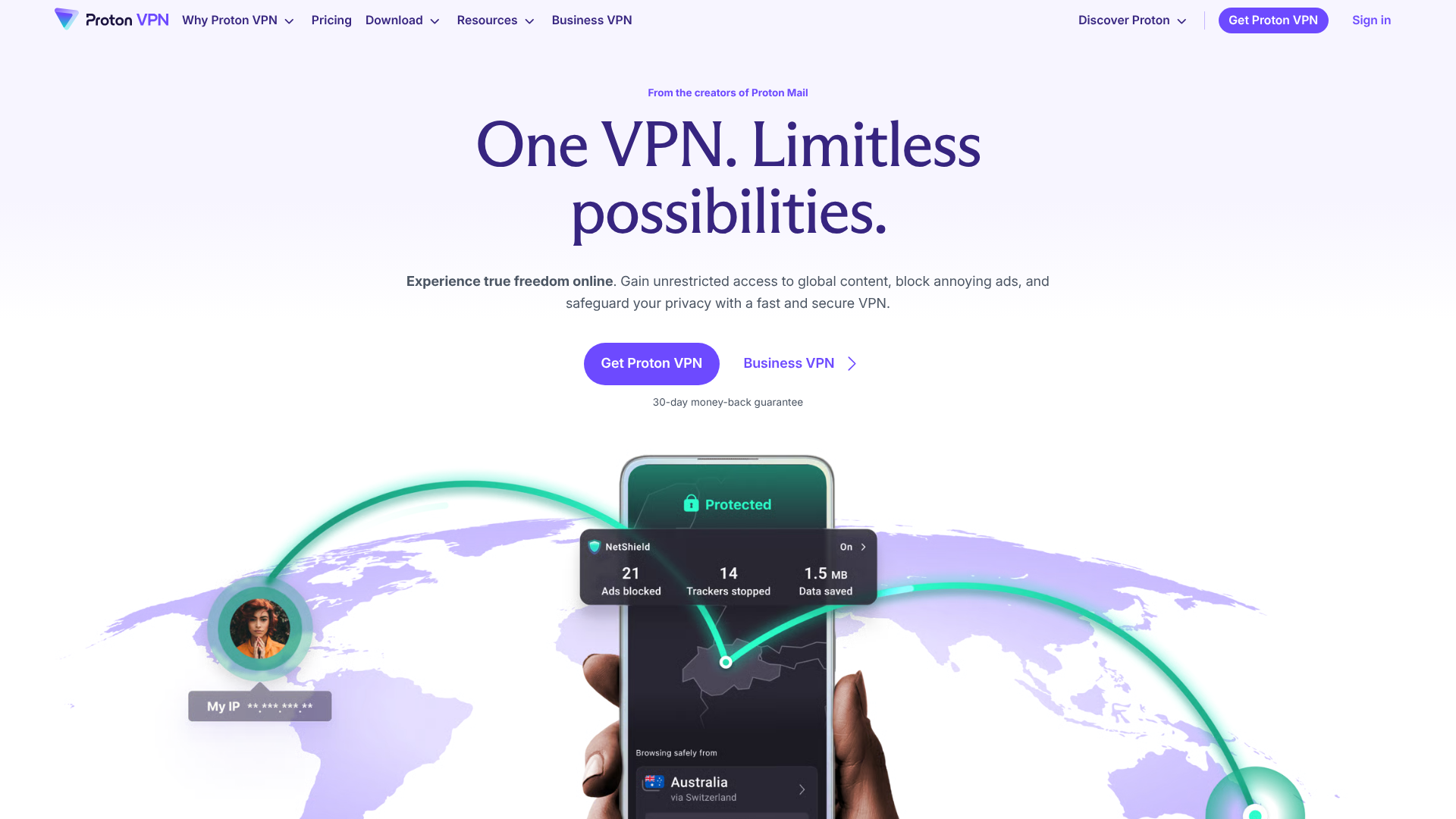
NetShield: a built-in ad and malware blocker that filters out malicious domains at the DNS level.
Stealth VPN: a protocol that makes VPN traffic indistinguishable from standard HTTPS traffic, useful in highly restrictive environments.
Verified no-logs policy: independently audited and backed up by real-world examples where Proton was unable to provide user data to authorities (because the data simply did not exist).
Split tunneling: You choose which apps go through the VPN and which ones maintain a direct connection. This is useful for preventing slowdowns in apps that don't need to be secured.
Pricing:
Free Plan: functional but limited (no Secure Core servers, reduced bandwidth).
Plan Plus: approximately €9.99/month (or less with an annual subscription).
Proton for Business Plan: Dedicated pricing with centralized management.
👤 Who is this for?
Proton VPN is primarily aimed at users who prioritize privacy: lawyers, doctors, journalists, and consultants who handle confidential client data. It is also suitable for entrepreneurs who want to break free from the Google/Microsoft ecosystem without compromising on quality. The free version makes it an accessible starting point for freelancers who are just beginning to upgrade their security.
👍 Strengths:
Open-source code and entrepreneurs audits.
Swiss court, data protection authority.
A cohesive Proton ecosystem (email, drive, calendar, passwords).
Free version with no time or data limits.
👎 Cons:
A smaller server network than NordVPN.
Performance may be slightly slower on some servers during peak hours.
The interface is less polished than some of its competitors on mobile.
Benefit from a on Proton VPN .
Additional 25% off on annual plan
Find our best discount right now with Proton VPN and save on your software subscriptions. We offer over 850 promo codes and discounts on the best software and SaaS on the market.
#5 - Astra Pentest: Automated penetration testing, finally available to development teams.
Astra Pentest stands out from the rest in this selection. While other tools protect your day-to-day operations, Astra tackles a different problem: identifying vulnerabilities in your web applications, APIs, and cloud infrastructure before anyone else does.
Penetration testing (or "pentests") was historically reserved for large companies, as their cost and complexity made them inaccessible to most small and medium-sized businesses. Astra has changed the game by automating much of the process, while still allowing for the involvement of human experts during critical analysis phases.
Whether you're a startup launching an app, an agency delivering web projects to clients, or an SME using third-party APIs, Astra provides a concrete answer to the question: "Is our app truly secure?"
Key features :
Automated vulnerability scanner: Astra performs over 9,000 tests on your web application or API, covering vulnerabilities listed in the OWASP Top 10 (SQL injection, XSS, CSRF, authentication misconfigurations, etc.).
Managed penetration testing with human experts: Going beyond automated scanning, Astra provides access to a team of certified penetration testers who supplement automated analysis with manual investigation. This combination is particularly effective at detecting logical vulnerabilities that scanners miss.
Compliance Report: Astra generates formatted reports for compliance audits (SOC 2, ISO 27001, HIPAA, GDPR). This saves a significant amount of time if you are preparing for certification.
CI/CD Integration: Scans can be integrated directly into your development pipelines (GitHub Actions, GitLab CI, Jenkins) to detect security regressions with every deployment.
Centralized dashboard: All identified vulnerabilities are ranked by severity, with remediation recommendations and tracking of resolution status.
Plan Scanner: starting at approximately $99/month.
Pentest Plan: starting at approximately $999 per scan (includes access to human experts).
Annual plans with a commitment significantly reduce the cost per scan.
👤 Who is this for?
Astra is designed for development teams that want to integrate security into their development cycle without hiring a full-time security expert. It is particularly relevant for SaaS startups preparing for a funding round (security is increasingly scrutinized by investors and acquirers), web agencies that want to deliver secure projects to their clients, and SMEs that store sensitive data (healthcare, finance, HR) and need to demonstrate their security standards to partners or regulators.
👍 Strengths:
A unique combination of automated scanning and human experts, unmatched in the market.
Ready-to-use compliance reports for SOC 2, ISO 27001, and GDPR.
CI/CD integration for continuous security.
Clear interface, actionable results.
👎 Cons:
High cost for small organizations, especially those that rely on human experts.
Requires a minimum level of technical expertise to fully utilize the results.
Although the automated scanner is comprehensive, it does not replace a thorough manual penetration test for critical applications.
Benefit from a on Astra Pentest .
10% off on any plan
Find our best discount with Astra Pentest and save on your software subscriptions. We offer over 850 promo codes and discounts on the best software and SaaS on the market.
Here is a quick overview to help you figure out what applies to your situation. The prices listed are approximate and for reference only; we recommend that you check the current pricing terms directly with each publisher.
Cybersecurity FAQ for Small Businesses and Freelancers
Here are some answers to the questions we’re asked most often about cybersecurity in the SME context.
1️⃣ Are SMEs really targets for cyberattacks?
Yes, and this trend is actually growing. Large companies are investing heavily in security, which is driving attackers to turn to more accessible targets. Small and medium-sized businesses often have obvious vulnerabilities (weak passwords, no VPN, unpatched applications) that make them easy prey for automated attacks or ransomware.
2️⃣ Where do you start when you don't have a CIO?
The top priority is password management. It is the most common attack vector and also the easiest to address. A tool like 1Password or Keeper, which can be deployed in a matter of hours, eliminates a significant portion of the risk right from the start. Next comes securing network connections (VPN) for employees on the go, followed by a vulnerability assessment if you manage a web application.
3️⃣ Is a VPN enough to secure my online activity?
No, a VPN does only one thing: it encrypts and anonymizes your network connection. It does not protect against malware, phishing, or weak passwords. It is one tool among many-necessary but not sufficient. Cybersecurity works in layers.
4️⃣ What is the difference between 1Password and Keeper?
Both are excellent professional password managers. 1Password is generally preferred for its user interface and developer-friendly features. Keeper is often chosen by organizations with specific compliance requirements (SOC 2, ISO 27001) due to its more detailed audit reports and certifications. For a small team without any specific regulatory constraints, both work very well.
5️⃣ What is a penetration test, and is it really useful for an SME?
A penetration test involves simulating an attack on your application or infrastructure to identify vulnerabilities before a real attacker does. For an SME developing a web application or handling sensitive data, this is extremely useful. With tools like Astra Pentest, the cost has dropped significantly, and the process is accessible even without in-house expertise.
6️⃣ Is Proton VPN really better than NordVPN?
Not necessarily "better," but different. Proton VPN stands out for its open-source code, published audits, and Swiss jurisdiction. It’s the choice for those for whom transparency and absolute privacy are non-negotiable. NordVPN generally offers better performance, a larger server network, and a more user-friendly interface. The choice depends on your priorities.
7️⃣ Is cybersecurity a legal requirement for small and medium-sized businesses?
Partially. The GDPR requires companies that process personal data to implement appropriate technical and organizational measures to protect it. In the event of a data breach, the lack of basic security measures can result in significant penalties (up to 4% of global revenue). Certain sectors (healthcare, finance) have even stricter requirements.
8️⃣ Is it possible to secure your business without a large budget?
Yes. A password manager for a small team costs a few dozen euros a month. Proton VPN offers a free version. And the benefits of good security practices far outweigh the costs. The key is to start somewhere rather than doing nothing while waiting for the perfect budget.