HubSpot vs. Salesforce: Features, Differences, and Use Cases
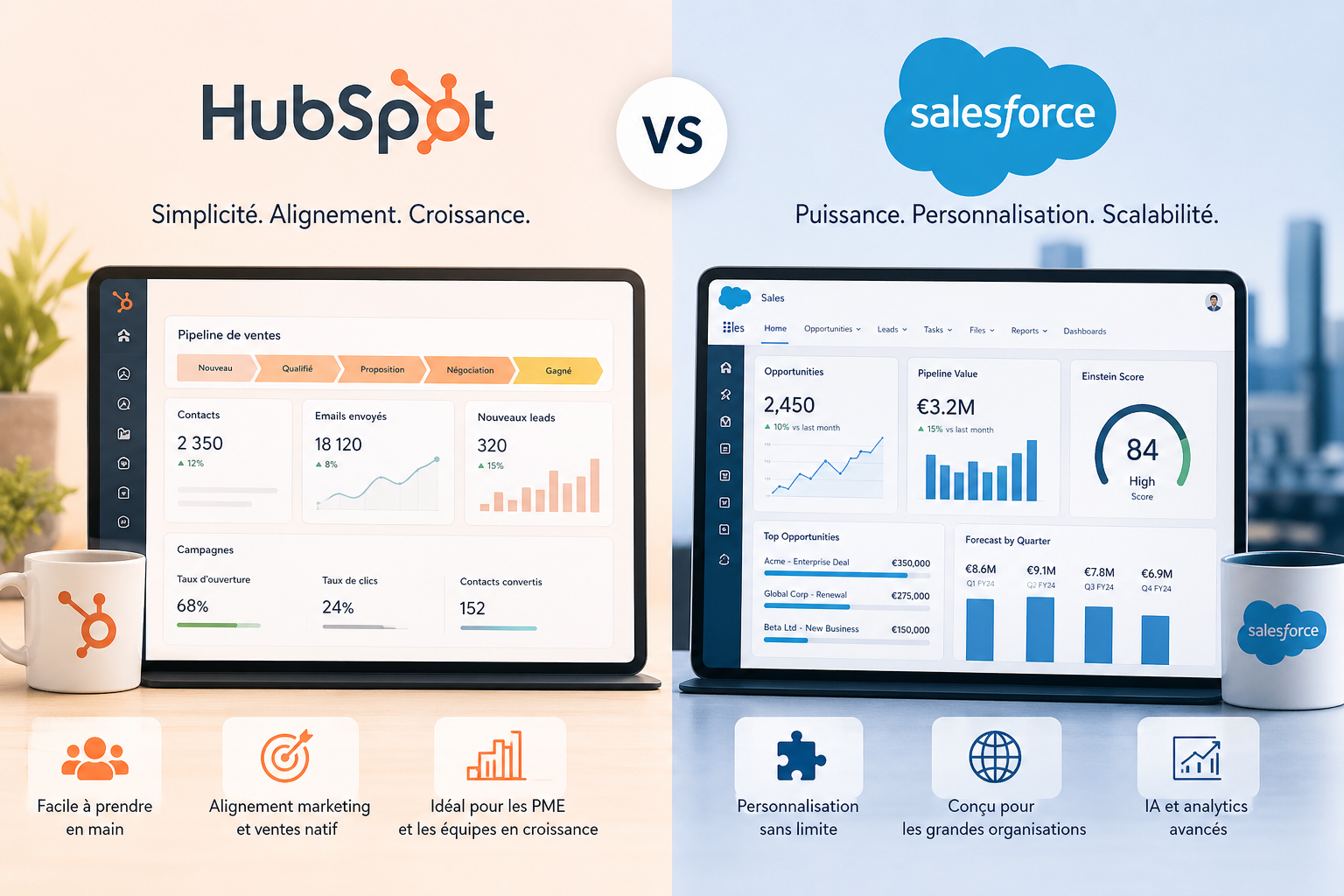
HubSpot or Salesforce? Both tools dominate the CRM market, but they’re designed for different scenarios. In this article, we compare their features, pricing, and real-world use cases to help you choose the platform that’s truly right for your organization.
Two CRM giants, two radically different philosophies.
The global CRM market is now worth more than $65 billion, and two names consistently come up in every conversation: HubSpot and Salesforce. It’s hard to avoid them, whether you’re setting up your first sales process or completely overhauling your marketing stack.
However, comparing these two tools isn’t as simple as it seems. It’s not a matter of “which one is better”; it’s primarily a matter of context, maturity, budget, and how your team works on a day-to-day basis. HubSpot was built on a promise of accessibility and inbound marketing. Salesforce, on the other hand, has been shaping the very concept of cloud CRM for over 25 years.
In this article, we’ll take a no-nonsense look at these two platforms: their actual features, their concrete differences, their respective limitations, and—most importantly—who they’re really meant for. Whether you’re a freelancer, a sales manager at an SME, or scaling a startup, you should come away with a much clearer idea of which direction to take.
Founded in 2006 in Boston, HubSpot was initially known as an inbound marketing platform before evolving into a full-featured CRM. Today, the platform has more than 200,000 customers in over 120 countries. What has made it so popular? An intuitive interface, a generous free plan, and an “all-in-one” approach that appeals to teams who don’t want to juggle ten different tools.
HubSpot is organized around Hubs: Marketing Hub, Sales Hub, Service Hub, CMS Hub, and Operations Hub, each of which can be used independently or in combination. It is one of the few CRMs to natively offer marketing, sales, and support features within a single interface.
Here's what HubSpot actually integrates:
HubSpot's strength lies in the consistency of its ecosystem. Here's what you'll find at the heart of the platform:
Contact and Pipeline Management:
Contact records centralize all interactions (emails, calls, meetings, website activity). The sales pipeline is visual and uses drag-and-drop functionality, and each stage can be customized to fit your process. Sales reps save a considerable amount of time on manual data entry because HubSpot automatically populates the records from emails and the calendar.
Marketing automation:
Behavior-triggered workflows, email sequences, lead scoring, A/B testing of landing pages... The entire conversion journey can be automated without writing a single line of code. That’s what sets HubSpot apart from a traditional CRM: the tool focuses just as much on pre-sales as it does on sales management.
Reporting and Dashboards:
Reports are accessible with just a few clicks, customizable, and visually clear. A sales manager can create their own dashboard without having to ask the IT department for help. The multichannel attribution report (available on higher-tier plans) lets you know exactly which marketing activities are driving revenue.
Customer service tools:
The Service Hub includes a ticketing system, a knowledge base, live chat, and customer satisfaction tools (CSAT, NPS). It’s not as advanced as dedicated solutions like Zendesk, but for a team that wants to centralize everything, it’s more than enough.
Integrations:
More than 1,500 apps are available in the HubSpot Marketplace, including Slack, Google Workspace, Shopify, Stripe, and Brevo.
HubSpot Pricing 💰
HubSpot uses a modular pricing structure. Each Hub is billed separately, which can quickly drive up the cost if you activate multiple modules.
Find our best discount right now with Hubspot and save on your software subscriptions. We offer over 850 promo codes and discounts on the best software and SaaS on the market.
#2 - Salesforce: The platform that streamlines sales at scale.
Salesforce is the pioneer. Founded in 1999 by Marc Benioff, it literally invented the cloud-based CRM model. Today, the platform is used by more than 150,000 companies worldwide, from hyper-growth startups to Fortune 500 multinationals. Its positioning is clear: power, customization, and scalability.
Unlike HubSpot, which aims to simplify everything, Salesforce operates on the principle that every organization has its own unique needs and that a CRM must be able to adapt fully to them. This flexibility is its greatest strength. It also has a downside: complexity.
Here's what Salesforce actually offers:
Sales Cloud:
This is the historic core of Salesforce. Opportunity management, forecasting, sales task automation, territory management, quote approvals... Sales Cloud covers the entire sales cycle with a level of detail that few other tools can match. Structured sales teams particularly appreciate the customizable views and the granular management of qualification stages.
Marketing Cloud and Pardot:
Salesforce offers two distinct marketing solutions depending on the use case. Marketing Cloud is geared toward B2C (multi-channel campaigns, email, SMS, social media). Pardot (renamed Marketing Cloud Account Engagement) is designed for B2B, with advanced lead scoring and native integration with Sales Cloud.
Einstein AI:
The AI built into Salesforce analyzes your data to predict which deals are most likely to close, identify risks in your pipeline, generate call summaries, or suggest next steps. The relevance of the recommendations, of course, depends on the quality and volume of data you’ve accumulated on the platform.
AppExchange:
It's like an app store for businesses, with more than 7,000 applications and components. This is a strong selling point for organizations with very specific needs; there's often a solution already built on the Salesforce platform to address a specific business requirement.
Cloud Service and Field Service:
For support and field teams, Salesforce offers dedicated solutions that include case management, omnichannel capabilities, and coordination of on-site visits.
Customization using Apex and Flow:
Developers can extend Salesforce in countless ways using the Apex language (similar to Java) or no-code tools like Flow Builder. This level of customization is unique, but it requires technical expertise or an integration partner.
Salesforce Pricing 💰
Salesforce charges per user per month, with mandatory annual plans. The prices listed are often starting points; the actual cost depends on the modules enabled, add-ons, and contract negotiations.
Starter Suite Plan: (approximately 25 € per user per month): Basic CRM, marketing, sales, and customer service.
Pro Suite Plan: (approximately €100 per user per month): Advanced automation, forecasting, and cross-team collaboration.
Enterprise Plan: (approximately €165 per user per month): Full customization, advanced APIs, management of complex processes.
Unlimited Plan: (approximately €330 per user per month): Premium support, unlimited sandboxes, unlimited automation.
Benefit from a on Salesforce .
12 months free
Find our best discount right now with Salesforce and save on your software subscriptions. We offer over 850 promo codes and discounts on the best software and SaaS on the market.
1/ Features designed to align marketing and sales:
HubSpot is one of the few tools that truly brings marketing and sales teams together in a single workspace. While many organizations use a marketing tool on one side and a CRM on the other (with all the synchronization issues that entails), HubSpot creates a unified view of the customer journey from the first click to the signed contract.
Sales reps can see exactly what content a prospect has viewed, which emails they’ve opened, and how long they’ve been in the funnel. The marketing team, meanwhile, can track which campaigns are actually driving revenue. This shared visibility is fundamentally changing the way we work.
2/ Inbound marketing as our DNA:
HubSpot has literally developed and popularized the inbound method. If your lead generation relies on content, SEO, blogging, or lead capture forms, you’re in HubSpot’s natural element. The tools are designed to attract, convert, and retain customers through relevant content rather than through an aggressive sales approach.
3/ Easy to get started:
This is the most common feedback from users: HubSpot is easy to learn. The interface is intuitive, the guided onboarding processes are effective, and HubSpot Academy offers hundreds of free training courses. A team of five can be up and running in just a few days, without the need for an external consultant or a dedicated administrator.
Typical use cases:
HubSpot is particularly effective for growth-stage startups looking to streamline their sales processes without breaking the bank, B2B small and medium-sized businesses with short- to medium-length sales cycles (ranging from a few days to a few weeks), integrated marketing and sales teams that want to work in the same platform, and companies that rely on content marketing for customer acquisition.
Why Choose Salesforce? 🎯
1/ Unparalleled customization:
Salesforce is often described as a platform rather than just software. And that’s true: you can model your sales process exactly as it works in your organization, with your business objects, business rules, validations, and automations. No other solution on the market offers this level of customization without extensive custom development.
This flexibility is invaluable for industries with complex sales processes: real estate, financial services, manufacturing, healthcare, and the public sector. While HubSpot imposes a certain way of doing things, Salesforce adapts to yours.
2/ Managing large sales teams:
As soon as you have more than about 20 sales reps, your needs change: territory management, lead allocation rules, managerial approval of quotes, forecasts by team or by region... Salesforce was designed for this level of complexity. Sales managers have access to highly advanced management and forecasting tools that HubSpot does not offer to the same extent.
3/ AI and predictive analytics:
Einstein, Salesforce's AI, draws on years of accumulated data to provide actionable insights: predictive opportunity scoring, churn signal detection, conversation analysis, and recommendations for next steps. For teams with sufficient data volume, this is a real competitive advantage.
Typical use cases:
Salesforce is particularly well-suited for large sales teams (20+ people) with structured processes and long sales cycles; companies with highly specific business needs that require extensive customization; multi-country or multi-entity organizations that need centralized CRM governance; and regulated industries (finance, healthcare, manufacturing) with complex approval workflows.
The Pros and Cons of HubSpot ✅❌
✅ Benefits of HubSpot:
A free offer you can actually use:
Unlike many "freemium" offerings, which are just empty shells, HubSpot's free CRM lets you manage contacts, a sales pipeline, emails, and forms without spending a penny. For a small team just getting started, it's a great place to begin.
The user experience is well-designed:
The interface isn't intimidating. The new features are well documented, updates are released regularly, and the user community (the HubSpot Community forum) is very active.
Everything is natively connected:
When your marketing, sales, and support teams work in HubSpot, data flows seamlessly. There’s no need for Zapier integrations or custom development to get a unified view of your customers.
The learning curve is gentle:
A team can become self-sufficient very quickly. The HubSpot Academy, free certifications, and online resources are of excellent quality.
❌ HubSpot Limits:
The price is rising quickly:
The transition from the free plan to the Professional plan is a pretty big leap, especially if you activate multiple Hubs. A company that wants advanced marketing, sales, and service features can quickly exceed €2,000 to €3,000 per month.
There are limits to customization:
If your sales process goes beyond the norm (highly specific business use cases, complex assignment logic, multi-entity requirements), you’ll quickly run into the limits of what HubSpot allows you to do without workarounds.
Advanced reporting is available only on higher-tier plans:
Multichannel attribution, advanced custom reports, and comprehensive team dashboards are only available starting with the Professional plan, which can be frustrating for users on lower-tier plans.
Modules are sometimes redundant:
If you're already using dedicated tools for certain functions (customer support, email marketing), paying for HubSpot features you don't use may not seem like the best use of your money.
The Pros and Cons of Salesforce ✅❌
✅ Benefits of Salesforce:
The customization options are virtually unlimited:
Every process, every business rule, and every object can be configured. The CRM adapts to your business—not the other way around.
Scalability has been proven:
Startups that have grown into some of the world's largest companies use Salesforce. The platform never causes performance or scalability issues as your organization grows.
The AppExchange ecosystem is huge:
Over 7,000 apps are available, many of which were created by specialized partners for specific industries. There is rarely a need for which a solution does not already exist.
The analytical and predictive capabilities are advanced:
Einstein AI, forecasting dashboards, and multidimensional reports: Salesforce enables sales management with a level of precision that’s hard to match.
❌ Disadvantages of Salesforce:
Complexity can be paralyzing:
Without a dedicated Salesforce administrator or an integration partner, setting up and maintaining the platform can quickly become a project in and of itself. Many companies underutilize Salesforce due to a lack of in-house expertise.
The total cost is high:
Between licenses, add-ons, integration costs, and sometimes a consultant’s fees, the Salesforce bill can be a surprise. It’s not a tool well-suited for small organizations with tight budgets.
It takes a long time to get the hang of it:
Even for tech-savvy users, Salesforce takes time to master. The interface, which is more complex, requires thorough initial training.
Some marketing features require separate products:
Pardot and Marketing Cloud are separate tools, each with its own interface and pricing structure. Building a cohesive marketing-sales ecosystem in Salesforce is significantly more expensive than in HubSpot.
Comparative Summary 📊
Here is some background information before reviewing the table below: both platforms are evolving rapidly, and certain features or pricing may have changed since this article was written. We recommend checking the information directly on the official websites before making any decisions.
Criterion
HubSpot
Salesforce
🎯 Primary Target
SMEs, startups, marketing and sales teams
Large companies, structured sales teams
💰 Admission price
Free (Basic CRM)
~25 € per user per month
📈 Scalability
Good up to the mid-market
Excellent, with no known upper limit
🧩 Customization
Moderate
Very advanced
⚡ Easy to use
High
Moderate to light with no cloud formation
🤝 Marketing-Sales Alignment
Native and fluent
Possible, but requires configuration
🤖 Built-in AI
Yes (Breeze AI)
Yes (Einstein AI, very advanced)
🔌 Available Integrations
1 500+
7,000+ (AppExchange)
🛠️ Required Human Resources
Possible independent team
Dedicated admin recommended
📊 Advanced Reporting
Starting with the Professional plan
Available on all advanced plans
🌍 Multi-country use
Limited to small-scale projects
Very well managed
Which tool should you choose based on your profile? 👤
👩💼 Are you a freelancer or entrepreneur
HubSpot is the obvious choice. The free plan more than covers the needs of a solo professional: contact management, communication tracking, and a simple sales pipeline. Salesforce would be overkill and too expensive for this type of user. Alternatives like Pipedrive or Zoho CRM may also be suitable for this type of use.
🚀 Are you a startup or a young small business (fewer than 50 employees)?:
HubSpot is the go-to choice in the vast majority of cases. The platform lets you quickly set up a sales process, launch marketing campaigns without extensive technical expertise, and scale your business without switching tools. If your sales cycle is simple to moderate, you don’t need the power (or the complexity) of Salesforce.
🏢 You are a growing small or medium-sized business with a sales team of 15 to 50 people:
This is where things get tricky. Both tools may be suitable, but the deciding factors are your sales process (simple or complex?), your budget, and the availability of technical resources to manage an advanced CRM. HubSpot Professional or Enterprise may be sufficient; Salesforce is the better choice if your sales process is highly structured or if you have industry-specific needs.
🏭 If you are a large company or a multi-entity organization:
Salesforce is the gold standard in this case. Its ability to model complex processes, manage sales territories, integrate with ERP systems, and lead teams of 50 or more people makes Salesforce a foundational choice that’s hard to ignore. Freshsales can be an attractive alternative for teams looking for a solution that strikes a balance between power and simplicity.
🎨 Your priority is content marketing and inbound marketing:
HubSpot, without a doubt. Its content ecosystem (blog, SEO, landing pages, lead nurturing) is built from the ground up for inbound marketing. Salesforce isn't designed for this type of approach and would require additional integrations to achieve the same results.
⚙️ Do you have very specific business needs or operate in a regulated industry?
Salesforce has a competitive edge thanks to its customization capabilities and the breadth of its AppExchange. Whether you're in financial services, manufacturing, or the public sector, there's likely a Salesforce solution tailored to your specific needs.
See all the software of this category: CRM et Gestion des Prospects
Check out all the other software and discount we offer in this category. Explore other tools and choose the perfect solution to grow your business.
Here are the questions teams ask themselves most often when choosing between these two platforms.
1️⃣ Is HubSpot really free?
The basic CRM is free with no time limit, but advanced features (full automation, custom reporting, removal of branding) require a paid subscription. The free version is decent and usable, but it has its limitations as soon as you try to go beyond basic management.
2️⃣ Can you migrate from HubSpot to Salesforce (or vice versa)?
Yes, both platforms offer tools and partners to facilitate migrations. That said, a CRM migration remains a significant technical and organizational project. You need to set aside time, resources, and—ideally—expert guidance to avoid losing data or disrupting automations.
3️⃣ Can HubSpot and Salesforce be used together?
Yes, there is native integration between the two. Some large organizations use Salesforce as their central CRM for sales and HubSpot for marketing, with the two systems synchronized. This setup makes sense but adds additional complexity (and cost).
4️⃣ What is the main difference between HubSpot and Salesforce?
The fundamental difference lies in their philosophy: HubSpot simplifies and guides, while Salesforce customizes and extends. HubSpot starts with a standardized experience that you can adapt slightly. Salesforce starts with a blank canvas that you build according to your needs. Neither is inherently superior; it depends on your specific context.
5️⃣ Is Salesforce suitable for small businesses?
Salesforce offers entry-level plans (including Salesforce Essentials) designed for small businesses. While it’s more complex and expensive than HubSpot in this segment, it’s an option if you anticipate rapid growth and want to avoid having to migrate your CRM in 18 months.
6️⃣ How much does HubSpot actually cost for a team of 10 people?
With the Starter plan across multiple Hubs, you can get by for a few hundred euros a month. The more comprehensive Professional plan can cost between 1,000 and 2,000 euros per month, depending on the modules. A pricing calculator is available directly on the HubSpot website.
7️⃣ Are there any alternatives to HubSpot and Salesforce?
Yes, there are several CRMs worth evaluating based on your specific context: Pipedrive for pipeline-focused sales teams, Zoho CRM for a good balance of features and price, Freshsales for an experience that falls between HubSpot and Salesforce, or Close for inside sales teams. The key is to choose the tool that fits your process, not the one that’s best known or most powerful on paper.
8️⃣ Do you really need a consultant to implement Salesforce?
It's not required, but it's often recommended once you move beyond basic usage. The Salesforce community (Trailhead, forums, certified partners) is a great resource. For advanced configurations, working with an integration partner can save you a lot of time and help you avoid costly mistakes that would be difficult to fix later.