






Our selection of cybersecurity tools for SMEs
This ranking reviews the best cybersecurity tools available to SMEs and entrepreneurs 2026…
Read more


It often starts with an Excel spreadsheet. Then two. Then a shared Google Drive sheet that no one is updating properly anymore. And one day, you realize you’ve lost a prospect because you forgot to follow up, or you have no idea where a client stands after three weeks.
That's where a CRM comes in.
A CRM (Customer Relationship Management) is software that centralizes all your interactions with customers and prospects: email exchanges, phone calls, quotes sent, and follow-ups to be scheduled. The goal is simple: to ensure nothing falls through the cracks, to organize your sales pipeline, and to better understand what works in your sales process.
For a small business or a startup, the question isn't really whether a CRM is useful. The question is which one to choose. Because the market is flooded with options, ranging from free to very expensive, from the simplest to the most comprehensive, and not all of them are suitable for every business.
This article provides a structured overview of the best CRMs available today, including their actual features, pricing, and, most importantly, who each one is really designed for. You’ll also find on these software solutions through our deals catalog.
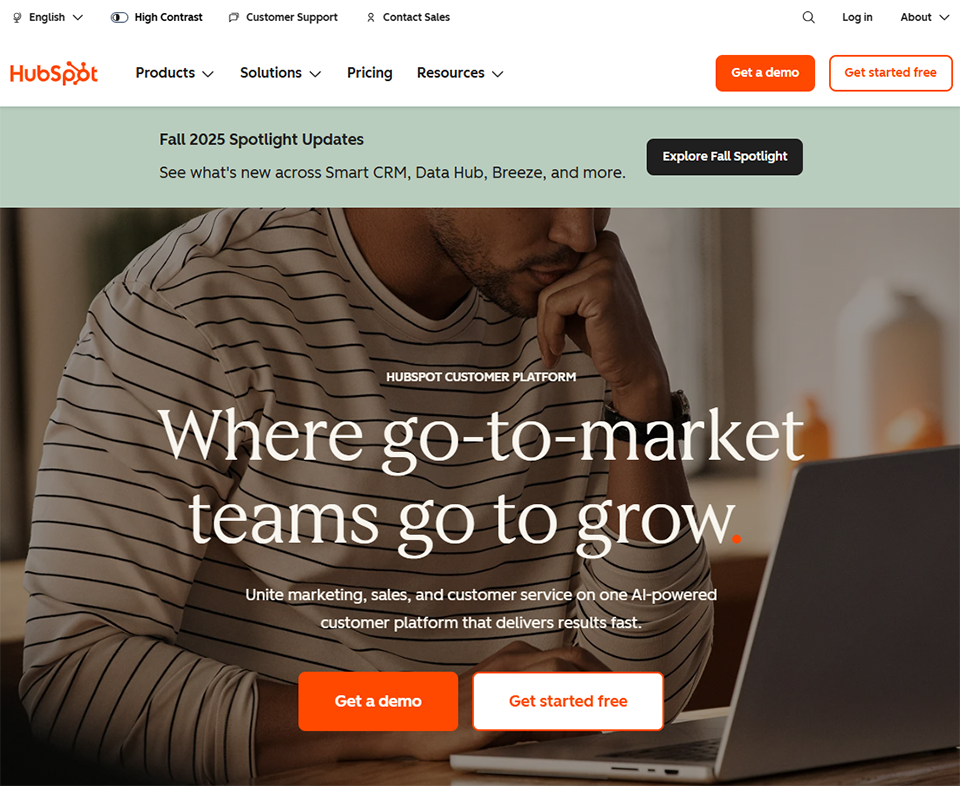
HubSpot is probably a name you’ve come across if you’ve ever looked into CRM systems. And for good reason: its free plan is generous, its interface is clean, and the ecosystem surrounding it (marketing, customer service, CMS) is cohesive.
HubSpot offers a modular platform: you start with the basic CRM, then you can add Marketing, Sales, Service, and other hubs. For a startup or small business just getting started, the free CRM already covers a lot of ground: contact management, deal tracking, visual pipelines, email integrations, and even a basic analytics dashboard.
At the heart of HubSpot CRM is its intuitive, drag-and-drop visual sales pipeline, which allows you to take immediate action. Each contact has a detailed profile that centralizes all exchanged emails, past calls, notes, and shared documents. Automated email sequences let you schedule follow-ups without having to think about it. The email tracking feature (open notifications) is particularly useful for sales reps.
Integration with Gmail and Outlook is built-in. HubSpot installs as an extension and directly enriches your inbox with CRM data. We also appreciate that HubSpot offers a very extensive marketplace of integrations (Slack, Stripe, Typeform, and hundreds of others).
🚀 Growing startups: those that need a scalable tool and an integrated marketing/sales ecosystem. HubSpot scales with you, which is a significant advantage if you’re raising funds and building a sales team.
🧑💻 Freelancers and entrepreneurs if you want to organize your lead generation without breaking the bank, the free version is often enough to get started. Be careful, though, not to find yourself limited by the free plan’s restrictions after a few months.
🏢 Small and medium-sized businesses with a structured sales team: looking for an all-in-one platform. HubSpot is particularly powerful when you integrate its marketing and sales features.


Pipedrive was created by salespeople who found existing CRMs too complex and not focused enough on the sales process. The result: a tool built around a highly effective visual pipeline, designed to help close deals, not just manage a database.
While HubSpot focuses on an all-in-one approach, Pipedrive stays focused on the sales pipeline. This is a strength: the tool remains clear and straightforward, even for someone with no CRM experience. You can see your current deals, their progress, and what needs to be done next. No unnecessary features.
The Kanban pipeline view is at the heart of the experience. Each deal is represented by a card that you move from one stage to the next. Activities (calls, emails, meetings) are linked to each deal, with automatic reminders to ensure that no deal is left unattended.
Pipedrive also includes an AI assistant (Sales Assistant) that analyzes your pipeline and suggests priority actions. The revenue forecasting feature is accurate and useful for teams with specific revenue targets. Reports can be customized in detail.
The tool also offers web forms for capturing leads directly from a website, as well as built-in messaging (email and chat).
Pipedrive does not offer a free version, but it does offer a 14-day trial.
🎯 Small businesses and startups with a B2B sales cycle: those who need a results-driven tool. If your priority is converting leads into customers-not managing a complex marketing database-Pipedrive is likely your best ally.
👥 Small sales teams (2 to 10 people): who need a shared tool without the hassle of complex setup. Onboarding is quick, and teams adopt the tool without resistance.
📞 Sales roles: (SDRs, business developers) who do a lot of outbound prospecting and need to manage a high volume of leads simultaneously.

Zoho is often underestimated in France, but it is one of the most comprehensive software suites on the market. Zoho CRM is part of an ecosystem of over 50 interconnected applications (Zoho Books, Zoho Mail, Zoho Campaigns, Zoho Sign, etc.).
Zoho CRM offers a robust sales management tool with features that rival those of much more expensive solutions. Its main advantage is its native integration with other Zoho products, which allows you to build a comprehensive infrastructure without having to sign up for multiple subscriptions.
Zoho CRM covers the basics (lead management, contacts, accounts, and sales pipelines) but goes a step further with advanced features: automatic lead scoring, AI-powered sales forecasting (Zia, Zoho’s AI assistant), advanced workflow automation, and a territory management module for larger teams.
Customization is a major strength: views, fields, and modules can be extensively customized. Zoho CRM also natively supports multi-channel communication: email, phone, chat, social media, and web forms-all from a single interface.
🏢 Small and medium-sized businesses with structured sales processes: those looking for a powerful solution without the cost of Salesforce. Zoho CRM holds its own against solutions that are two to three times more expensive.
🔗 Organizations that already use other Zoho tools: Zoho CRM becomes even more valuable when integrated with Zoho Books, Zoho Campaigns, or Zoho Projects.
🌍 International or multi-currency teams: those who need a CRM capable of handling multiple currencies, languages, and regions.

NoCRM (formerly You Don't Need a CRM) is based on a simple observation: most salespeople don't use their CRM properly because it's too cumbersome. They enter data into it, but don't get any value out of it. NoCRM takes the opposite approach.
Here, there’s no need to fill out a lengthy contact form before creating a lead. You can create an opportunity in seconds from anywhere-whether via email, a business card, LinkedIn, or an incoming call-and move it through a streamlined pipeline. The goal is clear: sales reps should spend their time selling, not managing data.
The interface is intentionally minimalist. The pipeline is the centerpiece, featuring simple statuses: To Be Processed, In Progress, Won, Lost. Follow-up reminders are prominently displayed: NoCRM clearly reminds you of what needs to be done today.
The feature for creating leads from emails (forwarded to NoCRM) is very convenient. The tool also includes a customizable call script, which is useful for teams that make cold calls. It also provides statistics on conversion rates by pipeline stage.
NoCRM integrates with popular tools via Zapier and Make, and offers an API for more advanced integrations.
15-day free trial with no credit card required.
📞 Freelancers and small businesses with a short sales cycle: who do a lot of direct outreach. NoCRM is designed for professionals who have dozens of opportunities to manage at the same time and who want a tool that doesn’t take up 20 minutes of their day on data entry.
🇫🇷 French-speaking users: NoCRM is a French solution; support is available in French, as is the interface, and the tool is natively GDPR-compliant.
👤 Small teams: who need a CRM that’s easy to start using right away, without any training or complicated onboarding.

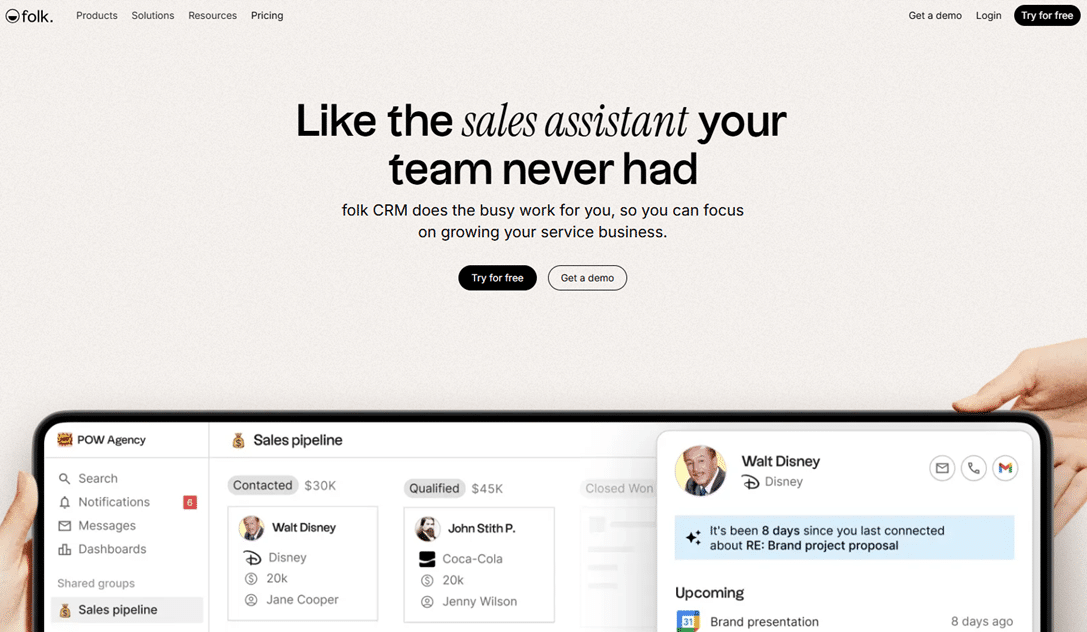
Folk is a French solution (based in Paris) that has quickly gained popularity among startups and creative teams. Its unique selling point: a highly flexible CRM that offers a level of customization similar to Notion, but with a focus on relationship management.
Folk positions itself as a relationship-focused CRM rather than a purely sales-oriented one. It is designed to manage not only leads, but also partners, journalists, investors, and recruiters. In short, any professional network you want to manage in a structured way.
Folk's interface is organized around groups of contacts that you can tag, filter, and enhance with custom properties. The automatic enrichment feature (via LinkedIn, for example) is a real time-saver: Folk retrieves public information about contacts to populate their profiles.
The Magic Fields feature lets you create AI-powered custom fields that summarize notes, extract key information, or automatically categorize your contacts. Email sequences are built-in and can be customized using dynamic variables.
Folk also has a Chrome extension that lets you import contacts directly from LinkedIn.
14-day free trial.
🚀 Early-stage startups: those that manage sales prospecting, investor relations, partnerships, and recruitment all within a single tool.
🎨 Creative agencies and consultants: who have diverse networks to maintain and interactions that are more complex than a simple sales pipeline.
👥 Teams collaborating on their network: Folk lets multiple members share an enriched contact database without losing or duplicating data.

Attio is a newer solution that has won over many B2B startups with a unique approach: a CRM built around relationship data, highly customizable, and designed for teams with non-standard sales processes.
Attio stands out for its relational database approach to contacts. Each object (contact, company, deal) can be enhanced with custom attributes, linked to other objects, and displayed in different views (list, kanban, table). This approach is similar to Notion or Airtable, but is native to a CRM.
Attio workspaces let you create views that are fully customized to your needs. Data enrichment is automatic thanks to a connection to public sources. Attio also offers two-way synchronization with Gmail and Outlook, which means that all emails exchanged with a contact automatically appear in their profile, without any manual action required.
Sequences and automations are becoming increasingly comprehensive, with trigger logic based on data changes. The API is well-documented and supports advanced integrations.
🧑💻 B2B tech startups: those with complex, non-linear sales processes who want a CRM capable of adapting to their specific needs rather than forcing them to conform to a rigid system.
📈 Data-driven teams: those who want to be able to cross-reference data, apply detailed filters, and create custom reports without relying on an external BI tool.
🔧 Technical professionals: those who want to connect their CRM to their tech stack via API and automate advanced workflows.


Freshsales is the CRM component of the Freshworks suite (which also includes Freshdesk for customer support). It has emerged as a serious alternative to HubSpot and Salesforce, with a Focus on AI to automate sales processes.
Freshsales offers a 360-degree approach to sales management: leads, contacts, accounts, deals, and activities-all within a unified interface. Its proprietary AI (Freddy AI) is integrated at multiple levels: lead scoring, action suggestions, email analysis, and deal closure prediction.
Freddy AI's automatic lead scoring is one of its most popular features: the AI analyzes behavior (email opens, page visits, past interactions) to assign a maturity score to each prospect. This is very useful for prioritizing your time.
Freshsales natively integrates a cloud-based phone system with call recording, a feature rarely found in tools in this price range. Support for multiple pipelines, email sequences, and customizable reports round out the offering.
📞 Sales teams that make a lot of calls: and want to consolidate their tools (CRM + phone system) without an additional subscription.
🤖 Organizations looking for AI without breaking the bank: Freshsales offers practical AI features at reasonable prices.
🔗 Freshdesk users: those looking to integrate their sales CRM with their customer support system to gain a unified view of the customer.

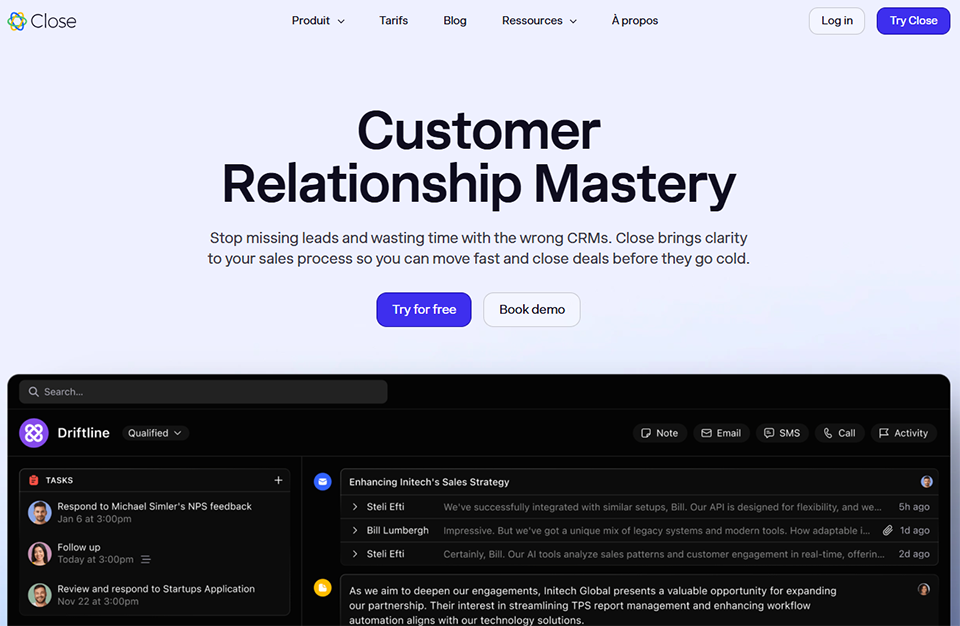
Close is an American CRM designed for inside sales teams that rely heavily on communication via phone, email, and text message. Its value proposition is clear: fewer tabs, more sales.
Close has built communication features directly into the CRM rather than relying on external integrations. Calls, emails, and text messages sent from Close are all automatically logged. The goal is for sales reps to never have to leave the CRM to interact with their prospects.
The Power Dialer is Close’s flagship feature: it automatically calls contacts from a list one after another, skipping those who don’t answer. This saves a considerable amount of time for teams engaged in intensive cold calling.
The multichannel email sequences (email + SMS + calls) are well-designed. Close also offers an AI assistant that suggests improvements to emails and automatically summarizes calls. The reports on team activity are very detailed.
14-day free trial.
☎️ Startups and scale-ups with SDR teams: those that conduct intensive outbound lead generation over the phone.
🌐 100% remote teams: who need to consolidate communication and CRM into a single tool.
📊 Sales managers: who want detailed insights into their team’s performance (number of calls, call duration, response rate, etc.).


Capsule CRM is a British tool that focuses entirely on simplicity and clarity. No intrusive AI, no unnecessary features: just a clean, well-designed CRM that’s easy to use.
Capsule handles the core functions of a CRM with professionalism: managing contacts, opportunities, tasks, and communication history. Its strength lies in its intuitive interface, making it easy to use even for someone who has never used a CRM before.
Contact management is well-organized: each contact record centralizes all interactions, notes, associated tasks, and shared files. The sales pipeline is simple and visual. Capsule also offers a basic post-sales project management module to track customers after a contract is signed.
Integration with Gmail and Outlook is built-in, and Capsule integrates with popular tools such as Xero, QuickBooks, Mailchimp, and Zapier.
🧑🏫 Small businesses and independent professionals: those who want a straightforward CRM without getting bogged down in complicated settings. Capsule is perfect for consulting firms, lawyers, architects, or therapists who simply want to centralize their client management.
🔰 Organizations just starting out with a CRM: and that need a tool with a flat learning curve.
The rates listed are approximate prices per user per month (billed annually). Please check the current pricing terms directly on the publishers' websites.
| CRM | Admission price | Free version | Ideal for | Key strength | Main limitation |
|---|---|---|---|---|---|
| HubSpot | 20 €/month | ✅ Yes | Startups, SMEs | Comprehensive ecosystem | Quick climbing prices |
| Pipedrive | 14 €/month | ❌ No | B2B Sales Teams | Highly efficient pipeline | No free version |
| Zoho CRM | 14 €/month | ✅ Yes (3 users) | SMEs, Zoho multi-tool | Value for money | Complex interface |
| NoCRM | 12 €/month | ❌ No | Freelancers, active client acquisition | Simplicity & speed | Limited warranty |
| Folk | 20 €/month | ❌ No | Startups, various networks | Flexibility & AI | Limited reporting |
| Attio | 34 €/month | ✅ Limited | B2B tech startups | Maximum customization | Complex to set up |
| Freshsales | 9 €/month | ✅ Limited | Teams with phone service | AI + built-in phone | Freddy is limited at the bottom |
| Close | 49 $/month | ❌ No | Inside sales, cold calling | Power Dialer & Communications | Expensive, specialized use |
| Capsule CRM | 18 €/month | ✅ 2 users | Small businesses, self-employed professionals | Absolute simplicity | Little automation |
Find promo codes and discounts for all of these tools in our CRM deals catalog.
The questions users most often ask before choosing a CRM:
Yes, and often more than we realize. A very small business doesn't have the resources to afford losing leads due to a lack of follow-up. A simple CRM like NoCRM or Capsule can be up and running in less than an hour and significantly improve sales operations, even for a solo entrepreneur.
A CRM system centralizes all aspects of customer relations: before, during after the sale. A lead generation tool (such as Lemlist or La Growth Machine) is more focused on customer acquisition and automating outbound outreach sequences. The two can complement each other.
For a very small business with few clients, a spreadsheet or Notion might suffice for a few months. But as soon as the number of contacts exceeds fifty or multiple people need to share the database, the limitations quickly become problematic: duplicate entries, incomplete history, no automatic reminders, and limited visibility into the pipeline. A dedicated CRM system resolves these issues at the core.
The free version is a good starting point for testing the software and determining your needs. HubSpot, Zoho CRM, and Capsule offer decent free plans. But if you have more than two or three users or need automation features, paid plans become necessary fairly quickly. With the on Freelance Stack, some paid plans become very affordable.
If your priority is to handle both marketing and sales in a single tool, HubSpot is the better choice. If you have a sales team focused on closing deals and your marketing is managed elsewhere, Pipedrive is more efficient and less expensive.
Not immediately, no. A CRM doesn’t magically generate leads. But it helps you avoid losing them, prioritize your actions more effectively, and understand what works in your sales process. Over the long term, teams that use a CRM consistently achieve higher conversion rates than those who manage their contacts in scattered files.
HubSpot, Pipedrive, and Zoho CRM all offer well-documented CSV import tools and native integrations with major tools. Migration is never entirely effortless, but these three solutions make the process smoother than average.
European providers (NoCRM, Folk) are compliant by default. For U.S. providers (HubSpot, Pipedrive, Close), check the server locations and data processing provisions in their terms of service. Most offer the option of hosting in Europe.
