







Time-saving tools for your website powered by AI
This article reviews the tools that have proven their worth in this field-specifically those for which you…
Read more


Choosing the right platform to build your website is far from a trivial decision. It’s a choice that will determine how you work on a daily basis, your project’s scalability, and sometimes even the budget you’ll allocate to it over several years.
WordPress and Wix are two of the most widely used platforms in the world for creating websites. One is an open-source CMS that currently powers more than 43% of the world’s websites; the other is an all-in-one online website builder that has attracted millions of users thanks to its user-friendly approach. It’s difficult to compare them without taking certain nuances into account: they aren’t aimed at exactly the same user profiles and don’t serve the same purposes.
This article provides a comprehensive and honest overview of both options to help you make the right choice based on your situation, skills, and goals.
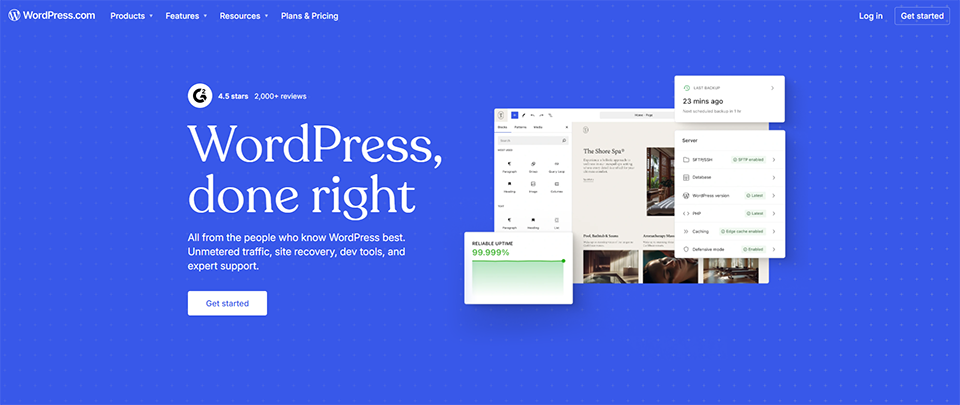
WordPress.org (not to be confused with WordPress.com, its hosted version) is an open-source content management system ( CMS) launched in 2003. Originally designed for blogging, it has evolved over the years into a full-fledged web development platform capable of supporting projects of all sizes: personal blogs, portfolios, showcase sites, e-commerce sites, intranets, and SaaS platforms.
Its ecosystem is massive: more than 60, 000 plugins available, thousands of themes, and a global community of developers who are constantly enhancing the platform. WordPress is free to download and use, but it requires separate web hosting and some effort to set up and maintain.
WordPress itself is free and open-source. What you pay for is the infrastructure that supports it:
In practice, a fully functional, properly configured WordPress site can start at around 5 to 15 €/month for a simple project, and can go up to several hundred euros depending on the plugins installed, the performance requirements, and the complexity of the project.


Wix is a SaaS website-building platform launched in 2006. Unlike WordPress, everything is built-in: hosting, update management, security, and backups. You access the editor directly from your browser, drag and drop content blocks, and your site goes live.
Its strength lies in its accessibility: you don't need any technical knowledge to create a visually polished result. For the past few years, Wix has also offered advanced features such as Wix Studio (for agencies and developers), an online store system, booking and blogging tools, and, more recently, AI-powered features.
The platform claims to have more than 250 million users worldwide, making it one of the most popular website builders on the planet.
Wix operates on a monthly subscription model. There is a free version, but it displays Wix ads and does not allow you to connect a custom domain name. The paid plans are as follows (prices are approximate; please verify):
Get the discountBenefit from a on Wix .10% off on any planFind our best discount right now with Wix and save on your software subscriptions. We offer over 850 promo codes and discounts on the best software and SaaS on the market.
WordPress is probably the most flexible website-building tool on the market. Thanks to its architecture, which can be extended using plugins and themes, it can be transformed into almost anything: a minimalist portfolio site, an e-commerce store using Shopify or WooCommerce, a social network, an online course platform, a booking site... The list is virtually endless.
This flexibility comes with complete control over the code and infrastructure. You can host your site wherever you want, migrate at any time, and access every configuration file. For developers and technical teams, this is a decisive advantage.
WordPress has long been recognized as a platform that’s particularly well-suited for SEO. With plugins like Yoast SEO or Rank Math, you have granular control over meta tags, sitemaps, structured data, canonical URLs, and redirect management. The optimization options are much more extensive than on Wix.
For projects whose primary goal is to generate organic traffic from Google, WordPress often remains the preferred choice among SEO professionals.
With 60,000 plugins, the range of features is hard to match. Whether you need a contact form, a payment system, a live chat feature, a CRM integration, or an advanced caching tool, there’s most likely a ready-made solution available—often for free or at a low cost.
Tools like Elementor now make it possible to build pages on WordPress using a visual, drag-and-drop interface very similar to Wix's, while retaining the benefits of the open-source platform.
WordPress is particularly well-suited for:
Wix's number one selling point is how quickly you can get started. In just a few hours—sometimes even less—you can have a presentable website online without having to set up hosting, install updates, or understand how themes are structured. For someone just starting out with no technical experience, this is a huge advantage.
Wix's visual editor is truly intuitive: you click on an element, move it around, and change the colors, fonts, and content. What you see is what you get—no surprises when you publish.
With Wix, you don't have to worry about security updates, backups, SSL certificates, or plugin conflicts. The platform handles everything. This is a major advantage for entrepreneurs small businesses that don't have the time or resources to maintain a technical infrastructure.
This peace of mind comes at a price: you depend on Wix to keep your site running. But for many users, it's a perfectly reasonable trade-off.
Wix offers more than 900 templates organized by industry (restaurants, portfolios, coaching, e-commerce, etc.). These templates are visually appealing and responsive, allowing you to get started with a solid visual foundation even without design skills.
In recent years, Wix has also incorporatedartificial intelligence features to automatically generate a site structure based on a few answers to questions. This saves a significant amount of time for non-technical users.
Wix has launched Wix Studio, an interface designed for agencies and developers who want more control over layout, animation, and interactions. This brings the platform closer to what Webflow offers in certain respects, while retaining the ease of management inherent in the Wix ecosystem.
Wix is particularly well-suited for:
✅ Freedom and full ownership of your data: Your website belongs entirely to you. You can switch hosting providers, export your content, and edit any file.
✅ Advanced SEO: With the right plugins, WordPress offers SEO optimization capabilities that are far superior to what Wix provides, particularly in terms of technical aspects (crawling, structured data, and granular metadata management).
✅ Huge ecosystem: Tens of thousands of plugins and themes, a global community, and extensive documentation. There’s a solution for almost every need.
✅ Scalability: With the right infrastructure adjustments, WordPress can support a project from its launch phase all the way to millions of monthly visits.
✅ Manageable costs: In the long run, for a high-traffic site or one with many features, WordPress can end up being less expensive than a Wix Business or Elite subscription.
⚠️ The reality of the learning curve: Installing WordPress, choosing a theme, configuring plugins, managing updates... it takes time and a bit of technical know-how, especially at the beginning.
⚠️ Maintenance responsibilities: Security updates, backups, monitoring for plugin conflicts—all of this is up to you (or a service provider).
⚠️ Risk of plugin overload: It's tempting to install a lot of plugins. But if you install too many, your site's performance can suffer significantly. Managing this properly requires some expertise.
⚠️ Customizing the design can sometimes be complex: Without a page builder like Elementor, modifying the layout of a WordPress theme can quickly become a technical challenge.
✅ Absolute simplicity: The drag-and-drop editor is accessible to everyone, right from the very first minutes of use. No steep learning curve, no configuration to manage.
✅ All-in-one: Hosting, security, backups, SSL—it's all included in the subscription. No technical tasks to manage on the side.
✅ High-quality templates: Over 900 industry-specific templates, all responsive, regularly updated by Wix.
✅ Responsive customer support: Wix offers customer support (chat, phone, help center) that can be accessed directly from the platform.
✅ Built-in features: Blog, e-commerce, bookings, forms, email marketing via Wix—many common needs are covered without having to install an external plugin.
⚠️ Virtually no portability: You can't export your site to migrate it elsewhere. If you ever want to leave Wix, you'll essentially have to start from scratch.
⚠️ Room for improvement in SEO: Wix has improved its SEO capabilities in recent years, but still lags behind WordPress on technical aspects such as URL management, loading speed, and the depth of structured data optimization.
⚠️ Limited customization: The Wix editor is intuitive but restrictive—you can't edit everything you want. Some features are only available through their official apps.
⚠️ Long-term cost: A Wix Business or Elite subscription can quickly end up costing more per month than a well-optimized WordPress site with the same features would cost.
⚠️ Dependence on the platform: Your site is hosted on Wix's servers and is subject to their terms of service. If there is a change in pricing policy or the service is shut down, you have little recourse.
Here is a brief overview of the two platforms to help you compare them. The prices listed are for reference only and are subject to change; we recommend that you check them directly with the providers before making any decisions.
| Criterion | WordPress | Wix |
|---|---|---|
| Type of solution | Open-source CMS | All-in-One SaaS |
| Accommodation | To handle on your own | Included |
| Getting Started | Intermediate / Advanced | Beginner |
| Flexibility | Total | Limited |
| SEO | Very advanced | Correct |
| E-commerce | Via WooCommerce | Native (Core+) |
| Maintenance | At your expense | Powered by Wix |
| Portability | Total | Virtually zero |
| Starting price | ~5–15 €/month (hosting) | ~$17/month |
| Plugins / Apps | 60,000+ plugins | ~300 apps |
| Ideal for | Scalable Projects, SEO, Tech | Simple, non-technical websites |
There is no one-size-fits-all answer in this debate. It all depends on your profile, your resources, and what you actually expect from your website.
WordPress becomes a virtually limitless playground once you have a basic understanding of PHP and CSS, or know how to set up a hosting environment properly.
If you're relying on Google to drive traffic, WordPress remains the best platform for thoroughly optimizing your site from a technical standpoint.
A store that will grow, a blog that will attract more contributors, a website that will incorporate new features: WordPress supports these changes much better than Wix.
Web agencies, freelance developers, and teams that manage dozens of client websites almost always use WordPress because of its flexibility and its manageable costs at scale.
Open-source means that your content belongs to you and that you can migrate at any time.
Wix is designed to let anyone create a professional-looking website without any prior training.
A portfolio, a showcase website for a startup, or a landing page for an event: Wix can meet these urgent needs in just a few hours.
If the idea of managing updates, plugins, and backups puts you off, Wix completely frees you from these hassles.
A simple website with just a few pages, a portfolio with a photo gallery, or a service provider’s website with an appointment scheduling feature: Wix does all of that very well.
The all-inclusive Wix subscription is easier to understand and more predictable than a WordPress budget that includes hosting, a theme, and plugins to manage.
If neither WordPress nor Wix seems like the perfect fit for you, there are other options worth exploring:
Webflow falls somewhere in between: it’s more technical than Wix but offers more design freedom than traditional WordPress. It’s often the choice of designers and agencies looking to create sophisticated visual experiences.
Squarespace is a very popular alternative for creatives and lifestyle brands: it features sleek design and an intuitive interface, and falls between Wix and Webflow in terms of complexity.
For more ambitious e-commerce projects, Shopify or PrestaShop are often better suited than the two solutions compared here.
Here are the most frequently asked questions about this comparison, which we've answered as directly as possible.
WordPress (the software) is free. What you pay for is hosting, the domain name, and possibly premium themes or plugins. A simple WordPress site can cost as little as 10 € per month, all-inclusive.
Yes, Wix includes an e-commerce module starting with the Core plan. It covers the needs of a small online store: product management, online payment, shipping, and promo codes. For large product catalogs or complex logistics needs, WooCommerce on WordPress (or Shopify) is still a better fit.
Overall, yes. WordPress offers more control over the technical aspects of SEO (URLs, tags, structured data, speed, redirects). Wix has improved in recent years but remains limited when it comes to the fine-tuning options that SEO professionals value.
It's possible, but not easy. Wix doesn't offer a native export format compatible with WordPress. You can export your content as an RSS feed or manually copy your text, but the layout and media files aren't transferred automatically. In practice, migrating from Wix to WordPress often involves rebuilding a significant portion of the site.
WordPress remains the gold standard for blogs, thanks in particular to its SEO capabilities, its management of Categories authors, and the richness of its publishing ecosystem. Wix offers a functional blog module that’s sufficient for light use but quickly reaches its limits for an ambitious publishing project.
With the evolution of the Gutenberg editor and page builders like Elementor, WordPress has become more accessible than it used to be. That said, it still requires a minimum amount of effort for initial setup, updates, and technical management. For someone who wants a website without getting involved in the technical side of things, Wix remains the more immediately accessible option.
No. The free version of Wix requires you to use a subdomain like yoursite.wixsite.com and displays Wix ads. To use your own domain and remove the ads, you need a paid subscription (starting with the Light plan).
Wix manages security centrally for all its users: automatic updates, DDoS protection, and SSL included. WordPress delegates part of this responsibility to the hosting provider and the user. With a reputable hosting provider and proper plugin management, WordPress is just as secure. But the risk of human error is higher.
