






Zendesk vs. Intercom: Which One Is Right for You?
In this article, we’ll take an in-depth look at both tools so you can make an informed decision. Features,…
Read more


Collecting customer information, qualifying leads, sending satisfaction surveys, creating onboarding questionnaires, or automating administrative processes: behind these very practical uses lies a single, common need—the need to structure the exchange of information seamlessly, without endless emails or hastily cobbled-together spreadsheets.
In just a few years, the online form has evolved from a secondary tool to a central component in the tech stack of many independent professionals and small organizations. Not because it’s trendy, but because the time savings are immediate and measurable.
However, choosing the right tool isn’t that straightforward. The market is crowded, the offerings vary widely, and the criteria that really matter depend on whether you’re a solo freelancer, a startup founder, or the leader of a small team.
This article reviews the most relevant solutions available today, along with their strengths, limitations, and the profiles they are best suited for.

Typeform has established itself as the industry’s premium solution by taking a radically different approach to traditional forms: one question at a time, a clean interface, and a seamless flow that makes it feel like you’re having a real conversation rather than filling out an administrative form.
The completion rate is often cited as the primary benefit. And for good reason: a form that looks like a form is off-putting. Typeform reduces this instinctive resistance by making the experience more engaging. For a freelancer qualifying leads or a startup collecting product feedback, this is a measurable advantage.
The editor is one of the most intuitive on the market. You can create your own fields, add conditional logic (such as displaying a specific question only if the previous one received a certain answer), customize the design to match your brand guidelines, and integrate everything into your website or emails in just a few minutes. There are numerous native integrations available, including HubSpot, Slack, Google Sheets, Notion, Zapier, and many others.
Typeform also offers VideoAsk, a complementary product that lets you create interactive video forms—particularly useful for consultants who want to qualify their prospects in a more personalized way.
The conditional logic is particularly well implemented: you can create different survey paths based on responses, which prevents irrelevant questions from being displayed. Data management is centralized in a clear dashboard, with CSV exports, response charts, and the ability to share results.
In terms of design, Typeform offers a higher-than-average level of customization: fonts, colors, background images, and animations. For public forms or customer surveys, the result is truly professional.
Freelancers and consultants who interact regularly with clients and want to provide a polished experience from the very first point of contact. Also ideal for startups in the discovery phase that are gathering a lot of feedback and qualitative data.
✅ Exceptional user experience.
✅ Powerful conditional logic.
✅ A very comprehensive ecosystem of integrations.
✅ Effortless, professional-looking results.
⚠️ The free plan is very limited (only 10 responses/month).
⚠️ High pricing for large volumes of responses.
⚠️ Not the best choice for very long or highly technical forms.

Tally is probably the standout newcomer in this category in recent years. The interface resembles Notion’s: you write, type “/”, and choose the field type. No drag-and-drop, no complex setup. Just content that takes shape quickly.
Tally’s free plan is so generous it’s almost hard to believe: unlimited forms, unlimited responses, conditional logic, and built-in payments via Stripe. For a freelancer just starting out or looking to cut down on SaaS costs, it’s a compelling offer.
The block-by-block editor is particularly popular among those who already use tools like Notion or Linear. You can add text, images, and separators between fields to make the form easier to read. The result is clean, minimalist, and functional.
Managing responses is straightforward: a simple dashboard, CSV export, integrations via Zapier or Make, and even a native integration with Notion that automatically syncs responses to a database.
Tally handles common use cases very well: contact forms, qualification questionnaires, satisfaction surveys, and order forms with payment. Conditional logic works well despite the minimalist interface.
What’s missing: the visual customization options are more limited than those offered by Typeform, and the built-in analytics are still basic. But for most freelance use cases, this isn’t a deal-breaker.
Ideal for freelancers and independent professionals who want to get up and running quickly without going through a learning curve. It’s also a great fit for solopreneurs and small teams who need a reliable tool without paying for features they’ll never use. Notion users will feel right at home.
✅ The most generous free plan on the market.
✅ Intuitive interface—easy to get started in just a few minutes.
✅ Native Notion integration.
✅ Stripe payments are included even on the free plan.
⚠️ Limited visual customization compared to Typeform.
⚠️ Basic analytics compared to premium solutions.
⚠️ Less suitable for complex forms with many conditional branches.

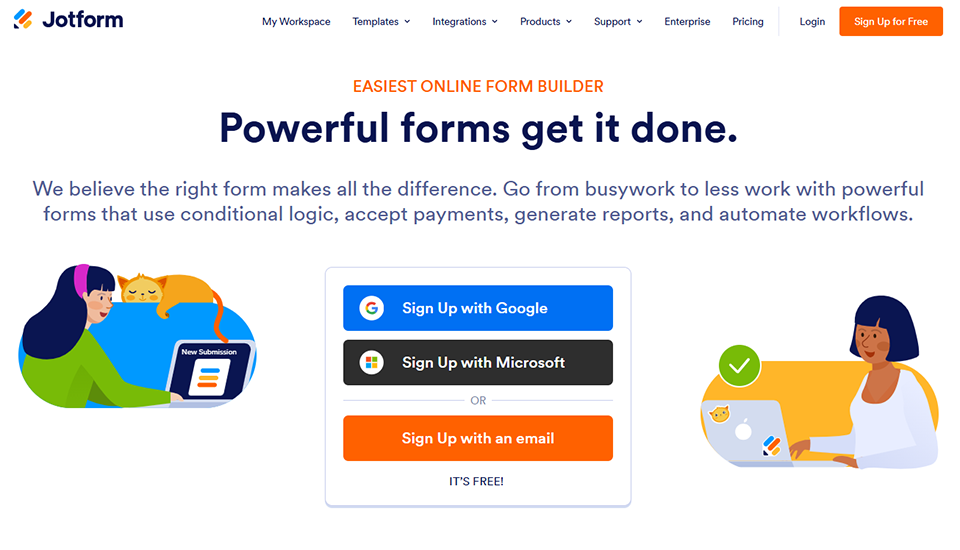

Jotform has been around since 2006, and that is both its strength and its weakness: it’s a mature, extremely comprehensive platform that can sometimes seem overwhelming at first glance. But once you understand how it works, it’s one of the most versatile tools on the market.
Jotform is, first and foremost, a library of more than 10,000 templates: quote forms, purchase orders, contracts with electronic signatures, medical questionnaires, event registrations, and HR surveys. No matter what your business is, there’s a very good chance that a template already exists and requires only minor adjustments.
The drag-and-drop editor is user-friendly and offers a wide range of options: calculation fields, payment integration (Stripe, PayPal, Square), electronic signatures via Jotform Sign, and the ability to create dashboards and reports based on the responses collected. There’s even a mobile app builder (Jotform Apps) for creating mini-apps from your forms.
The integrations cover a very broad range of areas: CRM (Salesforce, HubSpot, Zoho), project management tools (Trello, Asana, Monday), cloud storage, and email marketing tools. The depth of this ecosystem is hard to match.
The built-in electronic signature is a notable advantage for freelancers who sign contracts or quotes. Payment management is also well-established. Jotform also offers offline forms, which are useful for fieldwork.
The response management dashboard is more sophisticated than Tally’s, with filtering options, multi-format exports, and direct integrations with Google Sheets or CRMs.
Freelancers with a variety of needs: quotes, contracts, client onboarding, order forms. Also well-suited for small agencies, micro-businesses and SMEs that need to automate several different processes without using multiple tools. Users with less technical expertise will appreciate the wide range of templates.
✅ An exceptional library of templates.
✅ Integrated electronic signatures and payments.
✅ A very extensive ecosystem of integrations.
✅ User-friendly interface despite its rich feature set.
⚠️ The free plan is limited (only 5 forms).
⚠️ The interface may seem a bit cluttered at first glance.
⚠️ Pricing is based on the number of responses, which can add up quickly.

Fillout is one of the newest tools in this selection and clearly positions itself in the “next-generation” segment: a modern interface, solid performance, and integration with Notion, Airtable, and Google Sheets that goes beyond simple data export.
While many tools export responses to a third-party destination, Fillout can write directly to a Notion or Airtable database, adhering to existing field types. For anyone who manages clients or projects in Notion, this saves a considerable amount of time: responses integrate into your existing workflow without going through Zapier.
The editor is clean and easy to learn. It includes all the expected features: conditional logic, calculations, payments via Stripe, and design customization. The quality of the final output is on par with the best solutions on the market.
Fillout also offers multi-step forms with a progress bar, which improves the completion rate for long questionnaires.
Native integration with database tools (Notion, Airtable, Google Sheets) is clearly its key differentiator. But Fillout also offers solid design and customization features, well-integrated payment management, and sound response analysis options.
Pre-filled forms (based on existing data in your CRM or Notion database) are also available, which is convenient for onboarding or renewal workflows.
Notion and Airtable users who want forms that truly integrate with their existing systems. Ideal for freelancers and small teams who have already structured their workflows using these tools and are looking to automate information collection seamlessly.
✅ Native integration with Notion, Airtable, and Google Sheets at the highest level.
✅ Generous free plan with unlimited responses.
✅ Modern interface and easy to learn.
✅ Well-managed multi-step forms.
⚠️ Less well-known, so the community and resources are less developed.
⚠️ The visual customization options are still limited compared to Typeform.
⚠️ Some CRM integrations are less advanced than Jotform’s.



Involve.me stands out clearly from the other tools in this selection. It’s not just a form builder—it’s an interactive content platform. Personality quizzes, price calculators, product recommendations, gamified surveys. The goal isn’t just to collect data, but to create an experience that engages the user.
For freelancers and entrepreneurs, the use cases are specific but highly relevant: a consultant who creates a diagnostic quiz (“What is your level of digital maturity?”), a coach who offers a positioning questionnaire, or a startup that integrates an ROI calculator into its landing page. This type of interactive content drives traffic, captures qualified leads, and creates a memorable first interaction.
The editor is visual and relatively intuitive, although it takes a bit more effort to get the hang of than Tally or Fillout. Conditional logic allows you to create highly customized paths based on responses. You can display personalized results at the end: a score, a recommendation, or specific content tailored to the user’s profile.
Involve.me also handles integrated payments, lead generation forms with email collection fields, and integrates with most CRMs and email marketing tools (Mailchimp, HubSpot, ActiveCampaign). Its analytics are more advanced than average: completion rates by stage, drop-off rates, and respondent segmentation.
It is also one of the few tools that offers customizable calculators without requiring any coding, making it a valuable tool for consulting projects or packaged solutions.
Consultants, coaches, and content creators who want to go beyond the standard form. Also suitable for startups and marketing teams looking to incorporate interactive content into their customer acquisition funnel. Less suitable for simple information-gathering needs.
✅ Interactive content (quizzes, calculators) that goes far beyond a simple form.
✅ Great for generating qualified leads.
✅ Advanced analytics on respondent behavior.
✅ Customization of the results displayed.
⚠️ High pricing for large volumes.
⚠️ More difficult to learn than the other tools.
⚠️ Overkill for simple data collection needs.
Here is a summary to make the comparison easier. Prices are indicative and may change; check the current terms directly on each platform.
| Tool | Free map | Admission fee | Key strengths | Ideal for |
|---|---|---|---|---|
| Typeform | 10 responses/month | ~25 s per month | Conversational UX, integrations | Freelancers, consultants, lead qualification |
| Tally | Unlimited | ~29 s per month | Completely free, Notion-style | Solopreneurs, Notion users |
| Jotform | 5 forms | ~34 s per month | Templates, signature, versatility | Multi-purpose freelancers, micro-businesses and SMEs |
| Fillout | 1,000 submissions | ~15 s per month | Notion/Airtable integration | Notion/Airtable users |
| Involve.me | 100 responses | ~29 s per month | Interactive quizzes, lead generation | Consultants, coaches, marketing |
| Forms.app | 100 responses | Starting at ~€15/month | Value for money | Small budgets, simple use cases |
| BlockSurvey | Yes | Starting at ~€19/month | Encryption, privacy | Sensitive data, HR, healthcare |
| Drag'n Survey | Yes | Starting at ~€19/month | GDPR-compliant by design, hosted in France | Organizations with regulatory requirements |
The discounts available on Freelance Stack cover all of these tools. Find all the active offers in the Online Forms & Surveys category.
Here are a few frequently asked questions to help you explore this topic further.
Tally is clearly the best option in this case. The free plan doesn’t limit the number of responses and includes conditional logic and Stripe payments. You can create professional forms without spending a single euro. Fillout is also a good alternative, offering 1,000 free submissions per month.
It depends on the use case. If the user experience is central to your data collection strategy (lead qualification, premium onboarding), the higher completion rate may justify the investment. For internal use or simple forms, Tally or Fillout get the job done at a lower cost.
Most of the tools mentioned offer options that comply with the GDPR (legal notices, right to erasure, explicit consent). Drag'n Survey and BlockSurvey are particularly well-positioned in this regard, with hosting in France and end-to-end encryption, respectively. For any form that collects personal data, always review the Terms of Service and configuration options for each platform.
Yes, several of them support this natively. Tally integrates with Stripe starting with the free plan. Jotform supports Stripe, PayPal, and Square. Fillout and Involve.me also offer built-in payment options. This is useful for quotes accepted online, paid registrations, or sales of simple services.
A form collects information without providing personalized feedback. A quiz or interactive content (such as what Involve.me offers) displays a personalized result based on the responses: a score, a recommendation, or a profile. The latter is more engaging and often more effective for lead generation, but requires more upfront work.
For the most part, yes. Typeform and Jotform have the most extensive integration ecosystems. Tally and Fillout cover common use cases via Zapier or Make. If you use a specific CRM, check for native integrations before committing to a platform.
Not necessarily. Most tools support both scenarios. The key distinction is between forms where the visual experience matters (for customers) and those where functionality is paramount (for internal use). Typeform or Fillout for the former; Tally or Jotform for both.
