







Top 5 Ways to Find B2B Email Addresses Without Breaking the Bank
This article reviews five practical and accessible tools, all available at negotiated discounts, so that you can…
Read more


LinkedIn now has more than one billion active members worldwide and has established itself over the past several years as the most effective B2B prospecting channel for entrepreneurs, salespeople and freelancers. On this network, the golden rule is simple: visibility is built through consistency. Sending connection requests, follow-up messages, personalized InMails… it takes time, a lot of time, and that’s exactly where automation tools come into play.
Except that LinkedIn doesn't like that. Not at all. The platform actively monitors unusual behavior: too many connections in a short period of time, a barrage of messages sent at unusual hours, or suspicious late-night activity on your account. The result: a warning, a temporary restriction, or even a complete ban on your account. And losing a LinkedIn profile you've carefully built up over the years is a real disaster.
The good news is that some tools have been specifically designed to get around this problem. They allow you to automate your lead generation in a smart and secure way, while adhering to the platform’s restrictions and simulating credible human behavior. This comparison reviews the five leading solutions in this segment today, along with their features, pricing, and the types of users for whom each is best suited.
Check out all our deals on automated lead generation tools to save on your subscription.


Waalaxy is probably the best-known tool in France in this category. Originally launched in Bordeaux under the name ProspectIn before evolving into a much more comprehensive platform, it has established itself as the go-to tool for the general public when it comes to automated LinkedIn prospecting. Its main strength: an interface designed to be used without any prior training, even by someone who has never used a prospecting tool before.
Waalaxy works by using automated sequences—called “campaigns”—that you can set up with just a few clicks using a Chrome extension. The tool installs in your browser and operates directly from within your LinkedIn session, allowing it to simulate human activity rather than going through the official API, which is much easier to detect.
In practice, you can create workflows that automatically trigger a series of actions: viewing a profile, sending a personalized connection request, a welcome message once the connection is accepted, a follow-up on Day 3, and so on. The tool offers dozens of preconfigured sequences, which is especially helpful when you’re just getting started. The email marketing feature is also integrated: Waalaxy lets you combine LinkedIn outreach with cold outreach emails in a single campaign, which increases the number of touchpoints without adding to your workload.
The email detection feature, powered by its own search engine (Waalaxy Email Finder), lets you find your prospects’ work email addresses based on their LinkedIn profiles. Data enrichment is directly integrated into your workflow, so you don’t have to switch back and forth between multiple platforms.
In terms of security, Waalaxy includes automatic security quotas that limit the number of daily actions to ensure they remain within acceptable thresholds according to LinkedIn standards. The tool works only when your browser is open, which reinforces the “human” nature of the activity it generates.
Waalaxy is probably the most obvious choice for someone who handles their own lead generation. It’s easy to get started, the free plan lets you test the features in practice, and upgrading to a paid plan makes sense as soon as you start seeing results. No special technical skills are required.
Teams looking to streamline their lead generation without hiring a full-time SDR will find that Waalaxy is a tool capable of running continuously. Combining LinkedIn and email in a single sequence is a real asset for maximizing response rates.
Waalaxy offers multi-account management, which allows a manager to have a consolidated view of their team's prospecting activity without having to access each profile individually.
✅ Very user-friendly interface, virtually no learning curve.
✅ Multi-channel sequences (LinkedIn + email) in a single tool.
✅ A free, fully functional plan to get you started.
✅ A French solution with support in French.
✅ A strong reputation for account security.
❌ Requires the browser to remain open in order to work.
❌ The Email Finder uses credits, which are limited on entry-level plans.
❌ Less suitable for highly advanced or customized lead generation strategies.
❌ Relies heavily on the Chrome extension, which may be affected by LinkedIn updates.


Lemlist has built a solid reputation in the world of cold outreach, mainly thanks to a simple yet incredibly effective idea: visual personalization. While most tools send emails with a dynamically replaced “First Name” field, Lemlist goes a step further by allowing you to insert personalized images and videos into every message. An email with a screenshot of your prospect’s website, with their first name written on it? That’s Lemlist.
The tool is based on a multichannel prospecting approach that natively integrates email, LinkedIn, and phone calls into a single workflow. The LinkedIn component automates profile visits, connection requests, and messages, complementing email sequences. Both channels are managed from the same interface, providing a comprehensive view of the prospect’s journey.
What really sets Lemlist apart from the rest is its personalization engine. “Liquid variables” allow you to insert into each message not only the recipient’s first name or the company name, but also entire text snippets that vary based on the recipient’s profile. Combined with visual personalization, this allows you to create messages that look like anything but automation.
The tool also includes Lemlist AI, an artificial intelligence layer that can generate initial drafts of sequences, suggest subject lines, and analyze your campaigns’ performance to identify areas for improvement. The Lemlist community is another significant asset: hundreds of sequence templates are available, shared by the users themselves.
When it comes to LinkedIn security, Lemlist manages the time intervals between actions and daily quotas to minimize the risk of restrictions.
If you send 50 messages a week but each one is perfectly personalized, you'll get better results than someone who sends 500 generic messages. Lemlist is designed for this type of approach.
In sales environments where securing an appointment requires multiple points of contact, Lemlist’s ability to create long, multichannel sequences is invaluable. Automated follow-up over several weeks becomes a real competitive advantage.
Its advanced customization features and multi-client management make it a popular tool among those who manage lead generation for multiple brands or clients at the same time.
✅ Highly advanced visual and textual customization.
✅ Comprehensive multi-channel outreach (email + LinkedIn + phone).
✅ An active community and a rich library of templates.
✅ A clear interface with good analytics.
✅ Works in the cloud—no need to keep your browser open.
❌ The LinkedIn feature requires a high-tier plan.
❌ The learning curve is a little longer than with Waalaxy.
❌ The cost can add up quickly if you want all the features.
❌ Visual customization requires a little time to set up initially.


La Growth Machine (often abbreviated as LGM) is a French solution positioned in the professional segment of multichannel prospecting. With more sophisticated features than Waalaxy, it is aimed at users who already have a certain level of maturity in outbound prospecting.
LGM is based on a system of conditional sequences: unlike tools that send the same message to everyone, La Growth Machine lets you create workflows that branch based on the prospect’s behavior. If a person has accepted your LinkedIn connection request but hasn’t replied to your email, the sequence can automatically adapt and send a LinkedIn message instead of a follow-up email. This level of behavioral personalization is quite rare in this market.
The tool natively supports three channels: LinkedIn, email, and Twitter/X. Identity management is handled with care: each LinkedIn account can be configured with specific settings (activity hours, intervals between actions, daily volume), which helps simulate a realistic presence and minimize the risk of restrictions.
La Growth Machine also offers a built-in data enrichment feature that automatically searches for the professional email addresses of prospects imported from LinkedIn. Integration with the most common CRMs (HubSpot, Pipedrive, Salesforce) is native and well designed, which makes it easy to synchronize prospecting data with the sales pipeline.
Security is at the heart of the product: LGM has made significant investments in simulating human behavior, including random delays between actions, precise management of activity windows, and proactive monitoring to avoid triggering LinkedIn alerts.
LGM truly shines in scenarios where multiple SDRs or BDRs work in parallel with well-defined ICPs. Its multi-identity management and robust CRM integrations make it a tool ideally suited for team use.
La Growth Machine's analytics are among the most detailed on the market. Acceptance rates, response rates by channel, performance by sequence, A/B test comparisons... for those who manage their lead generation based on data, this is a major strength.
If you're already using HubSpot or Pipedrive, two-way synchronization with LGM truly transforms your lead generation workflow.
✅ Highly advanced conditional and behavioral sequences.
✅ One of the most realistic simulations of human behavior on the market.
✅ Native, well-established CRM integrations.
✅ Detailed reporting and advanced analytics.
✅ Responsive customer support, a French solution.
❌ Takes longer to get the hang of; not ideal for beginners.
❌ Higher prices than Waalaxy, less accessible for a solo freelancer.
❌ The interface could be improved in certain areas related to usability.
❌ Twitter/X as a prospecting channel remains marginal for most use cases.


PhantomBuster takes a radically different approach from the other tools in this comparison. It isn’t strictly speaking a LinkedIn prospecting tool, but rather a general-purpose automation platform capable of interacting with dozens of platforms: LinkedIn, Sales Navigator, Twitter, Instagram, Google, ProductHunt, and many others. Its strength is also its complexity: more powerful, but potentially riskier if configured incorrectly.
PhantomBuster works by using “Phantoms”—pre-built automation scripts that you activate and configure to suit your needs. There are Phantoms for just about everything you can imagine doing on LinkedIn: extracting lists of profiles from a search or a group, sending bulk invitations, scraping comments from a post to identify hot leads, sending sequential messages, exporting contacts from a LinkedIn event...
The platform runs in the cloud, which means it can operate 24 hours a day without your computer being turned on. This is a real operational advantage, but it’s also something to watch out for: a Phantom running at full capacity at night bears little resemblance to a human and may trigger LinkedIn alerts. Best practice is to carefully configure the execution windows and quotas so that the generated activity remains plausible.
What makes PhantomBuster uniquely valuable for advanced users is its ability to create complex data flows: scraping LinkedIn profiles, enriching that data with another Phantom, and then pushing the result to a Google Sheet or directly into a CRM via Zapier or Make. For growth hackers, it’s an unparalleled toolkit.
PhantomBuster is designed for users who enjoy tinkering, combining tools, and creating custom workflows. If automation is in your DNA and you’re not afraid of an interface that’s less “hand-holding” than Waalaxy, you’ll feel right at home.
The ability to extract profiles from Sales Navigator searches, LinkedIn groups, event registrants, or commenters on a viral post is a gold mine for those who know how to make the most of it.
More than just lead generation, PhantomBuster excels at building automated data pipelines. If your needs go beyond outreach sequences and extend to enriching and structuring your sales data, this is a tool worth considering.
✅ Extremely versatile—it goes far beyond LinkedIn.
✅ Runs in the cloud 24 hours a day, without needing to open a browser.
✅ Perfect for building complex data flows.
✅ A very extensive and regularly updated library of Phantoms.
✅ Integrates with Zapier, Make, and most tools in the stack.
❌ Higher risk of being banned if the Phantoms are configured incorrectly.
❌ Not a “turnkey” prospecting tool: it requires configuration.
❌ Less intuitive interface for non-technical users.
❌ The “Phantom hours” model can be confusing and costly if underestimated.
❌ Pricing is in dollars, so it is subject to exchange rate fluctuations.
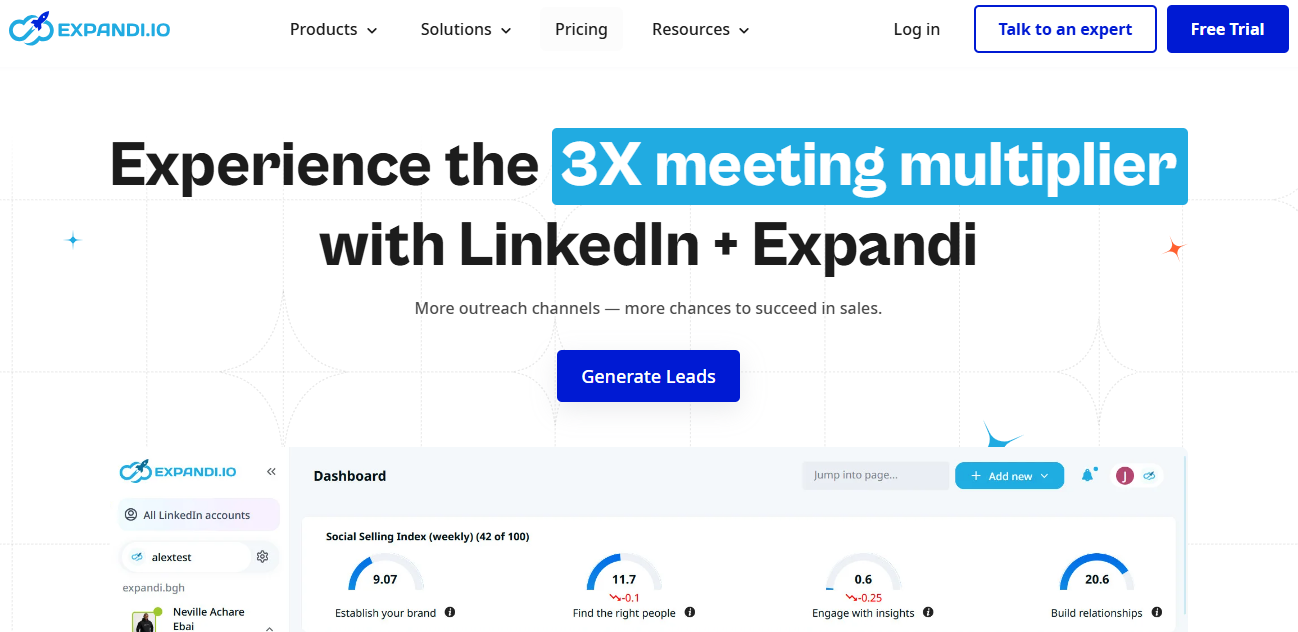
Expandi clearly positions itself in the niche of secure, large-scale LinkedIn prospecting. It’s the tool most often recommended by outbound prospecting experts when asked, “Which tool should you use without risking your LinkedIn account?” Its philosophy: it’s better to do less and do it well.
Expandi operates in the cloud, with a dedicated IP address assigned to each user. This is an important detail: unlike Chrome extensions, which share your device’s IP address and may appear suspicious if you log in from multiple locations, Expandi maintains a stable IP address dedicated to your account, which significantly enhances the credibility of your activity in LinkedIn’s eyes.
The tool offers dynamic sequences with advanced customization options, branching conditions based on the prospect’s responses, and precise control over the timing between actions (with random variations to simulate human behavior). The smart limits features automatically adjust the volume of actions based on the age and activity level of the LinkedIn account, significantly reducing the risk of triggering detection algorithms.
In terms of features, Expandi handles connection requests, messages, InMails, profile follows, automatic likes and comments (useful for account warm-up), as well as LinkedIn event campaigns. Integration with CRM and email marketing tools (via Zapier or native integrations) allows you to synchronize data with the rest of your sales stack.
A distinct feature: the “Connector Campaign”, which lets you specifically target people who reacted to a given LinkedIn post (likes, comments)—a very effective use case for contacting prospects already engaged on a relevant topic.
If your LinkedIn profile is a valuable resource (extensive network, regularly published content, strong credibility in your industry), Expandi is likely the tool that offers the best balance of features and security on the market.
Expandi's dedicated IP architecture is particularly useful for teams operating across multiple countries, where connections from dynamic IP addresses can trigger LinkedIn alerts.
With its smart limits and cloud-based reliability, Expandi helps you maintain a consistent volume of actions over time without any glitches. For a sales rep who spends their days on LinkedIn, that’s a significant source of peace of mind.
✅ Cloud architecture with a dedicated IP address; highly secure.
✅ Smart limits that automatically adjust volumes.
✅ Targeting based on post engagement (Connector Campaign).
✅ Random delays and a very detailed simulation of human behavior.
✅ Clean interface and clear analytics.
❌ No entry-level plan; $99/month per seat from the start.
❌ No native email channel (only LinkedIn).
❌ Less suitable for beginners looking for an all-in-one solution.
❌ Pricing in dollars; the impact on the budget depends on the exchange rate.

Here is a summary to help you understand the differences between these five tools.
| Tool | Channel(s) | How it works | Admission price | Security | Target audience |
|---|---|---|---|---|---|
| Waalaxy | LinkedIn + Email | Chrome extension | Free / 56 €/month | ✅ Good | Freelancers, beginners, small and medium-sized businesses |
| Lemlist | Email + LinkedIn + Phone | Cloud | 39 €/month | ✅ Good | Sales teams, agencies |
| La Growth Machine | LinkedIn + Email + Twitter | Cloud | 60 €/month | ✅✅ Very good | Structured teams, CRM |
| PhantomBuster | Cross-platform | Cloud | 56 $/month | ⚠️ Caution advised | Growth hackers, ops |
| Expandi | LinkedIn only | Cloud (dedicated IP) | 99 $/month | ✅✅✅ Excellent | SDR, profiles with strong networks |
Prices are for reference only and are subject to change: please check the current terms and conditions on the official websites before subscribing.
Here are the questions we're asked most often on this topic. These answers are based on practices observed in the community and recommendations from the publishers themselves.
Yes, LinkedIn has algorithms capable of detecting abnormal behavior: an excessively high number of actions, activity at unusual times, or connections from variable or suspicious IP addresses. Well-designed tools (such as those presented here) have been specifically created to bypass these detection mechanisms by simulating credible human behavior, but none can guarantee 100% protection. Sticking to the recommended limits remains your first line of defense.
LinkedIn has significantly reduced its limits since 2021. The current consensus within the community is around 100 invitations per week for a standard profile—or even fewer if your profile is new or not very active. The tools in this selection all include settings to help you stay within these safe limits.
No, these tools work with a standard LinkedIn account. That said, LinkedIn Sales Navigator significantly increases the precision of your targeting and the volume of leads available. If lead generation is a key driver of your business, the investment quickly pays for itself.
A Chrome extension runs from your browser, on your computer, using your IP address. This means the tool only works when your computer is turned on and your browser is open. A cloud-based tool, on the other hand, runs from the provider’s servers and can operate 24 hours a day, even while you’re sleeping. The advantage of the extension: it more closely mimics real human behavior. The advantage of the cloud: independence and continuous operation.
Most offer direct integrations or integrations via automation tools such as Make or Zapier. La Growth Machine and Lemlist have the most comprehensive CRM integrations, particularly with HubSpot and Pipedrive.
That’s the real value of these tools: they enable personalization on a large scale. Solutions like Lemlist or La Growth Machine let you insert highly specific variables into each message—or even tailor the content based on a prospect’s behavior. The result can be nearly indistinguishable from a 100% manual approach, provided you invest a minimal amount of time in setting up the sequences.
Penalties range from a simple warning to a temporary account restriction (unable to send invitations for a few weeks), up to a permanent ban in the most serious cases. Most cautious users only encounter temporary restrictions, which are easily avoided by following the tools’ volume recommendations.
Waalaxy is clearly the most accessible entry point: it offers a free plan, an intuitive interface, and documentation in French. It’s the ideal tool for understanding the basics before eventually migrating to a more advanced solution as your needs evolve.


