Aircall vs. OpenPhone: Features, Differences, and Use Cases
In this article, we compare Aircall and OpenPhone on the points that really matter: features, pricing, use cases, and user profiles. The goal is to help you choose the cloud telephony solution best suited to your needs, whether you're a freelancer, a startup, or a growing sales team.
Business telephony has radically changed. Gone are the days of cumbersome landline systems and rigid operator contracts: today, the majority of sales teams, startups, and freelancers rely on 100% cloud-based solutions, accessible from any connected device.
This paradigm shift is not insignificant. According to a study by Grand View Research, the global cloud telephony market is expected to exceed $55 billion by 2030, with annual growth of over 12%. Businesses are no longer just looking to make calls; they want to centralize their communications, analyze data, connect their telephony to their CRM, and enable their teams to work from anywhere.
It is in this context that two names regularly come up: Aircall and OpenPhone. One is designed for sales teams and structured call centers, the other targets independent professionals and small businesses that want a professional, frictionless line. Both are appealing on paper, but they meet very different needs.
If you're wondering which one is right for your organization, you've come to the right place. This guide reviews the features, pricing, real-world use cases, and limitations of each, so you can make an informed decision.
#1 - Aircall: the cloud telephony solution designed for sales and support teams.
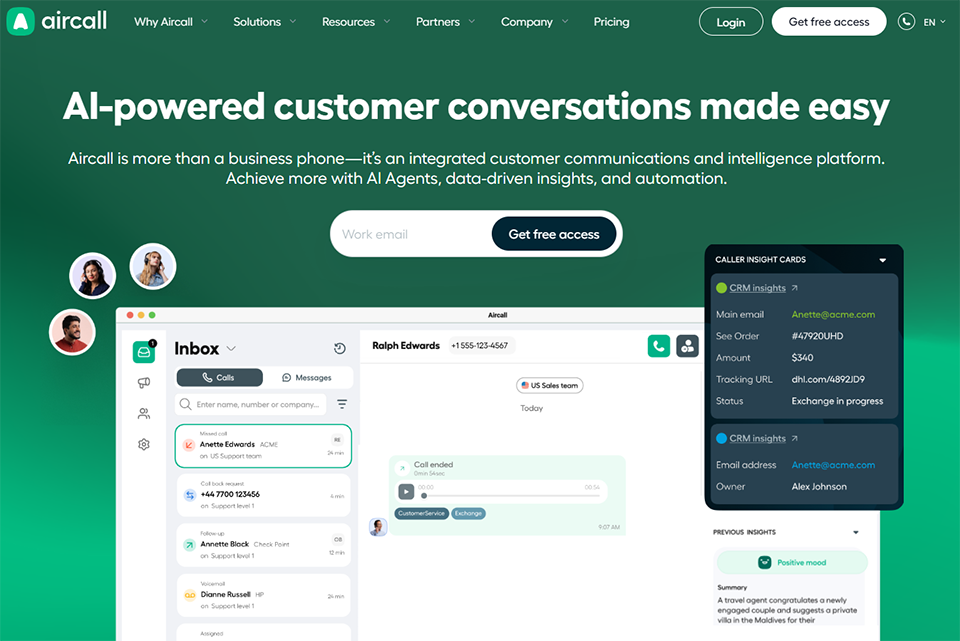
Launched in Paris in 2014, Aircall quickly established itself as one of the European leaders in cloud telephony. The platform now equips more than 19,000 companies worldwide, with a strong presence in the commercial and customer service sectors.
The positioning is clear: Aircall is for teams, not individuals. The solution is designed to manage high call volumes, structure inbound and outbound flows, and integrate with the CRMs and support tools that teams already use daily. It's no coincidence that Aircall is found in both rapidly growing scale-ups and SMEs where customer service is a key driver of loyalty.
What has built its reputation is, above all, its reliability. The audio quality is consistently praised by its users, and the redundant infrastructure minimizes outages even during peak periods. For a team handling dozens, or even hundreds, of calls per day, this robustness is invaluable.
💰 Aircall's rates:
Aircall offers three main plans:
Essentials Plan:
Approximately €30 per user/month (billed annually), with a minimum of 3 users. This plan covers basic features: numbers in over 100 countries, unlimited inbound/outbound calls, integrations with major CRMs, basic analytics, and access to the mobile and desktop app.
Professional Plan:
Approximately €50 per user/month. It adds advanced features such as real-time coaching (discreet listening, whispering), call transcription, in-depth analysis by agent and team, as well as productivity tools like the Power Dialer.
Custom Plan:
Pricing based on quote, reserved for large organizations with specific needs (SSO, customized SLA, dedicated support).
Note: Each plan includes at least one number per user, but additional numbers and certain markets are charged separately. The minimum of 3 users required at startup may be a limiting factor for very small organizations.
Aircall also offers monthly plans with no commitment, but these come at a price increase of approximately 15 to 20% compared to annual plans. If you wish to test the service before committing to a year, this option is available, but it represents a significant additional cost over time.
Benefit from a on Aircall.
15% off during 12 months
Find our best discount right now with Aircall and save on your software subscriptions. We offer over 850 promo codes and discounts on the best software and SaaS on the market.
#2 - OpenPhone: the simple and powerful business line, designed for independent professionals and small teams.
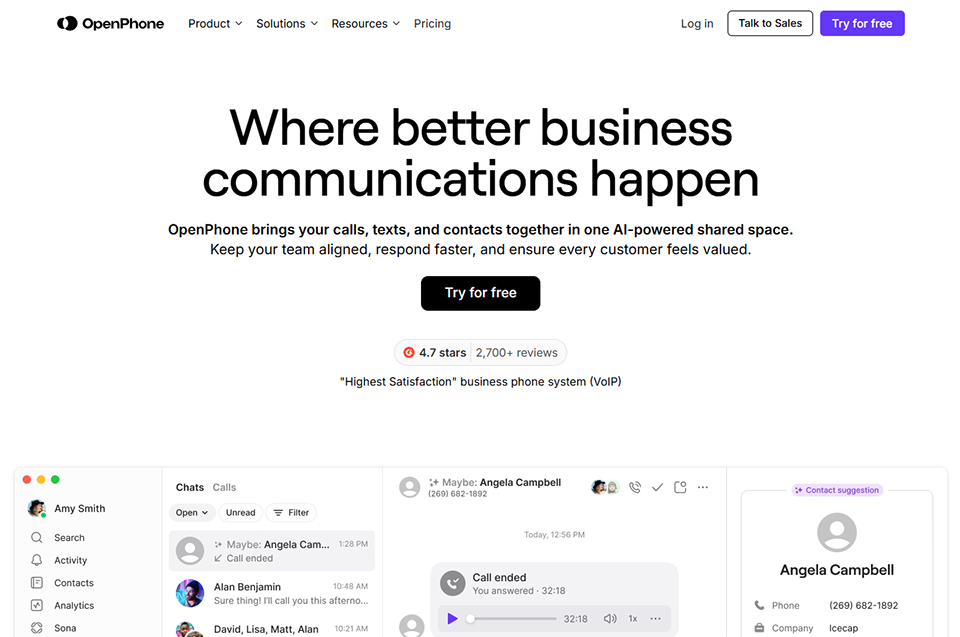
OpenPhone is an American solution founded in 2018 that has gained significant traction in recent years among freelancers, solopreneurs, and growing startups. The core idea is simple: to give anyone a professional phone line, accessible from their personal smartphone, without changing their private number or investing in complex infrastructure.
The platform emphasizes ease of use, unified messaging (SMS + calls in a single interface), and near-instant setup. While Aircall requires some organization for proper configuration, OpenPhone can be operational in under ten minutes.
What sets OpenPhone apart in the market is its ability to handle SMS and MMS messages with the same level of care as voice calls. Many phone solutions add text messaging as a secondary, often underdeveloped, feature. OpenPhone has taken the opposite approach: the conversation interface is designed like a modern instant messaging app, with a complete history of exchanges, automatic replies, and text snippets. For salespeople or independent professionals who use SMS as a tracking channel, that’s a real difference.
💰 OpenPhone's rates:
OpenPhone structures its offering around three levels:
Starter Plan:
Approximately $15 per user/month (billed annually). Includes a US or Canadian phone number, unlimited calls and texts to the US and Canada, voicemail, and access to the mobile and desktop app.
Business Plan:
Approximately $23 per user/month. This plan unlocks ringtone groups, IVR menus, advanced analytics, CRM integrations (HubSpot, Salesforce), and custom autoresponders.
Scale plan:
Approximately $35 per user/month. Designed for more structured teams, with generative AI features (call summaries, automatic transcriptions), enhanced contact tracking, and priority access to support.
OpenPhone charges per phone number, not just per user, on certain plans, which can be an advantage if you manage multiple lines with a small team. A founder who wants two separate numbers (one for sales, one for support) can do so without necessarily paying twice the price for a single user.
International numbers, including French numbers, are available as an option. Expect to pay approximately $4.99 per month per additional number outside the US/Canada zone.
Why use Aircall? 📞
Features that make a difference:
Aircall is not simply a tool for making calls. It is a true structured communication platform, with an ecosystem of features designed for teams with large volumes to manage.
Queue management and call distribution:
Among the most frequently cited strengths by its users are the ability to define precise routing rules: by skills, availability, and time of day. Incoming calls are intelligently distributed according to your criteria, eliminating the need for users to manage overflows by improvising. This feature alone justifies Aircall's positioning for support teams.
Coaching and real-time monitoring:
These features are exclusive to the Professional plan. A manager can discreetly listen to an ongoing call, take control if necessary, or whisper advice to the agent without the customer hearing. For sales teams training new employees, this is a significant advantage. Onboarding is accelerated, errors are corrected in real time, and call quality is standardized more quickly.
Integration with CRMs:
This is one of the reasons why Aircall is so appealing to sales teams. The integration with Salesforce, HubSpot, Pipedrive, or Zendesk is native and bidirectional: calls are automatically logged in the CRM, contact records appear even before the call is answered, and activities are logged without manual entry. If your team spends a lot of time re-entering call information into third-party tools, Aircall can represent a significant weekly time saving.
The Power Dialer:
This deserves special attention from outbound sales teams. Rather than dialing numbers one by one, the Power Dialer automatically routes calls from a list of prospects. Salespeople can focus on the conversation rather than the logistics of dialing, which naturally increases the volume of calls made per day.
Analytics:
They offer detailed dashboards by agent, team, and time period. Answer rate, average call duration, inbound/outbound volume, wait time, abandonment rate: this data allows for concrete optimization of the organization of a support or sales team. For a manager who wants to monitor their team's performance with reliable indicators, this is a key feature.
Call recording:
Available on all plans (with the option to automate recording or leave it to the agent's discretion). These recordings are stored and accessible from the interface, with search options by date, agent, or contact. This facilitates quality audits, dispute management, or simply training.
Typical use cases with Aircall:
🎯 The growing sales team: a B2B startup that is structuring its sales department is taking advantage of intelligent call distribution, the Power Dialer to maximize outbound call volume, and CRM integrations to not lose any customer history.
🎯 Multichannel customer service: an SME that manages large incoming requests can rely on queues, personalized hold messages and statistics to optimize on-call hours and reduce waiting times.
🎯 Sales onboarding: thanks to whispering and discreet listening, a manager can support their new recruits in real-life situations without disrupting the customer experience.
🎯 The international company: with numbers available in more than 100 countries and a stable infrastructure, Aircall is well suited to organizations that have teams or customers spread across multiple geographical areas.
Why use OpenPhone 📱
Features that make a difference:
OpenPhone takes a different approach. While Aircall focuses on team organization and performance, OpenPhone emphasizes individual fluidity and an immediate user experience.
Unified messaging:
This is probably what most distinguishes OpenPhone from the competition. The platform centralizes calls, SMS, MMS, and voicemails in a single interface, organized by contact. You no longer have to juggle your personal email, your calling app, and your CRM: everything is in one place, in a coherent conversation thread. If you exchanged SMS messages three weeks ago and then called last week, the entire history is available in the same view.
Automatic replies and snippets:
These features save time on repetitive interactions. You can configure automatic SMS replies based on schedules or trigger words, and save standard responses for frequently asked questions. For a freelancer or small business, it's like having a mini-assistant at no extra cost. A concrete example: an automated message sent when a call is missed outside of business hours, including a link to schedule an appointment.
Integrated AI (available on the Scale plan):
Automatically generates call summaries, transcripts, and key takeaways. A 30-minute phone meeting is condensed into a few lines in the interface, eliminating the need for note-taking. For independent professionals who spend a lot of time on customer calls, this time saving is real.
The separation of work and personal life:
This is at the heart of the concept. OpenPhone gives you a separate business number from your personal number, accessible from the same phone. You can mute notifications outside of working hours, manage multiple numbers from a single app, and always present a business number to your clients, even if you're a freelancer working from your personal phone.
Shared numbers:
This allows multiple team members to answer calls from the same number, with a shared history. If a customer calls your support number, any team member can take the call, and everyone can see what has already been said. It's a simple yet very useful feature for small teams that want to professionalize their service without setting up a full-fledged call center.
Integration with productivity tools:
It has grown rapidly. OpenPhone integrates with HubSpot, Salesforce, Zapier and Make, which allows for the automation of workflows such as automatically adding a contact to a CRM after a first call, or sending a follow-up SMS after a meeting.
Typical use cases with OpenPhone:
🎯 The freelancer or independent consultant: a consultant who wants to separate their business calls from their personal line, while maintaining the flexibility of a simple and affordable tool. No need to manage a complex infrastructure: OpenPhone is up and running in minutes.
🎯 The early-stage startup: a team of 2 to 5 people who need a shared line, a basic telephone switchboard and light CRM integration, without paying for features they don't yet need.
🎯 Salesperson working solo or in pairs: an independent professional or a small sales team that wants to maximize the quality of interactions with its prospects, track its conversations and use SMS as a complementary follow-up channel.
🎯 The entrepreneur who actively prospects: OpenPhone allows you to manage your contact lists, send personalized SMS messages following an initial exchange, and easily find the history of a business relationship in a clear interface.
Strengths and limitations of Aircall.
✅ Aircall excels when it comes to managing sizable teams. The robust infrastructure, reliable CRM integrations, and rich analytics make it a benchmark for companies that need to seriously manage their phone operations. Support is responsive, the platform is mature, and the integration ecosystem (over 100 available connections) covers most needs.
✅ The audio quality is consistently praised, with a redundant infrastructure that minimizes dropouts even under heavy load. For teams handling dozens of calls per day, this reliability is essential.
✅ The Power Dialer and coaching tools are truly differentiating features in this category. If you're looking to structure a sales team and improve its performance in a measurable way, few solutions offer a comparable level of performance in this price range.
⚠️ The minimum of 3 users is restrictive for very small organizations. If you are alone or a couple, you are paying for a seat you are not using, making the solution less competitive in terms of cost/value ratio.
⚠️ Getting started requires an adjustment period. There are many configuration options, and without a dedicated person to set up the environment (queues, routing, integrations), you should expect an onboarding period that can last from a few days to a few weeks.
⚠️ SMS messaging is available but not the core of the solution. If you rely heavily on text messaging as a prospecting or customer follow-up channel, the experience will be less seamless than on OpenPhone.
⚠️ The price/performance ratio becomes less favorable below 5 or 6 users. At this scale, advanced features like the Power Dialer or real-time coaching often remain underutilized, and the monthly cost may seem high relative to actual usage.
Strengths and limitations of OpenPhone.
✅ Simplicity is the real value proposition. The interface is clean, it’s easy to learn, and the features-to-price ratio is unbeatable for independent professionals and small teams. The SMS channel is treated with the same care as voice calls, which is rare in this category.
✅ The " work number from your personal phone " feature is really well implemented. You can manage multiple lines (your personal line, your work line, a shared team number) without having to carry two phones, and without complex configuration.
✅ The pricing model is flexible and accessible. Starting with a single user and a single phone number is possible from the very first plan, with no minimum required. This is a structural advantage for freelancers and young startups.
✅ Integration with automation tools like Zapier or Make allows you to build custom workflows even without advanced technical skills, which greatly expands the platform's capabilities.
⚠️ OpenPhone remains focused on the US and Canadian markets. International numbers are available, but coverage is more limited than Aircall's in some European regions. For a team based in France that primarily works with French clients, check the availability and cost of local numbers beforehand.
⚠️ Advanced coaching and team management features are missing. No discreet listening, no Power Dialer, no sophisticated skills-based routing. For a structured sales team with a manager who wants to monitor and train their agents, these shortcomings can quickly become a major obstacle.
⚠️ Analytics remain basic on lower-tier plans. If you need to monitor specific phone KPIs (answer rate per agent, average call duration, performance per campaign), OpenPhone won't give you the granularity that Aircall offers.
⚠️ Customer support is considered less responsive than Aircall's, especially for entry-level plans. In the event of a technical issue, this can be frustrating for a small team without dedicated technical resources.
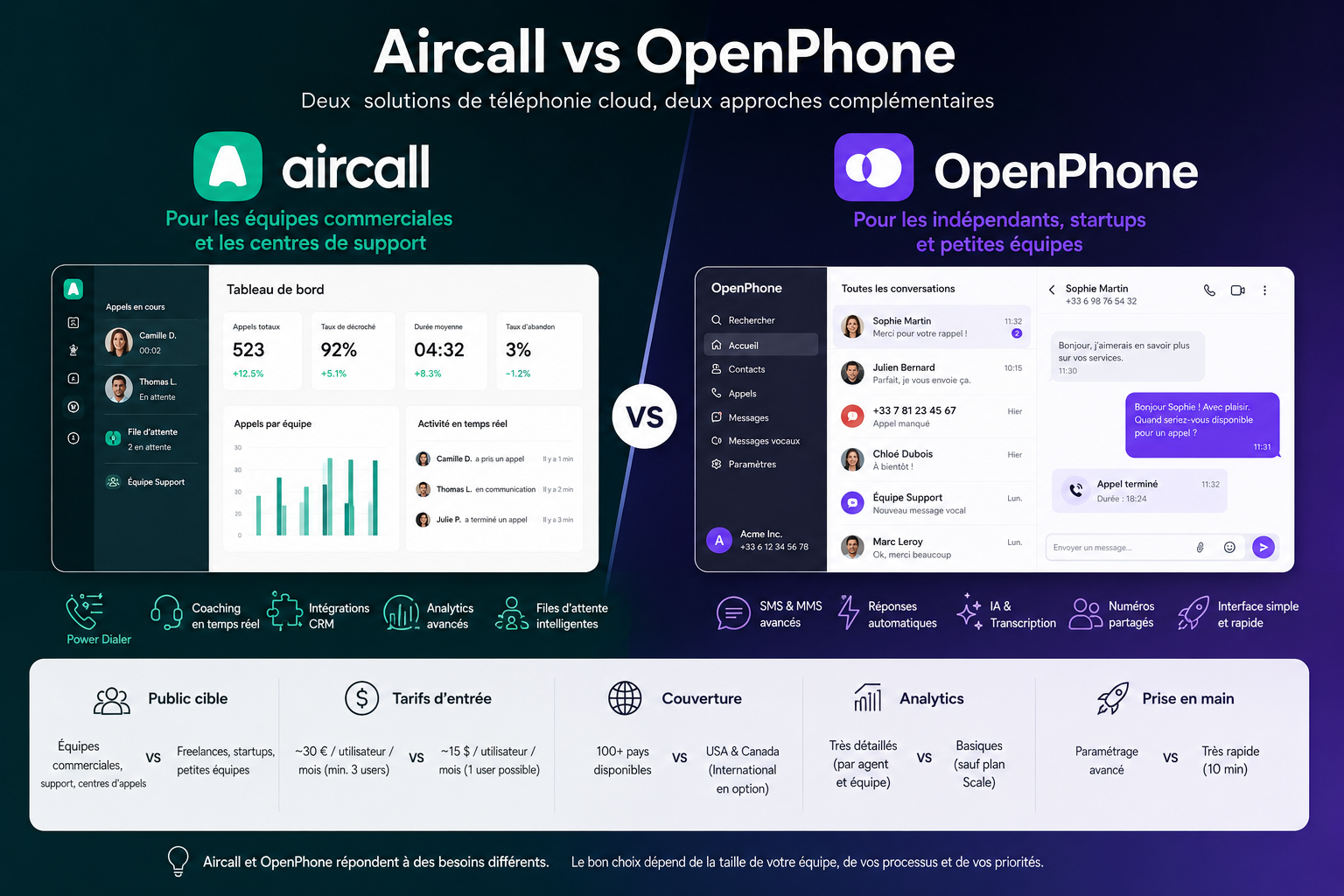
Aircall vs OpenPhone: comparative summary 📊
Here is an overview of the two solutions based on the criteria that matter most to you when making your choice:
Criterion
Aircall
OpenPhone
Target audience
Sales & Support Teams
Freelancers, startups, small teams
Admission price
~€30/user/month (min. 3 users)
~$15/user/month (1 user possible)
Unlimited calls
✅ (to most countries)
✅ (USA & Canada included, others optional)
SMS & MMS
✅ (functional, not central)
✅ (main channel, highly developed)
CRM Integrations
✅ Over 100 native integrations
✅ HubSpot, Salesforce (Business+ plan)
Power Dialer
✅ (Professional plan)
❌
Real-time coaching
✅ (Professional plan)
❌
AI & transcription
✅ (Professional plan)
✅ (Scale plan)
Automatic SMS replies
⚠️ Limited
✅ Native and advanced
Advanced Analytics
✅ Very detailed
⚠️ Basic on lower-tier plans
International coverage
✅ Very broad (100+ countries)
⚠️ Primarily USA/Canada
Getting Started
⚠️ Requires configuration
✅ Very fast
Minimum number of users
3 minimum required
1 possible
Shared numbers
✅
✅
Call recording
✅ (all plans)
✅ (all plans)
💡 Reminder: Prices are indicative and subject to change. Check official websites for up-to-date pricing.
Who is each tool designed for? 🎯
📞 Aircall is for you if...
You manage a sales team of 5 or more people:
Call distribution, real-time coaching, and detailed analytics are real assets when there are multiple agents to coordinate and train. Below this threshold, the return on investment for advanced features becomes less clear.
Your business relies on a large volume of incoming calls:
A customer service, technical support, or SDR team handling dozens of calls per day fully benefits from intelligent call queuing and reporting tools. If you measure telephone KPIs weekly, Aircall is clearly designed for this type of management.
You are already using a structured CRM:
Aircall truly shines when connected to Salesforce, HubSpot, Pipedrive, or Zendesk: automated activity logs and real-time contact record display will transform the way you work. Synchronization is seamless and requires no advanced configuration.
You have a significant international presence:
Number coverage in more than 100 countries and the management of multi-local teams are tangible benefits for organizations operating in multiple markets simultaneously.
Are you looking to scale your phone team?
Aircall is designed to grow with you: adding an agent, opening a new queue or connecting a new tool is done without service interruption.
💬 OpenPhone is for you if...
Are you a freelancer, consultant, or solo entrepreneur?
The ability to start with a single number, at an affordable cost, without any commitment to a minimum number of users, makes it the most suitable solution for independent professionals. You pay for what you need, nothing more.
You are in the launch or rapid growth phase:
A startup that wants an immediately operational phone solution, without a sales call and setup phase, clearly saves time with OpenPhone. It's also easier to scale up or down as needed.
SMS is an important channel for your prospecting or follow-up campaigns:
OpenPhone treats SMS messages with as much care as voice calls: you can build real multi-channel communication sequences from a single interface, with automatic replies and a complete history per contact.
You primarily work with contacts in the United States or Canada:
If your main market is North American, OpenPhone is clearly at home: local rates, local numbers, features modeled on the uses of the American market.
You want to clearly separate your professional line from your personal line:
OpenPhone is particularly well designed for independent professionals who work from their personal phone and want to create a real separation between their professional and private life, without having to buy a second device.
See all the software of this category: Solution de Téléphonie
Check out all the other software and discount we offer in this category. Explore other tools and choose the perfect solution to grow your business.
Below you will find the most frequently asked questions about these two solutions. Whether you are evaluating your first cloud telephony solution or considering switching tools, these answers should help you gain a clearer understanding.
1️⃣ Are Aircall and OpenPhone available in France?
Yes, both solutions offer French numbers. Aircall is, in fact, a French company with a strong presence in the European market. OpenPhone also offers international numbers, including French ones, but its infrastructure and features remain optimized for the American market. For use primarily in France, check the availability and cost of local numbers before committing.
2️⃣ Can Aircall or OpenPhone be used without a computer, only from a smartphone?
Both solutions have comprehensive mobile apps for iOS and Android. OpenPhone is even designed primarily for mobile use. Aircall also works very well on mobile, although some advanced configuration features are more accessible through the web interface. For everyday use on the go, both perform well.
3️⃣ Is it possible to keep my existing number when switching to one of these solutions?
Yes, both platforms offer number portability. The process can take anywhere from a few days to a few weeks, depending on your current provider. It's advisable not to cancel your old subscription before the number transfer is complete. The support teams for both services can assist you with this process.
4️⃣ Do these solutions work without an internet connection?
No: Aircall and OpenPhone are 100% cloud-based VoIP solutions. They require a stable internet connection to function correctly. In the event of a network outage, calls will not go through. For situations where the connection is unstable, it is advisable to have a backup plan (call forwarding to a regular mobile phone, for example).
5️⃣ Can you have multiple numbers on the same account?
Yes, both solutions allow this. With OpenPhone, each user can manage multiple numbers from the same application. With Aircall, additional numbers are charged as an option depending on the plan. This is useful if you manage multiple brands, multiple geographic markets, or want to separate incoming and outgoing calls.
6️⃣ Do Aircall or OpenPhone integrate with Slack?
Aircall offers native Slack integration, allowing you to receive missed call notifications and certain alerts directly in your channels. OpenPhone does not currently have native Slack integration, but connections are possible via automation tools like Make or Zapier.
7️⃣ Do these tools include voicemail?
Yes, in both cases. OpenPhone goes even further by allowing automatic voicemail transcription and predefined SMS replies when a call is missed. Aircall also offers voicemail with transcription on its more advanced plans.
8️⃣ Which solution should I choose if my team is distributed between France and the United States?
Aircall is probably a better fit in this case. Its international coverage is broader, and it's used to handling multi-site teams with routing configurations that vary by geographic area. OpenPhone can also work, but with less coverage and flexibility in European markets.
9️⃣ Is it easy to migrate from Aircall to OpenPhone or vice versa?
Migration primarily involves two things: number portability (which is possible in both directions) and reconfiguring integrations. If you have advanced CRM integrations and complex routing rules on Aircall, migrating to OpenPhone can be a significant undertaking. Conversely, migrating from OpenPhone to Aircall is generally simpler, as you're moving from a simpler environment to a more comprehensive one.