Logo du site Freelance Stack en couleur blanc

The best tools for email communication in 2026.

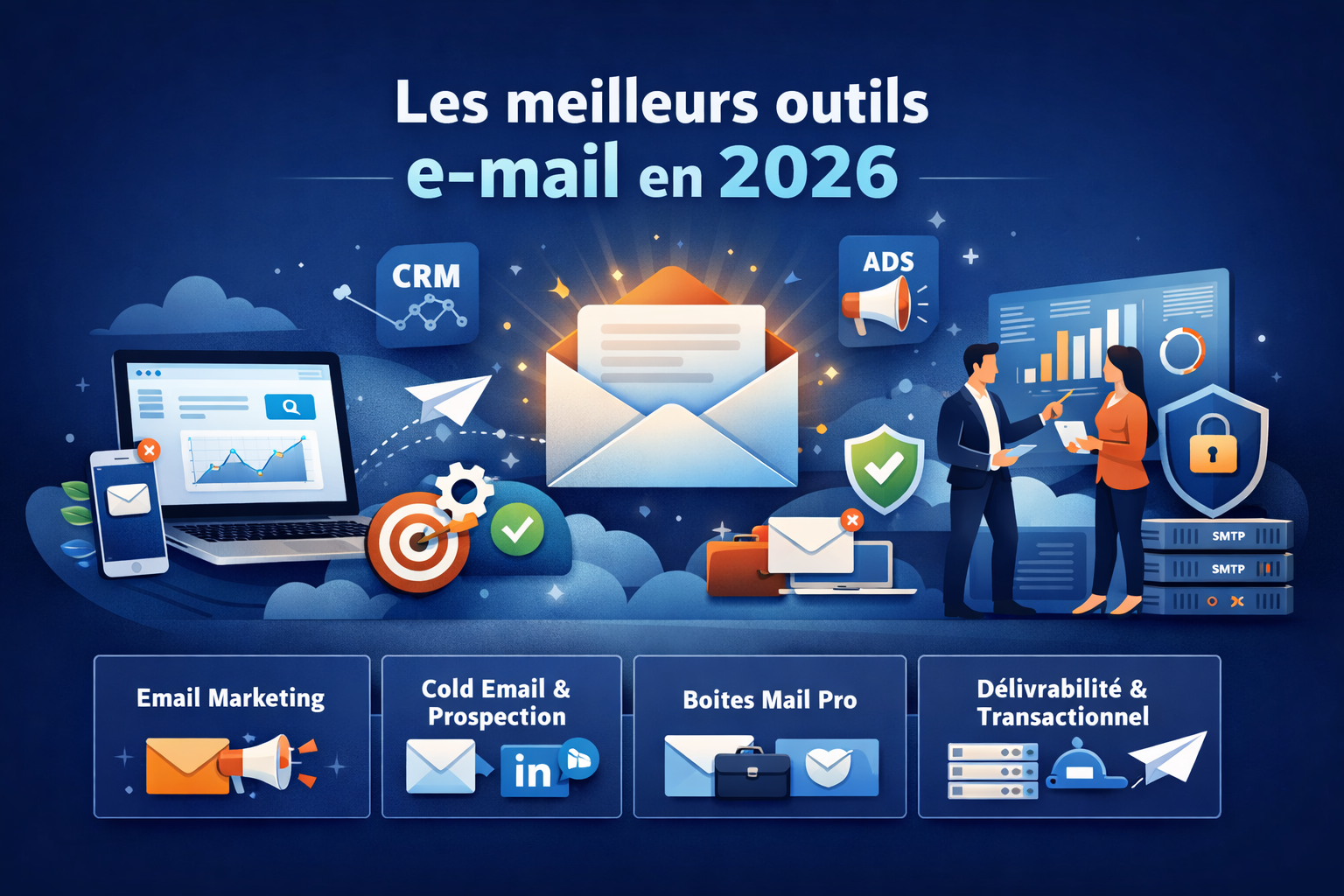
This guide is designed to help you navigate the options. We’ve selected the most relevant tools available in 2026—all of which are available at a discount Freelance Stack—and organized them into four main categories: email marketing, cold emailing and lead generation, professional email accounts, and deliverability and transactional email solutions.
Written by:
Bruno GUY
Published on:
May 11, 2026
Updated:
May 12, 2026
Table of Contents
Find these tools at a discounted price 💶
Explore all deals

Email remains at the heart of professional communication.

People regularly predict the death of email. Instant messaging, collaboration tools, and professional social networks have proliferated, yet email remains strong. In 2024, more than 4.5 billion people worldwide use an email address, and that number continues to grow. For professionals, entrepreneurs, startups, and small and medium-sized businesses, email remains the most universal, direct, and often the most cost-effective communication channel.

The problem is that the email tools market has become highly fragmented. Today, a newsletter tool is not the same as a cold email tool, which is not the same as a business email account, which is not the same as a transactional SMTP server. Each use case has its own requirements, its own metrics, and its own dominant players.

This guide is designed to help you navigate these options. We’ve selected the most relevant tools available in 2026—all of which are available at a discount Freelance Stack—and organized them into four main categories: email marketing, cold emailing and lead generation, professional email accounts, and deliverability and transactional email solutions.

For each tool, you’ll find a practical overview, the profiles it’s suited for, its real-world benefits, and its limitations.


#1 - Brevo: The French solution that has become a full-fledged global player.

Illustration of Brevo on Freelance Stack's deal page
Benefit from our free deal on Brevo.
10% off on annual plan
Find over 300 free deals as well as over 850 Premium deals right now with Brevo and save on your software subscriptions. Whether you're an entrepreneur, a startup or a solo freelancer, save hundreds of euros thanks to our discounts and promo codes. 
Access this free deal

Brevo (formerly Sendinblue) has established itself as one of Europe’s leading email marketing platforms. Originally developed in France, the tool has since significantly expanded its capabilities to include email campaigns, SMS, WhatsApp, forms, landing pages, a lightweight CRM, and automations. Brevo is no longer just an email sending tool but a full-fledged marketing platform.

What sets Brevo apart from its American competitors is its pricing model, which is based on the volume of emails sent rather than the number of contacts. This is a significant advantage for those with large contact lists but moderate sending frequencies.

Key features :

  • Drag-and-drop editor with responsive templates.
  • Advanced automation (conditional workflows, lead scoring).
  • Integrated CRM with interaction history.
  • Send SMS, WhatsApp messages, and push notifications.
  • Detailed reports and A/B testing.
  • SMTP API for transactional emails.

Estimated rates:

  • Free Plan: Up to 300 emails per day, unlimited contacts.
  • Starter Plan: Starting at €7/month for 5,000 emails/month.
  • Business Plan: starting at €16/month with advanced automations.
  • Enterprise Plan: Price upon request.

👤 Who is this for?

🧑‍💼 Freelancers and consultants:

Brevo is particularly well-suited if you manage a newsletter or want to automate your customer communications without having to juggle dozens of tools. The free plan lets you get off to a solid start, and you can upgrade gradually as needed.

🏢 Small and medium-sized businesses and startups:

The integrated CRM and advanced automation features make it a strong option for teams looking to centralize their marketing efforts without investing in a complex tech stack. The fact that data is hosted in Europe is also a significant regulatory consideration (GDPR).

🛒 E-commerce retailers:

Native integrations with Shopify, WooCommerce, and PrestaShop enable the creation of automated workflows: abandoned cart, post-purchase follow-ups, and personalized recommendations.


The benefits:

  • Pricing based on mailings, not on contacts: ideal for large, infrequently used lists.
  • All-in-one platform (email, SMS, CRM, landing pages).
  • French interface, French-speaking support.
  • GDPR compliance guaranteed, European hosting.
  • A generous free plan to get you started.

⚠️ The downsides:

  • The email editor may seem less flexible than some competitors when it comes to highly customized designs.
  • The built-in CRM remains basic compared to dedicated tools like HubSpot or Zoho CRM.
  • The analytical reports lack depth at the entry-level.
Benefit from a on Brevo .
75% off on annual plan
Find our best discount right now with Brevo and save on your software subscriptions. We offer over 850 promo codes and discounts on the best software and SaaS on the market. 
Get the discount

#2 - Mailchimp: The pioneer, still going strong.

Illustration of MailChimp on Freelance Stack's deal page
Benefit from our free deal on Brevo.
15% off on annual plan
Find over 300 free deals as well as over 850 Premium deals right now with Brevo and save on your software subscriptions. Whether you're an entrepreneur, a startup or a solo freelancer, save hundreds of euros thanks to our discounts and promo codes. 
Access this free deal

Mailchimp practically invented the self-service email marketing market over twenty years ago. Today, it remains the world’s most widely recognized tool, giving it a clear advantage in terms of integrations and available resources. It offers thousands of tutorials, a massive community, and native compatibility with virtually every tool on the market.

However, the platform has evolved into something more comprehensive—and, as a result, more complex. Mailchimp now offers features for websites, online stores, appointment scheduling, and more. This can be confusing if you’re simply looking for a good email marketing tool.

Key features :

  • Email editor with an extensive template library.
  • Advanced segmentation and tag management.
  • Behavior-based automation.
  • Native integration with over 300 apps.
  • A/B testing and multivariate testing.
  • Detailed reports with industry benchmarks.

Estimated rates:

  • Free Plan: up to 500 contacts, 1,000 emails per month.
  • Essentials Plan: starting at $13/month.
  • Standard Plan: starting at $20/month.
  • Premium Plan: starting at $350/month.

👤 Who is this for?

🧑‍🎨 Content creators and bloggers:

Mailchimp remains a go-to choice for editorial newsletters thanks to its polished editor and templates tailored to different content styles.

🌐 Companies with a diverse suite of tools:

If you already use Shopify, Salesforce, WordPress, or other popular tools, Mailchimp can often be integrated in just a few clicks without any special development work.

🔰 Beginners in email marketing:

The learning curve is manageable, and the abundance of available resources makes it a reassuring choice for someone just getting started.
The benefits:

  • Widespread recognition and a vast ecosystem of integrations.
  • Intuitive interface with a good overall user experience.
  • Detailed segmentation and robust reporting.
  • Well-designed behavior-based automations.

⚠️ The downsides:

  • Contact-based pricing: can quickly become expensive as your list grows.
  • Advanced features are reserved for higher-tier plans, which often forces users to upgrade.
  • Limited customer support on entry-level plans.
Benefit from a on Mailchimp .
30% off during 12 months
Find our best discount right now with Mailchimp and save on your software subscriptions. We offer over 850 promo codes and discounts on the best software and SaaS on the market. 
Get the discount

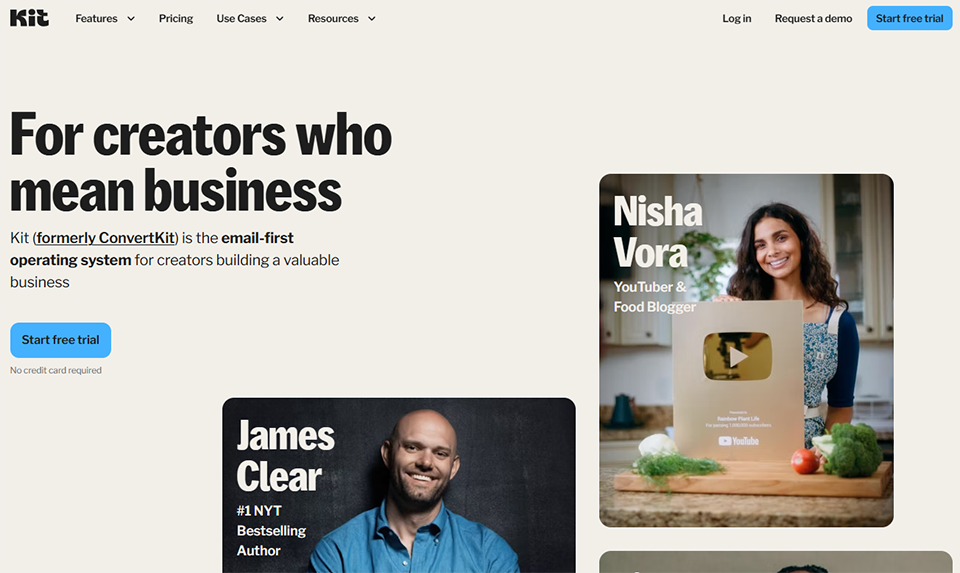
#3 - Kit (formerly ConvertKit): The go-to choice for creative entrepreneurs.

Illustration of Kit on Freelance Stack's deal page
Benefit from our free deal on Brevo.
Find over 300 free deals as well as over 850 Premium deals right now with Brevo and save on your software subscriptions. Whether you're an entrepreneur, a startup or a solo freelancer, save hundreds of euros thanks to our discounts and promo codes. 
Access this free deal

Kit, formerly known as ConvertKit, was designed from the ground up for content creators: bloggers, podcasters, authors, and online instructors. Its approach is different: fewer complex marketing features, more simplicity for engaging an audience and selling digital products.

The tool really stands out for its tagging and sequencing system, which allows users to create highly targeted email campaigns without needing any technical expertise.

Key features :

  • Simplified sequences and broadcasts.
  • Tagging system and behavioral segmentation.
  • Registration pages and native forms.
  • Integration with sales platforms (Teachable, Gumroad, etc.).
  • Visual automation.
  • Newsletter monetization feature.

Estimated rates:

  • Newsletter Plan: Free for up to 10,000 subscribers.
  • Plan Creator: starting at $25/month.
  • Plan Creator Pro: starting at $50/month.

👤 Who is this for?

🎙️ Creators, trainers, authors:

Kit is designed for people who sell digital products or courses, and for whom email is the primary tool for customer acquisition and retention.

📧 Independent newsletters:

Its streamlined interface is ideal for newsletter publishers who want to focus on content rather than technical details.


The benefits:

  • A very generous free plan (up to 10,000 subscribers).
  • Simplified interface, easy to learn.
  • An excellent tagging system for detailed segmentation.
  • Designed for content monetization.

⚠️ The downsides:

  • Less suitable for e-commerce businesses or complex B2B structures.
  • Advanced marketing features (in-depth A/B testing, analytical reporting) are less robust than those offered by ActiveCampaign or Brevo.
  • The minimalist interface may frustrate those looking for more visual customization.
Benefit from a on Kit (ex ConvertKit) .
50% off during 12 months
Find our best discount right now with Kit (ex ConvertKit) and save on your software subscriptions. We offer over 850 promo codes and discounts on the best software and SaaS on the market. 
Get the discount

#4 - ActiveCampaign: Marketing automation taken to the next level.

Illustration of ActiveCampaign on Freelance Stack's deal page
Benefit from our free deal on Brevo.
25% off on annual plan
Find over 300 free deals as well as over 850 Premium deals right now with Brevo and save on your software subscriptions. Whether you're an entrepreneur, a startup or a solo freelancer, save hundreds of euros thanks to our discounts and promo codes. 
Access this free deal

When it comes to automation capabilities in email marketing, ActiveCampaign stands out as one of the most advanced tools on the market. Its strength lies in the sophistication of its automation engine: multiple conditions, lead scoring, native CRM integration, and on-site behavioral tracking.

This isn't a tool for beginners. ActiveCampaign requires an initial time investment, but the return on investment can be significant for organizations with complex customer journeys.

Key features :

  • Multi-step automations with advanced conditional logic.
  • Integrated CRM with a sales pipeline.
  • Lead scoring and attribution.
  • A/B testing on automations.
  • Detailed behavioral segmentation (page views, purchases, clicks, etc.).
  • Over 900 integrations.

Estimated rates:

  • Starter Plan: starting at $15/month.
  • Plus Plan: starting at $49/month.
  • Pro Plan: starting at $79/month.
  • Enterprise Plan: Price upon request.

👤 Who is this for?

📈 B2B marketing teams:

The combination of CRM, advanced automation, and scoring makes it the go-to solution for long sales cycles and complex onboarding processes.

🏪 High-volume e-commerce retailers:

Behavioral triggers and advanced personalization enable highly targeted scenarios based on purchase history.


The benefits:

  • One of the most comprehensive automation engines on the market.
  • A well-designed integrated CRM system.
  • Highly detailed behavioral segmentation.
  • Excellent value for money starting with the Plus plan.

⚠️ The downsides:

  • It takes more time to get the hang of than its competitors: it takes time to really get the most out of the tool.
  • An interface that may seem complex and sometimes not very intuitive.
  • Support may be slow to respond depending on the time of day.
Benefit from a on ActiveCampaign .
15% off on any plan
Find our best discount right now with ActiveCampaign and save on your software subscriptions. We offer over 850 promo codes and discounts on the best software and SaaS on the market. 
Get the discount

#5 - Lemlist: Email outreach with a touch of advanced personalization.

Illustration of Lemlist on Freelance Stack's deal page

Lemlist has carved out a unique niche in the lead generation tool ecosystem thanks to a distinctive approach: dynamic email personalization. This goes beyond simply inserting a first name as a variable; it includes automatically generated personalized images, landing pages tailored to each recipient, and multichannel sequences (email, LinkedIn, phone calls).

It's a tool designed for salespeople and growth teams who want to stand out in crowded inboxes.

Key features :

  • Advanced customization: text variables, dynamic images, and custom videos.
  • Multi-channel sequences (email + LinkedIn + phone call).
  • Built-in email warm-up (Lemwarm).
  • Integrated prospect database (Lemlist Database).
  • A/B testing on sequences.
  • Performance reports by stage.

Estimated rates:

  • Email Starter Plan: starting at $39/month.
  • Email Pro Plan: starting at $69/month.
  • Multichannel Expert Plan: starting at $99/month.
  • Outreach Scale Plan: starting at $159/month.

👤 Who is this for?

💼 Sales reps and SDR teams:

Large-scale personalization and multichannel sequences are exactly what an SDR needs when managing dozens of prospects at the same time.

🚀 Startups in the acquisition phase:

For a startup looking to attract its first customers but without a substantial marketing budget, Lemlist makes it possible to create impactful outreach campaigns with limited resources.


The benefits:

  • One of the most advanced email personalization features on the market.
  • Built-in warm-up to protect your domain's reputation.
  • Native multichannel approach.
  • A clear and user-friendly interface.

⚠️ The downsides:

  • Higher pricing than some competitors for comparable features in basic cold email.
  • The built-in prospect database is still less extensive than Apollo.io's.
  • LinkedIn features require a Chrome extension.

#6 - Instantly: Volume, deliverability, and scalability for large-scale lead generation.

Illustration of Instantly on Freelance Stack's deal page

Instantly is designed for those who engage in large-scale email outreach. Its key feature is simplified management of multiple email accounts to distribute mailings and ensure deliverability. The tool also includes an automatic warm-up system and detailed analytics broken down by campaign and sending account.

Key features :

  • Unlimited multi-accounts (warm-up + sending).
  • Automated warm-up system.
  • Prospecting sequences with variables.
  • Unified Inbox.
  • Advanced analytics by email inbox and by campaign.
  • CRM integration via Zapier or API.

Estimated rates:

  • Growth Plan: starting at $37/month.
  • Hypergrowth Plan: starting at $97/month.
  • Light Speed Plan: starting at $358/month.

👤 Who is this for?

🏭 Lead generation agencies and growth hackers:

Instantly is designed for those who handle large volumes of data—often on behalf of multiple clients—and need a reliable and scalable infrastructure.

The benefits:

  • Well-designed multi-account management.
  • Effective built-in warm-up.
  • Excellent value for the price.
  • Detailed analytics by sending domain.

⚠️ The downsides:

  • Less dynamic customization than Lemlist.
  • Interface available in English only.
  • Learning curve for setting up email accounts correctly.

#7 - Smartlead: Rapid growth for scalable lead generation.

Illustration of Smartlead on Freelance Stack's deal page

Smartlead operates in the same market segment as Instantly, with a focus on email list rotation and intelligent deliverability management. The tool also offers a unified inbox and native integrations with CRM and data enrichment tools.

Key features :

  • Automatic rotation of email inboxes.
  • Native warm-up.
  • Sequences with variables and A/B testing.
  • A unified inbox for all campaigns.
  • Webhooks and APIs for integrations.
  • Deliverability reports by mailbox.

Estimated rates:

  • Basic Plan: starting at $39/month.
  • Pro Plan: starting at $94/month.
  • Custom Plan: Price upon request.

👤 Who is this for?

📊 Growth and Revenue Operations Teams:

Smartlead is ideal for teams that want a robust cold email infrastructure without having to handle the technical aspects themselves.
The benefits:

  • Email account rotation is handled very well.
  • A convenient centralized inbox for teams.
  • Good deliverability by default.

⚠️ The downsides:

  • Fewer advanced customization features than Lemlist.
  • A less visually polished interface.
  • The number of native integrations is still limited.

#8 - Superhuman: Email reimagined for demanding professionals.

Illustration of Superhuman on Freelance Stack's deal page

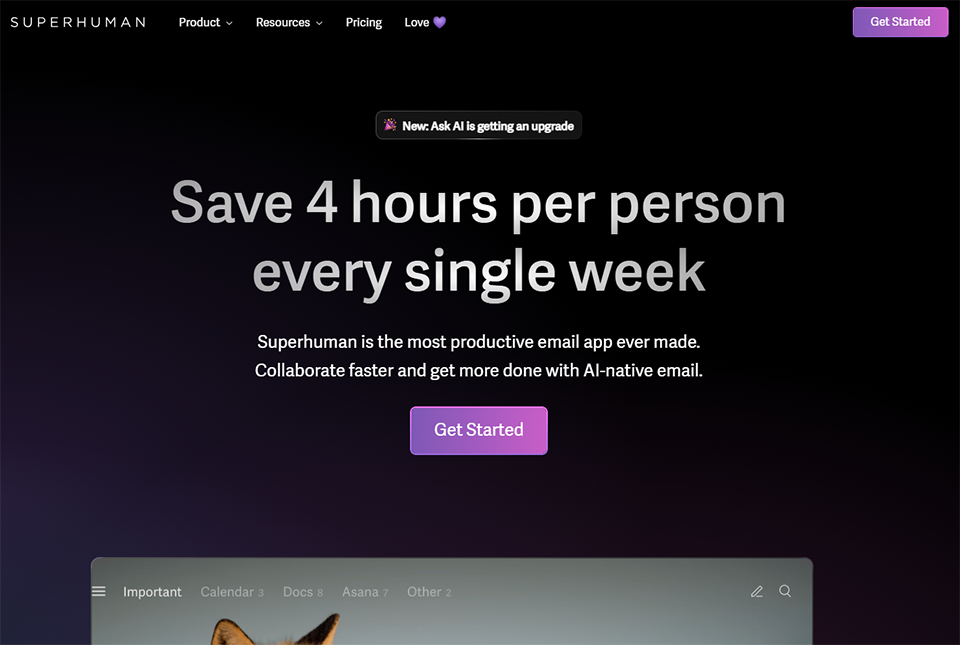
Superhuman is in a league of its own. It’s not just a campaign tool—it’s a high-end email interface designed to help you manage your inbox as quickly as possible. With keyboard shortcuts, a streamlined interface, built-in AI for summaries and reply suggestions, and real-time open tracking, every feature is designed to save you minutes every day.

Its premium pricing ($30/month) is intentional. Superhuman targets professionals for whom time is their most valuable resource.

Key features :

  • Keyboard-first interface with comprehensive shortcuts.
  • AI for summarizing forum threads and suggesting replies.
  • Real-time tracking of openings with location data.
  • Snippets and quick-response templates.
  • Split inbox and advanced priority management.
  • Automatic reminders and follow-ups.

Estimated rates:

  • Starter Plan: $19/month/user.
  • Business Plan: $30/month/user.
  • Enterprise Plan: Price upon request.

👤 Who is this for?

Executives and high-volume sales representatives:

Superhuman is a good fit if you handle 100+ emails a day and are looking to achieve "inbox zero" on a consistent basis, not just once in a while.

🤝 Profiles that sell or negotiate via email:

Real-time open tracking and follow-up reminders are valuable features for sales representatives and consultants.

The benefits:

  • A polished user experience and exceptional email processing speed.
  • Seamlessly integrated AI for summaries and suggested responses.
  • Accurate native open tracking.
  • It truly transforms the way you manage your inbox.

⚠️ The downsides:

  • The premium plan at $30/month is an investment that needs to be justified.
  • No heavy client or native desktop app (integrates with Gmail or Outlook).
  • Mandatory onboarding with a coach (may seem restrictive).

#9 - Proton Mail: Privacy as the top priority.

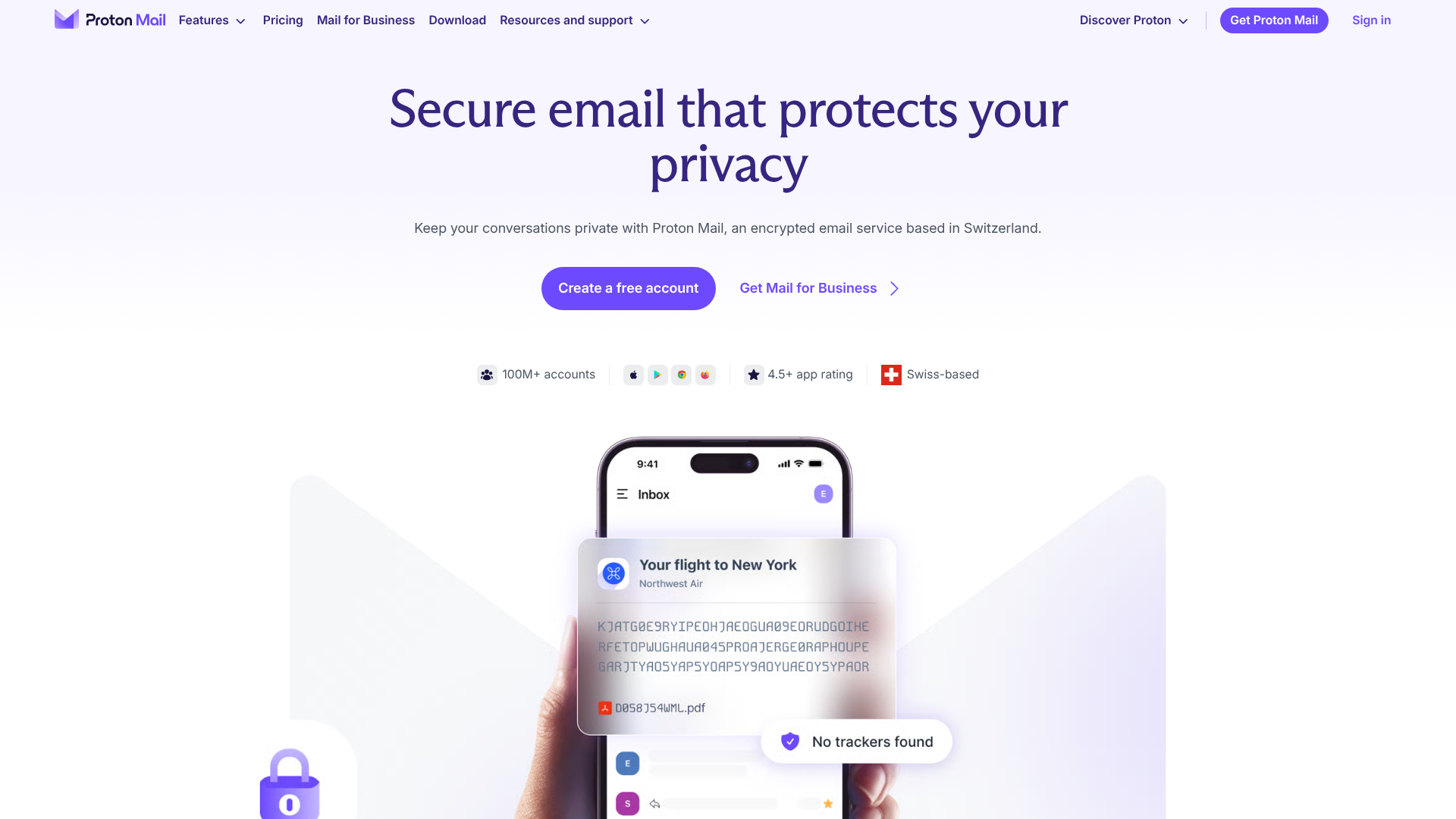
Illustration of Proton Mail on Freelance Stack's deal page

Proton Mail is the gold standard for encrypted email services. Developed in Switzerland by engineers from CERN, it uses end-to-end encryption that prevents even Proton from accessing the content of your messages. For professionals concerned about privacy or who handle sensitive data, it is a serious alternative to major U.S. platforms.

Proton now offers a complete suite of services: Proton Drive, Proton Calendar, Proton VPN, and even Proton Pass for password management.

Key features :

  • End-to-end encryption for all emails.
  • No ads, no data collection.
  • Custom domain available.
  • Unlimited email aliases (via SimpleLogin).
  • iOS/Android mobile app.
  • Integration with Proton Calendar and Proton Drive.

Estimated rates:

  • Free Plan: 1 email address, 1 GB of storage.
  • Mail Plus Plan: starting at €3.99/month.
  • Proton Unlimited Plan: starting at €7.99/month (Mail + Drive + VPN + Calendar + Pass).
  • Business Plan: starting at €6.99 per user per month.

👤 Who is this for?

🔐 Regulated professionals and freelancers concerned about their privacy:

Lawyers, doctors, journalists, and consultants who handle sensitive data: Proton Mail meets privacy requirements that Gmail or Outlook cannot provide out of the box.

🌍 Entrepreneurs committed to digital sovereignty:

For those who don't want to rely on major U.S. platforms, Proton is the most mature and reliable solution on the market.
The benefits:

  • End-to-end encryption: the highest level of security available.
  • Swiss hosting, a protective legal framework.
  • Comprehensive ecosystem (Drive, VPN, Calendar, Pass).
  • A modern and user-friendly interface.

⚠️ The downsides:

  • Fewer third-party integrations than Gmail or Outlook.
  • End-to-end encryption only works fully between Proton users (emails sent to Gmail remain encrypted in transit but not at rest on the recipient's end).
  • Some advanced features (filters, automatic rules) are less sophisticated than those of competitors.

#10 - Front: The collaborative email inbox for teams.

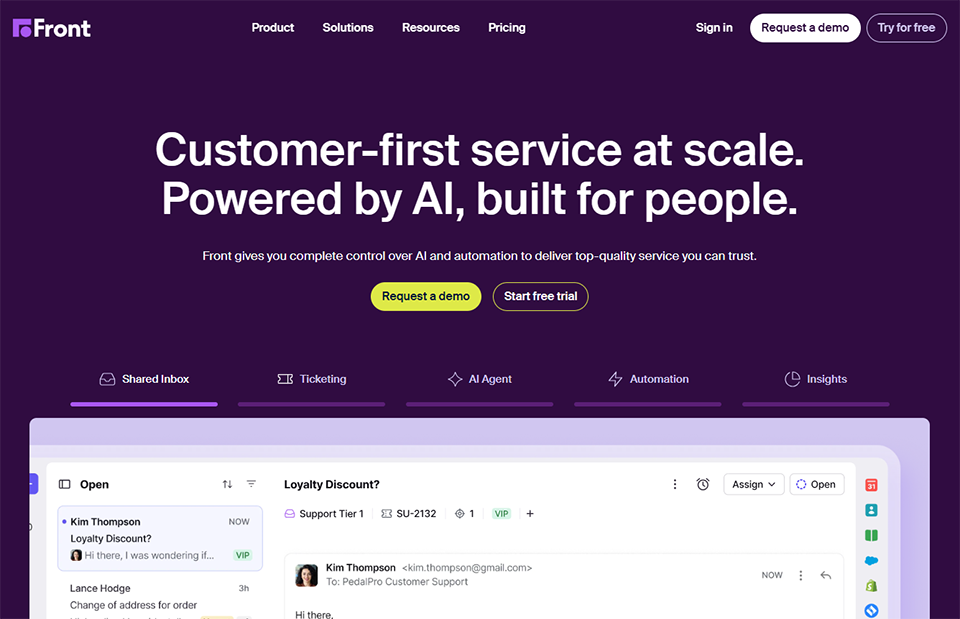
Illustration of Front on Freelance Stack's deal page

Front transforms email into a collaborative work tool. In practice, this means that multiple team members can manage the same inbox (support@, contact@, sales@, etc.) using assignments, internal comments, tags, and a complete history of all communications. It’s a tool that blurs the line between email and helpdesk.

Key features :

  • Multi-user shared folders.
  • Assigning conversations to team members.
  • Internal comments without leaving the email interface.
  • Automated routing and assignment.
  • Integration with CRM, Slack, Jira, and Salesforce.
  • Team analytics (response time, workload).

Estimated rates:

  • Starter Plan: starting at $19/month.
  • Growth Plan: starting at $59/month.
  • Plan Scale: starting at $99/month.

👤 Who is this for?

🤝 Support and Customer Success Teams:

Front is probably the best option for teams that manage shared inboxes and want to avoid duplicate replies and unanswered messages.

🏢 Small and medium-sized businesses with multiple contact channels:

If you receive emails, text messages, and social media messages all in one place, Front brings them all together.

The benefits:

  • Real-time collaboration on shared folders.
  • Complete history of communications by contact.
  • Powerful routing automation.
  • Seamless integration with CRM tools.

⚠️ The downsides:

  • High costs for small businesses.
  • It may seem too big for personal use.
  • Learning curve for properly configuring automation rules.

#11 - MailerSend: Reliable transactional email at competitive prices.

Illustration of Mailersend on Freelance Stack's deal page

MailerSend is a transactional email service developed by the MailerLite team. It is designed for developers and technical teams who need to send automated emails related to their products, such as account confirmations, notifications, invoices, and alerts. The interface is polished, the documentation is comprehensive, and deliverability is top-notch.

Key features :

  • Email and SMTP APIs.
  • Transactional templates with a drag-and-drop editor.
  • Real-time shipment tracking and analytics.
  • Management of unsubscribe lists and bounce emails.
  • Webhooks for email events.
  • Inbox testing and deliverability tools.

Estimated rates:

  • Free Plan: up to 3,000 emails per month.
  • Essentials Plan: Starting at $30/month for 50,000 emails.
  • Professional Plan: starting at $85/month.

👤 Who is this for?

👨‍💻 Developers and product teams:

MailerSend is designed to be integrated into an application or SaaS platform. If you need to send automated emails, it’s one of the most affordable solutions available.
The benefits:

  • A generous free plan to get you started.
  • A well-documented API and SDK are available.
  • User-friendly interface for non-developers.
  • Good tracking of deliverability.

⚠️ The downsides:

  • Less suitable for marketing campaigns (it is primarily a transactional tool).
  • Advanced segmentation features are missing.

#12 - Mailivery: Automated warm-up to protect your sender reputation.

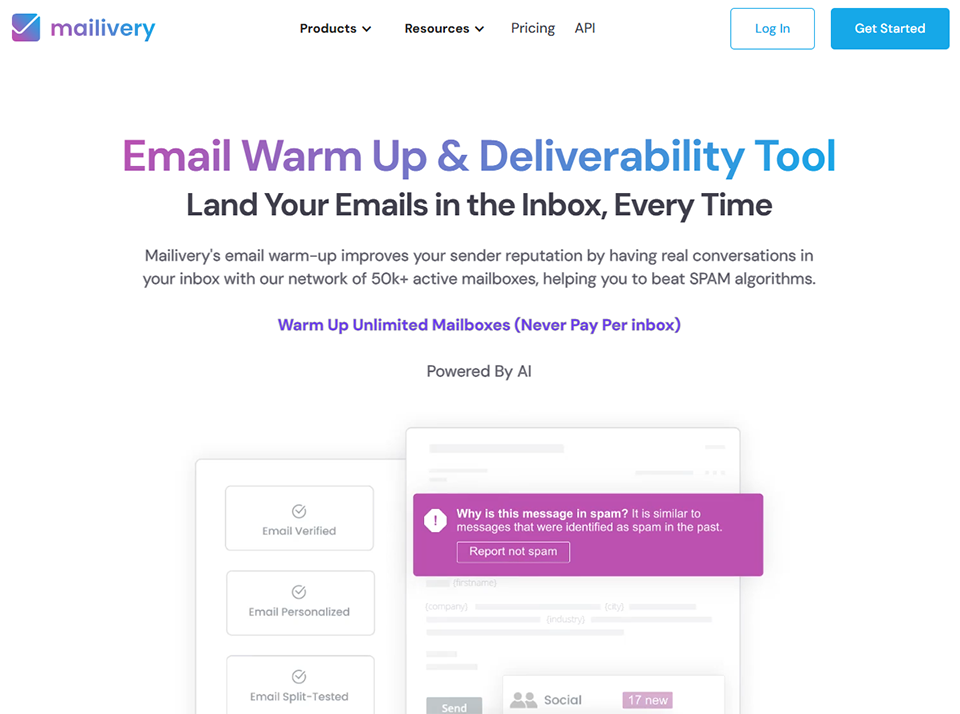
Illustration of Mailivery on Freelance Stack's deal page

Mailivery is a tool designed to warm up email addresses. Specifically, it simulates real email exchanges between users on the network to train email providers’ algorithms to recognize your domain as legitimate. This is essential before launching a cold email campaign or after changing your domain.

Key features :

  • Automatic warm-up using a network of real users.
  • Reputation dashboard by email account.
  • Detection of spam filtering.
  • Recommendations for improving deliverability.
  • Compatible with all email providers.

Estimated rates:

  • Starter Plan: starting at $29/month.
  • Growth Plan: starting at $59/month.
  • Pro Plan: starting at $99/month.

👤 Who is this for?

📤 Cold email prospectors:

Anyone who does cold calling should take deliverability seriously. Mailivery ensures that your emails land in the inbox rather than the spam folder.

The benefits:

  • Specializing in deliverability: we do one thing, and we do it well.
  • A clear dashboard for tracking the reputation of each company.
  • Compatible with Gmail, Outlook, and custom SMTP servers.

⚠️ The downsides:

  • A complementary tool, not a standalone one: it must be used with a cold email tool.
  • Effectiveness depends on the size of the network of active users.

Comprehensive Comparison Chart

The prices listed are for reference only and are subject to change: we recommend that you check them directly on the official websites before making a decision.

ToolPrimary useIdeal forAdmission feeKey strengths
BrevoEmail marketingSMEs, e-commerce, freelancersFree / €7/monthAll-in-one, GDPR, per-mail rate
MailchimpEmail marketingBeginners, various integration optionsFree / $13/monthEcosystem, UX, brand awareness
KitNewsletter / DesignersNewsletters, trainersFree / $25/monthGenerous free plan, monetization
ActiveCampaignMarketing automationB2B, advanced e-commerce$15/monthAutomation, Integrated CRM
LemlistCold emailSalespeople, startups$39/monthPersonalization, multichannel
InstantlyScalable cold emailingAgencies, growth$37/monthMulti-account, deliverability
SmartleadScalable cold emailingRevenue Operations, B2B$39/monthMailbox rotation, unified inbox
SuperhumanBusiness email accountExecutives, sales representatives$19/monthSpeed, AI, aperture tracking
Proton MailSecure email accountSensitive professionsFree / $4/monthEncryption, privacy
FrontShared mailboxSupport/Sales Teams$19/monthCollaboration, routing
MailerSendTransactionalDevelopers, SaaSFree / $30/monthAPI, deliverability, pricing
MailiveryWarm-up emailCold email prospectors$29/monthDeliverability, specialization
See all the software of this category: Sales
Check out all the other software and discount we offer in this category. Explore other tools and choose the perfect solution to grow your business.
Explore this category

Which tool should you choose based on your profile?

Before you start comparing features, ask yourself the right question: What is your main use for email?

If you send regular newsletters or marketing campaigns to a contact list, solutions like Brevo, Mailchimp, Kit, or ActiveCampaign should be your first consideration. The choice between them depends mainly on the size of your list, the complexity of your automations, and your regulatory requirements.

If your goal is cold calling, you need a dedicated tool like Lemlist, Instantly, or Smartlead, possibly combined with a warm-up tool like Mailivery.

If your personal email inbox is your main workplace and you rely on it heavily, Superhuman can transform your daily routine. Proton Mail is the obvious choice if privacy is a business requirement or a strong ethical priority. And if your team manages shared inboxes, Front is likely the most robust solution.

Finally, if you’re building a product and need to send programmatic emails, MailerSend or SMTP2GO are solid technical options worth exploring.

FAQ: Your Questions About Email Tools in 2026

There are a few questions that come up often when you're trying to choose or switch email providers. Here are the straightforward answers.

1️⃣ What is the difference between an email marketing tool and an email client?

An email client (such as Superhuman, Proton Mail, or Front) is the interface you use to send and receive individual emails on a daily basis. An email marketing tool (such as Brevo, Mailchimp, or ActiveCampaign) is used to send bulk campaigns to a list of contacts, with features for segmentation, automation, and reporting.

2️⃣ What is an email warm-up, and why is it important?

When you create a new domain or email address, email providers (such as Google and Microsoft) don’t trust you yet. The warm-up process involves gradually sending small volumes of emails to build a positive reputation. Without this, your prospecting emails risk ending up directly in the spam folder. Tools like Mailivery or the warm-up modules built into Lemlist, Instantly, or Smartlead automate this process.

3️⃣ Can I use Brevo for cold calling?

Technically, yes, but it’s not recommended. Brevo (like all email marketing tools) requires that your contacts have consented to receive your emails. Sending cold emails through these platforms puts your account at risk of suspension. For cold outreach, use a dedicated tool such as Lemlist, Instantly, or Smartlead.

4️⃣ Which email tools are GDPR-compliant?

All the tools featured in this article can be used in compliance with the GDPR, provided that you follow the rules of use (contact consent, right to opt out, data management). Brevo and Proton Mail stand out for their European hosting and their commitments to data sovereignty. For the others, check the data processors and data processing agreements (DPAs) before committing.

5️⃣ Is it possible to combine several of these tools?

Absolutely, and that's often the best approach. A typical setup for a B2B startup might include: Brevo for newsletters and customer onboarding, Lemlist or Instantly for sales prospecting, MailerSend for transactional product emails, and Mailivery to maintain deliverability for prospecting lists. The key is not to skimp on deliverability: it’s the foundation of any effective email strategy.

6️⃣ What is the best free option for getting started with email marketing?

Brevo is often the best place to start: unlimited contacts, 300 free emails per day, and a full-fledged marketing platform at your fingertips. Kit offers an attractive alternative if you’re a content creator, with up to 10,000 subscribers for free. MailerSend offers 3,000 transactional emails per month for free if you have specific technical needs.

7️⃣ How can I assess whether my email campaigns are performing well?

The key metrics to monitor are: open rate (general benchmark: 20–30% depending on the industry), click-through rate (2–5% on average), unsubscribe rate (should be kept below 0.3%), and, most importantly, the conversion rate for the campaign’s objective. Deliverability should be monitored via the spam placement rate and the bounce rate. Tools like ActiveCampaign or Brevo include these reports natively.


Tags
Automation Sales Lead Generation Marketing Sales Automation Clients

Additional Resources

Check out more articles on this topic.
1 2 3 6

Don't miss out on any more deals!

We add +20 new deals every week. Get notified by email, just like we already do with our +85,000 entrepreneurs and startups. 
We won't spam you, and you can unsubscribe with just one click! 
linkedin facebook pinterest youtube rss twitter instagram facebook-blank rss-blank linkedin-blank pinterest youtube twitter instagram