This article introduces you to four website builders that are particularly well-suited for beginners: Wix, Squarespace, Framer, and Dorik AI. Four different approaches, four ways to tackle website creation, but one common promise: launching a professional website without writing a single line of code. For each tool, you’ll find details on features, pricing, the types of users they’re best suited for, and the limitations you should be aware of before getting started.
Wix, Squarespace, Framer, Dorik AI: Which one should you choose to launch your website without coding?
Building a website without knowing how to code: what was once a major feat ten years ago is now within anyone’s reach-all it takes is a monthly subscription and a few hours of your time. Website builders have fundamentally transformed the way entrepreneurs and small businesses establish their online presence.
The problem is that the market has become oversaturated. Between tools designed for designers, those optimized for e-commerce, AI platforms that generate a website in thirty seconds, and traditional CMS platforms, it’s hard to know where to start if you don’t have a technical background.
This article introduces you to four website builders that are particularly well-suited for beginners: Wix, Squarespace, Framer, and Dorik AI. Four different approaches, four ways to tackle website creation, but one common promise: launching a professional website without writing a single line of code. For each tool, you’ll find details on features, pricing, the types of users they’re best suited for, and the limitations you should be aware of before getting started.
#1 - Wix: the freedom to build without limitations.
Wix is probably the world’s best-known website builder. Founded in 2006 in Israel, it now has over 250 million users in more than 190 countries. Behind this figure lies a simple reality: Wix has succeeded in making website creation accessible to everyone by offering an extremely user-friendly drag-and-drop interface, where you can literally place any element anywhere on the page.
This is both its strength and, depending on the user, an area that requires caution. Complete freedom can lead to very polished results as well as visually chaotic pages. But for someone just starting out who wants to learn by doing, Wix remains a platform that’s hard to beat.
The platform also offers Wix ADI (Artificial Design Intelligence), a wizard that generates a complete website based on a few questions about your business. It’s a great starting point for those who have no idea where to begin.
Key features:
Wix offers a wide range of features for a consumer-oriented tool. The visual editor is at the heart of the experience: you choose a template from over 900 available options (categorized by industry), then customize each block to your liking. Text, images, videos, forms, maps, team sections, photo galleries... there are plenty of elements to choose from.
When it comes to advanced features, Wix offers a comprehensive, natively integrated ecosystem. Wix Stores handles online sales (both physical and digital products), Wix Bookings manages appointment scheduling, and Wix Blog lets you publish articles without any additional plugins. For events, Wix Events centralizes registration and ticketing. Finally, Wix SEO Wiz guides beginners step-by-step through search engine optimization, which is far from trivial when you’re just getting started with the subject.
The Wix App Market adds another layer of functionality with hundreds of third-party integrations: live chat, customer review tools, marketing solutions, accounting tools, and more. Most of the common needs of an entrepreneur small business are covered without ever leaving the platform.
Pricing:
Free Plan: Wix subdomain, with ads displayed, to test the platform.
Light Plan (~€13/month): custom domain, ad-free, 2 GB of storage.
Core Plan (~€18/month): online sales, 50 GB, analytics.
Business Plan (~€25/month): advanced e-commerce features, 100 GB.
Business Elite Plan (~€35/month): maximum performance, unlimited storage.
👤 Who is this for?
Freelancers or consultants who want a quick portfolio website:
Wix is perfect for this type of business. In just a few hours, you can have a professional-looking website featuring your services, client testimonials, a contact form, and a link to your calendar. No prior training is required.
The entrepreneur testing a concept:
The free version (with a Wix subdomain) lets you test an idea before committing to it. It’s a great way to test a landing page or an offer before switching to a custom domain.
The owner of a small online store:
Wix Stores offers enough features for a store with a few dozen products. Once you exceed a certain volume, a dedicated solution like Shopify will be a better fit.
Advantages:
✅ Very easy to get started; virtually no learning curve.
✅ A comprehensive library of high-quality templates.
✅ No technical skills required.
✅ Extensive built-in features (booking, store, blog, events).
✅ Customer support available and documentation in French.
Limitations:
⚠️ You cannot change the template once the site has gone live (without starting over from scratch).
⚠️ Performance and technical SEO fall short compared to tools like WordPress or Webflow.
⚠️ Limited advanced customization options for more advanced profiles.
⚠️ The free plan is very basic and not very professional for serious use.
Benefit from a on Wix .
10% off on any plan
Find our best discount right now with Wix and save on your software subscriptions. We offer over 850 promo codes and discounts on the best software and SaaS on the market.
Where Wix focuses on freedom, Squarespace focuses on structure. Squarespace’s templates are regularly cited as the most beautiful on the market, and that’s no coincidence: the platform has built its reputation on polished design, visual consistency, anda professional aesthetic. It’s particularly popular among creatives (photographers, architects, artists, brand strategy consultants) who want their website to speak for them before anyone even reads a single word.
Squarespace uses a system of pre-designed sections that you can assemble and customize. It offers less flexibility than Wix, but the end result is also less likely to go wrong. It’s hard to end up with a truly botched result using Squarespace.
The platform has also expanded its e-commerce capabilities in recent years, making it a viable option for online stores with a polished visual identity.
Key features:
The Squarespace editor is intuitive without being as open-ended as Wix. You work section by section, choosing from pre-designed blocks (text, image, video, gallery, form, etc.) and arranging them in a cohesive way. The advantage: the site always maintains a professional look, even when built by a beginner.
Squarespace Commerce handles online sales with everything you need: inventory management, shopping carts, secure payments, and even subscriptions on higher-tier plans. For scheduling appointments, Acuity Scheduling is directly integrated into the platform, eliminating the need to connect a third-party tool. Users looking to manage a contact list will find that Squarespace Email Campaigns offers a robust email marketing module for regular mailings without having to switch tabs. On the analytics side, Squarespace Analytics covers the essentials: traffic, sources, conversions, and visitor behavior. And for the past few months, Squarespace AI has allowed users to generate text and explore assisted layout variations, further speeding up the learning curve for beginners.
The entire system is designed for standalone use, without having to juggle dozens of third-party tools.
Pricing:
Personal Plan (~€16/month): Showcase website, free domain for the first year, no e-commerce.
Business Plan (~€23/month): basic e-commerce, advanced analytics, integrations.
Basic Commerce Plan (~€28/month): commission-free e-commerce, subscription sales.
Plan Commerce Advanced (~€52/month): comprehensive e-commerce features (abandoned cart, flash sales, etc.).
👤 Who is this for?
The creative professional or the professional with a strong visual identity:
Photographers, videographers, graphic designers, consultants, coaches... Squarespace is perfect for anyone who wants a website that looks professional without spending hours learning design.
The founder who wants a polished corporate website:
For a startup or small business in need of a clean, professional website, Squarespace delivers truly professional results. The "Business" and "Portfolio" templates are particularly well-designed.
A creator who sells digital or physical products in limited quantities:
Squarespace Commerce works well for a small online store. Whether you’re selling online courses, photo presets, or handmade crafts, the platform handles it all very well.
Advantages:
✅ Some of the most elegant templates on the market.
✅ Consistent interface-it’s hard to end up with a visually unappealing result.
⚠️ Less customization flexibility than Wix or Webflow.
⚠️ Higher pricing for access to a robust e-commerce platform.
⚠️ The App Market has significantly fewer apps than Wix's.
⚠️ Not ideal if you need a very specific content structure or advanced features.
Benefit from a on Squarespace .
Find our best discount right now with Squarespace and save on your software subscriptions. We offer over 850 promo codes and discounts on the best software and SaaS on the market.
#3 - Framer: the website builder for design-minded people.
Benefit from our free deal on Framer.
30% off on annual plan
Find over 300 free deals as well as over 850 Premium deals right now with Framer and save on your software subscriptions. Whether you're an entrepreneur, a startup or a solo freelancer, save hundreds of euros thanks to our discounts and promo codes.
Framer stands out in this comparison. Originally designed as a prototyping tool for UX/UI designers, Framer has evolved over the past two years into a full-fledged website builder with a Focus on visual quality and performance. The result is a platform that clearly stands out in terms of final output, animations, and layout flexibility.
Is it really a tool for beginners? The honest answer is: yes, provided you have at least a basic appreciation for design or are willing to learn. The interface is more sophisticated than Wix or Squarespace, but Framer also offers numerous ready-to-use templates and an AI assistant that generates complete pages from a simple text description.
For an entrepreneur founder looking for a website that really stands out, Framer is definitely worth checking out.
Key features:
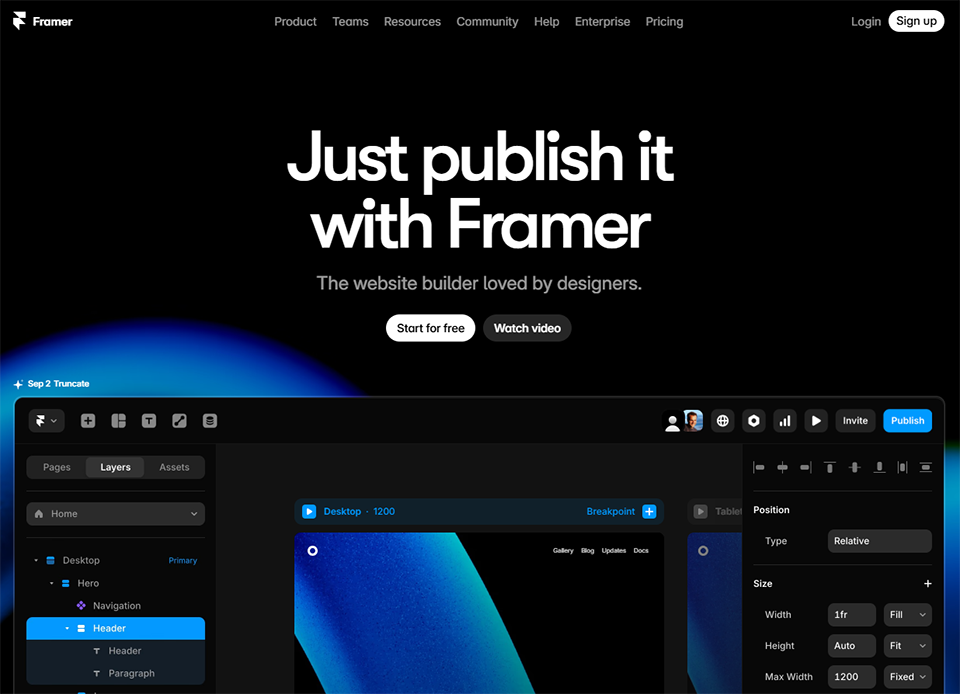
Framer's editor looks very similar to design tools like Figma. You work on a canvas, position elements, define spacing, and create entrance and exit animations. It's more feature-rich and expressive than the competition, but also slightly more demanding.
Framer AI is one of the platform’s most impressive features: by describing your project in a few sentences or importing an existing mockup, the tool generates a complete page ready for customization. The editor also includes a systemof advancedanimations and transitions, configurable without writing a single line of code, which give Framer sites that lively, modern feel seen on the most polished SaaS product pages. The built-in CMS allows you to manage structured content (blog posts, product pages, dynamic portfolios) without relying on an external tool. And on the technical side, Framer sites are compiled into optimized React code, which explains the excellent Core Web Vitals scores the platform achieves by default. Responsive design, meanwhile, is managed visually with a level of precision that Wix or Squarespace simply don’t offer.
Framer also offers high-quality templates, often created by professional designers, which provide a solid foundation even for those who aren't particularly creative.
Pricing:
Free Plan (€0/month): Framer subdomain, 1 website, 1,000 visitors/month.
Mini Plan (~€5/month): custom domain, 10,000 visitors/month.
Basic Plan (~€15/month): 100 CMS pages, 100,000 visitors/month.
Pro Plan (~€30/month): Unlimited CMS pages, member management, advanced analytics.
👤 Who is this for?
Designers or creatives who want to build their own website:
This is what Framer is all about. If you're comfortable with tools like Figma or Canva, Framer will feel intuitive and let you truly express your visual identity.
Tech entrepreneurs or startups looking for a high-performance, modern website:
Framer is widely used in the startup ecosystem for SaaS product landing pages. It delivers a professional look, the animations bring the pages to life, and performance is top-notch.
Freelancers who want to stand out with a unique portfolio:
Amidst all the Squarespace portfolios out there, a well-designed Framer site really stands out. For creative professionals, it’s a real point of differentiation.
Advantages:
✅ Unmatched visual quality and design flexibility in this category.
✅ An effective AI tool for quickly generating page templates.
✅ Affordable rates, even for heavy use.
✅ Perfect for product landing pages or creative portfolios.
Limitations:
⚠️ Steeper learning curve than Wix or Squarespace.
⚠️ No native e-commerce features.
⚠️ The CMS is less mature than on dedicated platforms like WordPress.
⚠️ Less suitable for content-heavy websites or online stores.
Benefit from a on Framer .
3 months free on "PRO" annual plan
Find our best discount right now with Framer and save on your software subscriptions. We offer over 850 promo codes and discounts on the best software and SaaS on the market.
#4 - Dorik AI: Create a website in minutes using AI.
Benefit from our free deal on Dorik AI.
20% off on annual plan
Find over 300 free deals as well as over 850 Premium deals right now with Dorik AI and save on your software subscriptions. Whether you're an entrepreneur, a startup or a solo freelancer, save hundreds of euros thanks to our discounts and promo codes.
Dorik is a newer platform than the previous three, and it has successfully repositioned itself in response to the rise of generative AI. Its main selling point is straightforward: provide a description of your business, and Dorik will generate a complete website in seconds, complete with text, sections, layout, and a tailored color scheme.
For a beginner who doesn't know where to start, this is likely the easiest place to begin in this comparison. Dorik also offers a classic visual editor to refine the generated result, making it an appealing combination: the speed of AI plus the freedom of manual customization .
The platform also includes hosting and offers robust basic features for showcase sites, portfolios, or landing pages.
Key features:
Dorik stands out for its AI-first approach, but the platform also offers a comprehensive set of features for common use cases.
The Dorik AI Site Builder is the centerpiece: you describe your business, tone, and goals, and the platform generates a complete website with sections, text, and a color scheme in just a few seconds. The Dorik AI Writer complements this process by allowing you to generate or improve content directly within the editor, without having to copy and paste from another tool. For those who want to go further, the classic drag-and-drop editor lets you take control of each block and refine the result as you see fit. The platform also includes forms, integrations with major marketing tools (such as Mailchimp), and a CMS for the blog. Hosting is included with a global CDN, which further simplifies the process of going live.
One key feature worth highlighting is the white-label mode: for entrepreneurs agencies that build websites for their clients, Dorik allows them to remove any mention of the platform and deliver a product branded with their own name. This is a real differentiator at this price point.
Pricing:
Personal Plan (~€8/month): 1 website, custom domain, AI features included.
Plan Agency (~€15/month): unlimited websites, white-label, unlimited clients.
Agency Pro Plan (~€29/month): advanced agency features.
👤 Who is this for?
The complete beginner who wants something quickly:
Dorik is the perfect choice if you have no experience with web design and want to get your site online within a day. The AI does most of the work-all you have to do is make a few tweaks.
The solo entrepreneur with limited time:
No need to spend hours putting blocks together. Just describe your business, make a few tweaks, and your site is ready to go. For those who mainly need a simple, effective online presence, it doesn't get any easier than this.
A freelancer or agency that builds websites for clients:
Dorik's white-label solution is a perfect fit for this scenario. It allows you to quickly build websites for small and medium-sized businesses at competitive rates, delivering a clean, customizable product.
Advantages:
✅ The fastest and most affordable AI generation tool in this comparison.
✅ Some of the lowest prices on the market for AI included.
✅ A unique white-label option at this price.
✅ A simple interface that's easy for absolute beginners to use.
✅ CMS and blog included from the start.
Limitations:
⚠️ Fewer templates and design options than Squarespace or Framer.
⚠️ Very limited e-commerce features.
⚠️ Smaller community and ecosystem compared to more established tools.
⚠️ The AI-generated result often needs some tweaking to be truly personalized.
Benefit from a on Dorik AI .
Additional 30% off on any plan
Find our best discount right now with Dorik AI and save on your software subscriptions. We offer over 850 promo codes and discounts on the best software and SaaS on the market.
Here are some frequently asked questions about website creation for beginners, with straightforward answers to help you get started without getting bogged down in technical details.
1️⃣ What is the best website builder for a complete beginner?
For someone with absolutely no experience, Dorik AI and Wix are the two most accessible options. Dorik AI lets you generate a website in seconds based on a description of your business, while Wix offers a highly flexible drag-and-drop editor and a vast library of templates. The choice depends mainly on your priorities: maximum speed (Dorik) or greater freedom to customize (Wix).
2️⃣ Do you have to pay to have a good website?
Most website builders offer a free version, but it usually comes with limitations (a subdomain of the platform, ads, and reduced features). For professional use, a paid plan is practically must-have. The reasonable entry-level prices (between €5 and €20 per month) make the investment affordable, especially compared to the cost of hiring a developer or an agency.
3️⃣ Are these tools suitable for creating an online store?
Both Wix and Squarespace offer robust e-commerce features for shops of a reasonable size. For a more ambitious e-commerce project from the outset, Shopify remains the go-to platform. Framer and Dorik are not suited for e-commerce as such.
4️⃣ Can you switch website builders after launching your site?
Technically, yes, but it’s often a hassle. Most platforms don’t make it easy to export content to another tool. It’s best to choose the right platform from the start, taking into account your goals for the next 2–3 years, not just your immediate needs.
5️⃣ Do these tools help you rank well on Google?
All the tools in this comparison offer basic SEO features (title tags, meta descriptions, customizable URLs, sitemaps). Framer stands out for its superior technical performance (Core Web Vitals), which is a significant advantage for SEO. Squarespace also offers a good level of on-page SEO optimization. To really excel in technical SEO, a solution like WordPress with its dedicated plugins remains the gold standard.
6️⃣ What is the difference between a website builder and a CMS like WordPress?
A website builder (Wix, Squarespace, Framer, Dorik) is a hosted, all-in-one, turnkey solution: you pay a subscription fee, and the platform handles everything (hosting, updates, security). A CMS like WordPress is open-source software that you install on a server of your choice: it offers more flexibility and control, but also requires more technical responsibility. For a beginner, a website builder is generally the best place to start.
7️⃣ Can you use your own domain name with these tools?
Yes, all the platforms in this comparison allow you to connect a custom domain name starting with the paid plans. Some (Squarespace, Wix) even offer a free domain for the first year with their entry-level plans. For hosting and domain management, Hostinger is a popular choice if you want to retain control over your infrastructure.
8️⃣ Are these platforms suitable for entrepreneurs freelancers?
Absolutely. These four tools are particularly well-suited for entrepreneurs need a professional online presence without having to commit significant resources. Wix and Squarespace for a classic showcase website, Framer for a standout creative portfolio, and Dorik for quick setup or managing client sites. To find discount these tools and many other software programs useful for freelancers, check out the website builders available on Freelance Stack.
Tags
WebsiteBeginnerAICreationShopifyWixSquarespaceFramerDorik AI