The 5 Best Tools for Extracting Data Without Writing a Single Line of Code in 2026
In this article, we’ve selected five of the most comprehensive and accessible no-code data extraction solutions on the market. For each one, you’ll find a detailed overview, information on who will benefit most from it, and a comparison chart to help you make your choice at a glance.
The internet is full of information. But you still need to know how to gather it.
Competitor pricing, qualified leads on LinkedIn, customer reviews scattered across dozens of platforms, market data spread across hundreds of pages... In just a few years, the ability to extract and centralize online data has become a real competitive advantage for entrepreneurs and sales teams.
It is estimated that more than 90% of the data available on the internet is unstructured, meaning it cannot be directly used in a spreadsheet or CRM. It exists in the form of text, HTML tables, dynamic lists, product descriptions, or comments. Processing this data manually is not only time-consuming, but sometimes simply impossible on a large scale.
The problem? Until recently, this practice was the exclusive domain of developers. Web scraping went hand in hand with Python, Selenium, proxies, and late nights debugging finicky scripts. Suffice it to say that for a freelancer, a startup founder, or a marketing consultant, access to this data was often out of reach.
That is no longer the case today.
A new generation of tools has completely transformed the market. Visual, point-and-click solutions-sometimes powered by AI-now make it possible to extract structured data from any website without touching a single line of code. Whether you want to monitor prices, populate a CRM, automate your lead generation, or build a database, in 2026 there is a tool tailored to your needs and technical skill level.
The democratization of web scraping is part of a broader trend: the rise of no-code and low-code solutions, which have profoundly transformed the way businesses access capabilities that were once reserved for IT teams. Today, building an automated data collection pipeline is within the reach of any digital professional-provided they choose the right tool.
In this article, we’ve selected five of the most comprehensive and accessible no-code data extraction solutions on the market. For each one, you’ll find a detailed overview, information on who will benefit most from it, and a comparison chart to help you make your choice at a glance.
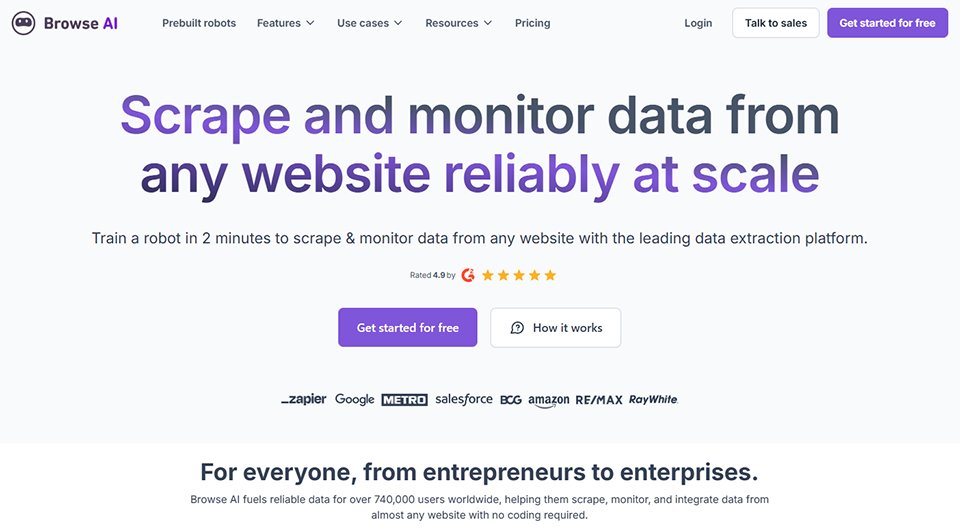
#1 - Browse AI: The most intuitive data extraction tool on the market.
Benefit from our free deal on Browse AI.
20% off on annual plan
Find over 300 free deals as well as over 850 Premium deals right now with Browse AI and save on your software subscriptions. Whether you're an entrepreneur, a startup or a solo freelancer, save hundreds of euros thanks to our discounts and promo codes.
Browse AI positions itself as the most user-friendly web scraping tool for non-developers. It works on a simple principle: you "train" a bot by browsing a website as you normally would, tell it which elements to collect, and it takes care of the rest.
No CSS selectors to memorize, no complex setup. Just install the Chrome extension, go to the page you want to scrape, and visually show the tool what you're interested in. Browse AI records the process, converts it into an automated bot, and can then re-run the extraction at regular intervals completely automatically.
What sets Browse AI apart from many of its competitors is its ability to interact with dynamic pages: logins, forms, pagination, navigation between pages, and more. The tool can handle complex navigation flows without requiring any coding on your part.
Key features:
The library of preconfigured bots is one of the platform’s key features. Browse AI offers over 500 ready-to-use templates for the most common use cases: data extraction from LinkedIn, Amazon, Indeed, Booking, Trustpilot, Google Maps, and many others. You don’t always even need to build your bot from scratch.
Notable features include:
Real-time monitoring:
You can set up alerts that trigger as soon as a change is detected on a page. This is ideal for monitoring a competitor's prices or keeping track of new job postings.
Flexible exports:
The collected data can be exported to CSV or Excel, or linked directly to Google Sheets. Browse AI also integrates with Make, Zapier, and Airtable to automate downstream workflows.
Automatic screenshots:
Each extraction can be accompanied by a screenshot of the page, which makes it easier to verify the collected data.
Available API:
For those who want to take things a step further and trigger extractions from other tools, a REST API is available, though it’s not required for everyday use of Browse AI.
Pricing:
Browse AI offers a free plan with 50 credits per month (each bot action uses one credit), which is enough to test the tool. Paid plans start at $19/month for 2,000 credits, up to $99/month for more intensive use. Team and enterprise plans are also available.
What kind of user gets the most out of Browse AI?
🎯 Freelancers and growth marketing consultants: Browse AI excels at populating CRMs with data extracted from LinkedIn, Google Maps, or industry directories. The learning curve is virtually nonexistent.
📊 Startup founders in the market research phase: monitor competitors’ prices, aggregate customer reviews, and track new offerings in a niche-all of this can be set up in just a few minutes using the available templates.
🛒 E-commerce businesses and product managers: the price monitoring and change alert feature is particularly well-suited for product competitive intelligence.
Advantages:
✅ Extremely easy to get started with-no technical knowledge required.
✅ A library of over 500 preconfigured bots for the most popular platforms.
✅ Real-time monitoring and alerts.
✅ Native connectors for the most popular automation tools.
✅ A clear and well-documented English interface.
Limitations:
❌ Credits run out quickly with large or frequent downloads.
❌ Some highly secure platforms (such as Instagram) remain difficult to scrape.
❌ No French interface.
❌ Pricing plans can quickly become expensive for large-scale needs.
Benefit from a on Browse AI .
additional 20% off on any plan
Find our best discount right now with Browse AI and save on your software subscriptions. We offer over 850 promo codes and discounts on the best software and SaaS on the market.
#2 - Octoparse: the power of a professional web scraper, without the hassle of coding.
Octoparse has been around since 2014 and has gradually established itself as a leading player in no-code web scraping. Its philosophy is to offer a visual interface as comprehensive as that of a development tool, but without requiring any programming skills.
The tool is based on a visual workflow editor where you build your data extraction bot step by step. You navigate the target website from within the Octoparse interface, click on the elements you want to capture, and the software automatically generates the corresponding extraction workflow. Each step is represented graphically, allowing you to understand and modify the bot’s behavior at any time.
Octoparse stands out in particular for its ability to handle complex websites: automatic pagination, infinite scrolling, authentication, CAPTCHA management, multi-level navigation... These are scenarios that many no-code tools are unable to handle properly.
Key features:
Preconfigured templates:
Like Browse AI, Octoparse offers a catalog of templates for popular websites (Amazon, eBay, LinkedIn, Glassdoor, Yellow Pages, etc.), allowing you to start data extraction in just a few seconds.
Cloud scraping:
Octoparse can run your bots directly in the cloud, freeing up your local machine and enabling continuous data extraction, even when your computer is turned off.
Task planning:
Backups can be scheduled for specific times or at regular intervals (every hour, every day, every week), with email notifications sent after each run.
Built-in proxy management:
For websites that limit repeated access from the same IP address, Octoparse includes a proxy rotation feature to bypass these restrictions without requiring any external configuration.
Export to a variety of formats:
CSV, Excel, JSON, SQL databases... Octoparse covers most output format needs.
Pricing:
Octoparse offers a fairly generous free plan that allows you to create up to 10 tasks and test the vast majority of its features. Standard plans start at $75/month, which is still a significant investment. For teams and heavy users, Professional and Enterprise plans are available. There is also Octoparse AI, a version specifically designed for AI-powered data extraction, with its own pricing structure.
What kind of user gets the most out of Octoparse?
🔍 Market analysts and researchers: Octoparse’s rich feature set makes it the ideal tool for complex and large-scale data extraction, particularly from e-commerce sites and business directories.
🏢 SMEs and non-technical data teams: Its established reputation, extensive documentation, and active community make it a reliable choice for teams that don’t want to take any chances when it comes to the tool’s reliability.
🤖 Automation consultants: Proxy management, cloud scraping, and advanced scheduling enable them to build fully automated data pipelines for their clients.
Advantages:
✅ A highly mature tool with a long track record in the market.
✅ Native support for complex websites (pagination, infinite scrolling, CAPTCHA).
✅ Cloud scraping is available on all paid plans.
✅ Built-in proxy rotation.
✅ Wide variety of export formats.
Limitations:
❌ The interface may seem a bit overwhelming to complete beginners.
❌ The free plan has limitations for regular use.
❌ Higher prices than some direct competitors.
❌ The desktop app (Windows/Mac) is still required to configure the robots.
Benefit from a on Octoparse .
20% off on annual plan
Find our best discount right now with Octoparse and save on your software subscriptions. We offer over 850 promo codes and discounts on the best software and SaaS on the market.
#3 - PhantomBuster: Automation for social media and lead generation.
Benefit from our free deal on PhantomBuster.
20% off on annual plan
Find over 300 free deals as well as over 850 Premium deals right now with PhantomBuster and save on your software subscriptions. Whether you're an entrepreneur, a startup or a solo freelancer, save hundreds of euros thanks to our discounts and promo codes.
PhantomBuster stands out in this article. While Browse AI and Octoparse are general-purpose web scraping tools, PhantomBuster was designed specifically to automate tasks and extract data from social and professional platformssuch as LinkedIn, Instagram, Twitter/X, Facebook, and Sales Navigator...
Its concept is based on "Phantoms," preconfigured automations that you can activate with just a few clicks. Want to extract a list of profiles that have liked a LinkedIn post? There's a Phantom for that. Extract followers from an Instagram account? Same thing. Retrieve members of a LinkedIn group based on specific criteria? Same thing.
This positioning makes it the go-to tool for sales and marketing teams looking to fuel their prospecting efforts with up-to-date data, without having to rely on expensive database providers.
Key features:
A library of over 100 Phantoms:
Each Phantom is designed for a specific use case on a given platform. Most require no technical setup: just enter your session cookie, configure the settings, and get started.
Flows:
The "Flows" feature lets you chain multiple Phantoms together in sequence. For example: extract LinkedIn profiles matching a specific job title, then automatically send a connection request, and finally retrieve their contact information. All of this without leaving PhantomBuster.
Export and integrations:
The collected data can be exported as a CSV file or sent directly to a CRM such as HubSpot, Salesforce, or Pipedrive, as well as to automation tools like Make.
Task planning:
Each Phantom can be scheduled to run automatically at regular intervals, ensuring that the prospecting database is always up to date.
Pricing:
PhantomBuster offers a free 14-day trial to test all its features. Paid plans start at $56/month (Starter), with Pro plans at $128/month and Team plans at $352/month, depending on lead volume and the number of concurrent Phantoms.
Which profile gets the most out of PhantomBuster?
🚀 Business developers and SDRs: PhantomBuster is likely to be the most widely used tool for automating LinkedIn prospecting in 2026. Its ability to extract lists of qualified leads and enrich them with contact information saves a considerable amount of time.
📣 Marketing managers and community managers: Analyzing social media audience data (who follows whom, who engages with what content) allows you to refine your targeting strategies without investing in expensive analytics tools.
🧑💼 CRM and RevOps Consultants: Flows enable you to build sequences for data enrichment and automatic CRM data population that would previously have required a developer.
Advantages:
✅ Strong focus on social and professional platforms.
✅ Over 100 preconfigured Phantoms for specific use cases.
✅ Native integrations with popular CRMs and automation tools.
✅ An active community and extensive documentation.
Limitations:
❌ Less suitable for scraping general-purpose websites (not its primary purpose).
❌ Some advanced uses require a thorough understanding of the limitations of the target platforms to avoid account bans.
❌ Pricing can become a significant factor for teams handling large volumes.
❌ Using session cookies requires careful configuration.
Benefit from a on PhantomBuster .
Additional 30% off on annual plan
Find our best discount right now with PhantomBuster and save on your software subscriptions. We offer over 850 promo codes and discounts on the best software and SaaS on the market.
#4 - Apify: the scraping marketplace, for users of all skill levels.
Benefit from our free deal on Apify.
10% off on annual plan
Find over 300 free deals as well as over 850 Premium deals right now with Apify and save on your software subscriptions. Whether you're an entrepreneur, a startup or a solo freelancer, save hundreds of euros thanks to our discounts and promo codes.
Apify is a unique platform. It functions as an automation marketplace: thousands of "Actors" (data extraction and automation bots) are available, developed either by the Apify team or by the community, and can be used without writing a single line of code.
The concept is powerful: rather than building your own scraping bot, you simply look for the Actor that meets your needs. Want to extract data from Google Maps? There’s an Actor for that, with thousands of users, ratings, user reviews, and comprehensive documentation. Want to scrape Google Shopping results? Same thing.
For non-technical users, Apify provides access to highly sophisticated scraping tools via a simple configuration interface. For more advanced users, the platform also allows them to develop and deploy their own Actors in JavaScript or Python.
Key features:
Actors Marketplace:
More than 1,500 public Actors cover dozens of platforms and use cases: Google Search, Amazon, Instagram, TikTok, Twitter, GitHub, LinkedIn, and many others. Searching is easy, and the most popular Actors often have strong user feedback.
Built-in storage:
Apify offers its own cloud storage system for extracted data, accessible via API or a visual interface. Data can be viewed, filtered, and exported directly from the platform.
Orchestration and scheduling:
Actors can be scheduled to run automatically, and pipelines can be chained together to create complex data collection workflows.
Integrations:
Apify integrates natively with Make, Zapier, Slack, Google Drive, and many others, making it easier to process data downstream.
Unified API:
All of Apify's features are accessible via a single REST API, which simplifies integrations with other systems even without extensive development.
Pricing:
Apify offers a free plan with $5 in credits (renewed each month), which is sufficient for testing and occasional use. Starter plans start at $49/month, with Scale plans at $499/month for heavy usage. Pricing is partly based on actual resource consumption, which can be an advantage for irregular usage.
What kind of user gets the most out of Apify?
🔬 Researchers and data analysts: Access to specialized data sources for platforms like Google Scholar, Reddit, and news sites makes Apify an excellent tool for collecting datasets for analysis.
🏗️ Product teams and data-driven startups: The combination of built-in storage, pre-built Actors, and a unified API enables you to quickly build robust data pipelines without complex infrastructure.
🤝 Hybrid roles (part technical, part business): Those who can read technical documentation but don’t write code will find that Apify offers the best balance of flexibility and accessibility on the market.
Advantages:
✅ A marketplace with over 1,500 providers, covering an impressive range of use cases.
✅ Built-in cloud storage and APIs-no external infrastructure required.
✅ Suitable for both non-technical users and developers.
✅ Very active community, high-quality documentation.
✅ Flexible pricing model based on actual usage.
Limitations:
❌ With so many options available, choosing the right tool can be a bit confusing at first.
❌ The quality of community-maintained packages varies; it is important to distinguish between actively maintained and abandoned packages.
❌ With very heavy use, the bill can quickly add up.
❌ The interface, while functional, isn't the most intuitive for complete beginners.
Benefit from a on Apify .
3 months at 20% off, then an additional 30% off on any plan
Find our best discount right now with Apify and save on your software subscriptions. We offer over 850 promo codes and discounts on the best software and SaaS on the market.
#5 - Firecrawl: AI-powered data extraction for complex cases.
Benefit from our free deal on Firecrawl.
16% off on annual plan
Find over 300 free deals as well as over 850 Premium deals right now with Firecrawl and save on your software subscriptions. Whether you're an entrepreneur, a startup or a solo freelancer, save hundreds of euros thanks to our discounts and promo codes.
Firecrawl is one of the newest additions to this list, and arguably the one that best reflects market trends in 2025–2026. While other tools aim to mimic the behavior of a web developer, Firecrawl takes a radically different approach: it uses artificial intelligence to understand and organize the content of web pages, regardless of their HTML structure.
In practical terms, Firecrawl can convert any web page into clean, structured data (JSON, Markdown) that’s ready to use, without you having to define selectors, fields, or the page’s structure. You simply describe what you want to extract in natural language, and it takes care of the rest.
Originally designed as an API for developers, Firecrawl now features a no-code interface and connectors that make it accessible to users with far less technical expertise, particularly through integrations with popular automation tools.
Key features:
Full website crawl:
Firecrawl can crawl and extract content from an entire website, automatically following all internal links. It is particularly useful for building knowledge bases or analyzing the structure of a competitor's website.
Extraction using AI prompts:
This is Firecrawl’s signature feature: you describe the data you want to extract in natural language (“extract the product name, price, description, and reviews”), and the AI takes care of structuring the results, even if the page doesn’t have a standardized structure.
Conversion to Markdown:
Firecrawl excels at converting web pages into clean Markdown, making it a very useful tool for feeding AI systems (LLMs, RAG, AI agents) with fresh web data.
Integrations:
Firecrawl integrates with n8n, Make, and many other tools in the AI ecosystem, enabling the creation of fully automated data extraction pipelines without writing code.
No-code mode:
The platform offers an interface that allows users to configure and run data extracts without using the API, with immediate viewing of the results.
Pricing:
Firecrawl offers a free plan with 500 credits per month. Paid plans start at $16/month for 3,000 credits, making it one of the most affordable options in this selection. Scale and Enterprise plans are available for high-volume users.
Which profile gets the most out of Firecrawl?
🤖 AI agent developers and automation enthusiasts: Firecrawl has become a standard component of AI agent stacks. Its ability to transform any website into clean, structured data is a major asset for anyone looking to build intelligent workflows.
📚 Content strategists and trend watchers: Extracting complete web content in clean Markdown greatly simplifies the creation of knowledge bases, monitoring editorial competitors, and populating automated newsletters.
🧪 Consultants and entrepreneurs AI use cases: its affordable pricing and generous free plan make it an ideal testing ground for anyone looking to explore the possibilities of AI-enhanced data extraction.
Advantages:
✅ A unique AI-driven approach that eliminates the need to manually configure selectors.
✅ Perfectly suited for AI agent and RAG workflows.
✅ Some of the most affordable rates on the market.
✅ High-quality Markdown conversion.
✅ Generous free plan for testing and prototyping.
Limitations:
❌ The no-code interface is still less mature than that of older tools like Octoparse.
❌ Billing on a credit basis can be unpredictable for large-volume crawls.
❌ Less suitable for complex data extraction requiring advanced interactions (forms, sessions).
❌ Although the documentation is growing, it is still primarily aimed at developers.
Benefit from a on Firecrawl .
Additional 10% off on any plan
Find our best discount with Firecrawl and save on your software subscriptions. We offer over 850 promo codes and discounts on the best software and SaaS on the market.
Having trouble choosing between five high-quality options? This table summarizes the key criteria to help you make a decision based on your needs, budget, and level of familiarity with digital tools. Keep in mind that there is no one-size-fits-all solution: the best tool is the one that fits your specific use case, not necessarily the most powerful or the most popular.
Tool
Ideal Profile
Free map
Starting price
Key strengths
Main limitation
Browse AI
Marketers, growth hackers
✅ 50 credits/month
$19/month
500+ templates, real-time monitoring
Limited credits on small plans
Octoparse
Analysts, data teams
✅ Limited
$75/month
Management of complex sites, integrated proxies
High prices
PhantomBuster
Business Development, SDR
✅ 14 days
$56/month
Social Media Specialist, Multi-Step Workflows
Risk of restrictions on target platforms
Apify
Hybrid roles, developers
✅ $5/month in credits
$49/month
1,500+ actors, integrated storage and API
Variable quality of community actors
Firecrawl
AI developers, data analysts
✅ 500 credits/month
$16/month
Extraction via AI prompt, Markdown conversion
No-code interface still in development
The prices listed are subject to change. Be sure to check each platform’s website directly before signing up for a plan.
Here are some answers to the most frequently asked questions about no-code data extraction to help you feel confident as you explore this topic.
1️⃣ Is it legal to extract data from a website?
This question deserves to be asked clearly. Extracting publicly available data is generally permitted, provided that you do not violate the site’s terms of use, do not extract personal data as defined by the GDPR without a legal basis, and do not overload the target site’s servers. Some sites explicitly prohibit this in their Terms of Service. In practice, scraping is widely used for competitive intelligence, collecting publicly available prices, or generating leads through public professional profiles. When in doubt, seeking legal advice remains the best option.
2️⃣ Do you need a minimum level of technical skills to use these tools?
No, and that is precisely the point of these solutions. Browse AI, PhantomBuster, and Apify’s preconfigured Actors are designed to be used without any programming knowledge. Octoparse takes a little more time to get used to its interface, but remains accessible to anyone familiar with SaaS tools. Firecrawl, in its API version, is geared more toward technical users, but its no-code mode and integrations make it usable without coding.
3️⃣ What is the difference between a scraper and an automation tool like Make or Zapier?
A scraper is designed to collect data from web pages. Tools like Make or Zapier are designed to connect applications and automate data flows. The two are complementary: scrapers extract the data, while automation tools process it and send it to the right places.
4️⃣ Do these tools work on any website?
The vast majority of static websites are accessible. Challenges arise with websites that use advanced anti-bot mechanisms (Cloudflare, hCaptcha, etc.) or platforms that require authentication. Browse AI, Octoparse, and Apify handle these situations better than others, particularly thanks to their proxy systems and their ability to simulate real-world browsing.
5️⃣ How do these tools integrate with a CRM or database?
All of the tools featured here offer CSV/Excel exports and native integrations with leading industry tools. Browse AI, PhantomBuster, and Apify integrate directly with CRMs such as HubSpot and Pipedrive. For more complex workflows, integrating with Make or n8n allows you to build fully automated pipelines.
6️⃣ Are these tools compatible with an AI approach?
This is precisely one of the major trends of 2026. Firecrawl was designed from the ground up to power AI agents and RAG pipelines. Browse AI and Apify also offer AI-assisted data extraction capabilities. Web data extraction is becoming a central component of many AI workflows, and these tools are rapidly evolving in this direction. Developments in the Categories Workflow and AI Automation tracks are moving in this direction.
7️⃣ Which tool should I choose if I'm a complete beginner?
Browse AI is generally the most recommended starting point for someone new to the subject. It’s the most intuitive to use, its templates let you produce concrete results in just a few minutes, and its free plan is sufficient for testing use cases. If your specific need is LinkedIn prospecting, PhantomBuster will be a better fit from the start.
8️⃣ Do these tools replace an agency or a data service provider?
For standard use cases (competitive intelligence, lead enrichment, and public data extraction), these five tools enable you to handle tasks in-house that would previously have required an external service provider. However, for very large-scale data collection projects, data extraction from highly secure websites, or integration requirements within complex information systems, consulting an expert is often still the best approach. The no-code and low-code ecosystem, accessible via dedicated tools on Freelance Stack, effectively addresses 80% of the common use cases encountered by entrepreneurs SMEs.
9️⃣ Can I combine multiple tools?
Absolutely, and it’s often the best approach. Use Browse AI or Octoparse for initial data extraction, PhantomBuster for enriching LinkedIn profiles, and Make to orchestrate the entire process and send the data to your CRM: this type of hybrid stack has become common among growth teams and freelancers who have systematized their market monitoring or prospecting efforts. Each tool excels in its own area, and combining them allows you to achieve highly advanced levels of automation-all without writing a single line of code.