






Our selection of tools for creating a visual identity using AI
In this article, we’ve reviewed the best tools available on Freelance Stack let you create…
Read more


Creating an online form may seem like no big deal. And yet, it’s often one of the first points of contact between you and your prospects, customers, or audience. A poorly designed contact form, a questionnaire that cuts off halfway through, or a data collection page with no formatting—all of these create friction where you need things to flow smoothly.
The good news is that the market for form-building tools has evolved significantly. Today, there are truly capable solutions available—accessible without a premium subscription from the start—designed for everything from solo freelancers to small teams looking to streamline their processes. These tools let you collect registrations, launch a satisfaction survey, qualify leads, or even automate data collection without writing a single line of code.
This is a broad topic. We often see the same tendency: people default to using Google Forms simply because they aren’t aware of the alternatives. However, between Tally, Fillout, and Jotform, the options are quite different, and some can truly transform the way you work.
In this article, we'll take a look at these three practical tools—all of which offer a solid free plan—and help you figure out which one best suits your profile and needs.

Tally entered the market with a simple promise: to make creating forms as easy as writing in Notion. The editor works in blocks, with direct text entry, without complex drag-and-drop or a cluttered interface. You type, add a field, and keep going. It’s a bit confusing at first if you’re coming from a more traditional tool, but after a few minutes, you get into the groove.
What sets Tally apart right from the start is its extremely generous free plan. Unlimited forms, unlimited submissions, conditional logic, and integrations with tools like Notion, Google Sheets, and Slack—all of this is available without spending a dime. That’s rare in this category of software, and it’s one of the reasons Tally has built a loyal user community, particularly among no-code enthusiasts and indie makers.
The Tally editor is based on a "document-like" approach: you work on a single page, as if you were writing a document, and blocks of questions fit naturally into the flow. This results in forms with a distinct visual style, unlike traditional question grids.
Key features include:
The Pro version of Tally ($29/month) unlocks features such as the removal of branding, advanced customization options, and team features.
Who wants clean-looking forms without spending time on formatting? Tally produces forms that look great without any design effort.
Or if you're a no-code enthusiast: integration with Notion is native, and the two tools share a similar interface philosophy. If you already use Notion or Airtable, Tally fits perfectly into that ecosystem.
Anyone who needs to quickly launch onboarding forms, product surveys, or waitlists without a complex infrastructure.
✅ A truly comprehensive free plan (unlimited submissions and forms)
✅ Super-fast setup
✅ High-quality visuals by default
✅ Conditional logic available from the start
✅ Robust no-code integrations
⚠️ Less suitable for very complex forms with many fields and nested conditions
⚠️ More limited customization options than some competitors on plan
⚠️ The analytics features in the free version are fairly basic


Fillout is a newer tool but has managed to carve out a solid niche for itself, thanks in large part to its direct integrations with tools like Notion, Airtable, and HubSpot. While many form tools require you to use Zapier or Make to connect data, Fillout offers native connections that allow you to populate an existing database directly.
The interface is clean and modern, and the editor operates in visual mode with a real-time preview. The learning curve is shorter than with tools like Typeform, and there are real customization options even on the free plan.
What's particularly impressive about Fillout is its well-designed system for multi-page, multi-step forms. Creating a multi-step form with a progress bar, display conditions, and customization options for each step is really simple.
Fillout covers a wide range of features for a tool that offers a free plan:
The free plan allows up to 1,000 submissions per month, unlimited forms, and basic integrations. Paid plans start at around $15/month and unlock higher submission limits, removal of branding, and advanced features.
Fillout integrates directly into these environments to populate databases without an intermediary. This saves a considerable amount of time if you manage your projects or clients using these tools. Check out the Notion and Airtable deals on the platform.
who need to qualify leads, segment an audience, or create personalized response journeys.
The handling of scores and conditional results is particularly well thought out.
who need a reliable tool that delivers professional results and can integrate with their CRM.
✅ Native integrations with the leading tools on the market
✅ Modern interface and very well-designed multi-step forms
✅ Advanced conditional logic
✅ Analysis of dropouts and performance tracking
✅ Good visual customization capabilities
⚠️ The free plan is limited to 1,000 submissions per month (enough to get started, but something to keep an eye on if your volume increases)
⚠️ Some advanced features (scheduling, payments) are available only on paid plans
⚠️ Less well-known than Typeform or Jotform, the community and documentation are still under development.

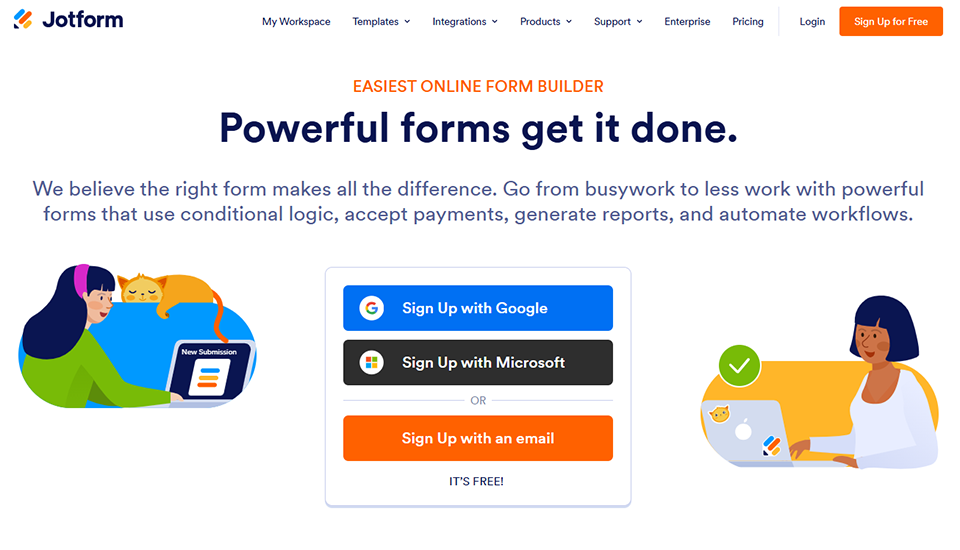

Jotform has been around since 2006. It is one of the most widely used tools in the world in the online forms category, and its longevity is reflected in its rich feature set. While Tally focuses on simplicity and Fillout on modern integrations, Jotform covers a much broader range of features: payment forms, automatic PDFs, mobile apps, approval workflows, electronic signatures, and more.
The editor uses a drag-and-drop interface, with over 10,000 templates available to get you started on any use case: quotes, event registration, HR forms, purchase orders, product feedback collection, and more...
Jotform's functional depth is real—and can even be confusing at first—but it justifies its use in more demanding or specialized contexts.
Jotform is probably the most comprehensive tool of the three in terms of raw feature set:
Jotform's free plan allows you to create up to 5 forms, with 100 submissions per month and 100 MB of storage. It's the most limited of the three tools presented here, but it provides a comprehensive overview of the platform. Paid plans start at $34/month (Bronze) with higher limits.
who have a variety of needs and want to centralize the management of multiple types of forms in a single tool.
Jotform Sign helps you avoid having to sign up for multiple separate tools.
The native integration with numerous payment gateways works very smoothly.
who create forms for clients with very specific business needs: the medical, legal, HR, and events sectors...
The response approval and routing features are particularly useful in a team setting.
✅ A very comprehensive, fully functional ecosystem (signing, PDFs, apps, workflows)
✅ Over 10,000 templates to help you get started without having to start from scratch
✅ Integrations with a wide range of tools
✅ Well-suited for specific business applications
✅ A stable, mature platform with comprehensive documentation
⚠️ Free plan limited to 5 forms and 100 submissions per month
⚠️ The interface is more cluttered than Tally or Fillout, so it may take longer to get the hang of it
⚠️ Prices for advanced plans will increase if usage volumes rise
Here is a brief overview to help you quickly understand each tool. The prices listed are for reference only and may vary depending on current offers.
| Criterion | Tally | Fillout | Jotform |
|---|---|---|---|
| Free map | Unlimited forms and submissions | 1,000 submissions per month | 5 forms / 100 submissions per month |
| Conditional Logic | ✅ Included even in the free version | ✅ Included even in the free version | ✅ Included even in the free version |
| Native integrations | Notion, Airtable, Slack, Zapier | Notion, Airtable, HubSpot, Salesforce | 150+ tools |
| Online Payment | ✅ (Pro plan) | ✅ (paid plan) | ✅ (paid plan) |
| Electronic signature | ❌ | ❌ | ✅ (Jotform Sign) |
| PDF Generation | ❌ | ❌ | ✅ (Jotform PDF Editor) |
| Templates | Limited | Several dozen | +10 000 |
| Admission fee | ~$29/month | ~$15/month | ~$34/month |
| Ideal for | Solopreneurs, non-coders | Connected Teams, Growth | SMEs, complex business processes |
Prices are subject to change. Check the respective deals pages for offers and discount at the time of your registration.
Here are a few questions that often come up when you start exploring these tools.
Yes, and that’s exactly what this article shows. Tally, in particular, offers a free plan that would cover 90% of the needs of an entrepreneur a small business. Fillout’s free version is also very comprehensive if you stay under 1,000 submissions per month. Jotform’s free plan is more limited, but it’s still useful for testing the platform.
Google Forms is convenient and free, but it remains limited in key areas: customizable design, advanced conditional logic, multiple integrations, professional-looking results, and branding. The three tools presented here all offer a higher level of functionality in these areas, and some remain free while providing much broader capabilities.
Yes, all three tools support this feature, but only on the paid plans for Tally and Fillout. Jotform also offers this feature starting with its paid plans, with broader compatibility (Stripe, PayPal, Square, etc.).
Tally, Fillout, and Jotform offer features to help ensure compliance (such as data hosting in Europe for some, data deletion options, and GDPR-compliant data export). That said, full compliance also depends on how you configure your forms and on your own data processing policy. Be sure to review the specific terms and conditions for each tool if this is a critical issue for your business.
In this case, Jotform is clearly the simplest option thanks to Jotform Sign. For the other tools, you'll need to use an external integration with a tool designed for electronic signatures.
Yes, all three tools allow embedding via HTML code or a direct link. Tally and Fillout are particularly well-optimized for use with no-code platforms such as Webflow, Framer, and Notion.
Absolutely. Tally and Fillout work well for this, thanks to their built-in rating fields. Jotform even has templates specifically designed for NPS surveys. For more advanced survey and poll needs, you can also check out SurveySparrow, Drag'n Survey, or Forms.app—all of which are available at a discount the platform.
It's hard to pick a clear winner, because all three tools meet real and different needs.
If you're just starting out and looking for something beautiful, fast, and free with no limits: Tally is probably your first choice. If you're already working in a Notion or Airtable ecosystem and want to connect your forms directly to your databases: Fillout will save you time. And if you have complex needs, specific business use cases, or require integrated e-signatures: Jotform has the advantage of experience and functional depth.
In any case, the free plans are generous enough that you can try each one out with no obligation.
