The 10 Essential Communication Tools for 2026 to Connect Your Team and Your Customers
This article is designed to help you make an informed decision. We’ve selected 10 tools that cover the main areas of professional communication: from team messaging to cloud-based phone systems, including video conferencing and customer support. For each one, you’ll find a detailed overview, real-world use cases, and an honest analysis of their strengths and limitations.
Messaging, video conferencing, phone service, customer support: a comprehensive comparison of the solutions that really make a difference.
You may have the best team in the world, but if internal communication is chaotic and your customers have trouble reaching you, everything becomes more complicated. In 2026, the companies that succeed aren’t necessarily the ones with the biggest budgets-they’re the ones that have equipped themselves smartly!
The market for business communication tools continues to grow. Between collaborative messaging platforms, video conferencing solutions, cloud-based phone systems, and customer support software, it’s easy to get overwhelmed. And that’s often where the problem lies: companies end up with too many subscriptions and too many interfaces, and ultimately, teams don’t know which way to turn.
This article is designed to help you make an informed decision. We’ve selected 10 tools that cover the main areas of professional communication: from team messaging to cloud-based phone systems, including video conferencing and customer support. For each one, you’ll find a detailed overview, real-world use cases, and an honest analysis of their strengths and limitations.
#1 - Slack: the collaborative messaging platform that’s redefined the game.
It’s hard to talk about communication tools without starting with Slack. Launched in 2013, it has literally transformed the way teams work on a daily basis. The original idea was simple: to replace internal emails with conversations organized into topic-based channels. Ten years later, Slack has become much more than just a messaging app.
Slack is organized into "workspaces," where you can create public or private channels for specific projects, departments, or topics. Discussions in these channels can be viewed and replied to, and shared files are archived there. You can also send direct messages, make audio and video calls, and connect hundreds of third-party apps.
Main features:
Slack's strength lies in its ecosystem. With over 2,600 integrations available (Google Drive, Notion, Jira, Salesforce, etc.), you can centralize notifications and workflows without switching interfaces. Workflow Builders let you automate simple processes without coding: onboarding, feedback collection, and automated alerts. Threads keep conversations organized and easy to follow, and the full-text search in the chat history is particularly effective.
More recently, Slack has added AI features to summarize conversations, draft messages, or search for information in the chat history.
Pricing:
Free Plan: 90-day data history, 10 active integrations.
Pro Plan: ~€8.75 per user per month – unlimited history, group calls, workflows.
Business+ Plan: ~€15 per user per month – advanced compliance, access management.
Enterprise Grid Plan: Available upon request – for large organizations with multiple entities.
What kind of profile?
🧑💻 Growing startup or scale-up:
Slack is designed for fast-moving teams. Its wide range of integrations and flexible channels make it easy to organize communication without slowing down workflows.
🏢 Distributed or remote teams:
The ability to keep track of all conversations, tag colleagues, and create dedicated channels for each project makes it an ideal communication hub for remote teams.
👤 Freelancer working with multiple clients:
With the Pro version, you can join multiple workspaces. This is useful for keeping communications with different clients separate so everything stays organized.
Advantages and limitations:
✅ Intuitive and customizable interface.
✅ An exceptional ecosystem of integrations.
✅ Highly effective search within the history.
✅ Built-in audio/video calls (up to 50 participants in Business+).
⚠️ May become a source of distraction if configured incorrectly.
⚠️ Costs can quickly add up with large teams.
⚠️ The free version is now too limited for serious use.
Benefit from a on Slack.
30% off on any plan
Find our best discount right now with Slack and save on your software subscriptions. We offer over 850 promo codes and discounts on the best software and SaaS on the market.
#2 - Zoom Meetings: the global leader in video conferencing.
Zoom has had an extraordinary rise to prominence: virtually unknown to the general public before 2020, it became the face of online meetings in just a few months. Its sudden popularity has only grown since then, and for good reason: it is quite simply one of the most reliable and user-friendly tools in its category.
Zoom is a video conferencing platform that allows you to host online meetings, webinars, training sessions, and virtual events. Its main advantage is its ease of access: participants don’t need to create an account to join a meeting, which greatly simplifies communication with external parties (clients, partners, candidates).
Main features:
Waiting rooms, breakout rooms, screen sharing, interactive whiteboards, local or cloud recording, and real-time automatic transcription: Zoom covers all aspects of professional meetings. Audio and video quality is generally good, even under average network conditions.
Since 2023, Zoom has extensively integrated AI into its product: automatic meeting summaries, generated meeting notes, and an AI assistant built into the chat. The "Zoom AI Companion" features are included in most paid subscriptions at no extra cost.
Pricing:
Free Plan: Meetings up to 40 minutes for 3 or more participants.
Pro Plan: ~€13.99/user/month – unlimited duration, 100 participants, 5 GB of cloud storage.
Business Plan: ~€18.99/user/month – up to 300 participants, transcripts, custom domain.
Business+ Plan: ~€22.49 per user per month – Zoom Phone included.
What kind of profile?
📞 Consultants and freelancers with whom we maintain an ongoing working relationship:
The fact that customers don’t need a Zoom account to join a call is a major selling point. The personalized meeting link also enhances the professional image.
🏫 Training or webinar organizers:
Zoom Webinars (add-on) is one of the most comprehensive tools on the market for online events with up to several thousand participants.
🌍 International teams:
Its reliable connection, multilingual automatic subtitles, and universal compatibility make it a safe choice for intercontinental calls.
Advantages and limitations:
✅ Proven reliability and consistent audio/video quality.
✅ No account required for external participants.
✅ AI features included at no extra cost.
✅ Wide compatibility (browser, desktop, mobile).
⚠️ The 40-minute limit in the free version is restrictive.
⚠️ The interface is starting to feel clunky as more features are added.
⚠️ Less suitable for ongoing internal communication than Slack or Teams.
Benefit from a on Zoom Meetings .
15% off on monthly plan
Find our best discount right now with Zoom Meetings and save on your software subscriptions. We offer over 850 promo codes and discounts on the best software and SaaS on the market.
#3 - Google Meet: video conferencing integrated into the Google ecosystem.
For teams already using Google Workspace (Gmail, Drive, Calendar), Google Meet is often the most natural choice. It integrates directly with Google Calendar, allowing you to start or join a meeting with a single click from an invitation.
Google Meet is Google's video conferencing solution, accessible via a web browser without the need for installation. It is particularly popular for its lightweight design and native integration with other Google tools.
Main features:
Screen sharing, real-time captions, recording (in paid versions), breakout rooms, blurred or custom backgrounds, and automatic post-meeting transcripts. Google has also integrated Gemini, its AI assistant, to generate meeting summaries and take notes automatically.
The main difference from Zoom is that Meet is designed more for on-the-fly use within a Google Workspace environment, whereas Zoom is geared more toward formal meetings and organized events.
Pricing:
Free Plan: Meetings up to 60 minutes, 100 participants.
Business Starter Plan (Workspace): ~€6 per user per month – 100 participants, Drive storage.
Standard Business Plan: ~€12 per user per month – 150 participants, recording, transcription.
Business Plus Plan: ~€18 per user per month – 500 participants, attendance tracking, audit.
What kind of profile?
🟗 Teams already using Google Workspace:
The integration with Calendar, Gmail, and Drive is unbeatable. No friction, no duplicate tools.
💼 Small and medium-sized businesses looking for a simple and cost-effective solution:
For basic video conferencing needs, the free version is often sufficient. And the Business Starter plan is among the most competitive on the market.
🤝 Consultants and solopreneurs:
Sending a Meet link from Gmail or a shared calendar comes across as professional and is accessible to anyone.
Advantages and limitations:
✅ No installation required; accessible via a web browser.
✅ Native Google Workspace integration.
✅ Generous free version (60 minutes, 100 participants).
✅ Effective real-time captions.
⚠️ Fewer event features than Zoom.
⚠️ Video quality may vary depending on your internet connection.
⚠️ Depends on the Google ecosystem.
Benefit from a on Google Meet .
15% off on any plan
Find our best discount right now with Google Meet and save on your software subscriptions. We offer over 850 promo codes and discounts on the best software and SaaS on the market.
#4 - Aircall: Cloud-based phone service designed for sales and support teams.
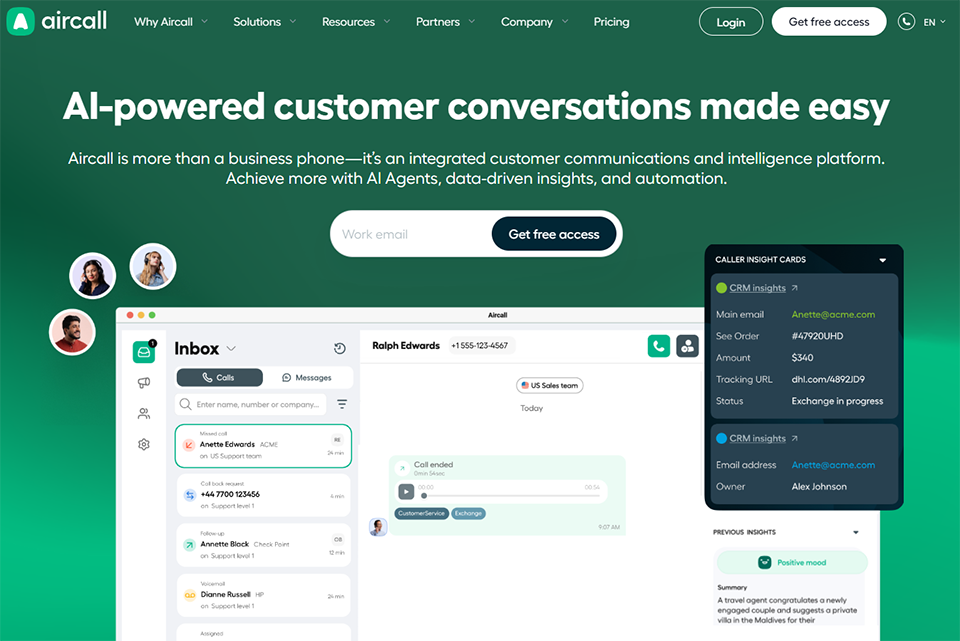
Aircall is a French cloud-based phone system (founded in Paris in 2014) that has successfully established itself in a highly competitive market. Its positioning is clear: to offer a professional phone system that integrates seamlessly with CRM and support tools so that every call is contextualized.
Aircall replaces your physical phone system with a fully software-based solution. Phone numbers are available in over 100 countries, calls can be made from the desktop or mobile app, and every conversation can be recorded, tagged, and synced with your CRM (HubSpot, Salesforce, Pipedrive, etc.).
Main features:
IVR (Interactive Voice Response), smart queuing, call transfer, automatic recording and transcription, real-time analytics, live coaching for managers, and integrations with over 100 tools. The "Power Dialer" enables sales teams to automatically place a series of outbound calls. Integrations with HubSpot or Pipedrive allow each call to be automatically logged in the CRM.
Pricing:
Essentials Plan: ~€30 per user per month – incoming and outgoing calls, IVR, integrations.
Professional Plan: ~€50 per user per month – power dialer, live coaching, advanced analytics.
Custom Plan: Price upon request – for large teams.
What kind of profile?
📊 Sales team with a high volume of outbound calls:
The Power Dialer and CRM integrations make Aircall a powerful tool for sales teams that make a lot of calls. Every call is logged, and every conversation can be analyzed.
🎧 Multi-channel customer service:
The combination of a well-configured IVR, an intelligent queue, and helpdesk integrations (Zendesk, Freshdesk, Intercom) makes it possible to handle a high volume of calls without compromising on quality.
🌐 Company with an international presence:
With phone numbers available in over 100 countries and support for different time zones, this is a solid option for teams that operate internationally.
Advantages and limitations:
✅ Some of the best CRM and helpdesk integrations on the market.
✅ Excellent audio quality.
✅ Real-time analytics dashboard for managers.
✅ Numbers available in over 100 countries.
⚠️ Relatively high price for small teams.
⚠️ Requires a stable internet connection (VoIP).
⚠️ The Essentials plan lacks certain advanced features.
Benefit from a on Aircall .
Find our best discount right now with Aircall and save on your software subscriptions. We offer over 850 promo codes and discounts on the best software and SaaS on the market.
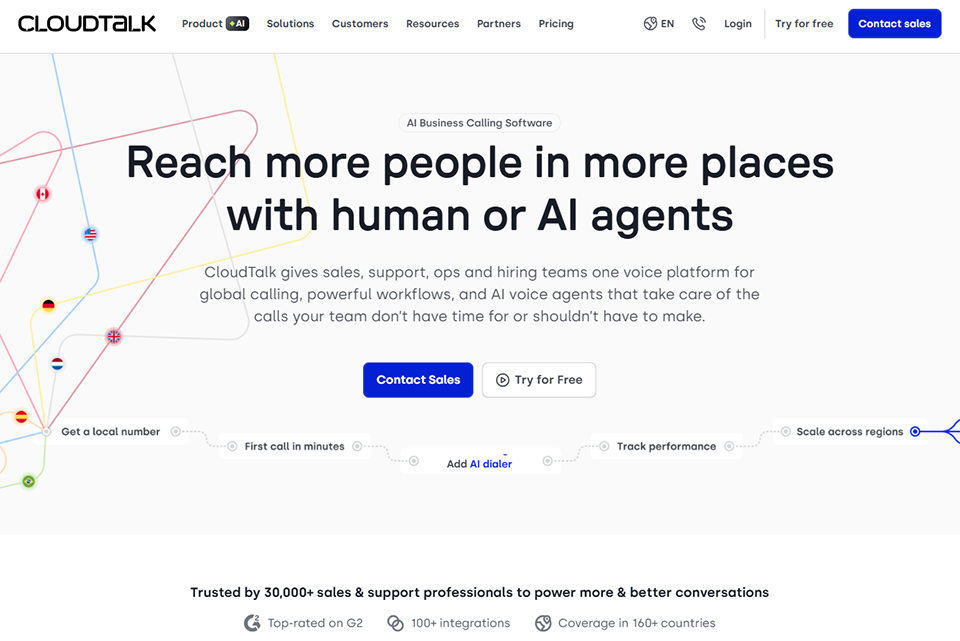
#5 - CloudTalk: a reliable and competitive European alternative to Aircall.
Benefit from our free deal on CloudTalk.
30% off on annual plan
Find over 300 free deals as well as over 850 Premium deals right now with CloudTalk and save on your software subscriptions. Whether you're an entrepreneur, a startup or a solo freelancer, save hundreds of euros thanks to our discounts and promo codes.
CloudTalk is a cloud-based phone platform founded in 2018 in Prague. It is positioned very similarly to Aircall, with a few notable differences: a more affordable entry-level plan and more advanced AI features on mid-tier plans.
Same concept as Aircall: 100% cloud-based telephony, numbers in over 160 countries, CRM and helpdesk integrations, and comprehensive management of incoming and outgoing calls. CloudTalk stands out for its more attractive entry-level pricing and its AI-powered call analytics tools (sentiment analysis, keyword tracking, and transcriptions).
Main features:
Advanced IVR, call queuing with automatic callbacks, call recording and transcription, Power Dialer, Smart Dialer, AI-powered call analytics (topics, sentiment, detected keywords), integrations with HubSpot, Salesforce, Pipedrive, Freshdesk, Zendesk, and others.
Pricing:
Starter Plan: ~€25 per user per month – essential features, click-to-call.
Essential Plan: ~€30 per user per month – CRM integrations, analytics.
Expert Plan: ~€50 per user per month – Power Dialer, AI analytics.
Custom Plan: Price upon request.
What kind of profile?
💶 Small and medium-sized businesses looking for an alternative to Aircall that offers better value for money:
CloudTalk offers comparable features at a price that is often more competitive, especially at the entry level.
🔍 Managers who want to analyze their teams' performance:
With numbers available in over 160 countries, it offers one of the widest geographic coverages on the market.
Advantages and limitations:
✅ More affordable than Aircall.
✅ Built-in AI call analysis (sentiment, topics).
✅ Extensive geographic coverage (160+ countries).
✅ User-friendly interface and easy to learn.
⚠️ Customer support is sometimes less responsive than that of competitors.
⚠️ Some integrations are less mature than those with Aircall.
⚠️ Audio quality may vary by region.
Benefit from a on CloudTalk.
An additional 30% off on monthly or annual plan
Find our best discount with CloudTalk and save on your software subscriptions. We offer over 850 promo codes and discounts on the best software and SaaS on the market.
#6 - Intercom: the all-in-one customer communication platform.
Benefit from our free deal on Intercom.
15% off on annual plan
Find over 300 free deals as well as over 850 Premium deals right now with Intercom and save on your software subscriptions. Whether you're an entrepreneur, a startup or a solo freelancer, save hundreds of euros thanks to our discounts and promo codes.
Intercom is one of the most comprehensive customer communication platforms on the market. It combines live chat, automated messaging, email, chatbots, and support into a single tool, with the goal of covering the entire customer lifecycle.
Intercom is structured around three main modules: Engage (proactive communication with users), Support (management of tickets and incoming conversations), and Convert (conversion optimization). In 2023–2024, Intercom made a massive investment in AI with "Fin," its AI agent capable of automatically answering customer questions.
Main features:
Configurable live chat, Fin bot (AI), automated email sequences, behavioral user segmentation, knowledge base, ticketing system, shared inbox for teams, advanced reporting, integrations with over 300 tools. The platform allows you to track user behavior within the app and trigger contextual messages at the right moment.
Advanced Plan: starting at ~€99/month – advanced automations, reports.
Expert Plan: starting at ~€139/month – workload management, permissions, SLA (Prices vary depending on the number of contacts and the modules activated.)
What kind of profile?
🛠️ SaaS and tech companies with an active user base:
Intercom really shines when integrated into a digital product. Behavioral segmentation and in-app messages make it possible to engage users at just the right moment.
📈 Sales and support teams looking to unify their channels:
One inbox for chat, email, and social media. No more switching between different tools.
🤖 Companies looking to automate part of their support operations:
The Fin bot, powered by GPT-4, is capable of handling a significant proportion of simple requests without human intervention, freeing up time for more complex requests.
Advantages and limitations:
✅ Comprehensive coverage of the customer lifecycle.
✅ One of the top-performing AI agents on the market.
✅ Highly advanced behavioral segmentation.
✅ Integration with a very broad ecosystem.
⚠️ Prices can rise quickly depending on the number of contacts.
⚠️ There is a learning curve involved in mastering all the features.
⚠️ May seem too large for small teams.
Benefit from a on Intercom.
$100 in credits
Find our best discount right now with Intercom and save on your software subscriptions. We offer over 850 promo codes and discounts on the best software and SaaS on the market.
#7 - Crisp Chat: accessible customer support designed for startups and small and medium-sized businesses.
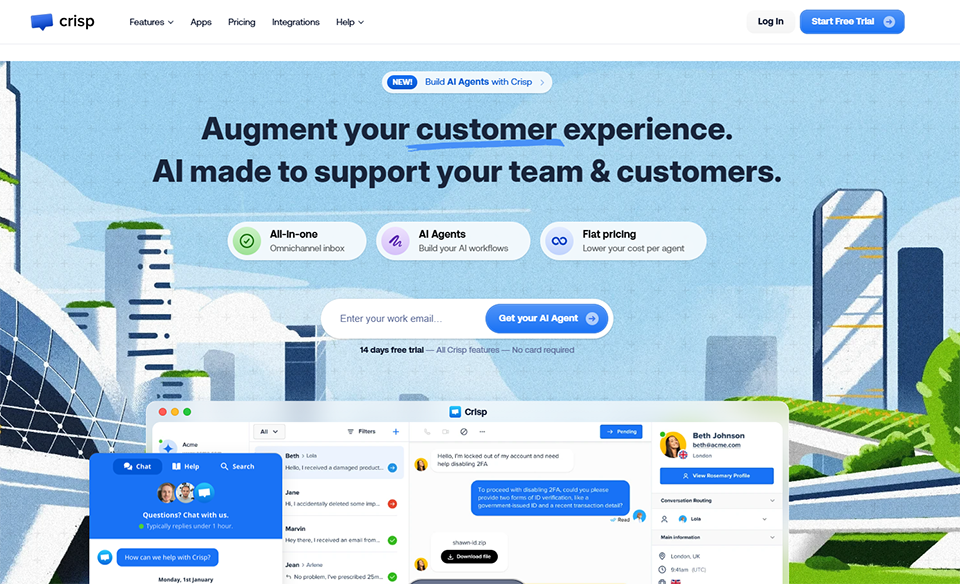
Crisp is a French alternative to Intercom, often described as its more affordable younger sibling. The tool is designed for startups and small and medium-sized businesses that want to offer high-quality customer support without breaking the bank.
Crisp is a multi-channel customer messaging platform that brings together live chat, email, Instagram, WhatsApp, Messenger, Telegram, and even phone support into a single interface. Everything is delivered to a unified inbox that the entire team can access.
Main features:
Chat with highly customizable widgets, a visual chatbot (no coding required), an integrated knowledge base, email and in-app messaging campaigns, co-browsing (screen sharing with customers), ticket management, and integrations with Slack, Notion, HubSpot, Pipedrive, and many others. AI is also available to suggest responses and summarize conversations.
Pro Plan: ~€25/month (2 agents): chatbot, integrations, campaigns.
Unlimited Plan: ~€95/month (20 agents): all features included, branding removed.
What kind of profile?
🚀 Early-stage startup with a limited budget:
The free version of Crisp is one of the most generous on the market for getting started. It lets you provide high-quality customer support without spending a dime.
🛒 E-commerce businesses looking to reduce shopping cart abandonment:
Live chat, behavioral triggers, and Shopify/WooCommerce integrations make Crisp an effective tool for guiding shoppers through the decision-making process.
🇫🇷 French-speaking teams that prefer a European, GDPR-compliant tool:
Crisp is a French company hosted in Europe. This is a significant advantage when operating in France or the EU.
Advantages and limitations:
✅ A very generous free version to get you started.
✅ Some of the most affordable prices in its class.
✅ Full multi-channel support (WhatsApp, Instagram, email, chat).
✅ European hosting, GDPR compliance.
⚠️ Less powerful than Intercom when it comes to behavioral segmentation.
⚠️ Advanced features (chatbot, campaigns) require a paid plan.
⚠️ The interface is sometimes less intuitive than that of the competition.
Benefit from a on Crisp Chat.
20% off on "Essentials" and "Plus" plan
Find our best discount with Crisp Chat and save on your software subscriptions. We offer over 850 promo codes and discounts on the best software and SaaS on the market.
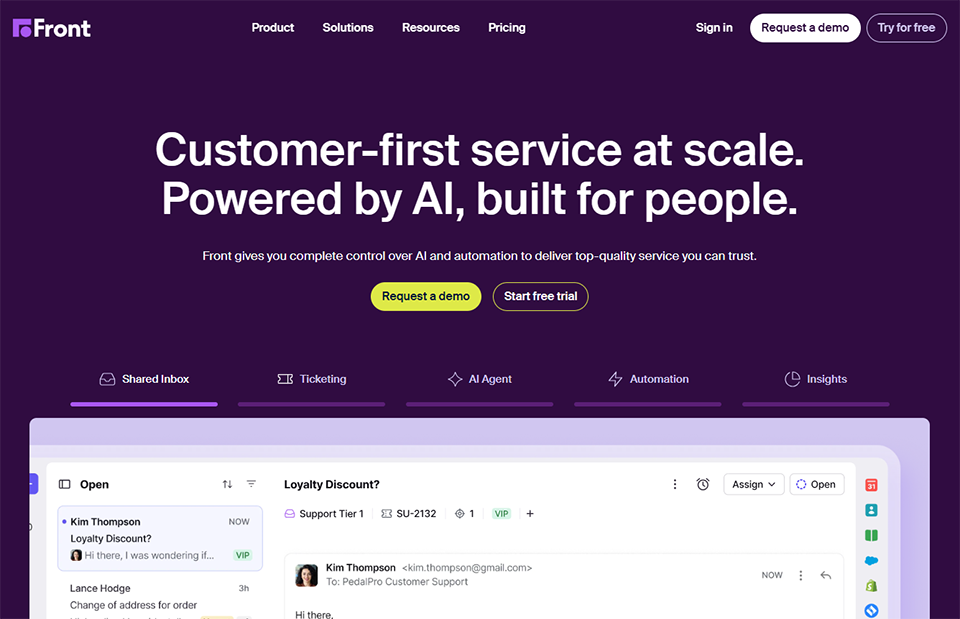
#8 - Front: the collaborative email platform for teams.
Front is a collaborative messaging platform that transforms the traditional email inbox into a teamwork tool. It is particularly designed for teams that receive a high volume of customer emails and need to coordinate their responses.
Front connects all your communication channels (email, SMS, chat, social media) into a single interface. Emails can be assigned to team members, commented on internally, tagged, and organized using automated rules. The goal: to ensure that no requests fall through the cracks.
Main features:
Multi-channel shared inbox, conversation assignment, internal comments (visible only to the team), reply templates, automations, SLAs and reports, CRM and third-party tool integrations, shared drafts. Front also includes AI features to suggest replies and summarize conversation threads.
Growth Plan: ~€59 per user per month – automations, advanced analytics.
Plan Scale: ~€99 per user per month – SLA management, advanced integrations.
Premier Plan: ~€229 per user per month – for large enterprises.
What kind of profile?
📧 Teams that handle a lot of customer emails:
If you have a contact@ or support@ email address that receives dozens of messages a day, Front is the perfect solution for you. Shared visibility into conversations helps prevent duplicate messages and oversights.
🤝 CSM (Customer Success) agencies and teams:
The combination of a shared inbox and integrated CRM allows for personalized customer follow-up, even in a multi-agent environment.
🏦 Industries with strict traceability requirements (finance, legal):
With its SLA, audit trail, and reporting features, Front is an ideal solution for regulated environments.
Advantages and limitations:
✅ Collaborate on emails without stepping on each other's toes.
✅ Sign-in multiple channels from a single interface.
✅ Robust reporting features and SLAs.
✅ Extensive integrations with CRMs.
⚠️ High price, especially at the higher price points.
⚠️ The learning curve can be daunting at first.
⚠️ Less suitable for instant messaging.
Benefit from a on Front.
$500 in credits
Find our best discount right now with Front and save on your software subscriptions. We offer over 850 promo codes and discounts on the best software and SaaS on the market.
Hiver takes a radically different approach: rather than replacing your email inbox, it enhances it. It’s a Gmail extension that transforms your usual interface into a collaborative customer support tool, without changing your teams’ work habits.
Hiver integrates directly into Gmail as an extension. You’ll see your familiar interface, but enhanced with collaborative features: email assignment, internal notes, tags, automations, and analytics. There’s no need to train your teams on a new tool.
Main features:
Shared inbox in Gmail, email assignment and tracking, internal notes (not visible to the customer), reply templates, conflict detection (prevents two agents from replying to the same email), automations, performance reports, and integration with major CRMs and third-party tools. A live chat module is also available on advanced plans.
Pricing:
Lite Plan: ~€19 per user per month – shared inbox, task assignments.
Growth Plan: ~€29 per user per month – automations, analytics.
Pro Plan: ~€49/user/month – SLA, chatbot, advanced integrations.
Elite Plan: ~€79 per user per month – for corporate teams.
What kind of profile?
📬 Teams fully on Google Workspace:
If your entire organization already uses Gmail, Hiver is the smoothest option. No migration, no hassle.
👥 Small support teams (2–15 agents):
Its ultra-fast setup and virtually non-existent learning curve make it the ideal tool for small teams that don't have time to set up a full-fledged help desk.
🏢 Small and medium-sized businesses looking to streamline their customer support without switching email providers:
Hiver provides the framework of a full-fledged customer support tool (SLAs, reports, automations) within a familiar environment.
Advantages and limitations:
✅ Seamless integration with Gmail-no learning curve.
✅ Very quick setup (in just a few minutes).
✅ Excellent value for money on mid-tier plans.
✅ Collision detection to prevent duplicates.
⚠️ Limited to the Gmail/Google Workspace ecosystem.
⚠️ Less powerful than Intercom or Front when it comes to automation.
⚠️ Not suitable for teams that use Outlook.
#10 - Livestorm: the French-made platform for webinars and online events.
Livestorm is a French webinar and virtual event platform that has established itself as a leading European provider in its category. It stands out for its high-quality user experience, built-in GDPR compliance, and a wide range of features tailored for professional events.
Livestorm is a browser-based platform (no installation required) for hosting webinars, product demos, online training sessions, and virtual conferences. It manages the entire event lifecycle: creating registration pages, sending invitations and reminders, live streaming, on-demand replays, and post-event analytics.
Main features:
Customizable registration pages, automated emails (confirmation, reminders, replays), live polls and Q&A sessions, HD recording, detailed analytics dashboards, marketing integrations (HubSpot, Mailchimp, ActiveCampaign), and access from any browser without a plugin. The platform supports both one-to-many events (traditional webinars) and many-to-many (interactive events with multiple speakers).
Pro Plan: starting at ~€79/month – unlimited duration, 100 participants, 1 host.
Business Plan: starting at ~€279/month – up to 500 participants, multi-host.
Enterprise Plan: priced upon request – up to 3,000 participants.
What kind of profile?
🎤 Marketers who host regular webinars:
With tools for automating pre- and post-event emails, customizable registration pages, and detailed analytics, Livestorm is a powerhouse for generating qualified leads.
📚 Trainers and training organizations:
The quality of the experience (for both instructors and learners) and the interactive features (polls, Q&A) are particularly well-suited for educational sessions.
🏢 Companies that conduct large-scale product demos:
Integration with CRM systems and marketing tools allows you to qualify leads directly from the platform and feed them into sales workflows.
Advantages and limitations:
✅ No installation required for participants.
✅ Highly detailed event analytics.
✅ Native GDPR compliance, hosting in Europe.
✅ Built-in email automation.
⚠️ High prices on mid-tier plans.
⚠️ The free version is too limited for regular use.
⚠️ Less suitable for internal team meetings than for public events.
Overall comparison table 📊
To help you make your choice, here is a summary of the 10 tools presented. Each solution is designed for specific uses: take the time to identify your top priorities before making a decision.
The questions that come up most often when people are looking to get started in this area. Straightforward, no-nonsense answers.
1️⃣ What is the difference between a collaborative messaging tool and a customer support tool?
Collaborative messaging platforms (Slack, Teams) are designed for internal communication among team members. Conversations are generally informal, fast-paced, and organized into topic-based channels. Customer support tools (Intercom, Crisp, Front, Hiver) are designed to manage interactions with people outside the company (customers, prospects) and include specific features: ticketing, SLAs, knowledge bases, and chatbots. The two types of tools are complementary.
2️⃣ Should you choose between Zoom and Google Meet?
It all depends on your ecosystem. If your organization is already using Google Workspace, Google Meet is the natural choice thanks to its simplicity and seamless integration. Zoom is better suited for teams that host formal events or webinars, or that work with many external contacts who don’t use Google. Some companies use both: Meet for internal meetings and Zoom for client meetings.
3️⃣ Aircall or CloudTalk: Which one should a small sales team choose?
CloudTalk has the edge in terms of its entry-level pricing (~€25 vs. ~€30 per user per month) and its AI analytics features included in mid-tier plans. Aircall is often preferred for the maturity of its CRM integrations and the quality of its support. For a small team just getting started, CloudTalk often offers the best value for money. For a team already well-equipped with CRM tools and seeking the most advanced integrations, Aircall comes out on top.
4️⃣ Intercom or Crisp: Which One Is Right for Me?
If you’re a startup or small business with a limited budget and are just getting started with customer support, Crisp is the obvious choice: a generous free plan, affordable pricing, and comprehensive multichannel support. Intercom is better suited for companies that want a complete platform covering support, marketing, and onboarding, with advanced behavioral segmentation needs. In short: Crisp to get started, Intercom to scale.
5️⃣ Is it really worth having a dedicated webinar tool like Livestorm when Zoom also offers webinars?
Zoom Webinars and Livestorm aren’t quite designed for the same purposes. Zoom is better suited for formal meetings and one-off events. Livestorm is a full-fledged event platform that offers comprehensive event lifecycle management (registration, automatic reminders, replays, marketing analytics). For recurring use cases focused on lead generation or training, Livestorm provides real added value.
6️⃣ Is Slack really essential, or can we do without it?
Slack is essential if you have a team of more than 3–4 people working remotely or asynchronously. For a co-located team of two people, a basic messaging app is sufficient. The real question is about integrations: if you already use a variety of SaaS tools (GitHub, Jira, Drive, Notion, etc.), Slack becomes a hub for notifications and coordination that fully justifies its cost.
7️⃣ How do you choose between Front and Hiver for your email platform?
The answer depends almost entirely on your environment. Hiver is designed for teams that use Google Workspace exclusively and want to stay within Gmail. Front is better suited for teams that manage multiple channels (email, SMS, social media) and want a dedicated interface separate from Gmail. Hiver is generally less expensive and faster to deploy. Front offers more flexibility and power for complex workflows.
8️⃣ What are the key trends in communication tools in 2026?
Three major trends are emerging. First, the integration of AI into all tools: automatic summaries, suggested replies, transcriptions, and sentiment analysis. Second, the convergence of channels: tools are increasingly bringing together email, chat, phone calls, and social media within a single interface. Finally, the emphasis on asynchronous communication: with the widespread adoption of distributed work, tools that enable effective communication without requiring real-time synchronization are becoming increasingly important.