What are the best software solutions for centralizing project data in a business?
In this ranking, we review the best project data centralization tools of 2026—focusing on flexibility, data management, and user experience—to help you choose the solution that truly fits your team and your needs.
Why has the centralization of project data become a strategic issue?
A few years ago, the problem was easy to describe: teams worked in silos. Information was shared via email, files sat on local drives, and no one really knew the status of a project without making several phone calls. Today, the context has changed, but the problem itself persists in a different form.
Teams have become hybrid, the number of tools has multiplied, and, paradoxically, information is everywhere… and yet nowhere. A strategic discussion in Slack, a spec in Google Docs, task tracking in an app, and customer data in a spreadsheet: this is the daily reality for many small and medium-sized businesses, startups, and freelance teams that collaborate regularly.
According to a McKinsey study, employees spend an average of 20% of their work time searching for information internally. This isn't a matter of a lack of diligence; it's a structural issue. And that is precisely what project data centralization tools aim to address.
The good news is that there are now very robust solutions available, designed for different user profiles and use cases. Some focus on total flexibility, others on powerful data management, and still others on the raw user experience. In any case, choosing the right tool can save a team a considerable amount of time while improving the quality of their deliverables.
Here are the software programs that are definitely worth your attention in 2026 when it comes to this topic.
#1 - Concept: The all-in-one workspace that has redefined information management.
Benefit from our free deal on Notion.
20% off on annual plan
Find over 300 free deals as well as over 850 Premium deals right now with Notion and save on your software subscriptions. Whether you're an entrepreneur, a startup or a solo freelancer, save hundreds of euros thanks to our discounts and promo codes.
Notion is hard to pigeonhole into a single category, and that is precisely what makes it so powerful. Somewhere between a corporate wiki, a task manager, and a lightweight database, it lets you build a custom organizational system without writing a single line of code.
The central idea: everything is a "page," and pages can contain other pages, databases, calendars, Kanban views, tables... The structure is built around what you need, not the other way around.
To centralize project data, Notion serves as a single hub: it contains client briefs, product roadmaps, meeting minutes, internal wikis, and task tracking. Everything is interconnected through links and relational properties between the databases.
Key features for project management:
Notion databases are at the heart of the system: each entry can have properties (status, date, assignee, priority, calculated formula, etc.) and be displayed in table, list, calendar, gallery, or Kanban view, depending on the context. A single database can therefore serve multiple teams with different views.
The built-in Notion AI feature allows users to summarize pages, generate content, or query their own data using natural language, which significantly speeds up navigation through large volumes of information.
Templates (whether official or community-created) let you get started quickly with proven structures: lightweight CRM, sprint tracking, product wiki, content tracker, etc.
Who it's for:
🎯 Early-stage teams and startups:
Who want a unified workspace from the start, without having to juggle multiple tools. Notion lets you centralize everything—culture, processes, projects, and documentation—in a single environment.
📝 Content-focused teams:
(Marketing, communications, writing) that require a space that is both structured and flexible, where writing and organization go hand in hand.
🔧 entrepreneurs freelancers:
Who manage multiple clients at the same time and want a clear dashboard without excessive complexity.
On the other hand, teams that need robust project tracking with complex dependencies, resources, and workload management may find Notion a bit limited in these specific areas.
Pros and cons:
✅ Exceptional organizational flexibility. ✅ A polished and modern user experience. ✅ AI integrated directly into the workspace. ✅ Excellent document management and internal wiki. ✅ A rich ecosystem of community-created templates.
⚠️ Performance may slow down with very large databases. ⚠️ The learning curve can be daunting at first if you want to go beyond basic use. ⚠️ The automation features are less powerful than those offered by more specialized competitors.
Notion Pricing:
Free Plan: free, unlimited pages, collaboration with up to 10 guests.
Plus Plan: $10/month per member (extended file access, 30-day history).
Business Plan: $18/month per member (SAML SSO, private spaces, analytics).
Enterprise Plan: Available upon request, with advanced security and monitoring features.
Benefit from a on Notion .
6 months free on "Business" plan with unlimited AI
Find our best discount right now with Notion and save on your software subscriptions. We offer over 850 promo codes and discounts on the best software and SaaS on the market.
#2 - Airtable: The power of a database, with the ease of use of a spreadsheet.
While Notion is a versatile workspace, Airtable is first and foremost a platform for managing structured data. It’s based on a simple premise: many teams use Excel or Google Sheets to manage their projects, but these tools quickly reach their limits. Airtable offers an alternative with relational database features, an intuitive visual interface, and built-in automation capabilities.
In practical terms, each Airtable "database" is a database with tables linked to one another. You can store projects, contacts, deliverables, budgets, resources, and more—and link them intelligently to get a consolidated view.
Centralization-oriented features:
Airtable's strength lies in its multiple views: a single table can be displayed as a grid (spreadsheet), Kanban, gallery, timeline, calendar, or form. This means that each team member can work with the same data using the view that suits them best.
Linked Records allow you to create relationships between tables, just like in a real database. This way, a project can be linked to its deliverables, stakeholders, budget, and customer data with just a few clicks.
Airtable also has a robust Automations module and a marketplace ofextensions (charts, scripts, forecasts, etc.) that enhance databases without requiring you to export the data elsewhere.
Integration with third-party tools (Slack, Salesforce, Jira, etc.) is native and extensive, making Airtable a central hub capable of collecting and consolidating data from multiple sources.
Who it's for:
📊 The data and operations teams:
Who need to organize large amounts of structured information, with relationships between entities. Airtable is much more rigorous than Notion in this regard.
🛍 The product and marketing teams:
Who manage campaigns, roadmaps, or product launches involving numerous interdependent elements that need to be tracked.
⚙️ Organizations that automate their workflows:
Airtable lets you trigger automatic actions (sending emails, updating statuses, sending Slack notifications) directly from your databases, without any third-party tools.
Pros and cons:
✅ A very powerful relational database structure. ✅ A clear, intuitive interface that’s easy to use even without technical training. ✅ Numerous views to tailor the display to the context. ✅ Well-designed native automations. ✅ Very comprehensive third-party integrations.
⚠️ The free plan is quite limited in terms of the number of lines and features. ⚠️ Can quickly become expensive for medium-sized teams. ⚠️ Less suitable for document management or wiki-style spaces.
Airtable Pricing:
Free Plan: free, up to 1,000 lines per database, max. 5 editors.
Team Plan: $20/month per member, 50,000 lines, advanced automations.
Business Plan: $45/month per member, 125,000 lines, advanced features.
Enterprise Scale Plan: Upon request.
Benefit from our free deal on ClickUp.
20% off on annual plan
Find over 300 free deals as well as over 850 Premium deals right now with ClickUp and save on your software subscriptions. Whether you're an entrepreneur, a startup or a solo freelancer, save hundreds of euros thanks to our discounts and promo codes.
ClickUp has a stated ambition: to be “the app that replaces all others.” This is both its selling point and what might be off-putting at first glance. In practice, ClickUp is an extremely feature-rich project management and productivity platform capable of managing tasks, documents, goals, time, sprints, data, and more—all within a single environment.
When it comes to centralizing project data, it is one of the most comprehensive tools on the market. It adapts to different methodologies (Agile, Scrum, Waterfall, hybrid) and can model highly complex workflows without code.
Key Features:
ClickUp offers more than 15 different views: list, table, Kanban, Gantt, timeline, workload, board, calendar, form... It's probably the most flexible tool in this regard.
ClickUp Docs let you create wikis and documentation that are directly linked to tasks and projects, eliminating the need to switch between multiple tools to connect information.
The Goals feature lets you track team or company objectives—linked to operational tasks—to gain a comprehensive view of everything from day-to-day work to overall strategy.
Time tracking is built right in, with useful productivity reports for teams that bill by the hour or want to analyze their performance.
Finally, ClickUp Brain (the in-house AI) can summarize projects, write updates, generate tasks from notes, and answer questions about the content in the workspace.
Who it's for:
🏗 Structured project teams:
Who have established processes and want to model them in detail using a single tool. ClickUp supports task dependencies, nested subtasks, and conditional workflows.
🚀 Agencies and service providers:
Who manage multiple client projects simultaneously and need a consolidated view with access rights tailored to each client.
📈 Growing teams:
Who want to avoid accumulating a dozen different tools over time and prefer to develop everything within a single system.
The tool requires a significant learning curve, and it's best to have someone on the team who is willing to be its "champion" in order to realize its full potential.
Pros and cons:
✅ Extremely comprehensive—a single platform can meet a wide range of needs. ✅ Highly customizable workflows and views. ✅ Generous free plan compared to the competition. ✅ Well-designed built-in AI for project teams. ✅ Native time tracking and reporting.
⚠️ Steep learning curve; the interface may seem overwhelming. ⚠️ Performance may vary depending on the size of the workspaces. ⚠️ Too many features for some users, who will only use a fraction of them.
ClickUp Pricing:
Free Plan: Unlimited tasks and members; basic features.
Unlimited Plan: $7/month per member, with all major limits removed.
Business Plan: $12/month per member, advanced automations, goals, dashboards.
Enterprise Plan: based on a quote, with advanced security and monitoring features.
Benefit from a on ClickUp .
Additional 20% off on any plan
Find our best discount right now with ClickUp and save on your software subscriptions. We offer over 850 promo codes and discounts on the best software and SaaS on the market.
Find over 300 free deals as well as over 850 Premium deals right now with Coda and save on your software subscriptions. Whether you're an entrepreneur, a startup or a solo freelancer, save hundreds of euros thanks to our discounts and promo codes.
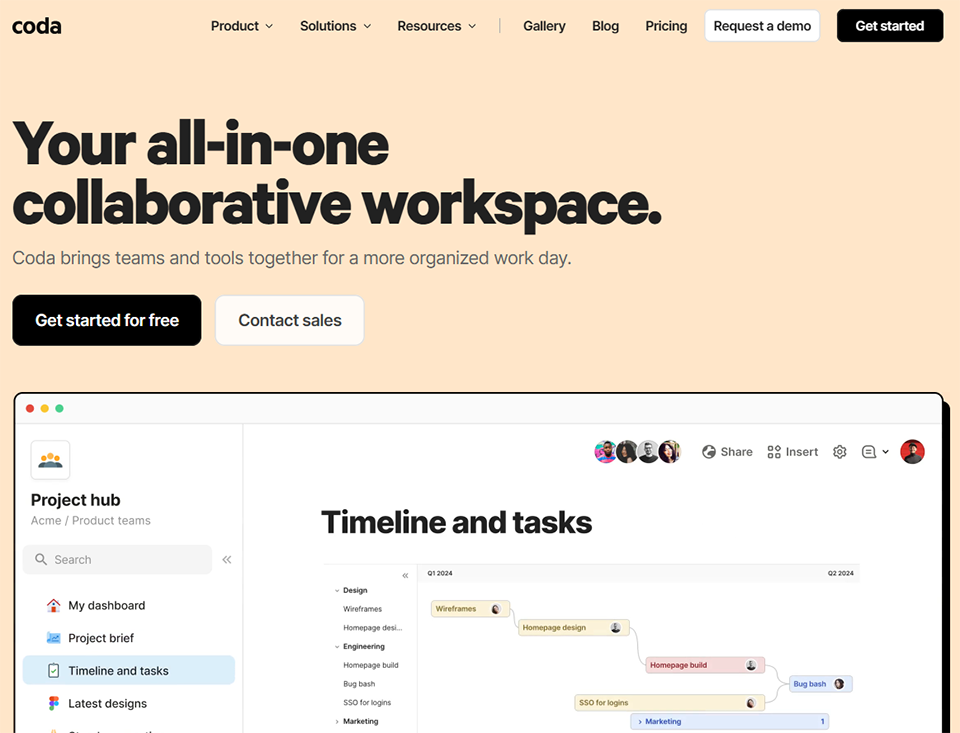
Coda is based on an original idea: what if a document could behave like an app? Rather than having static files on one side and management apps on the other, Coda unifies the two. A Coda “doc” can contain interactive tables, forms, action buttons, conditional views, and automations, all while remaining as easy to read as a traditional document.
It’s a unique positioning: while Notion is an enhanced wiki and Airtable is an enhanced database, Coda aims to be a programmable workspace without requiring advanced technical skills.
What makes Coda unique for data centralization:
Cross-tables in Coda let you create complex relationships between data, just like in a real database, but with the readability of a document. You can view a filtered view of a project in the same document as the associated brief or meeting notes.
Coda formulas (inspired by Excel and programming languages) enable very powerful calculations and data transformations, far beyond what Notion offers.
The pack system (native integrations) connects Coda to dozens of tools: Salesforce, Jira, GitHub, Slack, Google Calendar, and more. Data from these sources can be imported and manipulated directly within a Coda doc.
Buttons and automations allow you to trigger actions from a table (send an email, update a status, notify a team) without using a third-party tool.
Who it's for:
🧠 Complex Operations and RevOps:
Who need to cross-reference data from multiple sources in a working document without involving a developer.
📋 The product teams:
Who want to integrate their roadmaps, specifications, and execution tracking into a cohesive environment, with different views tailored to each stakeholder.
⚡ Power users who like to customize:
If you're familiar with Excel formulas and want to take the logic behind your documents to the next level, Coda offers unique capabilities.
Pros and cons:
✅ A very well-executed document/database hybrid. ✅ Powerful and flexible formulas. ✅ Buttons and automations right within the documents. ✅ Native integrations with key business tools. ✅ A clean and user-friendly interface despite the underlying complexity.
⚠️ Takes longer to get started with than Notion for non-technical users. ⚠️ Less suitable for pure task management if that’s your main need. ⚠️ The community and template ecosystem are even less developed than Notion’s.
Pro Plan: $12/month per Doc Maker, automations, advanced integrations.
Team Plan: $36/month per Doc Maker, advanced permissions, full history.
Enterprise Plan: Price upon request.
Benefit from a on Coda .
6 months free on "Team" plan
Find our best discount right now with Coda and save on your software subscriptions. We offer over 850 promo codes and discounts on the best software and SaaS on the market.
#5 - Monday.com: Visual project management, designed for operational teams.
Benefit from our free deal on Monday.com.
14 days free
Find over 300 free deals as well as over 850 Premium deals right now with Monday.com and save on your software subscriptions. Whether you're an entrepreneur, a startup or a solo freelancer, save hundreds of euros thanks to our discounts and promo codes.
Monday.com is probably one of the most widely recognized project management tools in the professional world. Its success is based on something simple: a very clear visual interface, colorful boards, a quick onboarding process, and enough flexibility to cover a wide variety of use cases.
Unlike tools such as Coda or Airtable, which take some time to get used to, Monday.com can be up and running in just a few hours, even for teams that aren't familiar with this type of platform.
Centralize and manage everything from Monday.com:
Dashboards are one of Monday’s key strengths when it comes to centralization: they aggregate data from several different boards into a single, consolidated view. This allows executives to see at a glance the progress of all ongoing projects, team workloads, and key metrics.
Dynamic columns (status, progress, budget, formula, dependency, etc.) allow you to customize each table based on the information you need to track.
Monday offers specialized modules: Monday CRM, Monday Dev, and Monday Service. This provides a common platform while offering environments tailored to each department.
Native automations are particularly well-suited for non-technical users: simple triggers (if this status changes, then...) cover a wide range of needs without requiring coding or the use of tools like Make or Zapier.
Who it's for:
🏢 Cross-functional teams:
(Marketing + Sales + Product) who need to share a common view of ongoing projects, without each department having to learn a complex tool.
📦 Operations and Supply Chain Teams:
Who manage repetitive workflows and use automation to reduce manual tasks.
👔 Managers and executives:
Who want a consolidated view without getting bogged down in the details of each project. Monday's dashboards are particularly well-suited for this type of user.
Pros and cons:
✅ Very quick to get started, with a gentle learning curve. ✅ Highly effective multi-board dashboards for management. ✅ Automations accessible without technical skills. ✅ Well-integrated specialized modules (CRM, Dev, Service). ✅ Inspiring and clear visual interface.
⚠️ Gets expensive pretty quickly, especially with medium-sized teams. ⚠️ Less suitable for very complex or highly technical use cases. ⚠️ Document management is limited compared to Notion or Coda.
Monday.com Pricing:
Free Plan: Free for up to 2 members.
Basic Plan: $9/month per member, unlimited boards, 5 GB of storage.
Standard Plan: $12/month per member, timeline, basic automations (250/month).
Pro Plan: $19/month per member, templates, dependencies, advanced automations.
Enterprise Plan: Price upon request.
Benefit from a on Monday.com .
18% off on any plan + 14 days free
Find our best discount with Monday.com and save on your software subscriptions. We offer over 850 promo codes and discounts on the best software and SaaS on the market.
#6 - Stackby: The collaborative database with natively integrated APIs.
Stackby is often less well-known than its competitors, but it deserves a spot in this comparison for one specific reason: it is one of the few tools that directly integrates API-based columns. This means that a cell can automatically retrieve data from an external tool (YouTube Analytics, Google Search Console, Clearbit, Stripe, etc.) without having to set up a third-party automation tool.
For teams that need to cross-reference their project data with live data from other platforms, this is a rare and valuable feature.
Features for centralizing data:
Stackby combines the interface of a spreadsheet with the logic of a relational database, similar to Airtable. Tables can be linked together and displayed in Kanban, calendar, or gallery views.
Where Stackby really stands out is with its connector columns: you can set up a column that automatically pulls data from Mailchimp, YouTube, Facebook Ads, Google Analytics, Clearbit, or Stripe, right into the table. No need for Zapier.
Built-in forms allow you to collect data from external sources, and native automations handle repetitive workflows.
Who it's for:
📡 The marketing and growth teams:
who want to track live metrics (traffic, conversions, ad performance) directly integrated into their project tracking dashboards.
🔗 No-code roles:
who want to create dynamic dashboards without resorting to complex integrations.
💡 Small agile teams:
who are looking for an alternative to Airtable with unique data API features at a more affordable price.
Pros and cons:
✅ Unique API columns on the market, with live data integration. ✅ A good alternative to Airtable with distinctive features. ✅ A familiar interface for spreadsheet users. ✅ Competitive pricing.
⚠️ Less mature than Airtable or Notion in terms of its ecosystem. ⚠️ Smaller community, fewer resources and templates available. ⚠️ Some API integrations may be unstable, depending on the source.
Stackby Pricing:
Free Plan: free, 2 stacks, 1,000 lines per stack.
Personal Plan: $5/month, 3 stacks, 3,000 lines.
Economy Plan: $9/month per member, with extended features.
Business Plan: $18/month per member, full access.
Benefit from a on Stackby .
70% off on annual plan
Find our best discount right now with Stackby and save on your software subscriptions. We offer over 850 promo codes and discounts on the best software and SaaS on the market.
Before moving on to the comparison chart, here’s a quick overview by use case, because the best tool depends first and foremost on your team’s specific situation.
If you're an early-stage startup looking to quickly centralize everything in a single space, Notion or ClickUp will be your best allies. Choose the former for its simplicity and versatility in document management, and the latter if you already have a structured project culture.
If you manage complex product or operational data— with numerous relationships between entities— Airtable or Coda are clearly the right choices for you. Choose Airtable if you want a traditional database structure, and Coda if you want your documents to also serve as work interfaces.
You lead a multidisciplinary team, and your priority is cross-functional visibility without technical complexity: Monday.com will likely remain the most effective tool for your dashboards and accessible automations.
Do you need to integrate real-time data from marketing or analytics tools into your project dashboards?Stackby offers a unique approach that other tools don't provide natively.
Comparison Chart of the Best Tools for Centralizing Project Data.
Here is a summary comparing the six tools based on the most important criteria. The prices listed are for the mid-tier plans ("Team" or "Business"), which are most representative of professional use by a team.
Criterion
Notion
Airtable
ClickUp
Coda
Monday.com
Stackby
Easy to use
⭐⭐⭐⭐
⭐⭐⭐⭐
⭐⭐⭐
⭐⭐⭐
⭐⭐⭐⭐⭐
⭐⭐⭐⭐
Document Management / Wiki
⭐⭐⭐⭐⭐
⭐⭐
⭐⭐⭐⭐
⭐⭐⭐⭐⭐
⭐⭐
⭐⭐
Relational database
⭐⭐⭐
⭐⭐⭐⭐⭐
⭐⭐⭐⭐
⭐⭐⭐⭐⭐
⭐⭐⭐
⭐⭐⭐⭐
Native automations
⭐⭐⭐
⭐⭐⭐⭐
⭐⭐⭐⭐⭐
⭐⭐⭐⭐
⭐⭐⭐⭐
⭐⭐⭐
Multiple Views
⭐⭐⭐⭐
⭐⭐⭐⭐⭐
⭐⭐⭐⭐⭐
⭐⭐⭐⭐
⭐⭐⭐⭐
⭐⭐⭐
Third-Party Integrations
⭐⭐⭐⭐
⭐⭐⭐⭐⭐
⭐⭐⭐⭐⭐
⭐⭐⭐⭐
⭐⭐⭐⭐
⭐⭐⭐⭐
Built-in AI
⭐⭐⭐⭐⭐
⭐⭐⭐
⭐⭐⭐⭐
⭐⭐⭐
⭐⭐⭐
⭐⭐
Value for money
⭐⭐⭐⭐⭐
⭐⭐⭐
⭐⭐⭐⭐⭐
⭐⭐⭐⭐
⭐⭐⭐
⭐⭐⭐⭐⭐
Ideal for
Wikis & Docs
Data & Ops
Complex Projects
Docs + Data
Team Leadership
Live Data
The stars reflect the relative ranking of the tools presented, not an absolute rating. The prices mentioned in this article are for informational purposes only and are subject to change.
See all the software of this category: Gestion De Projets
Check out all the other software and discount we offer in this category. Explore other tools and choose the perfect solution to grow your business.
FAQ: Everything You Want to Know About Centralizing Project Data.
Here are the questions that come up most often when we discuss this topic with teams that are currently evaluating their tech stack.
1️⃣ What is the difference between a project management tool and a data centralization tool?
The two concepts overlap, but their priorities differ. A project management tool (Asana, Linear, Jira) is optimized for tracking tasks, deadlines, and resources. A data centralization tool like Airtable or Coda allows you to store, organize, and link various types of information: projects, contacts, content, budgets, and metrics. In practice, the best tools available today often do both, which explains the convergence we’re seeing in the market.
2️⃣ Should we switch to a single tool, or can we keep using multiple tools?
It depends on the maturity of your organization. For teams of fewer than 10 people, a single, well-configured tool is often much more effective. Beyond that, certain departments have specific needs (development, support, finance) that warrant dedicated tools. The important thing is to ensure that a “central hub” is clearly identified, and that key data converges there rather than remaining scattered.
3️⃣ Is Notion really suitable for businesses, or is it more for freelancers?
Notion has evolved significantly in recent years, with administration features, advanced permissions, and SSO capabilities that make it a viable tool for mid-sized organizations. That said, for teams of more than 50 people with advanced governance, security, and audit requirements, solutions like Monday.com Enterprise or ClickUp Enterprise will often be a better fit.
4️⃣ Can ClickUp really replace all other tools?
In theory, yes. In practice, it depends on your situation. ClickUp covers a very wide range of features, but the “all-in-one” approach requires a significant investment in setup and training. It’s an excellent choice for teams that have the willingness and ability to make this transition smoothly. For organizations that want something simple and up and running quickly, it may not be the best choice.
5️⃣ How can I determine if my team is ready to adopt a new tool like this?
There are three clear signs that you need one: your team regularly spends time searching for information scattered across different tools, your projects lack visibility for stakeholders, or you still manage recurring processes manually. If you check at least two of these boxes, investing in a centralization tool will quickly pay for itself.
6️⃣ Can we try out these tools before committing?
Yes, all the tools featured in this article offer a free plan or a trial period. The best approach is to start with a real-world use case (an ongoing project, an existing workflow) and test the tool on that rather than building an empty structure. This provides a much more representative evaluation.
7️⃣ And for development teams, which tool should they choose?
Linear is often cited as the go-to tool for engineering teams, offering a highly polished user experience and aFocus on philosophy that stands in contrast to ClickUp’s feature-heavy approach. It works very well alongside Notion (for documentation) or Airtable (for product data). Slab is also an interesting alternative for teams looking for a dedicated internal wiki that’s more structured than Notion for technical documentation.