The Top 3 Tools for Automating Customer Appointment Scheduling
In this article, we’ve selected three tools that are particularly well-suited for entrepreneurs small businesses: Cal.com, SavvyCal, and Lemcal. Three different approaches, three distinct uses. Here’s what they’re really worth.
People often underestimate how much time they waste coordinating schedules with clients. Exchanging emails to find a time that works for both of you, sending a reminder because the client hasn’t responded, manually sending a confirmation… Add it all up over the course of a week, and you’ll realize that managing your schedule takes up a significant portion of your mental load.
For freelancers, consultants, and small businesses that are increasingly engaged in business interactions, this friction comes at a real cost: wasted time, missed opportunities (a prospect who doesn’t follow up because they didn’t receive a prompt response), and a less professional image than one might wish for.
Automated appointment scheduling tools are the perfect solution to this problem. The process is simple: you share a link, the other person selects a time slot in your calendar, and everything else is handled automatically. Confirmations, reminders, integration with your calendar-and sometimes even video calls set up on the spot. You no longer have to do anything manually.
The market for these solutions has changed significantly in recent years. There are now dozens of tools available, each with a very different approach: some focus on absolute simplicity, others on personalizing the user experience, and still others on integrating with your sales tools. The right tool really depends on how you work and what your goals are.
In this article, we’ve selected three tools that are particularly well-suited for entrepreneurs small businesses: Cal.com, SavvyCal, and Lemcal. Three different approaches, three distinct uses. Here’s what they’re really worth.
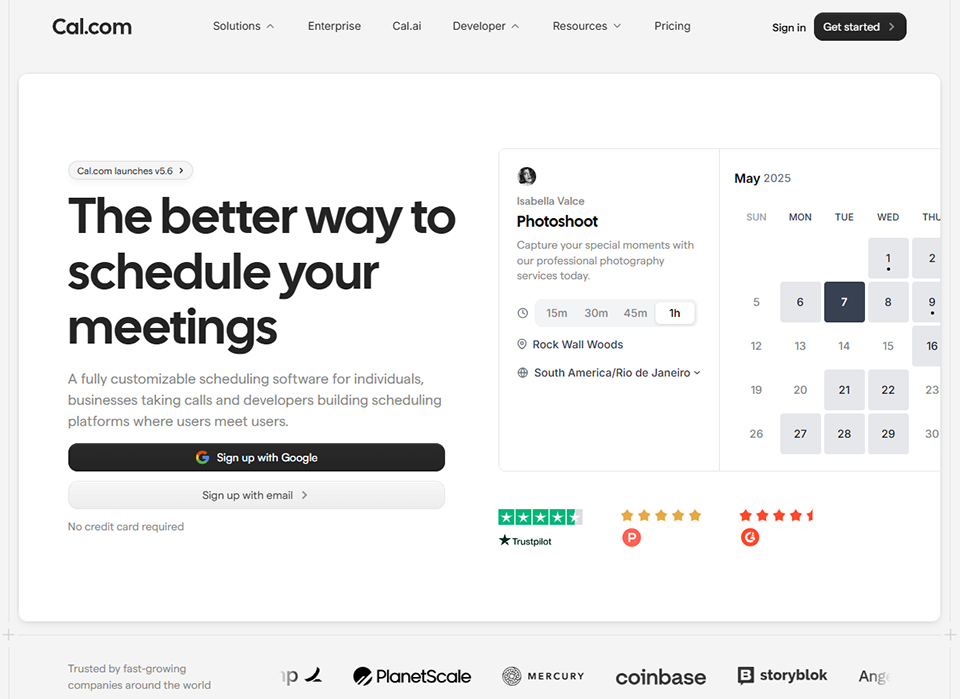
#1 - Cal.com: The go-to open-source solution-flexible and uncompromising.
Benefit from our free deal on Cal.com.
20% off on annual plan
Find over 300 free deals as well as over 850 Premium deals right now with Cal.com and save on your software subscriptions. Whether you're an entrepreneur, a startup or a solo freelancer, save hundreds of euros thanks to our discounts and promo codes.
Cal.com was born out of a belief that scheduling tools shouldn’t lock you into a proprietary ecosystem or charge you for basic features. Launched in 2021 as an open-source project, it quickly established itself as a serious alternative to Calendly, with a radically different philosophy.
The code is publicly available: you can host the solution your own servers if you wish, and even with the cloud version, the free plan is remarkably generous. It’s one of the few tools in this category that doesn’t force you to upgrade to a paid plan to access essential features.
Specifically, Cal.com lets you create different types of events (a 20-minute introductory call, a one-hour demo, a team meeting), share a personalized booking link, and connect the tool to your existing tech stack via an extensive library of integrations.
Features that make a difference:
The value of Cal.com lies in several aspects:
Multi-calendar management:
This is one of its strengths. You can connect Google Calendar, Outlook, and Apple Calendar at the same time, and Cal.com will check your availability across all these sources before suggesting a time slot. No more double bookings.
Automated workflows:
These features let you set up email or SMS reminders, post-appointment follow-up messages, or personalized notifications. You set up these workflows once, and they run automatically for every booking.
Reservations for a team:
Available starting with the most affordable plans. Useful if you work in a team or manage appointments for multiple employees.
In terms of integrations:
Cal.com covers an impressive range of tools: Zoom, Google Meet, Microsoft Teams, Salesforce, HubSpot, Stripe for paid appointments, Zapier, and Make to integrate everything into your workflows. The paid version also provides access to a full API for more advanced use cases.
The configuration interface is a bit more technical than some of its competitors:
But it's still accessible to non-developers. Allow about an hour to set up your first event type properly.
Teams Plan: starting at ~$12/month per user (team collaboration, round-robin, advanced analytics, premium integrations).
Enterprise Plan: priced on request (custom deployment, SSO, dedicated hosting).
Benefit from a on Cal.com .
Additional 20% off on any plan
Find our best discount right now with Cal.com and save on your software subscriptions. We offer over 850 promo codes and discounts on the best software and SaaS on the market.
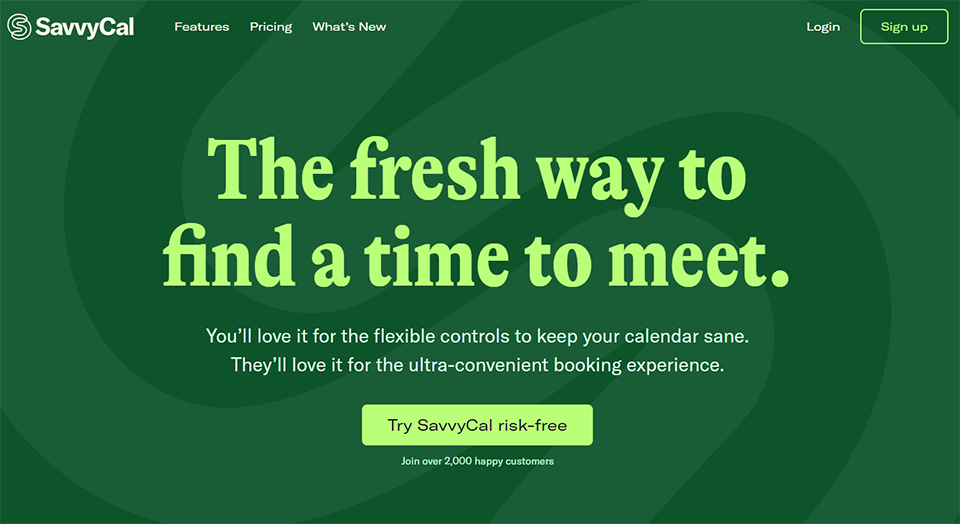
#2 - SavvyCal: A booking experience designed with both parties in mind.
A philosophy focused on the comfort of your clients:
SavvyCal takes a different approach than most scheduling tools. Most of these solutions are designed to make your life easier, but the experience for the person making the reservation is often cold and impersonal. You receive a link, choose a time slot from a calendar, and confirm. End of story.
SavvyCal has reimagined this process. The core idea is that the person making the reservation can overlay their own availability on your calendar to instantly see which time slots work for both you and them. It’s a subtle change, but one that truly transforms the experience. Booking becomes a collaborative effort, not just a matter of submitting to your schedule.
This tool is particularly popular among professionals for whom customer relations are central to their business: consultants, coaches, creative freelancers, and salespeople. First impressions matter, and offering a seamless, personalized booking experience speaks volumes about the level of care you provide.
Here's what SavvyCal actually offers:
Customizing your booking page:
Highlights: profile photo, short bio, brand colors. Your booking link looks like a page that belongs to you, not a generic form.
Custom booking links:
Allow you to create memorable, branded URLs. A detail that helps maintain a consistent professional image.
SavvyCal also includes the standard features expected in this category:
Automatic time zone detection (essential if you work with international clients), integrations with Google Calendar, Outlook, and iCloud, automatic generation of Zoom or Google Meet links, and reminder workflows.
A feature that is particularly useful for salespeople and consultants:
Customizable booking links. You can create a link that’s pre-filled with the prospect’s name and email address, which further simplifies the conversion process from an email campaign or a LinkedIn message.
The admin interface is designed for speed:
It takes less than 30 minutes to get started, and the tool remains easy to use even as you add more types of events.
Premium Plan: starting at ~$20/month (advanced integrations with Salesforce, HubSpot, and Stripe; team features).
Benefit from a on SavvyCal .
20% off on any plan
Find our best discount right now with SavvyCal and save on your software subscriptions. We offer over 850 promo codes and discounts on the best software and SaaS on the market.
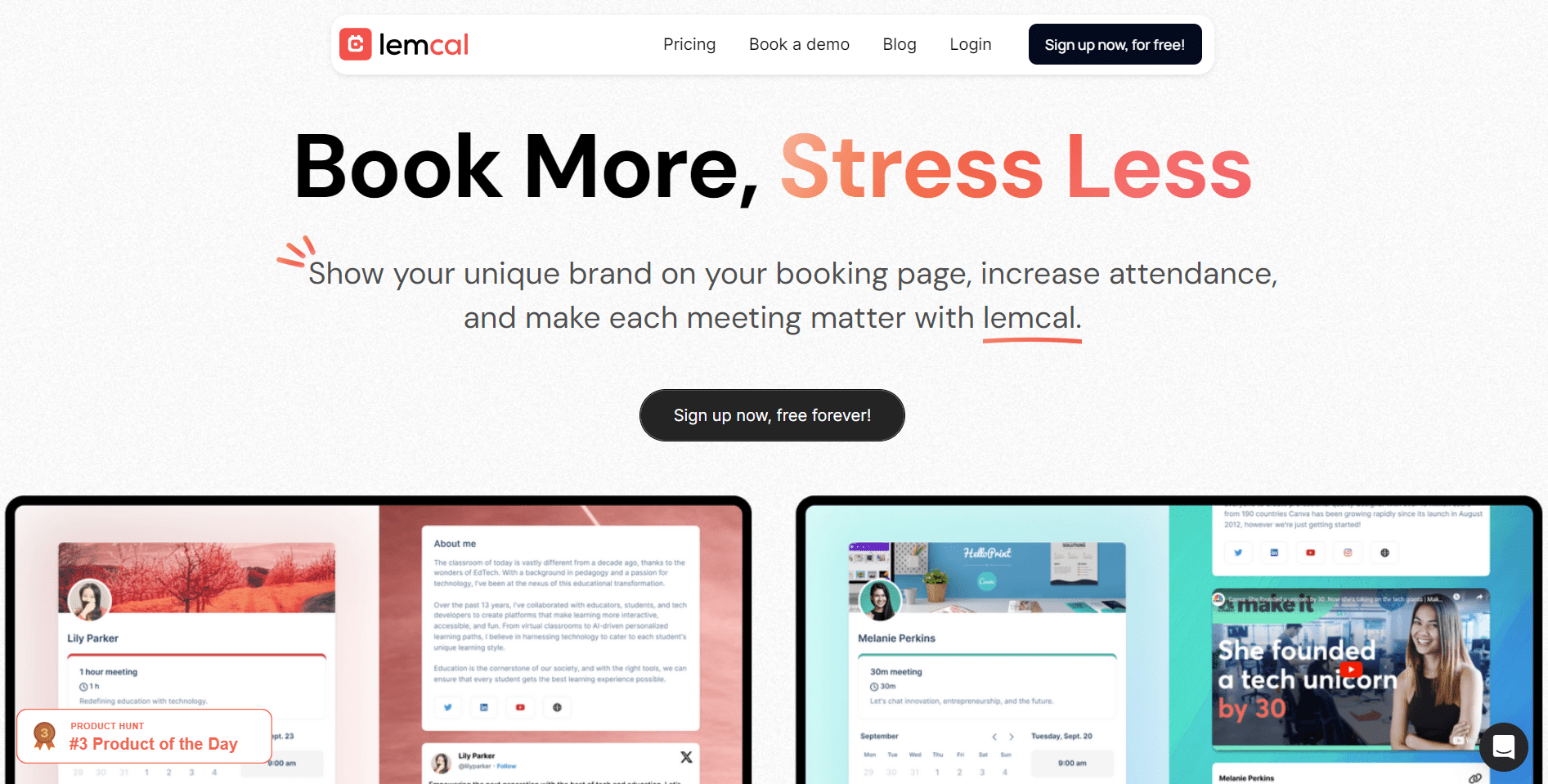
#3 - Lemcal: an appointment scheduling solution designed for lead generation and sales teams.
A tool born within the lead generation ecosystem:
Lemcal is a product from Lemlist, one of France’s leading providers of outreach and automated lead generation solutions. This positioning is key: Lemcal was not designed as a general-purpose scheduling tool. It was developed for a specific sales purpose- converting leads into qualified appointments-along with all the follow-up and optimization processes that this entails.
In practical terms, if you use Lemlist for your customer acquisition campaigns or if you have a structured sales process, Lemcal integrates seamlessly into your workflow. But even outside of this ecosystem, the tool offers some compelling benefits.
Lemcal's strengths:
The booking process is quick and seamless:
The booking page is streamlined, customizable, and guides the prospect through the confirmation process in just a few steps. For business applications where every touchpoint counts, this seamless experience is crucial.
Integration with Lemlist:
This is obviously key. If you send out email campaigns to prospective clients via Lemlist, you can include your Lemcal link directly in your messages and track the bookings generated by each campaign. This level of traceability is rare in traditional scheduling tools.
Automatic reminders and confirmations:
These can be customized with personalized messages, which enhances the professionalism of every interaction.
Lemcal also supports team management:
Creation of group booking pages, automatic assignment of appointments among members of a sales team, and a centralized view of performance metrics.
The integrations support the following standards:
Google Calendar, Outlook, Zoom, Google Meet, as well as CRM tools via Zapier or natively for Lemlist subscribers.
A conversion-focused philosophy:
While Cal.com and SavvyCal maintain a relatively neutral stance, Lemcal is fully committed to a commercial approach. The available metrics (conversion rates for booking links, appointment volume per campaign) are designed to optimize customer acquisition efforts.
This is an advantage if you need that level of control. However, it is less relevant if your use is purely administrative (booking time slots for existing clients, internal consultations, etc.).
Pricing:
Trial Plan: A free version is available to try out the tool.
Email Outreach Plan: starting at ~$59/month (Lemcal included).
Standalone Plan: available as part of Lemlist entrepreneur product.
Benefit from a on Lemcal .
50% off on annual plan
Find our best discount right now with Lemcal and save on your software subscriptions. We offer over 850 promo codes and discounts on the best software and SaaS on the market.
Choosing the right appointment scheduling tool depends less on the features themselves than on how you work and your specific goals.
🧑💻 Are you a freelancer or entrepreneur on your own?
Cal.com is probably your best option. The free plan covers most of your needs (multiple event types, calendar integrations, automatic reminders), and the tool scales with you as your business grows. There’s no cost to get started, and you won’t face any daily usage limits.
📈 Do you run a business and are working on your brand image?
SavvyCal is the perfect fit for you. The booking experience it offers your clients is clearly above average, and the ability to customize your booking pages helps project a polished, professional image. If you’re a consultant, coach, or provider of premium services, this makes a real difference in your client relationships.
🎯 Do you manage sales teams or conduct large-scale prospecting?
Lemcal is the obvious choice, especially if you’re already using Lemlist for your outreach. Its ability to track the performance of your booking links by campaign, distribute appointments among sales reps, and integrate everything into your CRM addresses needs that Cal.com and SavvyCal don’t cover as directly.
🌍 Do you have international clients?
All three tools support automatic time zone detection. SavvyCal is slightly more intuitive in this regard, particularly thanks to its overlay view of availability. Cal.com offers more flexibility for advanced configurations.
🛠️ Want to integrate your scheduling tool with your tech stack:
Cal.com is the most open platform in the ecosystem, featuring a well-documented API, open-source access, and extensive native integrations. If you have specific automation needs or are working with a developer, this is the best option for you.
Note: If you're looking for complementary tools like Reclaim (AI-powered calendar optimization) or Motion (automated task planning and management), you'll also find discount these solutions in the Online Calendar category on Freelance Stack.
Advantages and limitations of each tool.
Cal.com:
👍What works well:
The free plan is genuinely generous. For a solo freelancer, it covers 90% of their needs without having to pay a dime. The tool offers real flexibility: with customizable event types, automated workflows, and a long list of integrations, it’s hard to get stuck. The open-source nature offers a level of transparency rarely seen in this category, and the active community surrounding the project ensures regular updates.
👎Things to keep in mind:
The admin interface, while functional, can sometimes be confusing to navigate. Some advanced features require a significant amount of setup time. And while the free version is quite generous, upgrading to paid plans may seem like a big leap for features that are still basic with some competitors.
SavvyCal:
👍What works well:
The booking experience for your customers is clearly above average. From the overlay of availability options to the personalized interface and overall smoothness, everything is designed to encourage your customers to complete the process. It’s easy to get started, and the tool remains user-friendly on a daily basis. Ideal if your brand image is a key priority.
👎Things to keep in mind:
SavvyCal offers slightly fewer integrations than Cal.com, particularly when it comes to certain CRMs and marketing automation tools. The free plan is limited to a single event type, which can quickly become restrictive. The tool is excellent for individuals or small teams, but less suitable for organizations that require advanced multi-user management.
Lemcal:
👍What works well:
Integration with the Lemlist ecosystem is a real competitive advantage for sales teams. The ability to track the performance of your booking links by campaign, distribute appointments among team members, and gain an analytical overview of your scheduling activity is rare at this price point. For a sales representative or sales team, this is often the deciding factor.
👎Things to keep in mind:
Outside the Lemlist ecosystem, Lemcal loses much of its value. If you don’t engage in outreach, the tool’s unique features remain underutilized. The booking experience is also less customizable than with SavvyCal. Finally, the cost can add up if you’re using Lemlist solely to access Lemcal.
Overall comparison table 📊
Here is a summary to help you compare the options based on the most important criteria.
In summary: Cal.com is the most versatile and cost-effective solution. SavvyCal is the premium choice for enhancing the customer experience. Lemcal is essential if your business is focused on lead generation.
See all the software of this category: Gestion De Projets
Check out all the other software and discount we offer in this category. Explore other tools and choose the perfect solution to grow your business.
Answers to the most frequently asked questions to help you choose and use your scheduling tool without any unpleasant surprises.
1️⃣ What is the difference between a scheduling tool and a traditional online calendar?
An online calendar (Google Calendar, Outlook Calendar) lets you view and organize your schedule. A scheduling tool like Cal.com, SavvyCal, or Lemcal adds a layer of automation: you set your availability slots, share a link, and your contacts can book a slot directly without back-and-forth emails. The calendar syncs automatically, confirmations are sent automatically, and reminders are sent automatically as well. These are two complementary tools, not substitutes for one another.
2️⃣ Do you have to pay to get an effective appointment scheduling tool?
No, especially if you're working solo. Cal.com offers a free plan that covers most of entrepreneur needs entrepreneur multiple event types, calendar integrations, basic automations). SavvyCal also offers a free plan to get you started. The paid plans become worthwhile when you have team-related needs, require advanced integrations, or need more extensive customization.
3️⃣ Do these tools work for customers who don't have an account?
Yes, that’s one of the key benefits. Anyone who wants to book a slot with you doesn’t need an account on the platform. They simply click on your link, choose a slot, enter their email address and name, and receive a confirmation. The process is as simple as filling out an online form.
4️⃣ How do you handle time zones when dealing with international clients?
The three tools presented here automatically detect your contact’s time zone and display available time slots in their local time. You don’t need to configure anything on your end. This is one of the major advantages of these solutions over manual coordination, where time zone errors are common.
5️⃣ Is it possible to accept payment at the time of booking?
Yes, some tools offer this feature. Cal.com has native Stripe integration, allowing you to require payment in advance before confirming an appointment. This is useful for billable consultations, coaching sessions, or services charged on a per-session basis. SavvyCal also offers this feature in its Premium plan. Lemcal is less focused on this aspect.
6️⃣ Do these tools comply with the GDPR?
The self-hosted version of Cal.com gives you complete control over your data. In the cloud-based versions, such as SavvyCal and Lemcal, GDPR compliance depends on each platform’s terms of service. SavvyCal and Lemcal state that they comply with current regulations. In any case, if your customers are based in Europe, make sure your data isn’t routed exclusively through servers outside the EU without adequate protection.
7️⃣ Can these tools be integrated into a website?
Yes, all three allow you to embed a booking widget directly into a page on your website. Cal.com offers integration via a snippet or through its npm package for developers. SavvyCal and Lemcal also offer simplified embedding options. As a result, your visitors can book directly from your website without being redirected to an external page.
8️⃣ What is the best alternative if none of these three tools works for you?
If you're looking for a more team-oriented solution or one with booking features tailored to specific industries (healthcare, beauty, services), tools like Setmore, SimplyBook.me, or Appointy are worth checking out. All are available through Freelance Stack discount .