






Notion vs. ClickUp: Two Ways to Work as a Team
In this article, we’ll help you decide between Notion and ClickUp-one is a workspace you build yourself…
Read more


Every day, dozens of small tasks quietly eat away at your time: copying data from one tool to another, sending follow-up emails, updating a dashboard, moving files to the right folder… Taken individually, these actions seem trivial. But when added up over a week or a month, they represent a considerable amount of work: precious time spent on tasks that add no real value.
Automating repetitive tasks involves delegating these actions to software so that they run on their own, according to rules you set once and for all. There’s no longer any need to intervene manually each time: the system takes over.
What was once limited to technical teams with in-house developers is now accessible to any entrepreneur, freelancer, or small team. Modern automation platforms operate largely without code (or with very little) and allow you to connect hundreds of applications to one another with just a few clicks.
The result: you don't have to do the same thing over and over again. You set it up once, and it runs in the background.
Here are a few figures to give you an idea of what’s at stake: according to a McKinsey study, about 45% of the tasks people are paid to do could be automated using current technology. For freelancers and small businesses, the potential is particularly significant: without an assistant or a dedicated team, every hour saved on administrative work translates directly into increased productivity or more personal time.
An employee at a large company can delegate tasks, call on a support team, or rely on established processes. A freelancer or an entrepreneur in the growth phase, on the other hand, often does everything (or almost everything) themselves. This reality makes automation not just optional, but strategic.
Let’s look at a concrete example: you’re a consultant and you regularly receive contact requests through your website. For each request, you manually copy the information into your CRM, create a follow-up task in your management tool, and send a confirmation email to the prospect. That’s 5 to 10 minutes per request. If you receive 20 requests per month, that’s up to 3 hours of administrative work each month just on this one task.
With automation set up correctly, this entire workflow runs automatically as soon as a form is submitted. You only need to step in if the prospect responds or if a human decision is required.
This type of reasoning can be applied to dozens of processes within a business: customer onboarding, billing, project tracking, market monitoring, content publishing, activity reports… The list goes on.
This article reviews the best automation platforms available today: those that have proven their worth, cater to users with varying levels of technical expertise, and enable the creation of robust workflows without writing thousands of lines of code. The Workflow & Automation section of Freelance Stack also Freelance Stack the top solutions currently available.
Before we dive into the details of the tools, here are a few examples of what you can do-without writing a single line of code!
A visitor fills out your contact form → the information is automatically entered into your CRM → a follow-up task is created in ClickUp or Notion → you receive a Slack notification. All of this happens in less than 30 seconds, with no manual intervention required.
An invoice is created in your invoicing tool → a confirmation email is automatically sent to the customer → a reminder is scheduled for 15 days later if no payment is detected → your cash flow table in Airtable is updated.
You publish a post on your blog → a post is automatically scheduled on LinkedIn → a summary is sent to your email list via Brevo → the link is shared in your internal Slack channel.
Every Monday morning at 9 a.m., a workflow aggregates data from your various tools (Google Analytics, CRM, billing) and sends you a summary via email-without you having to manually consolidate anything.
These examples are not unusual. These are automations that thousands of freelancers and entrepreneurs are already using. The question is no longer "Is this possible?", but "Where do I start, and which tool should I use?"

Make (formerly Integromat until 2022) has established itself as one of the must-have tools must-have the world of no-code automation. Its approach is clear: to provide an ultra-intuitive visual interface where you build your automations like a flowchart by connecting blocks together.
Where other platforms design their workflows in a linear fashion (if X, then Y), Make uses a graphical, modular approach. Each step of your automation appears as a module that you connect to others on a canvas. You can literally see the path your data will take, which makes design and debugging much easier.
It is this approach that explains its popularity among non-technical users. Being able to understand what your workflow does at a glance (without having to read a single line of configuration) truly changes the way we think about automation.
Make offers a catalog of over 1,700 integrations covering virtually every tool on the market: Google Workspace, Slack, Notion, Airtable, HubSpot, Stripe, WooCommerce, and many others. Connections can be set up in just a few minutes via OAuth.
You can chain together as many actions as needed in a single workflow, using conditions, filters, and logical branches.
They allow data to be routed to different paths based on defined criteria. For example, processing an order differently depending on its amount or origin.
Your scripts can run at regular intervals (every 15 minutes, once a day, etc.) or in real time via webhooks.
Every operation is logged. If an error occurs, you know exactly at which stage the problem arose and which data was involved.
Make also offers advanced error handling, a data transformation module (text manipulation, calculations, date formatting), and the ability to integrate custom API calls to connect to less common services.
Here are a few typical use cases for Make: automatic synchronization between a Typeform form and a Google Sheet, Slack notifications whenever a new Shopify order comes in, automatic generation of a PDF document from a template when a contract is signed, or daily consolidation of data from multiple sources into an Airtable database.
Make operates on a freemium model. The free plan allows you to run up to 1,000 operations per month with a 30-day history: enough to thoroughly test the platform and set up a few simple automations.
Paid plans start at around €9/month (Core) and increase based on transaction volume and advanced features (teams, unlimited scenarios, priority processing). The pricing remains affordable for entrepreneurs small businesses.
✅ A highly intuitive visual interface, ideal for designing complex workflows without writing code.
✅ Excellent value for money, generous free plan.
✅ Advanced error handling and detailed execution history.
✅ An active community and plenty of resources available.
⚠️ The number of available modules can be confusing at first.
⚠️ Debugging very complex scenarios can take a long time.
⚠️ Less popular integrations are sometimes not maintained as well.


Launched in 2011, Zapier is arguably the world's best-known automation platform. Its value proposition has always been the same: get to the point, fast. No complex interface, no intimidating learning curve: you create a "Zap" by defining a trigger and one or more actions, and you're good to go.
This ease of use has made it the go-to solution for entrepreneurs who want to automate tasks without spending time learning a new tool. If you have an hour to spare and a specific automation idea in mind, Zapier lets you set it up within the day.
While Make focuses on visual appeal, Zapier emphasizes ease of use. The two approaches are complementary rather than opposing, and the choice often depends on your specific needs.
Zapier boasts over 7, 000 integrations: by far the most extensive catalog on the market. This breadth of offerings is one of its strongest selling points: if a SaaS tool exists, there’s a good chance Zapier already connects to it natively.
Multi-step Zaps:
Workflows can chain together several consecutive actions triggered by a single event. You receive a form → you create a contact in your CRM → you send a welcome email → you notify your team on Slack.
To perform an action only if certain conditions are met (amount greater than X, status equal to "validated," etc.).
A feature that allows you to create conditional branches in a Zap, so that data can be processed differently based on multiple criteria.
Some Zaps can run after a delay or at a specific time, which is useful for spacing out reminders or scheduling weekly reports.
Zapier also offers Tables (lightweight databases) and Interfaces (mini-forms and integrated dashboards), which is starting to position it as a more comprehensive operations platform.
Some common automations on Zapier: creating a task in Asana whenever an email with a specific label arrives in Gmail, automatically adding webinar participants to a mailing list in Brevo, or syncing responses from a Google Form with Monday.com.
Zapier's free plan is more limited than Make's: 100 tasks per month and single-step Zaps only. For multi-step automations, you'll need to upgrade to a paid plan.
Subscriptions start at around €19.99/month (Starter plan) and increase depending on the volume of tasks. Zapier remains more expensive than its competitors for equivalent use, which is often the main sticking point for entrepreneurs.
✅ The widest range of integrations on the market (7,000+).
✅ Extremely easy to get started with, perfect for non-technical users.
✅ A highly mature ecosystem with comprehensive documentation.
✅ Proven reliability through years of heavy use.
⚠️ This plan has the highest price among comparable options.
⚠️ The free plan is very limited (100 tasks per month).
⚠️ Less flexible than Make or n8n for truly complex workflows.
⚠️ Limited customization for advanced use cases.

n8n occupies a unique position in the automation landscape. Founded in 2019, this open-source tool quickly gained traction among technical professionals looking to push beyond the limits of traditional platforms.
Its key feature: you can host n8n on your own servers (self-hosted). No data passes through third-party servers, which directly addresses GDPR compliance and privacy concerns. For organizations handling sensitive data, this is a major selling point.
The interface is also visual and node-based (similar to Make), but the logic is more flexible: n8n allows you to insert JavaScript or Python code at any stage of the workflow, opening up virtually unlimited possibilities.
The n8n catalog now includes over 500 native integrations and continues to grow rapidly thanks to its active community. The connectors cover popular tools (Google Workspace, Slack, Notion, Airtable, GitHub, Stripe, etc.) as well as many less common APIs.
Transformation nodes:
JSON data manipulation, array filtering, text parsing: n8n processes data with a level of precision that traditional no-code platforms sometimes struggle to match.
n8n natively integrates language models (OpenAI, Anthropic, Mistral) to create intelligent automations capable of understanding text, generating responses, or making context-aware decisions.
You can trigger one workflow from another, which allows you to structure complex automations in a modular and reusable way.
n8n securely centralizes your API keys and authentication credentials, with user-specific access rights for team plans.
The cloud version of n8n (hosted) is available for those who don't want to manage the infrastructure themselves, but the self-hosted version remains the platform's main strength.
Examples of advanced workflows with n8n: a workflow that monitors mentions of your brand on social media and automatically generates a summary using an LLM; a lead enrichment pipeline that cross-references multiple data sources before creating a qualified lead in your CRM; or an automated system for processing incoming emails that categorizes, responds to, and forwards them based on complex rules. These are use cases that would typically require custom development, but n8n makes them accessible to anyone with a basic understanding of navigating a technical interface.
The self-hosted version is completely free for personal use. This is a major advantage: you can run thousands of workflows per month without spending a dime, provided you have a server (a VPS costing just a few euros a month).
The cloud version offers a limited free plan (2,500 runs per month) and paid plans starting at around €20 per month. The plans include team features, priority support, and dedicated execution resources.
✅ Free self-hosted version with no execution limits.
✅ Maximum flexibility thanks to the injection of JS/Python code.
✅ Built-in data privacy compliance (GDPR).
✅ Advanced AI integration for intelligent workflows.
⚠️ Steeper learning curve for beginners.
⚠️ The self-hosted version requires you to manage a server and handle updates.
⚠️ The integration catalog is less extensive than Zapier's.
⚠️ Support is more limited on free plans.
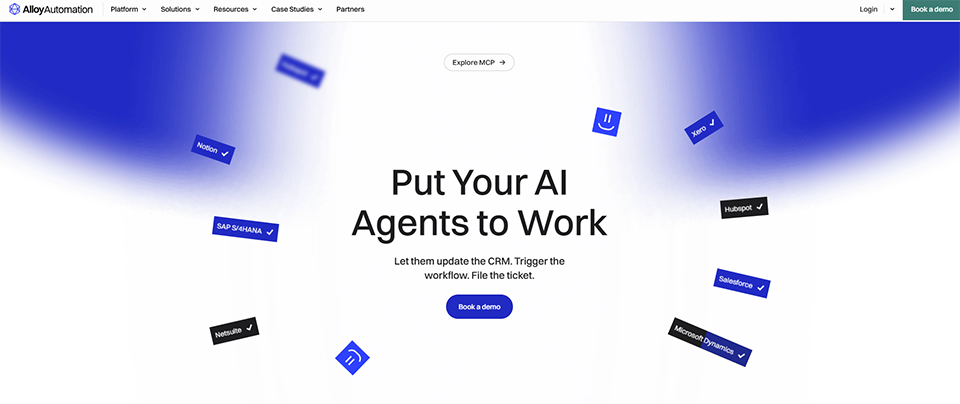
Alloy Automation is less well-known than the previous three, but clearly deserves its place in this comparison, especially if you work in e-commerce or online retail. What sets it apart is that it has built an automation platform specifically optimized for Shopify and e-commerce stacks.
Rather than aiming for universality, Alloy has opted for depth: highly advanced native integrations with e-commerce tools (Shopify, WooCommerce, Klaviyo, Gorgias, Recharge, etc.) and pre-built workflows for the most common scenarios in this sector.
For an entrepreneur who runs an online store and spends time on tasks such as inventory synchronization, processing returns, sending abandoned cart reminders, or updating order statuses, Alloy can save a considerable amount of time without having to build each workflow from scratch.
Hundreds of preconfigured workflows for the most common use cases in digital retail.
Unlike the superficial integrations offered by some generic platforms, Alloy accesses granular data from e-commerce platforms (product variants, customer tags, order history, etc.).
A feature that allows SaaS software providers to integrate Alloy into their own products to offer White Label automation solutions White Label their customers-a B2B aspect that goes beyond the scope of this article, but which underscores the solution’s technical robustness.
Like Make and n8n, Alloy provides full workflow traceability, with alerts in case of failure.
Alloy operates on a subscription basis, with plans tailored to the volume of orders processed and the number of active connectors. Pricing for enterprise plans is available upon request, with a free trial option.
✅ Ready-to-use e-commerce templates-save time right away.
✅ Deep integrations with e-commerce platforms.
✅ User-friendly interface despite advanced features.
✅ Ideal for e-commerce teams looking to avoid custom development.
⚠️ Limited to e-commerce use: not well suited for other contexts.
⚠️ Fewer community resources than general-purpose solutions.
⚠️ Pricing is less transparent for advanced plans.

Each platform has its strengths, and the best choice depends as much on your specific needs as on your level of technical expertise. Here are a few practical guidelines.
Zapier is probably the best place to start. It’s easy to get started, the selection of integrations is vast, and there are plenty of templates available for the most common use cases (form → CRM, email → task, invoice → notification, etc.).
Make is the perfect choice for you. Its visual interface lets you design sophisticated automations without writing code, while keeping everything perfectly clear. It offers one of the best value-for-money packages on the market.
n8n is the obvious choice. The flexibility it offers (particularly through self-hosting and code injection) makes it an unparalleled solution for users who want to build robust, custom automation systems.
Alloy Automation is a serious option to consider before looking for a general-purpose solution. Its templates and native integrations for Shopify and similar platforms will save you valuable time during setup.
To help you quickly compare these solutions based on your priorities, here is a structured overview of the key features of each tool. The prices listed are for reference only and are subject to change: be sure to check the pricing terms directly on each provider’s website before signing up.
| Criterion | Make | Zapier | n8n | Alloy Automation |
|---|---|---|---|---|
| Easy to use | ⭐⭐⭐⭐ | ⭐⭐⭐⭐⭐ | ⭐⭐⭐ | ⭐⭐⭐⭐ |
| Number of integrations | 1 700+ | 7 000+ | 500+ | 200+ (e-commerce) |
| Free map | ✅ Generous | ✅ Limited | ✅ Free self-hosted | ✅ Test version available |
| Admission fee (paid) | ~€9/month | ~€20/month | ~€20/month (cloud) | On request |
| Visual logic | ✅ | Partial | ✅ | ✅ |
| Self-hosting is possible | ❌ | ❌ | ✅ | ❌ |
| Code injection | Limited | Limited | ✅ (JavaScript/Python) | Limited |
| Specializing in e-commerce | ❌ | ❌ | ❌ | ✅ |
| Native AI integration | Partial | Partial | ✅ | Partial |
| Ideal for | SMEs, freelancers | Beginners of all levels | Technical Profiles | E-commerce retailers |
Choosing the right tool is one thing. Building effective automations is another. Here are a few principles that make the difference between an automation that stands the test of time and a workflow that falls apart at the first change to your tech stack.
Before you configure anything, take the time to clearly describe the task you want to automate: What exactly triggers it? What are the subsequent steps? What are the exceptions or special cases? Thinking this through beforehand will save you a lot of back-and-forth during configuration process.
It’s tempting to try to build a massive workflow that handles everything at once. In practice, the most robust automations are often the simplest. Start with a two-step automation, verify that it works, and then iterate.
Platforms offer test modes, but nothing beats a production test with real data. Run your workflow in "observation" mode during days before fully trusting it.
Automation that fails silently can cause problems without you even realizing it (a lead left unprocessed, an invoice not sent, etc.). Always set up email or Slack notifications in case of execution failures.
The tools you connect to are constantly changing. An API might change, a form field might be renamed, or an integration might be updated-and your workflow could break. Make sure to check your critical automations once a month.
Once you’ve mastered these few best practices, they’ll transform a makeshift experiment into a powerful operational tool. The tools presented in this article provide you with everything you need to get started on the right foot.
Here are the questions that come up most often when people start looking into process automation. Straightforward answers, without unnecessary jargon.
Yes, and that’s exactly where the market has been heading in recent years. Tools like Make or Zapier were designed for non-developers. The logic remains straightforward (if a certain event occurs, perform a certain action), and the guided interfaces allow you to build functional automations in just a few dozen minutes. That said, the more complex your workflows are, the more you’ll need to understand concepts like webhooks, data formats, or nested conditions.
For a simple two-step automation (for example: receiving a form and automatically creating a contact record in a CRM), allow 20 to 45 minutes for your first attempt. More complex workflows involving conditions and data transformations may require several hours to set up.
The most immediate benefits are typically seen in: synchronizing data across multiple tools, sending notifications and reminders, automatically generating documents or reports, managing incoming leads (CRM, email, Slack notifications), and tracking orders or payments. In short: anything that is repetitive, predictable, and based on clear rules.
Make and Zapier are cloud-based solutions hosted in the United States, with standard security certifications (SOC 2, GDPR compliance). If your business requires full control over your data (particularly in a strict GDPR environment), the self-hosted version of n8n is the option that offers the most assurance, since your data never leaves your own servers.
Yes, and it’s actually quite common. Some teams use Zapier for quick, simple automations, and Make or n8n for more structured workflows. There are no hard and fast rules: the important thing is to avoid unnecessarily fragmenting your tech stack and to maintain a clear understanding of what’s running and why.
Start by listing the most repetitive tasks you perform over the course of a week. Identify the ones that always follow the same sequence (same trigger, same action). Choose one of these tasks and test it on the platform that best suits your needs. Don’t try to automate everything at once: one well-functioning workflow is better than ten half-baked ones.
Yes, there are a few precautions to take. Poorly configured automation can lead to duplicate data, unwanted bulk email sends, or erroneous changes in your tools. Always test your workflows in a test environment before deploying them to production, and set up alerts in case of errors. The traceability offered by these platforms (execution history) is specifically designed to help you quickly detect and correct anomalies.
Not entirely. For complex automations, custom integrations, or high-volume systems, the involvement of a developer is often still necessary. However, these platforms can meet the vast majority of a small organization’s automation needs without requiring dedicated technical resources-which is precisely their strength.
