





The Best AI-Powered Landing Page Software and E-Commerce Solutions in 2026
In this guide, we review the best AI-powered e-commerce platforms in 2026: features, strengths, limitations, and more…
Read more


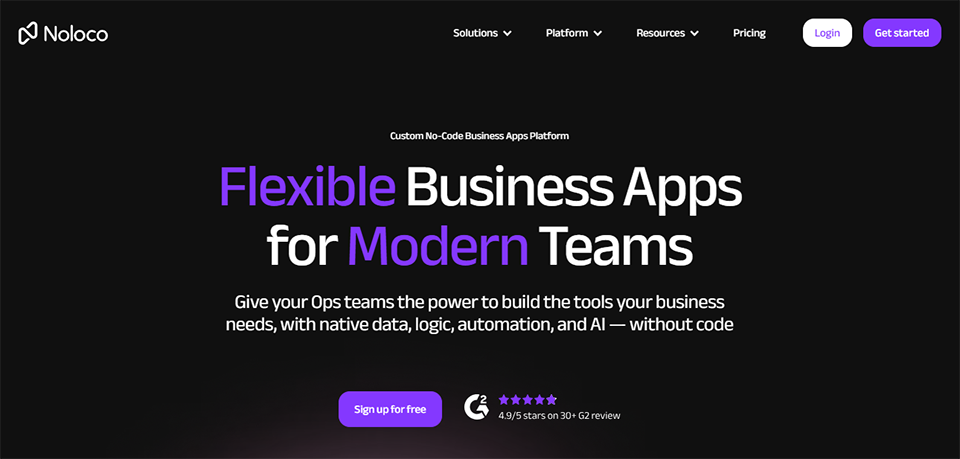
Noloco is a no-code platform founded in Ireland in 2020, which went through the Y Combinator accelerator and is backed by Frontline Ventures. Its mission is clear: to enable any team to build custom business tools, customer portals, and internal applications without writing a single line of code.
What sets Noloco apart from a simple app builder is its data-first philosophy. Rather than starting from a blank page, you connect your existing data (Airtable, Google Sheets, a PostgreSQL database, etc.), and Noloco builds the interface around it. The result: a tool that’s up and running in a matter of hours, not weeks.
The platform is primarily aimed at freelancers, startups, agencies, microbusinesses, and small and medium-sized businesses that need structured applications without having to hire a developer. Today, more than 1,000 teams around the world rely on Noloco to centralize their operations.
This guide gets to the heart of the matter: features, pricing, real-world use cases, limitations, and alternatives. Everything you need to make an informed decision.

Many teams find themselves juggling a CRM, a project management tool, a shared spreadsheet, and an email inbox to communicate with their clients. As a result, information gets scattered, errors pile up, and no one really knows where a project stands at any given moment.
Noloco addresses this issue by letting you create a single, centralized space connected to your data and accessible to the right people with the appropriate permissions. A customer portal where your clients can track the progress of their cases in real time, an HR dashboard for your team, and an in-house CRM built on your own Airtable data—all of this is possible without a development budget.
| Tool | Key strength | Weakness vs. Noloco | Ideal for |
|---|---|---|---|
| Softr | Very sleek design, easy to get the hang of | Less powerful automations | Simple, visually flawless gates |
| Bubble | Maximum flexibility, complex apps | Very steep learning curve | Public SaaS and Advanced Applications |
| Retool | Very powerful internal tools | Requires a solid technical foundation | Technical teams with developers |
| Glide | Simplicity, mobile apps | Less suitable for complex internal tools | Lightweight, mobile-first apps |
Noloco comes out on top in a key category: the depth of its automation capabilities combined with true accessibility for non-developers. In a comparative test involving the creation of a customer portal with automatic notifications, Noloco outperformed Softr, Stacker, and Pory in terms of automation capabilities, while remaining easy to use even without technical expertise.
The types of users who get the most value out of the platform are quite diverse: agencies that manage multiple clients and want to offer them a dedicated dashboard, operations teams that need an internal management tool without having to wait six months for it to be developed, HR departments that want to centralize leave requests and onboarding, and independent consultants who want to deliver something professional and personalized to their clients.
Noloco offers four standard plans, plus a custom Enterprise plan. A 14-day free trial is available for all paid plans, with no credit card required.
| Plan | Monthly price | Team members | Customers | Data lines | Key Features |
|---|---|---|---|---|---|
| Free | 0 € | Limited | Limited | Limited | Exploration, Testing, Initial Projects |
| Starter | ~49 $/month | 4 included (+$4 per seat) | 10 included (+$0.50 per customer) | 5,000 lines/app | Unlimited apps, Airtable & Sheets integrations, basic automations |
| Pro | ~149 $/month | 10 included (+$6 per seat) | 50 included (+$1 per customer) | 50,000 lines/app | Custom domains, white-label, advanced automations, Kanban/Calendar views |
| Business | ~319 $/month | 30 people included (+$10 per seat) | 100 included (+$1 per customer) | 150,000 lines/app | API access, SSO, dedicated support, priority synchronization |
| Enterprise | Upon request | Unlimited | Unlimited | Custom-made | Personalized onboarding, SLA, dedicated account manager |
⚠️ Something to keep in mind on the Starter plan: It does not include the advanced automations that are actually what set Noloco apart. To take full advantage of these features, the Pro plan is recommended for most growing teams. The ROI can be quick: several users report having replaced between 10 and 15 hours of manual work per week thanks to the automations in the Pro plan.
You can sign up directly at noloco.io. No credit card is required to start the free plan or trial. Once you're logged in, Noloco guides you through a setup wizard: you choose your data source (or create tables directly in Noloco), and then the platform automatically generates an initial application structure.
The interface is organized into two distinct areas: Builder mode, reserved for you as the creator, and Live mode, which is what your end users will see. This approach helps you maintain complete control over what you show and to whom.
The left panel contains the main navigation: your pages, data sources, workflows, and user settings. The center of the screen is your canvas, where you can arrange components using drag-and-drop. The right column displays the properties of the selected element, including options for filtering, sorting, display conditions, and data binding.
There's definitely a learning curve, especially once you start setting up permission rules or conditional automations. But the documentation is comprehensive, the community is active, and live chat support is available starting with the Starter plan.
1. Connect your data source (e.g., an Airtable database with your client projects)
2. Noloco automatically imports your tables and fields
3. Add a "List" page to display your records
4. Configure access permissions: who can see what
5. Publish your app and send an invitation to your first users
In less than an hour, you'll have a fully functional portal. That's where Noloco delivers on its promise.
Noloco's visual editor lets you build complete interfaces without touching the code. You have access to ready-to-use components: record lists, forms, detail pages, Kanban views, calendars, cards, and charts. Each component is linked to your data and updates in real time.
The customization options are quite extensive: colors, typography, logo, and responsive layout. The result isn't quite as aesthetically flawless as Softr, but it's more than adequate for internal or client-facing professional use.
This is one of Noloco's most powerful features. You can define granular user roles: a customer sees only their own data, a manager sees their team's data, and an admin sees everything. Permissions apply at the page, field, and even individual record levels.
This approach is particularly valuable for customer portals: each customer has access only to their own projects, invoices, and documents. There’s no risk of accidentally exposing sensitive data.
Noloco automations work based on triggers and actions. A record is created → send an email. A status changes → notify the team on Slack. A date is reached → create a task. Conditions can be nested to create complex logic.
On the Pro plan, automations support both incoming and outgoing webhooks, which opens the door to integrations with tools like Make for more sophisticated workflows. This is where Noloco clearly pulls ahead of its direct competitors.
Noloco connects natively to Airtable, Google Sheets, SmartSuite, MySQL, PostgreSQL, Xano, and HubSpot. You can also use Noloco Tables, a database built directly into the platform, if you don't want to use an external tool.
Synchronization is nearly real-time for sources such as Airtable (with a delay of about 1 to 2 minutes on Standard plans, and 30 seconds on Business and Enterprise plans).
The available views range from a simple list to a Kanban board, including a calendar, a map view, split-screen mode, and charts. This allows you to create true management dashboards directly within your apps, without having to export data to another tool.
In 2025, Noloco launched NOLA, an AI assistant built directly into the builder. NOLA can help create app structures, suggest layouts, generate automations, or answer questions about configuration. It provides an extra layer of accessibility for beginners.
A communications agency manages 15 active clients simultaneously. Until now, communication took place via email, and project tracking was done in shared spreadsheets. By connecting Noloco to their Airtable database, they built a client portal where each client can access their own dashboard, view the progress of their projects, comment on deliverables, and receive automatic notifications whenever a status changes. The team estimates that it has saved between 10 and 15 hours per week on manual communication tasks.
An independent consultant needs to track their projects, clients, invoices, and follow-ups. Rather than juggling multiple tools, they build a simple CRM in Noloco connected to their Noloco Tables, with a Kanban view of their opportunities, an invoice tracking page, and automatic alerts for overdue follow-ups. All of it accessible from their phone via the progressive web app.
A SaaS startup gains several new customers each week. The onboarding process involves many steps: signing the contract, accessing documentation, attending a training session, and setting up the account. Noloco allows them to create an onboarding portal where each new sign-up automatically triggers an email sequence, updates an internal tracking spreadsheet, and notifies the relevant customer success manager.
A three-person HR team manages leave requests, expense reports, training tracking, and onboarding for a company with 60 employees. Using Noloco, they built an internal intranet where each employee submits requests via forms connected to the appropriate data tables. Approvals are processed directly in the app, with automatic notifications at each step.
A strategy consulting firm regularly provides tracking reports to its clients. Rather than sending static PDFs, it builds dynamic dashboards in Noloco that are connected to its tracking databases. Each client can view their own KPIs in real time, with charts that update automatically. This is an effective way to add value to its services and build client loyalty.
The Noloco ecosystem is built around a few robust native integrations and relies on webhooks for everything else:
Native integrations: Airtable, Google Sheets, SmartSuite, HubSpot, Xano, MySQL, PostgreSQL, custom REST APIs.
Via webhooks and automations: Make, Zapier, Slack, and, more broadly, any tool that supports incoming webhooks. This allows you to build fairly powerful cross-tool workflows, such as triggering a process in Make based on an action in Noloco.
Compatibility with Airtable remains the natural starting point for most users. If you already use Airtable as a database, Noloco is the ideal complement for sharing that data with your customers or colleagues in a secure and structured way.
Integration with Notion is not native, but data can be transferred via webhooks if necessary.
The 14-day trial is invaluable: don't waste it on simplistic test data. Test your most demanding use case right away (multi-role permissions, conditional automations, real-world data volumes). If Noloco can handle the toughest challenges, it can handle the rest.
Noloco offers templates for common use cases: CRM, project portal, ticket tracking, and HR management. Starting with a template is much faster than building everything from scratch. You can then adapt the structure to your business logic without having to start from scratch.
Instead of creating separate pages for each type of user, you can use conditional filters on a single page: "If the user is a customer, display only their records." This is easier to maintain and prevents your navigation menu from becoming cluttered with too many pages.
Complex workflows are easier to debug when they are broken down into several short automations rather than a single long chain. If an error occurs, it’s easier to identify the problematic step.
The official community is very active, with users sharing templates, exchanging feedback, and receiving prompt support. Product updates are also announced there first.
The visual customization options fall short of Softr’s in terms of aesthetics. If the impeccable appearance of your portal is critical to your brand image, Softr is worth a thorough comparison test.
Noloco is not designed for consumer-facing applications. If your goal is to create a native mobile app published on the App Store or Google Play, you'll need to use Bubble or Glide. Noloco generates web apps and PWAs, not native apps.
The pricing model can become expensive if you have a very large user base (more than a few hundred monthly active users) or if you have massive amounts of data. Some users with databases containing tens of millions of rows quickly find themselves on Business or Enterprise plans.
The reliance on third-party tools for certain workflows (such as webhooks to Make) is something to consider if you're looking for a completely standalone solution.
If you want something that's more visually appealing and easier to set up, check out Softr.
If you have an ambitious product roadmap and technical resources on your team, Bubble will likely be a better fit in the long run.
If you're a technical team that needs highly customized internal tools integrated with your APIs, Retool is the right choice for you.
If you're looking for a lightweight solution for a small team with limited data, Glide is a more affordable option.
Here are the answers to the most frequently asked questions about Noloco.
No. Noloco is designed for non-technical users. The builder is entirely visual, and the NOLA wizard can guide beginners. A basic understanding of logic (conditions, filters, table relationships) helps you go further, but no coding is required.
Airtable is a collaborative database, and Noloco is an interface builder. The two complement each other perfectly: you store and manage your data in Airtable, and you make that data available to your teams or customers through a secure, branded Noloco interface.
Yes, but only with the Pro plan or higher. On the Starter plan, your apps remain under the noloco.io domain with a small "Powered by Noloco" badge. Full white-labeling is available starting with the Pro plan.
In fact, it’s one of its most popular use cases. Role-based permission management allows you to create spaces entirely dedicated to each client, where they can see only their own data. Automations make it possible to keep them informed without any manual effort.
Airtable, Google Sheets, SmartSuite, MySQL, PostgreSQL, Xano, HubSpot, and REST APIs. Noloco also offers its own built-in database tables for those who don’t want to use an external tool.
Yes. A Free plan is available with no time limit. It lets you explore the platform and try out your first apps. A 14-day free trial of the paid plans is also available, with no credit card required.
Yes, in fact, that's one of the most common ways to import data. If your data is in Google Sheets or Airtable, the connection is built-in, and the migration doesn't require any manual exporting.
The builder's interface is primarily in English. However, the apps you create can certainly be entirely in French, since you are the one who defines the content, labels, and text displayed to your users.
The community is open to everyone (including those on the free plan). Live chat is available starting with the Starter plan, and during offers trials. The Business and Enterprise plans include dedicated support and an account manager.
Yes, starting with the Business plan. For large-scale deployments (100+ active users, massive databases), the Enterprise plan with custom pricing is recommended.
For an agency, a freelancer, or an SME that needs to centralize its operations and professionalize its customer interactions without committing a development budget, Noloco is a reliable and mature solution.
Its true value lies in the combination of three strengths: seamless integration with existing data (especially Airtable), highly granular permission management, and automations that effectively eliminate hours of manual work each week. It is this trio of features that sets it apart from most of its competitors.
The Pro plan is the best way to start taking full advantage of its potential. The Starter plan may be suitable for very basic needs, but advanced automations—which are often what drive real ROI—are only available starting at this tier.
To access Noloco at a discounted rate and compare the best deals on no-code tools, check out the catalog at Freelance Stack. Over 850 discounts on the best SaaS tools for entrepreneurs, startups, and independent professionals, with deals negotiated directly with the software publishers.