The Best Software for Developing a Mobile App in 2026
This comparison reviews seven of the most robust solutions on the market for building a mobile app in 2026, covering no-code platforms, low-code environments, and development frameworks alike. The goal is simple: to provide you with enough information to identify the tool that truly fits your situation, budget, and goals.
Mobile devices now account for more than 55% of global web traffic. Users spend an average of 4 to 5 hours a day on their smartphones, and this trend is only growing. Creating a mobile app is therefore no longer the exclusive domain of major tech companies: startups, freelancers, SMEs, and entrepreneurs of all kinds are launching app projects every year, driven by a rapidly expanding market estimated to be worth over $935 billion by 2030 (Grand View Research, 2024).
The question is no longer really "Do we need a mobile app?" but rather "Which tool should we use to build it?" And that's where things get complicated. Ten years ago, developing an app required proficiency in Swift or Kotlin, assembling a team of developers, and having a substantial budget. Today, the equation has changed completely.
The rise of no-code and low-code tools has made app development accessible to a much wider audience. A startup founder can now launch an MVP in just a few weeks without writing a single line of code. An experienced developer, on the other hand, can work much faster by combining a visual tool with their technical expertise. And somewhere in between, hybrid teams are striking a balance that simply didn’t exist before.
This comparison reviews seven of the most robust solutions on the market for building a mobile app in 2026, covering no-code platforms, low-code environments, and development frameworks alike. The goal is simple: to provide you with enough information to identify the tool that truly fits your situation, budget, and goals.
What you need to clarify before making a choice 🧭
Before diving into the comparisons, there are a few questions that are best answered honestly.
What kind of application are you looking for?
A native app (separate versions for iOS and Android), a hybrid app, or a Progressive Web App (PWA) that runs in a browser? Each approach has its advantages and limitations, and not all tools cover the same ground.
Who will develop it?
A non-technical person who doesn't code? An experienced developer who wants to work quickly? A mixed team? The answer naturally points to very different categories of tools.
What is your initial and ongoing budget?
Some tools offer generous free plans, while others charge for even a single user. You also need to plan for costs as the app grows.
Do you have any specific technical requirements?
Integration with an existing database, connecting to third-party APIs, the need for advanced authentication or in-app payments... These factors can quickly rule out certain solutions.
Once these points have been clarified, you’ll be in a much better position to evaluate the options below. You can also find our complete selection of tools in the Mobile App Development category on Freelance Stack.
1# - FlutterFlow: From UI to Native Flutter Code 🚀
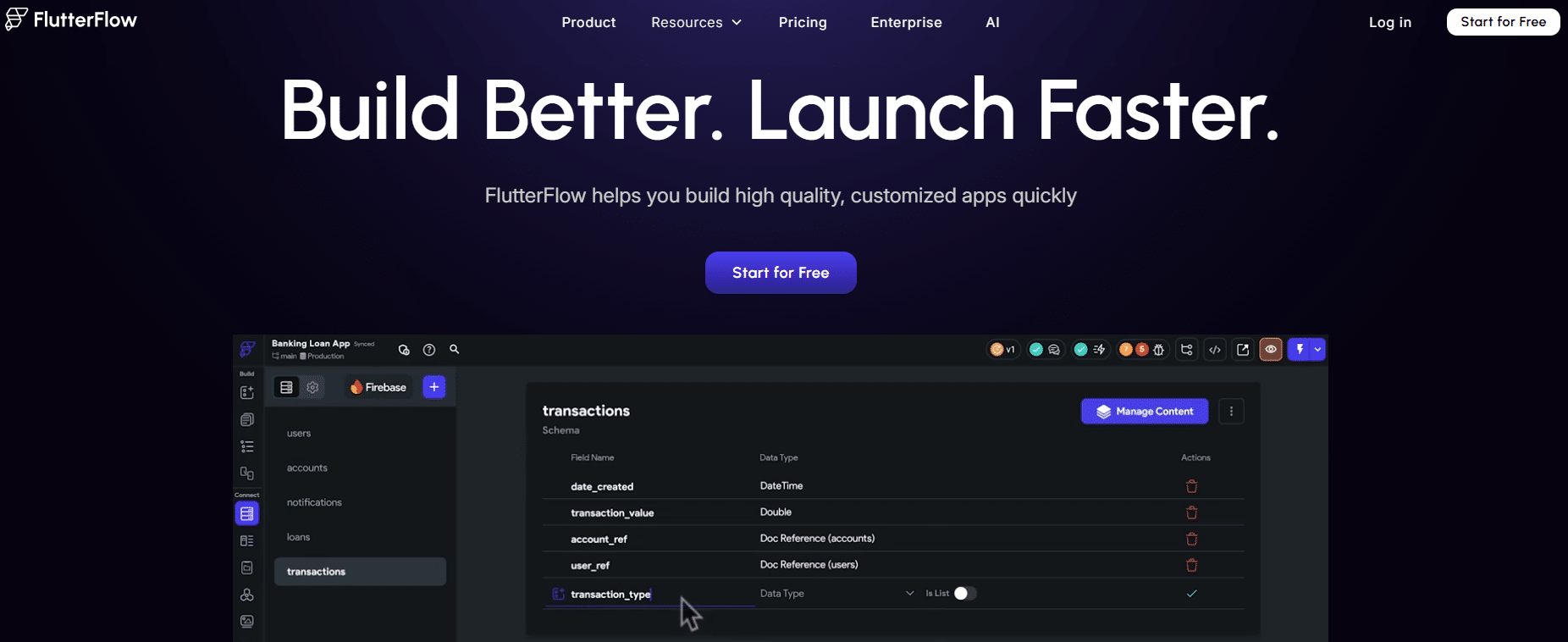
FlutterFlow is a visual development platform built on Flutter, Google’s open-source framework. The idea is simple: you build your interface using a drag-and-drop editor, and FlutterFlow generates clean, exportable Flutter code in the background. So this isn’t “pseudo-code” or proprietary markup: you get a real, structured Flutter project that you can continue to edit in your favorite code editor if needed.
Launched in 2020, FlutterFlow quickly established itself as a leading player in the mobile low-code space. It caters to a wide range of users: from non-technical founders looking to test an idea to developers seeking to accelerate their prototyping or production processes.
Key features:
FlutterFlow's visual editor is one of the most comprehensive on the market. It offers a system of reusable components, advanced state management, and native integration with Firebase and Supabase for database and authentication. The platform also supports REST API integrations, Stripe payments, push notifications, and even some generative AI features via dedicated connectors.
One of FlutterFlow’s major strengths is the quality of the exported code. Unlike many no-code tools that produce code that is unreadable or difficult to maintain, FlutterFlow generates a relatively standard architecture, making it easier for an external developer to take over.
The platform also offers a collaboration mode with version history, team comments, and role-based permission management. This is a real plus for teams working together on the same project.
Prices:
FlutterFlow operates on a monthly subscription model:
Free Plan: free.
Standard Plan: about $30/month.
Pro Plan: about $70/month.
Teams Plan: Price upon request.
What kind of profile?
FlutterFlow is particularly well-suited for developers with a technical background who want to reduce their development time, as well as for ambitious founders whose projects require performance on par with a native app. If you have a complex app in mind with numerous screens, sophisticated user flows, and multiple integrations, it’s likely the best solution available in the no-code/low-code market.
✅ The benefits:
FlutterFlow produces apps with performance that’s truly close to native, which is evident when you use them. The ability to export Flutter source code is an important safety net: you’re not locked into the platform. The community is active, there are plenty of templates, and the documentation is high-quality.
🔶 Limitations:
It takes a little longer to get the hang of than tools like Adalo or Glide. Users with no technical background may find certain concepts-such as state management and page structuring-daunting. The pricing is reasonable, but can increase with team options.
Benefit from a on FlutterFlow.
2 months free
Find our best discount right now with FlutterFlow and save on your software subscriptions. We offer over 850 promo codes and discounts on the best software and SaaS on the market.
Find over 300 free deals as well as over 850 Premium deals right now with Adalo and save on your software subscriptions. Whether you're an entrepreneur, a startup or a solo freelancer, save hundreds of euros thanks to our discounts and promo codes.
Adalo is one of the pioneers of no-code mobile development. Launched in 2019, it clearly targets a specific market segment: enabling anyone to create a true native mobile app (for iOS and Android) without writing a single line of code. The approach is entirely visual, with an editor that users can master in just a few hours.
What sets Adalo apart from simple form builders or responsive website builders is its ability to generate apps that can be published directly to the App Store and Google Play Store. You build your internal database, define the relationships between your collections, and link all of that to your UI components.
Key features:
Adalo offers a built-in database with relationships between collections, a system of modular components (lists, forms, maps, charts, etc.), and user management with authentication. Third-party integrations are primarily handled through Zapier, Make, or REST APIs via custom actions.
The platform also includes a component marketplace, where the community offers additional paid or free components. This is a convenient way to fill in certain gaps in the core functionality without having to write any code.
When it comes to publishing, Adalo supports direct submission to the App Store and Google Play right from the interface, which greatly simplifies the process for non-technical users.
Prices:
Free plan: free.
Starter Plan: approximately $ 36 /month.
Professional Plan: approximately $52/month.
Team Plan: approximately $200/month.
What kind of profile?
Adalo is the natural choice for non-technical entrepreneurs who want to test an idea for a marketplace, community app, internal management tool, or booking app without hiring a developer. It’s also ideal for agencies that regularly work on projects of this type and want to shorten their development cycles.
✅ The benefits:
Adalo is probably the most accessible no-code mobile development tool for users with no technical experience. Publishing to app stores is extremely straightforward. The built-in database system is intuitive, and the community is very active, with plenty of tutorials available.
🔶 Limitations:
Performance may fall short of that of a traditional native app, particularly on heavily loaded interfaces. Animations are limited, and the tool reaches its limits as soon as business logic requirements become complex. Reliance on Zapier/Make integrations can result in additional costs.
Benefit from a on Adalo.
An additional 20% off on any plan
Find our best discount right now with Adalo and save on your software subscriptions. We offer over 850 promo codes and discounts on the best software and SaaS on the market.
#3 - Glide: Turn your spreadsheet into a mobile app ✨
Benefit from our free deal on Glide.
20% off on annual plan
Find over 300 free deals as well as over 850 Premium deals right now with Glide and save on your software subscriptions. Whether you're an entrepreneur, a startup or a solo freelancer, save hundreds of euros thanks to our discounts and promo codes.
Glide is based on an appealing premise: what if you could turn a spreadsheet into a mobile app in just a few minutes? That’s exactly what this tool offers, using Google Sheets, Excel, or Airtable. You connect your data source, choose your views and components, and Glide generates a Progressive Web App (PWA) that can be accessed from a mobile browser with a near-native experience.
Since its launch in 2018, Glide has evolved into a more comprehensive platform capable of managing sophisticated business applications, particularly for internal teams. The tool has matured and now caters to both solo entrepreneurs and small and medium-sized businesses looking to quickly digitize their processes.
Key features:
Glide offers a visual interface builder with dozens of components: lists, product sheets, calendars, maps, forms, and more. Integration with data sources is bidirectional: changes made in the app are reflected in the spreadsheet, and vice versa.
Since the 2022–2023 academic year, Glide has introducedbuilt-in AI features, including content generation, automatic classification, and information extraction from images. Automations can be configured directly within the interface, without the need for a third-party tool.
The platform also supports Glide Tables (an internal database that doesn't necessarily rely on Google Sheets), user authentication, roles and permissions, as well as API integrations via native plugins.
Prices:
Free Plan: free.
Plan Maker: about $49/month.
Team Plan: approximately $99/month.
Business Plan: approximately $249/month.
What kind of profile?
Glide is particularly well-suited for quickly digitizing internal processes, such as inventory tracking, field management, simplified CRM, employee onboarding, and mobile product catalogs. If your team is already working with spreadsheets and you want to make that data accessible and editable on mobile devices, Glide is often the fastest solution to deploy.
✅ The benefits:
It’s exceptionally easy to get started. A basic, functional app can be up and running in less than a day. Native integration with Google Sheets is a major advantage for teams that don’t want to migrate their data. The AI features add real value without adding unnecessary complexity.
🔶 Limitations:
Glide builds PWAs, not native apps. For certain use cases, the inability to publish to app stores can be a deal-breaker. The offline experience is also more limited than that of a true native app, and the options for visual customization fall short of those offered by FlutterFlow or Draftbit.
Benefit from a on Glide.
An additional 15% off on any plan
Find our best discount right now with Glide and save on your software subscriptions. We offer over 850 promo codes and discounts on the best software and SaaS on the market.
#4 - Draftbit: the visual editor that preserves the code ⚙️
Benefit from our free deal on Draftbit.
20% off on annual plan
Find over 300 free deals as well as over 850 Premium deals right now with Draftbit and save on your software subscriptions. Whether you're an entrepreneur, a startup or a solo freelancer, save hundreds of euros thanks to our discounts and promo codes.
Draftbit is clearly positioned in the low-code segment for developers. Founded in 2018, the tool allows users to build React Native mobile apps visually, while retaining full control over the code at all times. It bridges the gap between a purely no-code tool and a traditional development environment.
Draftbit's approach is as follows: you design your screens visually, configure your components and integrations, and then inspect and customize the generated React Native code. This level of access to the code is what fundamentally sets Draftbit apart from Adalo or Glide.
Key features:
Draftbit offers an advanced component editor with a library of pre-built blocks. Integrations with REST APIs are native and well-documented, making it a solid choice for applications that communicate with external backends. The platform also supports data providers such as Supabase and Firebase.
One of Draftbit's key strengths is its system of themes and design tokens: you define your color palette, fonts, and spacing just once, and they are automatically applied throughout the entire application. This saves a lot of time on projects where visual identity is important.
For publishing, Draftbit supports exports to the App Store and Google Play, with build configuration management directly from the platform.
Prices:
Free Plan: free.
Starter Plan: approximately $ 29 /month.
Pro Plan: approximately $79/month.
Business Plan: Price upon request.
What kind of profile?
Draftbit is primarily aimed at web or JavaScript developers who want to get started with mobile development without having to learn Swift or Kotlin from scratch. It’s also an excellent choice for teams with a developer who wants to retain control over the code while taking advantage of the productivity benefits of a visual tool.
✅ The benefits:
Direct access to the React Native code is a major advantage: you’re never locked into the platform. Apps render with near-native performance. API integrations are well-designed and well-documented. Ideal for professional projects with real technical requirements.
🔶 Limitations:
Draftbit isn't really designed for users with no technical background. The learning curve is steeper than Adalo's. The community is even less developed than FlutterFlow's, and some advanced features (animations, complex navigation) require you to dive into the code.
Benefit from a on Draftbit.
An additional 50% off on any plan
Find our best discount right now with Draftbit and save on your software subscriptions. We offer over 850 promo codes and discounts on the best software and SaaS on the market.
Find over 300 free deals as well as over 850 Premium deals right now with Bubble and save on your software subscriptions. Whether you're an entrepreneur, a startup or a solo freelancer, save hundreds of euros thanks to our discounts and promo codes.
Bubble is undoubtedly the best-known and most powerful no-code platform on the market. Although it was originally designed as a web app builder, Bubble is fully capable of producing highly polished mobile experiences, whether as Progressive Web Apps or hybrid apps using native wrappers (such as BDK Native or Nativator).
What sets Bubble apart from all the other tools on this list is the level of functionality it offers. Real startups like Comet and Dividend Finance-and even projects raising millions of euros-have been built and scaled using Bubble. It’s not just a prototyping tool; it’s a true production platform.
Key features:
Bubble offers an extremely comprehensive business logic engine, featuring workflow management, conditions, loops, and actions. The built-in database is relational and flexible. Integrations with third-party APIs are virtually unlimited, and the Bubble Plugin Marketplace is full of extensions developed by the community.
For the mobile interface, Bubble offers responsive breakpoints that optimize the display on smartphones. When combined with a native wrapper, a Bubble app can be published on the App Store with a decent user experience, even though it remains technically a wrapped PWA.
User and permission management is particularly robust, making it a top choice for marketplaces, SaaS platforms, and complex management tools.
Prices:
Free Plan: free.
Starter Plan: approximately $ 29 /month.
Growth Plan: approximately $119/month.
Team Plan: approximately $349/month.
Production Plan: approximately $649/month.
What kind of profile?
Bubble is the ideal choice for founders building a SaaS product or a marketplace with a significant mobile component, but where the web app remains the core of the experience. If your project requires complex business logic (dynamic pricing, multi-step approval workflows, multiple user roles, etc.), Bubble is likely the most capable no-code tool on the market.
✅ The benefits:
Unmatched functionality in the no-code world. The platform can handle high-volume applications with tens of thousands of users. It offers a rich ecosystem (plugins, certified experts, templates). True scalability for ambitious projects.
🔶 Limitations:
Bubble has a steep learning curve. It takes several weeks to get the hang of it before you can be truly productive. On the native mobile side, the experience is less polished than FlutterFlow or Draftbit, since it’s technically a PWA. Pricing can get expensive on production plans.
Benefit from a on Bubble.
$200 in credits during 3 months
Find our best discount with Bubble and save on your software subscriptions. We offer over 850 promo codes and discounts on the best software and SaaS on the market.
Find over 300 free deals as well as over 850 Premium deals right now with Appily App Builder and save on your software subscriptions. Whether you're an entrepreneur, a startup or a solo freelancer, save hundreds of euros thanks to our discounts and promo codes.
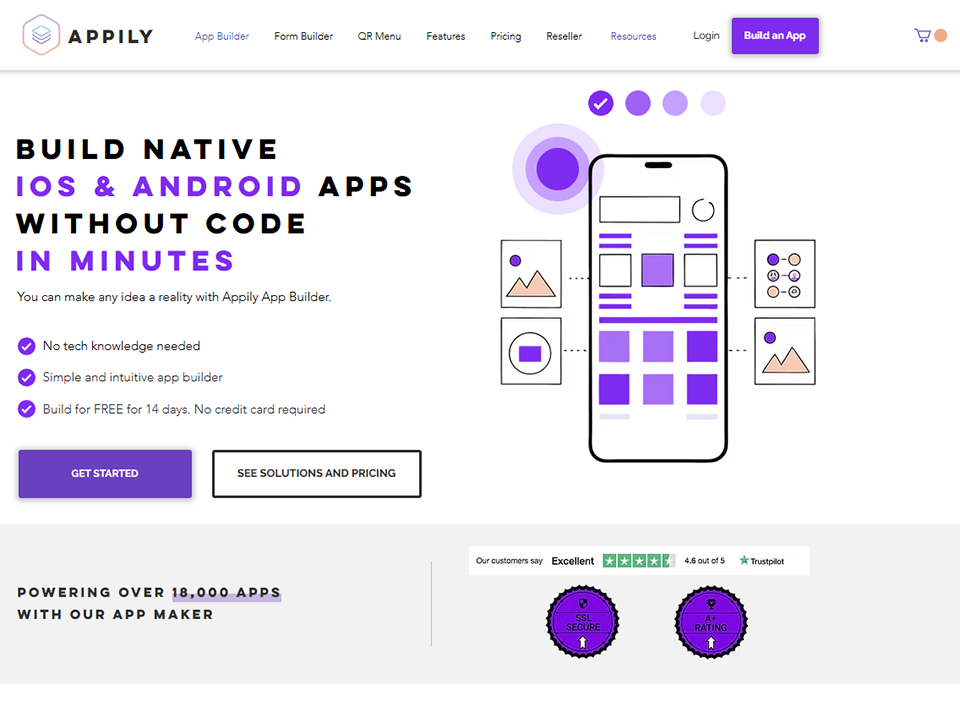
Appily App Builder is a no-code platform designed to enable non-technical users to create and publish iOS and Android mobile apps without writing a single line of code. The tool stands out for its highly guided interface, designed to walk creators with no development experience through the process step by step.
Appily’s approach is deliberately pragmatic: rather than adding more and more advanced features, the platform focuses its efforts on ensuring a seamless creation process, from the very first page all the way through to submission to app stores. It is this “end-to-end” approach that makes it a valuable starting point for entrepreneurs who want to move quickly without getting bogged down in complexity.
Key features:
Appily offers a drag-and-drop visual editor with a library of ready-to-use components: login screens, content lists, detail pages, forms, and user profile pages. Data can be managed directly within the platform or connected to external sources via integrations.
The platform includes user management with authentication, push notifications, and an in-app monetization system for projects that need it. Publishing to the App Store and Google Play is supported directly from the interface, with guidance that simplifies the setup steps often considered tedious.
Prices:
Starter Plan: $17/month.
Professional Plan: $27/month.
Developer Plan: $37/month.
Enterprise Plan: $57/month.
What kind of profile?
Appily is particularly well-suited for entrepreneurs launching their first mobile project, content creators looking to offer an app to their community, or small businesses seeking to digitize the customer experience without committing to a development budget. It’s a solution designed for quick results, without attempting to address highly complex use cases.
✅ The benefits:
Very easy to get started, even for users with no technical background. The process for publishing to app stores is clearly guided. Offers a good balance of accessibility and functionality for projects such as catalogs, community platforms, or booking tools.
🔶 Limitations:
Like any no-code platform designed for simplicity, Appily reaches its limits as soon as business logic requirements become more complex. The options for visual customization are more limited than on FlutterFlow or Draftbit. It should be viewed as a tool for launching projects rather than scaling them.
Benefit from a on Appily App Builder.
Additional 30% off on any plan
Find our best discount right now with Appily App Builder and save on your software subscriptions. We offer over 850 promo codes and discounts on the best software and SaaS on the market.
Find over 300 free deals as well as over 850 Premium deals right now with Lovable and save on your software subscriptions. Whether you're an entrepreneur, a startup or a solo freelancer, save hundreds of euros thanks to our discounts and promo codes.
Lovable has been one of the most talked-about tools in the no-code/AI ecosystem in recent months. Here’s how it works: you describe the app you want to build in natural language, and Lovable generates the complete source code for a web and mobile-ready app based on that description. Under the hood, the tool relies on advanced language models to produce a deployable and exportable React codebase.
What sets Lovable apart from simple mockup or prototype generators is that the code it produces is real, structured, and maintainable. You can inspect it, modify it, and even download it in its entirety to continue working on it outside the platform. This is a radically different approach from traditional no-code tools, catering to both non-developers and developers looking to drastically accelerate their ideation and prototyping phases.
Key features:
Lovable's interface works primarily through a prompt-based chat: you describe your needs, the AI generates or modifies the application in real time, and you see the result in a live preview. The tool handles interface generation and application logic, and can connect your project to backends like Supabase (also available at a discount Freelance Stack) for the database and authentication.
Lovable also offers avisual editing mode for fine-tuning, and a version history that lets you revert to any previous state of the project. Deploying a test version takes just one click, and the URL can be shared immediately.
The generated apps are mobile-optimized, responsive PWAs, making them fully functional on smartphones via a browser. To publish them on native app stores, an additional wrapping step is required.
Prices:
Free Plan: free.
Starter Plan: approximately $ 20 /month.
Plan Launch: approximately $50/month.
Plan Scale: approximately $100/month.
What kind of profile?
Lovable is particularly well-suited for founders and product managers who want to go from an idea to a working prototype in just a few hours, without needing a developer. It’s also a very useful tool for developers who want to build a solid code base and then customize it, rather than starting from scratch. When it comes to testing a product hypothesis or preparing an investor demo, few tools are as fast.
✅ The benefits:
The speed of execution is truly impressive: a functional interface can be generated in just a few minutes from a textual description. The code is real and exportable, which ensures your long-term flexibility. The Supabase integration allows you to connect to a robust database without complex configuration. The tool evolves very quickly with frequent updates.
🔶 Limitations:
Lovable generates PWAs, not native apps in the strict sense. For very specific requirements (access to hardware sensors, advanced offline capabilities, mandatory publication app stores), an additional step will be necessary. The quality of the generated code may sometimes require review on complex projects, and mastering the prompts plays a key role in ensuring the relevance of the results obtained.
Benefit from a on Lovable.
Additional 10% off on annual plan
Find our best discount with Lovable and save on your software subscriptions. We offer over 850 promo codes and discounts on the best software and SaaS on the market.
To give you a clear overview at a glance, here’s a summary of the 7 tools based on the criteria that really matter when making your choice.
Tool
Type
Technical requirements
Native app
Access to the code
Starting price
Ideal for
FlutterFlow
Low-code
Beginner+
✅ Yes (Flutter)
✅ Yes
~30 $/month
Flutter Founders + Developers
Adalo
No-code
No
✅ Yes
❌ No
~36 $/month
Non-tech entrepreneurs
Glide
No-code
No
❌ PWA
❌ No
~49 $/month
Internal apps, field tools
Draftbit
Low-code
Developer
✅ Yes (RN)
✅ Yes
~29 $/month
Web developers making the switch to mobile
Bubble
No-code
Intermediate
❌ PWA/Wrapper
❌ No
~29 $/month
SaaS & complex marketplaces
Appily App Builder
No-code
No
✅ Yes
❌ No
Free+
Beginners, simple projects
Lovable
AI / Low-code
No
❌ PWA
✅ Yes
~20 $/month
Rapid prototyping, MVP
Which tool suits your profile? 🎯
Since the best tool is, above all, the one that suits your situation, here are a few guidelines based on your profile.
🛒 Are you a non-technical entrepreneur with an idea for a marketplace or community app?
Adalo is probably your best place to start. If your project is primarily web-based with a mobile version, consider Bubble, whose functional power is unmatched in the no-code world.
🏢 Want to digitize an internal process for your team:
Glide is hard to beat in this area. Connect your existing Google Sheet, set up your views, and your field team will have an app in just a few hours.
⚡ You have some technical know-how or a junior developer on the team:
FlutterFlow offers the best balance of depth and accessibility on the market. The exportable code ensures you have a fallback option if you decide to switch to pure development.
👨💻 Are you a web or JavaScript developer?
Draftbit is your natural gateway to mobile development: you stay in a familiar environment while taking advantage of a visual editor that significantly speeds up your work. For projects requiring even more control, the generated React Native code can be integrated directly into your usual development environment.
🌱 You're a complete beginner and want to get started quickly with your first app:
Appily App Builder is designed for this type of user. It’s easy to get started, offers guided publishing to app stores, and features affordable pricing so you can test your idea without a significant financial commitment.
🚀 Want to turn an idea into a working prototype in just a few hours?
Lovable is probably the fastest tool available today in this space. Describe your app in plain language, get deployable React code, and connect a Supabase backend to manage your data. It’s ideal for putting together a demo or validating a product hypothesis before investing further.
See all the software of this category: Développement d'Applications
Check out all the other software and discount we offer in this category. Explore other tools and choose the perfect solution to grow your business.
There are a few questions that often come up before embarking on a mobile app project. Here are the most commones.
1️⃣ What is the difference between a native app, a hybrid app, and a PWA?
A native app is developed specifically for an operating system (iOS or Android) using the platform’s native programming language (Swift/Kotlin). It offers the best performance and the best access to the phone’s features. A hybrid app (React Native, Flutter) uses a shared codebase but renders natively on each platform. A PWA (Progressive Web App) is technically a mobile-optimized website, accessible via a browser without needing to be downloaded from an app store. Each approach has its legitimate use cases.
2️⃣ Is it really possible to launch an app without coding?
Yes, and there’s no shortage of concrete examples. Startups like Comet and apps generating tens of thousands of euros a month have been built entirely on Bubble or Adalo. The limiting factor isn’t so much the tool itself as the complexity of the product being developed. For standard applications (marketplaces, communities, mobile CRMs, internal tools), today’s no-code platforms are more than capable of meeting the need.
3️⃣ How much does it really cost to develop a mobile app using these tools?
The cost depends on three factors: the tool subscription (ranging from €0 to several hundred euros per month), the backend and third-party services (database, push notifications, file storage, etc.), and the man-hours required if you hire a freelancer or an agency. An MVP built on FlutterFlow or Adalo can go live for less than €200/month all-inclusive. A React Native app with a Supabase backend can keep infrastructure costs under €50/month if development is done in-house.
4️⃣ Do you need an Apple and Google developer account to publish your app?
To publish on the Apple App Store, an Apple Developer account is required. It costs €99 per year. For the Google Play Store, there is a one-time fee of €25. These costs are unavoidable regardless of the tool you choose, including no-code platforms that handle the build for you. If you don’t want to go through the app stores, a PWA does not require a developer account.
5️⃣ Can we switch tools along the way if the project grows in scope?
This is a question you should ask yourself before you start, rather than after. Tools that export source code (FlutterFlow, Draftbit) offer the greatest flexibility: you can retrieve your project and continue developing it outside the platform. Closed platforms like Adalo or Appily do not offer this option. In that case, migration generally involves rebuilding the app from scratch in a new framework. This is an important factor to consider if your project has long-term growth ambitions.
6️⃣ Does "no-code" mean that the app will be slower or less stable?
Not necessarily. The quality of an application depends primarily on how it is designed, the volume of data it needs to handle, and the robustness of the backend. Well-architected no-code applications can offer an experience that is quite comparable to traditional applications for the vast majority of use cases. Where no-code may show its limitations is in very specific cases: graphics-intensive processing, games, applications with highly complex animations, or those with extreme latency constraints.
This guide is intended for freelancers who want to automate their client follow-ups, as well as small and medium-sized businesses looking to streamline more complex processes...
This guide is intended for freelancers, entrepreneurs, and small businesses looking to launch or grow a business offering personalized products, understand the…