The phone tools every startup should know about in 2026.
This article reviews the most relevant phone solutions on the market—those that have proven themselves with tech and sales teams—highlighting their actual features, limitations, and, most importantly, offering practical insights to help you choose the right one for your specific situation.
Why Does Telecommunications Remain a Strategic Issue for Startups?
One might think that email, chat, and video conferencing have pushed the phone into the background. The reality is quite different. In 2026, voice communication remains one of the most powerful channels in a business relationship—whether it’s to convert a prospect, build customer loyalty, or simply resolve a problem quickly.
What has changed is the way we make phone calls. Cloud-based phone solutions have completely transformed our relationship with this tool: gone are the days of expensive physical switchboards, rigid carrier contracts, and local numbers that are impossible to manage remotely. Today, a startup can set up a professional phone system in just a few hours, from anywhere in the world, at a fraction of the traditional cost.
For a growing team, the right phone system can make a real difference: higher response rates, better-qualified calls, actionable data in the CRM, and a significantly more polished customer experience. Conversely, the wrong choice can become a constant source of friction for your sales or support teams.
This article reviews the most relevant solutions on the market—those that have proven themselves with tech and sales teams—highlighting their actual features, limitations, and, most importantly, offering a practical perspective to help you choose the right one for your specific situation.
1# - Aircall: The European leader for growing sales and support teams.
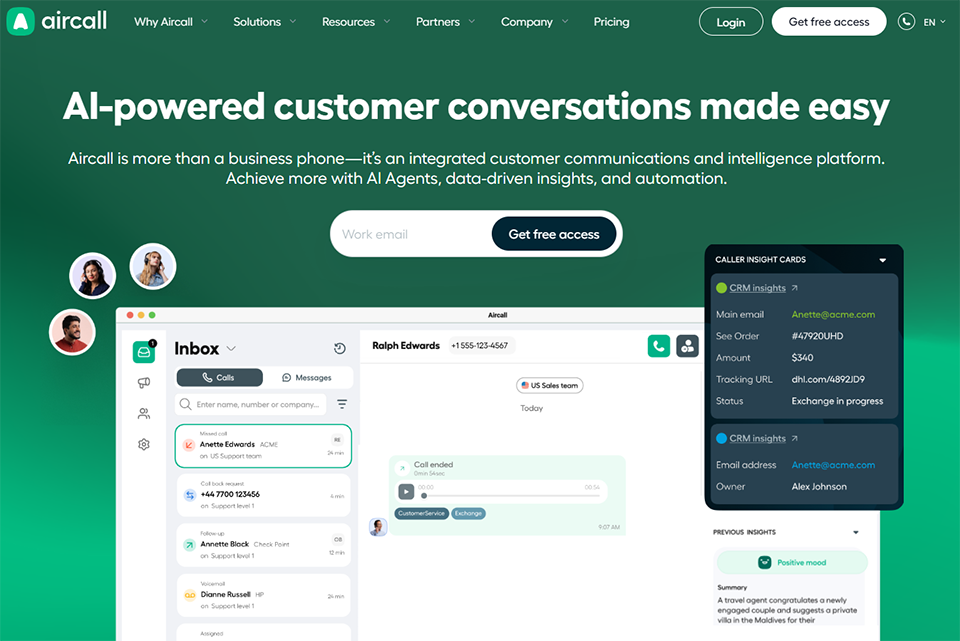
Aircall has established itself as one of the most popular cloud-based phone solutions in Europe, particularly among startups and small and medium-sized businesses. Founded in Paris in 2014, the solution was designed from the outset to integrate into modern SaaS environments, where CRM and support tools are at the heart of operations.
Aircall works entirely through a web browser or via a desktop and mobile app. No special hardware is required. Every team member has a virtual extension that can be accessed from anywhere. Setup is done through a centralized dashboard, and adding a new number or a new team member takes just a few minutes.
Key features:
The tool covers all the essentials expected of a business phone solution: local numbers in over 100 countries, an IVR (interactive voice response) system to route calls, call hold with custom music, call recording, and call transfer. But where Aircall really stands out is in its native integrations with tools like HubSpot, Pipedrive, Salesforce, and Zendesk. An incoming call can automatically open the contact’s record in the CRM, and every interaction is logged without manual intervention.
The Power Dialer feature allows sales teams to launch batch outbound calling campaigns with a set pace and post-call notes that are synchronized in real time.
Pricing:
Aircall offers several plans. The Essentials plan starts at around €30 per user per month (minimum of 3 users). The Professional and Custom plans include advanced analytics, coaching, and more extensive integrations.
👤 Who is this for?
The B2B Sales Team:
Aircall is particularly well-suited for sales teams that make a high volume of calls. The Power Dialer, per-representative analytics, and native CRM integration make it an almostmust-have e tool for teams of 5 to 50 people.
Growing customer support:
With its configurable IVR and support integrations (Zendesk, Intercom), Aircall is a great fit for teams that handle a high volume of incoming tickets and want to correlate call data with their ticketing tool.
Distributed teams:
Cloud access, phone numbers in over 100 countries, and centralized team management make it an ideal solution for startups with geographically dispersed employees.
Aircall's strengths and limitations:
✅ Extensive native integrations with leading CRMs and support tools on the market.
✅ Quick to get started, seamless onboarding.
✅ Well-designed analytics and reporting for sales management.
❌ The minimum requirement of 3 users can be a barrier for very small teams.
❌ The cost per user rises quickly as the team grows.
❌ Some advanced features (coaching, AI) are available only on higher-tier plans.
Benefit from a on Aircall .
1 month free
Find our best discount right now with Aircall and save on your software subscriptions. We offer over 850 promo codes and discounts on the best software and SaaS on the market.
#2 - CloudTalk: a solid alternative to Aircall, offering excellent value for the features it provides.
Benefit from our free deal on CloudTalk.
30% off on annual plan
Find over 300 free deals as well as over 850 Premium deals right now with CloudTalk and save on your software subscriptions. Whether you're an entrepreneur, a startup or a solo freelancer, save hundreds of euros thanks to our discounts and promo codes.
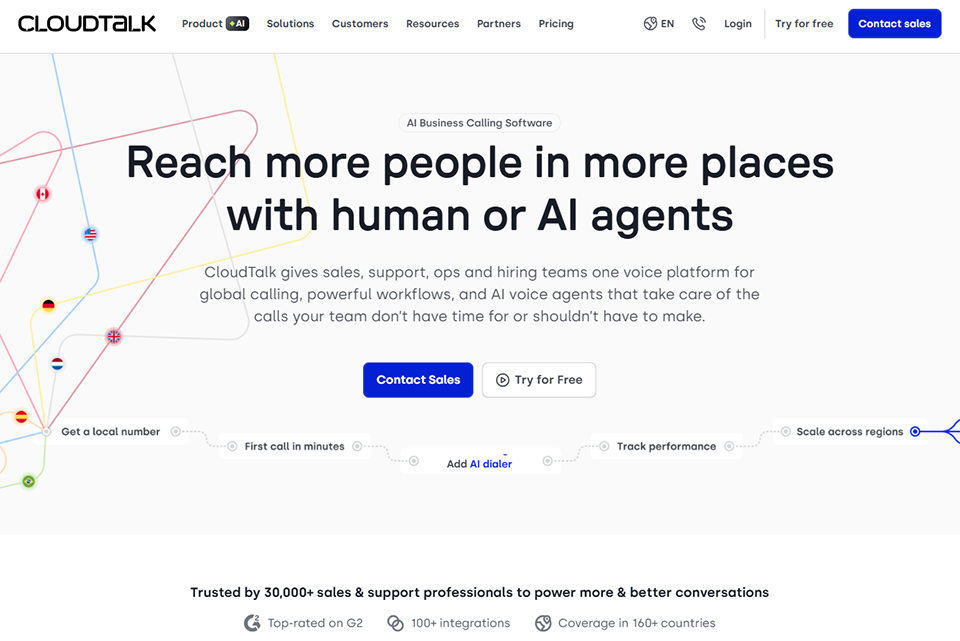
CloudTalk is a Slovak company founded in 2018 that has established itself in the European market as a credible alternative to established players. It primarily targets mid-sized sales and support teams, with pricing that is often more affordable than Aircall’s for comparable features.
Like Aircall, CloudTalk operates entirely in the cloud. The interface is designed to allow sales teams to manage their call campaigns seamlessly. The solution stands out for the large number of integrations available even on the basic plans, whereas some competitors reserve them for premium plans.
Key features:
CloudTalk offers the essentials of cloud-based telephony ( IVR, call queues, call recording, and phone numbers in over 160 countries), along with productivity-focused features: Smart Dialer to automate outbound call campaigns, Call Flow Designer to visually build routing scenarios, and a tagging and note-taking system to categorize each interaction.
The sentiment analysis feature , available on certain plans, automatically analyzes call content and identifies conversations that require special follow-up.
Pricing:
CloudTalk offers a Starter plan for around €25 per user per month, an Essential plan for about €30, and higher-tier plans for advanced needs. A 14-day free trial is available without a credit card.
👤 Who is this for?
A startup in the commercial scaling phase:
CloudTalk offers an attractive combination of rich features and cost control. For a team growing from 3 to 15 sales reps, it’s often a more cost-effective choice than Aircall, with comparable results.
Teams that want integrations without overspending:
Integrations with HubSpot, Pipedrive, and Zendesk are available starting with the entry-level plans.
Managers who use data to drive decision-making:
The real-time dashboard, agent-specific activity reports, and call monitoring features are well-designed for team coaching.
Strengths and Limitations of CloudTalk:
✅ Competitive value for money, especially for medium-sized teams.
✅ The number of countries covered for local numbers is among the best in the market.
✅ Intuitive interface; minimal training required.
✅ Good customer support availability.
❌ Less well-known than their Anglo-Saxon counterparts, which may lead decision-makers to exercise caution.
❌ Some AI features are less mature than those of more established competitors.
❌ The documentation may sometimes be less comprehensive when it comes to advanced use cases.
Benefit from a on CloudTalk .
Additional 30% off on monthly or annual plan
Find our best discount right now with CloudTalk and save on your software subscriptions. We offer over 850 promo codes and discounts on the best software and SaaS on the market.
#3 - Dialpad: The choice for teams that want AI natively integrated into their phone system.
Dialpad has taken an ambitious new direction in recent years by integrating artificial intelligence into the core of its platform—long before it became a widespread marketing buzzword. The result is a solution that transcribes calls in real time, suggests responses, and generates automatic summaries after each conversation.
Dialpad positions itself as a unified communications platform: phone calls, video conferencing, and team messaging all in one tool. Its main differentiator is Dialpad AI, its proprietary artificial intelligence engine that analyzes conversations in real time.
Key features:
Automatic call transcription is undoubtedly Dialpad’s most impressive feature. It works in real time, supports multiple languages, and allows managers to review any call without having to listen to it in its entirety. The AI-generated post-call summaries automatically identify next steps, key points discussed, and the overall tone of the conversation.
The solution also includes a coaching module: a manager can listen in on a call in progress without the caller knowing, and can even whisper tips to their employee in real time via an internal messaging system.
Pricing:
The Standard plan starts at around $15 per user per month (billed annually), making it one of the most affordable entry-level options in this selection. The Pro and Enterprise plans add advanced analytics features and CRM integrations.
👤 Who is this for?
AI early adopter teams:
Dialpad is particularly well-suited for tech startups that already want to leverage AI in their business processes. Automatic transcription and post-call summaries save a considerable amount of time on note-taking.
Managers who actively coach their teams:
Its listening, real-time coaching, and conversation analysis features make it a particularly effective training tool.
Small, price-sensitive businesses:
With a starting price of around $15, Dialpad is one of the most affordable options among high-quality cloud solutions.
Strengths and Limitations of Dialpad:
✅ AI-powered transcription and analysis that ranks among the best on the market.
✅ Very affordable admission price.
✅ Unified solution (voice, video, chat) that reduces the number of tools.
✅ Seamless integrations with Google Workspace and Microsoft 365.
❌ The interface is sometimes perceived as less intuitive than Aircall or CloudTalk.
❌ Some advanced CRM integrations require higher-tier plans.
❌ Fewer local numbers available in certain regions than its direct competitors.
Benefit from a on Dialpad .
10 free accesses lifetime
Find our best discount right now with Dialpad and save on your software subscriptions. We offer over 850 promo codes and discounts on the best software and SaaS on the market.
#4 - OpenPhone: the solution designed for freelancers, entrepreneurs , and small teams who want a business number without the hassle.
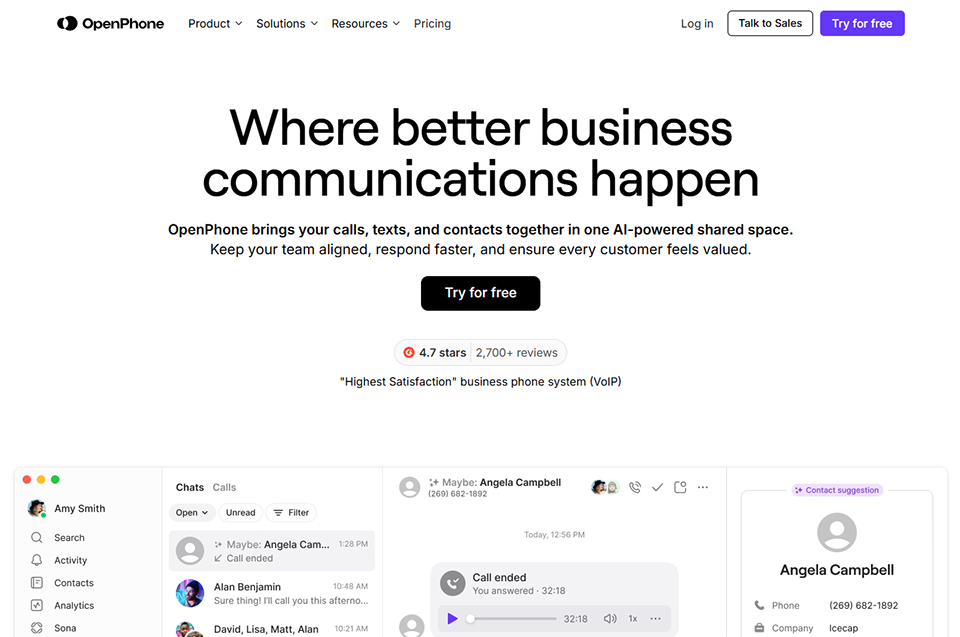
OpenPhone occupies a different niche than previous solutions. Rather than targeting large sales teams, it is geared toward individual entrepreneurs, small teams, and those looking to clearly separate their professional and personal lives, without the constraints of an enterprise solution.
OpenPhone offers virtual business phone numbers in the United States and Canada that can be accessed from any device. The interface looks more like a modern messaging app than a call center dashboard—this is by design, and it’s what appeals to a certain type of user.
Key features:
In addition to calls, OpenPhone natively supports SMS and MMS messaging, making it a comprehensive communication tool for teams that use a mix of calls and messages. Automatic replies, personalized voicemail messages, and the ability to share a number among multiple team members make it easy to manage incoming communications effectively.
Integration with tools like HubSpot and Slack is available, although the ecosystem of integrations is still less extensive than that of Aircall or CloudTalk.
Pricing:
OpenPhone offers a Starter plan for about $13 per user per month, a Business plan for around $20, and an Enterprise plan available upon request. These are among the lowest prices in this comparison for a comprehensive solution.
👤 Who is this for?
Freelancers or consultants entrepreneur:
OpenPhone is probably the simplest way to get a dedicated business number without paying for unnecessary features. Being able to separate work and personal calls on a single phone is really convenient.
Small teams with fewer than 10 people:
The ability to share phone numbers among employees, manage shared responses, and easily configure the system make it a highly suitable option for lean organizations.
Startups with operations in the United States:
Since OpenPhone is primarily geared toward the North American market, it's a solution you should consider first if you have customers or prospects across the Atlantic.
Strengths and Limitations of OpenPhone:
✅ Easy to get started right away; very user-friendly interface.
✅ Excellent value for small businesses.
✅ Native, well-designed SMS/MMS integration.
✅ Perfect for keeping your work and personal lives separate.
❌ Geographic coverage is primarily limited to the United States and Canada.
❌ Less suitable for teams of more than 15–20 people.
❌ A less developed integration ecosystem than that of enterprise players.
Benefit from a on OpenPhone .
Find our best discount right now with OpenPhone and save on your software subscriptions. We offer over 850 promo codes and discounts on the best software and SaaS on the market.
#5 - Freshcaller: the natural choice for teams already using Freshworks.
Freshcaller is the cloud-based phone solution developed by Freshworks, the Indian company that has built a comprehensive ecosystem of tools for support and sales teams (Freshdesk, Freshsales, Freshservice, etc.). Its main strength lies in its deep, native integration with the entire Freshworks suite.
Recently renamed Freshdesk Contact Center in certain markets, Freshcaller is primarily aimed at support teams looking for a phone solution that integrates directly with their ticketing tool. If you already use Zendesk or Freshdesk, Freshcaller is definitely worth checking out.
Key features:
Freshcaller offers the features you’d expect from a cloud-based call center: IVR, call queues, call recording, conference calls, and phone numbers available in more than 90 countries. What sets it apart is its deep integration with Freshdesk: an incoming call automatically creates a ticket, contact information is synchronized in real time, and call metrics appear in support reports.
The solution also offers a free plan (with limitations) that may be useful for testing the product or for teams with a low call volume.
Pricing:
Freshcaller offers a Free ( limited) plan , a Growth plan for around $15 per user per month, a Pro plan for about $39, and an Enterprise plan. Call charges are added to the subscription price depending on the destination.
👤 Who is this for?
Support teams that use Freshdesk:
This is the obvious use case. Native integration creates a unified experience that eliminates the need to switch back and forth between tools and tangibly improves productivity.
Organizations with a moderate call volume:
The free plan may be sufficient for teams that receive few calls. It's a way to get started without any financial commitment.
International support teams:
With coverage in over 90 countries and intelligent routing by time zone, it's a great choice for teams with an international customer base.
Strengths and Limitations of Freshcaller:
✅ Free plan available-ideal for trying it out or for small volumes.
✅ Deep, native integration with the Freshworks suite.
✅ Setting up the IVR is relatively simple.
✅ Competitive pricing on intermediate plans.
❌ Calls are billed by the minute in addition to the subscription fee, which may come as a surprise on the final bill.
❌ Less suitable for teams focused purely on sales (as opposed to support).
❌ The interface is looking a bit dated compared to newer competitors.
Benefit from a on Freshcaller .
No deals currently available
Find our best discount with Freshcaller and save on your software subscriptions. We offer over 850 promo codes and discounts on the best software and SaaS on the market.
#6 - CallHippo: A versatile and cost-effective solution for teams just getting started or operating internationally.
Benefit from our free deal on CallHippo.
20% off on any plan
Find over 300 free deals as well as over 850 Premium deals right now with CallHippo and save on your software subscriptions. Whether you're an entrepreneur, a startup or a solo freelancer, save hundreds of euros thanks to our discounts and promo codes.
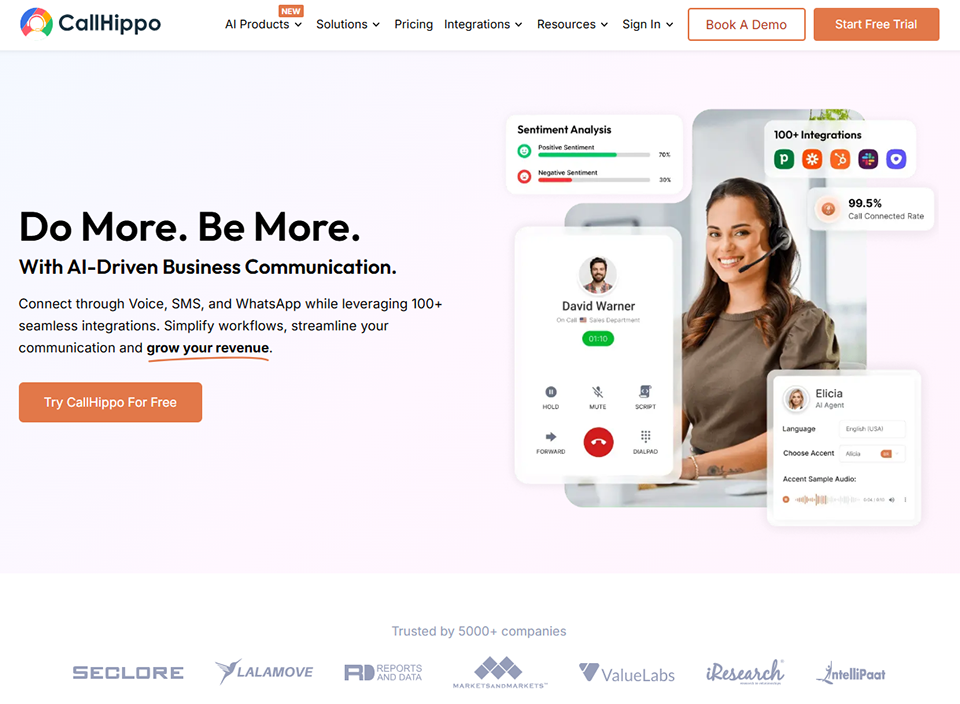
CallHippo is an Indian solution that has carved out a niche in the global market thanks to aggressive pricing and extensive geographic coverage. It remains less well-known in France than providers such as Aircall, but is worth considering for certain use cases.
CallHippo is primarily aimed at teams that make a high volume of international calls, with an emphasis on cost control. Its promise: a comprehensive solution without the premium rates charged by European or American providers.
Key features:
The solution covers the basics of cloud-based phone service, with phone numbers available in more than 190 countries, making it one of the most comprehensive options in this comparison. Power Dialer, call recording, basic analytics, and integrations with popular CRMs are available on most plans.
CallHippo has also developed automation-focused features: automatic callback workflows, answering machine detection, and integration with tools such as Pipedrive and HubSpot.
Pricing:
CallHippo offers plans starting at $18 per user per month, with more comprehensive options in the $35–$40 range. Call charges are added based on the destination.
👤 Who is this for?
Startups with significant international operations:
Coverage of local numbers in more than 190 countries is a tangible benefit for teams operating in multiple markets simultaneously.
Budget-conscious teams:
For features similar to those offered by better-known providers, CallHippo is often less expensive. This is a key consideration for early-stage startups.
Teams that automate their outbound processes:
The Power Dialer features and automated workflows make it a valuable tool for outbound calling campaigns.
Strengths and Limitations of CallHippo:
✅ One of the broadest geographic coverage areas on the market.
✅ Competitive admission price.
✅ Well-developed outbound features (Power Dialer, workflows).
❌ Audio quality is sometimes reported to be inferior to that of Aircall or Dialpad.
❌ Customer support with response times that vary according to user feedback.
❌ The interface is less modern than some competitors'.
Benefit from a on CallHippo .
50% off during 12 months
Find our best discount right now with CallHippo and save on your software subscriptions. We offer over 850 promo codes and discounts on the best software and SaaS on the market.
7# - Snapcall: the solution designed to convert website visitors into phone calls.
Snapcall stands out clearly from all the other tools on this list. It isn't strictly speaking a cloud-based phone solution in the traditional sense: it's a conversion tool that turns a visitor to your website into a phone call, directly from the browser, without any installation or number to dial.
The idea is simple and effective: a call button is embedded on your website (pricing page, demo page, checkout page, etc.). The visitor clicks the button, enters their number or accepts a call directly from the browser, and is immediately connected with a member of your team. The whole process takes just a few seconds and is completely seamless.
Key features:
Snapcall offers a customizable widget that you can embed on any page of your website, with trigger rules (display the button only to visitors on a specific page, after a certain amount of time, or based on their geographic location). The tool measures the impact of calls on conversion and integrates with tools such as Google Analytics and popular CRM systems.
It can work very well alongside a solution like Aircall or CloudTalk for routing incoming calls.
Pricing:
Snapcall's rates are available upon request, based on call volume and the desired features. A free trial is offered.
👤 Who is this for?
E-commerce businesses or SaaS companies with a complex checkout process:
A call button on the checkout or configuration page can significantly reduce shopping cart abandonment.
Teams that want to improve their conversion rate:
By providing immediate, frictionless access to a human representative, Snapcall addresses a real need for products with medium- to long-term sales cycles.
Pre-sales or demonstration teams:
For teams that use consultative selling, being able to initiate a call directly from the website is a tangible benefit in the customer journey.
Strengths and Limitations of Snapcall:
✅ A very specific use case that was well executed.
✅ A measurable discount e of the time between the intention and human contact.
✅ Works in conjunction with other phone systems.
❌ It is not a comprehensive phone service solution, strictly speaking.
❌ Pricing based on quotes, which is less transparent.
❌ Relevance depends on having a website with qualified traffic.
Benefit from a on Snapcall .
6 months free
Find our best discount with Snapcall and save on your software subscriptions. We offer over 850 promo codes and discounts on the best software and SaaS on the market.
#8 - Goodcall: the AI voice agent that answers for you, 24 hours a day.
Benefit from our free deal on Goodcall.
Find over 300 free deals as well as over 850 Premium deals right now with Goodcall and save on your software subscriptions. Whether you're an entrepreneur, a startup or a solo freelancer, save hundreds of euros thanks to our discounts and promo codes.
Goodcall represents a new category of tools emerging in the telecommunications landscape: AI voice agents. Rather than a simple answering machine or a basic IVR, Goodcall offers a true conversational agent capable of answering incoming calls, understanding requests, and responding appropriately.
Goodcall is particularly useful for teams that receive a high volume of repetitive incoming calls (inquiries, appointment requests, voice-based FAQs, etc.) and cannot always answer them in real time. The AI agent takes over without keeping the caller waiting.
Main features :
The Goodcall agent can take messages, triage incoming requests, answer frequently asked questions about your business, and direct callers to the right resources. Setup is done through a configuration interface where you define what the agent needs to know and how it should behave.
Integration with CRM systems and calendar tools allows agents to check availability, suggest appointment slots, and automatically schedule them.
Pricing:
Goodcall offers plans starting at around $20 per month, with tiers tailored to call volume and the features included.
👤 Who is this for?
entrepreneurs , and small organizations with limited availability:
An AI agent that responds to missed calls outside of business hours is a real safety net that ensures you never miss an opportunity.
Teams that want to automate phone-based appointment scheduling:
When paired with a scheduling tool, Goodcall can manage this entire workflow without any human intervention.
Organizations interested in exploring conversational voice AI:
Goodcall is a good starting point for exploring what AI can do in customer service over the phone without a major investment.
Strengths and limitations of Goodcall:
✅ Available 24 hours a day, 7 days a week without dedicated staff.
✅ discount Missed calls and lost opportunities.
✅ Automation of repetitive workflows (scheduling appointments, FAQs).
❌ Does not replace a human representative when dealing with complex issues.
❌ The quality of the AI conversation depends on the quality of the configuration.
❌ May cause friction if the user is not comfortable with AI agents.
Benefit from a on Goodcall .
$12 off on any plan
Find our best discount right now with Goodcall and save on your software subscriptions. We offer over 850 promo codes and discounts on the best software and SaaS on the market.
#9 - Limecall: an instant callback widget that ensures you never leave a prospect without a response.
Limecall occupies a niche similar to Snapcall: it’s a call conversion tool rather than a full-fledged telephony solution. Its specialty: instant callbacks. When a visitor to your site leaves their number, your team is notified to call them back within seconds.
Studies consistently show that calling a prospect back within a minute of their inquiry significantly increases the chances of conversion compared to calling back the next day. Limecall builds on this finding to offer a real-time alert and callback system.
Key features:
The Limecall widget integrates with your website and allows visitors to request a callback immediately, at a time of their choosing, or at a scheduled time. The sales team receives an instant notification and can initiate the callback from the interface or from their regular phone.
The tool also provides analytics on callback requests, response rates, and team performance.
Pricing:
Limecall offers different plans based on the volume of follow-up calls. A limited free version is available to try out the solution.
👤 Who is this for?
Sales teams looking to reduce time-to-call:
The sooner you follow up with a hot lead, the better the chances of conversion. Limecall automates and speeds up this process.
Websites that generate inbound leads:
If you have a contact form or a pricing page with qualified traffic, Limecall can turn more visits into actual conversations.
Strengths and Limitations of Limecall:
✅ A very specific use case, a well-executed solution.
✅ discount , which allows you to track the time it takes to make contact.
✅ Easy integration on any website.
❌ A complementary solution, not a standalone one.
❌ Effectiveness depends on a steady flow of inbound leads.
Overall comparison table 📊
Here is an overview of the tools featured in this article. Prices are approximate and subject to change; we recommend that you check them directly on each publisher's official website.
Here’s a quick introduction: The questions below come up frequently among teams that are preparing to choose a phone system. The answers are intentionally practical and decision-oriented.
1️⃣ What is the difference between a cloud-based phone system and a traditional carrier?
A traditional carrier sells you physical phone lines or SIM cards, with rigid contracts and a local infrastructure. A cloud-based solution operates entirely over the Internet: your numbers are virtual, accessible from any device, manageable through a web-based dashboard, and scalable with just a few clicks. The difference in terms of flexibility and cost is significant, especially for distributed teams.
2️⃣ Can we use these tools without purchasing physical telephone equipment?
Yes, in almost all cases. The solutions presented here work through desktop or mobile apps, or directly in a browser. A good-quality headset is sufficient for business calls. Some solutions (such as Aircall or CloudTalk) are also compatible with IP phones if you want to keep using physical hardware, but this isn’t required.
3️⃣ How do you choose between Aircall, CloudTalk, and Dialpad?
If you have a sales team of more than 5 people with a strong need for CRM integrations, Aircall is often the safest choice. If you're looking for the best value for a growing team, CloudTalk is a strong alternative. If your team wants to take advantage of AI (transcription, automatic summaries) and budget is a factor, Dialpad is the way to go.
4️⃣ Can you port an existing number to these services?
Yes, digital number portability is generally supported by all the solutions on this list. The timeframe and procedures vary by country and original carrier. It generally takes anywhere from a few days to a few weeks to complete a transfer.
5️⃣ Are these tools GDPR-compliant for European companies?
This is something to check carefully, especially for solutions whose infrastructure is hosted in the United States. Aircall and CloudTalk have specific contractual commitments regarding GDPR compliance, with hosting options in Europe. Dialpad and other U.S.-based providers also offer appropriate contractual clauses. In any case, request a Data Processing Agreement (DPA) from the provider before deploying the solution.
6️⃣ Can we combine several tools from this list?
Absolutely. A common approach is to combine a primary phone system (Aircall, CloudTalk) with a web conversion widget (Snapcall or Limecall) to handle both incoming and outgoing calls managed by the team and requests initiated directly from the website. Goodcall can also serve as a safety net outside of business hours.
7️⃣ Does it take a long time to train teams to use these tools?
Most of the solutions listed here are designed to be easy to get started with. OpenPhone and Freshcaller are generally the most user-friendly for non-technical users. Aircall and CloudTalk require a bit more initial setup but offer well-documented onboarding resources. Dialpad may take a little longer to get used to because of its more complex AI features.
8️⃣ What solution do you recommend for a startup with two or three people?
At this stage, OpenPhone is often the best place to start because of its simplicity and price. If you already have a significant support or sales operation, Freshcaller—with its free plan—can help you get started with no commitment. The key is to choose a solution that can grow with you: there’s no point in paying for an enterprise plan when there are only three of you.