Logo du site Freelance Stack en couleur blanc

The best ways to boost your online visibility in 2026.

This article reviews the most relevant solutions, organized by major acquisition channel, providing for each one a detailed overview, the user profiles that will benefit most from it, and a comprehensive comparison to help you build your own stack.
Written by:
Bruno GUY
Published on:
June 11, 2026
Updated:
June 11, 2026
Table of Contents
Find these tools at a discounted price 💶
Explore all deals

Why has online visibility become a strategic issue?

By 2026, simply having an online presence will no longer be enough. Every day, millions of websites, profiles, and newsletters compete for the attention of the same internet user. What has changed is not just the volume of content produced, but the sophistication of the channels that need to be mastered: SEO, social media, email marketing, paid advertising, behavioral analytics... Each channel operates by its own rules, and it has become unrealistic to think that we can manage them all manually.

According to a BrightEdge study, 68% of online traffic comes from organic search (combining SEO and paid search). In other words, if you don’t appear in Google’s search results for queries related to your business, a very large proportion of your potential customers will simply never find you.

For entrepreneurs, freelancers, startups, and small and medium-sized businesses looking to expand their online presence without dedicating an entire team to the task, the solution often lies in the right SaaS tools: platforms designed to automate, optimize, and measure every aspect of visibility. But navigating the overwhelming array of options available today can be a challenge.

This article reviews the most relevant solutions, organized by major acquisition channel, providing for each one a detailed overview, the user profiles that will benefit most from it, and a comprehensive comparison to help you build your own stack.

#1 - SEMrush: The most comprehensive SEO toolkit on the market.

Illustration of SEMRush on Freelance Stack's deal page
Benefit from our free deal on SEMrush.
Up to 17% off on annual plan
Find over 300 free deals as well as over 850 Premium deals right now with SEMrush and save on your software subscriptions. Whether you're an entrepreneur, a startup or a solo freelancer, save hundreds of euros thanks to our discounts and promo codes. 
Access this free deal

SEMrush has become an must-have tool must-have digital marketing professionals. The platform covers the entire SEO spectrum: keyword research, technical site audits, backlink analysis, ranking tracking, and even a module dedicated to paid advertising. In practice, it’s the first tool you open in the morning to monitor the status of your organic presence.

Its main strength lies in the breadth of its database. With over 21 billion indexed keywords and data covering 140 countries, SEMrush not only allows you to analyze your own performance but also to dissect your competitors’ SEO strategies, which represents a significant competitive advantage.

Key features :

  • Keyword Magic tool to identify the best keyword opportunities.
  • Comprehensive technical SEO audit with prioritization of fixes.
  • Analysis of domain authority and backlink profile.
  • Daily monitoring of search engine rankings.
  • Content marketing and copywriting optimization tools.
  • Integration with Google Analytics and Search Console.

Pricing:

  • Pro Plan: approximately €130/month.
  • Guru Plan: approximately €250/month.
  • Business Plan: approximately €500/month.
  • Trial Plan: 7-day free trial available.

👤 Who is this for?

SEMrush is primarily aimed at businesses with an active SEO strategy: digital agencies, marketing managers, growing startups, or any organization that generates a significant portion of its revenue online. The Pro plan is sufficient for most entrepreneurs small businesses. The Guru plan becomes a good fit when you manage multiple domains or need advanced competitive analysis features.

On the other hand, if you're new to SEO and don't yet have a well-structured website, the tool may seem intimidating. In that case, it's better to start with a more user-friendly solution like Mangools.

Key features of SEMrush:

  • Comprehensive coverage (SEO + SEA + content).
  • Extensive competitive database.
  • Exportable reports and customizable dashboards.
  • Frequent updates and regular new features.

👎 Cons:

  • High cost for organizations with a limited marketing budget.
  • There is a steep learning curve involved in mastering all the features.
  • Data on certain niche markets or markets outside major geographic regions still has room for improvement.
Benefit from a on SEMrush .
$200 extra off on annual plan
Find our best discount right now with SEMrush and save on your software subscriptions. We offer over 850 promo codes and discounts on the best software and SaaS on the market. 
Get the discount

#2 - Surfer SEO: The essential tool for writing content that ranks well.

Illustration of Surfer SEO on Freelance Stack's deal page
Benefit from our free deal on Surfer SEO.
16.5% off on annual plan
Find over 300 free deals as well as over 850 Premium deals right now with Surfer SEO and save on your software subscriptions. Whether you're an entrepreneur, a startup or a solo freelancer, save hundreds of euros thanks to our discounts and promo codes. 
Access this free deal

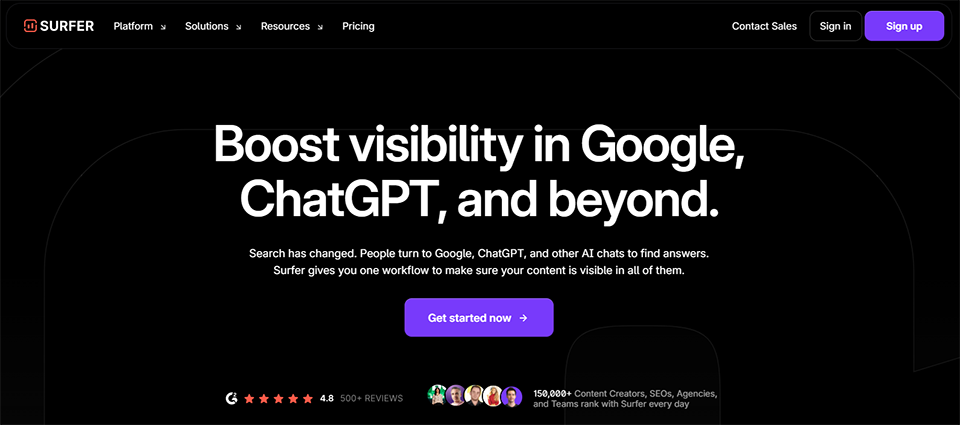
While SEMrush is a comprehensive analytics platform, Surfer SEO has taken a more focused approach: helping users create and optimize editorial content to rank on Google. Its flagship feature, the Content Editor, analyzes pages that rank for your target keywords in real time and guides you through the writing process to maximize your chances of appearing on the first page.

Specifically, Surfer SEO analyzes hundreds of factors (keyword density, ideal length, heading structure, semantic entities to include) and provides you with an optimization score that improves as you write. This is particularly useful for content creators who aren’t necessarily technical SEO experts.

Key features :

  • Content Editor with real-time content scoring.
  • SERP Analyzer to analyze the top-ranking pages.
  • Keyword research integrated with topic clustering.
  • On-page SEO audit of existing pages.
  • Native integration with Google Docs and WordPress.
  • AI-powered content outline generation.

Pricing:

  • Essential Plan: approximately €99/month.
  • Plan Scale: approximately €219/month.
  • Trial Plan: Available.

👤 Who is this for?

Surfer SEO is particularly well-suited for writers, content managers, professional bloggers, and SEO consultants who produce content on a regular basis. Content agencies also find it immediately valuable, especially for ensuring consistent quality in client deliverables.

For a freelancer who runs their own blog or portfolio website and wants to rank on the first page for targeted search queries, the Essential plan is often more than enough.


Key features of Surfer SEO:

  • Intuitive interface, easy to learn.
  • Really useful at the time of writing (not just beforehand).
  • Keyword clustering saves a lot of time in editorial planning.
  • Handy integrations (Google Docs, WordPress).

👎 Cons:

  • Less comprehensive than SEMrush in terms of technical aspects and competitive analysis.
  • The amount of content you can process depends on your plan.
  • AI recommendations are no substitute for human editorial judgment.
Benefit from a on Surfer SEO .
Additional 25% off on any plan
Find our best discount right now with Surfer SEO and save on your software subscriptions. We offer over 850 promo codes and discounts on the best software and SaaS on the market. 
Get the discount

#3 - Mangools: An affordable SEO suite that won't break the bank.

Illustration of Mangools on Freelance Stack's deal page
Benefit from our free deal on Mangools.
30% off on annual plan
Find over 300 free deals as well as over 850 Premium deals right now with Mangools and save on your software subscriptions. Whether you're an entrepreneur, a startup or a solo freelancer, save hundreds of euros thanks to our discounts and promo codes. 
Access this free deal

Mangools is often described as the affordable alternative to the SEO giants. The suite includes five distinct tools: KWFinder (keyword research), SERPChecker (SERP analysis), SERPWatcher (ranking tracking), LinkMiner (backlink analysis), and SiteProfiler (comprehensive domain audit). The entire suite is offered at a significantly lower price than SEMrush or Ahrefs, without sacrificing any essential features.

What makes Mangools so appealing is its user-friendliness. The visuals are polished, the interfaces are clean, and the data is presented in a way that’s easy to understand, even for someone new to SEO. KWFinder’s KD (Keyword Difficulty) metric, in particular, is renowned for its reliability.

Key features :

  • KWFinder: Reliable SEO keyword research.
  • SERPWatcher: a ranking tracking dashboard.
  • SERPChecker: Detailed analysis of Google search results.
  • LinkMiner: Analyzing Competitors' Backlinks.
  • SiteProfiler: An overview of a domain's authority.

Pricing:

  • Basic Plan: approximately €29/month.
  • Premium Plan: approximately €44/month.
  • Plan Agency: approximately €89/month.

👤 Who is this for?

Mangools is ideal for entrepreneurs, small businesses, and SEO beginners who want reliable data without breaking the bank. It’s also perfect for entrepreneurs who handle their own SEO and need a simple tool to identify opportunities and monitor their rankings.

Mangools' strengths:

  • Excellent value for money.
  • Easy to get started, intuitive interface.
  • KWFinder is one of the best keyword research tools on the market.
  • Suitable for niche markets and languages other than English.

👎 Cons:

  • Less comprehensive than SEMrush when it comes to advanced features.
  • Daily request volume is limited based on the plan.
  • The site's technical analysis remains basic compared to premium tools.
Benefit from a on Mangools .
Additional 20% off on any plan
Find our best discount right now with Mangools and save on your software subscriptions. We offer over 850 promo codes and discounts on the best software and SaaS on the market. 
Get the discount

#4 - Moz SEO: The tool that pioneered Domain Authority.

Illustration of Moz SEO on Freelance Stack's deal page
Benefit from our free deal on Moz SEO.
20% off on annual plan
Find over 300 free deals as well as over 850 Premium deals right now with Moz SEO and save on your software subscriptions. Whether you're an entrepreneur, a startup or a solo freelancer, save hundreds of euros thanks to our discounts and promo codes. 
Access this free deal

Moz is one of the oldest SEO platforms on the market, and it has played a major role in popularizing metrics that have become industry standards, including Domain Authority (DA) and Page Authority (PA). Today, Moz Pro offers a suite of tools covering keyword research, site audits, rank tracking, and link analysis.

Another thing that sets Moz apart is its community and educational resources. The Moz Blog and its SEO guides are among the most frequently cited educational resources in the industry. For anyone looking to improve their SEO skills while using the tool, this is a significant advantage.

Key features :

  • Keyword Explorer with suggestions and difficulty analysis.
  • Site crawl to identify technical issues.
  • Rank Tracker for tracking search engine rankings.
  • Link Explorer for analyzing backlink profiles.
  • MozBar: a Chrome extension for viewing metrics while browsing.

Pricing:

  • Starter Plan: approximately $49/month.
  • Standard Plan: approximately $99/month.
  • Medium Plan: approximately $179/month.
  • Large Plan: approximately $299/month.

👤 Who is this for?

Moz is particularly well-suited for entrepreneurs SEO consultants, marketing teams at small and medium-sized businesses, and anyone who values reliable authority metrics. It’s also a great choice for those looking to advance their SEO skills through the many educational resources available in the Moz ecosystem.

Key features of Moz SEO:

  • Widely recognized and frequently cited DA/PA metrics in the industry.
  • High-quality educational resources.
  • A clean and user-friendly interface.
  • MozBar is very handy for quick analysis while browsing.

👎 Cons:

  • A keyword database that is less extensive than SEMrush's.
  • Data updates are sometimes slower than those of the competition.
  • Some advanced features are still not as polished as those in Ahrefs or SEMrush.
Benefit from a on Moz SEO .
Additional 25% off on annual plan
Find our best discount right now with Moz SEO and save on your software subscriptions. We offer over 850 promo codes and discounts on the best software and SaaS on the market. 
Get the discount

#5 - SocialBee: Social media scheduling that does the thinking for you.

Illustration of SocialBee on Freelance Stack's deal page
Benefit from our free deal on SocialBee.
16% off on annual plan
Find over 300 free deals as well as over 850 Premium deals right now with SocialBee and save on your software subscriptions. Whether you're an entrepreneur, a startup or a solo freelancer, save hundreds of euros thanks to our discounts and promo codes. 
Access this free deal

SocialBee takes a unique approach to content planning: rather than scheduling posts one by one, the platform lets you organize your content by Categories (educational, promotional, curative, personal...) and set up an automatic rotation. The result: your editorial calendar fills up intelligently, maintaining a balance among the content types you’ve predefined.

This approach is particularly useful for content creators and entrepreneurs who struggle to post consistently on social media without spending too much time on it.

Key features :

  • Automatic content categorization and recycling.
  • Posting across all major platforms (LinkedIn, Instagram, Facebook, Twitter/X, TikTok, Pinterest, Google Business).
  • AI-powered content generation.
  • Centralized social media inbox.
  • Analytics and performance reports.
  • Ability to work in a team with different access levels.

Pricing:

  • Bootstrap Plan: approximately $29/month.
  • Accelerate Plan: approximately $49/month.
  • Pro Plan: approximately $99/month.

👤 Who is this for?

SocialBee is primarily designed for solopreneurs, freelancers, and small marketing teams who manage multiple social media accounts and want to automate their workflow without sacrificing editorial control. The Categories system Categories particularly popular among consultants who support clients with their social media efforts.


Key features of SocialBee:

  • A Categories and highly effective Categories system for maintaining content diversity.
  • Automatic repurposing of evergreen content.
  • Seamlessly integrated AI content generation.
  • Good value for the price.

👎 Cons:

  • The interface is less intuitive than Buffer for beginners.
  • The analytics are still basic compared to Hootsuite or Sprout Social.
  • Less developed engagement features (reply to comments).
Benefit from a on SocialBee .
Additional 20% off on any plan
Find our best discount with SocialBee and save on your software subscriptions. We offer over 850 promo codes and discounts on the best software and SaaS on the market. 
Get the discount

#6 - Buffer: Simplicity elevated to the status of a tool.

Illustration of Buffer on Freelance Stack's deal page
Benefit from our free deal on Buffer.
2 months free or 15% off on annual plan
Find over 300 free deals as well as over 850 Premium deals right now with Buffer and save on your software subscriptions. Whether you're an entrepreneur, a startup or a solo freelancer, save hundreds of euros thanks to our discounts and promo codes. 
Access this free deal

Buffer is often the first social media management platform recommended to beginners, and that’s no accident. Its interface is clean and simple, it’s almost instantly intuitive to use, and it covers all the essentials: scheduling posts, analyzing performance, and responding to messages. No unnecessary features—just what you need.

The platform has evolved significantly in recent years, particularly with the addition of content analytics features and a landing page builder. For someone new to professional social media, Buffer remains one of the best places to start.

Key features :

  • Posting on all major social media platforms.
  • Recommendations for the best time slots based on engagement data.
  • Post-by-post performance analysis.
  • Inbox for managing comments.
  • Start Page tool for creating a "link in bio" landing page.
  • Browser extension for one-click programming.

Pricing:

  • Free Plan: up to 3 channels.
  • Essentials Plan: about $6/month per channel.
  • Team Plan: approximately $12/month per channel.

👤 Who is this for?

Buffer is perfect for freelancers, content creators, and entrepreneurs who manage 2 to 5 social media accounts and don’t need advanced features. It’s also an excellent choice for anyone just starting out with their social media strategy who wants to develop good planning habits without getting bogged down by the complexity of an enterprise-level tool.
Key features of Buffer:

  • Easy to get started with, and the interface is a model of clarity.
  • Very affordable pricing.
  • A very handy Chrome/Firefox extension.
  • Reliable and stable, with few bugs.

👎 Cons:

  • Less comprehensive than SocialBee in terms of automation and content repurposing.
  • Less advanced analytics than Hootsuite or Sprout Social.
  • There is room for improvement in managing interactions (comments, messages).
Benefit from a on Buffer .
Additional 25% off on annual plan
Find our best discount right now with Buffer and save on your software subscriptions. We offer over 850 promo codes and discounts on the best software and SaaS on the market. 
Get the discount

#7 - Hootsuite: The Swiss Army knife of community managers.

Illustration of Hootsuite on Freelance Stack's deal page

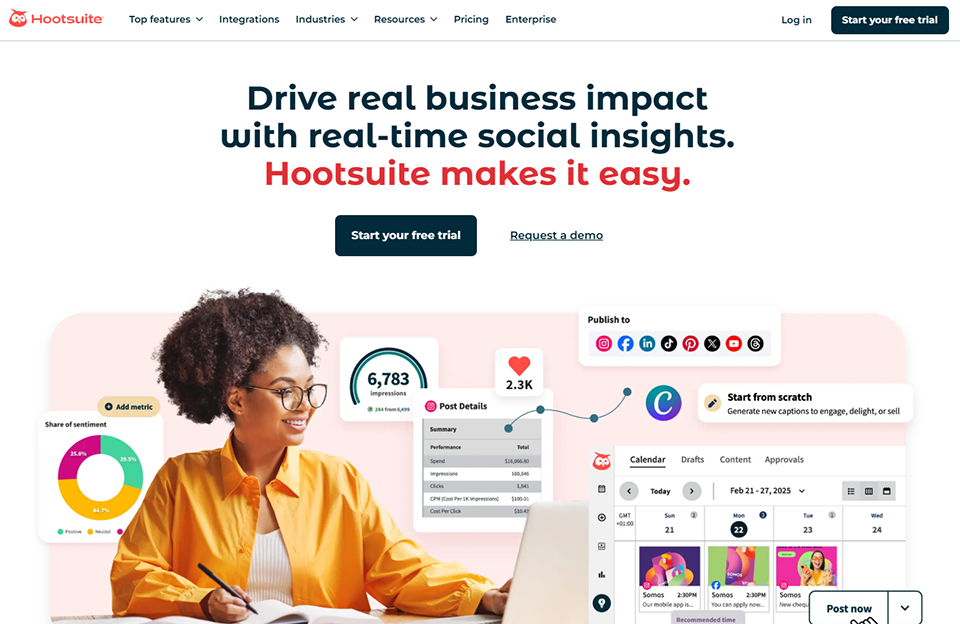
Hootsuite is one of the oldest and most comprehensive platforms on the market. It is primarily designed for teams that manage a large number of accounts and need a centralized overview: multi-feed dashboard, large-scale engagement management, detailed reports, and collaboration among team members.

The platform recently enhanced its AI capabilities with features for content suggestions, rephrasing, and optimizing posting schedules. For organizations that rely heavily on social media, Hootsuite remains a reliable choice.

Key features :

  • Multi-channel dashboard for all networks.
  • Advanced planning and team management.
  • Social monitoring and listening.
  • Customizable and exportable reports.
  • Numerous integrations (CRM, advertising tools, etc.).
  • Social media training and certification through Hootsuite Academy.

Pricing:

  • Professional Plan: approximately $99/month.
  • Team Plan: approximately $249/month.
  • Business and Enterprise Plans: available upon request.

👤 Who is this for?

Hootsuite is better suited for agencies, medium- to large-sized marketing teams, and companies that manage social media accounts across multiple platforms simultaneously. The cost is significant for a entrepreneur, but the platform’s capabilities justify the investment if social media is a key channel.
Key features of Hootsuite:

  • A very comprehensive overview, ideal for users with multiple accounts.
  • Effective teamwork.
  • Very useful social media monitoring and listening tools.
  • A rich ecosystem of integrations.

👎 Cons:

  • High cost; not well suited for small organizations.
  • A dense interface that can be intimidating at first.
  • Some basic features are now available as paid options.
Benefit from a on Hootsuite .
25% off on "Professional" annual plan
Find our best discount with Hootsuite and save on your software subscriptions. We offer over 850 promo codes and discounts on the best software and SaaS on the market. 
Get the discount

#8 - ContentStudio: Scheduling, curation, and AI all in one tool.

Illustration of Content Studio on Freelance Stack's deal page
Benefit from our free deal on ContentStudio.
Up to 34% off on annual plan
Find over 300 free deals as well as over 850 Premium deals right now with ContentStudio and save on your software subscriptions. Whether you're an entrepreneur, a startup or a solo freelancer, save hundreds of euros thanks to our discounts and promo codes. 
Access this free deal

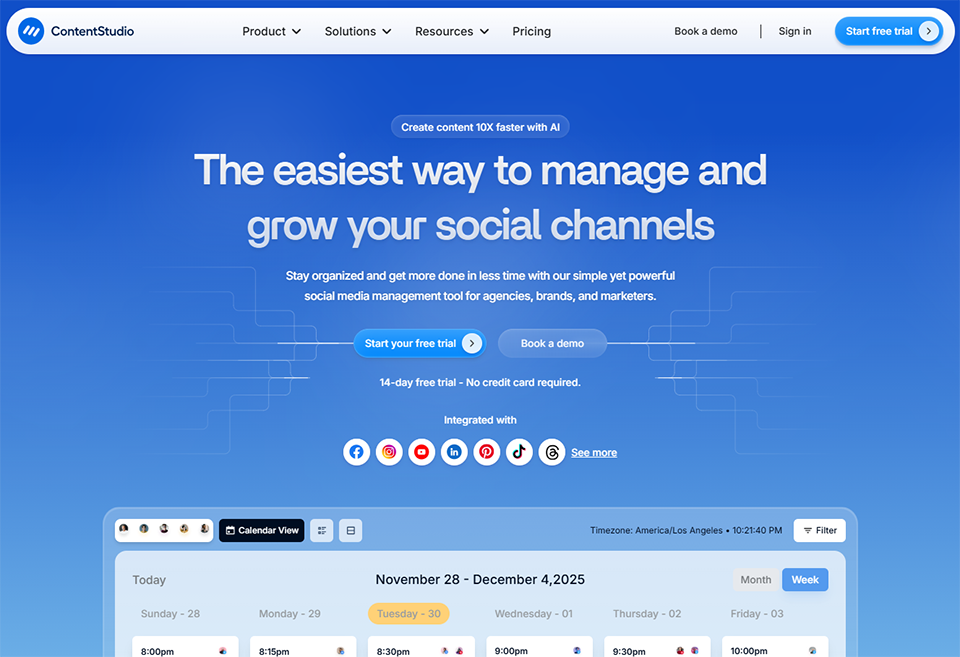
ContentStudio stands out for its all-in-one approach: content planning, RSS/web source curation, AI-powered content generation, and analytics—all within a single interface. This is particularly useful for businesses that need to regularly update their accounts without having to create all the content from scratch.

The Discover feature lets you find trending articles in your industry and share them with just a few clicks, which greatly simplifies your content curation strategy.

Key features :

  • Content discovery and curation by topic.
  • Multi-network planning.
  • AI-powered content generation.
  • Unified inbox for engagement.
  • Detailed analytics by network and content.
  • Multi-client management for agencies.

Pricing:

  • Starter Plan: about $25/month.
  • Pro Plan: about $49/month.
  • Plan Agency: approximately $99/month.

👤 Who is this for?

ContentStudio is ideal for professionals who rely on an active content marketing strategy, particularly those who combine original content with curated content. Agencies managing multiple clients also benefit from its multi-workspace features.

Key features of ContentStudio:

  • Integrated content curation that truly sets us apart.
  • Good value for the price.
  • A more modern interface than some of its competitors.
  • Seamlessly integrated AI features.

👎 Cons:

  • Less well-known than Buffer or Hootsuite, with a smaller user base.
  • A few issues have been reported regarding automatic posts.
  • Customer support could be improved, according to user feedback.
Benefit from a on ContentStudio .
Additional 30% off during 12 months
Find our best discount right now with ContentStudio and save on your software subscriptions. We offer over 850 promo codes and discounts on the best software and SaaS on the market. 
Get the discount

#9 - Brevo: French-style email marketing with big ambitions.

Illustration of l'outil Brevo on Freelance Stack's deal page

Brevo, formerly Sendinblue, has established itself as one of the most comprehensive email marketing platforms on the European market. Its main competitive advantage is a pricing model based on the number of emails sent (rather than the size of the list), which is particularly beneficial for organizations that have a large contact base but do not necessarily send campaigns very frequently.

Beyond email, Brevo now offers features for SMS marketing, online chat, lightweight CRM, and marketing automation. It is a platform that clearly aims to become a central hub for customer relationship management for small and medium-sized businesses.

Key features :

  • Drag-and-drop email editor with numerous templates.
  • Marketing automation (behavior-triggered workflows).
  • SMS and WhatsApp marketing.
  • Integrated CRM for managing contacts.
  • Landing pages and registration forms.
  • Detailed campaign reports (open rates, clicks, unsubscribes).
  • Native GDPR compliance, data hosting in Europe.

Pricing:

  • Free Plan: up to 300 emails per day.
  • Starter Plan: starting at about €9/month.
  • Business Plan: starting at approximately €18/month.
  • Brevo+ Plan: Price upon request.

👤 Who is this for?

Brevo is an excellent choice for European startups, SMEs, and entrepreneurs looking for an all-in-one solution for their digital communications. The per-email pricing model, rather than per-contact, is particularly advantageous for organizations with large mailing lists but a moderate sending frequency. For freelancers and entrepreneurs, the free plan is a great way to get started.

Brevo's strengths:

  • Very competitive per-email pricing for large mailing lists.
  • Reassuring GDPR compliance and European hosting.
  • A truly all-in-one solution (email + SMS + CRM + chat).
  • Good deliverability.

👎 Cons:

  • Marketing automation is less powerful than ActiveCampaign when it comes to complex workflows.
  • The CRM remains basic compared to specialized tools.
  • Some email templates look outdated.

#10 - GetResponse: Email marketing, webinars, and sales funnels all in one place.

Illustration of GetResponse on Freelance Stack's deal page

GetResponse stands out from its competitors with a focus on conversion and lead generation. In addition to standard email marketing features, the platform offers a webinar creation tool (capable of hosting up to 1,000 participants, depending on the plan), a conversion funnel builder, and landing pages.

This is particularly relevant for entrepreneurs who sell training courses, consulting services, or any product that requires an educational and nurturing process before conversion.

Key features :

  • Comprehensive email marketing tool with advanced automation.
  • Integrated webinars (live and on-demand).
  • Funnel Builder (Conversion Funnel).
  • Landing pages and forms.
  • A lightweight e-commerce store for direct sales.
  • Analytics and A/B testing.

Pricing:

  • Email Marketing Plan: starting at around €16/month.
  • Marketing Automation Plan: starting at approximately €54/month.
  • E-commerce Marketing Plan: starting at approximately €106/month.

👤 Who is this for?

GetResponse is particularly well-suited for trainers, coaches, content creators, and consultants looking to build a comprehensive lead nurturing system that spans from lead capture to the sale. The built-in webinar feature offers significant cost savings compared to subscribing to a dedicated tool.

Key features of GetResponse:

  • Built-in webinars—a real differentiator.
  • An easy-to-use funnel builder.
  • Powerful marketing automation.
  • All-in-one solution for content- and training-focused businesses.

👎 Cons:

  • An interface that may seem cluttered at first glance.
  • Prices go up quickly as soon as you add contacts.
  • E-commerce tools remain limited compared to dedicated platforms.

#11 - Mailchimp: The long-standing industry leader, still going strong.

Illustration of MailChimp on Freelance Stack's deal page

Mailchimp remains the world's most well-known email marketing platform, and for good reason: during , it has made professional email communication tools accessible to everyone. Today, the platform has expanded to cover much more than just email: landing pages, social media ads, basic CRM, and advanced audience management.

Its widespread recognition also means it integrates natively with virtually every other tool on the market, which is a significant advantage in a complex marketing stack.

Key features :

  • A comprehensive email editor with a library of templates.
  • Audience management with advanced segmentation.
  • Automation (customer journeys).
  • Built-in Facebook and Instagram advertising tools.
  • Landing pages and forms.
  • Reports and analytics.

Pricing:

  • Free Plan: up to 500 contacts and 1,000 emails per month.
  • Essentials Plan: starting at about €13/month.
  • Standard Plan: starting at approximately €20/month.
  • Premium Plan: starting at approximately €350/month.

👤 Who is this for?

Mailchimp remains a solid choice for organizations just getting started with email marketing that want a reliable platform with extensive support resources. It’s also a good fit for businesses whose marketing stack already includes numerous tools and that will benefit from Mailchimp’s native integrations.

Mailchimp's strengths:

  • Widely recognized and accepted everywhere.
  • A wealth of educational resources.
  • A polished interface.
  • A generous free plan to get you started.

👎 Cons:

  • Pricing that becomes expensive as the list grows.
  • Deliverability is sometimes criticized when compared to newer competitors.
  • Automation features that are less advanced than those of GetResponse or ActiveCampaign.

#12 - Google Ads: Be there when your prospects are searching.

Illustration of l'outil Google Ads on Freelance Stack's deal page

Google Ads remains the most powerful advertising platform for capturing existing demand. When someone types a query into Google, they’re expressing an active need: ranking for those queries allows you to be visible at exactly the right moment, in front of exactly the right people. Search (text), Display (banners), YouTube (video), and Performance Max (automated multi-channel) campaigns offer a wide range of options.

Key features :

  • Search campaigns targeting specific keywords.
  • Display on Google's network of partner sites.
  • YouTube Ads for video.
  • Performance Max: automated campaigns across all Google channels.
  • Precise geographic, demographic, and behavioral targeting.
  • Detailed reporting and Google Analytics integration.

Pricing:

  • Cost-per-click budget: fully controllable.
  • Welcome credit: available to new advertisers through Freelance Stack.

👤 Who is this for?

Google Ads is ideal for any business whose offerings meet a demand that prospects are actively searching for on Google. E-commerce businesses, service providers, consulting firms, B2B SaaS companies... For a startup or small business looking to quickly accelerate customer acquisition, Google Ads offers an immediate solution. Be careful, however: effectively managing a Google Ads campaign requires learning the ropes or hiring a specialist to avoid wasting your budget.

Key features of Google Ads:

  • Massive audience (over 90% of searches in France are conducted on Google).
  • Highly precise targeting based on purchase intent.
  • Quick and measurable results.
  • Full control over the budget.

👎 Cons:

  • High cost per click in competitive industries.
  • Complex management without expertise.
  • Budget dependence: visibility ends when the budget runs out.

#13 - LinkedIn Ads: The most targeted B2B advertising on the market.

Illustration of Linkedin Ads on Freelance Stack's deal page

For B2B companies, LinkedIn Ads is a unique acquisition channel. Nowhere else can you target prospects with such precision based on professional criteria: industry, company size, job title, seniority, skills, and more. If your target audience is a CFO at an industrial SME with 50 to 200 employees, LinkedIn allows you to reach them directly.

There are a variety of formats available: Sponsored Content (feeds), Message Ads (InMail), Dynamic Ads, and Lead Gen Forms, which allow you to collect leads without the prospect leaving LinkedIn.

Key features :

  • Highly precise B2B targeting based on professional criteria.
  • Various formats (Sponsored Content, InMail, Dynamic Ads).
  • Lead Gen Forms to capture leads directly.
  • Matched Audiences to target your own contact lists.
  • Retargeting website visitors.

Pricing:

Controllable budget; cost per click is generally higher than Google Ads but justified by the quality of B2B targeting. Welcome credits are available for new advertisers.

👤 Who is this for?

LinkedIn Ads is must-have B2B companies, consulting firms, recruiters, and any organization targeting a professional audience. For a freelance consultant or a B2B SaaS startup, it’s often the most direct way to reach decision-makers.
Key benefits of LinkedIn Ads:

  • Unparalleled B2B targeting.
  • High-quality leads.
  • Highly effective lead generation forms for conversion.
  • Credibility of the professional context.

👎 Cons:

  • Cost per click is significantly higher than on other platforms.
  • The recommended budget threshold is high enough to ensure effective testing.
  • Less relevant for B2C or consumer-facing offerings.

#14 - Hotjar: See what your visitors are actually doing on your site.

Illustration of Hotjar on Freelance Stack's deal page

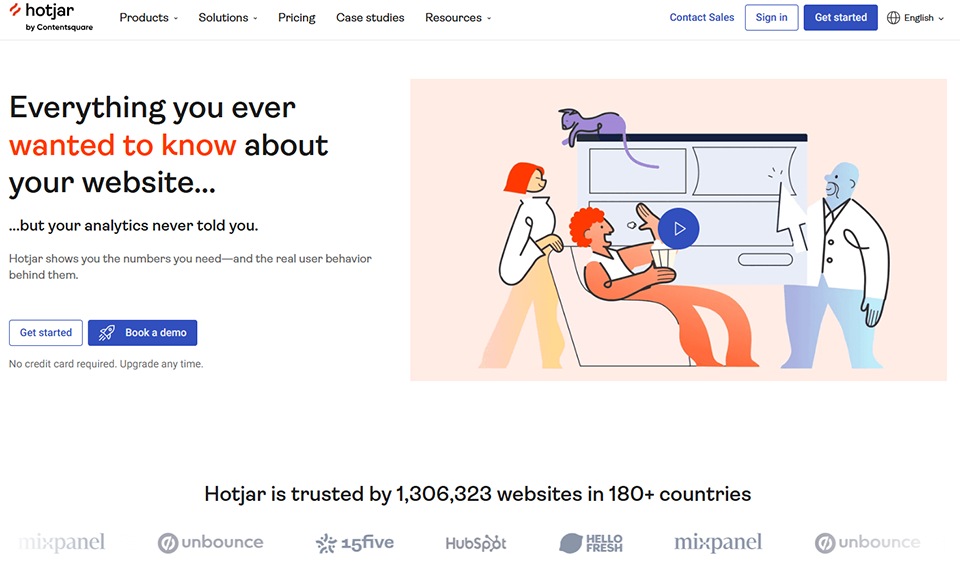
Hotjar is a behavioral analytics tool that supplements the numerical data from Google Analytics with visual data: heatmaps (which show where users click and scroll), session recordings (replays of visits), and surveys/questionnaires displayed directly on the website.

It is a valuable tool for understanding why visitors aren't converting, identifying friction points in a purchase funnel, or improving the landing page experience.

Key features :

  • Heatmaps (clicks, mouse movements, scrolling).
  • User session recordings.
  • In-app feedback and surveys.
  • Funnel analysis to measure drop-off rates.
  • User interviews directly within the tool.

Pricing:

  • Basic Plan: Free for up to 35 sessions per day.
  • Plan Plus: about $39/month.
  • Business Plan: approximately $99/month.

👤 Who is this for?

Hotjar is useful for any website with a conversion goal: e-commerce stores, landing pages, SaaS platforms with free trials, and more. It’s particularly popular among growth marketers, UX designers, and product managers. If you’re getting traffic but your conversion rates are disappointing, Hotjar will help you figure out where the problem lies.

Key features of Hotjar:

  • A very concrete visualization of user behavior.
  • A generous free plan to get you started.
  • Easy to install (JS script).
  • Combining it with Google Analytics provides a very comprehensive view.

👎 Cons:

  • Recordings can slow down the site's performance.
  • Behavioral data doesn't tell the whole story: interpretation is still a human endeavor.
  • GDPR: Be sure to configure settings to ensure user consent is obtained.

#15 - Simple Analytics: Analytics that respects privacy.

Illustration of Simple Analytics on Freelance Stack's deal page

Simple Analytics is an alternative to Google Analytics designed for professionals who are concerned about GDPR compliance and protecting their visitors' privacy. The platform does not set cookies, does not use fingerprinting, and does not share any personal data with third parties. As a result, you don't need a cookie consent banner to use it.

The interface is intentionally streamlined: key metrics (page views, unique visitors, traffic sources, most-viewed pages) are displayed on a minimalist dashboard. This deliberate choice to simplify the interface can be a strength or a limitation, depending on your needs.

Key features :

  • Analytics without cookies and without collecting personal data.
  • A simple and easy-to-read dashboard.
  • Tracking events (clicks, conversions).
  • Exportable data.
  • Open API.
  • Compatible with browsers that block trackers (the data is more reliable than GA in this regard).

Pricing:

  • Starter Plan: about $9/month.
  • Business Plan: approximately $19/month.
  • Enterprise Plan: Price upon request.

👤 Who is this for?

Simple Analytics is ideal for freelancers, entrepreneurs, bloggers, and startups who want to track their traffic without worrying about GDPR compliance and without cluttering their dashboard with unnecessary metrics. It’s also a strong ethical choice for companies looking to reduce their tracking footprint.

Key features of Simple Analytics:

  • Effortless full GDPR compliance.
  • No complex legal arrangements.
  • Very user-friendly interface.
  • More reliable data on anti-tracking browsers.

👎 Cons:

  • Much less data than Google Analytics.
  • No behavioral analysis or advanced segmentation.
  • It does not replace Google Analytics for complex analysis.

Comprehensive comparison table. 📊

Here is a summary of the tools discussed in this article to help you get up to speed quickly.

ToolCategoryStarting priceIdeal forComplexity
SEMrushSEO~€130/monthMarketing teams, agencies⭐⭐⭐
Surfer SEOSEO / Content~€99/monthEditors, content managers⭐⭐
MangoolsSEO~$29/monthentrepreneurs, SEO beginners
Moz SEOSEO~$49/monthSEO Consultants, Small and Medium-Sized Businesses⭐⭐
SocialBeeSocial media~$29/monthSolopreneurs, freelancers⭐⭐
BufferSocial media~$6/month/channelBeginners, creators
HootsuiteSocial media~$99/monthAgencies, large teams⭐⭐⭐
ContentStudioSocial media + content~$25/monthCurators, agencies⭐⭐
BrevoEmail marketingFree / ~€9/monthSMEs, European startups⭐⭐
GetResponseEmail + Webinars~€16/monthTrainers, coaches⭐⭐
MailchimpEmail marketingFree / ~€13/monthBeginner-level structures⭐⭐
Google AdsAdvertisementVariableAll organizations⭐⭐⭐
LinkedIn AdsB2B AdvertisingVariableB2B, consultants⭐⭐⭐
HotjarBehavioral analyticsFree / ~$39/monthGrowth, UX, E-commerce⭐⭐
Simple AnalyticsGDPR Analytics~$9/monthFreelancers, startups

The prices listed are for reference only. Please visit the relevant pages for current offers.

Which stack for which profile? 🎯

You don't need to activate all these options at once. Here are a few realistic configurations based on your situation:

👤 Freelancer / entrepreneur Consultant entrepreneur

Prioritize local visibility and professional credibility. Use an affordable SEO tool like Mangools to identify the right keywords, Buffer to maintain a presence on LinkedIn and Instagram without spending hours on it, Brevo (free plan) to send regular newsletters to your prospects and customers, and Simple Analytics to track your website traffic without any GDPR complications. Estimated monthly budget: €40–€80.

🚀 Startup in the growth phase:

The priority is to move quickly and test. SEMrush or Surfer SEO for SEO content, SocialBee for automating social media, GetResponse or Brevo for email marketing and lead nurturing, Google Ads to accelerate user acquisition for target keywords, and Hotjar for continuously optimizing conversions. Estimated monthly budget: €300 to €600.

🏢 SMEs / Microbusinesses with a marketing team:

A balanced mix of organic and paid acquisition. SEMrush as the central SEO tool, Hootsuite or ContentStudio for team-based social media management, Mailchimp or Brevo for email campaigns, and LinkedIn Ads if the target audience is B2B. Estimated monthly budget: €400 to €800.

See all the software of this category: Marketing
Check out all the other software and discount we offer in this category. Explore other tools and choose the perfect solution to grow your business.
Explore this category

FAQ: Online Visibility and Marketing Tools ❓

Below are the most frequently asked questions about developing a digital visibility strategy. For more information, check out our comparisons of SEO software, email marketing tools, and social media management solutions available on Freelance Stack.

1️⃣ Where do I start if I don't have an online presence right now?

Start with the basics: a professional, SEO-optimized website (consider WordPress or Webflow), an optimized LinkedIn profile, and an analytics tool to track what’s working. SEO and email marketing are the two key strategies to prioritize, as they generate cumulative results over time. Social media and paid advertising come next to amplify what’s already working organically.

2️⃣ SEO or paid advertising: which should you choose?

The two aren’t mutually exclusive; they complement each other. SEO is a long-term investment: it takes between 3 and 12 months to see significant results, but the traffic it generates is sustainable and costs nothing once it’s up and running. Paid advertising (Google Ads, LinkedIn Ads) produces immediate results but stops as soon as the budget runs out. The optimal strategy is to invest in SEO from the start while using paid campaigns to accelerate acquisition until organic search gains traction.

3️⃣ How many tools should you use in your marketing stack?

It’s better to use 3 or 4 tools that you’ve mastered than 10 tools that you don’t use to their full potential. Using too many tools drives up costs and divides your attention. Start by identifying your primary acquisition channel (SEO, social media, or email) and invest first in the best tool for that channel. Gradually add others based on your actual needs.

4️⃣ Will AI replace these tools?

AI is transforming these tools without replacing them. SEMrush, Surfer SEO, Brevo, SocialBee... All of them now incorporate AI features to boost productivity. But strategy, understanding your target audience, and interpreting data remain irreplaceable human skills. AI speeds up execution; it doesn’t set the direction.

5️⃣ How do I measure the ROI of my visibility strategy?

First, define your goals: organic traffic, leads generated, newsletter subscribers, conversions... Each channel should have its own KPIs. Google Analytics (or Simple Analytics) will provide you with traffic data. Email marketing tools track opens and clicks. Google Ads and LinkedIn Ads provide their own conversion reports. The challenge is to link each touchpoint to a concrete business outcome: leads, customers, revenue.

6️⃣ Do you need to be on all social media platforms?

No, and that’s often a rookie mistake. It’s better to excel on one or two platforms than to be mediocre on five. Choose the platforms where your target audience is actually present and active. For a professional B2B audience, LinkedIn is must-have. For a creative or younger audience, Instagram and TikTok are more relevant. For general B2C audiences, Facebook remains very effective. Focus your energy where your audience actually is.

7️⃣ Should I invest in an SEO tool as soon as I launch my business?

Yes, as soon as you have a website. Even on a tight budget, a tool like Mangools—which costs less than €30 per month—will allow you to identify the keywords your content ranks for, track your progress, and analyze what your competitors are doing. Not doing SEO from the start means delaying the organic results you’ll eventually achieve.


Tags
SEO ADS SaaS Marketing SEMrush Surfer SEO Mangools Moz SEO SocialBee Buffer Hootsuite ContentStudio Brevo GetResponse Mailchimp Google Ads LinkedIn Ads Hotjar Simple Analytics

Additional Resources

Check out more articles on this topic.

Don't miss out on any more deals!

We add +20 new deals every week. Get notified by email, just like we already do with our +85,000 entrepreneurs and startups. 
We won't spam you, and you can unsubscribe with just one click! 
linkedin facebook pinterest youtube rss twitter instagram facebook-blank rss-blank linkedin-blank pinterest youtube twitter instagram