Starting Your Business: the top 3 tools for managing your time.
In this article, we review three tools that cover these three dimensions, all available at discount through Freelance Stack. This choice is not insignificant: each tool addresses a different need, and understanding which one best fits your profile will help you avoid choosing a tool that’s either too complex or, conversely, too limited.
Why is time your most valuable resource when you're just starting out?
Becoming an entrepreneur starting your own business often means discovering a reality that no one really prepared you for: there’s no longer an organization managing your schedule for you. Sure, there are no more mandatory meetings, but there are also no more safeguards. Everything depends on your ability to stay organized, fulfill your commitments to clients, and know, at the end of the month, how many hours you’ve actually worked and for whom.
According to a study by the Observatoire des Travailleurs entrepreneurs, nearly 62% of freelancers report having underbilled for services at some point because they didn’t keep accurate track of the time spent. That figure speaks for itself. Yet tools exist to prevent this, and they’re by no means limited to large teams.
For an entrepreneur, time management actually involves three distinct things: tracking what you do (to bill accurately and analyze your productivity), scheduling your availability (so clients can book appointments without going back and forth via email ten times), and understanding where your time goes (to identify tasks that take up a lot of time without yielding much in return).
In this article, we review three tools that cover these three dimensions, all available at discount through Freelance Stack. This choice is not insignificant: each tool addresses a different need, and understanding which one best fits your profile will help you avoid choosing a tool that’s either too complex or, conversely, too limited.
#1 - Toggl Track: The go-to time tracker for entrepreneurs.
Benefit from our free deal on Toggl Track.
10% off on annual plan
Find over 300 free deals as well as over 850 Premium deals right now with Toggl Track and save on your software subscriptions. Whether you're an entrepreneur, a startup or a solo freelancer, save hundreds of euros thanks to our discounts and promo codes.
Toggl Track is undoubtedly the best-known time-tracking tool among freelancers and small teams. The way it works is disarmingly simple: you click "Start," you work, and you click "Stop." The timer runs. The time entry is recorded.
Behind this apparent simplicity, however, lies a tool that is far more comprehensive than it seems at first glance.
Concept and Operation:
Toggl's interface is based on a system of projects, clients, and tags. Each work session can be assigned to a specific project and client, which then allows you to generate highly accurate reports: how many hours were spent on Client A this month, the breakdown between development and calls, and which project takes up the most time.
Synchronization occurs in real time between the desktop app (available on Mac and Windows), the Chrome/Firefox extension, and the mobile app. This means you can start a timer from your browser, resume it from your phone while on the go, and find everything in one place.
Key features:
The detailed reporting module is probably Toggl’s most underrated feature. It lets you filter by time period, project, client, or team member, and export this data as a PDF or CSV to include in your invoices or financial statements. For a freelancer who bills by the hour, this saves a considerable amount of time when sending out invoices.
The inactivity detection feature is also well thought out: if you leave the timer running during you're away, Toggl automatically offers to delete that time or adjust it. It's a small detail that makes a big difference at the end of the month.
The Toggl timeline (available on desktop) discreetly tracks the apps and websites you use, and then lets you reconstruct your day if you forgot to start a timer. This isn't spying, it's simply a memory aid that you can enable or disable according to your preferences.
Pricing:
Free Plan: free (up to 5 users, basic features).
Starter Plan: starting at ~$9 per user per month (advanced reports, hourly rates).
Premium Plan: starting at ~$18 per user per month (detection of untracked time, enhanced exports).
Business Plan: available for larger organizations.
Benefit from a on Toggl Track .
Additional 10% off on any plan
Find our best discount right now with Toggl Track and save on your software subscriptions. We offer over 850 promo codes and discounts on the best software and SaaS on the market.
#2 - MemTime: Automatic time tracking, without even thinking about it.
MemTime (formerly known as TimeBro) takes the opposite approach to Toggl in one key respect: you don't have to do anything manually. The tool runs in the background on your computer, automatically records everything you do, and provides you with a timeline of your activities at the end of the day. All you have to do is assign that time to the right projects with just a few clicks.
This change in approach may seem trivial, but for someone who regularly forgets to set their timers or who juggles ten tasks at once without any guidance, it’s a revolution.
Concept and Operation:
MemTime acts as a kind of automatic log of your workday. It tracks the apps you use, the windows you open, and the documents you view, and organizes them on a visual timeline. This lets you see, minute by minute, how you spent your time.
MemTime takes privacy seriously: by default, all data remains stored locally on your computer. Nothing is sent to the cloud without your explicit consent. This is an important consideration for freelancers who handle sensitive client data.
Key features:
The daily visual timeline is the heart of the tool. It displays your activities in chronological order, color-coded by app or category. At a glance, you can see whether you spent three hours on email or made good progress on your current project.
Semi-automatic assignment is what really adds value: MemTime gradually learns to recognize your usage patterns and automatically suggests assigning certain time blocks to recurring projects. If you always open your code editor for the same client, it will remember that.
MemTime also integrates with other tools such as Jira, GitHub, GitLab, and CRM systems, allowing you to import tickets or tasks directly into the tool and automatically link your work to existing project items.
Pricing:
Trial Plan: Free trial period available.
Solo Plan: starting at ~€12/month.
Team Plan: available (pricing depends on the desired integration features).
Benefit from a on MemTime .
15% off on any plan
Find our best discount right now with MemTime and save on your software subscriptions. We offer over 850 promo codes and discounts on the best software and SaaS on the market.
Find over 300 free deals as well as over 850 Premium deals right now with Cal.com and save on your software subscriptions. Whether you're an entrepreneur, a startup or a solo freelancer, save hundreds of euros thanks to our discounts and promo codes.
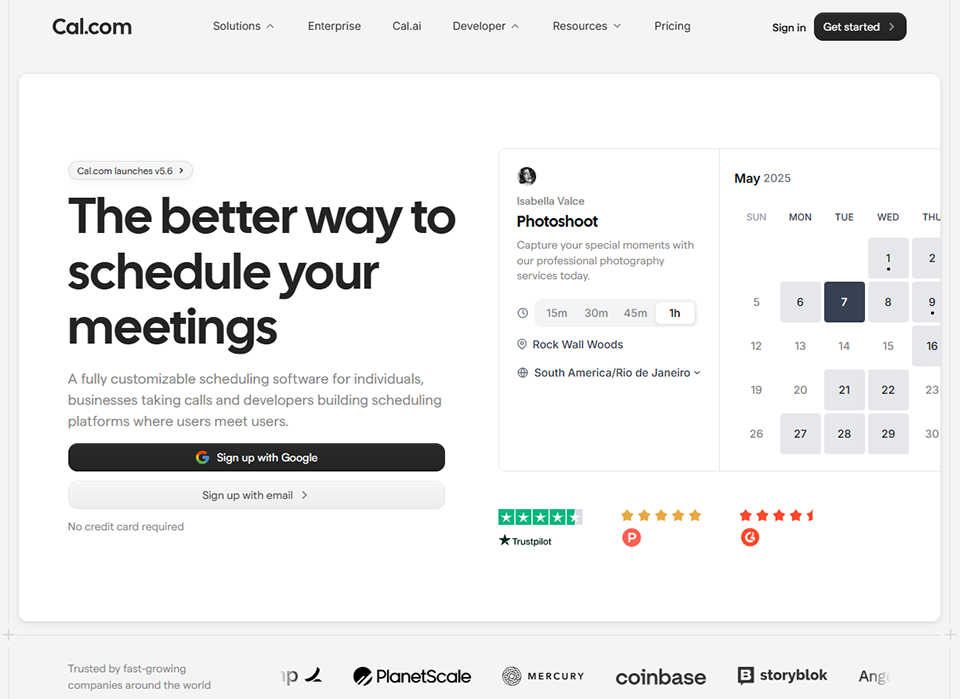
Cal.com belongs to a category of tools that’s often overlooked when it comes to time management, yet is incredibly effective: scheduling tools. The idea is simple: you set your availability once and for all, share a link, and your clients or contacts choose a time slot that works for them. No more back-and-forth emails like, “Are you available on Tuesday?” “No, how about Thursday?” “I’d prefer Friday morning.”
Cal.com stands out from Calendly (its best-known competitor) thanks to its open-source nature and high level of customization, making it a particularly good choice for technical professionals or freelancers who want to maintain control over their tech stack.
Concept and Operation:
Cal.com connects to your existing calendars (Google Calendar, Outlook, iCloud) and checks your availability in real time before suggesting time slots to the person you're communicating with. It's impossible for anyone to book a time slot that overlaps with another existing appointment.
For each event type, you define a duration, a location (video call, phone call, in-person), and availability rules. A 30-minute introductory meeting, a 1-hour weekly follow-up, a 2-hour online workshop... each format has its own booking page.
Key features:
You can customize event types quite extensively: you can add qualifying questions before booking (“What is your budget?” “Describe your project in a few words”), which allows you to go into each call with a basic understanding of the context.
The team scheduling module is useful if you work in a team or with partners: you can set up shared availability, rotation schedules, or round-robin scheduling to distribute appointments among multiple people.
Cal.com also offers anautomated reminder system, via email or text message, to reduce no-shows. This is a significant advantage when you’re managing dozens of appointments each month.
Finally, its open-source nature means you can host the tool on your own infrastructure if you wish, which is a rare option in this category. For those who don't want to manage infrastructure, the cloud version remains very accessible.
Pricing:
Free Plan: free (covers most individual needs).
Teams Plan: starting at ~$12/month (advanced integrations with Salesforce, HubSpot, and Zapier).
Enterprise Plan: priced upon request (advanced features for large teams).
Benefit from a on Cal.com .
Additional 20% off on any plan
Find our best discount right now with Cal.com and save on your software subscriptions. We offer over 850 promo codes and discounts on the best software and SaaS on the market.
🖥️ Are you a developer or have a technical background?
MemTime will likely be your best ally for automatic tracking, especially if you frequently switch between code editors, terminals, and communication tools. The fact that it captures everything without any action on your part is ideal when you're in the "flow" and don't want to be interrupted to start a timer.
Cal.com is also worth checking out: its open-source nature and self-hosting options make it a tool that fits naturally into an existing tech stack.
📊 Do you bill by service or by time spent:
Toggl Track is the most logical choice here. Its reports by project and by client are designed specifically to answer the question, “How many hours did I spend on this client this month?” and to make it easier to generate accurate invoices. The CSV or PDF export integrates well with invoicing tools like Pennylane or Freebe.
🤝 Do you have a lot of appointments or customer calls?
Cal.com is perfect for you. Whether you’re a consultant, coach, trainer, or freelance sales professional, automating your appointment scheduling can save you several hours a week. When combined with a CRM tool like HubSpot or Pipedrive, it becomes a full-fledged customer relationship management system.
🔍 Want to take an in-depth look at your work habits?
MemTime is the only one of the three tools that gives you a truly accurate picture of your day, without any bias caused by forgetting to start a timer. If you feel like you’re working a lot but aren’t quite sure where your time is going, a few weeks with MemTime can reveal patterns that are very useful to address.
🚀 You're just getting started and want simplicity above all else:
The free version of Toggl Track is often the ideal starting point. The interface is intuitive, the learning curve is virtually nonexistent, and the basic features more than cover the needs of a freelancer just starting out.
Advantages and disadvantages of each tool.
✅ Key features of Toggl Track:
Easy to get started, intuitive interface.
Detailed reports by project, client, and time period.
Available on all platforms (web, desktop, mobile, browser extension).
A generous free plan for solo entrepreneurs.
Complete history and easy exports.
👎 Disadvantages of Toggl Track:
Requires self-discipline: if you forget to start the timer, nothing will be recorded.
The project management features are still basic compared to ClickUp or Monday.com.
The interface may seem outdated, depending on how it's used.
✅ Key features of MemTime:
Automatic and passive capture: no effort required on your part.
A very easy-to-read visual timeline of his day.
Data is stored locally by default (good for privacy).
Gradual learning of work patterns.
Integrations with development tools (Jira, GitHub).
👎 Disadvantages of MemTime:
Works only on computers (no native mobile version).
It takes some time to get used to categorizing and refining projects.
Less suitable for teams that need detailed customer reports.
✅ Highlights of Cal.com:
Eliminates the back-and-forth of scheduling appointments.
FAQ: managing your time when starting a business. ❓
Here are a few questions that often come up on this topic, along with concrete answers.
1️⃣ Is it really useful to track your time when you're working alone?
Yes, and often even more so than when working in a team. When you’re on your own, no one is keeping track of your workload for you. Tracking your time helps you identify tasks that take up too much energy relative to their value, justify your fees with accurate data, and better estimate future projects. It’s also an excellent way to spot “time leaks”, those little administrative tasks that eat away at two hours a day without you really noticing.
2️⃣ Should you use all three tools at the same time?
Not necessarily. Toggl and MemTime serve the same purpose (tracking time worked), but since they take different approaches, you’ll probably only need one of them. Cal.com, on the other hand, complements both: it handles pre-meeting tasks, while Toggl and MemTime track the time spent in meetings or on assignments.
3️⃣ What’s the best tool if you’re really starting from scratch?
The free version of Toggl Track is the most accessible way to get started. It's intuitive, well-documented, and has an active community. You can always upgrade to something more sophisticated later.
4️⃣ Do these tools integrate with invoicing software?
Toggl Track, in particular, integrates well with several accounting and invoicing tools. For entrepreneurs , solutions such as Pennylane, Freebe, and Indy can connect directly or via CSV exports to simplify the invoicing process.
5️⃣ How do you actually choose between Toggl and MemTime?
The key question is simple: Are you the disciplined type who consistently starts your timers, or do you tend to forget? If you forget regularly, MemTime will provide you with much more reliable data. If you’re thorough in your tracking, Toggl will give you more control and granularity in your reports.
6️⃣ Is Cal.com an alternative to Calendly?
For the most part, yes. The core features are very similar. Cal.com stands out mainly for its open-source approach, its self-hosting option, and its public roadmap. Calendly remains better known and enjoys greater brand recognition among customers. The choice often depends on how important data control is to you and your attitude toward open source.
7️⃣ Are these tools suitable for teams or just for individuals?
All three offer team features. Toggl and MemTime allow you to track the time of multiple employees and consolidate reports. Cal.com handles scheduling for teams with round-robin and shared availability features. The price difference between an individual plan and a team plan is generally reasonable.
8️⃣ What is the minimum tech stack you recommend for a freelancer just starting out?
An efficient, lightweight tech stack could consist of: a time-tracking tool (Toggl or MemTime), a scheduling tool (Cal.com), a task or project management tool like Notion or ClickUp, and invoicing software suited to your business status. These four components cover the essentials of entrepreneur day-to-day operations.