BrowserAct: The Ultimate Guide to Turning Any Website into a Data Source in 2026
In this article, you'll find everything you need to know about BrowserAct: how this AI browsing agent builds a scraper from a simple instruction, what its plans and credit system are really worth, real-world use cases for freelancers, small businesses and SMEs, its integrations with Make, n8n, and Zapier, and the limitations you should know about before subscribing.
Find over 300 free deals as well as over 850 Premium deals right now with BrowserAct and save on your software subscriptions. Whether you're an entrepreneur, a startup or a solo freelancer, save hundreds of euros thanks to our discounts and promo codes.
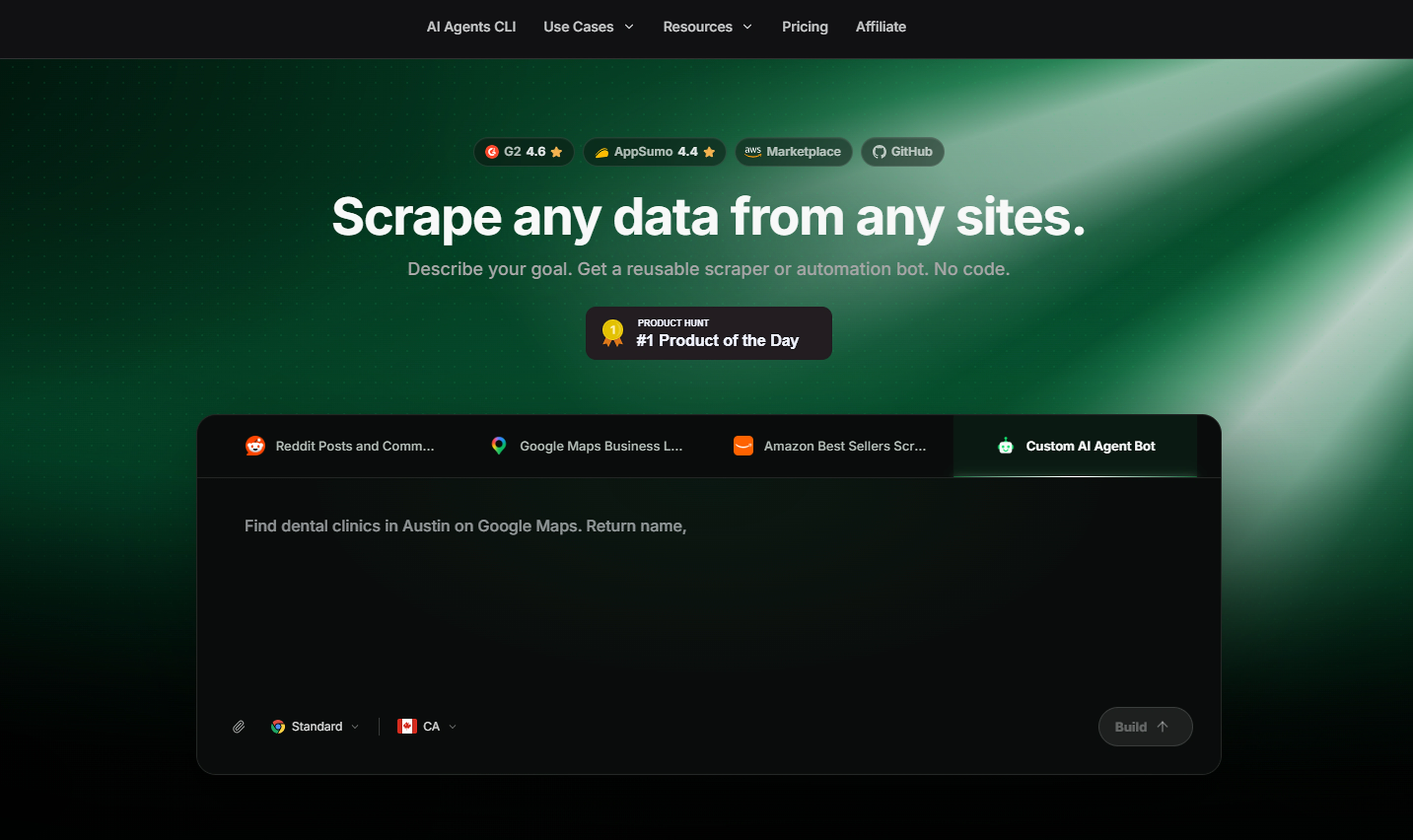
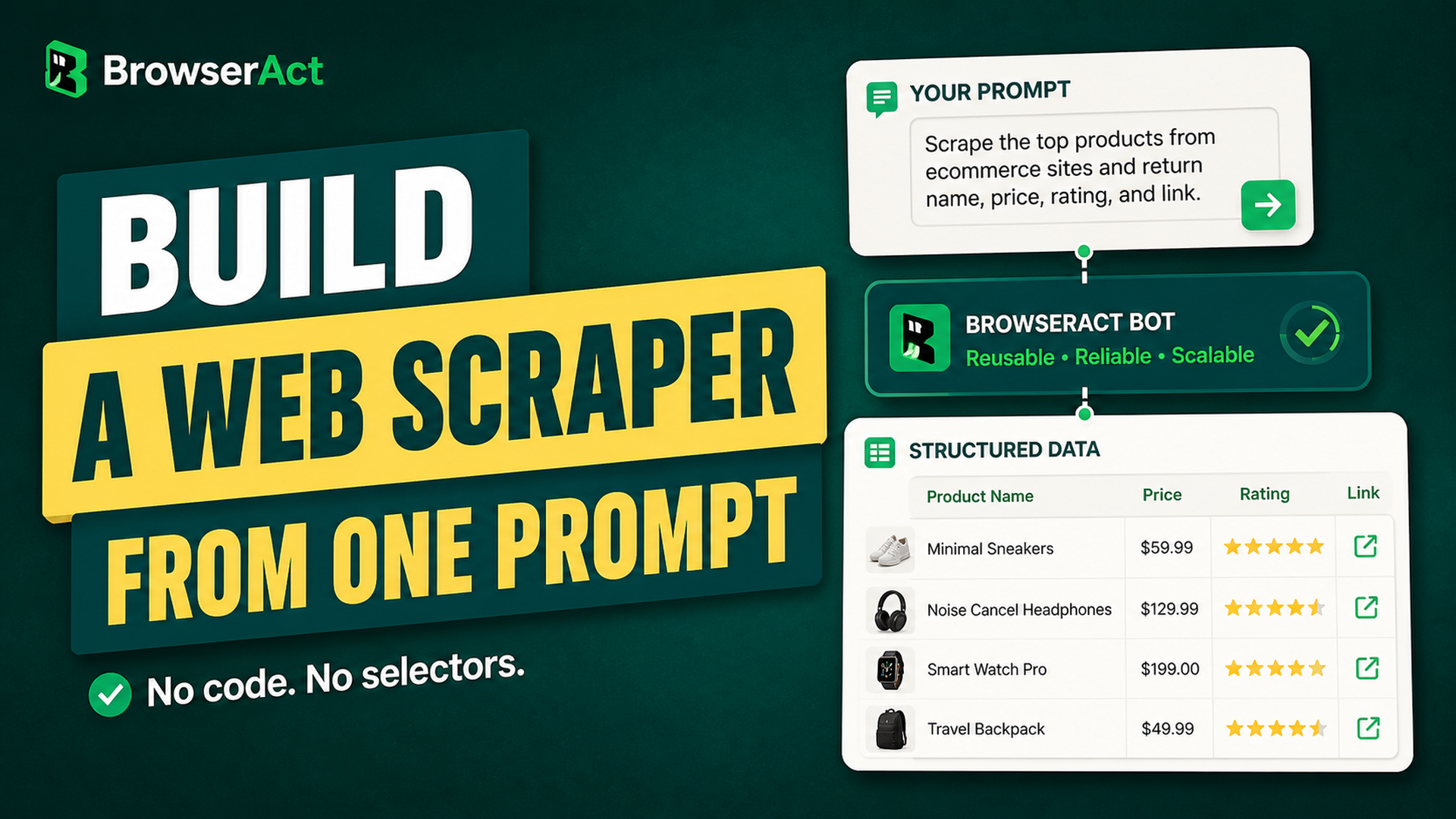
BrowserAct is a browser automation platform that builds a reusable scraper from instructions written in plain language, without any code or CSS selectors to maintain.
Behind this promise lies a problem all too familiar to freelancers and small businesses. Useful web data exists; it's visible to the naked eye, but it remains locked away in pages that must be opened one by one. A consultant monitoring the prices of twenty competitors, an agency compiling a list of prospects from a local directory, an e-commerce business owner checking their product rankings on a marketplace: they all repeat the same task, and they all eventually give up for lack of time.
This guide is intended for freelancers, consultants, startup founders, and small and medium-sized businesses with fewer than 100 employees who don’t have a data engineer on staff. In it, you’ll find a detailed explanation of how the tool actually works, a breakdown of its pricing structure credit by credit, five scenarios you can implement as-is, the integrations that matter most, and—most importantly—its limitations. A scraper that breaks after three weeks costs more than a spreadsheet filled out by hand.
Here are a few key points to help you understand the product: BrowserAct took first place as “Product of the Day” on Product Hunt on June 25, 2026, and has a 4.6 rating on G2 and a 4.4 rating on AppSumo. These are pretty good signs, but not enough to make the decision for you. Let’s take a closer look.
Why Choose BrowserAct Over a Traditional Web Scraper 🎯
Most data extraction tools work on the same principle. You select an element on the page, the tool stores its location in the source code, and then retrieves it each time the tool runs. The day the site redesigns its template, the selector points to nothing, and your automation returns empty columns.
BrowserAct flips the logic. You describe the expected result; the agent explores the site live, tests multiple navigation paths, validates the fields it returns, and then publishes a reusable bot. Intelligence is used during the build phase; subsequent runs rely on the published automation, so you don't pay for the reasoning again at each launch. This is a deliberate architectural choice by the publisher, and it explains why the cost of a bot drops significantly once it has been fine-tuned.
➡️The problems this tool actually solves:
Anti-bot blocking tops the list of obstacles. Cloudflare, DataDome, and their equivalents can detect within a few milliseconds that an automated browser has no browsing history, no consistent graphical rendering, and no credible fingerprint. BrowserAct runs Chromium sessions with more than thirty fingerprint attributes and a residential IP address infrastructure, which is enough to bypass most of the checks before a CAPTCHA even appears.
Next come the pages that require a login. Accessing an internal dashboard, a customer portal, or a member-only ad platform involves managing cookies, SSO, and sometimes a code received via text message. The platform offers a persistent session and a mechanism for a human to take over when the system encounters a verification issue.
Maintenance is the third obstacle—and often the most costly one. When a page changes, the bot detects that the usual path no longer works, searches for a new one, verifies it, and then resumes the task. This self-repair mechanism isn’t foolproof, but it does handle minor redesigns that would otherwise systematically break scrapers that rely on selectors.
The final obstacle is more subtle: session conflicts. If you manage three client accounts on the same platform, a single browser mixes cookies and gives you away. Each BrowserAct profile has its own identity and isolated workspace.
➡️How it compares with Browse AI, Apify, and Firecrawl:
Three alternatives consistently come up in comparisons, and each one actually answers a different question.
Tool
Approach
Key strength
Observed starting price
BrowserAct
An agent explores the site and builds a reusable bot
Protected sites, pages requiring a login, complex interactions
$0 with 200 free credits, then $20/month at the standard rate
The key difference isn't about pricing; it's about functionality. Firecrawl excels at crawling a public website and making it readable by a language model: it's a converter, not an operator. Browse AI remains very accessible to non-technical users for monitoring a specific page over time. Apify offers a library of pre-written actors for popular websites, which is unbeatable when your target is included in the catalog.
BrowserAct tackles a different challenge: data hidden behind a form, a filter, finicky pagination, or a verification wall—when you don't feel like spending your evenings figuring it out.
The platform runs on a subscription that tops up a monthly pool of credits. These credits are then consumed by all services: bot building and execution, workflow steps, proxies, and local fingerprint browsers.
Plan
Monthly (listed)
Annual (monthly equivalent)
Monthly credits
Concurrent Tasks
Static proxies
Free Trial
0 $
0 $
200 credits upon sign-up
2
not included
Basic
$16 instead of $20
$13, or $156 per year
10 000
10
up to 5
Essential
$70 instead of $100
$56, or $672 per year
50 000
20
up to 25
Advanced
$120 instead of $200
$96, or $1,152 per year
100 000
40
up to 50
The three paid plans include a seven-day free trial and a credit allowance on first subscription: 1,000 for Basic, 1,500 for Essential, and 2,000 for Advanced. MCP servers are unlimited on all paid plans. The free plan includes two agent builds and five local browsers, enough to test the service seriously before you pull out your credit card.
Payment is processed through PayPal or by credit card via Stripe. The invoice, however, must be requested from customer support. This is an important detail for French accounting departments, which are accustomed to receiving their receipts automatically.
✅Understanding the credit system:
This is where the actual cost comes into play, and the documentation has the merit of being explicit.
For a bot built in the visual Workflow Builder, the rule can be summed up in one line: each step executed is worth five credits. Navigating, clicking, entering text, extracting data, waiting, going back, scrolling—each action counts as five. Loops multiply accordingly: a loop through thirty items in a list consumes thirty times five credits, or one hundred fifty.
For a bot built by the agent, resource consumption depends on the task and can be viewed in the execution history. The initial exploration phase is significantly more resource-intensive than subsequent executions, since the agent tests several paths before finalizing the automation.
Three infrastructure costs come on top of this. A dynamic proxy is billed 5,000 credits per gigabyte, or about $3.20. Creating a local fingerprint browser costs 100 credits, deducted at each creation and not refunded if you delete the profile. Static proxies are billed monthly, depending on the location and tier selected. The cloud browser is free for a limited time, which probably won't last.
One point deserves attention: monthly credits are used first, and Credit Packs purchased mid-cycle are not permanent. They expire at the monthly reset. It's better to estimate your usage accurately than to top up in a rush.
✅How much does a bot cost, in practice:
Let's look at a concrete example. Every morning, you monitor the top 20 results in a product category on a marketplace, checking the price, rating, and availability.
In Workflow Built, expect one navigation step, one search, one data entry, and then a loop through twenty items with data extraction. The total comes to around 120 to 150 credits per execution, not including proxy bandwidth. Over thirty days, you’ll use between 3,600 and 4,500 credits: the Basic plan and its 10,000 credits easily cover this scenario with enough leeway for two or three lightweight bots running in parallel.
Official templates also display their estimated cost before launch. A Google Maps listing scraper is listed at around 18 to 25 credits per run, while a Reddit post and comment extractor ranges from 17 to 45 credits depending on volume. These rough estimates make it possible to set a realistic monthly budget rather than finding out the cost after the fact.
The real unexpected expense is the dynamic proxy. Loading a large number of images or large web pages consumes bandwidth, and 5,000 credits per gigabyte add up quickly. Disabling image loading when you don't need them makes a measurable difference on your bill.
Getting Started: Build Your First Bot in Ten Minutes ⚡
🔵Creating an account and getting started:
You can sign up by email, or through Google and GitHub. After answering a few onboarding questions, you'll be taken to the cloud dashboard with your 200 free credits.
The interface is organized into four areas. Home hosts the prompt bar and ready-to-use prompt suggestions. Bots groups your published automations, each with its ID, history and browser settings. Tasks lists all runs, successful or not, with the credits consumed. Finally, the Workflow Builder, accessible from Create, offers visual node-by-node building for those who want to stay in control.
🔵Writing an instruction that produces a good bot:
This is the step that determines the quality of the results—and the one that is most often rushed. Effective instructions specify six elements: the source site, the records to be collected, the filtering criteria, the exact fields expected in the output, the result limit, and the variables you may want to modify in subsequent runs.
A vague instruction such as “get the competitors’ prices” will result in a bot that works only roughly. An instruction such as “open the ‘Best Sellers’ page for the Shoes category, collect the top twenty products, and return the product’s rank, name, price, rating, number of reviews, and URL” produces a bot that’s usable right from the first try.
The most cost-effective parameter is still the input variable. By specifying that the search keyword must remain editable, you get a single bot that can be reused for 100 different queries, instead of 100 bots that need to be maintained.
🔵Launch, read, correct:
Once the instruction is submitted, the agent explores the site right before your eyes. It navigates, applies filters, scrolls, follows pagination, opens detail pages and checks the output fields. If any information is missing, it asks you for it in the same build conversation: add the URL, the condition or the expected example, and it resumes its exploration.
Once the build is complete, the Run button launches the first actual execution. You'll get a structured dataset that can be exported as CSV or JSON.
If the result isn't quite right, don't delete the bot to create a new one. The Improve Bot feature lets you describe the desired change, test the draft, and then publish a new version that subsequent runs will use automatically. Rebuilding from scratch wastes credits.
Key Features of BrowserAct 🔧
🟢Agent Built or Workflow Built: two ways to build:
The platform offers two methods, and the choice you make has tangible implications for your organization.
Agent Built starts from a natural-language description:
It's fast, and well suited to sites you're discovering and to changing needs. Two restrictions to be aware of: a bot built by the agent can neither be copied nor shared with a colleague, and storing login credentials is not yet available in this mode.
Workflow Built has you assemble nodes in a visual editor:
Page view, click, hover, input, scroll, pagination, wait, condition, loop, list loop, extraction, human interaction, data output. It takes longer to set up, has more predictable costs, and—most importantly—can be shared. Clicking “Save as Template” turns your bot into a template that a colleague can reuse, without giving them access to your history or your login credentials.
Many users start with Agent Built to validate feasibility, then rebuild in Workflow the critical automations that will need to be documented and handed over.
🟢Standard browser, private browser:
This setting accounts for most of the errors encountered by new users. A standard browser bot reuses the same persistent environment: ideal for staying logged in to a site, but limited to a single active task at a time. Running two simultaneous executions on this bot results in an error.
The private browser, on the other hand, opens a new session each time it is launched, which allows for parallel execution within the limits specified by your plan. Remember this rule: logged-in sessions use the standard browser; high volume and parallel processing use the private browser.
🟢Proxies and geographic targeting:
There are three options available. The dynamic proxy uses residential IP addresses with global coverage and country-specific targeting, billed by bandwidth. The static proxy provides a dedicated address over time, which is useful for managing an account without triggering connection alerts. You can also connect your own provider, which saves you from using up credits if you already have a contract elsewhere—with Bright Data, for example.
Country-based targeting is directly useful for e-commerce businesses: prices, inventory levels, and search results vary depending on the location of the IP address. Monitoring a competitor from a French IP address yields different data than monitoring them from a German IP address.
🟢CAPTCHA and human verification:
BrowserAct supports common CAPTCHAs and verification processes, with human intervention when necessary.
When the challenge exceeds its capabilities, particularly for a code received by email or text message or a confirmation on a device, the human-in-the-loop mode takes over. The bot pauses the task, you take control in the browser, you confirm, and the automation resumes. It's worth planning for this mechanism before scheduling overnight runs; otherwise, your tasks will wait until you wake up.
🟢Sites protected by a login:
For a Workflow bot, the procedure is straightforward: register the account in the Credential Center, authorize the bot to use it, and enable the credentials stored in the starting node. You can also choose to enter the credentials each time the workflow runs if you prefer not to store anything on the platform.
For an Agent bot, you log in manually on the first run through human assistance, using the standard browser to keep the session. Credential storage in this mode is announced as coming soon.
A common-sense reminder before automating a logged-in area: check the terms of use of the site in question. Accessing your own account is nothing like scraping a third-party platform.
🟢Self-healing and robustness:
When a page's structure changes, the system detects the failure, searches for an alternative, verifies it, and then resumes the task. Reviews posted on AppSumo regularly cite this as the most tangible benefit, since maintaining selectors has historically been the number one chore in web scraping.
Don't count on absolute reliability, though. A complete website redesign requires you to run Improve Bot again. Enable the task failure alert: it will notify you before three weeks' worth of missing data is detected in your reports.
🟢Output formats, scheduling, and APIs:
Results can be exported as CSV, JSON, XML, or Markdown. They can also be sent directly to your tools via Make, n8n, Zapier, the REST API, or webhooks.
The API provides the essentials: launching a bot, launching an official template, retrieving a task's status, listing runs, canceling a task, resuming a paused task, and listing available proxy regions. This allows you to seamlessly integrate data collection into an existing product without relying on the user interface.
Five Real-World Use Cases for Freelancers, Microbusinesses, and Small and Medium-Sized Businesses 🧩
✅Price monitoring for an e-commerce business:
You sell about 40 products, and three competitors are targeting the same keywords. Build a bot that opens each competitor's product page, records the listed price, any promotional information, the delivery time, and availability, and then returns a dated CSV file.
A daily run at 7:00 a.m., an export to Airtable or a Google Workspace spreadsheet via Make, and you’ll have a usable price history after a month. It’s this history—not a snapshot of today—that reveals your competitors’ promotional cycles.
✅Creating a list of local prospects:
A bot that scans the results of a directory or map and collects the business name, category, address, rating, website, and public contact information saves you three hours of copying and pasting per geographic area.
The follow-up process is just as important as the data collection. Run the list through Dropcontact or Hunter to ensure its accuracy, import it into your CRM, and then implement a well-thought-out sequence using Lemlist. Legal note below: Creating a prospecting database from personal data gathered online is subject to specific rules, and ignoring them exposes you to far more than just a poor response rate.
✅Monitoring competitors' pricing pages:
For a SaaS provider, competitors’ pricing pages are a goldmine. A weekly bot that tracks each plan, its price, its quotas, and mentions of new features alerts you as soon as a competitor updates its pricing structure.
The trick is to compare this week's output with last week's and only trigger a Slack notification when a discrepancy arises. This way, you turn passive monitoring into an actionable alert—without having to read fifteen pages every Monday.
✅Aggregating mission offers for a freelancer:
Not all freelance mission platforms offer fine-grained alerts, and their filters remain crude. A bot that queries multiple sources with your criteria, removes duplicates and returns a single list every morning saves you half an hour of daily browsing.
This setup works well with n8n: data collected by BrowserAct, filtered on your target daily rate and your technologies, then sent to a Slack channel or a dedicated Notion database. Some users add a scoring step with a language model to rank listings by relevance before reading them.
✅Collecting customer feedback for market research:
Before launching a new feature, there’s nothing better than reading what users have to say about existing products. A bot that collects several hundred public reviews—including ratings, dates, and text—can provide a usable dataset in just one evening.
The data is then processed using semantic analysis: grouping recurring issues, counting occurrences, and extracting the most telling verbatim quotes. An agent built on Relevance AI is all it takes to transform a raw file into a summary report ready for presentation to a committee.
Advanced tips and settings that few users know about 🧠
Start with a template rather than a blank page:
The official catalog covers the most common targets and displays its estimated cost before execution. You can create an editable duplicate to adapt it to your needs, which saves you the entire billed exploration phase.
Claim your bonus credits:
The publisher awards 2,000 credits for an approved review on G2, with a screenshot of the approval as proof, and 500 credits for a star on the official GitHub repository. On a Basic plan, this is equivalent to one-quarter of a month's usage.
Turn off image loading on collection jobs that don't need it:
Since the dynamic proxy is billed by gigabyte, unnecessary bandwidth is the easiest expense to reduce.
Check your browser mode before scheduling:
A nightly task in standard browser mode that overlaps with another one will fail, and you will lose the execution window.
Try simple reading first:
If all you need is to retrieve the content of a JavaScript-rendered page, the "stealth-extract" command in the Agent CLI opens a stealth browser, returns the page as Markdown and closes. Much cheaper than a full session.
Turn your Workflow bots into internal templates:
An agency that manages twenty clients on the same type of data collection has no reason to rebuild twenty times: one template, twenty instances, and a single piece of logic to fix whenever the site changes.
Enable the task failure alert:
From the moment your first bot goes live. Finding out a month later that data collection stopped on the 4th of the month is an unpleasant experience—and one that’s entirely preventable.
Integrations and Ecosystem 🔌
➡️Make, n8n, and Zapier:
The three official connectors allow you to launch a bot from an existing scenario and retrieve its structured results. The documentation details, in particular, how to automatically send data to a Google Sheets spreadsheet and schedule recurring runs via Make, as the native scheduling capabilities remain limited.
The choice depends on your stack. Make offers the best balance between visual ease and power for non-technical users. n8n appeals to those who want to self-host and work with code when necessary. Zapier keeps the edge in the number of apps it can connect.
Make scenarios and n8n workflows can be exported as JSON, making it easy to share them with team members or replicate a project from one client to another.
➡️MCP and AI agents:
Published bots can be exposed as MCP tools, allowing them to be called directly by a compatible assistant. Your conversational agent can then trigger a data collection and use the results immediately, without you having to open the platform.
This is where the publisher's positioning really comes into its own: it doesn't just sell a scraper; it sells an execution layer for agents. By integrating with Lindy AI or Relevance AI, you can delegate the reasoning part to the agent and the navigation part to BrowserAct, with each performing its specific role.
➡️Agent CLI for technical profiles:
Developers have access to a command line that controls a local browser, including your actual Chrome browser with its cookies, extensions, and already open SSO sessions. The process works through a simple loop: open a page, read its state as indexed elements, perform an action on an index, re-read the state, repeat, and close the session.
This compact representation of the page—designed to be read by a language model rather than a human—avoids sending an entire DOM to the context. The CLI installs as a skill in Claude Code, Cursor, Codex, and most current agent environments, and includes a safety mechanism that requires explicit confirmation before creating a browser or performing a sensitive operation.
➡️Combined with the rest of your stack:
Data is only valuable once it’s stored somewhere. The most common setups send results to Airtable for processing, to a CRM like Pipedrive for sales teams, or to Supabase when the data powers a product. When it comes to data enrichment before activation, Clay remains the go-to tool for growth teams.
Limitations of BrowserAct and Alternatives Based on Your Profile ⚠️
🔵Drawbacks to be aware of before subscribing:
The credit model:
It's transparent, but it requires a minimum of discipline. A user who repeatedly loops through long lists without monitoring proxy bandwidth will use up their allowance before the end of the month and will have to purchase additional packs, which expire at the start of the next billing cycle.
Sharing Agent bots:
No copying or forwarding to a colleague: for an agency or a team of three people, this restriction forces them to build automations in Workflow that are meant to be shared, which means spending more time on them.
Credential management in Agent Built:
It's still missing. Manual login on the first run works, but it requires you to be available at the right time and makes fully autonomous scenarios more fragile.
No platform guarantees a 100 percent success rate against anti-bot protections:
Bot-detection vendors continuously update their rules. A bot that works perfectly in January may need adjusting in April.
Billing in dollars and invoices upon request:
They add a bit of administrative hassle for a French organization, compared to a European publisher that sends its invoice in euros every month.
🔵The legal framework, not to be relegated to a footnote:
Collecting data automatically is not a problem in itself. How you use it afterwards can be.
In April 2020, the CNIL published—and subsequently updated in June 2024—a clear position on the reuse of publicly available personal data for commercial solicitation purposes. The key principle to remember is that the fact that data is public does not make it freely reusable. Individuals must be informed of the collection and its purpose; the GDPR applies in full; and marketing based on scraped data remains strictly regulated.
Three best practices are better than one check: review the terms and conditions of use for the target site, comply with the robots.txt file and the load limits you impose on the server, and consistently distinguish between business data and personal data. A product price, a technical specification, or a public price list are not subject to the same regulations as a name, a personal email address, or an individual profile.
🔵Which option is best for which need:
Your Situation
Recommended option
Why
Monitor a specific page and get notified of any changes
1️⃣ Can you really use BrowserAct without knowing how to code?
Yes, for the Agent Built mode and the visual Workflow Builder, which cover the vast majority of needs. The Agent CLI, on the other hand, is intended for technical users.
2️⃣ Is there a free version?
A Free Trial plan provides 200 credits upon sign-up, two agent builds, two simultaneous tasks, and five local browsers. Paid plans add a seven-day trial and an allowance of free credits.
3️⃣ How much does BrowserAct cost per month?
Public pricing ranges from $20 for the Basic plan to $200 for the Advanced plan, with lower promotional prices and a discount of about 20% for an annual subscription.
4️⃣ Does the platform bypass CAPTCHAs?
It automatically handles reCAPTCHA v2, v3, and Enterprise; Cloudflare Turnstile and Challenge; DataDome; and HUMAN Security. Codes sent via email or text message require your intervention through the human-in-the-loop mode.
5️⃣ Can you extract data from a website that requires a login?
Yes. Workflow bots use the credentials stored in the Credential Center, while Agent bots require a manual login the first time they are launched, after which the session is maintained.
6️⃣ What happens if the site gets a new design?
The bot detects the failure, searches for an alternative path, verifies it, and resumes the task. For a major redesign, the Improve Bot feature lets you make corrections without starting from scratch.
7️⃣ Can you schedule automatic runs?
Yes, through the Make, n8n, and Zapier connectors, or by calling the API from your own scheduler.
8️⃣ Is web scraping legal in France?
Collecting public data is not prohibited in and of itself, but the GDPR applies whenever personal data is involved, and the CNIL strictly regulates its reuse for marketing purposes. Be sure to also review the terms of use for the relevant website.
9️⃣ What is the best alternative to BrowserAct?
It depends on your needs: Browse AI for monitoring web pages, Apify for volume and catalog, Firecrawl for feeding an AI project, and ScrapingBee or ScraperAPI for API integration.
Three ideas summarize this guide. The tool stands out for its ability to work on real, protected websites, where most scrapers stop at the public page. Its credit model is easy to read, provided you keep an eye on proxy bandwidth and loops. Its current limitations relate to sharing Agent bots and managing credentials in that mode, two areas announced as being improved.
The right reflex before committing remains the same as for any SaaS: test on the free plan with a specific use case, measure the credits consumed over a week, then choose the plan that matches your actual volume rather than the volume you hope for. And remember to check whether a discount exists for the tool before subscribing, as well as for the building blocks around it, whether that's your automation platform or your database.
This article provides an overview of the best automation software available in 2026, all of which can be accessed through negotiated deals and discount