






10 Good Reasons to Add a Chatbot to Your Website in 2026
In 2026, not having a chatbot on your website often means leaving money on the table and…
Read more

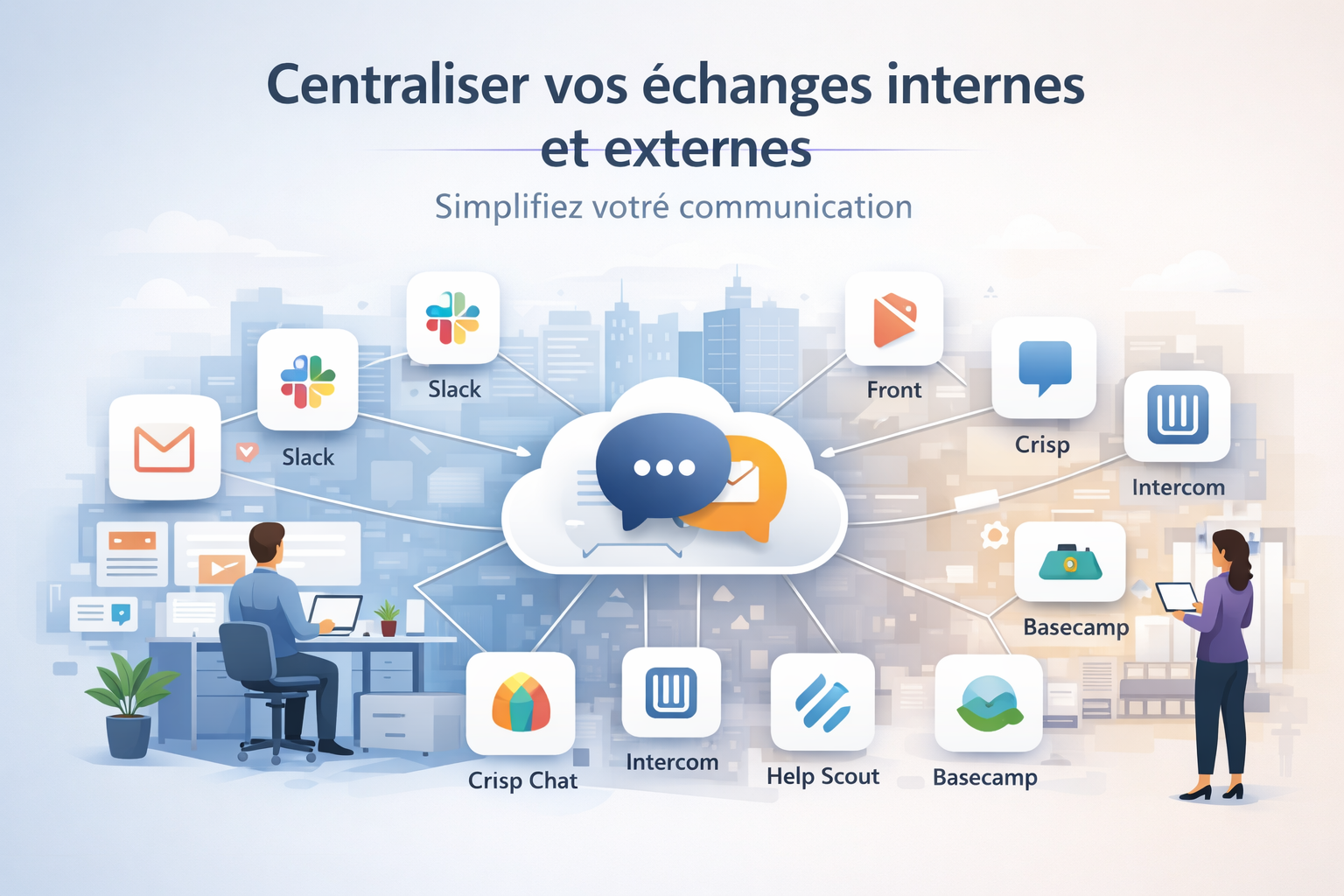
A few years ago, this wasn’t really an issue. We had email, maybe a phone, and most of our professional communication took place through those channels. Today, the reality is quite different: a team of five people can easily juggle emails, Slack messages, Notion comments, discussion threads in a project tool, support tickets, video calls, and customer conversations in a CRM. The result: critical information gets lost, responses are delayed, and the cognitive load creeps up without us really noticing.
According to a McKinsey study, employees spend an average of 28% of their workweek reading and responding to emails. Add to that the time spent switching between tools and applications, and it’s clear why fragmented communication has become a major obstacle to productivity.
The good news is that there are solutions available to bring some order to all of this. Whether you’re looking to streamline internal communication with your team or better manage your customer conversations, there are now tools designed to prevent information from getting scattered, centralize context, and keep a clear overview of what’s happening.
Here are 8 tools that have proven their worth in teams of all sizes, from freelancers to growing startups. For each one, we’ll explain exactly what it offers, who it’s for, and how much it actually costs.

Slack has become the global standard for team messaging. Launched in 2013, it has gradually replaced internal email in thousands of companies, from small startups to large organizations. The platform is based on topic-based channels: each project, each topic, and each team has its own discussion space, accessible to everyone who needs it.
The interface is fast, the search function is powerful, and the ecosystem of integrations is probably the most extensive on the market. Slack integrates natively with Google Drive, Notion, GitHub, Jira, HubSpot, and hundreds of other tools. You receive notifications directly in the relevant channel, which significantly reduces the need to switch back and forth between apps.
Slack lets you organize conversations into public or private channels, send direct messages, and initiate audio or video calls directly from the interface. Threads allow you to reply to a specific message without cluttering the main channel, which is really useful as teams grow.
The Slack Canvas feature now lets you create collaborative documents right within the workspace. Built-in workflows allow you to automate repetitive tasks-such as onboarding new members or sending meeting reminders-without any coding required.
Slack's search feature is one of the best on the market: you can find any file, message, or conversation in seconds using precise filters.

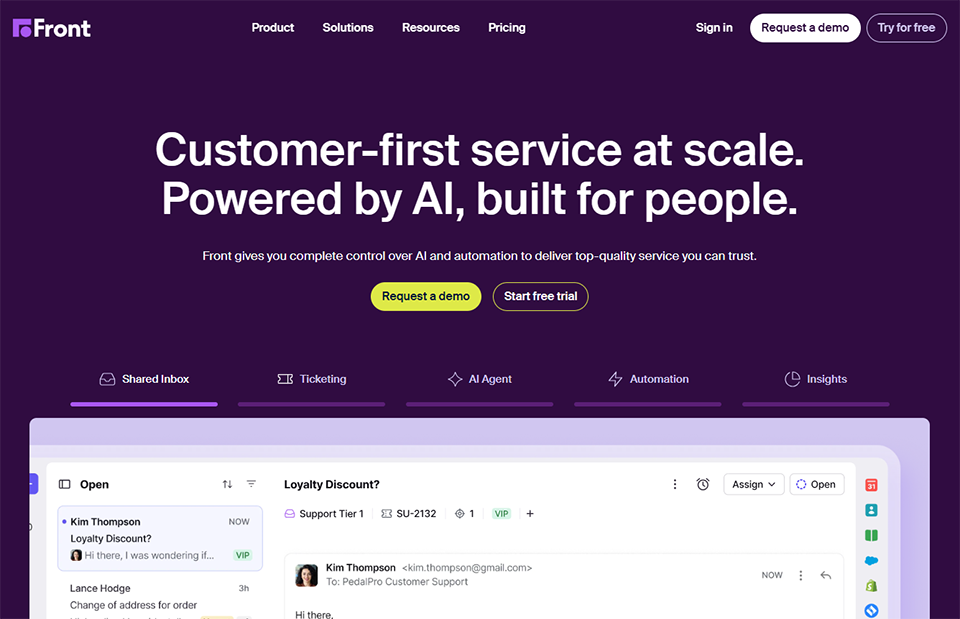
Front is a solution that could be described as a smart shared inbox. The basic idea is simple yet incredibly effective: it allows an entire team to manage a single email address (support@, contact@, hello@) with full visibility into who is handling what, without ever sending duplicate responses.
Whereas traditional email isolates each person in their own inbox, Front creates a collaborative space centered around conversations. You can assign an email to a colleague, leave internal comments visible only to the team, create shared drafts, and see in real time if someone is already replying to a message.
Front centralizes not only emails, but also SMS, WhatsApp messages, Instagram, Twitter/X, and other channels into a single interface. This is particularly valuable for teams that manage many different communication channels.
Automation rules allow messages to be automatically routed based on their content, source, or other criteria. Service Level Agreements (SLAs) can be configured to track response times. The tool also provides detailed analytics on message volumes, response times, and workload per employee.
The sequences feature allows you to send automated email campaigns directly from Front, making it a lightweight sales automation tool for small teams.


Intercom has established itself as the gold standard for conversational customer support for SaaS products and web applications. Its mission is clear: to enable teams to communicate with their users at the right time, with the right message, on the right channel. This includes live chat on your website, in-app messages, automated emails, and even push notifications.
What sets Intercom apart from basic chat tools is its ability to segment users in detail based on their behavior (pages visited, features used, subscription plan) to personalize every interaction. A user who gets stuck at a step in the onboarding process receives a different message than someone who has just signed up.
Intercom's central interface is the shared inbox, where the team handles all incoming conversations. It also includes a help center (Articles) to create a knowledge base that can be accessed directly within the chat widget.
The Engage section lets you create automated messaging campaigns (in-app, email, push) based on specific conditions. Series allow you to build onboarding or retention workflows visually, without any coding.
Intercom has also invested heavily in AI: its Fin agent can automatically answer most questions by drawing on the help center, and only transfer the call to a human agent when necessary.

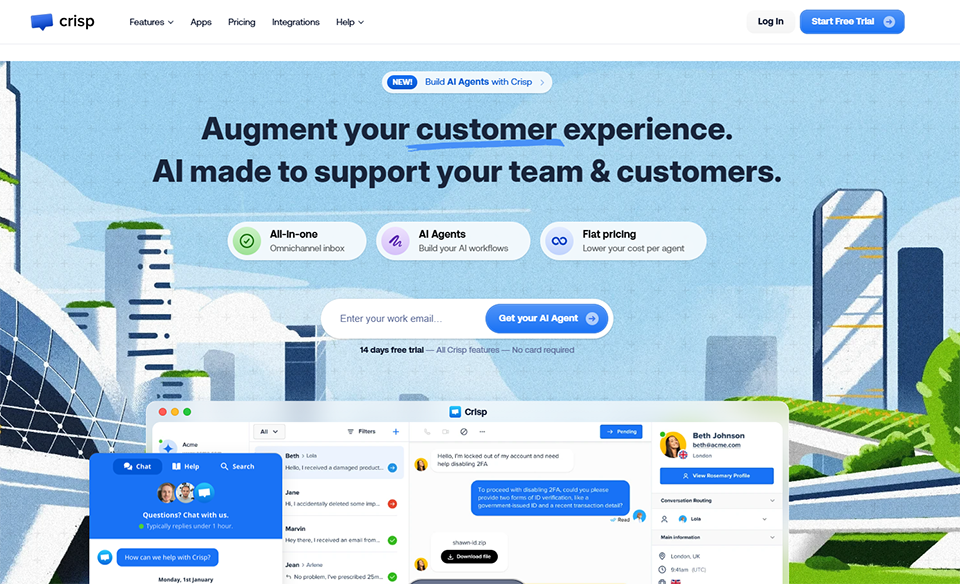
Crisp is a French customer messaging platform that has carved out a niche for itself between highly accessible solutions (such as basic chat widgets) and industry giants like Intercom. Its unique selling point is that it offers a comprehensive tool for managing all customer conversations at a much more affordable price, without sacrificing essential features.
Crisp's shared inbox consolidates messages from your website chat, email, Messenger, Instagram, WhatsApp, and even Telegram into a single interface. This is particularly useful for teams that receive messages from various sources and want to avoid using multiple tools.
The chat widget is customizable and can be integrated into any website in just a few minutes. Pre-recorded responses (shortcuts) allow you to quickly answer frequently asked questions. Co-browsing lets an agent view and interact with a user’s browser to assist them in real time-a feature rarely found at this price point.
Crisp also offers a knowledge base for creating a help center, automated email campaigns, and a lightweight CRM for managing your contact information. The built-in chatbot helps triage requests and answer simple questions outside of business hours.



Help Scout is an email customer support platform designed for teams that prioritize high-quality responses and human connection. Its approach is deliberately simple and effective: no gamification, no tickets with impersonal numbers-just a collaborative messaging interface that looks like a regular email inbox but is designed for teamwork.
The core idea behind Help Scout is that customer support shouldn't feel like a bureaucratic ticketing system. Customers receive responses that look like regular emails, without the headers or ticket numbers that can disrupt the connection.
The shared inbox lets the team view all conversations, assign messages, leave internal notes, and collaborate without ever duplicating a response. Integrated Docs let you create a knowledge base that’s accessible on your website and directly within the chat widget.
The Beacon feature is a web widget that combines live chat, access to help articles, and a contact form into a single embeddable component. Help Scout also provides detailed reports on team performance, response times, and customer satisfaction.
Help Scout also stands out for its strong product culture and exemplary customer support, which speaks volumes about the values it strives to convey to its users.

Notion holds a special place in this article. While it isn’t strictly speaking a messaging or customer support tool, it has become the central hub for asynchronous communication for many teams. Whether it’s a company wiki, a knowledge base, a project documentation hub, or a shared roadmap, Notion centralizes everything that needs to be written, organized, and shared within an organization.
Its success is based on its exceptional flexibility. Each "page" can contain text, tables, to-do lists, databases, calendars, files, and more-all interconnected through links and references. Some teams use it to manage their CRM, others their support article database, and still others their technical documentation.
Notion 's databases are at the heart of its power: they allow you to create filtered views (table, calendar, kanban, gallery) of the same data, making it a highly visual management tool. Community templates are a goldmine for getting started quickly.
The Notion AI feature lets you generate content, summarize documents, translate text, and answer questions on your pages directly from the interface. Comments and mentions enable contextual discussions directly on any part of the document.
The latest major update is the addition of project features (sprints, task dependencies, timelines), which brings Notion closer to project management tools like Asana or ClickUp.

Basecamp is one of the pioneers of online collaborative project management, founded in 2004 by the creators of Ruby on Rails. Its philosophy is explicitly anti-complexity: everything a team needs to work together in one place, with no integrations to set up, no modules to activate, and no endless configuration.
Every Basecamp project includes the same core features: a messaging platform (Campfire), a to-do list, a calendar, file storage, a Q&A board, and customizable notifications. This all-in-one approach is both its strength and its limitation, depending on the user’s needs.
Campfire is the real-time chat feature built into every project: it’s a space for informal communication, similar to a dedicated chat room. Messages allow for more structured communication, with the ability to leave organized reactions and comments.
The Hill Chart is a feature unique to Basecamp: it allows you to visualize a task’s progress in a more nuanced way than a simple progress bar, distinguishing between the exploration phase (ascent) and the execution phase (descent). It offers a view of the work that few other tools provide.
The pricing is also radically different from that of its competitors: a flat rate for the entire team, regardless of its size, which often makes it the most cost-effective option for teams of more than five people.

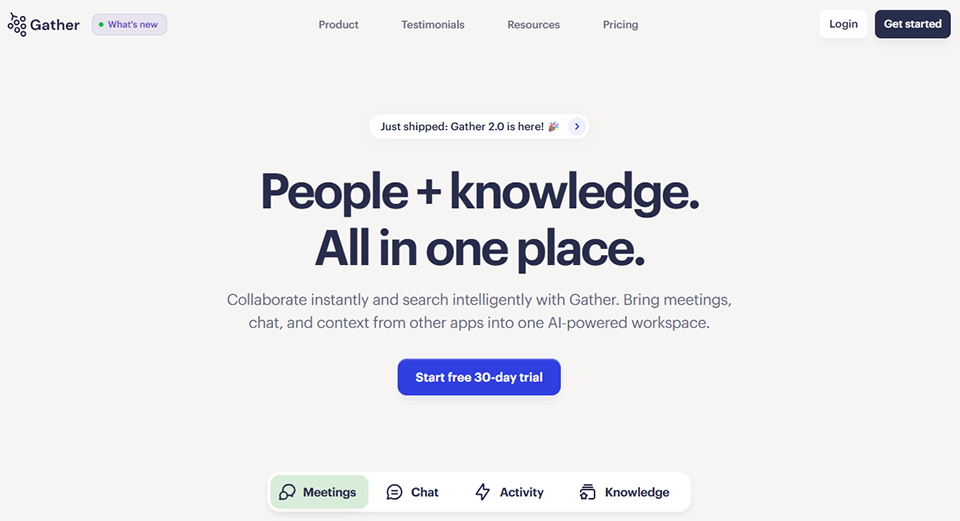
Gather approaches the challenge of distributed communication from a radically different angle. Whereas Slack, Notion, and Basecamp rely on text and discussion threads, Gather creates a 2D virtual workspace where team members move around as avatars. When two people find themselves in the same area, a video chat opens automatically, as if they had bumped into each other in an office hallway.
This concept, which emerged during widespread shift to remote work, addresses a real problem: remote teams lose out on spontaneous interactions, informal conversations, and the sense of sharing a common space. Gather recreates this aspect without requiring scheduled formal meetings.
Customizable spaces let you create a virtual office tailored to your team’s needs: meeting rooms, a coffee area, a game room, and open-plan workspaces. Private zones isolate conversations to prevent interruptions. Interactive features -such as shared screens, whiteboards, and links to documents-enhance the workspace.
Gather also offers features for events, such as conferences, seminars, and virtual team-building activities. Participants can move freely between booths or sessions, recreating the atmosphere of an in-person event.
Permission management allows you to create spaces accessible only to certain members, quiet work areas, or bookable meeting rooms.

Eight tools with very different features-here’s an overview to help you quickly compare them and make the right choice based on your needs and budget.
| Tool | Primary use | Ideal team size | Admission price | Key strength |
|---|---|---|---|---|
| Slack | Internal messaging | 2 to 500+ people | ~€7/month/user | Integrations & Search |
| Front | Collaborative email inbox | 3 to 100 people | ~$19/month/user | Unified multi-channel |
| Intercom | Customer support & messaging | 5 to 200+ people | $29/month | Behavioral segmentation |
| Crisp Chat | Chat Customer Support | 2 to 50 people | €25/month (4 agents) | Value for money |
| Help Scout | Email Support | 2 to 50 people | $22/month/user | A Human-Centered Customer Experience |
| Notion | Documentation & Async | 1 to 100+ people | $10/month/user | Flexibility & wiki |
| Basecamp | Project Management + Communications | 5 to 50+ people | $15/month/user | Simple all-in-one |
| Gather | Virtual presence | 2 to 200 people | $7 per month per user | Virtual Office |
💡 The prices listed are for reference only and are subject to change. Please check the official websites of each service for current pricing.
Every tool has its strengths; here’s how to identify the one that’s right for your situation.
🧑💻 Freelancing with multiple clients: Slack lets you create separate workspaces for each client, share channels with external partners, and keep all project communications in one place. No more emails getting lost in your inbox.
🚀 The fast-growing startup: When a team grows from 3 to 15 people in just a few months, Slack naturally organizes communication by team and by project. Onboarding new members is made easier by the accessible chat history.
📬 The support or customer success team: This is Front’s number one use case. It’s finally possible for multiple people to manage a contact@ inbox without stepping on each other’s toes, with full visibility into the status of every conversation.
💼 Agencies and consulting firms: Teams that manage multiple client accounts benefit greatly from Front’s collaborative structure. Each client can have its own tag or channel, and internal comments eliminate the need for parallel email exchanges.
🛠️ The SaaS Product Team: Intercom is designed for digital products. Its ability to trigger messages based on user actions (or inaction) makes it a key tool for user onboarding and retention.
🎓 Companies with a customer base that needs guidance: The built-in help center significantly reduces the volume of support tickets by allowing users to find answers to their questions on their own, before they even contact support.
🛍️ E-commerce or websites with active customer service: Crisp seamlessly handles the high volume of conversations on a growing e-commerce site, with multi-channel centralization that eliminates the need to switch between different tools.
🌱 Startups or small businesses just getting started with customer support: The free plan is generous enough to get you started, and you can upgrade gradually as needed. The tool is easy to use and requires no special training.
❤️ The team that puts customer relationships at the heart of what sets it apart: Help Scout is designed for companies that view support as a driver of customer loyalty, not just a cost center. The "natural email" approach strengthens the connection with customers.
📚 The brand with a wealth of self-service content: The Docs + Beacon integration creates a comprehensive self-service ecosystem that reduces the volume of incoming support requests while improving the user experience.
📖 For teams looking to build their own internal wiki: Notion is probably the best tool for documenting processes, centralizing decisions, and creating an organizational knowledge base that’s accessible to everyone. This is something that’s hard to do with emails or Slack messages.
🔄 Teams working asynchronously: For teams spread across multiple time zones, Notion becomes the hub for everything when you can’t talk in real time. Every update is tracked, commented on, and easy to find.
🏗️ Agencies or studios managing multiple client projects: Basecamp’s project-based structure, which includes client access, is designed for this type of work. Clients can access the spaces relevant to them, check on progress, and provide feedback directly.
⚡ For teams looking to avoid the complexity of overly configurable tools: If your team spends more time setting up its tools than actually working, Basecamp is the perfect solution. Everything is ready to go, everything works seamlessly together, and there are no unnecessary features.
🌍 The 100% remote team struggling with isolation: Gather directly addresses the sense of "digital loneliness" that many distributed teams experience. The virtual presence recreated in this space truly transforms team dynamics.
🎉 The online event platform: For hackathons, conferences, corporate seminars, or remote team-building days, Gather offers a far more engaging experience than a series of Zoom rooms.
Answers to frequently asked questions to help you choose the tool that best suits your needs.
The reality for most teams is that they use at least two tools: one for internal communication (often Slack or Basecamp) and one for client communication (Front, Crisp, Intercom, or Help Scout). The goal isn’t to cram everything into a single tool at all costs, but to avoid having every conversation take place in a different, unconnected place. A well-integrated pair is better than a theoretically perfect tool that the team doesn’t adopt.
A messaging tool like Slack is designed for internal communication: team discussions, information sharing, and coordination. A support tool like Intercom, Crisp, or Help Scout is designed for external communication: conversations with your customers, managing incoming requests, and tracking tickets. The two can coexist and complement each other. Some tools, such as Front or Basecamp, aim to cover both areas in their own way.
Adoption is often the real challenge, not the choice of tool. Here are a few principles that work: involve one or two internal "champions" from the start, begin with limited use rather than migrating everything at once, provide quick training on essential features rather than documenting everything, and clearly define which type of communication goes through which channel to avoid confusion.
It depends on the volume and nature of your business. A freelancer who manages 2–3 clients via email probably doesn’t need to go any further. However, as soon as you’re managing multiple projects at once, have subcontractors or occasional collaborators, or want to professionalize your client communication, tools like Notion (to centralize information) or Crisp (for live chat on your website) can add real value.
Here are a few warning signs that suggest the situation warrants a reevaluation: important information regularly getting lost in emails, duplicate replies or replies falling through the cracks, an inability to recall the context of an old conversation, or a feeling that “you never know who’s handling what.” If you recognize yourself in two or three of these situations, it’s probably time to take action.
Without a specific context, the most versatile and widely adopted combination remains: Slack for day-to-day internal communication, Notion for documentation and wikis, and-depending on your business- Crisp or Help Scout for customer service. These three tools cover nearly all the communication needs of a small team, integrate well with one another, and offer affordable starter plans.
Both have their place. Asynchronous communication (written exchanges, shared documents, delayed messages) offers real advantages in terms of focus, decision traceability, and flexibility for distributed teams. But it does not replace the value of synchronous exchanges for quickly aligning teams, resolving conflicts, or building connections. The goal is to find the right balance rather than eliminating one in favor of the other.
Most of the tools mentioned in this article (especially European tools like Crisp) offer GDPR-compliant features: data hosting in Europe, available data processing agreements (DPAs), and customizable privacy settings. It is always recommended to review the specific terms and conditions of each tool based on your needs and those of your clients, particularly if you process sensitive data.
