






Top 10 Must-Have UX & UI Tools for Designing Your Product in 2026.
In this article, we’ve selected the 10 tools that truly deserve a place in your tech stack in 2026, by…
Read more


Just a few years ago, managing a website required either a substantial budget to hire an agency or hours spent learning tools that were often technical. Today, the equation has changed. Artificial intelligence has found its way into nearly all platforms for website creation, optimization, and analytics, to the point where it’s becoming difficult to distinguish between what the tool does and what the AI inside it does.
This isn't just a marketing trend. For a freelancer managing their online presence on their own, a startup looking to move quickly, or an SME wanting to improve its search engine rankings without hiring a full-time SEO expert, these tools offer a real opportunity to boost efficiency without necessarily spending more.
The market has become very crowded very quickly, which can sometimes make it hard to know what to choose. Building a website, making it visible on Google, analyzing visitor behavior, optimizing your visuals: each of these steps now has solutions that incorporate AI to varying degrees. Some save you a few minutes, while others completely transform the way you work.
This article reviews the tools that have proven their worth in this field-specifically those for which you can find discount on Freelance Stack. The goal is simple: to help you choose the right tools based on your profile and priorities, without getting lost in an exhaustive list that serves no purpose.

Webflow stands apart in the world of website builders. It’s neither a simple “drag-and-drop” tool accessible to everyone, nor a tool reserved for seasoned developers. It falls somewhere in between, with a genuine learning curve but a level of creative freedom that has few equals on the market.
The basic principle: you design your site visually, and Webflow generates the clean code behind the scenes. But what sets the platform apart today is the gradual integration of AI into the workflow. The Webflow AI feature allows you to generate page sections from a simple text description, rephrase or adapt content directly within the interface, and suggest layout variations based on the type of content.
Its built-in CMS is particularly powerful for sites with dynamic content: portfolios, blogs, and product catalogs. You define the structure once, and then populate it as needed without affecting the layout.
Webflow also hosts your websites directly on its infrastructure, with a global CDN included, which greatly simplifies technical management.
🎨 The designer or creative entrepreneur
Webflow is probably the tool that gives you the most creative freedom-comparable to building from scratch-without writing a single line of code. If you build websites for clients and are tired of the limitations of WordPress themes, this is a game-changer.
🚀 The startup in its launch phase:
Create a landing page or a showcase website quickly, edit it yourself without relying on a developer, and maintain impeccable visual quality: Webflow checks all these boxes. The built-in AI further speeds up the initial setup.
🏢 The marketing team at an SME:
Editor mode allows non-technical teams to edit content without risking breaking the design. It strikes a good balance between autonomy and control.

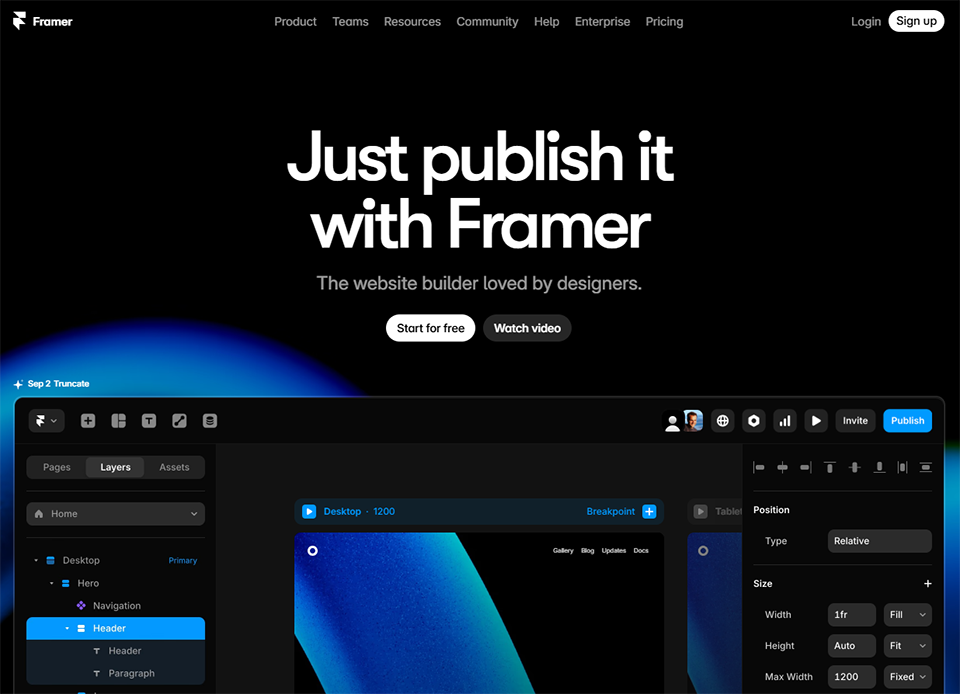

Framer made a decisive shift toward AI a few years ago, and today it’s one of the most impressive tools for generating a complete website from a simple description. All you have to do is describe your business in a few sentences, and Framer will generate a fully developed website, complete with structure, content, and visuals. You start from a much more advanced point than you would with any traditional website builder.
AI-powered design is just the starting point. Once the site is created, you have access to a full-featured visual editor to fine-tune every element. The animations and micro-interactions are particularly well-crafted, often resulting in a more polished final product than what you get with more general-purpose tools.
Framer also includes AI features for automatic website translation, generating alt text for images, and content optimization-all without leaving the platform.
Hosting is included, performance is solid (Core Web Vitals are optimized by default), and it’s quick and easy to get started, even for non-technical users.
⚡ The Busy Entrepreneur:
You need a professional-looking website up and running quickly. Framer is probably the tool that will help you go from concept to a live website as quickly as possible, without compromising on visual quality.
🎯 Freelancers or consultants looking for a standout portfolio:
The animations and attention to visual detail make Framer a natural choice for a portfolio or a website showcasing services. AI helps you structure the content, so you can focus on the creative touches.
🌍 The project targeting multiple markets:
The machine translation feature is a real time-saver for anyone who wants to support multiple languages without having to manage translation files manually.


Search engine optimization remains one of the most effective ways to drive qualified traffic to a website. The problem is that knowing exactly what to write, how to structure an article, which words to use, and at what density isn’t intuitive. That’s exactly what Surfer SEO addresses.
Surfer analyzes the pages that already rank for the search queries you’re targeting, then provides you with specific recommendations: ideal word count, heading structure, semantic keywords to include, and keyword density. You write in a built-in editor that displays a real-time content score based on these criteria.
The Surfer AI feature goes even further: it can generate a complete, optimized first draft of an article in just a few seconds, ready for further refinement. The tool also includes a site audit to identify existing pages that should be optimized first, and a keyword clustering feature that helps build a cohesive content strategy.
✍️ The content creator or professional blogger:
If you publish content regularly and SEO is a key priority for you, Surfer will transform the way you work. You’ll know exactly what to write about and how to structure each article before you even get started.
📣 The marketing team at a startup or small business:
Surfer makes it possible to implement a robust content strategy without needing a dedicated SEO expert. Keyword clustering and structured recommendations provide a clear roadmap.
🔍 SEO consultant or agency:
The tool is clearly designed for SEO professionals. It saves a considerable amount of time on analysis and content creation when you're managing multiple clients at once.

SE Ranking positions itself as a serious alternative to the most well-known SEO tools, offering more affordable pricing and a suite of features that covers most essential needs. It has integrated AI into several of its modules to speed up the most time-consuming tasks.
The tool offers precise keyword ranking tracking, competitor analysis, a technical site audit (which identifies errors that could negatively impact your SEO), and a comprehensive keyword research module. The AI Writer module allows you to generate optimized content directly within the platform, based on the keyword research you’ve conducted.
Backlink detection and quality analysis are also included in the package. For anyone who wants to monitor their entire SEO strategy without having to juggle five different tools, SE Ranking offers a good balance.
🏗️ entrepreneur manages their own website:
For freelancers or consultants who want to track their search engine rankings, fix technical issues on their websites, and identify new content opportunities, SE Ranking offers everything they need at a more affordable price than the industry giants.
📊 The SEO agency or consultant:
Multi-site management and branded reports make SE Ranking a great choice for managing multiple clients. The AI-powered content creation feature saves time on deliverables.
💼 The SME currently developing an SEO strategy:
Getting started with SEO can seem complicated. SE Ranking brings everything together in one place and makes the information easy to understand, even without advanced expertise.

Images are often the most overlooked aspect of SEO optimization. Generic file names, missing or poorly written alt tags, and large image files that slow down page loading: these issues are common and can significantly harm your search rankings. ImageSEO is one of the few tools specifically designed for this purpose.
ImageSEO's AI analyzes your images and automatically generates descriptive alt tags, optimized file names, and captions that align with the page's content. All of this can be applied in bulk to an existing website, saving a significant amount of time for anyone who has published dozens or hundreds of articles without optimizing their images.
The tool integrates directly with WordPress via a plugin, which automates this process every time a new post is published.
📝 The WordPress blogger or content creator:
If you post regularly and your images are never optimized, ImageSEO can process your entire library in one go and then automate the process for new posts.
🛒 An e-commerce site manager:
A product catalog with hundreds of poorly optimized images is a significant SEO issue. ImageSEO's batch automation tackles this problem head-on.
⚙️ Web agency or consultant:
If you want to include image optimization in a client service without spending hours doing it manually, imageSEO is exactly what you need.

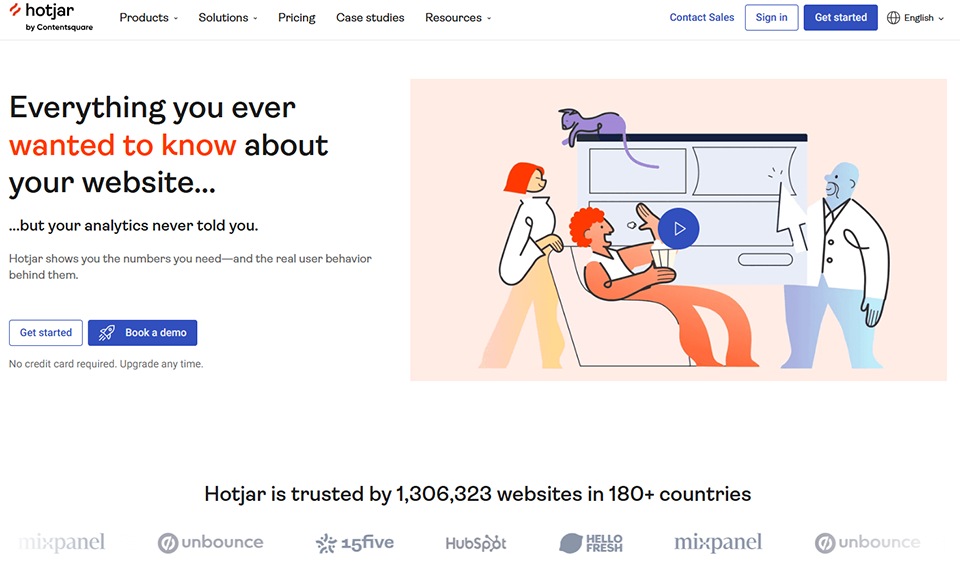

Getting traffic to your website is one thing. Understanding why visitors don’t make a purchase, don’t submit the contact form, or leave a page while reading is another. Hotjar answers this question through behavioral analytics: heatmaps, session recordings, and user feedback.
Heatmaps visually show where users click, scroll, and spend time on your pages. Session recordings allow you to replay a real visitor’s journey through the site, which often reveals friction points that aren’t visible in standard analytics data.
Hotjar’s AI layer handles the analysis of these recordings: it automatically identifies the most valuable sessions to review (those that reveal unusual behavior or friction points) and generates summaries of recurring issues detected. No more manually reviewing hundreds of recordings.
Hotjar also offers surveys and feedback widgets that appear directly on web pages, allowing you to gather user feedback at the exact moment they’re interacting with your site.
🏪 The owner of an e-commerce or lead-generation website:
Every abandoned shopping cart or unsubmitted form represents a loss. Hotjar helps you pinpoint exactly where and why things are going wrong, so you can take corrective action without having to guess.
🔬 The Product or UX Team:
When it comes to testing hypotheses about the user interface, validating a redesign, or prioritizing improvements, behavioral analysis is far more reliable than internal opinions.
📱 The startup that iterates quickly:
Quickly understand how real users interact with the product, without waiting for lengthy and costly formal testing phases.

Ranked AI is designed for those who want to produce SEO content at scale without dedicating a full-time editorial resource to it. It’s a newer tool, but one that addresses a growing need: consistently generating optimized content to maintain and grow organic visibility.
The tool starts with a list of target keywords and automatically generates structured articles with optimized titles, a consistent semantic structure, and appropriate metadata. The workflow is designed to minimize human intervention in the technical aspects of SEO, while still allowing users to customize the tone and instructions.
Ranked AI also includes direct publishing to WordPress, eliminating the need for the usual copy-and-paste process between the editor and the CMS.
📰 The blogger or niche website publisher:
If your business relies on organic traffic and you need to post regularly without spending all your time on it, Ranked AI automates much of the process.
🏢 Content agency or SEO consultant:
Managing content production for multiple clients with limited editorial resources: Ranked AI allows you to streamline part of the production process while still producing technically optimized articles.

Here is a summary of the tools presented to help you quickly identify which one best suits your situation.
| Tool | Field | AI Highlights | Recommended profile | Starting price |
|---|---|---|---|---|
| Webflow | Website Design | Generation of sections and content | Designer, startup | ~$14/month |
| Framer | Website Design | Website generated from prompt, AI translation | Freelancer, busy entrepreneur | Free / ~$5/month |
| Surfer SEO | SEO & Content | Real-time scoring, AI-powered content creation | Content creator, SEO agency | ~$89/month |
| SE Ranking | Comprehensive SEO | Full Suite + AI Writer | entrepreneur, consultant | ~$52/month |
| ImageSEO | Technical SEO | Alt tags and auto-generated filenames | Blogger, e-commerce | ~$9/month |
| Hotjar | Behavioral analytics | AI analysis of sessions, summaries | E-commerce, product startup | Free / ~$32/month |
| Ranked AI | Automated SEO content creation | Bulk article generation | Publisher, content agency | ~$49/month |
Note: Prices are for reference only and may vary depending on promotional offers, region, and changes to pricing plans. Always check the current terms and conditions on the provider’s website before subscribing.
The following questions often come up when evaluating these tools for the first time. Here are some straightforward answers.
For the vast majority of needs (showcase sites, portfolios, landing pages, blogs), yes. These tools allow you to create and maintain a professional website without any development skills. However, for projects with highly specific features, complex integrations, or custom architecture, a developer is still must-have.
That’s a valid question. Google has officially stated that what matters is the quality and usefulness of the content for users, not how it was produced. In practice, AI-generated content that hasn’t been proofread or customized may lack real added value, which is more problematic than any potential technical “detection.” The proper use of these tools is to treat them as a starting point, not an end point.
It depends on your situation. If you’re building a new website, Framer or Webflow may be sufficient on their own to start with. If your website already exists and you want to improve your SEO, SE Ranking or Surfer are useful additions. Hotjar and ImageSEO are add-ons that complement your existing stack rather than standalone solutions.
Framer is probably the most accessible option for someone starting from scratch: its AI-powered content generation provides an immediate result to work with. Hotjar is also very intuitive. Webflow requires more initial effort. SEO tools like Surfer or SE Ranking require a basic understanding of SEO to get the most out of them.
Surfer is heavily focused on content creation and optimization: that’s its core strength. SE Ranking is a more comprehensive SEO suite that also covers rank tracking, technical audits, and backlinks. If your priority is creating high-quality content, Surfer is more specialized in that area. If you want to monitor your entire SEO strategy, SE Ranking offers a broader scope. The two can actually complement each other.
Yes, most of them integrate with WordPress. ImageSEO offers a native plugin. Surfer SEO has a WordPress extension. Ranked AI publishes directly to WordPress. Hotjar integrates via a simple script. Webflow and Framer are alternatives to WordPress, not extensions of it.
Overall, yes. SEO tools like Surfer and SE Ranking support French very well. AI content generation works in French, even though the models are often better trained on English. ImageSEO generates alt tags in French without any trouble. Framer and Webflow support multilingual websites, including French.
That is precisely what Freelance Stack is all about. Active deals for these tools are available directly through the links in this article, or by visiting the Freelance Stack platform, which lists over 850 discount the best SaaS tools on the market.
