The best no-code options for quickly launching a mobile app
In this article, we’ve reviewed six no-code platforms that are particularly well-suited for launching a mobile app: Glide, Adalo, FlutterFlow, Bubble, Draftbit, and Natively. For each one, you’ll find a detailed overview, the types of users who benefit most from them, and the limitations you should be aware of before getting started.
Is it really possible to launch a mobile app without a developer?
Just a few years ago, developing a mobile app meant spending months hiring engineers, drafting endless technical specifications, and securing substantial budgets. While this model remains the norm in large companies, it is no longer the only viable option.
Since 2020, the no-code market has literally exploded. This is a major trend affecting startups, freelancers, entrepreneurs consultants entrepreneurs small and medium-sized businesses alike-all of whom want to test a concept without spending a fortune.
The idea is simple: today, visual platforms make it possible to design interfaces, manage databases, trigger automations, and publish a fully functional app on the App Store or Google Play-without writing a single line of code. Or almost none.
The reality on the ground is a bit more nuanced. No-code isn’t a magic wand that lets you do everything effortlessly. Building a robust mobile app (even without coding) requires product thinking, a solid understanding of data, and time to master the chosen tool. What no-code fundamentally changes is the cost-to-speed ratio: whereas traditional native development costs between €20,000 and €100,000 for an MVP, the same results can be achieved in a few weeks with just a few hundred euros worth of software.
That is precisely why these tools are so appealing to entrepreneurs, solo founders, and small teams who want to validate an idea, build an internal tool, or launch their first product on the market without delay.
That said, not all of these solutions are created equal. Some are designed for rapid prototyping, while others are geared toward products intended for scaling. Some excel on native mobile platforms, while others rely on Progressive Web Apps. And the differences in price, learning curve, and flexibility can sometimes be significant.
In this article, we’ve reviewed six no-code platforms that are particularly well-suited for launching a mobile app: Glide, Adalo, FlutterFlow, Bubble, Draftbit, and Natively. For each one, you’ll find a detailed overview, the types of users who benefit most from them, and the limitations you should be aware of before getting started.
#1 - Glide: Turn a spreadsheet into a mobile app in just a few hours.
Benefit from our free deal on Glide.
20% off on annual plan
Find over 300 free deals as well as over 850 Premium deals right now with Glide and save on your software subscriptions. Whether you're an entrepreneur, a startup or a solo freelancer, save hundreds of euros thanks to our discounts and promo codes.
Glide starts with a rather radical premise: most of the business apps we use every day are, at their core, simply interfaces built on top of data. Why not build directly from an existing data source?
That’s exactly how it works. Connect a Google Sheet, an Airtable database, or an Excel spreadsheet, and Glide automatically generates a mobile app complete with screens, forms, filters, and navigation. It’s one of the fastest tools on the market to get started with: you can realistically launch a first version in less than a day.
Concept and key features:
Glide uses a visual drag-and-drop editor. You select components (lists, cards, forms, charts, maps, etc.), connect them to your data columns, and define visibility rules based on user roles. Automation is built-in, and permission management is granular.
The platform also offers its own calculated functions, reducing your reliance on complex formulas in your data sources. A "Glide Tables" system also allows you to completely bypass Google Sheets if you wish. It is also possible to integrate advanced data entry forms, send automated emails, and set up simple approval workflows, making Glide a viable solution beyond just prototyping.
The platform has evolved significantly in recent years. Early versions were clearly limited to simple use cases, but Glide has gradually expanded its capabilities to support more complex business scenarios: inventory management, ticket tracking, customer portals, internal directories, and field apps. Companies such as restaurant chains, service firms, and HR teams use Glide for internal tools deployed to dozens of users.
Glide apps are PWAs (Progressive Web Apps) that can be accessed via a mobile browser or pinned to the home screen. They aren’t natively available through the App Store, but this technical limitation is becoming less of a barrier as web standards continue to evolve.
Pricing:
Glide offers a free plan with limited features (up to 500 rows of data, visible Glide branding). Paid plans start at around $25/month for entrepreneurs creators and go up to several hundred dollars for teams.
What kind of profile?
🎯 Field Operations / SMEs:
If you're looking to digitize an internal process (inventory, construction site monitoring, field validation, schedule management), Glide is likely the fastest solution to deploy.
📊 Consultants and entrepreneurs
For quickly delivering a functional tool to a client without needing to manage the development process, Glide significantly reduces development time.
🚀 Entrepreneurs in the validation phase:
Testing an app concept with real data and real users in just a few days-that’s where Glide really shines.
✅ Benefits:
Extremely easy to get started with, even without a technical background.
Sign-in with Google Sheets, Airtable, and Excel.
Ideal for internal apps and business tools.
Fairly granular role and permission management.
❌ Disadvantages:
Apps cannot be published natively on the App Store or Google Play without using third-party solutions.
Less suitable for complex consumer apps.
Performance may degrade when handling large volumes of data.
Benefit from a on Glide .
Additional 15% off on any plan
Find our best discount right now with Glide and save on your software subscriptions. We offer over 850 promo codes and discounts on the best software and SaaS on the market.
#2 - Adalo: Build real native apps without coding.
Benefit from our free deal on Adalo.
20% off on annual plan
Find over 300 free deals as well as over 850 Premium deals right now with Adalo and save on your software subscriptions. Whether you're an entrepreneur, a startup or a solo freelancer, save hundreds of euros thanks to our discounts and promo codes.
Adalo clearly stands out from other platforms thanks to its ability to generate native apps for iOS and Android that can be distributed through the official app stores. This is often the main selling point that wins over mobile app developers.
The editor is entirely visual. You drag and drop components onto the screen (buttons, lists, forms, media, etc.), and define actions, conditions, and navigation flows. The database is built directly into Adalo or connected to external sources via REST APIs.
Concept and key features:
Adalo's interface resembles that of a design tool like Figma, but it generates native code in the background (React Native). You can preview the app in real time on your phone using the Adalo Previewer app.
The component marketplace is particularly extensive: dozens of community-created extensions let you add advanced features (maps, chat, calendars, push notifications, Stripe payments, and more) without writing any code. Integrations with tools like Xano (a no-code database) or Zapier allow you to take your business logic quite far.
Publishing to the App Store and Google Play is handled directly through Adalo, which makes it much easier for non-developers to get their apps online.
Pricing:
The free plan lets you try out the platform, but with significant limitations (no publishing to app stores). Paid plans start at around $45/month, with native publishing included.
What kind of profile?
📱 Project leader / solo founder:
If you want to launch a consumer app on app stores without a technical partner, Adalo is one of the easiest options.
🏋️ Coach, trainer, content creator:
Community, tracking, or training apps can be created without any programming knowledge.
💼 No-code agencies and freelancers:
Adalo is one of the most widely used tools in the professional no-code community for delivering custom mobile apps to clients.
✅ Benefits:
Native iOS and Android publishing included.
Extensive component marketplace.
An integrated database that's easy to use.
A supportive community and learning resources.
❌ Disadvantages:
Limited performance in complex or heavily loaded applications.
Graphical customization is sometimes limited by the available components.
Scalability can become an issue for apps with a large user base.
Benefit from a on Adalo .
Additional 20% off on any plan
Find our best discount right now with Adalo and save on your software subscriptions. We offer over 850 promo codes and discounts on the best software and SaaS on the market.
#3 - FlutterFlow: The power of Flutter, without writing any code (or almost none).
FlutterFlow occupies a unique position in the no-code ecosystem: it is a visual interface built on top of Flutter, Google’s framework for creating mobile, web, and desktop apps from a single codebase. This positioning gives it performance and flexibility that most pure no-code tools cannot match.
The tool falls somewhere between no-code and low-code. You can get a lot done without touching any code, but users with some knowledge of Dart (Flutter’s programming language) can unlock additional features by adding custom code blocks.
Concept and key features:
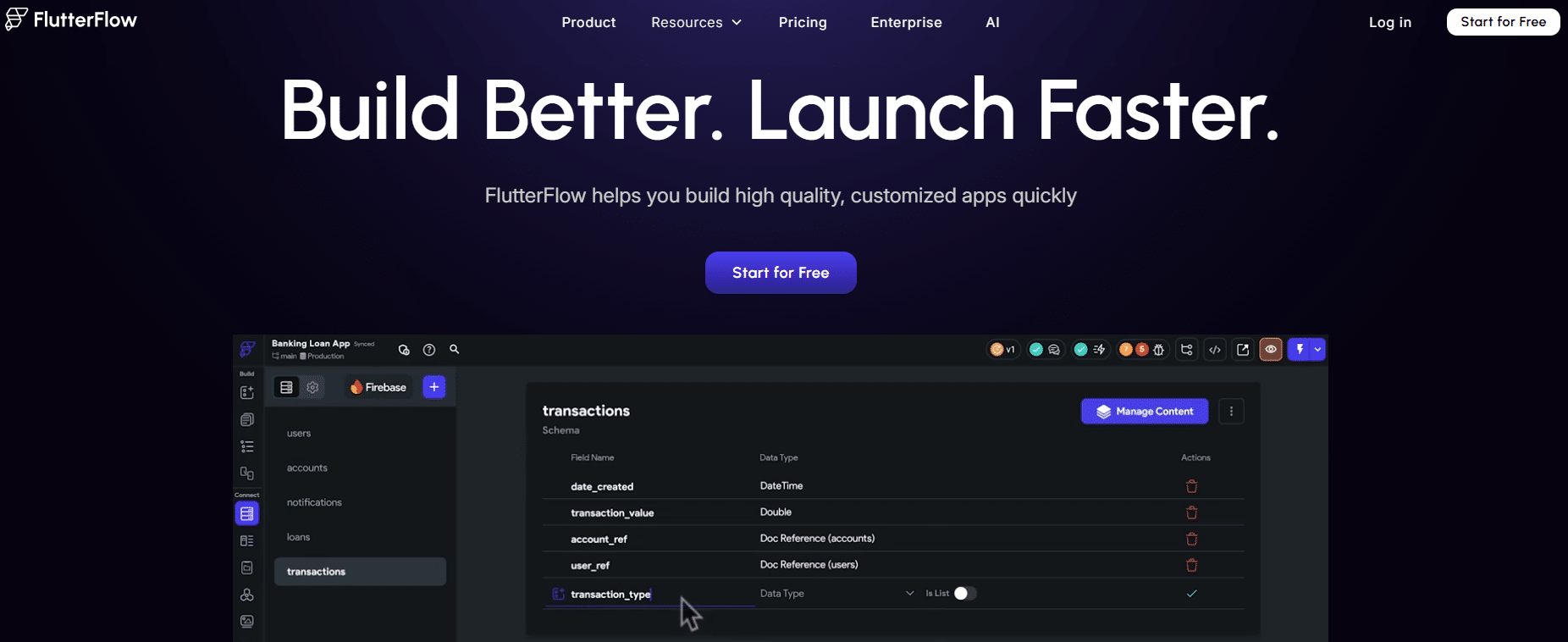
FlutterFlow offers a comprehensive visual editor with drag-and-drop functionality, state management, conditional logic, and screen navigation.Its integration with Firebase is native and exceptionally well-designed: authentication, Firestore, file storage, and push notifications-everything is connected in just a few clicks.
Additional integrations are available with Supabase (an open-source alternative to Firebase), REST APIs, Stripe, and many other services. The management of themes, animations, and responsive design is far more advanced than that of most competitors.
The platform allows youto export the generated Flutter code, which serves as an important safety net: if your needs ever outgrow FlutterFlow’s capabilities, you’ll walk away with clean, maintainable code.
Pricing:
There is a free plan with certain limitations (no code export, no direct publishing). Paid plans start at around $30/month.
What kind of profile?
🔧 A developer discovering no-code:
FlutterFlow is an ideal starting point for boosting productivity while still allowing you to make changes to the code if necessary.
📈 Startup in the launch phase:
The combination of FlutterFlow and Firebase lets you build a fully functional mobile MVP-complete with authentication, a database, and notifications-in just a few weeks.
🎨 Product designer looking to prototype interactive apps:
Its animation and visual customization capabilities are among the most advanced in the no-code market.
✅ Benefits:
Native performance thanks to Flutter.
Source code can be exported.
Comprehensive Firebase integration.
Excellent handling of responsive design and animations.
Apps available on iOS, Android, and the web.
❌ Disadvantages:
A steeper learning curve than Glide or Adalo.
Some advanced features require some knowledge of coding.
The documentation can be difficult for non-technical users to understand.
Benefit from a on FlutterFlow .
2 months free
Find our best discount right now with FlutterFlow and save on your software subscriptions. We offer over 850 promo codes and discounts on the best software and SaaS on the market.
#4 - Bubble: the most comprehensive no-code platform, optimized for mobile.
Benefit from our free deal on Bubble.
Up to 20% off on annual plan
Find over 300 free deals as well as over 850 Premium deals right now with Bubble and save on your software subscriptions. Whether you're an entrepreneur, a startup or a solo freelancer, save hundreds of euros thanks to our discounts and promo codes.
Bubble is often touted as the go-to no-code platform for all Categories. And for good reason: it’s likely the most powerful platform on the market in terms of business logic, customization, and scalability. While it’s primarily designed for web applications, its apps are responsive and work perfectly on mobile devices.
There is also Bubble App (available separately on Freelance Stack), which expands the platform’s native capabilities.
Concept and key features:
Bubble is built around a comprehensive visual editor, featuring advanced workflow management (conditional logic, loops, scheduled actions), relational databases, and a robust plugin system. It can be used to build marketplaces, full-fledged SaaS applications, advanced internal tools, or social networks-projects that other no-code platforms simply couldn’t support.
The editor is also one of the most complex in the industry. It takes time and effort to get the hang of it, but there is no shortage of community resources (forums, templates, YouTube tutorials).
Bubble apps are responsive web applications. For mobile distribution, the standard approach is to use Natively (see below), which wraps a web app in a native iOS/Android shell.
Pricing:
Bubble's free plan is fully functional but includes visible Bubble branding and limited features. Paid plans start at $29/month for personal projects and increase depending on server capacity and team size requirements.
What kind of profile?
🏗️ Founder of a SaaS company or marketplace:
Bubble is the go-to platform for building complex products without a developer. Dozens of startups valued at millions have been launched on Bubble.
💻 Experienced no-code developer or maker:
Those with prior experience in application logic will find that Bubble offers a wide range of possibilities.
🔄 Teams looking to integrate no-code into their existing tech stack:
The API integrations are very comprehensive; Bubble integrates easily with tools like Xano, Retool, and third-party services.
✅ Benefits:
The most powerful no-code platform on the market in terms of application logic.
True scalability, used by products in production.
Extensive plugin marketplace.
A strong community and abundant learning resources.
❌ Disadvantages:
There is a significant learning curve, especially for beginners.
The app is not native (PWA / encapsulation required).
Performance requirements may necessitate a higher-tier paid plan in production.
Benefit from a on Bubble .
$200 in credits during 3 months
Find our best discount right now with Bubble and save on your software subscriptions. We offer over 850 promo codes and discounts on the best software and SaaS on the market.
#5 - Draftbit: Visual React Native for custom mobile apps.
Benefit from our free deal on Draftbit.
20% off on annual plan
Find over 300 free deals as well as over 850 Premium deals right now with Draftbit and save on your software subscriptions. Whether you're an entrepreneur, a startup or a solo freelancer, save hundreds of euros thanks to our discounts and promo codes.
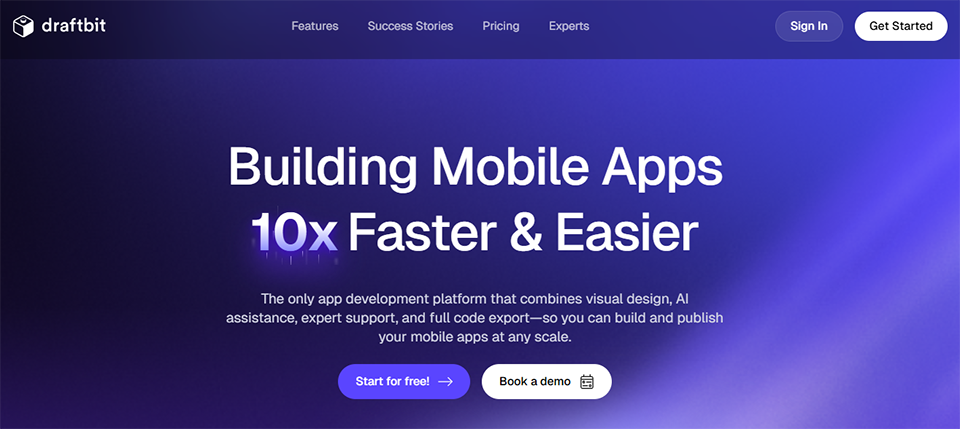
Draftbit explicitly targets the segment of mobile apps with high customization potential. Built on React Native, it generates actual code that developers can use and modify, making it a popular tool among hybrid teams (no-code + dev).
The visual editor lets you build screens, define navigation, connect to REST or GraphQL APIs, and configure conditional display logic. Unlike Glide or Adalo, Draftbit is aimed at a slightly more tech-savvyaudience , or at teams that want to combine the speed of no-code development with the precision of native code.
Concept and key features:
Draftbit offers a library of pre-built components (UI blocks) that significantly speed up the process of building screens. These components are highly customizable using style properties directly inspired by React Native.
Connecting to external APIs is one of the platform’s key strengths: you can connect any REST or GraphQL backend, configure authentication headers, and visually map responses to your components. Draftbit integrates seamlessly with no-code backends like Xano or Supabase.
React Native code export is available, which reassures teams that want to retain control over their codebase in the long run.
Pricing:
Draftbit offers plans starting at $19/month for individual projects, with team plans also available.
What kind of profile?
👨💻 Junior or intermediate developer:
Draftbit lets you build mobile apps faster than with pure React Native, while still staying close to the code.
🤝 Cross-functional teams (no-code + dev):
The ability to export code and collaborate across technical and non-technical roles is a real advantage.
🎯 Freelancers specializing in client-side app development:
To deliver customized apps faster, while maintaining the flexibility of an exportable codebase.
✅ Benefits:
Built on React Native, with true native performance.
Source code can be exported.
Highly flexible Sign-in (REST, GraphQL).
A good balance between no-code and low-code.
❌ Disadvantages:
Less accessible to those with purely non-technical backgrounds.
The community is smaller than Bubble or Adalo.
However, some features still require some knowledge of development.
Benefit from a on Draftbit .
Additional 50% off on any plan
Find our best discount with Draftbit and save on your software subscriptions. We offer over 850 promo codes and discounts on the best software and SaaS on the market.
#6 - Natively: Turn any web app into a native mobile app.
Benefit from our free deal on Natively.
35% off on annual plan
Find over 300 free deals as well as over 850 Premium deals right now with Natively and save on your software subscriptions. Whether you're an entrepreneur, a startup or a solo freelancer, save hundreds of euros thanks to our discounts and promo codes.
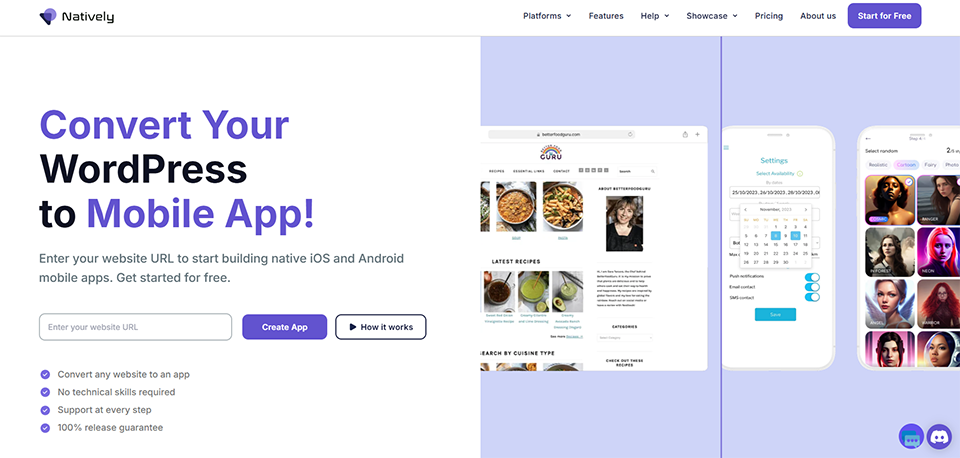
Natively occupies a unique niche within this ecosystem: it isn't an app builder in the strict sense, but rather a service that wraps an existing web app in a native iOS and Android shell, making it available for distribution through the official app stores.
The concept is simple but particularly useful for teams that already have a PWA or a mobile-friendly website and want to distribute it through app stores without starting from scratch.
Concept and key features:
You provide the URL for your web app, and Natively generates an IPA file (iOS) and an APK/AAB file (Android) that you can submit directly to the app stores. Native features such as push notifications, camera access, geolocation, and biometric support can be integrated via a JavaScript SDK.
This is a particularly well-designed solution for apps built on Bubble, WeWeb, Framer, or any other web-based tool: you centralize development on a single platform, and Natively handles mobile distribution.
The platform also offers a dashboard for managing versions, pushing updates remotely (without going through app stores), and monitoring installations.
Pricing:
Natively starts at $19/month for basic apps. More comprehensive plans that include push notifications and custom domains are available at higher price points.
What kind of profile?
🌐 Makers Bubble or WeWeb:
If you already have a working web app and want to distribute it through app stores, Natively is the most straightforward solution.
⏱️ Teams looking to save time on mobile distribution:
No refactoring, no new project-just a URL and an app ready to submit.
🔔 Products that require mobile push notifications:
Natively lets you add this feature to web apps without any additional native development.
✅ Benefits:
No technical overhaul is required to distribute the product through retail stores.
Push notifications, camera, and geolocation via the JS SDK.
Remote updates without having to go through the app.
Compatible with all no-code website builders.
❌ Disadvantages:
Applies only to apps that already have a web version.
Performance depends on the quality of the underlying web app.
Some native features remain unavailable compared to a 100% native app.
Benefit from a on Natively .
Additional 30% off on any plan
Find our best discount right now with Natively and save on your software subscriptions. We offer over 850 promo codes and discounts on the best software and SaaS on the market.
The prices listed are for reference only and are subject to change. Be sure to check the current prices directly on each platform’s website before making a commitment.
How do you choose the right tool for your situation?
With these six options to choose from, there’s a risk of going around in circles without ever getting started. Here are some practical guidelines to help you make a quick decision.
🚀 You have one week to deliver a prototype and no technical skills:
Glide is undoubtedly the most sensible place to start. You’ll have a fully functional app in just a few hours-perfect for gathering user feedback and validating your product hypotheses.
📱 Your main goal is to have a presence on the App Store and Google Play:
Without requiring a developer, Adalo offers the best balance between accessibility and native publishing. It’s the go-to tool for solo founders who want a consumer app available on app stores.
🔝 Are you considering a product that will scale:
If performance is a priority and you’re willing to invest a few weeks in learning the platform, FlutterFlow is likely the most robust option on the mobile no-code market. The ability to export code ensures you have an exit strategy should your needs ever outgrow the platform.
⚙️ Application complexity is your top priority:
Advanced business logic, sophisticated data relationships, and multiple integrations: Bubble remains the most powerful platform. When combined with Natively for mobile distribution, it forms a cohesive stack for ambitious products.
🌐 If you already have a web app or a responsive website:
If you simply want to launch a mobile distribution channel without a complete overhaul, Natively is the most cost-effective and quickest solution to implement.
One final practical note: regardless of the tool you choose, the success of a mobile app doesn’t hinge solely on technology. The clarity of the value proposition, the quality of the user experience, and the frequency of post-launch updates are often more critical than the choice of platform itself. No-code removes technical barriers, but it doesn’t replace product strategy.
To learn more about managing and automating your projects, you can also check out theNo-Code and Low-Code and Application Development Categories on Freelance Stack, where you’ll find many deals on complementary tools such as WeWeb, Plasmic, and Noodl.
See all the software of this category: Application mobile
Check out all the other software and discount we offer in this category. Explore other tools and choose the perfect solution to grow your business.
Here are a few frequently asked questions to help you learn more and clarify common issues.
1️⃣ Can you really publish an app on the App Store or Google Play using a no-code tool?
Yes, and this is actually one of the key selling points of several platforms featured here. Adalo, FlutterFlow, and Draftbit allow you to generate native builds (IPA for iOS, APK/AAB for Android) directly from their interfaces, which can then be submitted to app stores. For Bubble or web apps, Natively serves this purpose. The only requirement: having an Apple developer account ($99/year) and a Google developer account ($25 one-time fee). Apple’s review process remains the most rigorous, particularly regarding metadata, feature descriptions, and screenshots.
2️⃣ What is the difference between a PWA and a native app?
A PWA (Progressive Web App) is a web application that can be accessed via a mobile browser and pinned to the home screen, but runs in a web environment. A native app is a compiled program that runs directly on the phone’s operating system (iOS or Android), with access to hardware features (camera, sensors, push notifications, accelerometer, etc.) and better overall performance. In the no-code space, Glide produces PWAs, while Adalo, FlutterFlow, and Draftbit generate native apps. Natively falls somewhere in between: it encapsulates a web app within a native shell, allowing access to certain hardware features while retaining the web logic.
3️⃣ Is no-code suitable for a product in production, not just for an MVP?
That’s a valid question. The short answer is: it depends on the tool and the requirements. Bubble is used by startups in production with several thousand users. FlutterFlow, thanks to Flutter, offers performance close to that of native apps. However, there are limitations when it comes to scaling to very large scales or handling highly complex logic. For the majority of entrepreneurs projects, B2B apps, or products in the early growth phase, no-code is perfectly suited. The real question isn’t “Can no-code scale?” but rather “At what point does my product warrant an investment in traditional development?”
4️⃣ Do you need technical skills to use these tools?
Not necessarily, but accessibility levels vary significantly depending on the platform. Glide and Natively can be mastered by users with no technical background in just a few hours. Adalo requires some understanding of application logic (such as relationships between data collections and conditional actions) but remains very accessible. FlutterFlow and Draftbit benefit from prior experience in development or product design. Bubble requires a greater learning investment, but there are numerous resources available (tutorials, forums, templates). The best approach is to start with a simple tool to grasp the fundamentals (data structures, navigation, states) before moving on to more complex projects.
5️⃣ Can multiple no-code tools be combined?
Absolutely, and it’s actually a common practice in the no-code community. A common setup involves using Bubble or WeWeb for the front end, Xano for the backend and database, and Natively for mobile deployment. Or: FlutterFlow for the interface, Supabase for data and authentication. These hybrid stacks allow you to combine the power of each tool by leveraging their respective APIs. Most modern no-code tools expose REST APIs or webhooks, which greatly facilitates interoperability.
6️⃣ How long does it take to build a first version using these tools?
For a working prototype with a few screens and basic logic, expect one to two days of work on Glide, two to five days on Adalo, and one to two weeks on FlutterFlow or Bubble for a more sophisticated app. These estimates assume that you’ve already clarified the desired features and your data structure beforehand. The actual time savings compared to traditional development are often in the range of 5 to 10 times, which radically changes the equation for projects with tight budgets.
7️⃣ What happens if I reach the limits of my no-code tool?
There are two possible scenarios. If the tool you choose allows youto export the source code (as is the case with FlutterFlow and Draftbit), you can hand the project over to a team of developers without having to start from scratch. For Bubble or Adalo, which do not offer code export, migrating to a custom solution requires rebuilding the product from scratch. That’s why it’s important to consider this issue when choosing a tool, especially if you have significant growth ambitions.
8️⃣ What about data security and privacy?
This is an important consideration, especially in the context of the GDPR. Major platforms (Bubble, FlutterFlow, Glide) are GDPR-compliant and offer hosting options in Europe for certain plans. If you process sensitive data (health data, financial information, large-scale personal data), always check the hosting terms, privacy policies, and security certifications before choosing your tool. Open-source backends like Supabase or Appwrite offer more control over the infrastructure and can be self-hosted if necessary.