






Time-saving tools for your website powered by AI
This article reviews the tools that have proven their worth in this field-specifically those for which you…
Read more


People have been talking about AI agents for a few years now, but since 2024, something has shifted. These projects are no longer limited to the technical teams at major tech companies. Today, a freelancer, a startup founder, or a marketing manager can deploy their own agents without writing a single line of code—or almost none at all.
What exactly is an AI agent? It’s a program capable of acting autonomously to perform a task. It can browse the web, send emails, query a database, call a third-party API, make decisions based on context… and do all of this without human intervention at every step. This is fundamentally different from a chatbot, which simply answers questions.
The AI agent market is booming. According to a Grand View Research study published in early 2025, the global AI agent market is projected to exceed $47 billion by 2030, with an annual growth rate of over 40%. That figure is staggering, but above all, it reflects a profound shift in the way teams organize their work.
For entrepreneurs and freelancers looking to automate repetitive tasks, qualify leads, respond to customers, or analyze data, AI agents are a significant productivity booster. But you still need to choose the right platform to build them.
This comparison reviews five tools that truly stand out in 2026: Make, n8n, Lindy AI, Relevance AI, and Stack AI. Each has its own strengths, target audience, and a very different approach to the concept of an “agent.”

Make (formerly Integromat) is often described as an automation tool, but since the integration of AI modules in 2024, it has evolved into a full-fledged agent creation platform. Its strength lies in an exceptionally clear visual interface, where each workflow takes the form of a diagram showing connections between “modules.”
On Make, you build workflows. A workflow is a series of steps triggered by an event: receiving an email, adding a row to a Google Sheet, an incoming webhook, and so on. These steps can incorporate ChatGPT or other language models to analyze text, make a decision, or generate a response.
What sets it apart from a simple automation tool is the ability to create conditional loops, routers, and nested scenarios. For example, you can build an agent that receives an email from a prospect, extracts key information using GPT-4o, saves it to your CRM, assesses the level of interest, and automatically sends a personalized response if the score exceeds a certain threshold.
Make has over 2,000 native integrations with apps like Slack, Notion, Airtable, HubSpot, Gmail, Shopify... The list is impressive. And for anything not yet covered, HTTP modules and webhooks let you connect to any API.
Make scenarios are triggered in various ways: in real time via webhooks, at regular intervals (every 15 minutes, every hour, every day), or manually. The error-handling system is particularly well-designed: you can define fallback behaviors, receive alerts, and resume a scenario from where it left off.
AI integration is achieved through dedicated modules: OpenAI, Anthropic Claude, Google Gemini, and Mistral. You can pass dynamic prompts by injecting variables from previous steps. It is this combination that enables the creation of truly contextual agents.
Make's "Data Stores" also allow information to be stored between scenario runs, which paves the way for agents with a form of persistent memory.
Freelancers or consultants who want to automate without coding:
Make is ideal if you want to connect your existing tools and automate tasks without having to write code. A marketing consultant can build a bot that monitors mentions of their brand, analyzes them using AI, and automatically generates a weekly report. All of this can be set up in just a few hours.
The startup founder building their first workflows:
For a small team that doesn't yet have a dedicated developer, Make offers true autonomy. Managing incoming leads, automated customer onboarding, internal alerts for key business events... the use cases are numerous.
The operations team in an SME:
When ops teams look to reduce manual tasks and the back-and-forth between tools, Make is often their first choice. It integrates well with existing tech stacks and doesn't require a complete overhaul.

n8n occupies a unique position in the world of automation platforms. It is an open-source tool that you can host yourself, which radically changes the equation in terms of data control, costs, and flexibility. Since version 1.0 and the subsequent updates in 2024–2025, n8n has established itself as the go-to platform for developers and technical teams looking to build custom AI agents.
Like Make, n8n is based on a visual “nodes and connections” interface. But that's where the similarity ends. n8n lets you write JavaScript or Python code directly within nodes, create reusable sub-workflows, and integrate language models with a level of control that no-code tools simply can't match.
n8n's AI Agents feature (available natively since mid-2024) allows you to create agents with conversation memory, capable of using “tools” (tools that the agent can call upon to interact with external systems) and operating in ReAct mode (Reasoning + Acting). In practice, the agent can think about its next action, execute it, observe the result, and adjust its strategy.
It is this level of sophistication that sets n8n apart. You can build an agent that manages an email inbox, qualifies requests, prioritizes urgent matters, delegates certain tasks to other specialized agents... all within a single workflow.
The n8n node catalog includes more than 400 native integrations. While there are fewer of them than in Make, they often offer more in-depth functionality per integration. HTTP and Webhook nodes can handle any use cases not covered by the native integrations.
Agent memory can be supported by several backends: Redis, Postgres, or vector databases such as Pinecone or Qdrant for RAG (Retrieval-Augmented Generation). This is essential if you want your agents to be able to access internal knowledge bases.
The self-hosting option is a major advantage for companies subject to compliance requirements (GDPR, sensitive data). Your data does not pass through a third-party provider's servers.
The developer or technical team:
This is clearly n8n's primary audience. If you know how to write a few lines of JavaScript, you'll find a level of flexibility that no no-code tool can offer. The ability to inject custom code at every step changes everything.
The startup facing privacy challenges:
Hosting n8n on your own infrastructure (a VPS server, a Kubernetes cluster) gives you complete control over your data. For industries such as healthcare, finance, or the legal sector, this is often a non-negotiable requirement.
The tech agency or freelancer that delivers automation solutions to its clients:
n8n is ideal for building reusable solutions and delivering them to clients. The ability to version control workflows via Git, package them, and deploy them is a real operational advantage.

Lindy AI takes the opposite approach to previous platforms. No complex visual canvas, no nodes to connect: here, you describe your agents in natural language, and the platform handles the configuration. This is a deliberate positioning strategy, aimed at users who want quick results without getting bogged down in technical details.
Lindy is built around the concept of “AI assistants” that you create for specific tasks: managing your emails, scheduling your meetings, qualifying leads, answering customer questions, and more. You give instructions in natural language (“Reply to incoming emails from new prospects within two hours, using this context about our offer”), and Lindy handles the rest.
The platform features a library of agent templates covering the most common business use cases: automated SDR (Sales Development Representative), personal assistant, email sorter, customer support agent, document analyzer, and more...
One notable strength: Lindy agents can collaborate with one another. You can create a “coordinator” agent that delegates tasks to specialized agents, allowing you to build sophisticated pipelines without having to orchestrate everything manually.
Lindy integrates natively with Gmail, Google Calendar, Slack, HubSpot, Salesforce, Notion, Zoom, and other popular tools. Connections are established via OAuth with just a few clicks.
Lindy integrates natively with Gmail, Google Calendar, Slack, HubSpot, Salesforce, Notion, Zoom, and other popular tools. Connections are established via OAuth with just a few clicks.
The “meeting scheduling” feature deserves special mention. Lindy can manage your calendar on its own: suggest time slots, confirm appointments, send reminders, and prepare meeting briefs. For certain users, this kind of tangible time-saving benefit alone justifies the subscription.
The solo entrepreneur or founder who is short on time:
Lindy is designed for anyone who wants to delegate repetitive, time-consuming tasks, such as managing their inbox, scheduling, and following up with prospects, to an AI, without having to understand how it works under the hood.
The sales representative or business development manager:
Lindy's SDR agent can qualify incoming leads, customize outreach sequences, and manage follow-ups. For a small sales team that can't afford a dedicated sales automation tool, it's a powerful shortcut.
The client-focused consultant or freelancer:
Responding quickly to client requests, managing your schedule, preparing for meetings... Lindy specifically addresses these friction points in a consultant's day-to-day work.

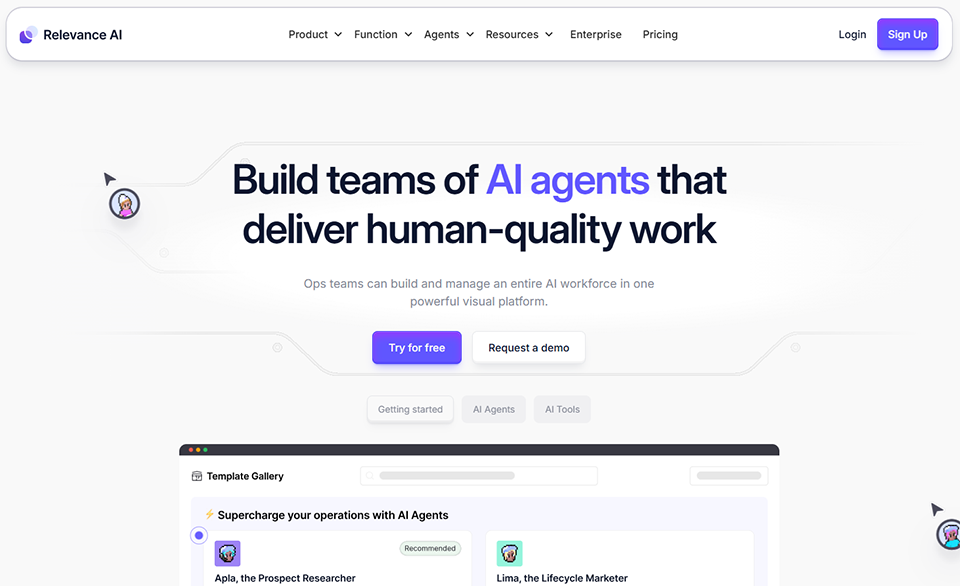

Relevance AI stands out for its highly business-oriented philosophy. The central idea is to build AI agents that play a specific role within your organization (an “AI BDR,” an “AI Analyst,” an “AI Support Agent”) and that integrate into human teams. In fact, the platform deliberately uses terminology from human resources, not engineering.
On Relevance AI, you create “Tools” (individual actions that your agent can perform) and combine them to form “Agents.” A Tool can be: “analyze an email and extract key information,” “search our CRM database,” or “draft a personalized response.” These building blocks are then orchestrated by an agent, who decides which action to take based on the context.
This modular approach is particularly useful for teams that want to start by creating simple tools, testing them, and then gradually combining them into more complex agents. It reduces risks and enables iterative deployment.
Relevance AI also offers a multi-agent team feature: you can set up a team of agents with distinct roles, define how they communicate with each other, and designate a manager agent to coordinate the entire team. It is one of the most advanced implementations of multi-agent orchestration available on the market that requires no coding.
The platform natively supports a wide variety of LLMs: including GPT-4o, Claude, Gemini, Mistral, and Llama... allowing you to choose the model best suited to each task (and optimize costs).
Integrations include CRMs (HubSpot, Salesforce), communication tools (Slack, email), databases, and, of course, external APIs via HTTP connectors. Document search (RAG) is natively supported, with the ability to upload PDF and Word files or connect to vector databases.
“Agent Playground” lets you test your agents under real-world conditions before deploying them, with detailed logs for each step of the reasoning process. It is a valuable tool for understanding why an agent behaves a certain way and for adjusting it.
Sales or marketing teams looking to automate their processes:
Relevance AI is particularly well-suited for creating business agents for lead generation, lead nurturing, or customer data analysis. The “AI Worker” approach resonates well with teams accustomed to thinking in terms of roles and responsibilities.
The operations manager or project manager:
The modular approach (Tools, then Agents) is suitable for someone who wants to stay in control, understand what the agent is doing step by step, and iterate gradually.
The B2B startup looking to implement AI in its sales cycle:
An SDR agent built on Relevance AI can qualify inbound leads, research target accounts, prepare prospecting briefs... all at a cost well below that of a traditional sales automation tool.


Stack AI is positioned more toward enterprise customers than the other tools in this comparison. Its value proposition is based on three pillars: technical power, data compliance (SOC 2, HIPAA for regulated industries), and the ability to build full-fledged AI applications, not just chatbots.
Stack AI offers a visual builder similar to those on other platforms, but with a stronger focus on creating full-fledged AI applications. You can build an agent, as well as the surrounding user interface, an input form, a monitoring dashboard, and more, all within a single tool.
The platform is based on the concept of AI workflows that combine large language models (LLMs), knowledge bases (RAG), external API calls, and conditional logic. These workflows can be deployed as APIs or web interfaces, or integrated into existing tools via webhooks.
Knowledge management is a top priority on Stack AI: you can import PDF and Word documents, web pages, and entire databases. The chunking and vector indexing system is highly configurable, which is important for use cases where the accuracy of responses is critical.
Stack AI supports a wide range of models: OpenAI, Anthropic, Cohere, Mistral, open-source models via HuggingFace, and more. The ability to route different queries to different models based on their nature (and thus their cost) is a real advantage for large-scale deployments.
Integrations are well covered: Notion, Google Drive, Confluence, and SharePoint for knowledge bases; Slack, Teams, Salesforce, and HubSpot for actions. Connectors to databases (PostgreSQL, MySQL, MongoDB) are also available.
An important differentiator: Stack AI allows you to create agents with built-in human controls. You can define steps that require human approval before proceeding, which is essential for sensitive business processes.
A company that handles sensitive data or is subject to regulatory requirements:
SOC 2 Type II and HIPAA compliance make Stack AI a strong option for industries such as healthcare, finance, and education. This isn't just a marketing pitch: it's often a contractual requirement.
The IT team or CIO looking to deploy AI in-house:
Build a chatbot based on your internal knowledge base, automate document processing, create an assistant for HR teams... Stack AI enables these types of deployments with a level of control and security that consumer-grade tools simply cannot offer.
A startup or scale-up that is developing an AI product:
If you're integrating AI into your own product and need a robust, scalable middleware layer, Stack AI can serve as your AI backend. The generated APIs are stable and well-documented.
Before diving into the comparison chart, here's how these five platforms stack up based on the most common user profiles:
If you're a freelancer or consultant without a technical background, Make or Lindy AI are the natural places to start. Make for the power of interconnected automations, and Lindy if you want agents that directly manage your day-to-day tasks (emails, calendar, lead follow-up).
If you have technical skills or a development team, n8n is the obvious choice. The control it offers over data and agent logic is unmatched in the pure no-code space. The ability to self-host it is a lasting competitive advantage.
If you lead a sales or marketing team that wants to streamline its prospecting and analysis processes, Relevance AI offers the most mature business-focused approach with its AI Workers concept.
If you operate in a regulated industry or face compliance challenges, Stack AI is the only one of these five tools to offer the certifications and secure architecture required for this type of deployment.
Five tools, each with its own distinct features, here’s an overview to help you identify the one that best suits your needs and technical level.
| Criterion | Make | n8n | Lindy AI | Relevance AI | Stack AI |
|---|---|---|---|---|---|
| Easy to use | ⭐⭐⭐⭐⭐ | ⭐⭐⭐ | ⭐⭐⭐⭐⭐ | ⭐⭐⭐⭐ | ⭐⭐⭐ |
| Technical Capabilities | ⭐⭐⭐ | ⭐⭐⭐⭐⭐ | ⭐⭐⭐ | ⭐⭐⭐⭐ | ⭐⭐⭐⭐⭐ |
| Number of integrations | ⭐⭐⭐⭐⭐ | ⭐⭐⭐⭐ | ⭐⭐⭐ | ⭐⭐⭐ | ⭐⭐⭐⭐ |
| Native AI Agents | ⭐⭐⭐ | ⭐⭐⭐⭐⭐ | ⭐⭐⭐⭐⭐ | ⭐⭐⭐⭐⭐ | ⭐⭐⭐⭐ |
| Multi-agent | ⭐⭐ | ⭐⭐⭐⭐ | ⭐⭐⭐⭐⭐ | ⭐⭐⭐⭐⭐ | ⭐⭐⭐⭐ |
| Value for money | ⭐⭐⭐⭐⭐ | ⭐⭐⭐⭐⭐ | ⭐⭐⭐ | ⭐⭐⭐⭐ | ⭐⭐ |
| Enterprise Compliance | ⭐⭐ | ⭐⭐⭐ | ⭐⭐ | ⭐⭐⭐ | ⭐⭐⭐⭐⭐ |
| Self-hosting is possible | ❌ | ✅ | ❌ | ❌ | ❌ |
| Admission price (approx.) | €9/month | $20/month | $49.99/month | $19/month | $199/month |
The prices listed in this comparison are for informational purposes only. They may vary depending on current offers. We recommend that you check the current rates directly on the providers' websites.
Answers to the key questions you need to understand, select, and deploy AI agents without making mistakes.
A chatbot is designed to answer questions in a conversational interface. An AI agent goes a step further: it can make decisions, interact with external systems (send an email, modify a database, call an API), and perform tasks autonomously, without a human having to approve each step. That is the fundamental distinction.
No, not necessarily. Tools like Make, Lindy AI, or Relevance AI let you build functional agents without writing a single line of code. For very specific use cases or complex business logic, some technical proficiency is still an advantage. n8n, for example, lets you inject custom code, which greatly expands the possibilities. If you’re comfortable with no-code and automation tools, you can achieve a great deal without touching any code.
The most common uses today include: managing and qualifying incoming leads, handling support emails and messages, searching for and summarizing information in internal databases, automated report generation, scheduling meetings, and tracking projects. Sales and marketing teams are generally the first to adopt these tools, followed by operations and HR teams.
This is a valid question, especially if your agents handle customer data or confidential information. There are several approaches: choose certified platforms (SOC 2, GDPR) such as Stack AI; opt for self-hosting with n8n to keep your data in-house; and limit the permissions granted to your agents (principle of least privilege). Carefully review the terms of service regarding data retention, particularly if you’re using third-party LLM APIs.
Yes, and that's often the right approach. Many teams use n8n or Make to orchestrate general workflows and integrate Relevance AI or Stack AI agents for specific tasks. Zapier can also serve as a bridge between different systems if you already have existing automations set up on that tool. The key is to avoid using too many platforms unnecessarily and to start with a clear use case before choosing your tech stack.
For testing and light use, Make, n8n Cloud, and Relevance AI offer free or very affordable plans (less than 20€/month). For regular professional use, expect to pay between 50 and 200€/month, depending on the volume and complexity of the agents. Stack AI is the exception, with a starting price of 199$/month, justified mainly by its enterprise-grade guarantees. If you’re a freelancer or a very small business, Make or Relevance AI likely offer the best value for money to get started.
The reality in most organizations is more nuanced. AI agents automate repetitive, low-value-added tasks, freeing up time for more strategic work. They do not replace human judgment in complex decisions, high-quality customer service, or creativity. In practice, teams that adopt these tools gain greater operational capacity rather than seeing their headcount reduced.
It depends on the nature of the tasks. GPT-4o or Claude Sonnet are solid choices for tasks that require nuanced understanding or the generation of high-quality content. For simpler, high-volume tasks, lighter models like GPT-4o-mini or Mistral Small offer a much better performance-to-cost ratio. Most of the platforms in this comparison allow you to choose the model for each task, which is a feature you should take full advantage of.
