







The Best Web Scraping Tools for Gathering Data for Your Projects
This article reviews the 8 most relevant web scraping tools for AI-driven projects, with the aim of…
Read more


In a web hosting market dominated by American giants, Infomaniak stands out as a European exception. Founded in 1994 in Geneva, this independent Swiss company has built its reputation on three pillars that are particularly relevant in 2025: data sovereignty, a strong commitment to environmental sustainability, and a range of services that goes far beyond those of a typical web hosting provider.
This guide is for you if you’re a freelancer, entrepreneur, or the owner of a microbusiness or small business and you’re looking to understand exactly what Infomaniak offers, how much it costs, and—most importantly—whether it’s right for your situation. Web hosting, domain names, business email, collaborative suites, cloud servers: we cover it all, without skimming the surface or using jargon.
Before diving into the features, it's helpful to understand what really sets Infomaniak apart from its competitors. It's not just a matter of price or performance; it's primarily a matter of positioning.
Infomaniak is majority-owned by its employees, with no external shareholders or investment funds. This gives it a level of freedom that few hosting providers can claim: its servers are located exclusively in Switzerland (the cantons of Geneva and Zurich), outside the scope of the U.S. Cloud Act, and its data is never sold to third parties. For companies that handle sensitive data—or simply for those seeking unambiguous GDPR compliance—this is a selling point that’s hard to ignore.
The environmental aspect is also particularly tangible. Infomaniak uses 100% renewable energy and, in early 2025, opened a data center that recycles all of its waste heat to provide heating for some 6,000 homes in Geneva. Servers are also kept in service for up to 10 years (compared to an industry average of 3 to 4 years), which significantly reduces the manufacturing footprint.
Finally, Infomaniak addresses a real need for consolidation. Rather than juggling one hosting provider for your website, another tool for your business email, a third for your storage, and a fourth for your video conferences, the platform lets you centralize everything in one place, with unified user management and a single billing statement.
Who is this particularly relevant for? For freelancers and consultants who want a professional stack without getting bogged down in managing multiple subscriptions. For microbusinesses and SMEs looking for an alternative to Google Workspace or Microsoft 365. And for all organizations with formal CSR commitments that need a hosting provider capable of providing documented and certified proof (ISO 14001, ISO 27001) of its practices.
Infomaniak isn't a traditional web hosting provider. It's more of a comprehensive ecosystem, organized around several distinct components that you can combine to suit your needs.
This is the entry-level plan, ideal for WordPress sites, blogs, portfolios, and showcase sites. Plans start at around €5.75/month excl. VAT and include unlimited MySQL databases, unlimited FTP accounts, automatic daily backups to another Swiss data center, and protection against DDoS attacks and malware. Incoming and outgoing traffic is unlimited.
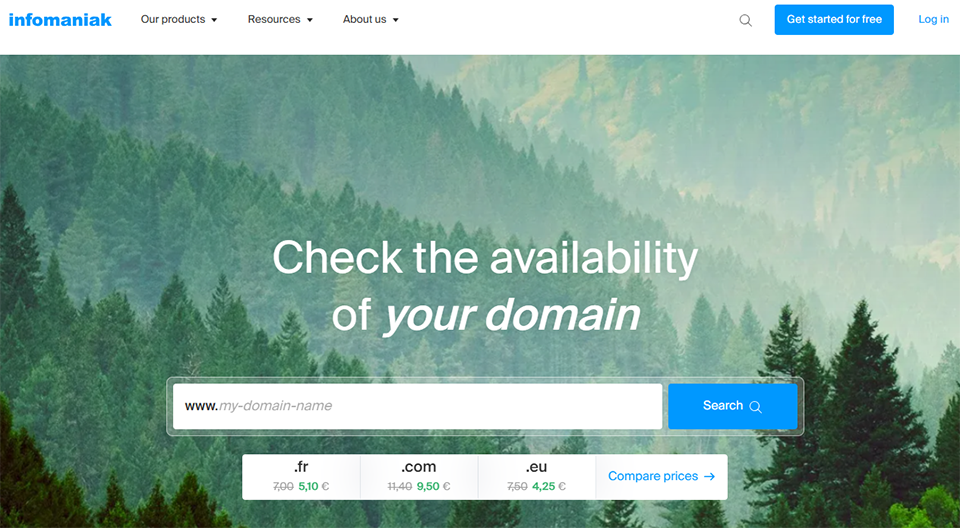
One thing to note: unlike many competitors, Infomaniak does not include a domain name with its hosting plans. You have to purchase it separately, though the prices remain competitive (around €4.50/year for a .fr domain and €7.40/year for a .com domain).
For projects that require dedicated and scalable resources, Infomaniak offers unmanaged cloud servers (starting at approximately €29/month, with 2 CPUs, 100 GB of storage, and 6 GB of RAM) and managed cloud servers. The Jelastic Cloud platform also allows you to create flexible PaaS environments using computing units called Cloudlets. It is the go-to solution for Laravel applications, Node.js projects, or architectures requiring automatic scaling.
Infomaniak is known for the quality of its domain name management service. The DNS zone is easy to understand, propagation is fast, and the interface (the “Infomaniak Manager”) is significantly more user-friendly than what some competitors offer. A wide variety of domain extensions are available, with transparent and stable pricing.
This is probably Infomaniak's most ambitious product. kSuite combines the following into a single package: a professional email service (kMail), a collaborative cloud storage service (kDrive), a videoconferencing tool (kMeet), a team instant messaging service (kChat), a calendar, a contact manager, and even a document editor compatible with OnlyOffice and Microsoft 365. All of this is hosted in Switzerland.
For freelancers and entrepreneurs who don't want a domain name dedicated to their suite, my kSuite offers a free version (with an @etik.com, @ik.me, or @ikmail.com email address, 20 GB of email storage, and 15 GB of kDrive storage) and a paid version, my kSuite+, for approximately €1.90/month, which includes up to 1 TB of storage.
To help you understand, here is a summary of the main plans and what they actually include.
| Offer | Starting at | What's included | For whom |
|---|---|---|---|
| Shared Web Hosting | ~€5.75/month excl. VAT | WordPress sites, unlimited MySQL databases, automatic backups, anti-malware, unlimited traffic | Showcase websites, blogs, portfolios |
| Unmanaged cloud hosting | ~29 s per month | 2 CPUs, 6 GB RAM, 100 GB storage, scalable resources | Developers, Custom Web Applications |
| my kSuite (free) | 0 € | 1 @etik.com/ik.me email address, 20 GB of email storage, 15 GB of kDrive storage, kMeet, kCalendar | Personal use, platform testing |
| my kSuite+ | ~1,90 s per month | 1 TB of storage, extended version history (60 versions / 120 days), priority support | Freelancers, solopreneurs |
| kSuite (Pro, per user) | Varies depending on the plan | Custom domain name, team management, kChat, multi-user kDrive, Microsoft 365 compatibility | Small Businesses and SMEs, Teams |
| kSuite Enterprise | ~€12.42 excl. VAT per user per month | 10 email addresses, 6 TB per user, WebDAV volume, dedicated support | Mid-sized organizations |
An often-overlooked benefit: when you subscribe to kSuite, all products (email, cloud storage, video conferencing, messaging) are bundled into a single invoice with a single due date. For a team of 5 to 20 people, this represents a significant time savings on administrative tasks.
The first thing you need to do is create an account on the Infomaniak website and log in to the Manager, the central management console. This is where you manage all of your products: domains, hosting, the collaboration suite, and billing.
Once you've selected your plan, you can install WordPress in just a few clicks directly from the Manager. Infomaniak offers an automatic installer. Configuring DNS records (if your domain is hosted elsewhere) is made easy by a clear interface and detailed guides. Getting started is straightforward even for non-technical users, especially with shared hosting plans.
If you sign up for kSuite with your own domain name, setting up your first account takes about 20 minutes. You link your domain, create your first email addresses, and the interface guides you step by step. Infomaniak includes a migration wizard that automatically imports your data from Dropbox, OneDrive, or any IMAP-compatible service. The data recovery window has recently been extended to 90 days, which is reassuring in case of accidental errors.
An important point if you’re starting out with kDrive: don’t confuse cloud with backup. If you delete a file from kDrive, it will disappear from all your synced devices. For a true backup, you need a separate copy (an external drive or a second cloud service dedicated to archiving).
kDrive is the core of kSuite. It works like Google Drive or Dropbox, but with data stored exclusively in Switzerland. Key features include real-time co-editing of text documents, spreadsheets, and presentations (via OnlyOffice or Microsoft 365 compatibility in the Enterprise version), file sharing via secure links, version history (30 days in the free version, up to 120 days in the Plus version), and a dropbox that allows external collaborators to send you files without access to your drive.
Draw.io has also been natively integrated into kDrive, allowing users to create diagrams and charts directly within the interface, without the need for third-party tools.
kMail can be configured with your own domain name and is compatible with standard email clients via IMAP (Apple Mail, Thunderbird, Outlook). Contacts and calendars are synchronized via CardDAV and CalDAV. The entire setup process, from the Manager to your email client, takes about 15 minutes. Email encryption is supported. Messages are automatically backed up.
kMeet offers video meetings for up to several dozen participants, with features such as a waiting room, recording to kDrive, and desktop and mobile apps. It’s a solid alternative to Zoom or Google Meet for internal meetings. For meetings with external partners who are accustomed to other tools, compatibility and the ease of onboarding are slightly less robust, which may make it worthwhile to mix and match solutions depending on the context.
kChat is an instant messaging platform inspired by the Slack experience. It features topic-based channels, direct messages, file sharing from kDrive, and customizable notifications. It remains well-suited for teams that work entirely within the Infomaniak ecosystem. For organizations that frequently collaborate with external partners on Slack or Teams, the need to change habits may hinder adoption.
SwissTransfer lets you send files up to 50 GB for free, without creating an account, using a secure download link. It’s a particularly attractive alternative to WeTransfer, especially for creatives, graphic designers, and freelancers who regularly deliver large files to their clients.
Here are a few real-world scenarios in which Infomaniak provides real added value, depending on your profile and needs.
You've just launched your business and want a professional-looking prenom@mondomaine.fr email address. With Infomaniak, you purchase your domain name (less than €8/year for a .fr domain), sign up for kSuite with your domain, and in less than an hour you’ll have a professional email account, 15 GB to 1 TB of cloud storage depending on your plan, and a centralized management interface. All for less than €5 per month on the entry-level plan.
For a team of 5 to 15 people, migrating to Infomaniak’s kSuite is easier than it seems. The migration wizard handles the transfer of emails from Gmail (via IMAP) and files from Google Drive or OneDrive. Each user keeps their email address with your domain. Unified billing simplifies accounting management. The price per user is generally more competitive than Google Workspace for comparable service quality for everyday use.
Infomaniak’s shared or cloud hosting is particularly popular for WordPress and Laravel projects. DNS management is straightforward and fast. The Manager allows you to manage multiple clients from a single account with separate access credentials. Daily automatic backups and included DDoS protection reduce the maintenance burden. For projects requiring more resources, the scalable cloud platform allows you to adjust CPU, RAM, and storage without switching hosting providers.
For mission-driven companies, nonprofit organizations, or local governments that need to justify their choice of providers based on environmental and data protection criteria, Infomaniak is one of the few hosting providers capable of providing certified documentation (ISO 14001 for the environment, ISO 27001 for information security). Hosting outside the reach of the Cloud Act and a policy of not reselling data are natural components of this approach.
Here are a few features that most users don't take advantage of right away:
Infomaniak works well on its own, but it also integrates into broader tech stacks. Here are a few combinations frequently used by freelancers and small businesses:
Infomaniak + WordPress: optimized hosting, one-click installation, and integrated DNS management. Ideal for agencies or freelancers who manage multiple client websites.
Infomaniak kDrive + Notion: Some users use kDrive to store large files and Notion for documentation and project management. The two work together seamlessly.
Infomaniak kSuite + Slack: For teams that work with external partners who are accustomed to using Slack, it’s entirely possible to keep using kSuite for messaging and the internal file storage system, and to use Slack only for cross-organizational communications.
Infomaniak + Cloudflare: The combination of Infomaniak hosting with Cloudflare as a front-end solution (CDN, security, SSL certificates) is common among developers who want to maximize performance and DDoS protection.
Infomaniak + Google Workspace / Microsoft 365: For companies in transition or in a hybrid phase, it is possible to temporarily keep a Google or Microsoft subscription during the migration, and then cancel it once operations have been switched over to kSuite.
Infomaniak also offers a well-documented REST API that allows you to automate the management of domains, hosting, and services using tools like Make. If your tech stack includes an automation solution, integration is possible.
You can find other hosting and cloud solutions in the Domain & Hosting category on Freelance Stack, as well as in the Storage & Cloud category.
Infomaniak is an excellent solution, but it's not for everyone or every situation.
⚠️ Prices are higher than those of budget providers. If you’re looking for the lowest possible price, hosting providers like Hostinger or OVH offer cheaper plans. Infomaniak distinguishes itself through quality, data sovereignty, and its commitments—not through low introductory prices.
⚠️ kChat still lags behind Slack. Third-party integrations (GitHub, Linear, Calendly, etc.) are fewer in number and less mature. For teams that rely heavily on these integrations, the transition will require some adjustment.
⚠️ kMeet works, but it’s not as seamless for external guests. If you regularly host meetings with clients or partners who aren’t familiar with Infomaniak, the adoption curve may be slightly steeper than with Zoom or Google Meet.
⚠️ There is no VPS plan clearly labeled as such. Unmanaged cloud hosting serves this purpose, but users who are explicitly looking for a VPS may be confused by Infomaniak’s specific terminology.
⚠️ Initial setup can take some time. For non-technical users, setting up kSuite with a custom domain name, configuring DNS, and migrating existing data requires at least half a day. The guides are well-written, but there is a real learning curve.
If you're a developer and work primarily on cloud-native projects, Scaleway or OVH Cloud offer more infrastructure-focused environments, with native Kubernetes options and very competitive pricing on VPS plans.
If you're looking only for a domain name without associated hosting, Gandi remains a long-standing leader in France, with a transparency policy comparable to that of Infomaniak.
For privacy-focused cloud storage with a similar approach to data sovereignty, Proton Drive is a serious alternative to kDrive, particularly for personal use or for entrepreneurs who want to encrypt their files end-to-end.
The most common questions people ask before getting started, with straightforward answers to help you make a decision.
Yes, and that is one of the key selling points of the service. Data is hosted exclusively in Switzerland, under the protection of Swiss law (nLPD) and the European GDPR. Infomaniak never transfers data outside its own infrastructure and holds ISO 27001 (information security) certifications. The contracts explicitly guarantee that data will not be disclosed to third parties.
my kSuite is the free version for individuals, featuring an @etik.com or @ik.me email address, 20 GB of email storage, and 15 GB of kDrive storage. my kSuite+ is the paid version for entrepreneurs (approximately €1.90/month), which increases storage to 1 TB and unlocks a longer version history. kSuite Pro is the version for organizations; it requires a custom domain name and includes kChat, team management, and unified billing per user.
Yes. Infomaniak offers an automated migration wizard that handles the transfer of emails via IMAP and files from Google Drive, Dropbox, or OneDrive. Old messages are retrieved, and contacts and calendars are synchronized via CalDAV. However, conversation histories from Google Chat or Teams cannot be migrated automatically.
Yes, particularly through WordPress + WooCommerce hosting or cloud servers for higher traffic volumes. WooCommerce is installed directly from the Manager. For Shopify stores, Infomaniak can manage the associated domain name.
Yes, support is available in French (as well as German, English, and Italian), 7 days a week, from Geneva and Zurich. Standard plans include support via email and chat. Enterprise plans have access to priority phone support 24 hours a day.
For shared web hosting and creating a WordPress site, yes—it has a reasonable learning curve and very comprehensive guides. kSuite requires a bit more initial effort, particularly for DNS configuration if you’re using your own domain name. It’s not insurmountable, but you’ll need to set aside some time.
OVH and Scaleway are more focused on technical infrastructure (VPS, dedicated servers, bare-metal cloud). Infomaniak also covers this segment but stands out for its comprehensive collaborative suite (kSuite), its clear commitment to data sovereignty, its certified environmental commitments, and its interface, which is more accessible to non-developers. For an “all-in-one” hosting provider designed for small businesses and entrepreneurs, Infomaniak is often a better fit.
Infomaniak offers a free lifetime version of my kSuite, with 20 GB of email storage and 15 GB of kDrive storage. There is also a free “Starter” hosting plan, but it is very limited (10 MB, no PHP, traffic capped at 1 GB/month) and requires the prior purchase of a domain name. In practice, this is only suitable for a very simple, business-card-style webpage.
The short answer: Yes, if data sovereignty, environmental sustainability, and the consolidation of your tools are important to you.
Infomaniak isn't the cheapest option on the market, but it offers something that few hosting providers can truly provide: an entirely Swiss-based, certified, eco-friendly, and independent infrastructure, combined with a collaborative suite that covers most of the needs of a freelancer or small team. The Manager is well-designed, the support is reliable, and the platform is regularly updated.
For a freelancer looking for professional email, reliable cloud storage, and web hosting all on a single bill, it’s hard to find a better option in Europe. For an SME seeking to break free from the GAFAM ecosystem without sacrificing convenience or regulatory compliance, this is one of the most sophisticated alternatives available today.


