A Simple Guide: How to Organize Your First Online Event
This guide is designed to provide concrete answers to these questions. We've selected tools available on Freelance Stack that cover most needs, from small, intimate webinars to multi-speaker events with hundreds of participants.
Organizing an online conference, webinar, or masterclass is no longer limited to large companies with dedicated marketing teams. In just a few years, these tools have become so widely available that a freelancer, a five-person startup, or an independent consultant can now launch a professional event right from their office, without a massive budget or advanced technical skills.
The numbers speak for themselves: according to a study by Grand View Research, the global market for webinars and virtual events is projected to exceed $800 billion by 2030. This isn’t just a passing trend. It’s a structural shift in the way professionals learn, connect, and grow their audience.
That said, “organizing an online event” remains a vague concept. Behind those words lie dozens of decisions to make: Which tool should you choose? How should you manage registrations? How should you facilitate live discussions? Should you stream on multiple channels at once? And above all: How can you avoid technical glitches on the day of the event?
This guide is designed to provide concrete answers to these questions. We've selected tools available on Freelance Stack that cover most needs, from small, intimate webinars to multi-speaker events with hundreds of participants.
Tools for Organizing Your Online Event: A Complete Overview.
Before going into detail about each solution, here’s a helpful point to keep in mind: there is no such thing as a perfect, one-size-fits-all tool. Every platform has its strengths, its weaknesses, and its natural audience. The goal here isn’t to find “the best” in an absolute sense, but to help you identify which one is right for your specific situation.
Here are the five platforms we've selected.
#1 - Livestorm: The all-in-one platform for webinars and professional events.
Livestorm is a French solution, founded in 2016, that has established itself as one of Europe’s leading providers in the world of online events. Its positioning is clear: a turnkey platform that requires no installation and is accessible directly from a web browser—for both participants and organizers.
What you can do with Livestorm:
The tool covers three main use cases: webinars (the traditional format with one or more presenters and an audience in “listening” mode), online training sessions, and live events with high levels of interaction (Q&A, polls, chat). Registration management is natively integrated: you create a registration page, customize confirmation and reminder emails, and then track your participants in a centralized dashboard.
What sets Livestorm apart from its direct competitors is the quality of its analytics. You can view engagement rates, points where viewers drop off during your presentation, and the most frequently asked questions in real time. This data is particularly valuable if you host recurring events and want to improve your content over time.
Livestorm also integrates with the leading tools on the market: Notion, HubSpot, Salesforce, Zapier, and Slack. If you already have a CRM or automation tool in place, the integration is usually seamless.
Pricing:
Free Plan: Up to 30 participants, unlimited sessions.
Pro Plan: starting at €79/month (up to 100 participants).
Business Plan: starting at €299/month (up to 500 participants).
Enterprise Plan: Price upon request.
👤 Who is this for?
Livestorm is particularly well-suited for teams that need a reliable, straightforward, and easy-to-use tool that doesn't require a lengthy setup process. It's the go-to solution for your first professional webinar, product demo, or customer training session.
🎯 Freelancers and independent consultants:
Would you like to host a masterclass, a coaching session, or present your services to a group of prospects? Livestorm lets you organize a complete event—including registration, moderation, and replays—without needing a team. The free plan may be all you need to get started.
🏢 Startups and Microbusinesses/SMEs:
The ability to connect Livestorm to your CRM or email marketing tool (Mailchimp, Brevo, ActiveCampaign) makes it a valuable tool for teams looking to turn their events into a sales pipeline. The analytics allow you to qualify participants based on their level of engagement.
🎓 Instructors and content creators:
If you produce online training courses or recurring educational content, Livestorm offers a stable infrastructure with a high degree of customization for the registration page and automated emails.
✅ The benefits:
No installation required; 100% browser-based.
French interface, French-speaking support.
Detailed analytics on participant engagement.
Registration page and emails that are natively customizable.
Automatic replays are available after each session.
⚠️ The downsides:
The free plan is limited to 30 participants (which isn't enough once the audience grows).
Paid plans can be a significant expense for occasional use.
Less suitable for large events with 1,000 or more simultaneous participants.
Benefit from a on Livestorm.
20% off on annual “Pro” plan
Find our best discount right now with Livestorm and save on your software subscriptions. We offer over 850 promo codes and discounts on the best software and SaaS on the market.
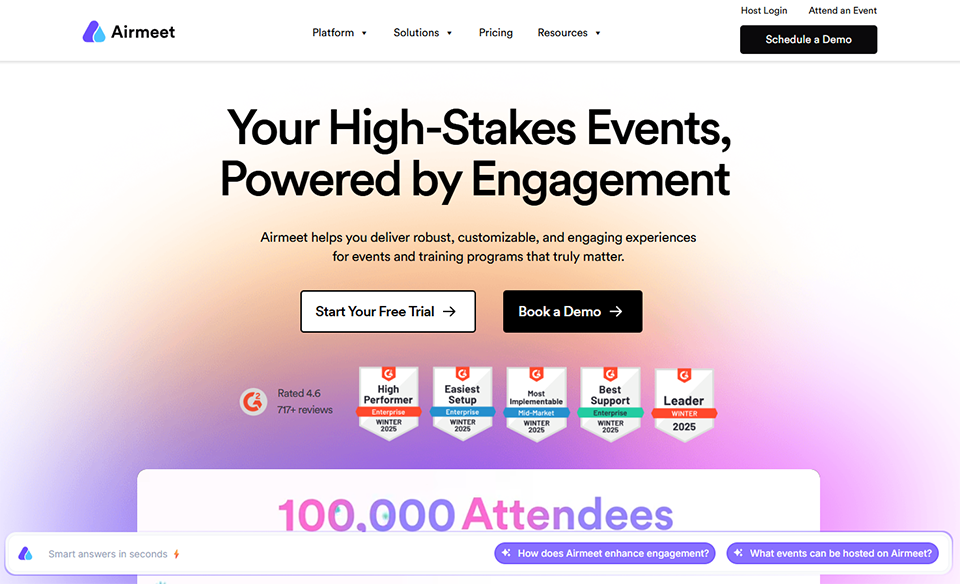
#2 - Airmeet: To create authentic online community experiences.
Airmeet takes the opposite approach to traditional webinar platforms. While Livestorm focuses on simplicity and efficiency, Airmeet aims to recreate the atmosphere of an in-person event: virtual roundtables, networking among participants, and informal discussion spaces. It’s a radically different approach, and it meets very specific needs.
What you can do with Airmeet:
Airmeet’s flagship feature is “Social Lounge Tables”: virtual discussion tables where participants can freely join conversations, just as they would during a cocktail hour or coffee break at an in-person event. It’s a concept that truly changes the dynamics of an online event, which is often perceived as too passive or anonymous.
The tool also offers traditional conference setups (with speakers and an audience), parallel sessions (such as “breakout rooms”), and sponsor management with dedicated promotional spaces. For organizers looking to monetize their event or attract partners, this is a real asset.
Registration and ticket management (for free or paid events) are built right in. Airmeet also supports hundreds or even thousands of participants simultaneously, depending on the plan you choose.
Pricing:
Free Plan: Up to 50 participants, basic features.
Premium Plan: starting at $99/month.
Business Plan: Starting at $199/month.
Enterprise Plan: Price upon request.
👤 Who is this for?
Airmeet excels in settings where networking and interaction among participants are just as important as the content itself: community conferences, online summits, events for professional associations, and virtual meetups.
🤝 Community and organization leaders:
If you manage a community (a network of freelancers, an industry association, or a group of entrepreneurs), Airmeet lets you create events that really make people want to participate actively rather than just sit back and watch.
🎪 Organizers of multi-track events:
For conferences featuring multiple concurrent sessions, themed rooms, or a variety of workshop formats, Airmeet is far better suited than a traditional webinar tool.
💼 Startups looking to engage their audience:
A product launch, an online “summit” with key partners or clients: Airmeet lets you create a powerful, memorable experience that goes beyond the standard “presentation + Q&A” format.
✅ The benefits:
An interactive and engaging experience for participants.
Virtual networking tables (Social Lounge) that are a real differentiator.
Support for hybrid events (in-person + remote).
Integrated paid ticket management.
Good scalability for large events.
⚠️ The downsides:
A steeper learning curve than that of a simple webinar tool.
The interface can sometimes feel cluttered for small events.
Pricing is in dollars, which can be a barrier for French organizations.
Benefit from a on Airmeet.
Find our best discount right now with Airmeet and save on your software subscriptions. We offer over 850 promo codes and discounts on the best software and SaaS on the market.
#3 - ClickMeeting: The practical choice for webinars and online training.
Benefit from our free deal on ClickMeeting.
Find over 300 free deals as well as over 850 Premium deals right now with ClickMeeting and save on your software subscriptions. Whether you're an entrepreneur, a startup or a solo freelancer, save hundreds of euros thanks to our discounts and promo codes.
ClickMeeting has been around since 2010, making it one of the veterans in its category. Its long history shows: the platform is solid and well-established, with a wide range of features and technical stability that rarely lets it down. It may not be the sexiest tool on the market, but it gets the job done reliably.
What you can do with ClickMeeting:
The tool supports traditional webinars, online meetings, training sessions, and live events. It offers a comprehensive set of features, including a customizable waiting room, built-in slide presentation, interactive whiteboard, live polls, and Q&A management. Simultaneous streaming to YouTube and Facebook is also available, which can significantly increase an event’s reach.
ClickMeeting also offers an automation feature: you can create “automated webinars” that play at predefined times, just as if they were live. This is useful for trainers who want to share recurring content without having to be physically present for every session.
The platform supports more than 30 languages and offers customer support in several European languages, including French.
Pricing:
30-day free trial.
Live Plan: starting at €26/month (up to 25 participants).
Automated Plan: starting at €40/month.
Enterprise Plan: Price upon request.
👤 Who is this for?
ClickMeeting is the ideal tool for those who want a reliable, functional, and affordable solution without trying to reinvent the event experience. It is particularly well-suited for small and medium-sized businesses, trainers, and teams that host webinars on a regular basis.
🎓 Trainers and training organizations:
The combination of whiteboards, polls, quizzes, and automated webinars makes this platform particularly well-suited for educational settings. You can create comprehensive training courses that include live sessions and integrated replays.
📊 Sales and Marketing Teams:
ClickMeeting provides a professional and reliable platform for product demo webinars, client presentation sessions, and lead-generation events. Streaming on YouTube can boost the visibility of your events beyond your direct registrants.
🌍 International teams:
Multilingual support and compatibility with multiple time zones make ClickMeeting a great choice for international teams or audiences.
✅ The benefits:
A mature and technically very stable platform.
Automated webinars that are very convenient for trainers.
Simultaneous broadcast on YouTube and Facebook.
Affordable entry price compared to the competition.
Support is available in French.
⚠️ The downsides:
The interface is a bit outdated compared to newer platforms.
The user experience is less modern than Airmeet or Livestorm.
Advanced features require upgrading to a higher tier.
Benefit from a on ClickMeeting.
10% off on any plan
Find our best discount right now with ClickMeeting and save on your software subscriptions. We offer over 850 promo codes and discounts on the best software and SaaS on the market.
#4 - WebinarGeek: The conversion- and marketing-focused solution.
WebinarGeek is a Dutch platform built on a strong conviction: a webinar isn't just an event—it's a conversion tool. WebinarGeek's entire interface and features have been designed with this in mind, which clearly sets it apart from other solutions.
What you can do with WebinarGeek:
The platform supports live webinars, on-demand replays, and “evergreen” webinars (pre-recorded sessions streamed as if they were live). But it’s the marketing features that really stand out: native integration of clickable calls to action during the webinar, precise tracking of conversions per participant, and detailed statistics on each registrant’s behavior (did they watch the entire webinar? At what point did they drop off? Did they click on the offer presented?).
For those who use webinars as a sales tool, this is a gold mine. You know exactly who is the most engaged in your audience, and you can tailor your follow-ups accordingly.
WebinarGeek integrates with Typeform for custom registration forms, as well as with the leading email marketing and CRM tools on the market.
Pricing:
Starter Plan: starting at €19/month (up to 25 participants).
Pro Plan: starting at €49/month (up to 100 participants).
Premium Plan: starting at €99/month (up to 500 participants).
Enterprise Plan: Price upon request.
👤 Who is this for?
WebinarGeek is designed for entrepreneurs and marketers who want their webinars to generate revenue—not just engagement. It’s the platform of choice if you’re selling training courses, coaching programs, or SaaS offerings through demo sessions.
💰 Online course creators and sellers:
If your webinar is primarily a sales funnel with an educational presentation, WebinarGeek is likely the best platform for you. Conversion tracking and CTAs integrated into the session are rare and valuable features.
📈 B2B marketing teams:
Companies that use webinars to generate and qualify leads will appreciate the detailed data available for each participant and the ability to automate evergreen webinars that run continuously without human intervention.
🧪 Profiles that test and iterate:
WebinarGeek's analytics let you A/B test your presentations, identify points of friction, and improve your events' conversion rates over the course of multiple sessions.
✅ The benefits:
Strong focus on conversion and participant tracking.
Very well-organized evergreen webinars.
CTAs integrated during the webinar (buy buttons, etc.).
Some of the most detailed analytics on the market.
Competitive entry price.
⚠️ The downsides:
Less suitable for community or collaborative events.
The interface is primarily in English (limited support in French).
Networking features are virtually nonexistent.
Benefit from a on WebinarGeek.
30% off on "Premium" plan
Find our best discount right now with WebinarGeek and save on your software subscriptions. We offer over 850 promo codes and discounts on the best software and SaaS on the market.
#5 - StreamYard: The virtual production suite for streaming like a pro channel.
Benefit from our free deal on StreamYard.
Up to 22% off on annual plan
Find over 300 free deals as well as over 850 Premium deals right now with StreamYard and save on your software subscriptions. Whether you're an entrepreneur, a startup or a solo freelancer, save hundreds of euros thanks to our discounts and promo codes.
StreamYard occupies a different niche from the other tools featured here. It isn’t strictly speaking a webinar platform—it’s an in-browser live streaming studio. Its key strength? The ability to stream simultaneously to multiple platforms (YouTube, LinkedIn, Facebook, Twitch) while maintaining a professional production interface.
What you can do with StreamYard:
You can invite co-hosts or guests (up to 10 participants on screen, depending on the plan), customize your visual branding (banners, overlays, logos), switch between speakers just like on a real TV show, and display live comments from social media on screen—all without needing broadcasting software like OBS Studio.
It’s the go-to tool for video podcasts, live shows, live interviews, and, more generally, any format where the “production” aspect matters just as much as the content. If you want to stream simultaneously on YouTube and LinkedIn, for example, StreamYard is hard to beat in this area.
To take multichannel streaming even further, Restream is a natural complement to StreamYard: it lets you push your stream to more than 30 platforms simultaneously, with analytics for each channel.
Pricing:
Free Plan: with StreamYard watermark, 2 participants, 720p resolution.
Basic Plan: starting at $49/month (up to 5 participants, multi-stream).
Professional Plan: starting at $99/month (up to 10 participants, 1080p).
👤 Who is this for?
StreamYard is designed for those who want to produce live content with a true media focus: video podcasters, content creators, entrepreneurs building an audience on social media, and teams engaged in live thought leadership.
🎙️ Podcasters and video content creators:
StreamYard is probably the best tool for recording a live video podcast with one or more guests, while simultaneously streaming to YouTube and LinkedIn. The control room interface simplifies what used to require a full technical setup.
📱 Entrepreneurs building a social media following:
If your content strategy involves regular live streams on social media, StreamYard lets you take your production to the next level without investing in complex equipment or bulky software.
🏢 Communications and Public Relations Teams:
For product announcements, virtual press conferences, or public Q&A sessions, StreamYard offers the production quality needed to maintain a strong brand image.
✅ The benefits:
Simultaneous streaming on multiple platforms (YouTube, LinkedIn, Facebook, Twitch, etc.).
Intuitive control interface that requires no installation.
Full visual customization (overlays, banners, colors).
Integration of real-time social media comments.
A good free plan to test it out.
⚠️ The downsides:
No registration management or native event page.
Less suitable for webinars that include polls or detailed participant management.
Prices rise quickly with the advanced plans.
Benefit from a on StreamYard.
An additional 25% off on any plan
Find our best discount with StreamYard and save on your software subscriptions. We offer over 850 promo codes and discounts on the best software and SaaS on the market.
FAQ: Your Questions About Organizing an Online Event.
Practical questions often come up when you're planning your first online event. Here are the answers to the most common questions.
1️⃣ How long does it take to organize an online webinar?
A simple webinar (a one-hour session with 50 participants) can be prepared in one to two weeks if you already have your content ready. You should allow time for: setting up the platform (1 to 2 hours), creating the registration page (a few hours), promoting the event to recruit participants (several days), and one or two technical tests before the event.
2️⃣ What is the ideal length for a webinar?
A duration of between 45 and 75 minutes seems to maximize attention without causing fatigue. Beyond an hour and a half, dropout rates increase significantly, even with high-quality content. If you have a lot of material, it’s best to break it up into several sessions.
3️⃣ Should you film your face during a webinar?
It's not required, but it's highly recommended. Participants are significantly more engaged when they see a human face, even if it's just a small image in the corner of the screen. The camera creates a sense of closeness and makes the interaction feel more natural.
4️⃣ How do you recruit participants for your first event?
The most effective channels to get started: your existing email list, LinkedIn (organic posts and direct invitations), topic-based groups (Slack, Discord, Facebook Groups), and partnerships with other creators or entrepreneurs in your industry. A well-designed sign-up form using Typeform can also improve your conversion rate.
5️⃣ What are the minimum hardware requirements you recommend?
To get started: a decent-quality USB microphone (sound is more important than video), a wired connection (no Wi-Fi if possible), a neutral or virtual background, and an HD webcam (1080p). Good front lighting often makes more of a difference than a high-end camera.
6️⃣ Should we offer a replay after the event?
In the vast majority of cases, yes. Between 30% and 50% of registered participants are unable to attend the live session. Offering a replay ensures you don’t lose this audience and extends the lifespan of your content. Most of the platforms featured here (Livestorm, ClickMeeting, WebinarGeek, Airmeet) automatically generate a replay link.
7️⃣ How do you handle questions during a webinar with a large number of participants?
Enable question moderation: Participants submit their questions via chat or through the dedicated tool, and you or a moderator select which ones will be addressed live. This is smoother than a “hands-up” approach when there are more than 30 participants. Some tools, such as Livestorm and WebinarGeek, have Q&A features specifically designed for this purpose.
8️⃣ Is it possible to monetize an online event?
Yes, through several channels: paid tickets (Airmeet handles this natively), commercial offers presented during the session (WebinarGeek excels at this), or premium training programs with access to the replay. A free webinar followed by a paid offer remains the most common format.
9️⃣ Can you host an online event from a smartphone?
Technically, yes, but it’s not recommended for the host. Platforms like Livestorm and ClickMeeting have mobile apps, but running a session from a smartphone is much less convenient than from a computer. However, your participants can easily join from their mobile devices.
🔟 How do you choose between a webinar and a live event on social media?
The main difference: a webinar gives you full control (participant list, analytics, follow-up emails, hosted replay). A live stream on LinkedIn or YouTube gives you organic visibility but much less data. If lead generation is your goal, a webinar is more suitable. If it’s brand awareness and social reach, a live stream via StreamYard may be more appropriate. The two approaches are complementary.
Tags
Video ConferenceBroadcastMarketingEventsLivestormAirmeetClickMeetingWebinarGeekStreamYard