Chatbase: The Ultimate Guide to Building an AI Chatbot Without Coding
In this article, you will discover everything you need to know about Chatbase: how this AI chatbot platform works, what it is really worth depending on your profile, its detailed pricing, its key features and its limits. A complete guide to help you decide whether Chatbase is right for you, and how to get the most out of it from day one.
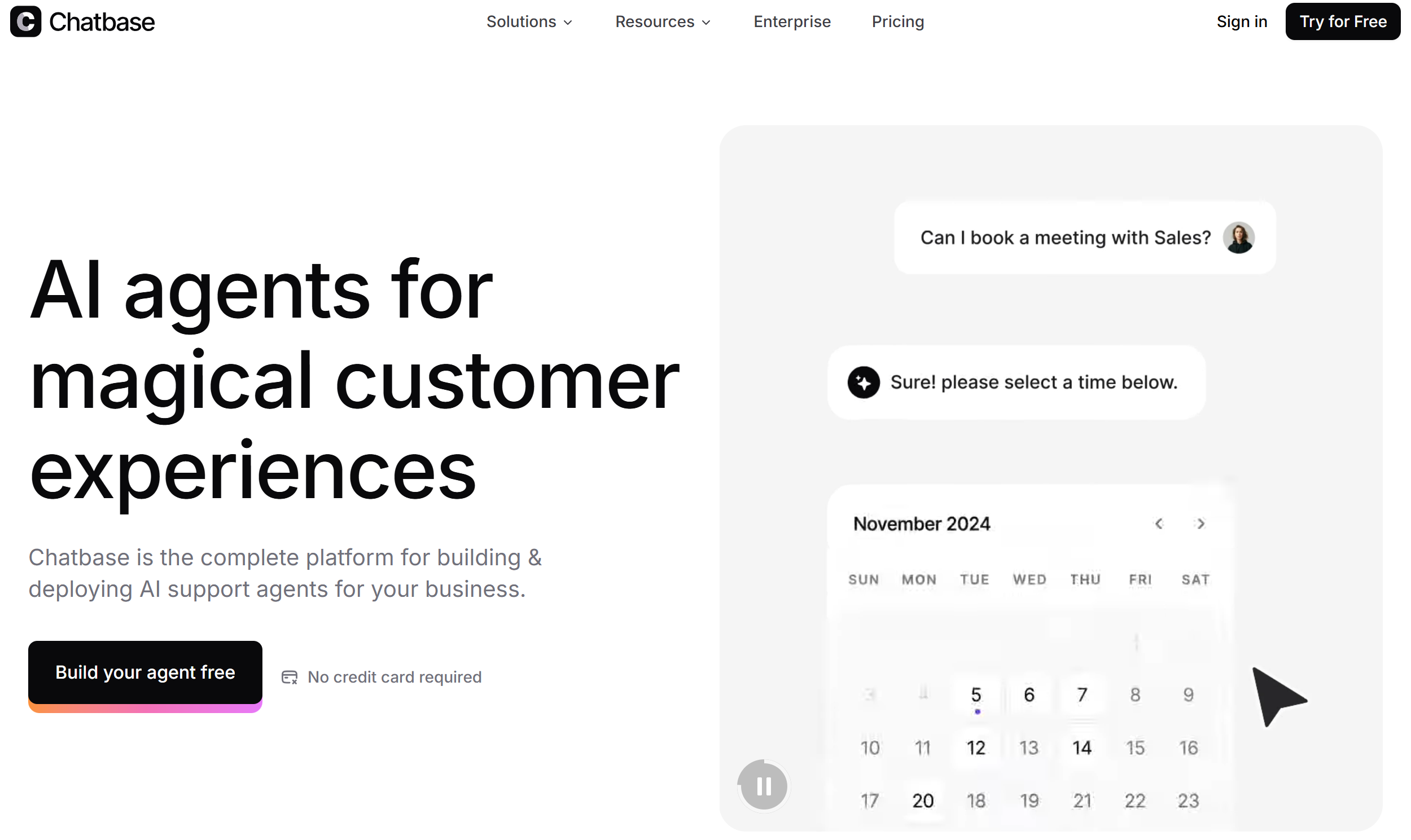
Chatbase is a platform that lets you create an AI conversational agent trained on your own data, without touching a single line of code. You give it your website, your PDF documents and your knowledge base, and within minutes you have an assistant that can answer your customers as if it had read every page of your documentation.
Launched in 2023 by Yasser Elsaid, Chatbase passed $1 million in annual recurring revenue in just five months. Today, the platform claims more than 10,000 business customers in 140 countries, with a team of 18 people and more than $8 million in ARR, all without raising any venture capital. That is rare enough in the SaaS startup world to be worth mentioning.
Who is it for? Mainly freelancers, startups and small businesses that want to automate customer support, qualify leads or answer repetitive questions, without hiring a dedicated team or spending weeks setting up a complex tool.
This guide will explain exactly how Chatbase works, what it does well, what it does less well, and how to get the most out of it depending on your profile.
Find over 300 free deals as well as over 850 Premium deals right now with Chatbase and save on your software subscriptions. Whether you're an entrepreneur, a startup or a solo freelancer, save hundreds of euros thanks to our discounts and promo codes.
Every entrepreneur knows this scenario: the same questions keep landing in your inbox or support chat. “What are your prices?”, “How do I reset my password?”, “Where is my order?” These questions take time, tie up resources and add no value for your team.
Chatbase answers these requests 24/7, in more than 80 languages, with a consistency that a tired human at 10 p.m. on a Friday night will never match. According to several studies on AI chatbots, AI-assisted agents resolve issues 47% faster, with a first-contact resolution rate 25% higher. Companies that deploy this type of solution reduce their support costs by up to 30%.
A quick comparison with the alternatives:
Before choosing, here is how Chatbase compares to the solutions you probably already know:
Criterion
Chatbase
Tidio
Intercom
Landbot
Getting Started
Very fast
Fast
Complex
Moderate
Training on your data
✅
Midterm
✅
❌
No-code
✅
✅
✅
✅
Visual conversation flows
❌
✅
✅
✅
Admission fee
0 $/month
Free
~39 s per month
Free
Native live chat
❌
✅
✅
✅
Tidio is a good alternative if you need live chat built into your AI chatbot. Intercom is more complete but also significantly more expensive and harder to get started with. Landbot excels at structured conversational scenarios with advanced conditional logic.
Chatbase stands out for its simple onboarding and the quality of its answers based on your real data, whereas its competitors often require you to build flows manually.
Typical use cases:
Chatbase is a perfect fit if you want to:
Deploy a customer support chatbot on your site in under an hour. Create an FAQ agent that answers common questions without human intervention. Qualify leads by collecting information before handing them over to a sales rep. Set up an internal assistant for your team, trained on your procedures and documentation.
💰 Pricing & Plans: What You're Really Paying.
Chatbase offers five pricing tiers, with monthly or annual billing (20% off for annual). Here is what each plan includes:
Plan
Monthly (annual) price
Credits/month
AI Agents
AI Actions
Free
0 $
50
1
0
Hobby
32 $
500
1
5
Standard
120 $
4 000
2
8
Pro
400 $
15 000
3
12
Enterprise
Upon request
Custom
Custom
Custom
⚠️ A few points to keep in mind before subscribing:
Message credits don't work on a 1-to-1 basis. Each exchange consumes credits depending on the AI model used and the complexity of the interaction. On the lower plans, advanced models (GPT-4o, Claude, Gemini) consume more credits than a basic model.
Removing the “Powered by Chatbase” branding costs an additional $99/month (or $1,188/year). Custom domains cost $59/month as an add-on. If your bot runs out of credits, it stops responding unless you enable automatic top-up at $40 per additional 1,000 credits.
For a freelancer or a small team with moderate traffic, the Hobby plan at $32/month (billed annually) is a good entry point. The Standard plan at $120/month suits a small business with several agents and more advanced integration needs.
Getting started: launch your first agent in a few minutes!
Logging in and first steps:
Sign-up is done directly on chatbase.co. No credit card is required for the free plan. Once logged in, you land on a clean dashboard that lists your AI agents and lets you create a new one right away.
The dashboard is organized around a few main tabs: Playground (to test your agent), Sources (to manage your training data), Connect (for integrations), Activity (to review conversations and improve answers), and Settings (to customize the agent's behavior).
Training your agent:
This is where Chatbase really shines. You can feed your agent with six types of sources:
Files (PDF, DOC, TXT, CSV). Your website URL, with automatic page crawling. Plain text entered directly. Manually formatted Q&A. Notion integration. Zendesk data.
In practice, the fastest method is to enter your site's URL and let Chatbase crawl the pages. Within seconds, the agent has ingested your content and can already answer questions based on it.
First test in the Playground:
Once your sources are added, the Playground lets you test the agent the way a real user would. Ask questions, observe the answers, and identify weak spots. If an answer is incorrect or incomplete, you can click “Improve answer” directly from the interface to correct it.
This continuous learning is one of the platform's strengths: your agent gets sharper with every interaction instead of being frozen at the moment of deployment.
Key features of Chatbase.
Here is what concretely sets Chatbase apart from a simple chat widget: the capabilities that make the difference once the agent is in production.
1/ Training on your proprietary data:
This is the heart of Chatbase. Unlike a generic ChatGPT, your agent only answers based on what you have taught it. It won't make up information or cite content from outside your knowledge base unless you configure it to. This strict boundary is especially valuable for customer support, where a made-up answer can be costly in terms of trust.
2/ AI model selection:
Chatbase lets you choose the engine that powers your agent: GPT-4o, GPT-4o Mini, Claude (Anthropic), Gemini, Llama, DeepSeek, Grok... This level of flexibility is rare on the market. Each model has its strengths: Claude excels at nuanced answers and long-context handling, GPT-4o at general understanding, DeepSeek at lower costs. You can test and compare based on your use cases.
3/ AI Actions: the agent that takes action
Beyond simple Q&A, AI Actions let your agent trigger actions in third-party tools through API calls. Your chatbot can book a slot in Calendly, check the status of an order, update a Stripe subscription, or create a Zendesk ticket, without redirecting to an external form.
It's a powerful feature, but the limits are strict on the lower plans: 5 actions on Hobby, 8 on Standard, 12 on Pro. For complex workflows, these caps can quickly become restrictive.
4/ Multilingual support:
Chatbase automatically detects the user's language and replies in the same language, relying on the translation capabilities of the underlying LLM models. More than 80 languages are supported, which makes it a credible option for businesses with an international focus.
5/ Analytics and conversation tracking:
The Standard plan introduces access to basic analytics, and the Pro plan unlocks advanced analytics. You can view the history of all conversations, identify questions that did not get a satisfactory answer, and use source suggestions to enrich your knowledge base where the agent shows its limits.
Real-world use cases for freelancers, entrepreneurs, and small and medium-sized businesses.
Let's look at how Chatbase fits into real-world situations, based on the most common profiles on Freelance Stack.
🎯 Automating customer support for a SaaS:
A solo founder or a small product team constantly receives questions about billing, features and known bugs. By training Chatbase on their documentation and help articles, they create a first level of support capable of handling 70 to 80% of incoming requests without human intervention. Complex cases are escalated to the team via the conversation logs.
🎯 Qualifying leads on autopilot:
A consultant or freelancer embeds Chatbase on their services page. The agent engages visitors, collects their needs, budget and timeline, then passes this information to a CRM such as HubSpot or Pipedrive via an AI Action. The result: better-qualified leads, without wasting time on pointless discovery calls.
🎯 Smart e-commerce FAQ:
An online store on Shopify integrates Chatbase to answer questions about delivery times, return policies and product features. The chatbot is trained on the existing FAQ and product pages. It handles the spike in questions before the holidays without hiring seasonal staff.
🎯 Internal knowledge base:
A team of 5 to 20 people uses Chatbase as a "smart wiki". Instead of searching through scattered Notion documents, team members ask the agent their questions and get a contextualized answer in seconds. This works particularly well for onboarding new hires.
🎯 Multi-site support for an agency:
A web agency manages several clients with separate chatbots. Each agent is trained on the specific data of the client concerned (product catalog, internal procedures, pricing policy). The Standard plan lets you manage two agents simultaneously, while the Pro plan goes up to three, with the option to add extra agents via an add-on.
Tips & tricks to go further.
Refine the system instructions:
In your agent's settings, you can write precise instructions on tone, topics to avoid and preferred wording. Treat it like a brief you would give to a new employee.
Use the logs to keep improving:
Check the Activity tab regularly. Conversations where the agent could not answer are your best leads for enriching your data sources.
Combine several types of sources:
Don't hesitate to mix website URLs + PDF documentation + manual Q&A. Answers to frequently asked questions added manually often outperform what the agent generates on its own from a dense PDF.
Test different models:
If your answers lack nuance or accuracy, switch models in the settings. Anthropic's Claude handles complex reasoning on technical topics better; GPT-4o Mini is more economical for simple FAQs.
Plan for automatic credit top-ups:
If your chatbot is live in production, set up automatic top-ups. An agent that stops responding in the middle of a busy day can cost far more than the extra $40 in credits.
Integrations & Ecosystem.
Chatbase connects natively to several tools you probably already use:
Support & CRM: Zendesk, Intercom, HubSpot, Salesforce, Zoho Desk, Freshdesk.
Automation: Zapier, and via API for custom integrations.
For more advanced automations between these tools, Make is an excellent complement. For example, you can create a scenario that sends a Slack notification every time Chatbase collects a qualified lead, or that automatically creates a task in ClickUp from a ticket generated by the agent.
API access (available from the Standard plan) lets you integrate Chatbase into your own applications, opening up considerable possibilities for developers and technical teams.
⚠️ Limitations & alternatives based on your profile.
What Chatbase doesn't do well:
No visual conversational flows:
If you need scenarios with conditional branching such as “if the user chooses A, show form X, otherwise redirect to Y”, you will hit a wall. Chatbase works in generative AI mode, not decision tree mode. For this need, Landbot or Botnation are better suited.
No native live chat:
There is no inbox to take over a conversation and reply in real time. When the AI reaches its limits, you can't step in manually from Chatbase. Crisp Chat or HelpCrunch offer this live chat + AI combination in a more integrated way.
Unpredictable pricing at high volume:
The credit system can hold some surprises. An unusual surge in traffic can use up your credits within a few hours if auto-recharge is not enabled. It is hard to budget for teams that need fixed costs.
AI Actions limits:
5 to 12 actions per agent depending on the plan is not much for sophisticated workflows. Companies with complex, automated processes will quickly find these caps blocking.
Which alternative suits your profile?
You are a solopreneur with a tight budget and simple needs → Chatbase's Free or Hobby plan will be enough to get started.
You need a real live chat in addition to the AI bot → Tidio or Crisp Chat are better options.
You handle a high volume of tickets and want a complete support platform → Intercom or Freshdesk offer a more complete ecosystem.
You need precise conditional flows → Landbot or Manychat are better suited to building structured scenarios.
Benefit from our free deal on .
Find over 300 free deals as well as over 850 Premium deals right now with and save on your software subscriptions. Whether you're an entrepreneur, a startup or a solo freelancer, save hundreds of euros thanks to our discounts and promo codes.
Chatbase FAQ: the most frequently asked questions ❓
These questions come up every time before subscribing to Chatbase. Here are the straight answers, no detours.
1️⃣ Is Chatbase free?
Yes, there is a free plan at $0/month. It includes 50 message credits per month and a single agent. Note: agents inactive for 14 days are deleted on this plan.
2️⃣ Is Chatbase available in French?
The interface is in English, but the agent can reply in French and in more than 80 other languages. It automatically detects the user's language and adapts accordingly.
3️⃣ Can Chatbase be integrated with WordPress?
Yes, Chatbase has a native WordPress integration. You can also use the HTML/JS widget to embed it on any website.
4️⃣ How long does setup take?
Early user feedback is consistent: a basic agent can be deployed in under 10 minutes. Allow one to two hours for a careful setup with multiple sources and detailed system instructions.
5️⃣ Is my data secure on Chatbase?
Chatbase states that data is encrypted and remains the property of the client company. As with any SaaS tool that handles sensitive data, check their GDPR policy before entrusting it with confidential information about your clients.
6️⃣ Can you use Chatbase without technical skills?
That is precisely its positioning. No code is required to create, train, and deploy an agent. API access is available for technical users who want to go further.
7️⃣What happens when credits run out?
The agent stops responding. To avoid this service interruption, enable automatic credit top-up in your settings. This feature is available starting with the Hobby plan.
8️⃣ Does Chatbase support WhatsApp?
Yes, the WhatsApp integration is available starting with the Standard plan. It lets you deploy your agent directly in WhatsApp Business.
9️⃣ Can you remove the Chatbase logo?
Yes, but it's a paid add-on: $99/month (or $1,188/year) to remove the branding. This option becomes worthwhile if you sell a white-label service or want an experience fully under your own brand.
🔟 Does Chatbase offer a free trial of its paid plans?
No. The free plan is permanent but limited. To test premium features (advanced AI Actions, integrations, analytics), you will need to subscribe to a paid plan.
Conclusion.
Benefit from a on Chatbase.
An additional 20% off on any plan
Find our best discount right now with Chatbase and save on your software subscriptions. We offer over 850 promo codes and discounts on the best software and SaaS on the market.
In two years, Chatbase has established itself as one of the most accessible solutions for deploying an AI chatbot trained on your own data. Its quick onboarding, the quality of its contextualized answers, and the flexibility of its AI models make it a serious choice for freelancers, startups, and small teams who want to automate their support or lead qualification without a major technical investment.
Its limitations are real: no native live chat, inflexible conversation flows, and pricing that can become unpredictable at high volume. These points should be weighed against your situation.
For a first AI chatbot in production, it is probably one of the easiest tools to test. And as with all the SaaS software you use day to day, comparing the available offers before subscribing can save you several hundred euros a year.
This guide brings together the 12 must-have e-commerce tools must-have 2026, selected for how well they complement each other: platforms to create your…