






Guide to the best software for easily creating a website
Creating a website in 2026 is within almost anyone’s reach, but choosing the right tool…
Read more


Building a robust backend has long been the domain of seasoned technical teams. Server infrastructure, database management, authentication, APIs, deployment... The list of components to put together was as long as it was daunting for anyone who wanted to focus primarily on their product.
By 2026, the landscape has changed dramatically. A new generation of tools has emerged to simplify, accelerate, and even eliminate much of this work. Whether you’re a solo developer looking to move quickly, a startup in its launch phase, or a technical team seeking to reduce its technical debt, you’ll find solutions in this comparison that are tailored to your situation.
This article reviews seven backend tools available on the market in 2026, including their features, pricing, and the types of users each is best suited for.
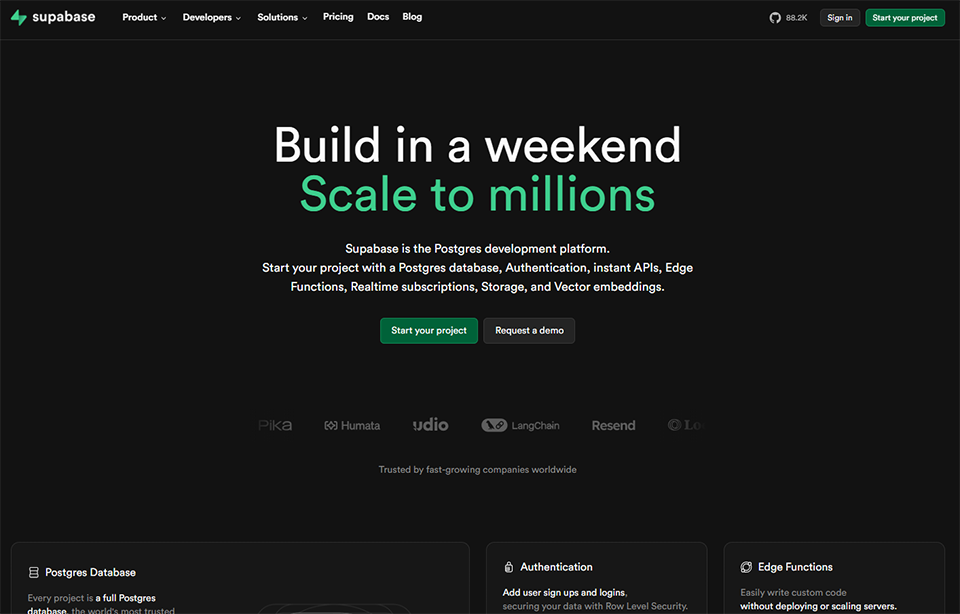
In just a few years, Supabase has established itself as the gold standard in the developer-focused Backend-as-a-Service category. Its positioning is clear: to offer an open-source alternative to Firebase, built on PostgreSQL. This isn’t just a detail-it’s in its DNA. Where other solutions lock you into proprietary databases, Supabase gives you access to a true PostgreSQL database, with all the power that entails (joins, triggers, extensions, SQL functions...).
The platform brings together everything a web or mobile project needs to function in one place: a database, authentication, file storage, edge functions, and a real-time layer to synchronize data in real time between clients. Everything is accessible via an automatically generated REST API or through SDKs available in JavaScript, Python, Dart, and many other languages.
The administration interface is one of the most polished in the industry. With its built-in SQL Editor, table view for exploring data, and Row Level Security (RLS) management directly from the interface, it offers professional-grade tools without the need for third-party software.
Supabase is built on a fully managed PostgreSQL platform, which means you can run complex SQL queries, create indexes, and use extensions such as PostGIS (geolocation) or pgvector (vector search for AI applications). Authentication supports logins via email, phone number, OAuth (Google, GitHub, Apple, etc.), and Magic Links. The storage module manages files with a granular permissions system. Edge Functions allow you to run TypeScript/Deno code close to users for lightweight processing and webhooks.
Real-time updates are one of the most popular features: with just a few lines of code, you can monitor changes to your database and instantly propagate them to connected clients.
The free plan is more than sufficient for a project in development or a side project. For an application in production with real users, the Pro plan is usually the starting point.
You want to move fast without sacrificing flexibility. Supabase gives you a complete infrastructure from day one, with no ops required.
PostgreSQL compatibility allows you to migrate to a more robust infrastructure if necessary, without having to rewrite everything. Your initial investment is never wasted.
The pgvector extension and native support for embeddings make Supabase a solid choice for RAG or semantic search applications.
✅ Open-source, with the option to self-host.
✅ Native PostgreSQL with all its features.
✅ Full authentication included in all plans.
✅ A comprehensive and user-friendly dashboard.
✅ A well-documented SDK for modern frameworks (Next.js, Flutter, React Native, etc.).
✅ Real-time without any additional configuration.
⚠️ Scaling up can result in significant costs on plan .
⚠️ Edge Functions are written in Deno/TypeScript: not suitable if your team works in Python or Ruby.
⚠️ Managing Row Level Security can be difficult for teams unfamiliar with PostgreSQL.

Appwrite is often touted as Supabase’s direct competitor, but the two tools have quite different philosophies. While Supabase is deeply rooted in PostgreSQL, Appwrite takes a multi-database approach (primarily using MariaDB internally, with an abstraction layer) and places greater emphasis on ease of use, even for users less familiar with SQL.
It is a 100% open-source Backend-as-a-Service that you can deploy on your own infrastructure or use via Appwrite Cloud. It covers the same use cases as Supabase: authentication, database, storage, functions, and real-time. The difference lies more in the developer experience and certain functional nuances.
Appwrite has a very active community and exceptionally well-written documentation, making it a great starting point for teams new to the BaaS paradigm.
Database management is based on a "Collections" and "Documents" system inspired by NoSQL, although Appwrite has gradually added relational capabilities. Authentication options are comprehensive: email/password, OAuth, Magic URL, SMS OTP, anonymous login, and more. The storage module supports on-the-fly image transformations. Appwrite Functions support numerous runtimes: Node.js, Python, PHP, Ruby, Swift, Kotlin, Dart, and even Bun, providing significant flexibility.
A frequently cited strength: the permissions system is more intuitive than Supabase’s for users unfamiliar with PostgreSQL, with a role-based structure and access levels that are easy to grasp.
Appwrite Cloud Starter is one of the most generous free plans available for a BaaS.
Appwrite was designed from the ground up for mobile apps, with high-quality native SDKs.
The self-hosted option is very well documented and maintained. You can deploy Appwrite on your VPS using Docker in less than an hour.
The MIT License and Appwrite's philosophy are a perfect fit for projects that value transparency and independence.
✅ Open-source with the option to self-host.
✅ Support for multiple runtimes for serverless functions.
✅ High-quality SDK for Flutter and mobile development.
✅ A clear and well-designed admin interface.
✅ An easy-to-use permissions system, even without advanced SQL knowledge.
⚠️ Less suitable if you need complex SQL queries (multiple joins, advanced aggregations).
⚠️ The document-oriented database may perform less efficiently than PostgreSQL in certain business scenarios.
⚠️ Smaller community than Supabase, fewer third-party resources available.



Xano stands out in this article. It is the only tool on the list that is explicitly designed for non-developers or those with limited technical expertise, with a strong focus on no-code and low-code development. Its unique selling point: it allows you to build a complete backend-complete with a true relational database and a functional REST API-without writing a single line of code.
In practice, Xano offers a visual editor where you build your "business logic" using blocks, much like a workflow. You define your data models (tables, relationships), API endpoints, and processing rules, and Xano generates everything in the background. The result is an API ready to be used by any frontend or no-code tool: Webflow, Bubble, FlutterFlow, etc.
It's a tool that has found an audience among makers, product managers, and tech entrepreneurs who want to move quickly without relying on a development team.
Xano's database is relational ( powered by PostgreSQL), which allows you to manage relationships between tables, indexes, and filtered queries. The "Function Stack" editor is the heart of the tool: this is where you define the logic of your endpoints, including conditions, loops, external calls, and data transformations. Xano also features a built-in authentication module, a file management system, and a template marketplace to help you get started quickly.
The Realtime feature was added more recently, allowing data to be synchronized between clients via channels. Xano also offers a Marketplace API for easily integrating third-party services (Stripe, Twilio, SendGrid, etc.) using pre-configured blocks.
This is the obvious use case. Xano integrates seamlessly with builders like Bubble or Webflow to create a complete no-code stack.
Building and iterating on a backend in a matter of hours rather than weeks significantly changes the pace of an early-stage project.
Xano has become a staple in the no-code ecosystem. Mastering this tool means meeting the needs of a broad customer base that already uses Bubble, FlutterFlow, or WeWeb.
✅ No development skills required.
✅ Automatically generated and documented REST API (Swagger).
✅ A true relational database under the hood.
✅ Seamlessly integrated with the no-code ecosystem (Bubble, FlutterFlow, Webflow...).
✅ A marketplace for templates and extensions to help you get up and running quickly.
⚠️ Less suitable for highly complex business logic or very specific use cases.
⚠️ Performance may be lower than that of a custom backend under heavy load.
⚠️ Costs can quickly add up as resource requirements increase.
⚠️ Code export not possible: you are linked to the platform.
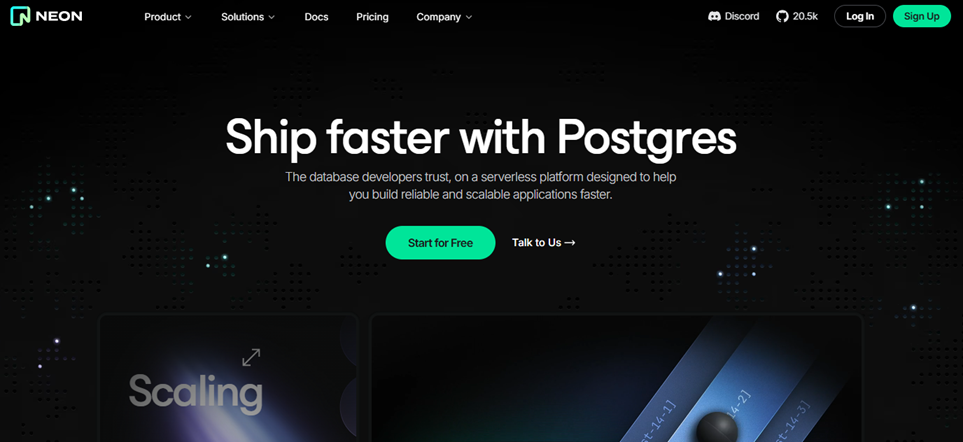
Neon is a serverless PostgreSQL database. The concept is easy to understand: you get all the power of PostgreSQL without having to manage a server, and you only pay for what you actually use.
What sets Neon apart from other managed PostgreSQL solutions is its "branching" architecture. Inspired by the Git model, it allows you to create branches of your database in seconds-ideal for development, staging, or testing environments. Each branch is an instant copy of the production database, without physically duplicating the data.
Neon has established itself as the go-to tool for teams working with modern frameworks like Next.js, Remix, or SvelteKit who want a database that scales effortlessly.
Autoscaling is the standout feature: Neon automatically adjusts the resources allocated to your database based on workload, and can scale down to zero when there is no activity (which drastically reduces costs for intermittent projects). Branching allows you to create isolated environments in seconds, which truly transforms development workflows. Neon supports all standard PostgreSQL extensions (pgvector, PostGIS, uuid-ossp...) and offers a REST API for interacting with the database outside of standard SQL.
Integration with Vercel is built-in and well-documented, making it a natural choice for projects deployed on this platform.
Neon's native integration with Vercel and modern web tools makes it the obvious choice for this stack.
Branching solves a real problem: it eliminates the need to maintain separate development databases, along with all the risks of desynchronization that come with them.
pgvector is natively supported, allowing structured data and semantic search to be combined in a single database.
✅ Managed PostgreSQL with autoscaling and scale-to-zero.
✅ A database branching solution that is unique in the market.
✅ Native integration with Vercel and modern frameworks.
✅ Pay-as-you-go pricing, which is very cost-effective for projects with fluctuating traffic.
✅ Full support for PostgreSQL extensions.
⚠️ A "cold start" after a period of inactivity may cause a delay of a few seconds.
⚠️ Less suitable for very large databases or high-volume transactional workloads.
⚠️ Neon is just a database: you need to use it in conjunction with other tools for authentication, storage, etc.
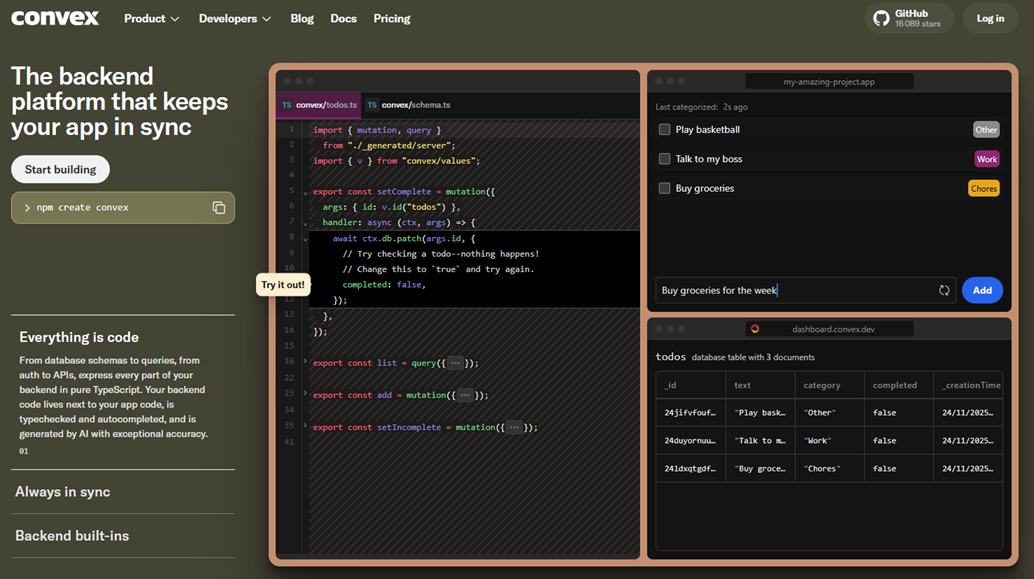

Convex is the most innovative tool in this comparison. It is a reactive backend platform built around a core principle: your data should sync automatically between the server and all connected clients, without you having to write a single line of synchronization code.
Technically, Convex offers a database that combines NoSQL features (JSON documents) with strong consistency guarantees and a responsive query system. When data changes in the database, all React (or other) components displaying that data update automatically in real time, without the need for polling or manual WebSockets.
Another key feature of Convex is that backend functions are written in TypeScript and run in a managed runtime, with transactional guarantees. You define "queries," "mutations," and "actions" depending on the type of operation, and Convex ensures that everything executes in the correct order.
At the heart of Convex is its reactive database: queries are TypeScript functions that return data and automatically subscribe to changes. Mutations modify data within ACID transactions. Actions allow you to call third-party services or perform asynchronous operations (sending emails, calling an AI API, etc.). Convex also offers a built-in cron job system, a file storage module, and an authentication system that integrates with Clerk, Auth0, or any JWT provider.
File management, incoming webhooks, and exports to third-party analytics tools round out the picture.
Pricing is based on usage, making Convex very affordable for startups.
Convex eliminates all the complexity associated with state synchronization. Less code, fewer bugs related to data consistency.
Shared boards, real-time comments, live notifications... these use cases are natively supported by Convex's architecture.
Convex "actions" are particularly well-suited for orchestrating background calls to AI models (OpenAI, Anthropic, etc.), with automatic retries and error handling.
✅ Native responsiveness-no WebSocket configuration required.
✅ ACID transactions in the database.
✅ End-to-end TypeScript, with errors detected at compile time.
✅ Built-in cron jobs and background tasks.
✅ Extensive experience as a developer, particularly with React.
⚠️ Convex's NoSQL database is less flexible than PostgreSQL when it comes to complex queries.
⚠️ The reactive approach requires a paradigm shift that can be confusing at first.
⚠️ Less mature than Supabase or MongoDB: the ecosystem is still under development.
⚠️ Not suitable if your stack isn't JavaScript/TypeScript.

Scalingo is a French PaaS (Platform-as-a-Service) hosting platform and the only sovereign solution this list. Its role differs from the BaaS solutions presented so far: Scalingo does not provide you with a turnkey database or authentication system. Instead, it provides an environment for deploying and hosting your backend, regardless of the technology used (Node.js, Python, Ruby, PHP, Go, Java...).
The best analogy: Scalingo is the European equivalent of Heroku. You deploy your code, and the platform handles the rest (container provisioning, scalability, SSL, basic monitoring). You can also attach managed add-ons directly from the interface: PostgreSQL, MySQL, Redis, MongoDB, Elasticsearch...
For companies and teams subject to data localization requirements (GDPR, financial sector, healthcare), Scalingo is often the obvious choice: its data centers are located in France and Germany.
Deployment is done via Git push or Docker, with no infrastructure configuration required. The platform automatically handles high availability, restarting in case of errors, and horizontal scaling. The Scalingo Dashboard allows you to monitor resources, view logs in real time, configure environment variables, and manage add-ons. Available add-ons include PostgreSQL, MySQL, Redis, MongoDB, InfluxDB, Elasticsearch, and several monitoring solutions.
Scalingo is Buildpack-compatible, which means it natively supports the major languages and frameworks without requiring any special configuration. Review environments (PR deployments) are available for teams working with CI/CD pipelines.
Scalingo's pricing is based on resource usage (containers). Containers are billed by the hour, which makes it difficult to provide an accurate estimate without knowing your exact needs. As a general guide:
Teams coming from Heroku will find a familiar pricing structure.
Data hosted in France or Germany, simplified GDPR compliance, support in French: Scalingo checks all these boxes.
A git push That's all it takes to deploy. You don't need to know Docker Swarm or Kubernetes to get an application into production.
Compatibility is virtually complete. Seamless migration, comparable pricing, and the added benefit of European hosting.
✅ Hosting in France and Germany (GDPR-compliant).
✅ Super-easy deployment via Git or Docker.
✅ Support in French, with a responsive team.
✅ Wide selection of managed add-ons (databases, caches, monitoring).
✅ Compatible with all major languages and frameworks.
⚠️ No built-in application layer (authentication, storage): you provide your own code.
⚠️ Pricing may be less straightforward than a fixed-rate plan for teams just getting started.
⚠️ Fewer advanced features than hyperscalers (AWS, GCP) for complex architectures.
⚠️ A smaller community and ecosystem compared to platforms like Heroku or Render.

MongoDB needs no introduction in the tech ecosystem. It is the world’s most widely used NoSQL database, and MongoDB Atlas is its fully managed cloud version. Available on AWS, Google Cloud, and Azure, Atlas offers a scalable document database with a rich ecosystem that goes far beyond simple data storage.
MongoDB stores data as BSON documents (a binary version of JSON), making it naturally suited for applications that handle flexible or semi-structured data: product catalogs, user profiles, event streams, IoT sensor data, and more. The absence of a rigid schema allows for rapid iteration data structures without the need for major migrations.
Atlas also includes features that make it much more than just a database: full-text search (Atlas Search, based on Lucene), vector search (Atlas Vector Search), triggers, data APIs, and even an analytics module.
Beyond document storage, Atlas Search enables advanced text search without the need to deploy a separate Elasticsearch instance. Atlas Vector Search has established itself as a viable option for AI applications that require semantic search. Atlas Triggers allow you to execute JavaScript functions in response to database events, similar to serverless hooks. The Data API exposes your collections via a REST API without any additional configuration.
Atlas also offers a mobile synchronization tool (Device Sync) for applications that need to work offline.
The M0 plan is very limited in terms of performance (shared cluster) and should not be used in production. The Flex plan is often the best compromise for applications in the launch phase.
No schema migrations to manage every time the data model evolves. MongoDB naturally adapts to products that change direction.
The Mongoose ecosystem and the official Node.js drivers are mature and very well documented. MongoDB was designed to work seamlessly with JavaScript.
Atlas Search and Atlas Vector Search enable you to centralize storage, text search, and semantic search within a single platform.
✅ Flexible data schema for heterogeneous data.
✅ Native support for full-text and vector search.
✅ Available on AWS, GCP, and Azure in many regions.
✅ Extensive ecosystem (drivers, ODMs, integrations).
✅ Horizontal scalability via native sharding.
⚠️ Less suitable for highly relational data (an ORM like Mongoose can mask anti-patterns).
⚠️ The free M0 plan is very limited and does not reflect performance in a production environment.
⚠️ Lookups are possible but less efficient than in native SQL.
⚠️ Costs can rise quickly as data volumes and write operations increase.
Seven tools, each with a very different approach. This table summarizes the key criteria to help you quickly identify the solution best suited to your needs.
| Tool | Type | Database | Free? | Admission fee (paid) | Ideal Profile | Difficulty |
|---|---|---|---|---|---|---|
| Supabase | BaaS | PostgreSQL | ✅ Yes | ~25 $/month | Full-stack developer | Intermediate |
| Appwrite | BaaS | Documents / SQL | ✅ Yes | ~15 $/month | Mobile app, self-hosted | Intermediate |
| Xano | No-code backend | PostgreSQL | ✅ Limited | ~29 $/month | Maker, no-code | Beginner |
| Neon | Database only | Serverless PostgreSQL | ✅ Yes | ~19 $/month | Developer (Next.js / modern tech stack) | Intermediate |
| Convex | Responsive BaaS | Proprietary NoSQL | ✅ Yes | ~25 $/month | React / real-time | Intermediate |
| Scalingo | PaaS | Your choice | ❌ Trial | Variable | Technical Team, GDPR | Advanced |
| MongoDB Atlas | Database only | Documents (NoSQL) | ✅ Limited | ~$57/month (dedicated) | Dev JS, flexible data | Intermediate |
💡 The rates listed are for reference only and are based on publicly available data. They are subject to change: always check the official pricing pages before making a decision.
The most common questions that come up when choosing a backend tool, along with straightforward answers to help you make a more informed decision.
A BaaS (Backend-as-a-Service) like Supabase, Appwrite, or Convex provides you with pre-built application services: database, authentication, storage, and functions. You focus on your business logic; everything else is taken care of. A PaaS (Platform-as-a-Service) like Scalingo gives you an environment to deploy your own backend: you write the code, and the platform handles the infrastructure. BaaS is faster to get started, while PaaS offers more control over the architecture.
Absolutely, and that's often the best approach. For example: Neon for the PostgreSQL database + Supabase Auth solely for authentication, or Xano as an API backend + MongoDB for specific document-based use cases. Modern architectures are rarely monolithic.
The answer varies significantly depending on the tool. Xano is designed for non-developers and can be mastered in just a few days. Supabase and Appwrite require some development knowledge (JavaScript, REST APIs) but are still accessible to junior developers. Scalingo and fine-tuning MongoDB Atlas require more advanced technical skills.
Scalingo is the most straightforward option: hosting in France and Germany, a European company. Supabase offers regions in Europe (Frankfurt), as do MongoDB Atlas and Neon. The self-hosted version of Appwrite gives you complete control over where your data is stored. In any case, review the provider’s data processing terms and ensure that any subcontractors are compliant.
The main difference lies in the database. Firebase relies on Firestore (NoSQL, real-time) or the Realtime Database, both of which are Google proprietary solutions. Supabase uses PostgreSQL, an open-source relational database. In practice, Supabase is better suited for structured data and complex queries, while Firebase has historically been simpler for real-time mobile apps. Supabase also supports self-hosting, which Firebase does not.
Yes, provided you choose the right pricing plans. Supabase, MongoDB Atlas, and Neon all offer dedicated options capable of handling heavy workloads. Xano may reach its limits with very high volumes. As a PaaS, Scalingo allows you to scale resources according to your actual needs. In any case, it is recommended that you test performance under load before going live.
Migration depends heavily on the source solution. If you’re using Supabase or Neon (PostgreSQL), you can export your data as standard SQL and import it into any other PostgreSQL database. Migrating from a NoSQL database (MongoDB, Convex) to SQL is more complex because it involves schema transformation. Xano does not allow you to export your backend code, which creates a dependency on the platform that must be taken into account from the start.
Several options stand out: Supabase with pgvector for combining relational data and vector search, Neon for the same reason with the added benefit of scale-to-zero, MongoDB Atlas with Atlas Vector Search if you prefer NoSQL, and Convex for its reactive architecture, which is well-suited for AI applications with asynchronous processing. The choice depends primarily on your tech stack and the nature of the data you’re working with.
