







Time-saving tools for your website powered by AI
This article reviews the tools that have proven their worth in this field-specifically those for which you…
Read more


Just a few years ago, developing a mobile app was something only those who knew how to code could do-or those who could afford to hire a development agency for tens of thousands of euros. That’s no longer quite the case today.
The widespread adoption of no-code and low-code tools has been a game-changer. A solo entrepreneur, a consultant, or a small product team can now design, test, and deploy a functional app without writing a single line of code-or almost none. And the timing has never been better: there are now more than 6.8 billion smartphone users worldwide, and mobile apps generate hundreds of billions of dollars in revenue each year through app stores.
But building a mobile app is more than just choosing a tool and dragging and dropping buttons. You need to understand what you want to build, for whom, using what technology, and, most importantly, within what budget. This article guides you through the key steps of building your first mobile app, highlighting the solutions best suited to your profile, technical skill level, and goals.
Whether you want to launch an MVP to validate an idea, create an internal app for your team, or take on a more ambitious project, you’ll find the guidance you need here.
➡️ To explore all the available development tools, visit our Mobile App Development section.
This is the part everyone wants to skip so they can get straight to the action. And this is usually where projects go off the rails.
Before opening any software, it’s helpful to ask yourself a few fundamental questions. On which platform do you want your app to be available? iOS only, Android only, or both? A native app offers an optimal user experience, but often requires two separate codebases, which doubles the work. A cross-platform app (Flutter, React Native) allows you to target both systems with a single codebase. Progressive Web Apps (PWAs), on the other hand, run in a mobile browser and are easier to maintain but offer more limited capabilities.
Next, consider the functional complexity. A simple app with a few screens and a lightweight database doesn’t require the same tools as a product with advanced authentication, integrated payments, push notifications, geolocation, and complex business logic. The more ambitious your app is, the more you’ll need a flexible tool-or even a developer.
Finally, consider your budget and your comfort level with coding. Are you comfortable using a visual interface only? Would you like to be able to customize certain parts through coding? Or do you have a technical team that can step in when needed? The answer to this question will directly influence your choice of tool.
The market has evolved into several major categories:
They allow you to build an application without technical expertise, using drag-and-drop interfaces. They are ideal for prototypes, MVPs, or internal management applications.
They offer greater flexibility and customization. They generate clean code in Flutter or React Native, allowing developers to take over at any time.
Like Flutter, React Native, and Swift/Kotlin remain the go-to choices for complex or high-traffic apps, but they require advanced development skills.
This is a step that many early-stage projects overlook, sometimes to their detriment. Building directly in a framework without first considering user flows often results in time-consuming back-and-forth revisions.
UX (user experience) design involves defining the main user flows of your app: how the user arrives at the home screen, how they navigate between sections, what actions they can perform, and in what order. This work can be done on paper, in a mind-mapping app, or in a dedicated prototyping tool.
Figma is now the gold standard for this phase. It’s free for a certain number of projects and allows you to create high-fidelity mockups, add simulated interactions, and share the prototype with testers. The advantage of prototyping in Figma first before building in FlutterFlow or Adalo is that you have a clear vision of what you want to build, which significantly speeds up the visual development phase.
For those looking to work even faster, tools like Anima allow you to convert Figma mockups directly into front-end code. While this isn’t yet ideal for complex mobile apps, it’s a promising approach for rapid prototyping.
A simple rule to remember: the more time you spend designing and testing your user experience before building it, the less time you’ll spend redoing what didn’t work.

Adalo is one of the most popular no-code platforms for building native iOS and Android mobile apps. Launched in 2018, it quickly established itself as a go-to solution for non-developers thanks to its highly intuitive interface. Here’s how it works: you build your app visually, connect it to a built-in database, and publish it directly to the App Store and Google Play Store.
What sets Adalo apart is the seamless nature of the creation process. You start by choosing a template or a blank canvas, configure your database (collections of objects, relationships between data), and then build your screens by dragging and dropping components onto them: lists, forms, buttons, images, maps, and charts.
Adalo's strength lies in the combination of its native database and conditional display logic. You can display different content based on the logged-in user's profile, dynamically filter lists, and create action workflows (send an email, update a record, navigate to another screen) without writing any code.
Adalo also offers a component marketplace that significantly expands your options: interactive maps, Stripe payments, push notifications, and third-party integrations. The paid plan allows you to publish to native app stores and use a custom domain.
Adalo supports a wide range of use cases, including marketplace apps (such as Airbnb and Vinted), community management tools, booking apps, product catalogs with shopping carts, and tracking apps. Many startups have used Adalo to launch an initial MVP before migrating to a native codebase once they’ve validated traction.

Glide is based on a simple yet brilliant idea: if your data is already in Google Sheets or Airtable, why not turn it directly into a mobile app? That’s exactly what this tool does. You connect your data source, configure views (list, detail, card, gallery, map), set user permissions, and your app is ready to go.
This is a radically different approach from Adalo. Glide doesn't aim to recreate a traditional development experience; instead, it focuses on reusing existing data. For a team that already manages its data in a spreadsheet, this is often the fastest route to a fully functional app.
Glide creates Progressive Web Apps (accessible via a mobile browser) and, since 2022, has offered native iOS apps through its Business plan. PWAs can be added to a smartphone’s home screen, making them virtually indistinguishable from a real app in everyday use.
Glide excels in data-driven use cases: product catalogs, directories, team management tools, simplified CRM, and project tracking. Its permissions system is particularly well-designed: you can create different access levels based on the user’s role, hide certain columns or rows, and restrict edits.
The platform also offers a Glide AI system that allows users to enhance the displayed data with automatically generated summaries, classifications, or translations, all without leaving the interface.
Integration with Airtable and Google Sheets is native and two-way: data entered in the app is automatically synced back to the source spreadsheet.

GoodBarber occupies a slightly different niche: it is a French platform (based in Corsica!) that allows users to create native iOS and Android mobile apps, with a Focus on publishing and distribution. The tool has been around since 2011 and has helped create more than 50,000 apps worldwide.
Its philosophy: to enable any entrepreneur or small business to have a professional app published on official app stores without going through an agency. GoodBarber handles the submission process to the App Store and Google Play, which is a real benefit for those who have never navigated the complexities of Apple and Google developer accounts.
GoodBarber offers two distinct solutions: one for content-based apps (media, events, communities, news) and an e-commerce solution for mobile stores. Both feature a visual block-based builder, with customizable themes and advanced design management.
What sets GoodBarber apart is the depth of its native features: segmented push notifications, subscriber management, monetization through subscriptions or in-app purchases, social media integrations, and built-in analytics. For a content or community app, it is one of the most comprehensive solutions on the no-code market.
The platform also allows you to create a PWA alongside the native app, which maximizes reach.
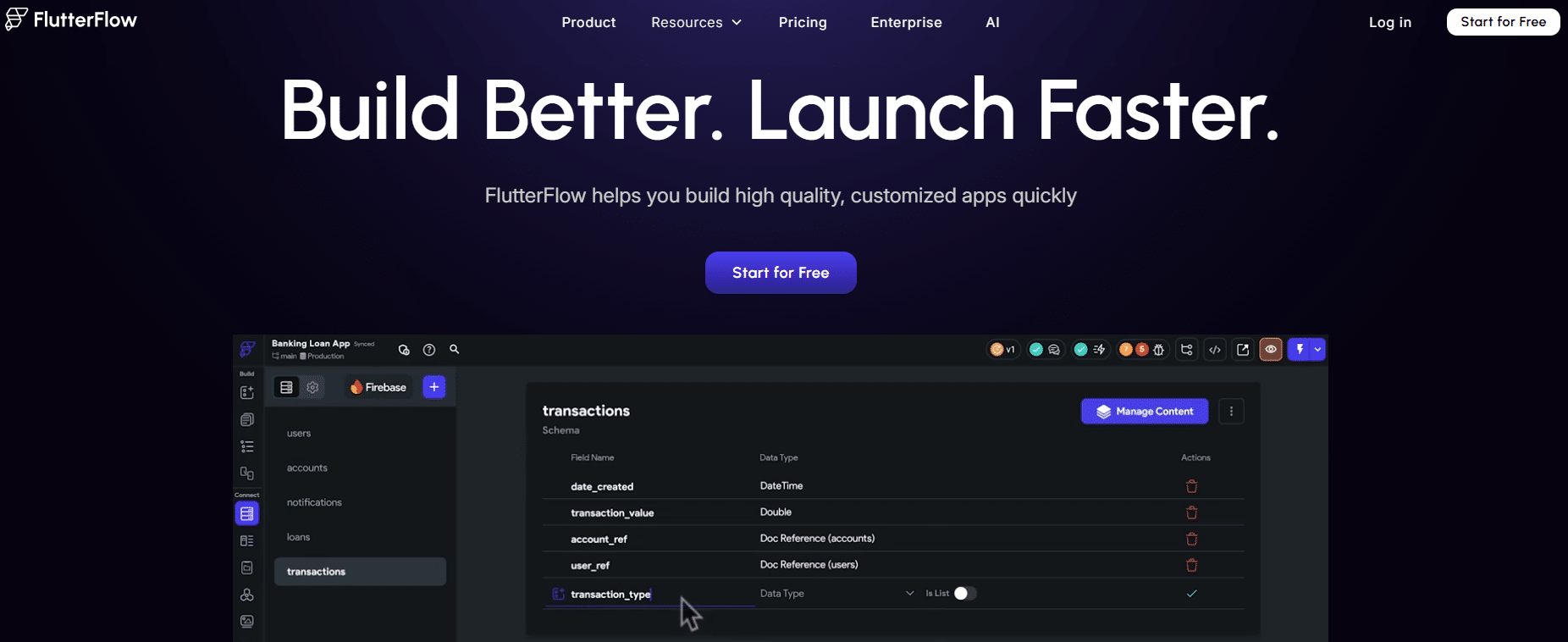
FlutterFlow represents a different category of tool: developer-oriented low-code. Rather than hiding the code behind a visual interface, FlutterFlow generates clean, exportable Flutter code. Flutter is Google’s open-source framework for building cross-platform apps (iOS, Android, Web, Desktop) using a single codebase.
FlutterFlow offers two key benefits. First, non-developers can build user interfaces visually and configure business logic without writing code. Second, a developer can take over the project at any time, export the generated Flutter code, and continue development in a traditional environment.
This is a significant departure from pure no-code tools: you aren’t locked into a proprietary ecosystem. Your code belongs to you.
FlutterFlow features an advanced visual editor with a design system based on reusable components, full support for Flutter animations, and native integration with Firebase for authentication, the database (Firestore), storage, and push notifications. Integration with Supabase (an open-source alternative to Firebase) is also available.
FlutterFlow's action logic system is one of the most powerful in the no-code market: nested conditions, loops, custom REST API calls, and local and global state management. You can achieve a great deal without writing a single line of Dart code.
FlutterFlow also offers a real-time collaboration mode, making it a great tool for small product teams.
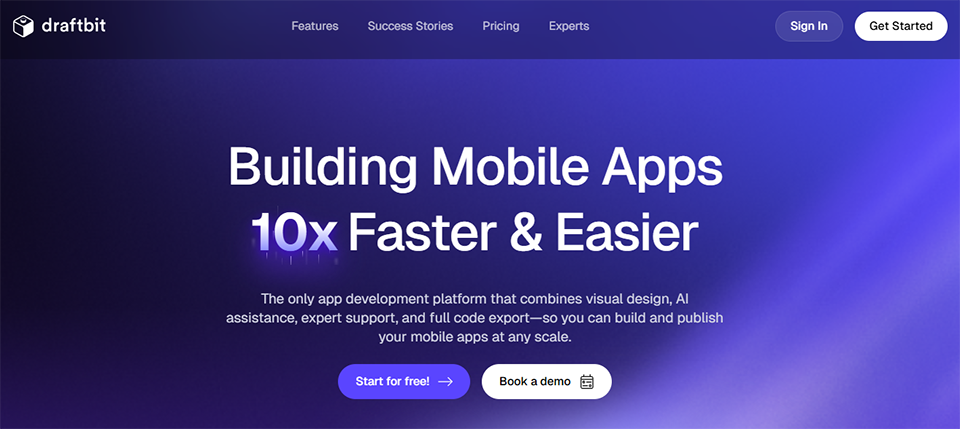
Draftbit fills a specific niche: it’s a low-code tool that generates React Native code, Meta’s JavaScript framework for cross-platform mobile apps. If your team has expertise in JavaScript or TypeScript, or if you’re considering a hybrid development approach combining a visual tool with manual coding, Draftbit is a serious option to consider.
The platform is primarily aimed at technical founders, front-end developers looking to speed up the creation of user interfaces, and agencies that build mobile apps. Its focus is clearly less geared toward the general public than Adalo or Glide.
Draftbit generates clean React Native code structured according to the framework's best practices. You build your screens visually using a WYSIWYG editor, but you can switch to code view at any time to customize any part of the app.
The integration of REST APIs is particularly well-handled: Draftbit offers a visual API configuration system that allows you to connect endpoints without writing code, and then map the data to interface components. For applications that require connections to third-party services (databases, payment services, CRMs), this is a significant advantage.
The platform also supports custom component libraries: you can create reusable components, share them across projects, and maintain visual consistency across all your applications.
Adalo and Glide are your best tools for this scenario. Adalo lets you build a native mobile app with a polished interface, user login, and a database-all in just a few days. Glide is even faster if you already have structured data in a spreadsheet.
The goal here isn't perfection; it's speed to market. These two tools allow you to test a product hypothesis at a lower cost before investing in a more robust development.
Glide is particularly well-suited for internal management applications: customer tracking, service catalogs, reporting tools, and collaborative knowledge bases. Its native integration with Airtable makes it a natural choice for those who already use Airtable as their database.
GoodBarber is a better fit if you're delivering an app to an end client who wants to distribute it on official app stores under their own name.
FlutterFlow is likely the most balanced solution for this scenario. A product manager can build the user interfaces visually, while a developer can handle the complex logic and export the code to maintain it outside the tool. This flexibility becomes invaluable as the product grows in complexity.
Draftbit is the better choice if your team is comfortable with React Native and wants to retain full control over the generated code.
GoodBarber is perfectly suited for this type of app. Its push notification management, subscription handling, support for in-app monetization, and ability to publish to app stores make it the most comprehensive tool for audience-focused apps or mobile e-commerce platforms.
Note: The prices listed are approximate and subject to change. Please check the official websites for the most up-to-date pricing information.
| Criterion | Adalo | Glide | GoodBarber | FlutterFlow | Draftbit |
|---|---|---|---|---|---|
| Technical requirements | Beginner | Beginner | Beginner | Intermediate | Advanced |
| App type | Native iOS/Android | PWA / iOS | Native iOS/Android | Cross-platform | Cross-platform |
| Export code | ❌ | ❌ | ❌ | ✅ (Flutter) | ✅ (React Native) |
| Blinds | ✅ | ✅ (Business) | ✅ included | ✅ | ✅ |
| Integrated database | ✅ | Using a spreadsheet | ✅ | Via Firebase/Supabase | Via API |
| Starting price (paid) | ~36 $/month | ~25 $/month | ~25 $/month | ~30 $/month | ~19 $/month |
| Ideal for | Quick MVP | Internal tools | Content/E-commerce Apps | Tech startups | React Native Developers |
| Freelance Stack Deal | ✅ | ✅ | ✅ | ✅ | ✅ |
Many mobile app developers focus on the user interface and neglect to consider the underlying infrastructure. However, the quality of your backend directly impacts your app’s performance, security, and scalability.
For apps built with FlutterFlow, Google’s Firebase is the default choice: authentication, real-time database (Firestore), file storage, and push notifications. It’s a robust and well-documented solution, with a generous free plan for low-volume use. Supabase is the rising open-source alternative, featuring a standard PostgreSQL database and an automatically generated REST API, often preferred by teams that want to retain control over their data.
For Adalo and GoodBarber apps, data is managed internally by the platform, which simplifies setup but limits direct access to your data if you want to use it outside the tool. This is something to consider depending on how you plan to use your data in the long run.
The issue of distribution is also worth considering in advance. Publishing to Apple’s App Store requires an Apple Developer account costing $99 per year, verification that your app complies with Apple’s guidelines, and a review period that generally takes 24 to 72 hours. The Google Play Store is slightly more lenient, with a one-time fee of $25. GoodBarber offers to handle this process for you, which is a real advantage if you’re not familiar with navigating Apple’s publishing interfaces.
Finally, consider user metrics from the very beginning. Which screens get the most traffic? Where do users drop off? Which features generate the most engagement? This data is essential for effectively refining your product after launch.
Building a mobile app involves more than just the builder itself. Here are some helpful additional resources tailored to each stage of your project.
Figma remains the go-to tool for creating mockups and interactive prototypes before moving on to development. It’s particularly useful if you’re working in a team or if you want to validate the design with users before developing.
Make or n8n can connect your application to other services (sending emails, updating CRMs, Slack notifications) without any additional code. These integrations are often necessary for automating business processes related to your application.
Supabase has established itself as an excellent open-source alternative to Firebase, particularly well-suited for FlutterFlow and Draftbit. Airtable remains a very practical option for data-driven apps built with Glide, especially thanks to its built-in views and automations.
Mobile Action offers ASO (App Store Optimization) tools to analyze your keywords, monitor your competitors, and boost organic downloads of your app.
Apphud is a solution designed for managing subscription revenue on iOS and Android, featuring detailed subscription analytics and automated win-back capabilities.
Here are the questions that come up most often when embarking on your first mobile app project.
The range varies widely depending on the approach you choose. With a no-code tool like Adalo or Glide, you can get started with a subscription costing between €25 and €100 per month and just a few hours of work. A custom-built app developed by an agency or a freelancer will cost between €15,000 and €100,000, depending on its complexity. No-code solutions therefore allow you to launch a functional MVP for a fraction of the cost of traditional development.
Not necessarily from the start. If you’re validating an MVP, you can start with a single platform, or even a Progressive Web App accessible via a link. Publishing to app stores involves annual fees ($99/year for the Apple Developer Program, a one-time fee of $25 for Google Play), approval delays, and update requirements. Some tools, such as GoodBarber, handle this process for you.
A native app can be downloaded from app stores (App Store, Google Play) and installed on a phone. It provides optimal access to the smartphone’s hardware features (camera, GPS, Bluetooth, push notifications). A Progressive Web App is an enhanced web page that behaves like an app: it can be added to the home screen and works offline (under certain conditions), but it is not distributed through app stores and its hardware access is more limited.
Yes, but with some important caveats. For simple to moderately complex applications, current no-code tools can achieve a very satisfactory level of quality. However, as soon as you need highly specific features, optimal performance for many concurrent users, or deep integration with existing systems, the limitations of no-code tools become apparent. The low-code approach (FlutterFlow, Draftbit) offers a good compromise for pushing those limits.
There are several models: paid access (one-time download), in-app subscriptions (recurring model, supported by GoodBarber and FlutterFlow), in-app purchases (to unlock features or content), or integrated advertising. The choice depends on your target market and the perceived value of your app. For B2B apps or internal tools, the SaaS subscription model is generally the most suitable.
With Glide or Adalo, a working prototype can be built in a single day if the scope of work is clearly defined. A full-featured app with polished design, user management, and a few main screens typically takes between one and four weeks, depending on your availability and the project’s complexity. With FlutterFlow or Draftbit, expect to spend two to six weeks mastering the tool and delivering a clean first version.
This is a common situation as a product grows. You then have two options: migrate to a low-code tool that generates exportable code (FlutterFlow, Draftbit) so you can continue development outside the platform, or hire a developer who will start the project from scratch using your prototype as a functional specification. This is one of the reasons why it can be strategic to choose a tool with exportable code from the very beginning.


