





Visual Identity: The 6 Best Tools for Building Your Brand from A to Z
This guide reviews six tools, each of which addresses a specific need in the process of building a visual identity…
Read more


Video has become must-have digital communication. On LinkedIn, video posts generate on average three times more engagement than text-based content. On social media, short-form video is booming. However, producing a professional-quality video used to require a substantial budget: a camera, lighting, an editor, a studio, actors... all obstacles that made this format inaccessible to many freelancers, consultants, and small marketing teams.
AI tools for video have been a game-changer. Today, a startup founder can create a product demo video in less than an hour. A consultant produce video training courses without ever appearing on screen. A marketing manager can turn a blog post into shareable video content in just a few clicks.
This comparison highlights 8 tools that have truly revolutionized video creation for small businesses, making it accessible even without technical skills or a production budget. For each one, you’ll find an honest overview of its features, pricing, and suitability for your specific needs.
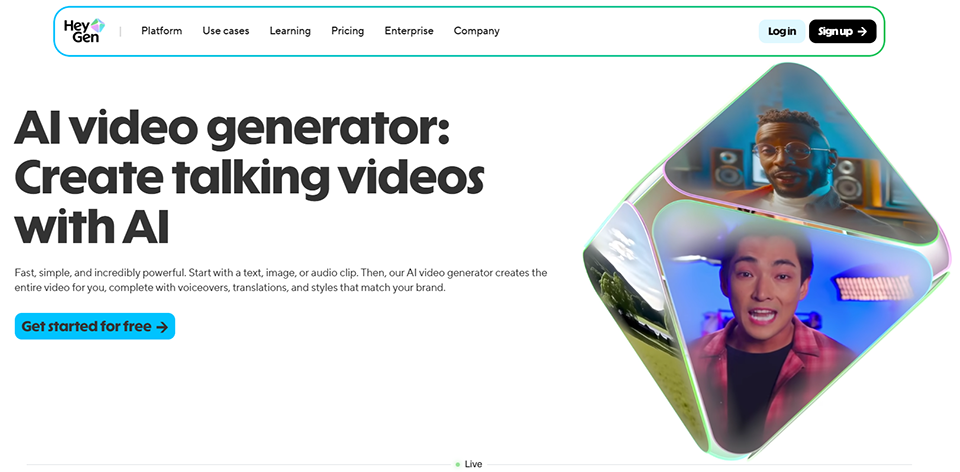
In just a few months, HeyGen has established itself as the go-to platform for AI-powered avatar videos. Its mission is clear: to create videos featuring a realistic human presenter without the need to film yourself. All you have to do is enter some text, choose an avatar (or clone your own), and the video is automatically generated with synchronized speech, natural facial expressions, and a level of realism that often surprises viewers.
What sets HeyGen apart in an increasingly competitive market is the quality of its avatars. The latest models are nearly indistinguishable from a real person camera. The tool also offers a video translation feature with lip-syncing: you upload a video in your language, and HeyGen translates it into English, Spanish, French, or about twenty other languages, while ensuring the lip movements remain consistent.
🧑💼 Consultants and trainers:
Producing training or presentation videos without appearing on camera is a major advantage for those who don’t like being filmed but need to communicate regularly.
🚀 Startups and product teams:
Create demos, video onboarding guides, or animated pitch decks without hiring an outside agency.
🌍 Companies with an international reach:
The lip-sync translation feature is particularly valuable for reaching audiences in different languages using a single source video.


Synthesia is one of the pioneers of AI-powered avatar video, founded in 2017, and remains a leading solution today, particularly among large organizations. Its focus is more enterprise-oriented than HeyGen’s, with a highly structured interface designed for creating training, onboarding, and internal communication content.
Synthesia's strength lies in its library of professional avatars and templates, combined with a highly comprehensive scene editor. You can create a structured video with multiple slides, incorporating screenshots, icons, text animations, and transitions-all from an interface that resembles a presentation editor more than video editing software.
The tool supports over 140 languages for text-to-speech, making it a solid choice for teams working internationally or producing localized content.
🏢 HR and Training Teams:
Synthesia is ideal for creating e-learning content, onboarding modules, or internal policy videos without having to assemble a production team.
📣 Communications Managers:
Create regular corporate videos (internal newsletters, CEO presentations, product tutorials) in a scalable manner that is consistent with the brand guidelines.
🌐 International companies:
Support for 140 languages makes video localization very accessible, without having to re-record the entire content.

Runway occupies a unique position in this comparison. While other tools start with text or avatars to create video, Runway focuses on video generation using generative AI: you describe a scene in text, upload an image, and the tool generates a video sequence based on these inputs. It’s a radically different technology, more akin to what Sora or Kling do.
Runway Gen-3 Alpha, its latest version, produces short videos of just a few seconds in impressive visual quality. The tool also includes a full-featured video editor with AI capabilities such as background removal, frame interpolation, video inpainting (retouching specific areas in a video), and music generation.
It is geared toward users with a more creative and technical background than the other solutions in the comparison.
🎨 Creatives and motion designers:
Runway is the tool of choice for visual artists who want to integrate AI-generated content into their existing creative workflow.
📱 Content creators:
Create original visuals for social media, short clips, and promotional videos with a strong artistic vision.
🎓 Agencies and independent studios:
Increase their production capacity by automating certain steps (rotoscoping, transitions, effects) using AI.



Pictory solves a very specific problem: you have written content (an article, script, or summary) and want to quickly turn it into a video ready for distribution. That’s exactly what it does best. The tool analyzes the text, automatically selects relevant images or video clips from its library of millions of assets, adds an AI-generated narration, and generates a fully edited video in just a few minutes.
The result isn't video generation in the creative sense of the term: it's more of an intelligent automated montage that assembles visual elements to match the textual content. But for this specific use case, the tool is remarkably effective.
Pictory is also widely used to create short videos from longer ones, such as podcasts, webinars, and interviews. The AI identifies key segments and generates short clips optimized for social media, complete with automatic subtitles.
✍️ Content creators and bloggers:
Repurposing existing written content into video is one of the best returns on investment in content production. Pictory makes this process virtually automatic.
🎙️ Podcasters and webinar creators:
The feature that automatically splits long content into short clips saves a significant amount of time when posting to social media.
📧 Marketing teams:
Quickly create videos for email campaigns, newsletters, or sales presentations without having to set up a full-fledged editing workflow.
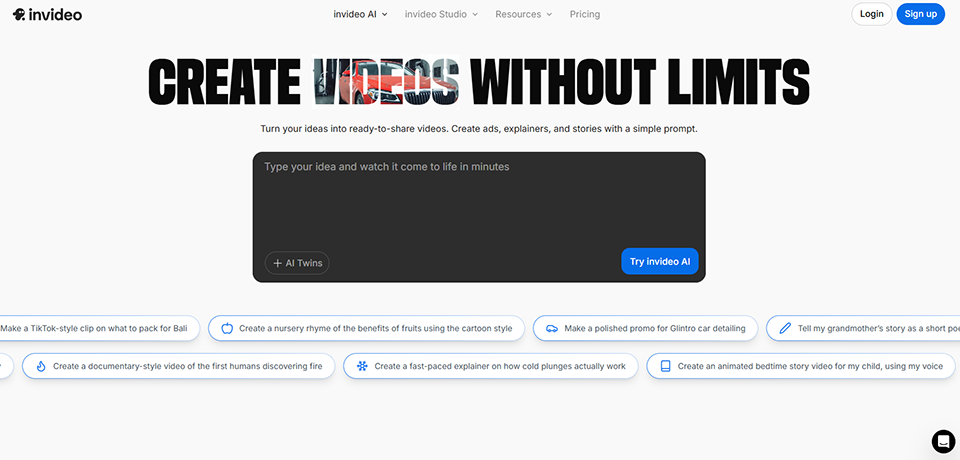

InVideo AI is probably the most user-friendly tool in this comparison, in the sense that it’s designed so that anyone can create a decent-quality video without any editing experience. The interface is prompt-driven: you describe what you want (“create a 60-second video to showcase my online coaching service, with an inspiring tone, targeting 25- to 35-year-olds”), and the tool generates a script, selects visuals, adds a voiceover, and delivers a finished video.
This "zero-barrier" approach is both its strength and its limitation. The speed of execution is impressive, but the results can sometimes be generic, particularly when it comes to selecting visuals. It offers maximum value for standard formats: social media videos, product presentations, and explainer videos.
InVideo is also one of the few tools that offers a community and a wide range of community-created templates, making it easy to get started.
🔰 Complete beginners:
InVideo is definitely the tool to recommend to someone who has never edited video before and wants a decent result quickly.
📱 Solo creators on social media:
Posting regularly to your social media channels without spending hours on it is one of InVideo’s key use cases.
💼 Small businesses and self-employed individuals:
Create promotional videos, animated customer testimonials, or simple advertising videos without an agency budget.

Lumen5 was one of the first platforms to popularize the conversion of text content into video, and it remains a leading solution, particularly for content marketing teams that need to regularly produce videos from articles or blog posts.
Its interface is highly workflow-oriented: you import an article, the AI extracts key sentences and automatically pairs them with visuals, and then you can customize each scene in a simple editor. What sets Lumen5 apart is the visual consistency of the final result: themes and color palettes are well managed, resulting in a professional look without the need for manual formatting.
The tool is also valued for its team features: project sharing, shared templates, and consistent branding across the entire organization.
📝 Editorial and content marketing teams:
Lumen5 is designed for teams that regularly publish written content and want to consistently accompany it with a video version.
🏢 Companies with a strong visual identity:
The branding kit and shared template management ensure visual consistency across all produced videos.
📣 Communications Managers:
Turn a newsletter, press release, or product announcement into an animated video without hiring an agency.

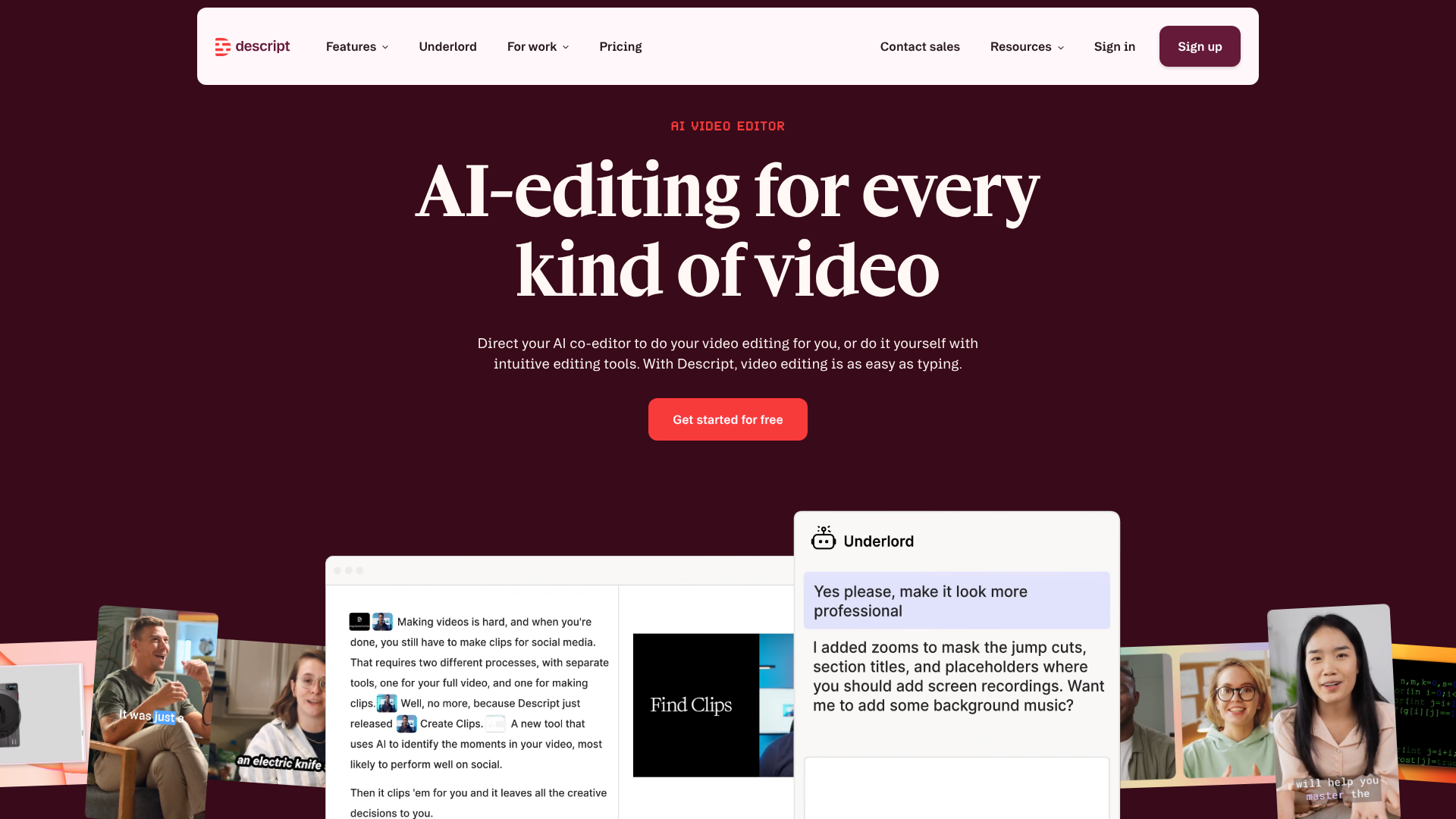
Descript offers a radically different approach to video editing. Instead of working on a timeline like in traditional software, Descript automatically transcribes audio into text and lets you edit the video by directly modifying the transcript. Deleting a sentence in the text removes the corresponding segment from the video. Changing the wording in the transcript alters the voice in the video using Overdub technology (AI voice cloning).
This is a game-changer for anyone who conducts interviews, creates video podcasts, delivers training sessions, or produces sales videos: editing is now as easy as proofreading a text. You can remove "ums," pauses, and repetitions with a single click.
Descript also includes additional AI features such as noise reduction, automatic lighting correction, and background removal.
🎙️ Podcasters and video content creators:
Descript was designed with them in mind. Text-based editing is a game-changer for anyone who regularly produces spoken content.
👩💼 Online instructors and course creators:
Correcting pronunciation errors or hesitations without having to re-record using Overdub saves a huge amount of time.
📹 Teams conducting interviews or gathering testimonials:
Editing a 45-minute interview is as quick as proofreading an article-no technical editing skills required.


OpusClip solves a specific and increasingly common problem: you have a long video (webinar, interview, conference, video podcast) and want to extract the best moments to share on social media. The AI analyzes the content, identifies the most engaging segments, cuts them out, automatically crops them to a vertical format, and adds animated captions.
What sets OpusClip apart is the quality of its AI scoring: each clip receives a "viral potential" score based on potential engagement, hook, and structure. The tool also provides suggestions for hooks to add at the beginning of each clip to maximize retention.
It's the perfect tool for creators who produce long-form content and want to maximize its reach without spending hours manually editing it.
🎙️ Podcasters and YouTubers:
The feature that turns long videos into short clips is exactly what these users need to effortlessly post content on TikTok, Instagram Reels, and LinkedIn.
🏢 Event teams:
Reposting highlights from a webinar, conference, or sales webinar as short clips is a great way to extend the lifespan of an event.
📣 Social media managers:
Deliver content in the appropriate formats to multiple platforms from a single video source, without the need for an editing team.

To help you choose the tool that best suits your needs, here is a summary of the key factors to consider.
| Tool | Best for | Admission price | AI Avatars | Generated from scratch | Clipping | Ease |
|---|---|---|---|---|---|---|
| HeyGen AI | Videos featuring an AI presenter | 29$/month | ✅ Excellent | ⚪ Midterm | ❌ No | ⭐⭐⭐⭐ |
| Synthesia | Training & Corporate | 29$/month | ✅ Very good | ⚪ Midterm | ❌ No | ⭐⭐⭐⭐ |
| Runway AI | AI-driven generative design | 12$/month | ❌ No | ✅ Yes | ❌ No | ⭐⭐⭐ |
| Pictory | Article / Blog to video | 19$/month | ❌ No | ⚪ Midterm | ✅ Yes | ⭐⭐⭐⭐⭐ |
| InVideo AI | Beginners & Social Media | 30$/month | ❌ No | ✅ Via prompt | ❌ No | ⭐⭐⭐⭐⭐ |
| Lumen5 | Team Content Marketing | 29$/month | ❌ No | ⚪ Midterm | ❌ No | ⭐⭐⭐⭐ |
| Descript | Editing based on a transcript | 24$/month | ❌ No | ❌ No | ✅ Partial | ⭐⭐⭐⭐ |
| OpusClip | Clipping & repurposing | 15$/month | ❌ No | ❌ No | ✅ Excellent | ⭐⭐⭐⭐⭐ |
💡 Note on pricing: The prices listed are for entry-level paid plans and are subject to change. Check the current prices directly on the tool pages.
AI avatars, automatic generation, and text-based editing-these technologies raise a lot of questions. Here are some practical answers to help you get started.
Yes, and that is precisely the goal of most of the tools presented here. Solutions like InVideo AI, Pictory, or HeyGen are designed so that even someone with no background in video editing can create shareable content in less than an hour. The learning curve is much shorter than with traditional software like Premiere Pro or Final Cut. That said, the more time you invest in customizing and learning the nuances of each tool, the higher the quality of the result.
The line is rapidly blurring. The latest avatars from HeyGen and Synthesia are often difficult to distinguish from a real speaker, especially in short-form content. On the other hand, prompt-generated videos (Runway, InVideo) can appear more artificial depending on the context. For high-stakes content (presentations to investors, crisis communications, corporate videos), it is still recommended to include authentic elements. For social media, e-learning formats, or internal videos, the issue is less of a concern.
For beginners looking to create videos quickly without getting lost in the options, InVideo AI or Pictory are the best places to start. Their interfaces are user-friendly, the results are satisfactory without any advanced configuration, and their entry-level plans are among the most affordable on the market.
This is a question that European companies are asking more and more often. Major platforms (HeyGen, Synthesia, Descript) provide documentation their data processing practices. For videos containing sensitive data (names, employees’ faces, customer information), it is advisable to review each tool’s terms of service and privacy policy, and to verify whether the data is hosted within the EU. Some tools offer Enterprise plans with additional contractual guarantees.
Yes. Most of the tools listed support French, whether for text-to-speech, subtitles, or content generation. Synthesia and HeyGen, in particular, offer high-quality French voices with several tones available. Descript also provides high-quality transcription in French.
Generally speaking, yes, provided you comply with each platform’s terms of use. Most paid plans include commercial rights. However, it’s important to distinguish between two levels: rights to the generated video (which are generally granted) and rights to the visual assets used (such as photo and video libraries, where restrictions may apply). The entry-level plans from Pictory or InVideo, for example, rely on royalty-free libraries (Pexels, iStock) where commercial use is included in the license.
For content with strong emotional impact, ambitious corporate videos, or high-end advertising campaigns, no. But for the vast majority of everyday content needs (tutorials, presentations, training materials, social media posts, product demos), these tools now achieve a level of quality that previously required the input of a professional. AI automation doesn’t replace human creativity, but it democratizes access to decent, consistent, and high-quality content.