logo anime freelance stack white
Logo de l’outil Calendar sur le deal de Freelance Stack
All deals (850+)
Logo de l’outil Calendar sur le deal de Freelance Stack

Calendar

Premium Deal
1 deal available
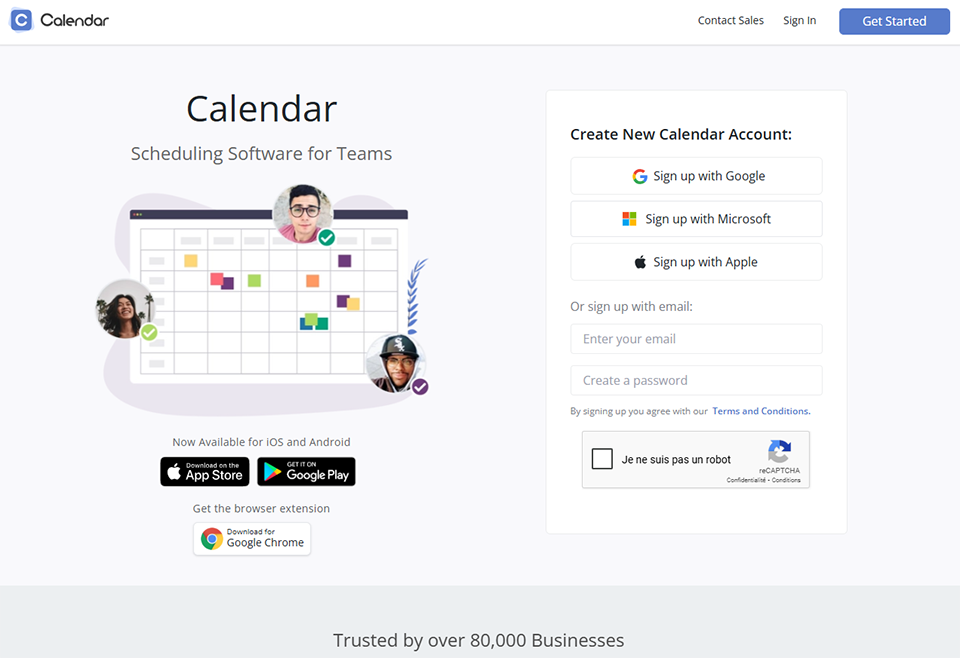
Scheduling Software for Teams.
Free online service to manage and share your calendar. With Google Calendar, keep track of all the important events in your life (birthdays, meetings, kids' soccer games or doctor's appointments) from a single interface.
Save big with 850+ deals 💶
Explore all deals
Illustration of Calendar on Freelance Stack's deal page
1 deal available
Premium Deal #1

50% off on any plan

All our deals are negotiated by our team to give you the best discount and are updated regularly.
This deal is available to new customers or customers on a free plan of the tool.
Save Money !
Logo Freelance Stack blanc
Freelance Stack 
Premium
Access our 850+ exclusive promo code for $55/year.
and over 850 other deals.
and +850...
general information
ALTERNATIVES
YOU MAY ALSO LIKE...

📅 May 2026 -

 Our promo code verified with the software 

Calendar

Benefit from 50% off on any plan on Calendar.

Save 50% off on any plan on Calendar thanks to our exclusive partnership.

Freelance Stack is the first deals platform to access best discounts, coupon codes and credits on 650+ software, SaaS and online services for entrepreneurs and startups. We offer exclusive and validated discounts that we negotiate directly with partners to help you to grow and save money. Our coupon codes enable thousands of entrepreneurs, startups, freelancers and consultants to save thousands of euros on best software.

Don't wait any longer and save 50% off on any plan on Calendar.
.

📄 Information about 

Calendar


How Calendar Scheduling Works?

  • Create time slots

Create time slots for customized event and online meeting templates. Scheduling pages can be customized. You choose which time slots are displayed.

  • Share your custom link

You can send your customized calendar links to anyone. They will be able to schedule a meeting with you based on your online availability.

  • Free scheduling software

Meetings scheduled through your scheduling app will automatically show up on your Calendar. Skipping the hassle of back and forth emails.

  • Online Scheduling Made Simple

You'll have the ability to allow anyone to choose and schedule a meeting directly to your Calendar. Your Calendar will protect you from any pre-existing or conflicting meetings being scheduled at the same time. All you have to do is send them your customized personal scheduling link.

Calendar also offers

  • Calendar Analytics

They've reinvented the calendar experience to help you be more productive and intentional than ever before. With features like Calendar Analytics, for Teams you can have a calendar that showcases you and maximizes your most valuable resource: your time.

  • Team Scheduling

Calendar eliminates the endless back and forth emails between sales team members. The average sales team overbooks themselves 2-3x a day. Automatic sync schedules and fair lead distribution. Never miss or overbook a sales lead again.

  • Find a Time

Skip the seemingly endless emails or chat required to find time to meet and schedule events. Calendar's Find a Time feature makes it easy to schedule with other people in seconds. Enter multiple calendar users, see when they are busy or available, and then create an event based on their availability. That's productivity at its best.

  • Unified Online Calendar

Over the past 10 years, our lives have become more complex. Everyone is busy, and we carry our time-crunched schedules like badges of honor. People are moving faster than ever before - which means we're not slowing down enough to determine whether the way we're spending our time reflects our values.

  • Your Online Calendar is always learning

The more you use scheduling Calendar, the more valuable it becomes. We utilize artificial intelligence and machine learning to develop a unique scheduling experience tailored to you. In simple terms, we'll help you become more productive with your calendar over time!

  • Scheduling software built for teams

Calendar has now given you the capability to schedule with team members in seconds. Enter your team members and any other Calendar users you need to meet with, see when they are busy or available, and then create your meeting based on their availibility.

  • Calendar put also at your disposal a calendar Productivity Blog

Calendar blog will keep you up to date with the "latest and greatest" news, tools and helps for driving you and your team to greater heights in productivity and business.

📋 Calendar features:

In this section, you will find our opinion the main features of Calendar. All of these features are subject to regular updates. We recommend that you check that they are available before purchasing any software.

Calendar is a cloud-based scheduling and time management platform designed for professionals, small teams, and growing businesses that need to streamline the meeting booking process while also gaining insight into how their time is actually spent. Available on the web, iOS, and Android, it combines a unified calendar view, intelligent meeting scheduling, time analytics, and team coordination into a single workspace. Unlike simple booking tools that only address the issue of sharing links, Calendar adds a layer of time intelligence that helps users manage their schedules more effectively over the long term.

  • The unified calendar brings all connected calendars into a single interface. Users can connect Gmail, Office 365, Outlook, and Exchange accounts; the Standard plan supports 3 connections per user, while the Pro plan extends this to 10. Sub-calendars within each account can also be integrated, and shared or team calendars are supported, providing a comprehensive cross-account view without having to switch between different apps or browser tabs. Day, week, month, and year views are all available, and the layout is designed to provide a complete overview of a professional’s time commitments at a glance.
  • Scheduling events and booking links: are the core productivity tool. Users create customizable event types, each with its own title, duration, availability window, and booking rules. Each event type generates a unique shareable link. When a client, colleague, or external contact clicks the link, they see real-time availability and can book directly, with a confirmation automatically added to both parties' calendars. Buffer time before and after meetings, blackout periods, and daily booking limits can all be configured per event type. The Standard plan includes 5 customizable events and 25 team scheduling events; the Pro plan removes these limits.
  • Meeting polls: handle multi-party scheduling without requiring all participants to be Calendar users. A poll is created with several proposed time slots, shared with all attendees, and Calendar aggregates their responses to identify the best option. This is particularly useful for coordinating across organizations where not everyone uses the same scheduling tool.
  • Team scheduling: covers the collaborative layer. Round-robin assignment, multi-host events, and group sessions are all supported, enabling sales teams, support teams, or internal departments to route bookings efficiently. Teams can be set up within a shared workspace, and team-level availability is displayed to whoever is booking, ensuring that the right person is always assigned. Pro plan workspaces support up to 50 teams and 50 members per team.
  • Find a Time: is a meeting coordination feature that addresses the internal challenge of aligning availability across multiple participants. On the Standard plan, it supports meetings of up to 15 guests; the Pro plan extends this to 50. Rather than manually comparing calendars, teams specify who needs to attend, and Calendar automatically suggests available time slots.
  • Calendar analytics: provide visibility into how time is being spent. The dashboard breaks down meeting patterns, showing users how their hours are distributed across different event types, contacts, and time blocks. For professionals trying to understand whether their week reflects their actual priorities, or for managers wanting to monitor team calendar health, this reporting layer is a differentiator that purely appointment-focused tools do not offer.
  • Automated workflows: link scheduling events to downstream actions. When a meeting is booked, confirmed, or canceled, workflows can trigger notifications, update records, or push data to connected tools via Zapier or native integrations. SMS and email reminders reduce no-shows, and automated confirmations handle follow-ups without manual effort.
  • Integrations: cover the main categories needed for professional scheduling: Zoom, Google Meet, Microsoft Teams, and Webex for video conferencing; HubSpot and Salesforce for CRM sync; Zapier for broader automation connectivity to over 2,000 apps. White labeling on personal scheduling pages is available on the Pro plan and above, allowing users to replace Calendar branding with their own logo and colors when presenting booking pages to clients.

📊 Calendar Pros and Cons:

This section provides a summary of the advantages and limitations of using Calendar on a daily basis. We are not paid or influenced by brands, and this content is solely our own. These features, their advantages and disadvantages are likely to change regularly, both positively and negatively. If you have complex needs, we invite you to contact the software publisher directly for more information about your requirements. 

👍 Pros with Calendar:

  • Calendar analytics make it more than just a booking tool: Most scheduling platforms only address the issue of sharing links: they let people book meetings and nothing more. Calendar goes a step further by analyzing how that booked time is actually being used. The analytics dashboard shows patterns in meeting frequency, types, duration, and contacts, giving professionals a factual view of where their time is going rather than just a general impression. For a consultant or entrepreneur who wants to manage their calendar more proactively rather than simply reacting to incoming requests, this layer of time intelligence is genuinely useful and is rarely found in tools at this price point.
  • The unified view across multiple calendar accounts significantly reduces context switching: Professionals who manage a personal Gmail account, a client’s Office 365 account, and an internal company calendar typically need to switch between three separate applications to view their full schedule. Calendar’s multi-account sync brings all of these into a single interface. This is a small but persistent daily friction point, and solving it with a clean, unified view saves significant time over weeks and months for anyone managing a complex calendar across accounts.
  • The scheduling flexibility is truly impressive for the price: At $8 per user per month on an annual billing plan (with the current promotional pricing), Calendar offers multi-calendar sync, unlimited workspace members, team scheduling, meeting polls, SMS reminders, automated workflows, and Zapier integration. Comparable feature sets from tools like Calendly or Acuity cost considerably more at their equivalent tiers. For a small team or a freelancer who needs more than basic booking but isn’t willing to pay Calendly’s team pricing, Calendar offers excellent value for the price.
  • White labeling on the Pro plan enables professional branding without enterprise pricing: The ability to display a custom-branded booking page, without the scheduling tool’s logo appearing anywhere, is important to consultants, agencies, and small businesses that want every client touchpoint to look like their own product. Many competing tools reserve white labeling for enterprise contracts. Calendar offers it starting with the Pro plan at $12 per user per month on an annual billing cycle, which is a significant advantage for brand-conscious professionals.
  • Team scheduling handles common small-business coordination needs without complexity: Round-robin assignment, multi-host events, and group sessions cover the scenarios most small sales or service teams encounter: distributing incoming calls fairly among representatives, scheduling sessions that require two hosts, or booking workshops for a group. These features work without requiring technical configuration or a dedicated administrator to manage them.

👎 Cons with Calendar:

  • The Pro plan's maximum guest limit for Find a Time (50 guests) and team limits (50 teams, 50 members) reflect a mid-market ceiling: For larger organizations that need to coordinate hundreds of people or build scheduling infrastructure at an enterprise scale, Calendar’s architecture will reach its limits. The platform is truly designed for individual professionals and teams of up to about 50 users; beyond that, the feature set begins to feel limited.
  • The current 50% promotional pricing makes long-term cost planning uncertain: The pricing page lists Standard at $8/month and Pro at $12/month per user annually, explicitly labeled as a current promotional discount from $16 and $24, respectively. This means the regular price is significantly higher, and users who sign up at the promotional rate may see their subscription cost double when the promotion ends. Evaluating Calendar based on its published promotional price without accounting for this eventuality creates a risk of budget misalignment.
  • The integration ecosystem is more limited than Calendly's: Calendar integrates natively with Zoom, Google Meet, Teams, Webex, HubSpot, Salesforce, and Zapier, and the Zapier integration significantly expands its reach. However, for users who rely on niche CRMs, specific payment processors, or less common video conferencing tools, the native integration library is smaller than what Calendly has built over a decade. Users who depend on specific integrations should verify compatibility before committing.
  • The mobile app experience has not received the same level of detailed feedback as the desktop version: Most user feedback and reviews focus on the web application. There is limited independent assessment of whether the iOS and Android apps offer the same features as the web version, which is important for professionals who manage their schedules primarily from a phone. Users with mobile-first workflows should test the apps specifically during the trial period rather than assuming full feature equivalence.

💰 Calendar pricing:

All prices listed are taken from the Calendar software website. However, these prices are subject to change regularly. We recommend that you check them directly on each software's website to be sure. 

Calendar offers per-user monthly pricing with a 14-day free trial. Annual billing is significantly cheaper than monthly billing. As of this writing, a 50% promotional discount is available on both public plans. The pricing below reflects the discounted annual rates as shown on the Calendar website; the standard rates without the promotion are $16/month (Standard) and $24/month (Pro) per user.


Plan Annual promotional price Standard annual price Key features
Standard $8 per user per month $16 per user per month 3 connected calendars per user, 5 customizable scheduling events, 15 meeting polls, unlimited workspace members, 25 team scheduling events, Find a Time for up to 15 guests, calendar analytics, SMS reminders, automated workflows, Zapier (2,000+ integrations), Zoom/Teams/Meet/Webex, HubSpot, Salesforce, live phone support
Pro $12 per user per month $24 per user per month Everything included in the Standard plan, plus 10 connected calendars per user, unlimited scheduling events, unlimited meeting polls, 50 team scheduling events, Find a Time for up to 50 guests, white labeling on personal scheduling pages, 50 workspace teams, and 50 members per team
Enterprise Custom pricing—contact sales Everything in Pro, plus 20 connected calendars per user, SSO with any identity provider, SCIM user provisioning, domain control, expedited support, a dedicated account partner, a dedicated onboarding specialist, and unlimited scheduling in personal workspaces


Monthly billing is available at higher rates than the annual prices listed above. A 14-day free trial with full access to the Pro plan is offered with no credit card required. Non-profit and educational organizations can contact Calendar directly for customized pricing.

💬 Frequently asked questions about Calendar's promo:

In this section, you will find all the main questions you may have about accessing this discount. We wanted to provide you with as much information as possible to help you save as much as possible on your software subscriptions. 

1️⃣ How to access to the deal with Calendar?

This promo code allows you to save money and enjoy premium features on Calendar paid plans and subscriptions. Check the eligibility criteria on this page to see if you can benefit from this discount. Don't miss out on the opportunity to pay less for your subscription to one of the best tools on the market.

2️⃣ Why Freelance Stack can help you to access to Calendar discount?

As a partner of Calendar, you can easily save on your subscription to this software. Without us or another affiliate partner, you will have difficulties to activate the discount. We are the largest discount promo code platform for software and SaaS in the world.

3️⃣ How to use Calendar deal?

To use the discount with Calendar, you need to click on the various buttons that may be available on the right side of the deal page and follow the instructions to unlock this promotion.

4️⃣ What are Calendar's promo requirements?

We specify all the terms and conditions on each deal page. You must click on the various buttons on the deal page to view all the terms and conditions. This deal is available to new customers or customers on a free plan with Calendar.

🔄 Alternatives to Calendar software:

Find the right software with our suggestions for alternative solutions.

When growing a business, comparing the right tools is essential. With thousands of options available, these solutions are strong alternatives to Calendar 
Indeed, Calendar is a solution that can adapt according to your needs:

1️⃣ If you are a freelancer or consultant:

Calendly is the most direct comparison. Its free plan supports one active event type with unlimited bookings, which meets the core needs of most solo professionals. The Standard plan, priced at $10/month on an annual basis, adds unlimited event types, group events, payment processing via Stripe and PayPal, and over 700 Zapier integrations. It lacks Calendar’s analytics features, but its booking experience is extremely polished and familiar to clients worldwide. For a freelancer who primarily needs a clean booking link without the time management features, Calendly’s free or Standard plan is hard to beat. TidyCal is another option worth noting for budget-conscious freelancers: a one-time payment unlocks lifetime access to core scheduling features, making it one of the most economical alternatives for solo operators who do not need advanced team features.

2️⃣ If you are a startup:

Startups running inbound sales or customer success workflows at scale should consider Cal.com, which offers a truly free individual plan with unlimited event types and bookings, and a Teams plan for around $15 per user per month. Cal.com’s open-source foundation and API-first architecture make it far easier to integrate into custom-built products or internal tools than Calendar or Calendly. For startups whose scheduling needs extend to their own product infrastructure, Cal.com’s developer flexibility is a significant advantage. For teams with more Focus on and task management needs, Reclaim.ai is a strong choice: it automatically blocks deep work time, reschedules conflicting tasks, and protects habits within Google Calendar and Outlook, starting at a competitive monthly rate.

3️⃣ If you are an SMB or mid-market company:

At this scale, internal calendar intelligence and protection against meeting overload become just as important as booking pages. Clockwise is built specifically for team-level calendar optimization, automatically rescheduling flexible meetings to ensure Focus on across the entire organization and providing team analytics on calendar health. It integrates seamlessly with Slack and Asana and is designed for companies where meeting culture is a top priority for productivity. Acuity Scheduling is the alternative to consider for service businesses that need more robust client management alongside booking: intake forms, payment processing, client portals, HIPAA compliance, and package management all come standard, making it the more comprehensive option for businesses such as consulting firms, healthcare providers, or coaching organizations where the client relationship extends far beyond the meeting itself.

Otherwise, these other software programs may also be a good alternative to Calendar

🆕 Our new Premium deals:

We offer discounts on 650+ different software. We regularly add new discounts on the best software for freelancers, consultants and entrepreneurs.

Discover these new software in addition to the deal we offer with Calendar.

👤 Our members have just used these other deals:

We offer on 850+ different software. That's both a lot and a little compared to all the software that exists and that could help you in your business as entrepreneur or business owner.

Discover new software and discounts to complement the deal we offer on Calendar