






Axeptio or Cookiebot: Which cookie banner should you use on your website?
The cookie banner is far from being a mere formality: since the GDPR and the tightening of recommendations from…
Read more


In 2026, the question is no longer whether your organization will be targeted, but when. The numbers speak for themselves: according to the IBM Cost of a Data Breach report, the average cost of a data breach now exceeds $4.5 million worldwide. For small and medium-sized businesses and startups, a single breach can mean several months’ worth of cash flow, damage to their reputation, and, in the most serious cases, a threat to the very existence of the business.
Yet cybersecurity is still often pushed to the back burner. Too expensive, too complex, not yet a priority… These reactions are understandable, but they’re becoming increasingly risky as threats grow more sophisticated. Ransomware attacks have surged by 37% in one year, phishing attempts targeting remote teams are on the rise, and developers are facing a proliferation of vulnerabilities in software dependency chains.
The good news: SaaS offerings in this area have matured considerably. Today, there are affordable solutions—sometimes starting at just a few dozen euros per month—that address very specific use cases: protecting your passwords, securing your connections, detecting vulnerabilities in your code, or even obtaining compliance certification. This comparison highlights seven tools selected for their relevance, affordability, and complementary features, with a special offer available on Freelance Stack for each one.

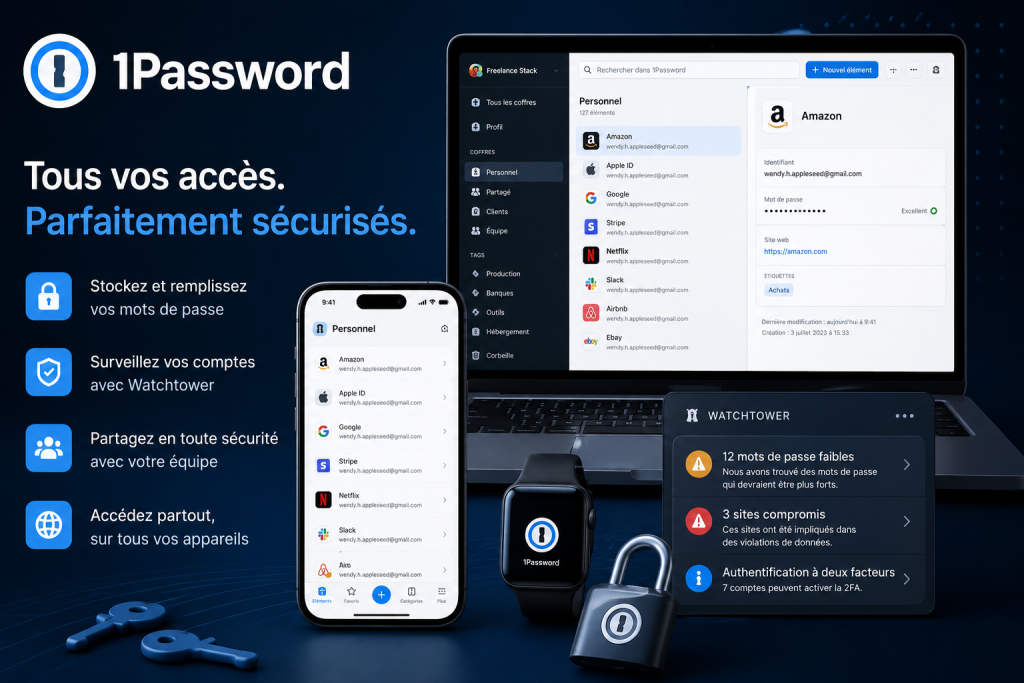
1Password is one of the most widely recognized password managers in the B2B market. The concept is simple: centralize all login credentials, API keys, secure notes, and critical access credentials in an encrypted vault that can be accessed from any device. The benefit for teams is the ability to share certain access credentials in a controlled manner without ever exposing passwords in plain text.
The 1Password interface is clearly designed to minimize friction in everyday use. Auto-fill works on both mobile and desktop, and the browser extensions are stable and well-integrated. In terms of security, the tool relies on AES-256 encryption, a zero-knowledge architecture (1Password technically has no access to any of your data), and strong two-factor authentication.
On the team side, administrators can manage access by vault, set security policies (password length, mandatory rotation), view activity logs, and quickly revoke access for an employee who leaves the company. The Watchtower feature monitors in real time whether any credentials have been compromised in known data breaches.
1Password also integrates with Okta and Azure AD and supports SCIM provisioning for more structured organizations.
A free 14-day trial is available.
Managing a dozen or so API keys, SSH access credentials, deployment tokens, and more—without 1Password, this often involves risky copy-and-paste operations in .env files or Slack messages. The shared vault is a game-changer in terms of traceability and security.
As soon as a team grows beyond five people, access management becomes a real challenge. 1Password lets you quickly onboard new employees and properly revoke access when they leave—without having to go on a treasure hunt through email inboxes.
Even on its own, 1Password is worth it: it protects your personal and work login credentials, automatically generates strong passwords, and saves you from the nightmare of reusing passwords.
✔️ Zero-knowledge architecture and end-to-end encryption—your data remains inaccessible even to 1Password.
✔️ The interface is very well-designed, and it’s easy to get started, even for non-technical staff.
✔️ Advanced features for team management, auditing, and security policies.
✔️ SSO integrations and enterprise directories for more structured organizations.
❌ There is no free version for teams; the 14-day trial is the only safety net before committing.
❌ Slightly more expensive than some competitors, such as Keeper Password, for small volumes.
❌ Importing from other managers may require a little preparation, depending on the source.

NordVPN is one of the most widely used VPNs in the world, with over 14 million users. It encrypts your internet connection, hides your real IP address, and lets you access content as if you were in another country. For businesses, NordVPN Teams (now called NordLayer) offers a B2B-focused version with centralized user management.
NordVPN's strength lies in its infrastructure: more than 6,700 servers spread across 111 countries, and cutting-edge protocols like NordLynx (based on WireGuard) that offer significantly faster speeds than traditional VPNs. The Double VPN feature routes your traffic through two consecutive servers for enhanced privacy. Threat Protection Pro filters out ads, trackers, and malicious domains without going through an active VPN tunnel.
For businesses, NordLayer allows organizations to assign dedicated IP addresses to employees, create gateways to access internal resources, and manage access rights from a centralized dashboard. The no-logs policy is independently audited.
Working from a café, a coworking space, or an airport exposes your data to unsecured public Wi-Fi networks. NordVPN solves this problem in just a few clicks.
For startups with remote teams, NordLayer offers a simple way to centralize access to internal tools without exposing resources to the internet in plain text.
Journalists, lawyers, and consultants who handle sensitive data: NordVPN ensures that your connections cannot be intercepted or monitored.
✔️ Very wide network coverage with excellent performance thanks to the NordLynx protocol.
✔️ An independently audited no-logs policy, which gives it real credibility.
✔️ Built-in protection against malware and trackers—no active VPN required.
✔️ Competitive rates, especially on long-term subscriptions.
❌ Advanced B2B features require NordLayer, a separate product with its own pricing.
❌ Some streaming services still detect and block VPNs at certain times.
❌ Less suitable than ZTNA solutions for complex enterprise architectures.
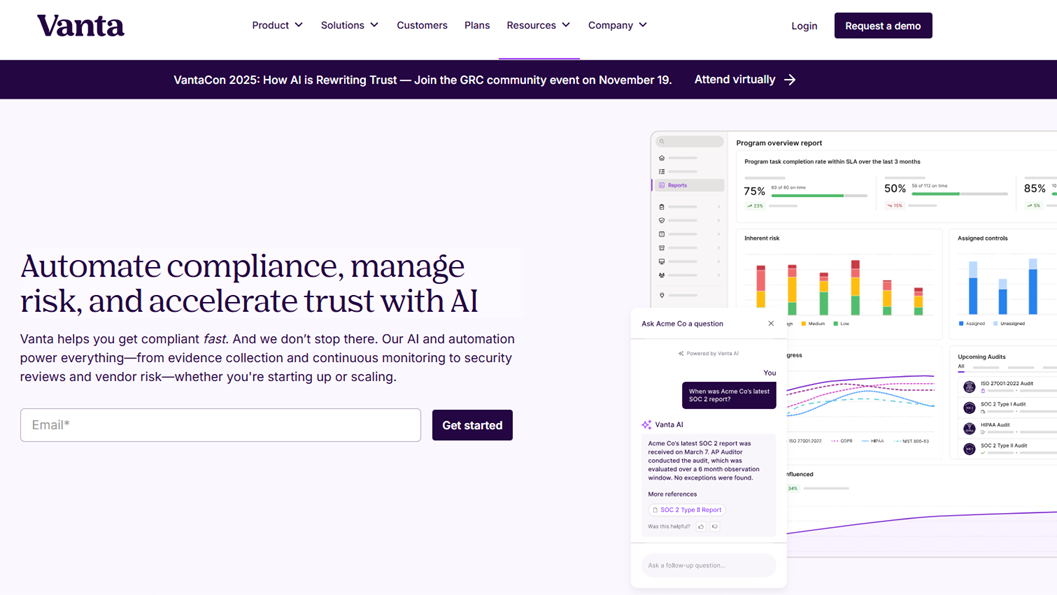
Vanta has established itself as the go-to solution for tech startups and SMEs that need to obtain security certifications (SOC 2, ISO 27001, HIPAA, PCI DSS, GDPR, etc.) to win over their enterprise clients. The promise: to automate up to 80% of the work involved in evidence collection and continuous monitoring—tasks that previously took companies months to complete manually by gathering screenshots and export files.
Vanta connects to your stack (AWS, Google Cloud, GitHub, Jira, Slack, Okta, etc.) via native integrations and automatically collects the evidence required for each security control. The compliance dashboard shows you, in real time, your level of readiness, any missing items, and the priority actions you need to take.
The platform also offers a public Trust Center that you can share with your prospects to demonstrate your security posture without waiting for them to request a questionnaire. Security questionnaires (SIG, CAIQ, VSA) can be filled out semi-automatically using Vanta’s AI, which generates responses based on your existing documentation.
Risk monitoring, supplier management, and security policies are also integrated into the platform.
Obtaining SOC 2 certification is often a non-negotiable prerequisite for selling to large enterprises. Vanta reduces the time it takes to obtain this certification from 12–18 months to 2–4 months in typical cases.
In many small and medium-sized businesses, the CTO or a senior engineer handles compliance in addition to their other responsibilities. Vanta organizes this process and makes the work trackable.
Foreign investors and partners are increasingly requesting formal proof of security maturity. Vanta's Trust Center meets these requirements without creating any additional operational burden.
✔️ Advanced automation of evidence collection, which drastically reduces the manual workload.
✔️ Extensive coverage of compliance frameworks: SOC 2, ISO 27001, GDPR, HIPAA, PCI, and several others.
✔️ Built-in Trust Center, which is very useful for reassuring enterprise prospects without having to wait for them to fill out a questionnaire.
✔️ AI-powered assistance with filling out incoming security questionnaires.
❌ The price is still high for very small businesses that haven't yet secured any enterprise clients.
❌ Some integrations require a non-trivial technical setup.
❌ This is not a substitute for legal advice or a certified auditor to finalize the process.


Astra Security offers a comprehensive suite of offensive security solutions: managed penetration testing, automated DAST scanning, and API security. The platform is designed for development teams that want to integrate security into their DevSecOps cycle without having to hire an in-house team of penetration testers.
Freelance Stack also offers the Astra DAST Scanner and Astra API Security packages separately if you'd like to start with a specific use case.
Astra's DAST scanner tests your web applications under real-world conditions by simulating external attacks: SQL injections, XSS, CSRF, authentication issues, misconfigurations, and more. It can run continuously in your CI/CD pipeline. The results are presented in a clear dashboard, prioritized by severity level (CVSS score).
The Managed Penetration Testing module combines automation with human intervention: certified penetration testers validate and analyze the automated results in greater depth, produce a detailed report, and remain available to assist with remediation. A security certificate can be issued upon completion of the penetration test, which can be used for commercial purposes.
The API Security scanner tests REST and GraphQL endpoints according to the OWASP API Top 10 standards.
Integrating Astra DAST into CI/CD makes it possible to detect security regressions just as effectively as functional tests. It is as much a cultural shift as it is a tool.
Healthtech, fintech, legaltech: As soon as you handle personal or financial data, an annual penetration test becomes virtually mandatory to meet client and regulatory requirements.
Delivering an application along with a penetration test report is a powerful selling point and a way to stand out from the competition.
✔️ An effective combination of automation and human expertise, resulting in more reliable results than a purely automated tool.
✔️ CI/CD integration for continuous security throughout the development cycle.
✔️ Clear report with issues prioritized by severity and an actionable remediation guide.
✔️ Security certificate issued upon completion of the penetration test, which has commercial value.
❌ One-time penetration tests only cover a single point in time; without continuous scanning, new vulnerabilities slip through the cracks.
❌ The cost of managed services can be a burden for very small organizations with limited security budgets.
❌ Requires a certain level of technical expertise to fully leverage the results and prioritize remediation efforts.

Okta is the most widely used identity and access management (IAM) platform in the business world. Its role is to centralize all of your employees’ access to the company’s SaaS applications through single sign-on (SSO), while enforcing strong security policies (MFA, conditional access) and automating account provisioning and deprovisioning.
Okta SSO allows users to sign in to all their applications (Slack, Salesforce, Google Workspace, GitHub, etc.) with a single set of credentials, through a unified interface. Adaptive MFA evaluates the context of each sign-in (device, location, time) and may require an additional factor only when a risk is detected.
The Universal Directory centralizes user profiles and synchronizes with Active Directory or LDAP. Automated provisioning via SCIM ensures that when an employee is added to your HRIS, their access rights are automatically created in all linked applications; and when they leave, all access is revoked in a matter of seconds.
Okta also offers a Customer Identity (CIAM) solution to secure end-user authentication for your own application. Since the acquisition of Auth0, the two brands have coexisted with slightly different market positions: Auth0 is more developer-focused, while Okta is more IT/enterprise-focused.
A 30-day free trial is available.
As soon as a team starts using about ten different SaaS applications, manually managing access becomes a risk. Okta automates what quickly becomes unmanageable.
For IT managers, Okta provides complete visibility into who is accessing what, with detailed audit logs and the ability to respond quickly in the event of an incident.
To secure the authentication of its own users, Auth0 offers a comprehensive API, SDKs for all programming languages, and advanced features (passwordless authentication, social login, and custom flows).
✔️ A massive integration catalog with over 7,000 natively supported apps.
✔️ Smart, adaptive MFA that reduces friction for users while maintaining a high level of security.
✔️ Automated provisioning and deprovisioning, which significantly reduces risk when employees leave the company.
✔️ Detailed audit logs to meet compliance requirements.
❌ May seem too large for very small teams that use only three or four apps.
❌ The initial setup takes longer than with lighter solutions; it requires an upfront time investment.
❌ The price can rise quickly as soon as you add additional modules.


Secureframe is often mentioned alongside Vanta as one of the two leading compliance automation platforms. What sets it apart is the quality of its support and personalized assistance: each client is assigned dedicated compliance experts who guide them through the process, which is particularly valuable for teams undergoing their first certification. Freelance Stack also offers a deal for Drata, another major player in this market.
Secureframe covers a wide range of compliance frameworks: SOC 2, ISO 27001, HIPAA, PCI DSS, GDPR, NIST, and many others. Integrations with AWS, Azure, GCP, GitHub, GitLab, Okta, G Suite, Slack, and about 100 other tools enable automated collection of compliance evidence.
The platform offers a Risk Manager to map and track risks, a Vendor Risk Manager to assess your suppliers’ security posture, and customizable security policy templates. The Comply AI tool (generative AI) helps you complete incoming security questionnaires in just a few minutes.
The dashboards are clear and easy for non-specialists to use, which is a real advantage in organizations without a dedicated CISO.
Prices are approximate and may vary. Please check the publisher's website directly.
Secureframe's personalized support is particularly well-suited for those new to SOC 2 or ISO 27001: the Customer Success team provides step-by-step guidance and explains what the auditors expect.
When you combine SOC 2 and ISO 27001 with GDPR requirements, manual management becomes a nightmare. Secureframe centralizes everything with cross-mapping of controls.
Some prefer Vanta for its interface and public Trust Center; others choose Secureframe for the quality of its support. The choice between the two often comes down to team culture as much as it does to features.
✔️ High-quality, personalized support from dedicated compliance experts—a real differentiator compared to more self-service platforms.
✔️ Extensive support for frameworks, allowing you to manage multiple certifications from a single interface.
✔️ A clear and user-friendly interface designed for teams without a CISO.
✔️ Comply AI to quickly respond to incoming security questionnaires.
❌ The Trust Center is less developed than Vanta's, which can be a factor in enterprise sales cycles.
❌ Pricing based on quotes; the lack of initial transparency makes it difficult to compare budgets.
❌ Some integrations are still less mature than those of direct competitors.

Avast is a long-standing name in cybersecurity, renowned for decades for its antivirus solutions. Its Avast Business line is specifically designed for small and medium-sized businesses that need to protect their workstations (Windows, Mac) and servers without having to maintain a dedicated IT team. This is the most “hands-on” component of this comparison: it protects your employees’ physical devices, whereas other tools protect systems, access, or applications. Freelance Stack also offers a deal for Norton, another well-known endpoint protection solution.
Avast Business Hub is the centralized management console: it allows an administrator to monitor all protected devices, deploy security policies, receive alerts when threats are detected, and generate reports. Real-time protection covers viruses, malware, ransomware, spyware, and phishing attempts.
Notable features include: a behavioral sandbox that analyzes suspicious files in an isolated environment before they are executed, an application firewall that monitors applications' network connections, and an Email Protection module to filter out malicious attachments in popular email clients.
Avast also offers add-ons: DNS protection, a built-in VPN, and vulnerability scanning for software installed on devices.
The Avast Business Hub's centralized console is designed to be managed by someone whose primary job isn't cybersecurity: the interface is clear, the alerts are easy to understand, and the deployment policies are simple to configure.
When employees work from their own devices or unmanaged devices, Avast provides a consistent first layer of protection regardless of the initial configuration.
For a small organization that handles payments, customer data, or confidential documents, Avast is often the easiest solution to deploy to achieve a satisfactory level of protection.
✔️ Centralized management console accessible to non-technical users, with no prior training required.
✔️ Comprehensive, multi-layered protection: antivirus, anti-ransomware, firewall, and phishing protection—all in one product.
✔️ Pricing per device, making the solution easily scalable based on team size.
✔️ Available on Windows and macOS, the two most widely used platforms in businesses.
❌ Less suitable for Linux environments or cloud-native architectures without physical workstations.
❌ Some advanced features, such as the sandbox or the built-in VPN, are available only on higher-tier plans.
❌ A consumer-focused reputation can sometimes create unrealistic expectations about the depth of B2B features.

It's difficult to compare tools that aren't in the same category. This table summarizes how each one stacks up to help you quickly identify which ones are right for your situation, based on your profile, budget, and current priorities.
| Software | Primary use case | Target audience | Starting price | Free trial |
|---|---|---|---|---|
| 1Password | Password Management & Shared Access | Teams of all sizes | ~7,99 $/user/month | ✅ 14 days |
| NordVPN | VPN & Connection Privacy | Freelancers, remote teams | ~3,09 $/month | ✅ 30 days |
| Vanta | Compliance & Certifications (SOC 2, ISO 27001) | SaaS Startups, Tech SMEs | Upon request | ✅ Demo |
| Astra Pentest | Penetration Testing & Vulnerability Scanning | Developers, startups | ~$199/month (scanner) | ✅ Demo |
| Okta | IAM, SSO, MFA, provisioning | SMEs, IT teams | ~2 $/user/month | ✅ 30 days |
| Secureframe | Compliance & Certifications (human support) | Startups, scale-ups | Upon request | ✅ Demo |
| Avast Business | Endpoint protection, antimalware | SMEs, very small businesses without dedicated IT | ~$2.85 per device per month | ✅ Trial |
Prices and features are provided for informational purposes only. We recommend that you check them directly on the publishers' websites before making a decision.
Cybersecurity often raises many questions, especially for organizations that are tackling the issue without dedicated in-house expertise. Here are the most frequently asked questions, along with practical answers tailored to our audience.
A password manager like 1Password or Keeper Password stores and manages your login credentials for each service. An SSO tool like Okta lets you sign in to all your apps using a single set of credentials, without needing separate passwords for each service. The two are complementary: SSO covers apps that natively support it, while the password manager covers everything else.
No, and that's a common mistake. A VPN protects the privacy of your internet connection, but it does not protect against malware, phishing attempts, vulnerabilities in your code, or unauthorized access to your internal systems. It is just one tool among many in a comprehensive security strategy. For mobile teams, however, it is a must-have. If you’re looking for an alternative, Proton VPN or PureVPN are also good options available at Freelance Stack.
Not necessarily at first, but the question will quickly arise as soon as you start working with enterprise clients, large corporations, or regulated industries (finance, healthcare, government). Many RFPs now include a security questionnaire, and SOC 2 is the most widely accepted standard in the tech ecosystem. Tools like Vanta, Secureframe, and Drata make this process much more accessible than it was five years ago.
These three platforms offer very similar features: automated evidence collection, continuous compliance monitoring, and policy management. The differences often lie in the details: the quality of customer support (Secureframe is often praised for its personalized assistance), the comprehensiveness of the public Trust Center (Vanta leads the way in this area), the number of integrations, and pricing. It’s best to request a demo of the two solutions that seem most suitable for you before making a decision.
For companies that handle sensitive data or are subject to compliance standards, an annual penetration test is often recommended or even required. However, the trend is to supplement this annual test with continuous scanning (such as Astra DAST), which detects new vulnerabilities as the code evolves. The annual penetration test provides a comprehensive snapshot, while continuous scanning ensures that you do not experience a regression between audits.
The top priority, regardless of the size of your organization: a strong password manager (1Password or Keeper Password), enabling two-factor authentication (2FA) on all your critical accounts, and antivirus software on all workstations (Avast Business or Norton). These three elements cover the most common attack vectors at a reasonable cost. Next, as your business grows, you can add a VPN for remote teams, followed by a single sign-on (SSO) tool like Okta, and finally a compliance solution such as Vanta or Secureframe.
Yes, in both directions. Attackers use AI to generate more convincing phishing emails, automate the search for vulnerabilities, and personalize their attacks. But defenders benefit as well: AI enables faster anomaly detection in logs, more effective incident response, and tools like Vanta and Secureframe are beginning to integrate AI to speed up responses to security questionnaires. Vigilance remains the first line of defense, but the tools in this category covered in this article are increasingly incorporating these capabilities.