






The best tools for email communication in 2026.
This guide will help you find your way around. We’ve selected the most useful tools available in 2026, all…
Read more

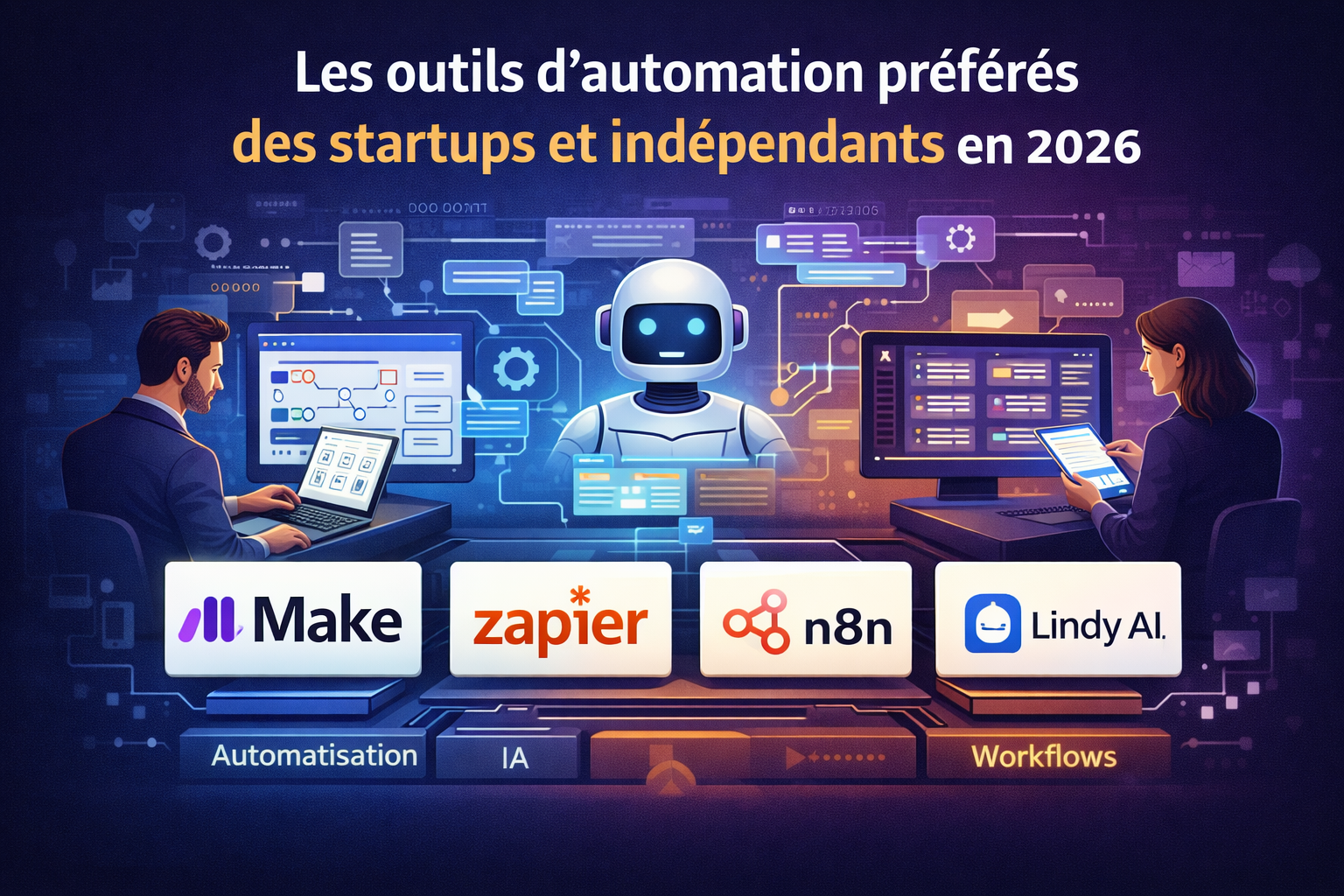
Automation isn't what it used to be. during , setting up a workflow between two applications required a significant technical effort. Today, the question isn't really "Can I automate this?" but rather "Which tool is best suited to the way I work?"
The market has undergone a profound transformation over the past two or three years. Established platforms like Make and Zapier have grown in maturity and capability. Open-source alternatives like n8n have won over technical teams that refuse to rely on a single proprietary vendor. And a new generation of tools has emerged, with a radically different approach: rather than asking you to build workflows step by step, solutions like Lindy AI let you delegate to an intelligent agent that understands your instructions in natural language.
These four approaches coexist today, and they aren’t intended for the same audience. That’s exactly what we’ll be exploring here: not “which is the best automation tool,” but which tool best fits your profile, your tech stack, and your actual constraints.
All the solutions featured in this article are available at a special price on Freelance Stack. You’ll find the corresponding links in each section, as well as in ourWorkflow & Automation and AI Workflow & Automation Categories .

Make (formerly Integromat, rebranded in 2022) has established itself as the go-to tool for building complex automations without writing code. Its canvas interface, where each step of the workflow is visually designed as interconnected modules, has become a standard that many other platforms have sought to emulate.
Make’s strength lies not in its ease of use, but in what it enables once you’ve mastered its logic. Where other tools fall short with advanced use cases, Make natively supports multiple conditional branches, loops over data lists, aggregators, and complex transformations. A scenario can have three parallel paths depending on the value of a field, process each row of an array separately, and then consolidate the results-all within a single workflow that’s clear at a glance.
It is this aspect of "scalable readability" that makes it particularly useful for teams. When multiple people need to understand, maintain, or modify a workflow, Make's visual interface saves valuable time compared to a text-based configuration.
Over 1,700 integrations with the most popular tools used by startups and entrepreneurs Google Workspace, Slack, Notion, Airtable, HubSpot, Stripe, Shopify, and many others.
The built-in Data Store acts as a small, lightweight database, useful for storing variables or persistent data across multiple runs.
The detailed execution history allows you to see exactly what happened at each step of a scenario, data point by data point. If an error occurs, troubleshooting is quick.
Incoming webhooks allow any external tool to trigger a Make workflow in real time, even without native integration.
Free plan available for up to 1,000 operations per month. Paid plans start at €9/month (Core, billed annually). Pricing is based on operations (each module executed in a scenario counts as one), which may seem complex at first but accurately reflects actual usage once workflows have stabilized.
✅ A visual interface that is particularly well-suited for complex, branching workflows.
✅ Excellent value for money among no-code platforms.
✅ Highly detailed execution history, ideal for debugging.
✅ Built-in data store for persisting data across runs.
⚠️ A steeper learning curve than Zapier for beginners.
⚠️ The operating system can quickly drain battery power during intensive tasks.
⚠️ The integration catalog is less comprehensive than Zapier's when it comes to niche tools.


While Make is the tool we choose for its power, Zapier is the one we recommend when someone is trying automation for the first time. Not because it’s limited, but because it has virtually no learning curve and its catalog of integrations is unmatched on the market.
Over 7,000 native integrations: that’s two to four times more than any competitor. This breadth of coverage is Zapier’s strongest selling point. If you use a somewhat specialized SaaS tool (e.g., French invoicing software, an e-signature tool, an e-learning platform), there’s a good chance Zapier supports it where Make or n8n haven’t yet developed a connector.
The library of preconfigured templates (thousands of them) lets you get started without having to start from scratch. "Create a ClickUp task when a Typeform response arrives," "Notify Slack every time a new Stripe sale is made," "Add a Brevo contact from a form": these common automations can be set up in just a few clicks using an existing template.
In terms of development, Zapier has been gradually integrating AI features since 2023: creating Zaps using natural language, AI-powered processing steps within workflows via GPT-4, and tools like Zapier Tables and Zapier Interfaces, which are beginning to transform the platform into a more comprehensive operational environment.
Paths enable conditional branching within a Zap, allowing you to process data differently based on multiple criteria. Loops handle iterations over lists. Real-time testing lets you validate each step using actual data before going live.
Free plan limited to 100 tasks per month, with single-step Zaps only. Paid plans start at $19.99/month (Professional, billed annually) for 750 tasks and unlimited multi-step workflows. Zapier is generally more expensive than Make at comparable usage levels: this is its main drawback for entrepreneurs.
✅ An unparalleled catalog of integrations (7,000+).
✅ Easy to get started with, ideal for non-technical users.
✅ Extensive library of templates for common use cases.
✅ Proven reliability through years of use in production.
⚠️ Highest price among comparable options.
⚠️ Very limited free plan (100 tasks/month, single-step tasks only).
⚠️ Less suitable than Make for complex workflows with many branches.

n8n stands apart in this comparison. It’s not just “another automation tool with a visual interface.” It’s an open-source platform that lets you host it on your own servers, write code at any stage of the workflow, and build automation systems of a complexity that goes beyond what proprietary platforms can offer.
Code freedom is the key differentiator. In n8n, every node can run custom JavaScript or Python. You’re never held back by the limitations of a preconfigured module: if the native integration doesn’t exactly cover your use case, you write the logic yourself. This approach makes n8n feel like a true development tool, with the visual clarity of a no-code interface.
Self-hosting is the other key component. Deploying n8n on a VPS for just a few euros a month gives you complete control over your data: nothing passes through third-party servers. For organizations operating in regulated sectors (healthcare, finance, legal) or handling sensitive customer data, this is often a non-negotiable requirement.
In 2025–2026, n8n also developed highly advanced native AI nodes, enabling teams to integrate models such as GPT-4, Claude, and Mistral directly into their workflows. The combination of "structured logic and artificial intelligence" is likely what makes n8n the most comprehensive tool on the market for technical teams looking to take their work to the next level.
Over 400 native integrations, complemented by universal HTTP connectors for any API. Reusable sub-workflows allow you to structure complex automations in a modular way-you create the logic once and can call it from any other workflow. Credential management is centralized and secure, with user-based access rights.
The self-hosted version is completely free, with no limits on workflows or runs. This is its strongest selling point compared to the competition. The cloud version starts at $20/month for 2,500 runs. For technical teams that host the platform themselves, the value for money is hard to beat.
✅ Free self-hosted version with no limit on the number of executions.
✅ Complete freedom thanks to code snippets (JavaScript/Python).
✅ Full control over data, digital sovereignty.
✅ Advanced AI integration for intelligent workflows.
⚠️ Requires technical skills for hosting and maintenance.
⚠️ Less intuitive interface for non-developers.
⚠️ Support is more limited in the free community version.

Lindy AI is the most unique tool in this selection. While Make, Zapier, and n8n require you to build workflows step by step, Lindy takes a radically different approach: you create AI agents and delegate tasks to them using natural language, just as you would with a colleague.
On Make or Zapier, you set up: "If this event occurs, perform this action, then that one." On Lindy, you explain: "You are my sales assistant. When you receive an email from a new prospect, you review the request, draft a personalized response in my style, and create a record in my CRM."
The difference is not merely superficial. It reflects a fundamental shift in how we think about automation: no longer as a series of rigid instructions, but as a delegation of tasks to a system capable of exercising contextual judgment.
What makes Lindy particularly credible in this regard is its persistent memory. The agent learns from your interactions, remembers your preferences, and gradually adapts to the way you work. It’s not a workflow that always runs the same way-it’s an assistant that gets better over time!
This is the feature most highly rated by users. Lindy can read, sort, reply to, and archive your emails according to your instructions. For entrepreneurs consultants who handle a large volume of correspondence, the time savings are immediate and tangible: several hours saved each week, according to user feedback.
It was introduced in 2025 and allows you to create multiple specialized agents that work together. A sales agent, a support agent, and a billing agent: each has its own scope of responsibility and can exchange information according to rules you define. This approach anticipates the direction automation will take in the coming years.
You can upload samples of your past emails so that Lindy can adopt your tone and writing style rather than a generic one.
These include incoming emails, Slack messages, forms, and calendar events. The agent can be configured to respond to different types of events without you having to build a flowchart.
They cover Gmail, Outlook, Google Calendar, Notion, HubSpot, and Slack-and the list is growing all the time.
Transparency is key here. Lindy excels at tasks that require judgment or contextual adaptation, but it’s less suited for processes where you need precise control over every step. If you want to know exactly what’s happening at every micro-step of a critical workflow, Make or n8n provide that visibility. Lindy is more of a delegation tool than a control tool.
Although the list of integrations is constantly growing, it remains more limited than that of established platforms.
A free plan is available with 400 credits per month, which is enough to test the main features. The Pro plan at $49.99/month includes 5,000 credits, long-term storage, and multiple agents. The Business plan at $99.99/month is designed for teams with more extensive needs.
✅ No technical skills required-everything is configured using natural language.
✅ Significant time savings in managing emails and communications.
✅ Persistent memory and progressive learning of preferences.
✅ Multi-agent system for delegating processes that require judgment.
⚠️ Less control over the details of each step compared to traditional workflows.
⚠️ The list of integrations is still under development.
⚠️ The Pro plan is relatively expensive for heavy use.
⚠️ Less suitable for critical processes where each step must be verifiable.

The question of which is the "best tool" is misguided. These four solutions aren't really in direct competition with one another: they address different needs, and often at different stages in the development of a business.
Start with Zapier. With 7,000 integrations, there’s a good chance your tools are already compatible, and its templates save you from having to start from scratch.
Make is the right choice for you. The initial investment in learning the platform pays off quickly once your needs go beyond simple automations.
n8n stands out. Its free self-hosted version and open-source nature make it an unparalleled solution for organizations that want to scale without proprietary constraints.
Lindy AI addresses a need that the other three do not cover in the same way. It is a complementary approach rather than a competitive one.
In fact, it’s common to combine several of these tools within the same stack: Zapier for quick integrations with specialized tools, Make for structured team workflows, and Lindy for day-to-day email and communication management.
The four tools presented here aren't exactly in the same category. This table compares their key features to help you quickly identify which one best suits your situation.
| Criterion | Make | Zapier | n8n | Lindy AI |
|---|---|---|---|---|
| Easy to use | ⭐⭐⭐ | ⭐⭐⭐⭐⭐ | ⭐⭐ | ⭐⭐⭐⭐⭐ |
| Number of integrations | 1 700+ | 7 000+ | 400+ | ~60 |
| Complex workflows | ⭐⭐⭐⭐⭐ | ⭐⭐⭐ | ⭐⭐⭐⭐⭐ | ⭐⭐ |
| Free map | 1,000 operations per month | 100 tasks per month | Unlimited (self-hosted) | 400 credits/month |
| Admission fee (paid) | €9/month | $19.99/month | $20/month (cloud) | $49.99/month |
| Data validation | ⭐⭐⭐ | ⭐⭐ | ⭐⭐⭐⭐⭐ | ⭐⭐⭐ |
| Native AI capabilities | ⭐⭐ | ⭐⭐⭐ | ⭐⭐⭐⭐ | ⭐⭐⭐⭐⭐ |
| Approach | Visual workflow | Streamlined workflow | Technical workflow | AI Agent |
| Recommended profile | Startups, teams | Beginners of all levels | Developers, tech | Solo, non-technical |
These questions address specific issues that often arise when selecting or adopting these platforms.
Migration isn't automatic; there's no import tool between the two platforms. But it's still entirely possible to do it manually. The easiest approach is to proceed step by step: recreate your most important Zaps on Make, test them in parallel, and then switch off Zapier once everything is up and running. The logic behind both tools is similar enough that the transition feels intuitive once you've gotten the hang of Make's interface.
The community version of n8n is indeed free and has no execution limits. What you pay for is server hosting (a basic VPS costing €5–10 per month is sufficient for most uses). Team features, SSO, and certain advanced options are reserved for paid cloud plans or the Enterprise license. For individual use or a small technical team, the self-hosted version more than meets your needs.
Yes, this is entirely possible once the agent is properly configured. In practice, most users start by enabling "draft" mode: Lindy drafts the response but waits for your approval before sending it, giving you time to ensure that the tone and content meet your expectations. Once trust is established, you can switch to autonomous mode for certain Categories (reminders, confirmations, FAQs) while retaining manual approval for sensitive communications.
Zapier offers integrations with a number of French tools. Make and n8n allow you to connect to any application via HTTP/API, which covers most software even without a native connector. Brevo, for example, is available natively on Make and Zapier. For tools without native integration, a developer can create a connector on n8n or use Make’s HTTP modules.
These are different units of measurement used for billing. At Zapier, a task corresponds to a complete action executed within a Zap (one step = one task). At Make, an operation corresponds to the execution of a module within a scenario, so a scenario with five modules consumes five operations each time it runs. In practice, Make is generally more cost-effective at comparable volumes because its basic plan includes more operations for a lower price.
It depends heavily on the tool and the use case. The AI features in Make and Zapier are still primarily connectors to APIs like OpenAI: useful, but not transformative in and of themselves. n8n goes further with its AI nodes, which allow you to build truly intelligent pipelines. Lindy AI is the only one in this selection where AI is truly at the core of the product, not just an add-on. For tasks like email management or sorting incoming requests, the benefits are tangible and measurable-not just marketing hype.
First, identify your top use case. If it’s managing emails and communications, try Lindy first. If it’s connecting SaaS tools with specific rules, start with Zapier if you’re a beginner, or Make if you want more control. If you have sensitive data or a technical background, set up n8n as a self-hosted solution-you won’t regret it. In any case, start with a single simple workflow and build up gradually.
Find deals and discount these tools in ourWorkflow & Automation, AI Workflow & Automation, and No-Code & Low-Code Tools Categories on Freelance Stack.
