






The 10 Essential Communication Tools for 2026 to Connect Your Team and Your Customers
This article is designed to help you get a clear picture. We’ve selected 10 tools that cover…
Read more


A few years ago, the question "Which project management tool should I choose?" had simple answers. Trello for visual Kanban boards, Excel for purists, and a notebook for those who prefer the old-fashioned way. Today, the landscape has become significantly more complex. Teams are more hybrid, projects are more cross-functional, and the tools have evolved accordingly.
Notion and ClickUp have established themselves as two must-have tools must-have productivity management and team collaboration. On the surface, they share a similar promise: to centralize everything a team needs to work effectively. Yet their approaches are radically different.
Notion is a building tool. You start with a blank page and build your workspace brick by brick. ClickUp, on the other hand, is a management tool: everything is already there; all you have to do is configure, set up, and manage it. These two approaches address very different needs, and that is precisely what this comparison aims to highlight.
Whether you're a freelancer looking to manage your own workflow, a manager of a small team, or the leader of a growing startup, you'll find the practical information you need here to decide which of these two tools is worth your time and subscription.

Launched in 2016 and based in San Francisco, Notion has quickly established itself as one of the most popular tools among freelancers, startups, and creative teams. Its concept is deceptively simple: it all starts with a page. On that page, you can add text, databases, tables, calendars, code blocks, media, subpages... Everything fits together like building blocks.
What sets Notion apart from most of its competitors is its ability to function as an enterprise wiki, a task manager, a documentation tool, a lightweight CRM, or even a project dashboard. It doesn’t impose a structure-you create it yourself, based on your needs and those of your team.
Notion has seen a dramatic rise in popularity with the introduction of Notion AI, its built-in assistant capable of generating, summarizing, or transforming content directly within your pages. This AI feature has further enhanced the platform’s appeal to teams looking to accelerate the production of internal content.
Notion's strength also lies in its community: thousands of templates are available for free or for purchase, designed for very specific use cases (project management, customer tracking, onboarding, product roadmaps, and more). It’s a true ecosystem that allows any team to get started quickly without having to start from scratch.
⚠️ The prices listed are subject to change. Be sure to check the current prices directly on the Notion website before making a decision.
Get the discountBenefit from a on Notion .6 months free on "Business" plan with unlimited AIFind our best discount right now with Notion and save on your software subscriptions. We offer over 850 promo codes and discounts on the best software and SaaS on the market.
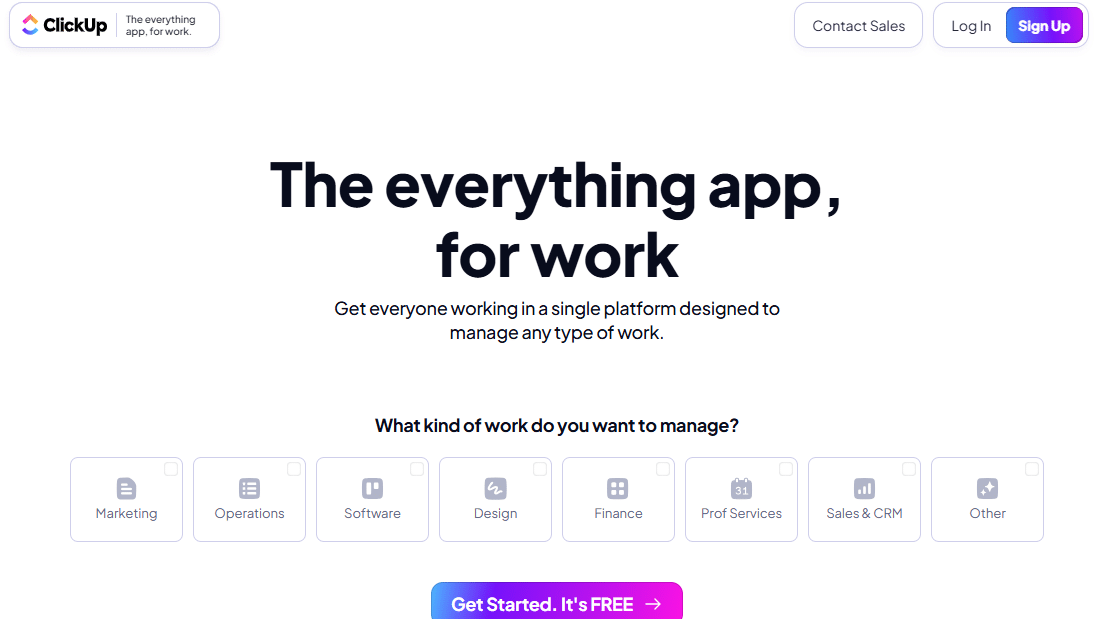

ClickUp was founded in 2017 with a clear mission: to replace all other productivity tools. The slogan "One app to replace them all" is no coincidence. The platform natively integrates features that you would normally find in separate tools: task management, time tracking, documents, goals, sprints, whiteboards, chat, forms, automations...
Whereas Notion encourages users to build their own system, ClickUp offers a rich, structured environment right from the start. The learning curve is steeper at first, but once you’ve mastered the tool, the level of control it offers is hard to match in this price range.
ClickUp is organized around a clear hierarchy: Workspaces, Boards, Folders, Lists, Tasks, and Subtasks. Each level can be customized with different views (list, Kanban board, Gantt chart, calendar, workload, cards, etc.). This level of granularity is particularly valued by technical teams, agencies, and product managers who need visibility across multiple levels simultaneously.
On the AI front, ClickUp Brain has been integrated into the platform to enable the automatic generation of summaries of tasks and subtasks based on a description, as well as answers to questions about the content of your projects.
⚠️ Prices are for reference only and are subject to change. Please check the current terms and conditions directly on the ClickUp website.
Get the discountBenefit from a on ClickUp .Additional 20% off on any planFind our best discount right now with ClickUp and save on your software subscriptions. We offer over 850 promo codes and discounts on the best software and SaaS on the market.
Notion doesn't force anything on you. You can use it as a simple notebook or as a full-fledged information system for a team of 50 people. This flexibility is both its greatest strength and the biggest hurdle for those who need a predefined framework.
The block-based approach lets you mix and match elements on a single page: a text section, followed by a filtered database, and then a dashboard with key metrics. This is particularly powerful for creating custom workspaces that align perfectly with your team’s processes.
This is one of the features that sets Notion apart from most note-taking tools. You can create databases and link them together: a projects database linked to a clients database, which is in turn linked to a contacts database. All without writing a single line of code.
These databases can be displayed in various formats: table, gallery, calendar, kanban, list, or timeline. This allows the same data to be viewed in different ways depending on the current need.
Notion excels as an internal documentation tool. Wikis, procedures, onboarding new team members, product knowledge bases... Everything can be centralized, versioned, and made accessible to the entire team with clearly defined permission levels.
Unlike tools such as Confluence, Notion remains accessible to non-technical users, making it easier for cross-functional teams to adopt. Reading and editing are seamless, and formatting remains user-friendly without requiring any special skills.
The Notion community is one of the most active in the SaaS tool ecosystem. You’ll find templates for just about every use case imaginable: tracking marketing campaigns, managing a product roadmap, organizing a startup’s day-to-day operations, tracking job applications… This ecosystem lets you get started quickly and gradually enhance your workspace.
Notion integrates with many popular tools: Slack, GitHub, Figma, Google Drive, Jira, and many others. The public API also lets you connect Notion to automation tools like Make or Zapier to create automated data flows between your various software applications.
Notion AI provides a useful additional layer for teams that produce a lot of written content: drafting, summarizing meetings, translating, rephrasing, or generating document outlines can all be done directly on the page.
Notion really shines in environments where documentation and information centralization are central to the work: startups in the early stages, product/design teams, freelancers managing multiple clients, creative agencies, or HR teams in the process of building their structure.
While Notion is a workspace, ClickUp is a full-fledged project management system. It was designed from the ground up to coordinate teams, track the progress of complex tasks, identify bottlenecks, and maintain a comprehensive overview of dozens of concurrent projects.
The Spaces / Folders / Lists / Tasks / Subtasks hierarchy offers a level of granularity that Notion clearly lacks. Each task can include due dates, multiple assignments, dependencies, priorities, time estimates, and custom fields. It’s this level of detail that makes all the difference for teams working on projects.
This is one of ClickUp’s most popular features. A single task list can be viewed as a classic list, a Kanban board, an interactive Gantt chart, a calendar, a workload view (to distribute work among team members), or a table. Each user can choose the view that works best for them without imposing any restrictions on others.
This visual flexibility is invaluable in teams with diverse roles: a project manager working on a Gantt chart, a developer who prefers the list view, and a manager reviewing an overall dashboard.
ClickUp includes an automation engine built right into the platform. You can create rules such as "When a task's status changes to 'In Progress,' send a notification to the assignee and automatically create a verification subtask." These automations eliminate repetitive micro-tasks and keep processes running without manual effort.
For more advanced automation, ClickUp also integrates with Make and Zapier, as well as hundreds of other apps.
ClickUp offers a built-in time tracker, making it an ideal solution for agencies, consultants, and freelancers who bill by the hour or need to track how their time is spent. You can start and stop a timer directly from a task, or enter times manually.
The Goals feature allows you to set measurable targets for a specific period, linked to tasks or KPIs. It is a strategic management tool that Notion does not offer natively.
ClickUp Brain does more than just generate text in a document. It can scan your entire workspace to answer questions like "Which tasks are behind schedule this week?" or "Summarize the decisions made in this month's meetings." It takes an AI approach focused on operational productivity, which differs from Notion AI's editorial approach.
ClickUp is particularly well-suited for teams managing projects with numerous dependencies and tight deadlines: communications agencies, development teams (including sprint management), operations teams at startups, or any organization that needs shared visibility into the progress of a project portfolio.
The prices listed are for informational purposes only and are based on information available at the time of writing. Please check current rates directly on the official websites before signing up.
| Criterion | Notion | ClickUp |
|---|---|---|
| 🎯 Positioning | Flexible workspace | All-in-one project management |
| 💶 Free plan | Yes, functional | Yes, generous |
| 💶 Admission fee (paid) | ~$12/month/user | ~$10/month/user |
| 📋 Task Management | Basic via databases | Advanced, native |
| 📊 Gantt Chart | No (native) | Yes |
| 🗂️ Kanban view | Yes | Yes |
| 📚 Documentation / Wiki | Excellent | Correct |
| ⏱️ Time tracking | Via integrations | Natively integrated |
| 🤖 Built-in AI | AI Concept (Content) | ClickUp Brain (live) |
| ⚙️ Automations | Limited | Powerful and indigenous |
| 🔗 Relational databases | Yes, very powerful | Midterm |
| 🧩 Integrations | Many | Many |
| 📈 Goals / KPIs | No (native) | Yes |
| 🎓 Learning curve | Gentle | More pronounced |
| 👥 Suitable for | Freelancers, startups, creative teams | Agencies, project teams, SMEs |
Notion and its alternatives aren't suitable for everyone-here's how to find the one that fits your work style.
Are you looking for a unique platform to organize your projects, store client notes, and manage your market research and simple invoicing? Notion is the perfect digital notebook that adapts to your workflow without feeling restrictive.
Notion's fluid interface, wide variety of templates, and ease of organizing knowledge bases make it a particularly popular work environment among designers, copywriters, product teams, and marketers.
If your main goal is to centralize processes, team decisions, knowledge bases, and shared resources, Notion is clearly the better choice. That’s where it really shines.
Notion supports the various stages of development effectively. You can adapt your organization over time, add databases, create internal templates, and more-without being constrained by a rigid structure imposed by the tool.
Notion's free plan is one of the most generous on the market for individual or two-person use. And the paid plans are still affordable.
ClickUp is the perfect tool for this situation. With Gantt charts, task dependency management, automatic reminders, and progress reports, it’s packed with features designed to ensure nothing is left to chance.
Agencies juggling multiple client projects, teams, and tight deadlines will find ClickUp to be a robust project management system. The workload view, in particular, is invaluable for preventing burnout.
Whether you need to bill your clients by the hour or streamline your internal operations, ClickUp’s built-in time tracker eliminates the need for a third-party tool like Toggl Track.
ClickUp's built-in automation features let you create efficient internal workflows without needing an external automation tool like Make.
ClickUp's Goals feature and dashboards allow you to link operational tasks to strategic objectives. This is particularly useful for growing teams looking to align their operational efforts with their strategic goals.
The good news is that these two tools aren’t necessarily mutually exclusive. Some teams use Notion for documentation, wikis, and knowledge bases, and ClickUp for project management and task tracking. The two also integrate with each other via native connectors or automation tools.
That said, if you need to make a decision, ask yourself a simple question: Is your main challenge centralizing and documenting information, or is it managing and coordinating projects over time? If it’s the former, go with Notion. If it’s the latter, go with ClickUp.
Depending on your specific needs, there are other options worth considering: Monday.com for its highly visual and user-friendly interface, Asana for team task management with a gentler learning curve than ClickUp, or Airtable if you’re looking for something that combines the features of a database and a collaborative spreadsheet.
All the answers to the questions you might have before choosing between these two tools.
Both offer a free plan. Notion’s plan is particularly well-suited for individual users or very small teams, providing access to core features with no page limits. ClickUp Free Forever is also generous, offering unlimited tasks and members, but certain advanced features (automations, reports, advanced views) are reserved for paid plans.
Notion has a gentler learning curve at first, largely thanks to its page-based structure, which resembles a simple document. ClickUp takes a little longer to get the hang of, given its hierarchy and numerous features, but it also offers starter templates that make onboarding easier.
ClickUp is much better suited for agile or Scrum management: it lets you create sprints, manage a backlog, view the team’s velocity, and track user stories. Notion can be configured for lightweight agile practices, but it requires some setup work and isn’t as seamless.
Both can be suitable for a startup, depending on its stage of development and the nature of its business. During the early stages, Notion is often preferred for its flexibility and low cost. As the team grows and projects multiply, ClickUp takes the lead due to its ability to organize and coordinate. Many startups start with Notion and migrate to ClickUp (or use both) as operational complexity increases.
Yes, both offer extensive integration catalogs. Notion integrates with Slack, GitHub, Figma, Google Drive, and automation tools like Make, among others. ClickUp offers similar integrations, plus native connectors for Salesforce, HubSpot, and Zendesk, which are useful for customer-facing teams.
A complete migration is never entirely seamless, but both platforms offer import and export options. Notion allows you to export to Markdown, PDF, or CSV. ClickUp supports imports from Asana, Trello, Jira, Monday.com, and other popular tools. It’s advisable to migrate gradually rather than switching everything over all at once.
Notion AI is primarily focused on creating and manipulating text content: writing, summarizing, translating, and rephrasing directly within your documents. ClickUp Brain is more centered on operational intelligence: it can answer questions about your projects, generate subtasks from a description, or summarize your team’s recent activity. The two approaches are complementary and clearly reflect the difference in positioning between the two tools.
Yes, Freelance Stack discount top SaaS tools, including Notion and ClickUp. You can find the available offers directly on the platform to save on your subscription.
