This guide was designed to help you make an informed decision. Here you'll find a detailed overview of the best solutions available in 2026, their features, pricing, and—most importantly—the types of users for whom they are truly suitable.
The way we organize and host professional events has changed dramatically. Webinars, live social media streams, virtual conferences, live training sessions, product demonstrations… these formats are now part of the daily routine for millions of entrepreneurs, content creators, and marketing teams.
And yet, choosing the right software isn't that simple. Between tools geared toward professional webinars, those designed for multiplatform streaming, platforms dedicated to community events, and video recording solutions, the market is crowded and the differences are significant.
This guide was designed to help you make an informed decision. Here you'll find a detailed overview of the best solutions available in 2026, their features, pricing, and—most importantly—the types of users for whom they are truly suitable.
💡 All the tools featured in this guide come with a special offer or a negotiated discount on Freelance Stack. The embedded links will take you there directly.
#1 - Livestorm: The European leader in professional webinars and online events.
Livestorm is a French platform (which is quite rare in this American-dominated industry) that specializes in organizing and hosting webinars, online training sessions, and virtual summits. Its focus is clearly on the B2B market: customer onboarding, product demonstrations, internal training, and marketing events.
The tool runs entirely in the browser, with no installation required. This is a real advantage for participants joining from any device.
What Livestorm Offers:
In terms of features, Livestorm covers just about everything a professional team needs:
Automatic session recording with replay available.
Customizable registration forms and invitation management.
Polls, Q&As, and live interactions.
Native integrations with HubSpot, Salesforce, Zapier, Slack, and Notion.
Detailed analytics: view rate, watch time, engagement, conversions.
Breakout rooms for interactive sessions.
Ability to automate webinar sequences in evergreen mode.
The interface is well-designed, the sign-up pages can be customized with your brand's colors, and customer support is generally responsive.
Pricing:
Free Plan: Up to 30 active participants per month, basic features.
Pro Plan: starting at 79 €/month (100 participants, full features).
Business Plan: Pricing is based on a quote that depends on the number of participants and specific needs.
What kind of profile?
🎯 Marketing and SaaS teams:
Livestorm is designed for teams that regularly host demo webinars, product launches, or customer training sessions. Automation, CRM integrations, and advanced analytics make all the difference in this context.
🧑💼 Trainers and consultants:
For someone who hosts regular training sessions with a manageable number of participants, the Pro plan is sufficient. The participant experience is one of the platform’s strengths.
🚀 Startups in the growth phase:
The free plan lets you get started at no cost, and upgrading to the Pro plan happens naturally as your volume increases.
✅ The benefits:
No setup is required for participants.
Quality of analytics and subscriber tracking.
A clear, well-designed interface.
GDPR-compliant (hosted in Europe).
Automated (evergreen) webinars.
⚠️ The downsides:
Not suitable for mainstream or cross-platform streaming.
The free plan has a limit on the number of participants.
Less flexible than solutions like StreamYard for unstructured live formats.
Benefit from a on Livestorm .
20% off on annual "Pro" plan
Find our best discount right now with Livestorm and save on your software subscriptions. We offer over 850 promo codes and discounts on the best software and SaaS on the market.
#2 - StreamYard: The online streaming studio that's accessible to everyone.
Benefit from our free deal on StreamYard.
Up to 22% off on annual plan
Find over 300 free deals as well as over 850 Premium deals right now with StreamYard and save on your software subscriptions. Whether you're an entrepreneur, a startup or a solo freelancer, save hundreds of euros thanks to our discounts and promo codes.
StreamYard has established itself as one of the most popular tools for broadcasting professional live streams simultaneously across multiple platforms: YouTube, Facebook, LinkedIn, Twitch, and many others. Everything happens right in the browser, and it’s really quick to get started.
The tool was designed for people who want to produce high-quality live content without needing complex technical infrastructure. A solo creator can do just as well as a small team.
What StreamYard Offers:
StreamYard's main value lies in its real-time production interface:
Simultaneous multistreaming to up to 8 destinations (YouTube, LinkedIn, Facebook, Twitch, etc.).
Guest Management (up to 10 participants on screen, depending on the layout).
Customization of the layout: logo, banners, colors, and backgrounds.
Sharing screens, images, and pre-recorded videos.
Comments displayed on screen in real time from various platforms.
Local session recording.
Integration with Restream for even more destinations.
Pricing:
Free Plan: 1 streaming destination, 20 hours of recording per month, StreamYard watermark.
Basic Plan: about $25/month, up to 3 destinations, no watermark.
Professional Plan: about $49/month, up to 8 destinations, advanced features.
What kind of profile?
🎙️ Content creators and video podcasters:
StreamYard is the go-to platform for anyone who wants to stream live interviews, debates, or shows. The real-time comment feed and guest management features make for very dynamic sessions.
📣 Communications and Social Media Teams:
For brands looking to engage their community on LinkedIn or YouTube with regular live streams, StreamYard offers the flexibility and simplicity needed without having to involve a technical team.
🏢 Organizers of hybrid events:
Multistreaming allows you to reach audiences on different platforms simultaneously. It's useful for maximizing the reach of an event without having to use multiple tools.
✅ The benefits:
Simultaneous multistreaming—very easy to set up.
Easy to get started, intuitive interface.
Simple and seamless guest management.
Professional-quality visual rendering right from the initial design.
Local recording included.
⚠️ The downsides:
Less suitable for webinars that require attendee management and detailed analytics.
The free plan includes a visible watermark.
Less customization than advanced video production solutions.
Benefit from a on StreamYard .
Additional 25% off on any plan
Find our best discount right now with StreamYard and save on your software subscriptions. We offer over 850 promo codes and discounts on the best software and SaaS on the market.
#3 - Restream: The Swiss Army knife of multistreaming, designed to reach as many platforms as possible.
Benefit from our free deal on Restream.
Up to 20% off on annual plan
Find over 300 free deals as well as over 850 Premium deals right now with Restream and save on your software subscriptions. Whether you're an entrepreneur, a startup or a solo freelancer, save hundreds of euros thanks to our discounts and promo codes.
Restream is a platform that specializes in simultaneous streaming to a very large number of destinations: more than 30 compatible platforms, including YouTube, Twitch, Facebook, LinkedIn, Twitter/X, TikTok, and even custom destinations via RTMP.
Its positioning differs from StreamYard's: while StreamYard is primarily a production studio, Restream is primarily a distribution platform. It can be used on its own or in combination with other production software (OBS, Streamlabs, StreamYard).
What Restream Offers:
Simultaneous streaming to more than 30 platforms.
Browser-based studio for users without production software.
Chat Unified: All comments from all platforms brought together in a single interface.
Multichannel analytics: reach, views, and engagement by platform.
Rescheduling pre-recorded videos to air as "pseudo-live" broadcasts.
Compatible with OBS, Streamlabs, XSplit, and most screen recording software.
Standard Plan: About $16/month, up to 6 destinations, analytics included.
Professional Plan: About $41/month, unlimited destinations, advanced features.
What kind of profile?
📡 Streamers and multi-platform creators:
For anyone looking to build an audience across multiple channels at the same time, Restream is probably the most effective tool. Streaming simultaneously to YouTube, Twitch, and LinkedIn with a single stream saves a considerable amount of time.
🖥️ OBS or Streamlabs users:
Restream integrates seamlessly as a distribution layer on top of existing production software. You can keep your production workflow and add multistreaming without switching tools.
🏪 Brands with a multichannel presence:
For a company that wants to reach different audiences on different platforms with the same event, Restream offers a level of flexibility that few competing tools can match.
✅ The benefits:
Very high number of simultaneous destinations.
Chat a very convenient unified system for managing cross-platform interactions.
Compatible with most third-party production software.
Pseudo-live option for streaming pre-recorded content.
A generous free plan to get you started.
⚠️ The downsides:
An integrated studio that is less advanced than StreamYard on plan s in production.
The interface can sometimes be less intuitive for complete beginners.
Managing registrants and structured webinars isn't its strong suit.
Benefit from a on Restream .
Additional 30% off on any plan
Find our best discount right now with Restream and save on your software subscriptions. We offer over 850 promo codes and discounts on the best software and SaaS on the market.
#4 - WebinarGeek: The webinar platform designed for conversion and engagement.
WebinarGeek is a Dutch solution specializing in interactive webinars. It is primarily aimed at marketing professionals, trainers, and sales teams who use webinars as a tool for lead generation or customer retention.
Its positioning is quite similar to Livestorm's, but with a few notable differences, particularly in terms of conversion-focused features and the pricing model.
What WebinarGeek Offers:
Live, automated, and on-demand webinars.
Customizable registration forms with conversion tracking.
Polls and clickable calls to action embedded in the player.
Detailed statistical tracking by participant.
Automatic replay after each session.
Option to include purchase or registration buttons during , the webinar.
Integrations with Mailchimp, ActiveCampaign, Zapier, HubSpot, and other CRMs.
Support for multistreaming to YouTube and Facebook.
Pricing:
Starter Plan: approximately €19/month, up to 25 participants, basic features.
Premium Plan: approximately €99/month, up to 100 participants, advanced features.
Advanced Plan: Pricing available upon request for larger volumes.
What kind of profile?
💰 Conversion-focused sales and marketing teams:
If webinars are primarily used as a sales or lead-generation tool, WebinarGeek is particularly well-suited for the job. Clickable CTAs during the session and conversion tracking per participant are features that are hard to find elsewhere at this level of maturity.
🎓 Trainers and training organizations:
The replay, viewing time tracking, and sequence automation features make it a robust tool for trainers who want to scale their sessions.
📧 Email marketing professionals:
Integration with leading email marketing platforms (Mailchimp, ActiveCampaign) makes it possible to automate post-webinar follow-ups very effectively.
✅ The benefits:
CTA and clickable action buttons in real time, very useful for sales.
It is less well-known than Livestorm or Zoom in Europe, which may slow down adoption among participants.
The Starter Plan quickly reaches its participant limit.
Less suitable for unstructured live formats or mainstream streaming.
Benefit from a on WebinarGeek .
30% off on "Premium" plan
Find our best discount right now with WebinarGeek and save on your software subscriptions. We offer over 850 promo codes and discounts on the best software and SaaS on the market.
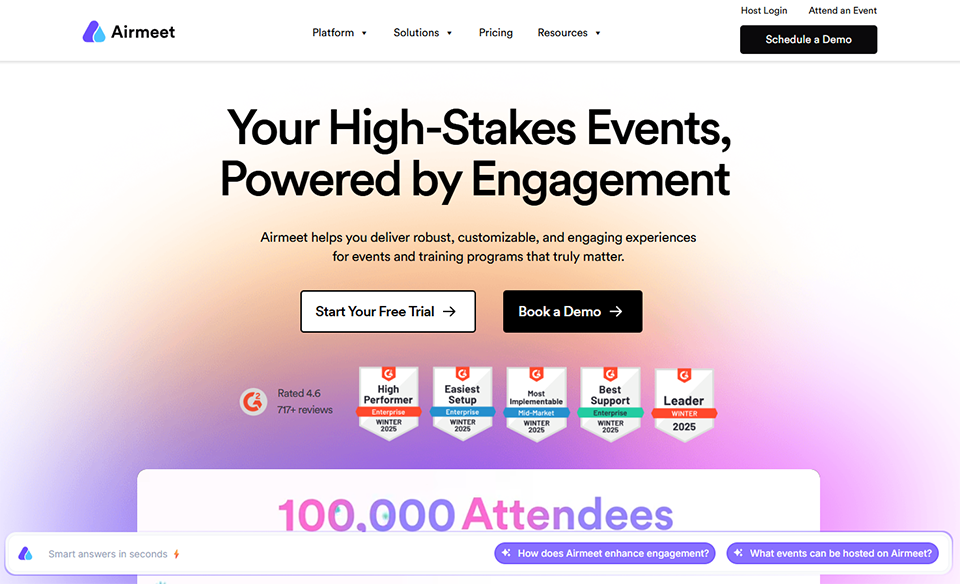
#5 - Airmeet: The event platform for community events and virtual conferences.
Airmeet goes beyond the typical webinar to offer a much richervirtual event experience. The tool was designed to recreate the informal interactions that make in-person events so valuable: networking tables, virtual lounges, and spontaneous discussions among participants.
It's a platform designed for event organizers looking for something other than "everyone staring at a screen": it focuses on active engagement and connection among participants.
What Airmeet Offers:
Virtual roundtables: small video discussion groups, just like at an in-person event.
Plenary sessions featuring a main stage and speakers.
Networking system: connecting participants based on their profiles.
Comprehensive management of the event schedule and program.
Breakout rooms and parallel discussion areas.
Integration with tools such as Slack, Zapier, and HubSpot.
Analytics dashboard for event organizers.
Option to organize hybrid events (in-person + remote).
Pricing:
Free Plan: Up to 50 participants, basic features.
Premium Plan: Starting at approximately $99/month, depending on volume.
One-time event plans: available as needed.
What kind of profile?
🤝 Organizers of virtual conferences and summits:
This is clearly Airmeet's primary use case. The platform is designed for events with dozens or hundreds of participants who want to interact, network, and participate in multiple sessions simultaneously.
🌍 Online communities and professional associations:
For groups looking to organize regular meetings that promote discussion and networking, Airmeet offers an experience far superior to a simple video call or traditional webinar.
🏢 Companies for their large-scale internal events:
Corporate seminars, all-hands meetings, and new employee onboarding: Airmeet can accommodate hundreds of participants with a polished, interactive experience.
✅ The benefits:
An event experience that truly stands out from a standard webinar.
The roundtable discussions and networking opportunities among participants were very well organized.
Flexibility in event formats: conferences, summits, meetups, and hybrid events.
Effective management of multi-session events.
⚠️ The downsides:
A steeper learning curve than that of a simple webinar tool.
Less suitable for short sessions or traditional product demo webinars.
The mobile experience can sometimes be less smooth.
Benefit from a on Airmeet .
Find our best discount with Airmeet and save on your software subscriptions. We offer over 850 promo codes and discounts on the best software and SaaS on the market.
#6 - Riverside: The go-to tool for recording and broadcasting podcasts and video interviews.
Benefit from our free deal on Riverside.
Up to 21% off on annual plan
Find over 300 free deals as well as over 850 Premium deals right now with Riverside and save on your software subscriptions. Whether you're an entrepreneur, a startup or a solo freelancer, save hundreds of euros thanks to our discounts and promo codes.
Riverside stands out in this comparison. Its approach focuses first and foremost on recording quality: whereas most streaming tools sacrifice audio and video quality for the sake of internet connectivity, Riverside records locally on each participant’s device and then synchronizes the tracks in post-production.
The result: studio-quality video and audio, even with an unstable internet connection.
What Riverside Offers:
High-resolution local recording (up to 4K video and 48 kHz audio).
Up to 8 participants in the same session.
Separate audio and video tracks for each participant, exportable for post-production.
Simultaneous live streaming to YouTube and Facebook.
Built-in video editing with automatic trimming and clip creation.
Automatic transcription and subtitle generation.
High-quality recording of a screen-sharing session.
Integration with tools such as Notion, Zapier, and major distribution platforms.
Pricing:
Free Plan: 2 hours of recording, basic features.
Standard Plan: About $15/month, unlimited recordings, 2 participants.
Pro Plan: about $24/month, up to 8 participants, advanced editing features.
Business Plan: Pricing available upon request.
What kind of profile?
🎙️ Podcasters and video content creators:
Riverside is the number-one tool for creators who prioritize audio and video quality. Local recording dramatically changes the quality perceived by the audience.
👥 Interviewers and journalists:
For remote interviews with guests who are not in the same location, Riverside guarantees a level of quality that makes the final footage usable without extensive post-production.
📱 Creators of short-form content (Reels, TikTok, Shorts):
The built-in tools for trimming and creating short clips make Riverside an all-in-one platform for anyone who wants to produce social media-ready content from long sessions.
✅ The benefits:
Recording quality that is significantly better than the competition's.
Separate tracks for each participant to ensure a clean post-production process.
Clip editing and creation are built right into the tool.
Accurate automatic transcription.
A very accessible floor plan.
⚠️ The downsides:
Less suitable for events with a large number of participants (>8).
Event-related features (registrant management, marketing analytics) are missing.
Live streaming is available but remains secondary to recorded content.
Benefit from a on Riverside .
Additional 30% off on any plan
Find our best discount right now with Riverside and save on your software subscriptions. We offer over 850 promo codes and discounts on the best software and SaaS on the market.
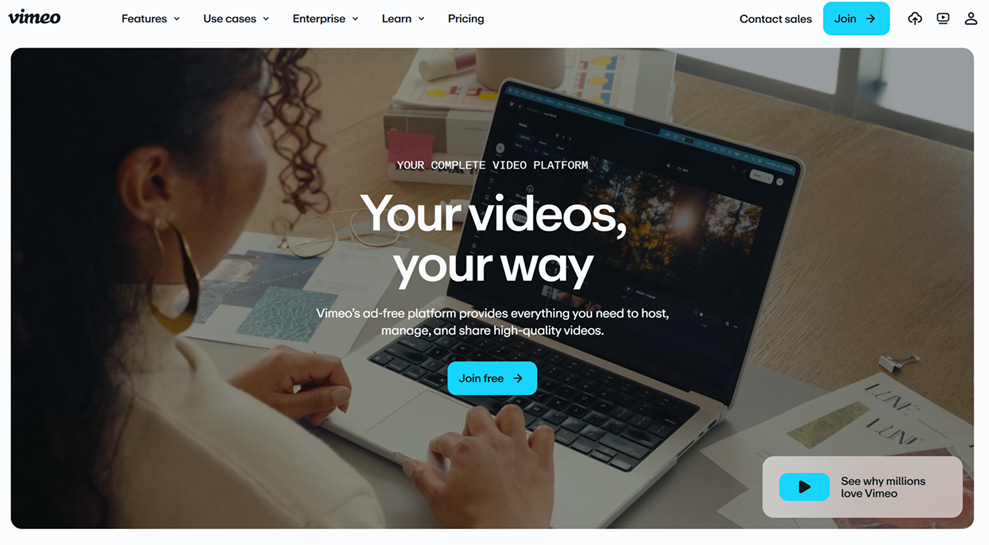
#7 - Vimeo: The professional video platform, also for live streaming.
Vimeo is best known as a premium video hosting platform. But in recent years, it has developed live streaming features that make it a serious option for professionals looking to broadcast high-quality events in a fully controlled, ad-free environment that maintains a polished brand image.
Vimeo's main advantage for live streaming: the ability to stream on your own Vimeo page and embed the player directly on your website, with flawless visual quality.
What Vimeo Offers (Live Features):
Live streaming directly from the browser or via an external encoder (OBS, Wirecast, etc.).
A customizable player featuring the brand's colors that can be integrated into any website.
Automatic recording of the live broadcast is available for replay.
Multi-stream compatibility with YouTube and Facebook, depending on the plan.
Pricing:
Starter Plan: about 12 €/month, basic features.
Standard Plan: About 20 €/month, including live streaming and 5 TB of storage.
Advanced Plan: approximately 65 €/month, 4K, advanced features.
What kind of profile?
🎬 Creative agencies and production studios:
Vimeo is the go-to platform for professionals who want to showcase their video work in a clean, ad-free environment with a customizable player. Live streaming fits naturally into this positioning.
🏢 Companies hosting corporate events:
For press conferences, annual events, or publicly streamed keynote speeches, Vimeo offers a very professional look, enhanced by the ability to embed the player directly on the company's website.
📹 Premium video content creators:
For someone who already hosts their video library on Vimeo, adding live streaming to their existing subscription is a natural and cost-effective decision.
✅ The benefits:
High-quality video and a very polished brand image.
A customizable player that can be embedded on any website.
Ad-free environment.
Video storage is included in the plans.
Granular access control (public, private, password).
⚠️ The downsides:
Less interactive than dedicated webinar platforms (few polls, CTAs, etc.).
The live features are less advanced than those offered by specialists such as Livestorm.
The price can go up quickly if you need advanced features.
Benefit from a on Vimeo .
20% off on any plan
Find our best discount with Vimeo and save on your software subscriptions. We offer over 850 promo codes and discounts on the best software and SaaS on the market.
The prices listed are monthly and are for informational purposes only. They are subject to change: please check the current rates directly with each publisher.
There's no need to compare seven tools if you know exactly what you need. Here are the most straightforward recommendations based on the main user categories.
📣 Do you host regular marketing or sales webinars?
Livestorm and WebinarGeek are your two best options. Choose Livestorm if you’re concerned about GDPR compliance and in-depth analytics. Choose WebinarGeek if you’re looking to optimize conversions during s sessions with clickable CTAs.
📱 Do you do live streams on social media?
StreamYard is the quickest and most accessible solution. If you want to reach even more platforms at the same time, pair it with Restream.
🎙️Whether you’re recording podcasts, interviews, or video training sessions:
Riverside has no real direct competitor when it comes to recording quality. It's the tool to choose if the final result matters more than the event itself.
🏛️ Are you organizing a virtual conference or summit?
Airmeet is designed for just that. The networking experience it offers is hard to replicate with any other tool on this list.
🎬 If you already host your video library on Vimeo or are looking for an ad-free video platform:
Vimeo Live is a natural extension, especially for institutional events or press conferences.
See all the software of this category: Marketing
Check out all the other software and discount we offer in this category. Explore other tools and choose the perfect solution to grow your business.
Here are a few frequently asked questions about streaming and webinar tools to round out this guide.
1️⃣ What is the difference between a webinar and a live stream?
A webinar is typically a structured event with registered participants, a host, and often a specific goal (training, demonstration, or conference). A live stream is more spontaneous and intended to be broadcast publicly on platforms like YouTube or Twitch, often without participant management or conversion analytics. Some tools, such as StreamYard or Restream, are more geared toward live streaming, while Livestorm and WebinarGeek are full-fledged webinar platforms.
2️⃣ Is it possible to stream on multiple platforms at the same time?
Yes, that's exactly what multistreaming tools like Restream or StreamYard allow you to do. You produce a single video stream, and it's simultaneously distributed to YouTube, LinkedIn, Facebook, Twitch, and other platforms in parallel. This gives you an immediate audience boost without any extra effort.
3️⃣ Do you need professional equipment to stream in decent quality?
No, but the quality of your microphone and camera remains a key factor, regardless of the software. With an entry-level external microphone (€100 to €150) and good lighting, you’ll get very satisfactory results. Tools like Riverside can partially compensate for an unstable connection thanks to local recording, but they don’t replace good basic equipment.
4️⃣ Can these tools be used for free?
Most of the tools featured here offer a free plan or trial period. Livestorm offers a free plan for up to 30 active participants per month, Restream offers multistreaming to two destinations at no cost, and Riverside provides two hours of free recording. These plans are often sufficient to test the tool and confirm that it meets your needs before upgrading to a paid subscription.
5️⃣ How do I choose between Livestorm and WebinarGeek?
Both are robust webinar platforms. Livestorm has the advantage of being a European solution that is GDPR-compliant by default, with a very polished interface and deep CRM integrations. WebinarGeek stands out for its live conversion features (buy buttons, clickable CTAs during ing the webinar). If data compliance and marketing integrations are your top priorities, choose Livestorm. If you’re optimizing for sales during uring sessions, WebinarGeek is worth testing first.
6️⃣ Can StreamYard and Restream be used together?
Yes, and that's actually a common combination. StreamYard handles production (staging, guest display, visual customization), and Restream handles distribution to as many platforms as possible. The two tools are natively compatible.
7️⃣ What tools are suitable for events with more than 500 attendees?
Airmeet is designed for large-scale events with thousands of participants. Livestorm and WebinarGeek also support high volumes on their Enterprise plans. For pure streaming without complex interaction, Restream or Vimeo may also be suitable, depending on the format.
8️⃣ Do these tools work on mobile devices?
Yes, for the most part, with some caveats. The StreamYard and Livestorm mobile apps work well for joining or hosting a session. Riverside and Airmeet have mobile apps, but the experience is generally smoother on a computer, especially for sessions with multiple participants. For simple live streaming from a smartphone, StreamYard is one of the most user-friendly options.