logo anime freelance stack white
Logo de l’outil Riverside sur le deal de Freelance Stack
All deals (850+)
Logo de l’outil Riverside sur le deal de Freelance Stack

Riverside

Free Deal
2 deals available
Your online recording studio
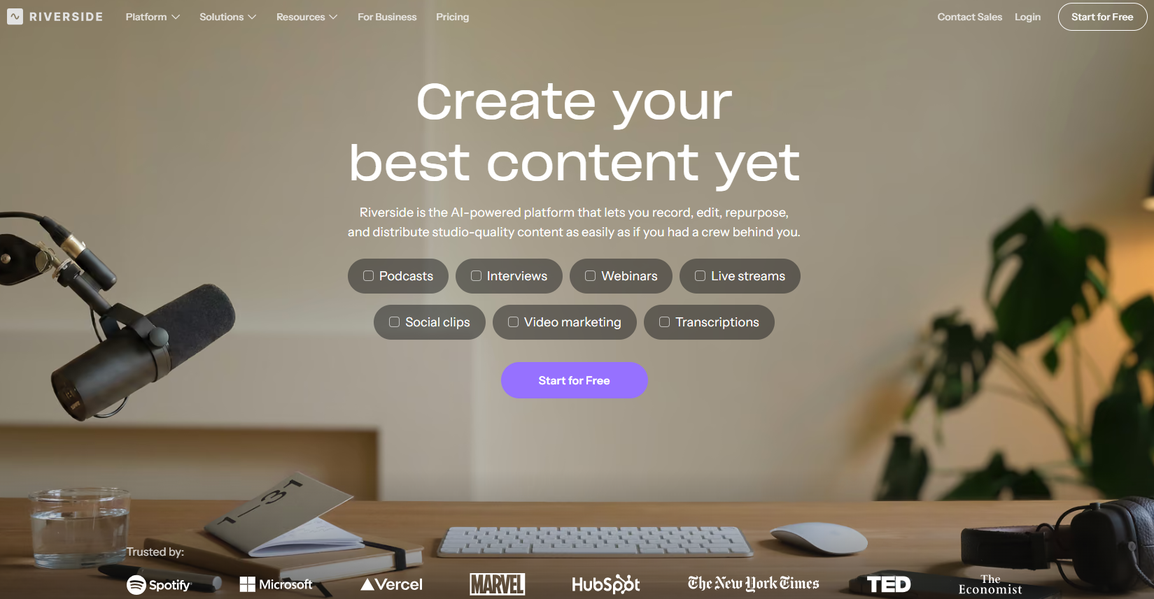
Riverside is the easiest way to record podcasts and videos in studio quality from anywhere. All from your browser.
Save big with 850+ deals 💶
Explore all deals
Illustration of Riverside on Freelance Stack's deal page
2 deals available
Free Deal
Premium Deal #1

Up to 21% off on annual plan

All our deals are negotiated by our team to give you the best discount and are updated regularly.
This deal requires you to create a new account to benefit from the discount. It is reserved for new customers

Additional 30% off on any plan

All our deals are negotiated by our team to give you the best discount and are updated regularly.
This deal is available to new customers or customers on a free plan of the tool.
Save Money !
Logo Freelance Stack blanc
Freelance Stack 
Premium
Access our 850+ exclusive promo code for $55/year.
and over 850 other deals.
and +850...
general information
ALTERNATIVES
YOU MAY ALSO LIKE...

📅 May 2026 -

 Our promo code verified with the software 

Riverside

Benefit from an additional 30% off on any plan on Riverside.

Save an additional 30% off on any plan on Riverside through our exclusive partnership.

Freelance Stack is the first deals platform to access best discounts, coupon codes and credits on 850+ software, SaaS and online services for entrepreneurs and startups. We offer exclusive and validated discounts that we negotiate directly with partners to help you to grow and save money. Our coupon codes enable thousands of entrepreneurs, startups, freelancers and consultants to save thousands of euros on the best softwares.

Don’t wait any longer and save an additional 30% off on any plan on Riverside.

📄 Information about 

Riverside

Riverside is a podcast and video recording platform that enables users to produce high-quality content remotely. It provides features such as high-definition audio and video recording, ensuring excellent output even with unstable internet connections. Riverside also simplifies editing with intuitive tools and allows users to invite participants to join recordings via a simple link.

Additionally, the platform offers transcription and sharing capabilities, making content distribution smoother. By using Riverside, content creators can enhance the quality of their productions while streamlining the recording and publishing process.

Riverside makes it easy to record remote podcasts and video interviews that look and sound like they were recorded in a million-dollar studio.

The Good 👍

Local recording up to 4K video resolution
When your internet connection is poor during a call on any other platform, the recording will be choppy and pixelated. With Riverside.fm, your recordings will always be smooth and freeze-free, thanks to local recording for all participants.

Uncompressed crystal clear audio
Record locally uncompressed 48kHz WAV audio for every guest.

Separate Audio & Video Tracks
Riverside.fm separates audio & video tracks for every participant, giving you more control in post production.

Edit your content with the Magic Editor
Save hours of editing work with a few clicks. Upload your logo, change the session background, choose your speaker layout, and export!

Enjoy recording on-the-go with the iOS & Android apps.
Invite your guests to record any time, anywhere. Easily start recording in just a few taps on your iPhone, iPad or Android.

📋 Riverside features:

In this section, you will find our opinion the main features of Riverside. All of these features are subject to regular updates. We recommend that you check that they are available before purchasing any software.

Riverside is a comprehensive remote recording platform that has revolutionized the way content creators, podcasters, and businesses capture high-quality audio and video content online. Unlike traditional recording solutions that rely on compressed streams, Riverside uses progressive upload technology that records each participant’s audio and video locally on their device, then uploads the uncompressed files to the cloud. This innovative approach ensures studio-quality recordings regardless of internet connection stability, making it an ideal choice for professional podcasters, video creators, and remote teams who refuse to compromise on audio-visual quality.

The platform addresses one of the most persistent challenges in remote content creation: the loss of quality that typically occurs when recording over the internet. While video conferencing tools like Zoom compress audio and video in real time to ensure smooth communication, Riverside prioritizes capturing pristine-quality footage over live streaming performance. This fundamental difference in approach has made it the preferred choice for thousands of content creators who need their recordings to meet broadcast standards.

What sets Riverside apart in the crowded field of recording solutions is its intuitive user experience combined with professional-grade output. The platform seamlessly handles the technical complexities of multitrack recording while providing users with an interface that feels familiar and accessible. Whether you're conducting a solo recording session or managing a group interview, Riverside's technology works quietly in the background to ensure that every nuance of your content is preserved in exceptional quality.

  • Progressive Upload Recording: captures audio and video files directly on each participant's device before uploading them to the cloud, ensuring no loss of quality due to internet connectivity issues or bandwidth limitations. This technology ensures that your final recording maintains broadcast quality even if participants experienced connection drops during the session.
  • Automatic Backup and Recovery: continuously saves your recording progress, so technical interruptions never result in lost content. If a participant's connection fails or their browser crashes, Riverside automatically resumes recording once they rejoin, seamlessly maintaining the session's continuity.
  • Real-time Collaboration Tools: allow hosts to manage recording sessions effectively with features such as participant muting, recording controls, and session monitoring. The platform provides visual indicators showing each participant's connection quality and recording status, giving hosts complete oversight of their session.
  • Multi-track Audio Editing: provides separate, high-quality audio tracks for each participant, enabling precise post-production editing and mixing. This feature eliminates the need for complex audio separation tools and gives editors complete control over individual voice levels and audio processing.
  • AI-powered Transcription: automatically generates accurate transcripts of your recordings with speaker identification and timestamps. The transcription service supports multiple languages and provides searchable, editable text files that can be exported in various formats for content repurposing and accessibility purposes.
  • Magic Audio Enhancement: uses artificial intelligence to automatically improve audio quality by reducing background noise, adjusting levels, and enhancing voice clarity. This feature works particularly well for participants recording in less-than-ideal acoustic environments, ensuring consistent audio quality across all speakers.
  • Screen and Camera Recording: supports simultaneous capture of participants' screens, cameras, and audio, making it ideal for creating tutorials, product demonstrations, and visual presentations. The platform efficiently handles multiple video streams while maintaining synchronization across all recorded elements.
  • Custom Branding and White-labeling: allows businesses and professional creators to customize the recording interface with their own branding, logos, and color schemes. This feature helps maintain brand consistency throughout the content creation process and provides a more professional experience for guests and participants.

Riverside's combination of technical innovation and user-focused design has created a recording solution that truly bridges the gap between professional studio quality and remote accessibility. The platform continues to evolve with regular feature updates and improvements, consistently responding to the needs of its diverse user base while maintaining its core commitment to uncompromising audio and video quality.

📊 Riverside Pros and Cons:

This section provides a summary of the advantages and limitations of using Riverside on a daily basis. We are not paid or influenced by brands, and this content is solely our own. These features, their advantages and disadvantages are likely to change regularly, both positively and negatively. If you have complex needs, we invite you to contact the software publisher directly for more information about your requirements. 

👍 Pros with Riverside:

  • Studio-Quality Audio Without the Studio: Riverside records directly on each participant's device in uncompressed WAV format, eliminating the quality loss typically associated with internet-based recording. This local recording approach ensures you capture crystal-clear audio even when internet connections are unstable, delivering broadcast-quality results that rival professional studio setups. The platform automatically syncs all local recordings during post-production, ensuring your final output meets professional standards regardless of any technical glitches during the live session.
  • Progressive Upload Technology: Unlike traditional recording platforms that rely entirely on real-time streaming, Riverside continuously uploads high-quality files in the background during your session. This innovative approach ensures that even if your internet connection drops temporarily, your recording continues uninterrupted locally, and the platform intelligently resumes uploading once connectivity is restored. You never lose your content, and the final quality remains uncompromised, making it ideal for important interviews or time-sensitive recordings.
  • Comprehensive Video Recording Capabilities: In addition to delivering exceptional audio quality, Riverside captures video in up to 4K resolution using the same local recording technology, ensuring crisp visuals that complement your audio quality. The platform supports multiple camera angles and screen sharing, and can even record separate video tracks for each participant, giving you maximum flexibility in post-production. This makes it particularly valuable for creating professional video content, webinars, or multi-person discussions where visual quality is just as important as audio clarity.
  • A "Join and Record" experience for guests: Riverside’s greatest strength is the seamless guest experience. High-profile guests don’t need to be tech-savvy; they simply click a link, and the local recording starts in the background. This frees the host from having to provide “tech support,” ensuring that the Focus on the conversation rather than troubleshooting bitrates or input levels.
  • Text-based editing and AI Show Notes: Riverside is no longer just a recorder; it’s an AI production assistant. The text-based editor allows you to edit your video by simply deleting sentences in the transcript: similar to Descript. In 2026, it also automatically generates SEO-optimized show notes, chapters, and social media captions, which significantly reduces the “tedious” administrative work involved in podcasting.
  • Reliable Cross-Platform Performance: The platform works seamlessly across different operating systems and devices without requiring participants to download software or create accounts. This accessibility eliminates common barriers that often complicate remote recording sessions, while maintaining consistent quality regardless of whether participants are using Windows, Mac, or mobile devices. The browser-based approach, combined with local recording technology, ensures that technical compatibility issues rarely affect your recording sessions.

👎 Cons with Riverside:

  • Watermarked exports on the Free plan: While Riverside offers generous recording time on its free plan, the catch is the watermark and quality limitations in the built-in editor. If you want to export 4K video or use the "Magic Clips" AI tool without a Riverside logo plastered over your content, you’ll need to upgrade almost immediately. It’s a great "sandbox" for testing quality, but not a viable long-term solution for professional creators.
  • Feature bloat in the post-production suite: While starting a recording is easy, Riverside has tried to become an "all-in-one" editor (Magic Clips, AI transcriptions, text-based editing). For professional editors who prefer Premiere Pro or Descript, navigating these extra "AI" features to get to the raw files can feel cluttered. The platform is increasingly pushing users toward its internal ecosystem, which can be distracting if you just want your high-quality WAV files and to be done.
  • Internet Dependency for Cloud Features: Although Riverside markets its "local recording" capability, many of its most valuable features-such as real-time collaboration, live streaming, and automatic backup-require a stable internet connection. Users in areas with unreliable connectivity may become frustrated when cloud-dependent features fail or when the platform struggles to sync local recordings to the cloud after sessions.
  • Pricing Escalation for Teams: While individual plans seem reasonable, costs can quickly add up for teams or agencies managing multiple shows or clients. The per-editor pricing model means that adding team members becomes expensive quickly, and advanced features like custom branding or priority support are only available with higher-tier plans, which may not be justifiable for smaller operations.
  • The "Processing" bottleneck: Despite offering excellent export options for Premiere and Descript, the time it takes for Riverside to "process" and "upload" 4K local files from guests can be a bottleneck. If a guest closes their laptop too soon after a recording, the host is left waiting for that participant to reopen the link to complete the sync. In a fast-paced production environment, this reliance on the guest’s browser remaining open is the real workflow hurdle.

💰 Riverside pricing:

All prices listed are taken from the Riverside software website. However, these prices are subject to change regularly. We recommend that you check them directly on each software's website to be sure. 

Riverside offers a flexible pricing structure designed to meet the diverse needs of audio and video content creators. The platform provides a generous free plan as well as several paid plans for users with more advanced needs.

The rates are designed to scale with your activity, from beginner podcasters to professional production teams requiring advanced features and expanded storage.


Plan Pricing Includes
Free Free Up to 15 minutes of recording, up to 2 participants, 720p HD quality, basic automatic transcription
Standard $15/month 4 hours of recording per month, up to 8 participants, 4K quality, full transcript, built-in editor
Pro $24/month 8 hours of recording per month, up to 8 participants, local backup of recordings, brand customization, analytics
Business $99/month 20 hours of recording per month, unlimited participants, priority support, SSO, advanced team management

💬 Frequently asked questions about Riverside's promo:

In this section, you will find all the main questions you may have about accessing this discount. We wanted to provide you with as much information as possible to help you save as much as possible on your software subscriptions. 

1️⃣ How to access to the deal with Riverside?

This promo code allows you to save money and enjoy premium features on Riverside paid plans and subscriptions. Check the eligibility criteria on this page to see if you can benefit from this discount. Don't miss out on the opportunity to pay less for your subscription to one of the best tools on the market.

2️⃣ Why Freelance Stack can help you to access to Riverside discount?

As a partner of Riverside, you can easily save on your subscription to this software. Without us or another affiliate partner, you will have difficulties to activate the discount. We are the largest discount promo code platform for software and SaaS in the world.

3️⃣ How to use Riverside deal?

To use the discount with Riverside, you need to click on the various buttons that may be available on the right side of the deal page and follow the instructions to unlock this promotion.

4️⃣ What are Riverside's promo requirements?

We specify all the terms and conditions on each deal page. You must click on the various buttons on the deal page to view all the terms and conditions. This deal is available to new customers or customers on a free plan with Riverside.

🔄 Alternatives to Riverside software:

Find the right software with our suggestions for alternative solutions.

When growing a business, comparing the right tools is essential. With thousands of options available, these solutions are strong alternatives to Riverside 
Indeed, Riverside is a solution that can adapt according to your needs:

1️⃣ If you are a freelancer or consultant:

For your professional audio and video recording needs, SquadCast is an excellent option, featuring an intuitive interface and automatic backup capabilities that are particularly well-suited for client interviews or testimonials. Its ability to record locally on each device ensures optimal quality even with an unstable connection. Zencastr is also a great choice for independent content creators, offering a cutting-edge solution with affordable rates and flexible scaling to meet your needs. Its automatic post-production system saves you valuable time on editing. For a simpler approach, Anchor by Spotify offers a comprehensive free solution for beginner podcasters, integrating hosting and automatic distribution across major platforms-ideal for launching your consulting business or professional podcast.

2️⃣ If you are a startup:

SquadCast stands out as a robust solution for startups developing educational or marketing content, thanks to its advanced collaborative features and technical reliability designed for distributed teams. The platform offers attractive scalability to support your growth. Restream Studio deserves your attention if your strategy includes live streaming and multimedia content creation, combining recording and live broadcasting with integrated brand-building tools. This solution is particularly suitable for tech startups looking to build a community around their product. Descript revolutionizes the traditional approach by offering a transcript-based editor, allowing your non-technical teams to produce professional audio and video content without a steep learning curve-a significant advantage for optimizing limited human resources.

3️⃣ If you are a small or medium-sized business (SMB):

Zoom is often the most practical choice for small and medium-sized businesses, as your teams are already familiar with the tool for video conferencing. Its built-in recording features allow you to leverage your existing infrastructure while producing content for internal training or client communication. Loom excels at quickly creating product tutorials, team training sessions, or sales presentations, with a simplicity of use that fits perfectly in environments where every employee needs to be able to contribute to company content. For more ambitious needs, StreamYard offers a complete professional streaming solution with custom branding and multi-platform management features, ideal for growing your digital presence and organizing client webinars without significant technical investment. This approach allows you to professionalize your communication while controlling operational costs.

Otherwise, these other software programs may also be a good alternative to Riverside

🆕 Our new Premium deals:

We offer discounts on 650+ different software. We regularly add new discounts on the best software for freelancers, consultants and entrepreneurs.

Discover these new software in addition to the deal we offer with Riverside.

👤 Our members have just used these other deals:

We offer on 850+ different software. That's both a lot and a little compared to all the software that exists and that could help you in your business as entrepreneur or business owner.

Discover new software and discounts to complement the deal we offer on Riverside