






A Simple Guide: How to Choose a Social Media Management Tool
This guide was designed to help you get a clearer picture. We've selected six tools available on…
Read more


Just a few years ago, posting on social media meant opening the app, writing something, and tapping "Post." Simple. Almost naive.
Today, the reality is quite different. Between the proliferation of platforms (Instagram, LinkedIn, TikTok, X/Twitter, Pinterest, Facebook, YouTube Shorts…), the need to maintain a consistent tone and brand identity, track analytics, respond to comments, plan weeks in advance, and adapt to algorithms that change every quarter… managing social media has become a full-time job in its own right.
The result: a freelancer, entrepreneur, or small business that tackles this task without the right tools can easily waste 10 to 15 hours a week. According to a study by Sprout Social, 73% of marketers say that managing social media content takes up too much of their time, and that figure is even higher among entrepreneurs handle their own communications.
The good news is that the market for social media management tools has exploded in recent years. Scheduling, analytics, monitoring, content repurposing, generative AI... there’s no shortage of solutions. The problem is that there are simply too many of them, and choosing the wrong tool means wasting time and money.
This article reviews the 12 best tools available in 2026—all tested and listed on Freelance Stack—along with their strengths, limitations, and the types of professionals for whom they are truly suitable.
Before we go into detail about each tool, here is an overview to help you quickly identify the one that best suits your situation.
| Tool | Ideal for | Covered networks | Admission price | Key Features |
|---|---|---|---|---|
| Hootsuite | Teams & Agencies | All | ~$99/month | The most comprehensive platform |
| Buffer | Freelancers & Solopreneurs | All | Free / ~$6/month | Simplicity & Value for the Money |
| SocialBee | Content Repurposing | All | ~$29/month | Categories Evergreen Content |
| Later | Visual Creators & E-commerce | Instagram, Pinterest, TikTok | Free / ~$25/month | Visual Planning |
| Metricool | Analytics & Reporting | All + YouTube | Free / ~$22/month | Advanced analytics |
| Publer | Small Teams & Agencies | All | Free / ~$12/month | Flexibility & Integrated AI |
| Sprout Social | Large Companies | All | ~$249/month | Advanced Social CRM |
| Iconosquare | Instagram & Facebook Experts | Instagram, Facebook, TikTok, Twitter | ~$59/month | Leading Instagram Analytics |
| Brand24 | Online Reputation & Monitoring | All (web monitoring) | ~$119/month | Real-time social media monitoring |
| Mention | Startups & SMEs | All + Web | ~$49/month | Combined monitoring and publishing |
| RADAAR | Small Businesses & Freelancers | All | Free / ~$9.99/month | Affordable Swiss Army knife |
| Tailwind | Pinterest & Instagram | Pinterest, Instagram, Facebook | ~$14.99/month | AI Suggestions + SmartSchedule |
The prices listed are for reference only. We recommend that you check the prices directly on each publisher's website, as they are subject to change.
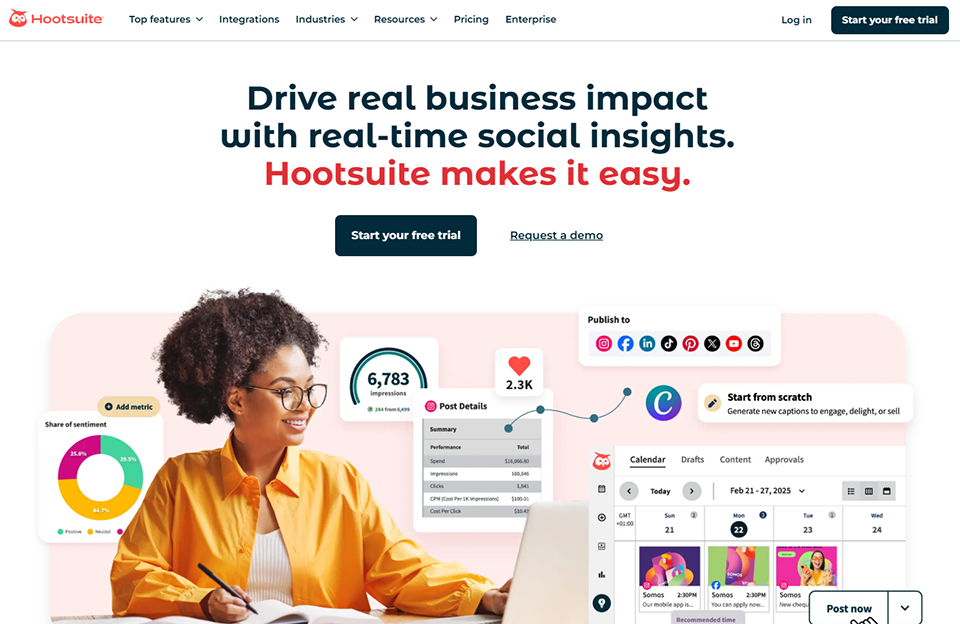
Hootsuite is probably the first name that comes to mind when talking about social media management. And for good reason: the platform has been around since 2008 and, as of 2026, remains one of the most comprehensive solutions on the market. It covers all major social media platforms (Instagram, Facebook, X/Twitter, LinkedIn, TikTok, YouTube, Pinterest) through a unified interface.
Its central interface, the "dashboard," lets users view all their feeds, messages, mentions, and comments in one place. Content scheduling is intuitive, with a visual editorial calendar, reposting options, and granular permission management for teams. In 2025, Hootsuite integrated OwlyWriter AI, its AI-powered writing assistant, directly into the platform.
Hootsuite really shines when multiple people are working on the same accounts, with approval workflows, role-based access, and reports to deliver to clients. Multi-client management is one of the most advanced features on the market.
If you manage 5 to 15 accounts across different social media platforms at the same time, the centralized management offered by Hootsuite saves you a considerable amount of time.
✅ The widest network coverage on the market.
✅ A wide range of integrations.
✅ Tools for collaboration and content approval.
✅ 12-month analytics history.
❌ High rates for freelancers or very small businesses.
❌ The interface is sometimes perceived as clunky by new users.
❌ Some analytics features are limited compared to specialized tools like Iconosquare.



Buffer has built a solid reputation based on a simple principle: the tool should take a back seat to the user experience. While Hootsuite tries to do it all, Buffer has opted for simplicity. The interface is clean, it’s easy to get started, and all the essential features are there.
Content planning takes just a few clicks. Connect your accounts, draft your post, choose a publication time (or let Buffer automatically optimize the schedule based on engagement data), and you’re all set. The publishing queue lets you effortlessly schedule weeks of content in advance.
Buffer has also developed an analytics module that provides key metrics without overwhelming users with unnecessary tables. A "Start Page" feature even lets you create a minimalist landing page for your Instagram bio link.
Buffer is probably the best tool for anyone who manages their own communications. There’s no learning curve, pricing is based on the number of channels so you only pay for what you need, and the user experience is truly enjoyable.
The free trial lets you try it out with no obligation. It's a great way to get started in the world of social planning tools.
✅ The most user-friendly interface on the market.
✅ A generous free plan to get you started.
✅ Great value for the money on paid plans.
✅ Available on mobile via a well-designed app.
❌ Analytics are less comprehensive than those offered by specialized tools.
❌ Managing multiple brands is less seamless than with Hootsuite.
❌ No monitoring or tracking features for mentions.

SocialBee addresses a problem that many content creators are all too familiar with: you spend hours creating an excellent article or a high-quality infographic, publish it once, and it disappears into oblivion. SocialBee was designed specifically to prevent that from happening.
The core principle of SocialBee is based on evergreenCategories . You organize your posts into Categories (practical tips, customer testimonials, promotional content, quotes, etc.) and set a reposting frequency for each category. The tool automatically rotates the content, varying the posting times to avoid overwhelming your audience with the same posts at the same time.
Since 2024, SocialBee has incorporated content-generation AI ( based on GPT-4) that can suggest text variations for each repost, making content repurposing much less mechanical.
If you've already produced dozens of blog posts, videos, or visuals, SocialBee is the tool that lets you get the most out of them over time, without having to constantly create new content.
SocialBee's categorization system naturally encourages users to approach their communication strategically rather than reactively.
✅ A content recycling system that is unique in the market.
✅ High-quality built-in AI to generate varied text.
✅ Excellent management of approval workflows.
✅ Clear and actionable reporting.
❌ The interface is a little more complex than Buffer's for beginners.
❌ No feature for monitoring mentions.
❌ The basic plan limits the number of connected profiles.


Later was originally designed as an Instagram planning tool, and that visual DNA is still very much present today. Its main interface looks just like a mood board: you drag and drop your images onto the calendar, see immediately what your feed will look like, and adjust the layout before confirming.
Since then, Later has expanded its coverage to Facebook, X/Twitter, LinkedIn, TikTok, Pinterest, and even YouTube. It also includes a "Linkin.bio" feature (a clickable bio link for Instagram) and a tool for searching and repurposing User-Generated Content (UGC), which e-commerce brands particularly appreciate.
The tool has also invested in AI: Later AI can generate captions, suggest hashtags, and even offer content ideas based on current trends.
Later is particularly well-suited for brands whose identity is based on visuals. The Instagram feed preview and UGC management features are major assets for building a consistent visual presence.
Later offers one of the best levels of integration with Pinterest on the market, including video pin scheduling. And its TikTok support, added in 2023, is now very robust.
✅ The best visual planning interface on the market.
✅ The Linkin.bio feature is very well designed.
✅ High-quality support for Pinterest and TikTok.
✅ Built-in UGC: significant time savings for brands.
❌ Less suitable for professional networks such as LinkedIn.
❌ Less comprehensive analytics on Facebook.
❌ The free plan is very limited for professional use.


Metricool stands out in this ranking. While most social media management tools prioritize planning, Metricool starts with data. Its analytics engine is one of the most powerful on the market, covering not only social media but also Google Analytics, ads ( Meta Ads, Google Ads, TikTok Ads), and even YouTube in great depth.
Planning is obviously a key feature and is well executed, but it’s really the analytics that make Metricool the right choice. The reports are customizable and can be exported as PDFs with your own branding (useful for agencies), and the “Best Time to Post” feature is based on real audience data.
Metricool also offers "SmartLinks," which is similar to Later's Linkin.bio, as well as a tool for tracking competitors' accounts—a handy feature for adjusting your strategy.
The ability to generate branded PDF reports and track competitors' accounts makes Metricool a very robust client reporting tool. Few tools in this price range offer this level of customization.
Metricool is one of the few tools that thoroughly analyzes YouTube performance beyond the basics, and its support for Twitch is a real rarity.
✅ Some of the most comprehensive analytics on the market.
✅ Competitive analysis at no extra cost.
✅ Free plan that can be used indefinitely.
✅ Extensive YouTube support and advertising features.
❌ The interface may seem overwhelming to those unfamiliar with analytics.
❌ Scheduling is less intuitive than Buffer or Later.
❌ The free plan has a limit on the amount of historical data.
Publer may be the least well-known tool on this list, yet it clearly deserves its place here. Founded in Albania in 2014 and now used by more than 120,000 businesses worldwide, Publer covers all the major social media platforms and offers a truly impressive set of features for its price.
What sets Publer apart is its flexibility. You can schedule individual posts, create recurring content series, use "Waterfall" mode to replicate a post across multiple platforms with platform-specific adjustments (different text on LinkedIn and Instagram, for example), and even set up automated initial replies under your own posts to boost engagement as soon as they go live.
Publer's content-writing AI (Publer AI Assist) generates captions, rewrites text, and suggests hashtags. It's available even on the free plan, which is quite rare.
Publer's value for money is hard to beat. For less than €15 a month, you get access to a solution that rivals tools that cost two to three times as much.
Publer is one of the few tools that natively integrates scheduling with Google Business Profile, which is a real time-saver for local merchants and service providers.
✅ Premium features at an affordable price.
✅ Waterfall mode is very useful for adapting content based on the network.
✅ AI included even in the free plan.
✅ Native Google My Business support.
❌ Analytics are less comprehensive than those offered by Metricool or Iconosquare.
❌ The interface is a little less elegant than Buffer or Later.
❌ Customer service may be less responsive than that of more established companies.


Sprout Social isn't for everyone. With a starting price of around $249/month, it's clearly aimed at established marketing teams within medium and large companies. But for that audience, it's probably the best tool on the market.
What fundamentally sets Sprout Social apart from the other tools on this list is its approach to "Social CRM." Every interaction on social media is linked to a contact profile, complete with a full history of exchanges. The smart inbox automatically sorts messages by priority and detects sales opportunities and crisis situations in real time.
Sprout Social also offers highly advancedsocial listening features (sentiment analysis, trend identification, industry benchmarking) that go far beyond simply monitoring mentions.
Sprout Social really shines when multiple people are working together on the same accounts, with approval workflows, task assignments, and a centralized client history.
Inbox management and social CRM ensure that no message goes unanswered, even when there is a high volume of messages. It is a tool for both social customer service and content publishing.
✅ The most advanced social CRM on the market.
✅ In-depth social listening and sentiment analysis.
✅ Professional-grade CRM integrations.
✅ Extremely comprehensive reporting.
❌ The price is prohibitive for a small business or a freelancer.
❌ There is a real learning curve before you can fully realize its potential.
❌ Some social listening features are subject to additional charges.

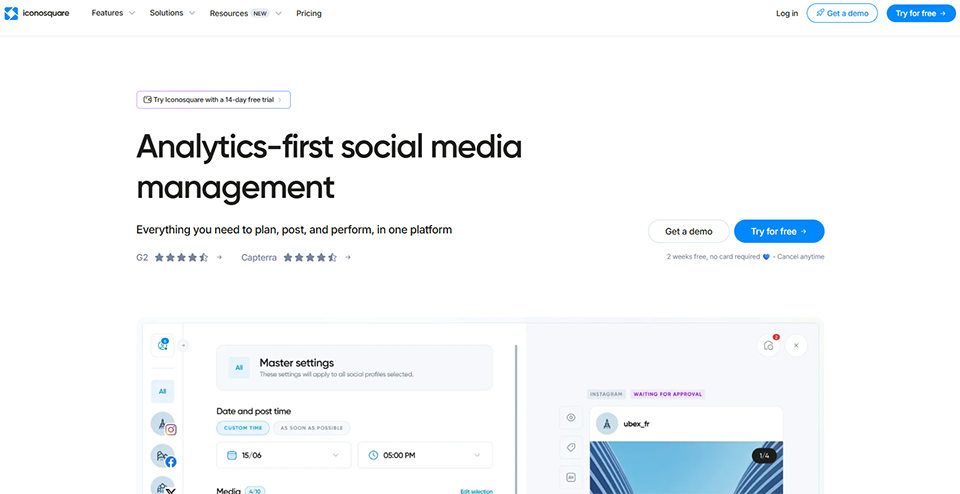

Iconosquare started out as anInstagram analytics tool, and that remains its absolute strength to this day. Few tools on the market delve as deeply into Instagram data: analysis of every post, every Story, every Reel, and every follower profile, complete with histograms, comparisons across multiple time periods, and optimization recommendations.
In 2024, Iconosquare expanded its coverage to TikTok, LinkedIn, and X/Twitter, and its publishing module improved significantly. But it’s clearly the analytics that justify its price.
The "Conversations" feature allows you to monitor comments and direct messages from within the interface. The tool also offers an industry benchmark: you can compare your performance to that of competitors in your industry.
Iconosquare provides a level of detail on Instagram metrics (engagement rates by post type, best posting times by day of the week, hour-by-hour follower growth, etc.) that’s hard to find elsewhere in this price range.
Iconosquare's automated and customizable reports save a considerable amount of time. You set up the template once, and the report is automatically sent to the client every week or every month.
✅ Instagram analytics that are among the most accurate on the market.
✅ Industry benchmarking at no additional cost.
✅ Highly detailed automated reports.
✅ Export raw data as a CSV file.
❌ The price is a bit high for what the plan offers outside of Instagram.
❌ LinkedIn and TikTok are less well integrated than Instagram.
❌ Planning remains secondary to analytics.
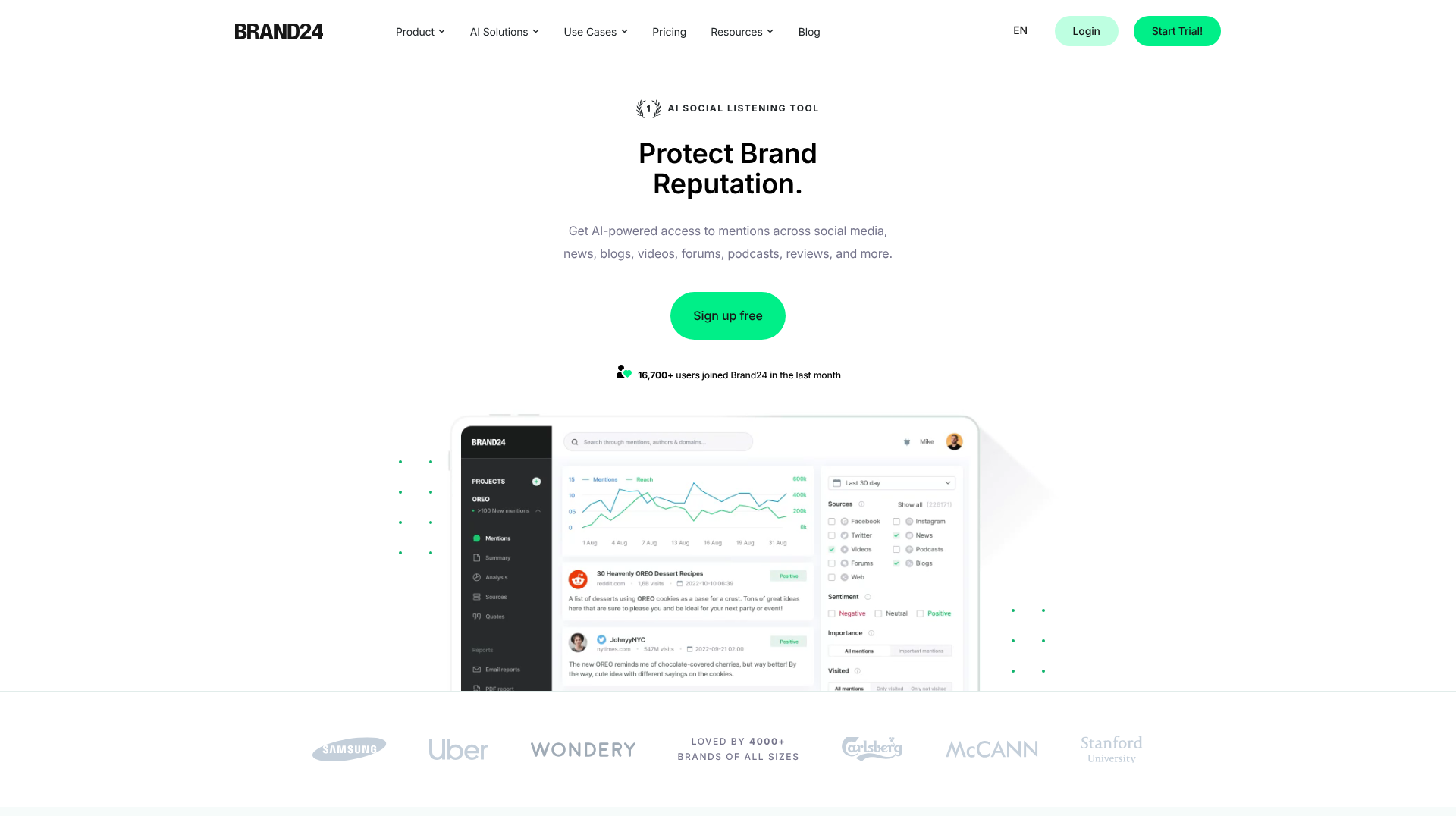
Brand24 takes a different approach to social media management than the other tools on this list: it’s not a publishing tool, but rather a monitoring and tracking tool . Its purpose is to monitor in real time all mentions of your brand, your products, your competitors, or any keyword on social media, forums, blogs, online media, and podcasts.
Specifically, Brand24 aggregates all mentions, categorizes them by volume and sentiment (positive, negative, neutral), calculates an influence score, and sends alerts immediately when an unusual mention is detected (a spike in activity, a sudden shift to negative sentiment, etc.).
For a startup or small business that is starting to gain visibility, this is an essential safety net for proactively managing its online reputation.
Once you have a community of several thousand people or are dealing with the media, Brand24 becomes indispensable. All it takes is an unexpected reputation crisis to realize just how important it is.
Brand24 lets you track media coverage in real time, identify journalists and influencers who are talking about you, and measure the impact of each public statement.
✅ The most comprehensive monitoring on the market (includes podcasts and forums).
✅ Truly useful real-time alerts.
✅ Reliable sentiment analysis.
✅ Very well-designed communication integrations.
❌ Not a publishing or scheduling tool.
❌ High price relative to its "monitoring only" positioning.
❌ The quality of the monitoring varies by language (it's best in English).

Mention is an alternative to Brand24 that has chosen to include a publishing feature in addition to monitoring. It therefore takes a hybrid approach: you can monitor mentions AND schedule posts from the same interface.
Mention's monitoring service covers social media, websites, forums, and news. The tool is known for the quality of its filtering (you can refine the results very precisely to filter out noise) and for its customizable alerts.
The publishing feature is more basic than those offered by Buffer or SocialBee, but it's sufficient for a team that wants to centralize its social media management in a single tool without having to sign up for multiple subscriptions.
Mention strikes the right balance between the depth of Brand24 and the convenience of a traditional planning tool. At ~$49/month, the basic plan covers the essentials for a small business.
The feature that allows you to assign tags to team members helps ensure nothing gets overlooked and that responses are distributed efficiently.
✅ A combination of monitoring and publishing—a rare find at this price.
✅ Some of the finest standby filters on the market.
✅ Clear and user-friendly interface.
✅ Good value for small teams.
❌ The publishing module is less comprehensive than dedicated tools.
❌ The number of mentions is limited depending on the plan.
❌ Less suitable for very large brands with high sales volumes.

RADAAR may be the least well-known option on this list, but it’s worth mentioning for a specific audience: freelancers, sole proprietors, and very small businesses looking for a comprehensive tool without breaking the bank.
RADAAR offers a comprehensive suite that includes planning, mention monitoring, inbox management, and basic analytics tracking. All of this is available at a starting price of around $9.99/month, making it one of the most affordable solutions on the market.
The interface is decent, it's easy to get started, and the tool covers the major social media platforms (Instagram, Facebook, Twitter/X, LinkedIn, Pinterest, TikTok, YouTube). There's even a free plan available so you can test out all the features.
RADAAR is the perfect starting point for anyone looking for a reliable tool without breaking the bank. The $9.99/month plan offers a value for money that's hard to find elsewhere.
RADAAR's interface is accessible to people who aren't digital marketing specialists, which is a real advantage for teams without a dedicated community manager.
✅ Unbeatable entry-level price for a full suite.
✅ A free, fully functional plan for small businesses.
✅ Comprehensive coverage of essential features.
✅ Easy to get started.
❌ Analytics are less comprehensive than those offered by specialized tools.
❌ A more limited integration ecosystem.
❌ According to user feedback, customer support can sometimes take a long time to respond.

Tailwind occupies a very specific niche in the social media management tool landscape: it is the number one solution for brands that rely on Pinterest and Instagram as acquisition channels. And in this niche, it doesn't really have any direct competitors.
Its flagship tool, SmartSchedule, analyzes your audience's habits and automatically identifies the best times to post to maximize engagement. "Tailwind Tribes" (renamed Communities) lets you join groups of content creators in your field to share and amplify each other's content.
Tailwind Create is a built-in design feature that automatically generates variations of visuals optimized for Pinterest and Instagram from a single source image. Combined with Ghostwriter’s AI (for caption generation), Tailwind truly covers the entire creation and publishing cycle for these two platforms.
Pinterest drives highly qualified traffic for purchases, and Tailwind is the most advanced tool for harnessing that potential. Bulk scheduling of pins and granular performance tracking by board are features you won't find anywhere else at this price.
These niches are among the top-performing ones on Pinterest and Instagram. Tailwind Communities helps significantly accelerate audience growth by leveraging the collective strength of a network of creators.
✅ The best Pinterest tool on the market.
✅ SmartSchedule is truly effective at optimizing schedules.
✅ Tailwind Create saves a considerable amount of time on visual production.
✅ Communities: a unique driver of growth.
❌ Not very suitable if Pinterest and Instagram aren't your main social media platforms.
❌ Very limited coverage outside of Instagram and Pinterest.
❌ Some advanced features are available only on higher-tier plans.
There is no one-size-fits-all answer to this question. The right tool depends on three key factors: your priority networks, the size of your team, and what you actually expect from the tool.
If you're managing your social media on your own and are looking for simplicity and efficiency, Buffer or RADAAR are your best options to start with. If your content is highly visual and Pinterest or Instagram are your main channels, check out Later or Tailwind. For those with a rich content library who want to keep it rotating over time, SocialBee is hard to beat.
If you’re an agency or marketing team managing multiple clients or brands, you’ll need to choose between Hootsuite, Metricool, and Sprout Social based on your budget and social CRM needs. For robust analytics capabilities with ready-to-use client reports, Metricool offers the best value for money among the three.
Finally, if your online reputation is a priority, don't overlook Brand24 or Mention—even if you're already using another publishing tool.
Before we go over the most frequently asked questions on this topic, here are some straightforward answers to the questions that come up most often when choosing a human resources management tool.
Yes, but there are some caveats. Most of the tools on this list cover the major social media platforms (Instagram, Facebook, LinkedIn, X/Twitter, TikTok, Pinterest). However, certain advanced features specific to each platform (such as interactive Instagram Stories, LinkedIn Documents, and native Pinterest carousels) are sometimes better managed directly within the native app. Scheduling via API has its limitations, and each tool handles them differently.
It’s a persistent misconception, but officially, no. Instagram, Facebook, and LinkedIn have all confirmed that posts published through official partners (such as Buffer, Hootsuite, or Later) are not penalized by the algorithm. However, content quality, engagement rates in the first few minutes, and posting consistency remain key factors.
If you manage a brand that’s starting to gain visibility (media coverage, influencers, an active community), then yes. A scheduling tool alone won’t alert you if someone criticizes your brand on a forum or if an influencer posts a negative review on their blog. Tools like Brand24 or Mention address this specific need.
Estimates vary, but a business owner who posts on 3 to 5 social media platforms with a minimum level of consistency can save between 5 and 10 hours per week by centralizing their planning. When you add the content-generation AI built into tools like SocialBee or Publer, the time saved on content production can be just as significant.
To get started and test out a tool, yes. For regular professional use across multiple accounts, no. The free plans from Buffer, Metricool, Publer, and RADAAR let you manage 1 to 3 profiles with limited features. That’s enough to see if the tool fits your workflow, but the limits on volume or analytics quickly become restrictive beyond that.
No. Sprout Social at $249/month and Hootsuite at $99/month are excellent tools, but they’re designed for teams and volumes that most freelancers and very small businesses don’t reach. For most small businesses, a tool like Metricool at $22/month or Publer at $12/month offers 80% of the features you need at one-tenth the price.
The tools listed here all support LinkedIn, but none are exclusively dedicated to this network. For a highly advanced LinkedIn presence (lead generation, SSI Score, detailed analytics on your posts), you might want to supplement them with LinkedIn Sales Navigator or LinkedIn Premium, which offer data and features that third-party tools cannot replicate.
