






The 4 Best Website Builders for Beginners
This article introduces you to four website builders that are particularly well-suited for beginners: Wix, Squarespace, Framer, and Dorik…
Read more


Just five years ago, launching a mobile app was an ambitious-and sometimes daunting-undertaking. Expect to spend between €30,000 and €150,000 on a native app for iOS and Android, several months of development, a dedicated technical team, and a financial risk that would be difficult for an entrepreneur a small business to absorb.
By 2026, this paradigm had changed profoundly. Not just a little. Radically.
The explosion of no-code and low-code tools, combined with advances in artificial intelligence integrated into development platforms, has completely changed the landscape. Today, a freelancer, startup founder, or consultant can turn an idea into a fully functional app available on app stores in just a few weeks-sometimes even less-and for a fraction of the traditional budget.
It’s not magic or marketing. It’s the result of rapid technological advancement, a market that has evolved around non-technical creators, and genuine competition among platforms, all of which have sought to improve themselves to attract this new generation of makers.
In this article, we review five tools that embody this revolution: FlutterFlow, Adalo, Glide, GoodBarber, and Draftbit. For each one, you’ll find a detailed overview, the user profiles they’re best suited for, as well as their strengths and limitations. A comparative summary and an FAQ round out the article to help you make the right choice.
Before getting to the heart of the matter, it is helpful to understand why this trend has gained momentum so quickly. Three main factors are at play, and their combined effect is dramatic.
App development tools now rely on AI models to generate interfaces from a simple text description, suggest business logic, or even produce exportable native code. What used to take hours of configuration now takes just a few minutes. FlutterFlow, for example, lets you describe an entire screen in natural language and get a functional rendering in just a few seconds. It’s not magic, but it saves a considerable amount of time when moving from mockups to something testable.
Flutter, React Native, and other frameworks have reached a level of stability that allows visual tools to rely on them without compromising the quality of the final output. We are no longer in the era of hybrid apps with mediocre performance. Applications generated by today’s best builders behave like true native apps, with smooth animations, full access to system APIs (camera, GPS, biometrics), and loading times similar to those of a hand-coded app.
Solutions like Xano or Supabase allow you to manage databases, APIs, and authentication without ever touching server-side code, which removes one of the last technical barriers for non-developers. You no longer need to understand server architectures, caching systems, or connection management to have a reliable backend for your application.
Competition among the platforms themselves. FlutterFlow, Adalo, Glide, Bubble, and others are vying for the same customers. This competition drives them to constantly improve their user interfaces, lower their prices, and expand their integrations. You’re the one who benefits from this competition.
The bottom line: developing a mobile app in 2026 now requires a clearer understanding of the product itself rather than technical skills. Which is, really, exactly how it should be.
There is also the question of total cost, which deserves to be clearly addressed. Developing a custom native mobile app costs, on average, between 50,000 and 200,000 euros for an initial release, not including maintenance. With the tools presented in this article, budgets drop to a few hundred or a few thousand euros per year for a functional app, published on app stores, and maintained without daily technical intervention. The difference is not insignificant.
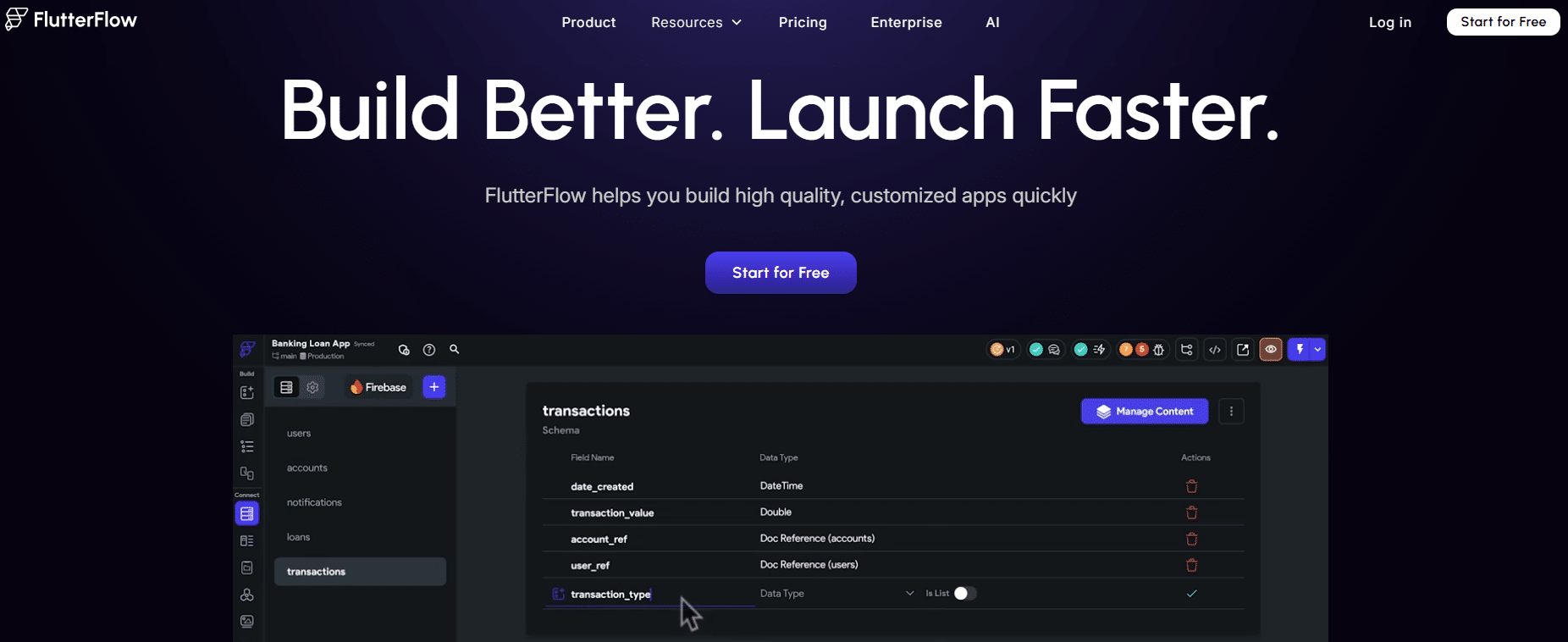
FlutterFlow stands out in the mobile app builder ecosystem. While most no-code tools produce proprietary apps that are difficult to export, FlutterFlow generates native, exportable Flutter code. In other words, what you create visually in the interface can be downloaded as a complete Flutter project that any developer can modify.
This approach makes it particularly appealing to teams that want to get started quickly with no-code development and gradually transition to a custom-coded solution over time. It is also one of the few tools that produces truly native, compiled applications with performance comparable to that of a hand-coded app.
The FlutterFlow interface is a canvas for design and logic. You build your UI using drag-and-drop, choosing from components that adhere to Material Design (Android) and Cupertino (iOS) guidelines. Each screen can be enhancedwith conditional actions, navigation logic, API requests, and calls to Firebase or Supabase for the backend.
Among the standout features:Native Firebase integration allows you to manage authentication, the Firestore database, and file storage directly from the interface. Access to a marketplace of custom components expands possibilities beyond basic widgets. Real-time preview on mobile, via the FlutterFlow app, lets you test every change immediately. And in recent versions,the built-inAI assistant can generate complete screens based on a description.
FlutterFlow is the ideal tool for junior or full-stack developers looking to get started with mobile development without mastering Flutter, for product managers who want to prototype functional apps, and for early-stage startups that want to validate an MVP quickly before investing in a mobile team. Its ability to export code also makes it a good choice for agencies that deliver code to their clients.
The native rendering quality is impressive, the performance is solid, and the code export feature is a real game-changer if you have technical goals in the medium term. The community is large, tutorials are plentiful, and the tool receives frequent updates. The ability to start with a visual design and hand the code off to a junior developer to finalize it is a workflow that is becoming standard practice in agile product teams.
FlutterFlow has also established itself as a robust tool for startup MVPs. It’s not uncommon to see products that have secured their first round of funding built entirely on FlutterFlow, with the code later exported to continue development. This level of flexibility is rare in the no-code ecosystem.
The learning curve is steeper than that of a purely no-code tool like Adalo or Glide. Certain complex business logic requires an understanding of Flutter’s concepts, which can be confusing for users with no technical background. There is a strong reliance on Firebase for the backend in standard setups, although alternative integrations are available.

Adalo embodies the purest form of no-code mobile development: building a true native iOS and Android app without writing a single line of code-and without any technical background whatsoever. The tool was designed from the ground up for non-technical creators, and that’s evident in every aspect of its interface.
Unlike FlutterFlow, which caters to a broader audience that includes developers, Adalo focuses entirely on accessibility. Its visual editor is intuitive, its components are pre-wired to work immediately with its built-in database, and its action logic is presented in a way that’s simple enough to understand without prior training.
At the heart of Adalo lies an integrated relational database called Collections, which allows you to create and manage data (users, products, content, etc.) directly within the platform. The design interface is built around reusable components, dynamic lists, forms, and ready-to-use screens.
What sets Adalo apart in its market segment: Direct publishing tothe App Store and Google Play Store is handled directly from the platform, bypassing the usual technical procedures. Adalo ’s component marketplace allows users to add advanced features (maps, charts, payments) without any development. Zapier and Make integrations connect the app to hundreds of external tools. Since late 2024, Adalo has enhanced its user role management capabilities, paving the way for more structured SaaS and marketplace apps.
It’s the ideal tool for entrepreneurs without a technical background who have an idea for a service app, marketplace, or internal network. It’s equally suited to Consultants looking to create a tool for their clients and to small businesses seeking to digitize a business process without hiring an agency. Its ease of use also makes it a great option for nonprofit project leaders or trainers looking to create a support app.
It’s incredibly easy to get started. Adalo delivers on its promise: even someone with no development experience can create a functional first app in a single day. The built-in data management significantly simplifies setting up the backend for standard use cases. The documentation is well-organized, and while the French-speaking community is smaller than FlutterFlow’s, it is very much alive and active.
One aspect of Adalo that is often underestimated is its ability to create highly specialized niche apps: a loyalty app for a local store, an appointment scheduling tool for a entrepreneur therapist, or a field logbook for field teams. These projects don’t require the power of FlutterFlow but do call for a real mobile app, and Adalo fits the bill perfectly.
For applications with a large user base or significant data volumes, performance may suffer. The visual customization options are less granular than those offered by FlutterFlow or Draftbit. If your project evolves into something complex, you may start to feel the limitations of the platform fairly quickly.

Glide was born from a simple yet effective idea: if your data already exists somewhere (Google Sheets, Excel, Airtable, an SQL database), why start from scratch? The tool connects to these data sources and automatically generates a mobile and web app based on them.
This is a radically different approach from the other tools on this list. Glide isn't meant to replace traditional development for complex consumer apps. It's designed for teams that need internal tools, operational dashboards, field applications, or customer portals without wanting to spend months developing them.
The Glide workflow begins by connecting to a data source. The tool automatically analyzes the structure and generates an initial application. You then customize it using a visual editor by selecting components, filters, actions, and permissions.
Key highlights include: Real-time synchronization with the data source ensures that any changes made in the spreadsheet are immediately reflected in the app, and vice versa. The list, detail view, and form components cover the majority of operational use cases. User-based role and permission management enables the creation of multi-profile tools.Glide’s AI, integrated into actions, can automatically enrich your data (categorization, summarization, translation) without an external API.
Glide is particularly powerful for operations managers and field teams who manage processes using spreadsheets: tracking service calls, inventory management, team scheduling, and sales reporting. Consultants and freelancers who provide tools to their clients can quickly create custom applications based on their clients’ data. It’s also a valuable solution for HR professionals and office managers looking to digitize internal workflows.
The speed of setup is unbeatable for data-driven use cases. If you already have a working Google Sheet, you can have an app up and running in just a few hours. The built-in AI features add real value without adding complexity. For internal tools that replace Excel-based processes, Glide is often the most cost-effective and fastest solution.
There is also a cultural aspect that should not be overlooked: Glide has convinced thousands of companies that their existing data could be put to new use. Many operational teams that would never have embarked on an application development project have created their first tools thanks to this approach.
Glide is not designed for consumer-facing applications for blinds. Visual customization options are more limited if you have strict design requirements. For very large data volumes, performance depends in part on the connected data source.

GoodBarber is one of the oldest and most established platforms in the app builder market. Founded in France and in development for over a decade, it has evolved to now offer two distinct products: a content app builder (for media outlets, organizations, and brands) and an advanced e-commerce app builder.
What sets GoodBarber apart in this comparison is its depth of functionality and the quality of its support. The platform caters to both individual project owners and agencies that develop apps for their clients, with a dedicated reseller program.
GoodBarber offers a comprehensive visual editor with advanced management of themes, sections, and layouts. On the content side, the tool natively supports articles, galleries, podcasts, RSS feeds, videos, and events. On the e-commerce side, it includes a full-featured product catalog, a payment system (Stripe, PayPal), order management, and push notifications.
Key features that set it apart: GoodBarber handles app publishing on app stores (App Store, Google Play) and can even submit your app on your behalf, depending on your chosen plan. Progressive Web Apps (PWAs) are generated simultaneously, providing a web version of the app without any additional development. The push notification system is particularly well-suited for media and e-commerce businesses.The admin interface is user-friendly and well-designed for non-technical users.
GoodBarber is naturally well-suited for media outlets, non-profits, and local governments looking for a professional content app without having to go through an agency. Local businesses and SMEs seeking a functional e-commerce app quickly will find it to be a robust solution. It is also the tool of choice for digital agencies looking to streamline app production for their clients using a White Label approach.
The platform’s maturity is reassuring: the tool is stable, support is responsive, and the documentation is comprehensive. The app lifecycle management (updates, releases) is well-designed. The value for money is competitive, especially for content apps.
GoodBarber also has the advantage of being a French solution, offering support in French and a genuine connection with European customers. For associations, local governments, or regional media outlets looking for a reliable French-speaking partner, this is a key selling point. GDPR compliance is also better integrated than with some American competitors.
GoodBarber remains primarily focused on two Categories (content and e-commerce), which can be limiting if your project is a service app or SaaS solution. Graphic customization has its limitations in the entry-level plans. For complex business logic, you’ll reach the limits faster than with FlutterFlow or Draftbit.
Draftbit fills a unique niche: it is a visual builder for React Native specifically designed for developers and technical teams who want to streamline their workflow without relinquishing control over the code. The tool generates clean, exportable, and maintainable React Native code.
While FlutterFlow has popularized this hybrid approach (visual builder + code export), Draftbit does the same within the React Native ecosystem, which remains the go-to choice for many JavaScript teams. It’s a logical choice for freelance web developers who want to expand their services to mobile without starting from scratch.
Draftbit's interface is a visual editor that directly displays the properties of React Native components. You build your screens using drag-and-drop while having access to the styling and logic properties of each component, offering a level of granularity that purely no-code tools lack.
Key features:Direct access to the source code at any time allows you to do what the visual interface cannot. A library of pre-built components covers common UI patterns (lists, forms, navigation). The REST API integrations are well-designed and allow the app to connect to any backend. Real-time collaboration between designers and developers on the same project is a real asset for small teams.
Draftbit is designed for JavaScript web developers who want to get started with mobile development without having to master React Native inside and out. Agencies and studios that deliver MVPs quickly to their clients will find it a useful tool for speeding up the design and prototyping phases. Technical designers who know how to code but prefer to work visually will appreciate the tool’s flexibility.
The quality of the generated code is top-notch, which makes it easy to switch to traditional development if the project requires it. The flexibility between a visual approach and direct code editing is a real standout feature. The tool integrates seamlessly into an existing development workflow.
Draftbit is clearly not intended for non-technical users. If you’re not comfortable with concepts like components, props, and APIs, the learning curve will be steep. The community is smaller than FlutterFlow’s, and educational resources are less abundant. The product roadmap has been somewhat inconsistent in recent years.
There are no wrong choices among these five tools; rather, some are better suited to a specific context than others. An entrepreneur looking to validate an idea quickly has different needs than a developer aiming to deliver a client-facing MVP using React Native. Each of these tools addresses distinct needs, and here is an overview to help clarify the decision.
| Tool | Target profile | Ideal use case | Learning curve | Admission fee | Export code |
|---|---|---|---|---|---|
| FlutterFlow | Junior developer, project manager, startup | Native mobile MVP, SaaS app | Intermediate | ~ $30/month | ✅ Flutter |
| Adalo | Non-tech entrepreneur | Service app, marketplace | Easy | ~ $45/month | ❌ |
| Glide | Ops, consultant, field team | Internal app, business tool | Very easy | ~ $49/month | ❌ |
| GoodBarber | SMEs, media, agencies | App content, e-commerce | Easy | ~25s €/month | ❌ |
| Draftbit | JavaScript Developer, Tech Agency | React Native MVP, prototyping | Intermediate/Advanced | ~ $19/month | ✅ React Native |
To learn more about tools for mobile app development, check out the " Mobile Apps" category on Freelance Stack, which features the best on these platforms.
Note: If your project involves back-end considerations (data storage, authentication, APIs), Xano is a robust no-code option that integrates with most of the builders mentioned here. And if you have an existing web app that you want to turn into a mobile app available on app stores, Natively offers an interesting approach to do so without starting from scratch.
Here are the questions that come up most often when you’re starting a mobile app project using no-code or low-code tools. Straightforward answers to help you get started without wasting time.
Yes, provided you clearly define your expectations. Tools like Adalo or GoodBarber let you create functional apps-published on app stores and used by real users-without touching any code. The distinction lies in functional complexity: apps for content, internal management, or simple services are well-supported. For highly complex systems with specific business logic, you may eventually encounter the limits of no-code development, but those limits are being pushed further every year.
A native app is compiled specifically for iOS or Android, giving it full access to system features (camera, GPS, notifications, biometrics) with optimal performance. A hybrid app is essentially a web app displayed within a container, typically with lower performance. Today’s top builders, such as FlutterFlow and Draftbit, produce native or near-native apps, which was rarely the case with first-generation no-code tools.
Publishing on the Google Play Store requires a Google Developer Account, which costs $25 (one-time fee).The Apple App Store requires a subscription to the Apple Developer Program, which costs $99 per year. These fees are entrepreneurs the tool you use. Some platforms, such as GoodBarber, offer to handle this submission process for you as part of their premium plans.
That’s a valid question. Major platforms (FlutterFlow, Glide, Adalo) adhere to standard security protocols (HTTPS, encryption, GDPR for European versions). For sensitive data, it’s recommended to use independent back-end solutions like Xano or Supabase, which give you more control over hosting and data management.
This is one of the key advantages of FlutterFlow and Draftbit: they export native code (Flutter and React Native, respectively) that developers can take over and further develop. With other tools, migration is more complex and usually involves rebuilding the app in a new environment. This is an important factor to consider if you have plans for significant growth.
It depends on the complexity of the project and your familiarity with the tool. For a simple app (about ten screens, a database, notifications), expect it to take 2 to 4 weeks if working part-time. With Glide, for a use case based on existing data, it can be done in just a few days. For a more comprehensive app, one to three months remains a realistic estimate, compared to 6 to 18 months for custom development.
No, provided you choose the right tool for your project. The concept of quality is multifaceted: it encompasses performance, security, design, and maintainability. Within appropriate scopes, apps created with FlutterFlow or Draftbit hold their own against traditionally developed apps. The limitations are real, but they primarily concern algorithmic complexity and very specific use cases, not the overall quality of the user experience.
Yes. Most of the builders mentioned allow you to integrate payments (via Stripe or PayPal), manage subscriptions, and publish to app stores using a premium model. Apphud is also a tool specialized in managing in-app subscriptions that can complement any of these builders once your app is live.
