







The Best Tools for Communicating via Email in 2026
This guide will help you find your way around. We’ve selected the most useful tools available in 2026, all…
Read more


Just a few years ago, the term “business process automation” immediately brought to mind dedicated IT teams, substantial budgets, and months of integration. Those days are long gone. Today, a freelancer, a startup, or a small team can automate a significant portion of their repetitive tasks in just a few hours, without writing a single line of code.
The market for automation tools has exploded in recent years. According to a McKinsey study, more than 60% of business activities could be partially automated using currently available technologies. And for entrepreneurs small businesses, the stakes are even higher: every hour saved on tasks that don’t add value is an extra hour to invest in what truly drives your business forward.
There are countless ways to use it: automatically sync your contacts between your CRM and your email marketing tool, receive a Slack notification as soon as an invoice arrives via email, export data from a form directly to a spreadsheet, trigger outreach sequences based on a prospect’s behavior... The list goes on, and the possibilities are virtually endless.
This article provides an overview of the best automation software available in 2026, all of which can be accessed through deals and on Freelance Stack. For each one, you’ll find a detailed description, the user profiles it’s best suited for, and an objective comparison to help you make your choice.
Before diving into the comparison, it’s worth noting why automation has become a key issue for today’s entrepreneurs.
Time savings. A task that takes 5 minutes a day adds up to more than 30 hours over the course of a year. Multiply that figure by the number of repetitive micro-tasks in your workday, and you’ll find you have a considerable number of hours to reclaim.
discount human error. Manually copying and pasting data from one application to another leaves you vulnerable to data entry errors, omissions, and discrepancies. A properly configured automated workflow never makes mistakes.
Finally, automation allows you to scale your business without necessarily having to hire more staff. Sending 10 follow-up emails a week manually is manageable. Sending 200 with a high level of personalization is impossible without the help of a tool.
To fully understand the practical value of these tools, here are the types of automations that freelancers and small businesses actually implement on a daily basis:
These examples may seem insignificant when taken individually. But for someone who juggles between 8 and 12 different apps during their workday-as is the case for the vast majority of entrepreneurs today-the cumulative effect is significant.
The workflow and automation tools available on the market cover these use cases and many others. Some are general-purpose and allow you to connect hundreds of applications together. Others are more specialized in lead generation, marketing, or data extraction. Here are the five most relevant solutions to know about in 2026.


Formerly known as Integromat, Make has established itself as one of the most powerful automation platforms on the market for teams looking to go beyond simple use cases. Its visual interface, organized into "scenarios," is its most recognizable feature: each workflow is built like a diagram, with interconnected modules, making the automation logic perfectly clear.
Make allows you to connect over 2,000 apps and services via pre-configured modules: users create "workflows" that define a trigger (a new row in Airtable, a submitted form, a received email, etc.) and one or more actions that are automatically triggered in sequence. What sets Make apart from its competitors is its ability to handle complex conditional logic: branches, loops, filters, routers... all without writing code.
The most common use cases among freelancers and small teams include syncing a CRM with an email marketing tool, automatically creating tasks in a project management tool, sending real-time notifications, and aggregating data from multiple sources into a dashboard.
Here’s a common example: a new row is added to Airtable after a form is submitted. Make detects this trigger, checks whether the contact already exists in HubSpot, creates or updates the record, and then sends a personalized welcome email via Brevo. All of this happens in just a few seconds, completely automatically.
Make offers features such as: a drag-and-drop visual editor, error handling with automatic retry of failed scenarios, granular scheduling (triggered every X minutes, at a set time, or on an event), a detailed execution log, and the ability to create custom webhooks to connect to any application with an API.
👉 Freelancers or consultants: those who juggle multiple tools and want to integrate their CRM, calendar, and invoicing tools without having to hire a developer.
👉 Startups or small and medium-sized businesses: those with relatively complex business processes that want to automate them reliably, with full traceability.
👉 The advanced no-code user: someone who wants to understand and master the logic behind their automations, not just "turn them on."


Zapier is often the first step into the world of automation for non-developers. And for good reason: the platform was designed from the start so that anyone could create their first "Zap" (that’s what the automations are called) in less than 10 minutes.
Zapier works on a simple principle : a trigger + one or more actions. A new contact in your CRM? Zapier can automatically create a task in Asana, send a welcome email via Brevo, and add the person to a mailing list on Mailchimp-all with just a few clicks.
Zapier now connects more than 7,000 apps, making it the largest integration library on the market. This is its main selling point compared to its competitors: if a SaaS tool exists, there’s a good chance it’s available on Zapier.
Among the most useful features are: the creation of "multi-step Zaps" (where one action triggers others), filters to condition triggers, "Paths" (conditional branches), scheduling, and, more recently, AI integration to create automations based on a natural language description. Zapier also offers Tables (lightweight databases) and Interfaces (forms and dashboards) to go beyond simple workflows.
👉 The automation beginner: someone who wants tangible results quickly, without any prior training.
👉 The solo entrepreneur: someone who uses a lot of SaaS tools and wants them to communicate with each other without involving the IT department.
👉 The marketing or sales team: anyone who wants to integrate their lead generation, email marketing, and CRM tools without having to wait for a developer.


n8n is an open-source automation solution that stands out in this comparison. While Make and Zapier are cloud-based SaaS platforms, n8n can be self-hosted on your own infrastructure, opening up unprecedented possibilities in terms of data privacy, customization, and cost.
n8n operates on the same principle of visual workflows as its competitors, with interconnected nodes, each representing an action or an integration. But where it stands out is in its technical flexibility: you can write JavaScript directly within the nodes for complex data transformations, create custom integrations with any API, and manage scenarios of a sophistication that few no-code solutions allow.
The tool features over 400 native integrations (Gmail, Slack, HubSpot, Airtable, MySQL, AWS, etc.) and can connect to any application via generic HTTP requests. It also offers native AI capabilities for building "AI workflows" that integrate large language models (GPT-4, Claude, etc.) directly into automations.
It is precisely in the field of AI agents that n8n is taking the lead in 2026. It is now possible to create workflows where an AI agent makes decisions independently, consults data sources, generates content, and triggers actions based on the outcome. For example: an agent that analyzes every new message coming into your customer support system, determines its priority and category, drafts an initial response, and automatically assigns the ticket to the right person. This level of sophistication remains difficult to achieve on purely no-code platforms.
n8n's key technical features include: self-hosted deployment (full control over data), support for inline JavaScript code, sub-workflows, advanced error handling, webhooks, and, since 2024, a module dedicated to orchestrating AI agents.
👉 Developers or technical professionals: those who want maximum power without the limitations of a strictly no-code tool.
👉 Companies concerned about data sovereignty: those that do not want their workflows to pass through third-party servers.
👉 The growing startup: one with complex automation needs-particularly in the area of AI-and a desire to keep costs under control over the long term.
👉 DevOps or IT teams: those looking to integrate automation into their existing technical pipelines.
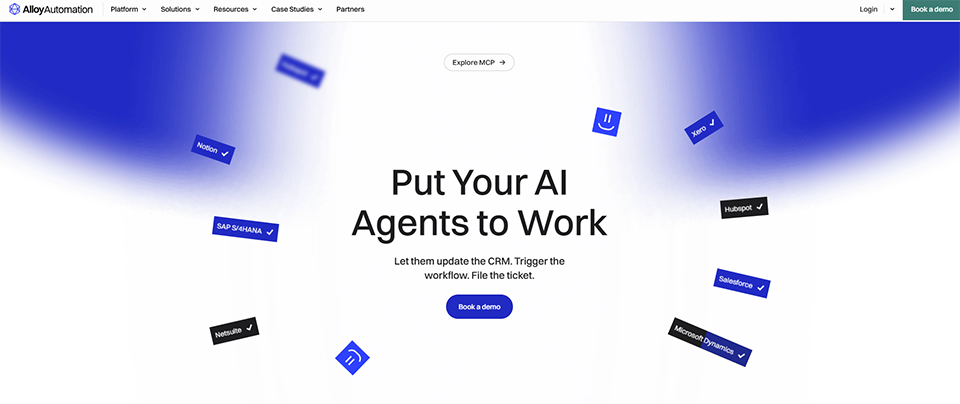
Alloy Automation is a more specialized solution than the previous ones: it’s primarily aimed at e-commerce stores and teams working with Shopify and other online sales platforms. If you’re in this field, it’s definitely worth checking out.
Alloy positions itself as the automation platform designed specifically for the e-commerce ecosystem. It offers native connectors with Shopify, WooCommerce, Klaviyo, Gorgias, Recharge, Yotpo, and dozens of other industry tools. The basic principle is the same as its competitors’ (trigger + actions), but the templates offered are directly tailored to the challenges faced by online merchants: returns management, customer segmentation, abandoned cart recovery, stock notifications, inventory synchronization...
Alloy offers a visual editor, a library of over 200 pre-designed e-commerce templates, integrations with leading industry tools, and a multi-store orchestration feature for agencies or merchants managing multiple brands. It also incorporates AI capabilities to personalize customer communications at scale.
👉 Shopify merchants or e-commerce businesses: those who want to automate their operations without starting from scratch with a general-purpose tool.
👉 E-commerce agencies: those that manage multiple stores and need a centralized tool to quickly implement workflows.
👉 E-commerce marketing teams: those looking to personalize their post-purchase communications, follow-ups, or loyalty programs.



PhantomBuster occupies a slightly different niche in this comparison. It’s not a general-purpose workflow tool like Make or Zapier, but rather a platform specialized inautomating social media actions and data extraction. Its primary use is LinkedIn, and more broadly, automated sales prospecting.
PhantomBuster offers a library of "Phantoms" (preconfigured automation scripts) that allow you to perform actions on platforms such as LinkedIn, Instagram, Twitter/X, Google Maps, and Sales Navigator. Among the most commonly used features are: automatic export of LinkedIn profiles, sending bulk connection requests, scraping search results, and extracting emails associated with profiles.
A typical workflow for B2B lead generation looks like this: PhantomBuster automatically extracts LinkedIn profiles that match specific search criteria (job title, industry, location), enriches them with publicly available data, and then transfers the list to a tool like Lemlist to trigger a sequence of personalized emails, or to HubSpot for direct integration into the CRM.
This type of workflow, which would have required several hours of manual work each week, can run in the background almost entirely on its own once it has been set up.
PhantomBuster offers over 200 Phantoms covering a wide variety of use cases, execution scheduling, "Flows" for chaining multiple Phantoms together, and native integrations with the market's leading CRMs and lead generation tools. A central dashboard displays the extracted results and allows them to be exported as CSV or JSON files.
👉 Sales reps and business developers: anyone who wants to automate their LinkedIn prospecting without spending three hours a day on it.
👉 The growth hacker: or a marketing manager who needs to extract and enrich prospect databases on a large scale.
👉 The outreach agency: which manages outreach campaigns for multiple clients simultaneously.
Given these five tools, the obvious question is: which one truly matches my profile and needs? Here’s a simple guide to help you decide.
Zapier is the most logical choice. Its interface is the most user-friendly, it offers a wide variety of templates, and it only takes a few minutes to get started. The limit on the free plan (100 tasks per month) is more than enough to start testing it out.
and if you're looking for the best balance of power and usability, Make is the solution to choose. Its visual interface is more robust than Zapier's, and its free plan is more generous (1,000 operations per month). It's the solution that best adapts to needs that change over time.
or if data privacy is a key concern for your business, n8n deserves special attention. The ability to self-host it is a real competitive advantage, and its capabilities for integrating AI agents make it a solution for the future.
Alloy Automation is designed with you in mind. The preconfigured templates for Shopify and industry-specific tools will save you a significant amount of time compared to manual setup on a general-purpose platform.
And if LinkedIn is your main hunting ground, PhantomBuster really has no equal in its category. It also integrates very well with Make or Zapier to create comprehensive lead generation workflows.
One last thing to keep in mind: these tools aren’t mutually exclusive. It’s not uncommon to find teams that use n8n for their internal technical automations, Zapier for quick connections between their SaaS tools, and PhantomBuster to fuel their sales pipeline.
To help you quickly determine which solution best suits your needs, here is a summary of the five tools presented. The criteria used are those that most frequently influence purchasing decisions: ease of use, range of integrations, ability to manage complex workflows, value for money, and primary use cases.
| Criterion | Make | Zapier | n8n | Alloy Automation | PhantomBuster |
|---|---|---|---|---|---|
| Easy to use | ⭐⭐⭐ | ⭐⭐⭐⭐⭐ | ⭐⭐ | ⭐⭐⭐⭐ | ⭐⭐⭐⭐ |
| A wealth of integrations | ⭐⭐⭐⭐ | ⭐⭐⭐⭐⭐ | ⭐⭐⭐⭐ | ⭐⭐⭐ (e-commerce) | ⭐⭐⭐ (social media) |
| Complex workflows | ⭐⭐⭐⭐⭐ | ⭐⭐⭐⭐ | ⭐⭐⭐⭐⭐ | ⭐⭐⭐ | ⭐⭐ |
| Admission price | Free | Free | Free | 119 $/month | 56 $/month |
| Self-hosted | ✗ | ✗ | ✓ | ✗ | ✗ |
| Primary use case | Versatile workflows | Connect apps | Industrial Automation | E-commerce | Lead generation / web scraping |
| Recommended profile | Advanced no-code | Beginner / Small Business | Developer | E-commerce retailer | Sales / Growth |
You can find discounts on all of these tools in the Workflow & Automation category on Freelance Stack.
Here are the questions that come up most often when discussing automation for entrepreneurs teams.
No, not necessarily. Tools like Zapier or Make were designed specifically for non-technical users. You can create useful automations without writing a single line of code. That said, if you have technical skills, solutions like n8n will allow you to take customization to a whole new level.
Both tools essentially do the same thing, but with different approaches. Zapier is easier to get started with and offers a wider range of integrations. Make is more powerful for complex workflows, and its visual interface makes processes easier to understand. For beginners, Zapier is often the better choice. For more advanced needs or better value for money at higher volumes, Make has the edge.
Major cloud platforms (Make, Zapier) adhere to standard security practices (encryption in transit and at rest, GDPR compliance). If data privacy is a major concern for you, the self-hosted n8n solution is a viable alternative, as it allows you to keep your data on your own infrastructure. In any case, it is advisable to review each tool’s data processing policies before connecting them to sensitive applications.
With Zapier, you can have a basic, functional workflow up and running in 15 to 30 minutes. With Make, allow about an hour to get familiar with the interface and create a somewhat structured workflow. n8n requires a bit more initial time investment, especially if you opt for self-hosting. In any case, the template libraries available on these platforms let you get started very quickly.
Yes, and it’s actually quite common. For example, some users use PhantomBuster to extract LinkedIn data, then send it to a CRM via Zapier or Make, before triggering a prospecting sequence in Lemlist. Automation tools are often complementary rather than competitive.
If you're on a tight budget, two options stand out. Zapier offers a free plan (100 tasks/month) to get started with no commitment. Make offers a free plan (1,000 operations/month) if your workflows are a bit more complex. The self-hosted version of n8n is technically free for internal use, but requires technical resources to host it. In any case, Freelance Stack discount these tools: it’s a great way to test the paid plans at a lower cost.
Not so much replacing as transforming. We’re seeing the emergence of a new generation of “agent-based” automation, where large language models (LLMs) make decisions within workflows rather than simply following predefined rules. n8n and Make already incorporate these capabilities. Traditional automation (rules, conditions, actions) remains fundamental and isn’t going away anytime soon, but it’s gradually being enhanced with layers of artificial intelligence.
On Freelance Stack, in fact. The go-to platform for deals negotiated on hundreds of SaaS software tools, including most of the ones featured in this article. You can access certain discounts for free, or take advantage of all the deals via a premium subscription. For entrepreneurs startups looking to optimize their tech stack, this is often one of the first steps to consider before committing to a full-price subscription.


