ATS: What exactly is it, and do you really need it?
In this guide, we analyzed the essential recruitment solutions for small organizations, from the simplicity of LinkedIn to specialized ATS platforms such as Welcome to the Jungle or Teamtailor. Between time savings and candidate experience, we break down here the ideal tool for moving from improvised chaos to professional recruitment.
Recruiting is often the part of business life that we wing until things hit a snag. We post a job listing, applications come in via email, LinkedIn, and sometimes through a contact form, and before we know it, we’re left with resumes scattered everywhere, follow-ups forgotten, and a process that’s impossible to keep track of.
ATS tools were created precisely to address this issue; they centralize, organize, and automate the entire recruitment cycle, from the initial application to the signing of the contract.
But is an ATS really necessary for a 10-person startup? An SME that hires twice a year? A freelancer who occasionally outsources work? The honest answer: it depends. And that’s exactly what we’re going to explore here.
What exactly is an ATS?
ATS stands for Applicant Tracking System. In French, it is sometimes referred to as “candidate management software” or “recruitment software,” but the term ATS has become widely accepted even in French-speaking contexts.
In its simplest form, an ATS is a candidate database integrated with a recruitment workflow. In practice, it allows you to centralize all your applications in one place, regardless of where they come from (LinkedIn, Indeed, your career site, direct email), move each candidate through the stages of your process (pre-screening, HR interview, technical interview, offer, hire), collaborate with your team without having to wade through endless email threads, and keep a record of all communications, notes, and decisions made at each stage.
Modern ATS platforms go far beyond this foundation. They often include job ad syndication (posting to several job boards in one click), automatic CV scoring, electronic signature, integration with video-conferencing or HR management tools, and even onboarding modules to ensure continuity between recruitment and the new employee’s integration.
A common misconception is that an ATS is only for large companies with a dedicated HR department. Today's solutions are specifically designed for organizations with 5 to 200 employees that hire on an irregular basis but still want to take the process seriously.
Why Recruiting Without an ATS Can Quickly Become Chaotic.
Without a dedicated tool, the recruitment process generally unfolds the same way: a job posting here and there, resumes arriving via email, an Excel spreadsheet hastily created to track candidates, and Post-it notes on monitors to remind you to follow up. It holds up for the first few weeks. Then the applications start piling up, the Excel columns multiply, and you begin to lose promising candidates through the cracks of this makeshift process.
The consequences are more costly than they seem. A failed or abandoned recruitment effort costs an SME an average of between 5,000 and 30,000 euros, when you factor in the time spent, the costs of posting job ads, and the impact of a vacant position. An ATS doesn’t solve everything, but it structures the process to avoid the most common mistakes: reaching out to a candidate twice at the wrong time, overlooking the right candidate in an email inbox, or making a team decision without first consolidating everyone’s feedback.
There is also a less quantifiable but equally real factor: the candidate experience. In a tight job market for many tech, marketing, and sales roles, the perceived quality of the recruitment process directly influences a company’s appeal. Responding quickly, communicating clearly about each step, and never leaving a candidate in the dark are practices that an ATS makes easier—and that are difficult to maintain without such a tool.
ATS, HRIS, Recruitment Software: How to Distinguish Between the Terms.
The HR software market uses many terms that are used interchangeably, which makes it difficult to compare options. Here is a simple chart to help you navigate the options:
An ATS focuses solely on the recruitment phase: from creating the job posting to signing the contract. It is a tool for managing workflows and tracking applications.
An HRIS (Human Resources Information System) is a broader platform that covers the entire employee lifecycle: recruitment, onboarding, leave management, payroll, training, and performance evaluations. TalentHR falls into this category.
Recruitment software is often used interchangeably with ATS, although some providers include active sourcing features (headhunting, profile scraping) under this term that go beyond simply tracking applications.
For a startup or small business, the question to ask isn't "what's the right term?" but "what do I really need?": Should I just organize my candidate pipeline, or should I manage my HR in the broader sense at the same time?
The 3 best ATS available on Freelance Stack.
Here are the tools we’ve selected from among the solutions available on the platform. They were chosen for their value for money, their accessibility to organizations without HR specialists, and their suitability for freelancers, startups, and small and medium-sized businesses.
#1 - Wink: The ATS designed for teams that hire without an HR director.
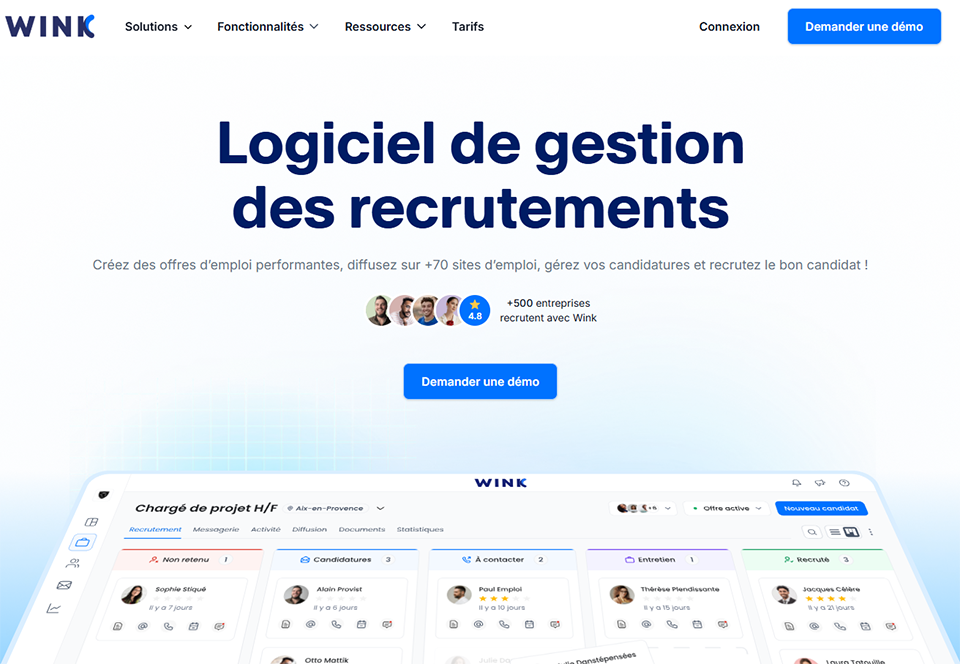
Wink positions itself as a simple, visual, and collaborative recruitment solution. The original idea was to make recruitment accessible to founders, managers, and office managers who handle hiring alongside their other responsibilities, without any specific HR training.
The interface follows the conventions of modern project management tools. It features a default Kanban view, where each candidate is represented by a card that you drag from one column to another as the process progresses. It’s quick to get started—it usually takes less than an hour to be up and running.
In terms of features, Wink covers the essentials while paying close attention to the user experience. You’ll find features for creating and posting job listings on major job boards, centralizing applications regardless of their source (email, LinkedIn, embedded career form), managing recruitment stages through a customizable pipeline, sharing candidate profiles with comments for team members, and sending messages directly from the platform without having to switch between different email inboxes.
Calendar synchronization for scheduling interviews is particularly well integrated. This is often where recruitment processes lose the most time—going back and forth to find a time slot that works for the candidate, the manager, and HR. Wink simplifies this coordination without requiring an external tool.
One thing that sets Wink apart in the ATS landscape is that the tool is designed for French startups and SMEs, with a native French interface and support. This is no small matter when you’re looking to quickly onboard employees who aren’t as comfortable with English-language SaaS tools, or when you want a point of contact who can be reached in the same language if needed.
Estimated rates:
Starter Plan: Free, up to 3 active offers at a time.
Growth Plan: starting at €49/month, unlimited job postings + team collaboration.
Plan Scale: Starting at €99/month, with advanced features, integrations, and analytics.
🎯 Who is it for?
Early-stage startups, founders who handle hiring themselves, and teams without a dedicated HR department that need a tool to help them get organized without a steep learning curve.
✅ The benefits:
Very intuitive interface; you'll get the hang of it almost right away.
A tool that is 100% in French, with responsive support.
A fully functional free version to get you started.
Good teamwork among team members.
👎 The downsides:
Relatively basic analytics and reporting features on the entry-level plans.
Fewer third-party integrations than some more established competitors.
May lack depth when recruitment volumes are very high.
Benefit from a on Wink.
30% off on any plan
Find our best discount right now with Wink and save on your software subscriptions. We offer over 850 promo codes and discounts on the best software and SaaS on the market.
#2 - TalentHR: The "light" HRIS that also handles recruitment.
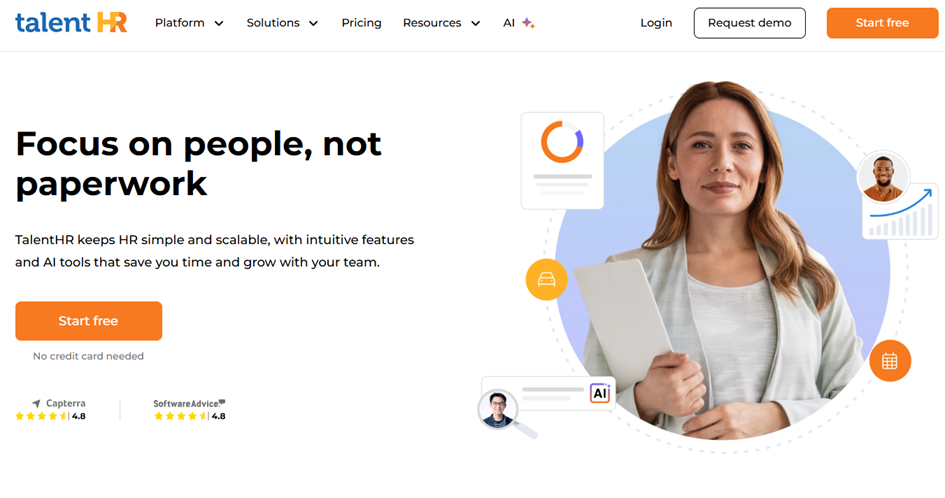
TalentHR takes a different approach than Wink. It’s not just an ATS—it’s a comprehensive HR platform that includes recruitment as one of several modules. In addition to applicant tracking, it offers employee management, leave tracking, onboarding, and sometimes even performance management.
For an organization that wants to avoid juggling five different tools to manage its HR, this is an attractive option. TalentHR’s recruitment module effectively covers the basics: creating job postings, a customizable applicant pipeline, collaboration among recruiters, and communication with candidates. The interface is clean and modern, and getting started doesn’t require extensive training.
What sets TalentHR apart in the long term is the continuity between recruitment and employee onboarding. Once a candidate is accepted, the transition to the employee record occurs without the need for re-entry; the information collected during the recruitment process is automatically transferred to their HR file. For an SME looking to build a truly consistent end-to-end HR process, this represents a significant time savings and one less source of error.
The platform also includes structured onboarding features: to-do lists for tasks to complete before the first day, documents to sign, and access to set up. This level of structure, usually reserved for expensive specialized tools, is available here even in the entry-level plans.
The tool is in English, which may be a barrier depending on your team’s background, but its user interface remains intuitive, and getting started doesn’t require any special training. For international organizations or those accustomed to English-language SaaS platforms, this is generally not an issue.
Estimated rates:
Free Plan: Free for up to 10 employees, basic features.
Standard Plan: approximately €2 per employee per month, including recruitment and a full HRIS.
Pro Plan: approximately €4 per employee per month, advanced analytics + integrations.
🎯 Who is it for?
Growing small and medium-sized businesses (SMEs) looking for a unified HR tool, and organizations that hire regularly and want to streamline the transition from recruitment to onboarding.
✅ The benefits:
An all-in-one HR and recruitment tool that eliminates the need for multiple software programs.
A natural transition from recruitment to post-hire HR management.
Very affordable pricing, especially for small teams.
A clean and well-organized interface.
👎 The downsides:
Interface available in English only.
A recruitment module that is less comprehensive than a specialized ATS.
Less suitable if your hiring volume is very low and you don't need the HRIS component.
Benefit from a on TalentHR.
25% off on annual plan
Find our best discount right now with TalentHR and save on your software subscriptions. We offer over 850 promo codes and discounts on the best software and SaaS on the market.
#3 - Flatchr: The Power of Multicasting for Active Recruiters.
Flatchr is probably the most complete ATS of the three for companies that recruit regularly and for several positions at the same time. Its main strength is job ad syndication, that is, the ability to post a job offer to dozens of job boards (Indeed, LinkedIn, Pôle Emploi, APEC, Welcome to the Jungle…) in a single click, from one centralized interface.
For a fast-growing startup or an SME that’s posting multiple job openings at the same time, this saves a considerable amount of time. You no longer need to copy and paste each job posting onto every platform, manage multiple login credentials, or manually track where your applications are coming from.
Beyond job postings, Flatchr offers a customizable recruitment pipeline with stages that can be configured to match your processes, an integrated messaging system to communicate with candidates without leaving the interface, collaboration tools for recruitment teams (shared evaluation grids, comments, collective decisions), management of unsolicited applications, and an analytics dashboard to track your key metrics: average time to hire, top-performing sources, conversion rates by pipeline stage.
It is on this last point that Flatchr has a clear advantage over simpler tools. Being able to identify, for example, that 70% of your hires come from LinkedIn but that your Indeed candidates have a higher retention rate at the 6-month mark is the kind of insight that allows you to allocate your recruitment budget much more intelligently.
The tool also features a built-in career page builder that can be customized to match your company’s brand guidelines. This is no small matter: a well-designed career page increases both the number and quality of unsolicited applications and helps you avoid relying entirely on job boards to fill your pipeline.
Flatchr integrates with the main tools in the HR ecosystem: HRIS, e-signature tools, calendars, and—via connectors—third-party solutions. For an SME that already has a suite of tools in place, this is a tangible benefit.
Estimated rates:
Starter Plan: Starting at €99/month, up to 5 active offers + basic multicasting.
Pro Plan: Starting at €199/month, unlimited offers + advanced analytics.
Enterprise Plan: Available upon request, for large volumes and specific needs.
🎯 Who is it for?
Startups in the scaling phase, small and medium-sized businesses with ongoing hiring needs, and teams with a dedicated HR professional or office manager who handles multiple positions simultaneously.
✅ The benefits:
Highly effective ad distribution, massive time savings.
Robust recruitment analytics to track and optimize your pipelines.
Integrated career page with no development required.
Suitable for large-scale hiring.
👎 The downsides:
Higher cost than the alternatives, making it less accessible for very small organizations.
The interface is a bit complex, and the learning curve is longer.
Overkill for companies that hire fewer than ten people a year.
Benefit from a on Flatchr.
10% off on "BASIC" and "PRO" plan
Find our best discount right now with Flatchr and save on your software subscriptions. We offer over 850 promo codes and discounts on the best software and SaaS on the market.
Now that you have a clear understanding of each option, here’s how to decide based on your specific situation. The right decision depends less on the size of your organization than on your hiring pace and internal structure.
🧑💻 The freelancer or independent professional who occasionally subcontracts:
Honestly, an ATS probably isn’t your top priority. If you’re looking for a candidate for a one-off assignment once or twice a year, a tool like Folk (a CRM that can be used to manage a pool of contacts and profiles) or even Notion with a dedicated template may be sufficient. An ATS becomes relevant if you start recruiting to build a permanent team, or if your business is shifting toward managing regular contractors whom you want to oversee in a more structured way.
The question to ask yourself: Am I wasting time or missing out on opportunities today because I'm not organized? If the answer is no, save yourself the subscription fee.
🚀 Early-stage startups (1 to 15 people):
Wink is the most natural solution. The free version more than meets the needs of an organization just starting to hire, with up to three active job postings at a time. The Kanban interface feels immediately familiar to teams used to Trello, Linear, or Notion, and collaborating with a co-founder or manager is seamless and requires no training.
At this stage, the goal isn't to have a tool that's perfectly integrated into your HR stack (which probably doesn't exist yet), but to avoid the chaos of resumes piling up in email inboxes and to keep a record of your hiring decisions. Wink effectively checks those boxes.
📈 Growing startups or small and medium-sized businesses (15 to 80 employees):
The choice here depends on your HR philosophy. Here are two typical scenarios:
If you're gradually building a full-fledged HR department and want a tool that will grow with you beyond recruitment (leave management, onboarding, employee tracking), TalentHR offers a cohesive, end-to-end view at a very affordable price. The investment in the initial setup pays for itself fairly quickly if you manage more than about ten employees.
If your priority is to optimize the efficiency of the recruitment process itself—whether because you’re filling multiple positions at the same time or recruiting for competitive roles where responsiveness makes all the difference— Flatchr will give you a significant advantage thanks to its multi-posting capabilities and analytics. In this case, the issue of leave management can wait for a dedicated tool or remain in a spreadsheet for a few more months.
🏢 A well-structured small or medium-sized business with a dedicated HR department (50 to 200 employees):
Flatchr is clearly the best solution in this case. Its advanced features, performance reports, management of multiple simultaneous openings, integrated career page and job ad syndication perfectly meet the needs that arise as soon as an organization begins recruiting on a regular basis with a person (or team) dedicated to this task.
At this point, it’s easy to calculate the ROI of a reliable ATS: if your HR team spends 3 fewer hours per hire reposting job listings and sorting through emails, the cost of the monthly subscription pays for itself in just a few weeks.
Do You Really Need an ATS? The 5-Question Quiz.
Before you make up your mind, here are five questions that will help you decide quickly:
1. How many people do you hire each year?
If there are fewer than 3, a spreadsheet will probably suffice. Between 3 and 10, an ATS starts to make sense. Beyond 10, it's practically indispensable.
2. Are several people involved in hiring decisions?
As soon as two people need to discuss candidates, coordinating via email becomes a problem. An ATS solves this natively.
3. Do you post your ads on multiple channels?
If so, using a tool like Flatchr for mass distribution will save you a considerable amount of time and improve the consistency of your offers.
4. Are you losing out on promising candidates because you don't follow up?
This is often the clearest sign. If you've ever regretted not calling back someone you'd "set aside," an ATS would have prevented that.
5. What is your projected growth over the next 12 months?
If you plan to double your headcount, investing in an ATS now will save you from having to rush to rebuild everything in six months, when you won't have time to do it properly.
If you answered "yes" to at least two of these questions, implementing an ATS will have a tangible positive impact on your organization.
Comparison table.
To help you make your decision, here is a side-by-side comparison of the three options. Prices are for informational purposes only and are subject to change; we recommend that you check the terms and conditions directly with each provider.
The most common questions people ask when deciding whether an ATS is right for them, compiled here to save you time.
1️⃣ Is an ATS only for large companies?
No, and that’s probably the most common misconception. Current solutions like Wink or TalentHR are designed specifically for companies with 5 to 50 employees. Prices have dropped significantly in recent years, and some tools offer fully functional free versions. As soon as a company hires more than 3 or 4 people a year, an ATS starts to make sense.
2️⃣ What is the difference between an ATS and an HRIS?
An ATS focuses on the recruitment process, from posting a job opening to hiring. An HRIS (Human Resources Information System) covers HR management in the broadest sense: time off, payroll, training, performance, etc. TalentHR is an example of a tool that combines both. If you only need to streamline your recruitment process, a pure ATS like Wink is sufficient. If you want a comprehensive HR tool, an HRIS with an integrated recruitment module makes more sense.
3️⃣ How long does it take to implement an ATS in your team?
For tools like Wink or TalentHR, expect one to two hours for initial setup and to be fully up and running in less than a week. Flatchr takes a little longer to configure workflows and connect to job boards, but can still be used without technical expertise. This is a far cry from older-generation enterprise ATS systems, which required weeks to deploy.
4️⃣ Does an ATS really help find better candidates?
An ATS is not a sourcing tool—it doesn’t magically generate applications. Its role is to organize and streamline the processing of the applications you already receive. Indirectly, it improves the candidate experience (faster responses, smoother communication) and helps you better analyze your sources so you can focus your efforts where they’re most effective.
5️⃣ Can an ATS integrate with LinkedIn?
Most modern ATSs offer integration with LinkedIn, either natively or through third-party connectors. Wink and Flatchr, in particular, allow you to import LinkedIn profiles directly into the pipeline. Full integration with LinkedIn Recruiter (LinkedIn’s paid tool) is often reserved for more advanced plans.
6️⃣ Do you need an ATS if you use a recruitment agency?
If you fully outsource your recruitment to a staffing firm, the ATS will be less useful in the short term. However, as soon as you’re also managing direct applications (unsolicited applications, referrals from professional networks, and internal referrals), having a tool to centralize them remains useful so you don’t miss out on good candidates.
7️⃣ How do you choose between Wink, TalentHR, and Flatchr?
The short answer: If you're just starting out and don't hire often, start with Wink in its free version. If you want an all-in-one HR tool, check out TalentHR. If you hire regularly and want to maximize the visibility of your job postings, invest in Flatchr. In any case, all three offer trial periods or free versions that will let you test them out before committing.
8️⃣ Does an ATS comply with the GDPR?
Reputable ATS platforms include GDPR compliance features: configurable data retention periods, candidate consent, the right to be forgotten, and more. This is something to check during your evaluation, especially if you’re recruiting candidates from Europe. Wink and Flatchr, as tools targeting the French market, pay particular attention to these aspects.
9️⃣ Can you use an ATS on your own, without an HR team?
Yes, and it’s actually one of the most common use cases for Wink and TalentHR. A founder managing the hiring of their first employees on their own will benefit just as much from an ATS as a five-person HR team, because the tool structures a process that would otherwise remain entirely in the mind of a single person—with all the risks that entails if that person is absent or overwhelmed.
🔟 What is the difference between an ATS and a recruitment CRM?
An ATS manages applications in response to posted job openings (inbound recruitment). A recruitment CRM focuses on active sourcing: it helps you identify, approach, and maintain relationships with potentially interesting candidates even before a position is posted. Folk, for example, can serve as this type of talent CRM. The two approaches complement each other to form a comprehensive recruitment strategy.
For further reading.
Choosing an ATS is a good decision. But it’s rarely enough if the rest of the recruitment process remains haphazard. An ATS organizes incoming data; it doesn’t make your company attractive. To maximize the impact of your investment, be sure to also polish your career page (Flatchr does this natively), structure your interview guides, and train the managers involved in hiring decisions.
For organizations looking to take the automation of their HR stack a step further, tools like Airtable can complement an ATS for data management and customized reporting. And if you’re looking to streamline internal communication related to recruitment, Notion remains a solid platform for centralizing job descriptions, evaluation rubrics, and interview guides.
Hiring is one of the most critical decisions for a startup. The tools presented here don’t address the fundamental questions of who to hire, for what role, or what kind of team culture to foster, but they do save you time on administrative tasks so you can focus on what matters most.
This comparison is intended for microbusinesses, small and medium-sized businesses, startups, founders, and HR managers who want to take back control of their payroll, or…