Artlist: The Ultimate Guide to Creating Without Copyright Restrictions
In this article, you'll find everything you need to know about Artlist: what the platform actually offers, who it's for, how its pricing plans compare, and when it's (or isn't) worth the investment.
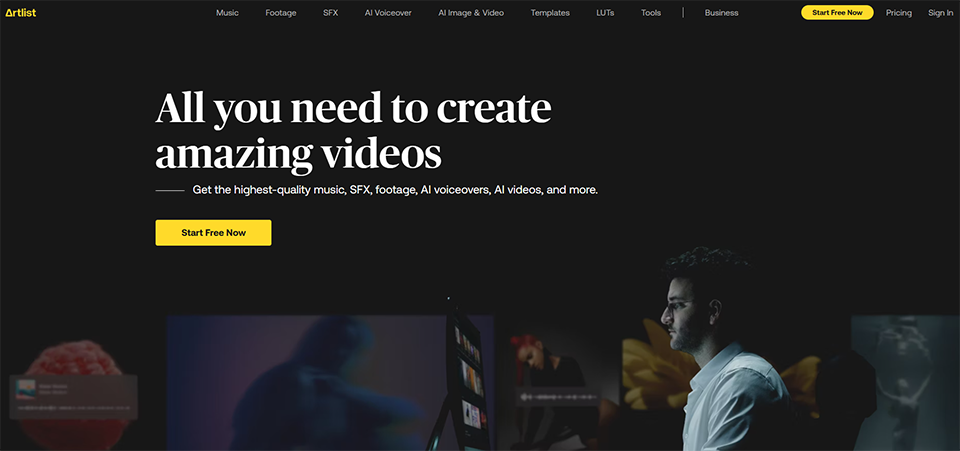
Artlist is a subscription platform that provides access to a library of music, sound effects, video clips, templates, and—now—generative AI tools, all under an unlimited license. In short: you pay an annual subscription fee, and you can download and use as many assets as you want for your projects, without worrying about receiving a copyright infringement notice.
Founded in 2015 by an Israeli team with a clear goal—to simplify access to music licenses for content creators—Artlist has gradually evolved into a comprehensive creative suite. The $65 million acquisition of Motion Array in 2020 marked a turning point, and since 2024–2025, the platform has integrated a suite of AI tools that now allow it to compete with players far beyond the realm of royalty-free music.
The platform is primarily aimed at video content creators, freelance audiovisual professionals, marketing teams, and production agencies. If you regularly post on YouTube, Instagram, LinkedIn, or TikTok, or if you produce videos for clients, Artlist is designed to help you avoid copyright gray areas.
This guide provides a comprehensive and honest overview of Artlist—its features, pricing, real strengths, and drawbacks—so you can make an informed decision.
Find over 300 free deals as well as over 850 Premium deals right now with Artlist and save on your software subscriptions. Whether you're an entrepreneur, a startup or a solo freelancer, save hundreds of euros thanks to our discounts and promo codes.
The issue of music rights is a real problem for anyone who regularly publishes video content. Using a popular song without a license exposes you to a rights claim (Content ID on YouTube), demonetization of the video, or even outright removal. And even with free libraries, the terms of use remain unclear as soon as you move into commercial use.
The problem Artlist solves is simple: legal clarity. With a subscription, you have the right to use any resource on the platform in all your videos, for your clients, on any platform (YouTube, social media, television broadcasts, depending on the plan you choose), without paying any additional fees per project or per broadcast.
Here are a few quick comparisons to put Artlist in context:
Artlist vs. Epidemic Sound:
Epidemic Sound has a larger catalog (more than 50,000 tracks compared to Artlist’s approximately 30,000), with a highly regarded “stems” feature for customizing musical arrangements. Artlist stands out by offering much more than just an audio service: 8K footage, video templates, and built-in AI tools. For freelancers who also work for clients with television broadcasts, the Artlist license is often a better value.
Artlist vs. Musicbed:
Musicbed is known for the exceptionally high quality of its tracks and the renowned artists it features. It has a more exclusive positioning, with higher prices. Artlist offers a better balance of affordability and quality for entrepreneurs and small teams.
Artlist vs. free libraries (YouTube Audio Library, Pixabay, etc.):
Free music libraries pose real risks: vague licensing terms, tracks being removed at any time, and insufficient protection against claims. Artlist guarantees a permanent license for content that has already been published, even if you don't renew your subscription.
Typical use cases for freelancers and entrepreneurs:
A social media manager who produces several videos a week for various clients and needs music for each post.
entrepreneur , a consultant who creates webinars, presentations, and online training courses.
A startup that is developing its content strategy on LinkedIn and YouTube.
A communications agency that produces commercials and corporate videos.
💰 Pricing & Plans: What Each Subscription Actually Unlocks.
Artlist significantly restructured its offerings in 2025–2026. The platform now offers three main categories of plans.
Stock Catalog (Music and Assets):
Plan
Price (annual)
Usage
Music Personal
~9,99 $/month
Personal channels, non-commercial use
Music Pro
~16,58 $/month
Commercial use, wide distribution
Music & SFX Pro
~24,92 $/month
Music + sound effects, commercial use
Footage & Templates
~31,99 $/month
8K video clips, templates, LUTs
Artlist Max
~39,99 $/month
All-inclusive: audio, footage, templates, plugins, AI
AI Suite Plans (generative tools only):
Plan
Price (annual)
Contents
AI Starter
~13,99 $/month
AI-generated video, images, and voice (limited credits)
AI Professional
higher rate
Up to 1 million monthly in credits
Key takeaway: The Music Pro plan is sufficient for the vast majority of freelancers who create videos for clients and post on social media. The Artlist Max plan is a good option if you’re looking to consolidate multiple subscriptions (music + footage + AI tools) into a single budget line item. Team plans are available for teams of two or more users.
Getting Started: First Steps on the Platform.
Artlist's onboarding process is well-designed enough that a beginner can get started in less than fifteen minutes. Here's what the process of exploring the platform actually looks like.
Sign-in and account setup:
After signing up, Artlist asks you to specify your primary use (personal content, client projects, commercial use, etc.). This step helps tailor the suggestions and ensures that your plan aligns with your actual needs.
The interface, broken down into a few key areas:
The navigation is organized into major sections: Music, Sound Effects, Footage, Templates, Plugins, and the new AI Suite section. Each section features a persistent filter bar on the left side, allowing you to stay in the search flow without losing your filter criteria.
Perform an initial music search:
Music search is the natural starting point for most users. You can filter by:
Voice type (instrumental, male voice, female voice).
For songs with vocals, the lyrics are often available directly on the song's page. Some tracks offer multiple versions (instrumental, short, long), which is very convenient for adjusting a track to the exact length of a video.
You can download the file with a single click, in MP3 or WAV format. The license is automatically generated and linked to your account.
Key Features of Artlist.
An overview of the features that have made Artlist famous, as well as the less obvious ones that can change the way you work.
1/ Royalty-free music library and sound effects:
This is the heart of the service. Artlist’s selection is based on editorial curation by professionals, not on an automated acceptance algorithm. Each track is listened to, approved, and categorized. The catalog now includes over 30,000 music tracks and several hundred thousand sound effects.
The production quality is consistent and significantly higher than that of general-interest music libraries. The lineup includes award-winning composers and artists entrepreneurs who are recognized within their respective genres. A frequently cited weakness is the overrepresentation of folk, indie, and atmospheric styles, at the expense of electronic and hip-hop genres.
2/ High-resolution video footage:
Available in the Footage & Templates and Max plans, the video clip library features footage shot by professional filmmakers in 4K and 8K, including RAW/LOG files for colorists. You can filter by theme, shot type, presence of people, and more—it’s a true repository of professional-quality moving images.
3/ Templates, LUTs, and plugins:
Motion Array (acquired by Artlist in 2020) offers a catalog of templates compatible with Adobe Premiere Pro, After Effects, and DaVinci Resolve. LUTs (Look Up Tables) for color grading are also included in the higher-tier plans. The Max plan includes more than 50 professional video plugins that can be used directly in Premiere Pro.
4/ HitFilm and Imerge:
Artlist includes HitFilm (video editing and visual effects software) and Imerge (professional photo editing software). These tools are included in certain subscription plans and are a real bonus for creators looking to reduce the number of subscriptions they have.
5/ The AI Suite: video, image, and voice generation.
Since 2025, Artlist has integrated a suite of generative AI tools that have radically changed its positioning. Through integrations with Google Veo 3 and OpenAI Sora for video generation, subscribers can produce visual sequences generated entirely by AI. AI voice-over (text-to-speech, voice cloning, multilingual) is also available, as is image generation.
These features operate on a monthly in credits , which cannot be carried over from one month to the next.
6/ Clearlist: Protection Against Claims.
This is a feature that is often overlooked but very valuable. Clearlist is a system that allows you to register your published videos and protect them against Content ID claims on YouTube and other platforms. YouTubers particularly appreciate this protection, which prevents third parties from monetizing their videos without permission.
🎬 Real-world use cases for freelancers, entrepreneurs, and teams.
Here's how Artlist actually fits into the daily lives of different types of users, from the most " entrepreneurs " to more structured teams.
Case 1: The audiovisual freelancer who produces videos for clients.
You produce promotional videos, customer testimonials, or commercials for businesses. With the Music Pro plan, you can use any track for your commercial projects. If the client then airs the video on television, the Artlist license covers it. This way, you avoid having to negotiate additional rights or inform your clients about usage restrictions.
Case 2: The social media manager or content manager.
You manage multiple accounts and post daily on Instagram Reels, TikTok, and YouTube Shorts. Artlist’s library lets you vary the musical moods without ever reusing the same sounds. You save a considerable amount of time compared to searching for royalty-free music on free platforms.
Case 3: The startup that is expanding its presence on YouTube.
You create tutorials, webinars, and product demonstration videos. Artlist gives you access to professional music for your opening credits and sound design. You can also use After Effects templates to create polished intros without having to pay a motion designer every time.
Case 4: The creative agency that produces multichannel campaigns.
For teams, Team plans make it possible to centralize access and share downloaded resources. Ogilvy, Ralph Lauren, and the Kansas City Chiefs are among Artlist’s clients, which attests to the platform’s reliability for large-scale use.
Case 5: The educational content creator (e-learning).
You produce online training courses or e-learning modules. Background music enhances the learner experience. Royalty-free video clips allow you to illustrate concepts without having to organize a video shoot.
Advanced tips and tricks.
Here are a few features and best practices that most users don't discover until later:
💡 Themed playlists: Artlist offers pre-made playlists tailored to specific types of videos (vlogs, corporate, travel, workouts, etc.). They’re a great starting point when you’re lacking inspiration or in a hurry.
💡 Alternative versions of the same track: Many songs come in several versions (short, long, instrumental, with vocals). Be sure to check the available versions before moving on to the next track—you’ll often find exactly what you’re looking for.
💡 Perpetual license for existing content: If you do not renew your subscription, the videos already published during during your subscription period remain legally covered. You can no longer use the assets for new projects, but your previous publications are not at risk.
💡 Filtering by BPM: For videos with a strong beat (sports, action, dynamic tutorials), filtering by a specific BPM helps you find a track that naturally matches the rhythm of your edit.
💡 Stems: Some tracks include stems (separate tracks for each instrument). This allows you to use your editing software to turn down the drums to highlight the melody, or to isolate the guitar for the most intense part of your video.
Integrations and Ecosystem.
Artlist integrates into a creative workflow centered primarily around professional video editing software. The plugins available in the Max plan are compatible with Adobe Premiere Pro, After Effects, and DaVinci Resolve.
The Motion Array library adds hundreds of templates that can be used directly in these environments. For Canva users , Artlist can complement the creative workflow for anything related to more advanced video production that Canva doesn't support natively.
For podcasts and video interviews, Artlist naturally partners with tools like Riverside (high-quality remote recording) and Descript (transcription-based podcast and video editing).
Artlist assets are compatible with all major distribution platforms: YouTube, TikTok, Instagram, Facebook, Twitch, Vimeo, and streaming platforms (depending on your subscription plan).
Limitations and alternatives based on your profile.
Artlist isn't perfect, and it would be dishonest not to mention that.
The real drawbacks:
⚠️ The mandatory annual commitment. This is probably the number one obstacle for casual creators. Without a flexible monthly option, the upfront cost can seem high if you only produce a few videos a year.
⚠️ A music catalog focused on folk and indie genres. Artlist’s editorial selection clearly leans toward acoustic, cinematic, and atmospheric sounds. If your projects require a lot of electronic, hip-hop, or orchestral music, you might find yourself short on options that exactly match your expectations.
⚠️ The search filters could be improved. Some tags are too broad or vague, which can make searching for a very specific track take longer than expected.
⚠️ Customer service. Several users have reported that response times are too long to resolve billing or licensing issues.
Who Artlist isn't right for:
If you only use music very occasionally (one or two videos a year), purchasing per-track licenses on platforms like Audiojungle will be less expensive. If you work exclusively on very short formats and need an extremely large number of tracks (some TikTok algorithms favor trending, non-royalty-free music), Artlist won’t be of any help in this regard.
Options based on your profile:
When it comes to music libraries and stems, Epidemic Sound remains the gold standard, with a more extensive catalog and robust Adobe integrations. For high-end tracks featuring well-known artists, Musicbed caters to this niche at a higher price point. For a simpler and more affordable option, Uppbeat offers a freemium plan accessible to beginner creators.
Benefit from our free deal on .
Find over 300 free deals as well as over 850 Premium deals right now with and save on your software subscriptions. Whether you're an entrepreneur, a startup or a solo freelancer, save hundreds of euros thanks to our discounts and promo codes.
The most common questions people ask before signing up, with straightforward answers to help you make a decision without getting lost in the fine print.
1️⃣ Can Artlist be used for videos intended for clients?
Yes, starting with the Pro plan. The Personal plan is limited to personal use. As soon as you deliver a video to a client—whether they post it on their own social media accounts or their website—you’ll need a plan that covers commercial use.
2️⃣ What happens if I don't renew my Artlist subscription?
Videos already published during during your subscription period remain legally covered by the license. However, you may no longer use the downloaded assets for new projects.
3️⃣ Is Artlist suitable for podcasts?
Yes, the commercial plans cover use in podcasts (jingles, intro music, background sounds). Just make sure your plan includes sound effects if you need them.
4️⃣ Can Artlist music be used in paid advertisements?
Yes, the Pro plan and higher include access to paid advertising (Google Ads, Meta Ads, YouTube Ads).
5️⃣ Does Artlist cover television broadcasts?
Yes, starting with the Pro plans. That's one of the advantages Artlist has over some competitors, who reserve this feature for Enterprise plans.
6️⃣ Can IA credits be carried forward?
No, AI credits are reset each month and cannot be carried over from one month to the next.
7️⃣ Can Artlist be used for online training or e-learning?
Yes, the business plans cover this type of use. Platforms like Teachable and Udemy are covered.
8️⃣ Does Artlist offer a free trial?
There is a free version that allows you to test the platform with watermarked content. For actual use, a paid subscription is required.
9️⃣ How does Artlist’s Clearlist work?
Clearlist is a protection system that allows you to register your published videos so that they are recognized and protected against Content ID claims on YouTube and other streaming platforms.
🔟 Artlist and AI tools: Do I own the content it generates?
Yes, all content created with Artlist's AI Suite belongs to you and can be used commercially in accordance with the terms of your plan.
Conclusion.
Benefit from a on Artlist.
2 additional months free on annual plan
Find our best discount right now with Artlist and save on your software subscriptions. We offer over 850 promo codes and discounts on the best software and SaaS on the market.
Artlist has established itself as one of the leading platforms must-have for professional video content creators and freelance audiovisual professionals. Its strength lies in the simplicity of its licensing model (one subscription, clear coverage), the editorial quality of its assets, and its ability to bring together music, footage, and AI tools on a single platform.
It’s not the ideal tool for everyone: casual creators and those who need massive volumes of electronic or hip-hop tracks might be better off looking elsewhere. But for a freelance audiovisual professional, a social media manager, a marketing team, or a creative agency that regularly produces content, Artlist offers a combination of quality and legal certainty that’s hard to beat.
Three key takeaways:
The unlimited license and protection against claims on YouTube are its true differentiators.
The Artlist Max plan becomes a good option as soon as you're looking to consolidate multiple creative subscriptions.
The annual commitment is the main obstacle: calculate your production volume before you get started.