







Why automate repetitive tasks? The best software to get started
This article reviews the best automation platforms available today: those that have proven themselves, that are adaptable…
Read more


Automating routine tasks is no longer a luxury reserved for large companies. By 2026, whether you’re a freelancer, the owner of a small business, or an operations manager at a startup, the question isn’t really up for debate anymore: automation is a must. But with what tools, and how?
What has changed over the past two years is the emergence of a second major family of tools. one hand, there are traditional automation platforms-those that allow applications to be connected via trigger-action workflows: Make, Zapier, n8n. On the other hand, there is a new generation of tools that rely on AI agents capable of interpreting, reasoning, and making decisions without the need to anticipate everything: Lindy AI, Relevance AI, and Alloy Automation.
The difference between the two isn't just about the presence or absence of AI. It touches on something more fundamental: the very logic of automation. In the traditional approach, you define a specific flow: if A, then B, then C. In the AI approach, you give an agent a goal, and it determines how to achieve it. It’s a shift in approach, not just an evolution of features.
According to a McKinsey report published in early 2025, more than 60% of repetitive tasks in businesses could be automated using technologies available today. Yet many teams still underutilize these tools, often because they lack a clear understanding of what each approach can actually achieve.
This article provides a comprehensive overview: six tools put to the test, divided into traditional automation and AI-powered automation. Features, pricing, and user profiles. Everything you need to choose the solution that best fits your needs.
Before diving into the tools, let’s set the stage. Traditional automation is based on a simple model: you define triggers and actions. A new WooCommerce order automatically creates a row in Airtable and sends a confirmation email via Brevo. The workflow is predictable, repeatable, and follows exactly what you’ve configured.
This model is particularly effective for well-defined, high-volume processes where the rules rarely change. Its main limitation is that if the situation deviates from the script, the automation stops. There is no adaptation, no interpretation. This can be both a strength and a limitation, depending on the situation.
To give some concrete figures: according to a 2024 Zapier study, 76% of knowledge workers report spending at least one hour a day on repetitive tasks that could be automated. Among those who already use automation tools, 94% believe they have helped them become more efficient. These figures clearly illustrate why this market continues to grow, even in the age of AI agents.
Find all of these solutions in the Workflow and Automation category on Freelance Stack.

Make (formerly Integromat) is likely the most comprehensive automation platform on the market for non-developers who want to tackle complex workflows. Its interface is based on a visual editor where workflows are built like flowcharts: each module represents an application or an action, and you connect the blocks using data flows.
What sets Make apart from its direct competitors is its ability to handle multi-branch and conditional workflows without having to write a single line of code. You can route data based on conditions, create iterations over lists, or aggregate information from multiple sources before processing it.
Over 1,500 native integrations, error handling with automatic retry, built-in data transformers, incoming and outgoing webhooks, detailed execution history, and a template system to get started quickly with common use cases.
A Make script can retrieve new rows from a Google Sheet every night, check whether each row matches an existing contact in your CRM, create or update the contact accordingly, and then trigger a personalized email sequence based on the segment to which the contact belongs. All of this can be done without writing a single line of code, with full visibility into every step of the workflow.
Make offers a free plan that includes 1,000 operations per month, which is enough to test and automate small workflows. Paid plans start at around $9/month (Core, ~10,000 operations) and increase gradually based on volume and advanced features. For teams, the Teams and Enterprise plans scale according to the number of users.
That manage complex processes involving multiple tools: CRM synchronization, lead management, and automated reporting. Make excels in scenarios that require sophisticated conditional logic.
Those who are comfortable with APIs and webhooks and want a powerful tool without having to maintain code. There is a real learning curve, but the level of control it offers is rarely matched by other no-code platforms.
Who are looking to automate their business processes (billing, customer onboarding, order tracking) without hiring a dedicated developer.


Zapier is often the first tool people mention when talking about automation. And for good reason: since its launch in 2011, it has won over more than 2.2 million businesses worldwide. Its main strength can be summed up in one word: accessible to everyone, even without any technical skills. While Make requires some time to get used to, Zapier lets you create your first Zap (their term for a workflow) in just a few minutes.
The interface is straightforward: a trigger, one or more actions, all organized in a flow that’s easy to read and edit. Zapier clearly focuses on ease of use and the breadth of its integration catalog: with over 7,000 connectable apps, it is by far the most comprehensive platform on the market in this regard.
An intuitive Zap editor, Zapier Tables (a built-in lightweight database), Zapier Interfaces (no-code forms and mini-apps), Paths (conditional logic), Formatter for transforming data, and, more recently, generative AI features to enrich workflows with generated content.
The free plan includes 100 tasks per month and 5 simultaneous Zaps, which is still limited for regular professional use. Paid plans start at $19.99/month (Starter), with access to advanced features such as Paths and filtering. The Professional (starting at $49/month) and Team (starting at $69/month) plans are designed for more intensive use.
Who want to get started seamlessly. Zapier’s documentation is outstanding, the community is active, and thousands of popular Zaps are available as templates.
Who use standard SaaS platforms (HubSpot, Salesforce, Mailchimp, Slack, Google Workspace) and want to connect these tools quickly without relying on technical teams.
Who manage their business using a variety of tools and seek to reduce manual tasks without investing in a custom solution.

n8n stands out in this landscape. It is an open-source automation platform, which means you can host it on your own servers and thus automate processes without any volume limits or variable costs. For technical users or organizations that handle very large volumes of data, it’s an offer that’s hard to ignore.
n8n's interface resembles Make's in its visual design, but with far greater technical depth. You can embed JavaScript code directly into your workflows, query databases, or build automations that interact with less common APIs. n8n now offers over 400 native integrations, and its active community regularly contributes to the node library.
Native JavaScript execution, webhook support, multiple trigger modes (cron, event, poll), advanced error handling, flow modes (sequential, parallel), and, since 2024, built-in AI agent capabilities that allow you to integrate LLMs directly into your automation workflows.
Self-hosted hosting is completely free for open-source projects and personal use. The Cloud version offers a Starter plan starting at €20/month (2,500 runs) and a Pro plan starting at €50/month (10,000 runs). Large organizations can negotiate an Enterprise plan.
Who want an automation tool that they have full control over, without relying on a third-party service and without unpredictable variable costs based on volume.
Companies that are concerned about data sovereignty (GDPR, EU hosting) and regularly handle large volumes of automated data.
Who like to understand what’s going on under the hood and want custom automations that other platforms don’t easily support.
AI automation operates on a different principle. Rather than specifying every step of a workflow, you define a goal, and the AI agent determines how to achieve it. It can interpret an email, decide on the appropriate action, call upon multiple tools in the correct order, and adapt if the situation deviates from the norm.
This approach is particularly useful for two types of use cases: tasks involving natural language (processing emails, analyzing documents, responding to customer inquiries) and tasks whose course of action cannot be fully anticipated in advance.
The downside: these tools are generally less predictable than traditional automation. If your process is well-defined and doesn’t change, traditional automation is often more reliable. AI shines where flexibility and an understanding of context make all the difference.
Find these tools in the AI Workflow and Automation category and on the Freelance Stack AI Agent Platforms page.

Lindy AI stands out for its resolutely end-user-focused approach. The basic idea is simple: to create "Lindies," personalized AI agents that you configure using natural language, without having to understand the technical details behind the scenes. You describe what you want the agent to do, and Lindy takes care of it.
In practical terms, a Lindy agent can monitor your inbox, qualify incoming leads, schedule appointments in your calendar, follow up with prospects in your CRM, or prepare meeting summaries. What makes the tool particularly user-friendly is that all of this setup is done via text, with no nodes to connect and no conditions to configure manually.
Creation of agents using natural language, native integration with Gmail, Google Calendar, HubSpot, Notion, Slack, Airtable, and other popular tools, persistent agent memory (they remember past contexts), the ability to create teams of agents who collaborate with one another, and a "Lindy calls" mode for managing automated phone calls.
A Lindy agent configured to monitor your inbox can detect when an incoming email contains a request for a quote, extract the relevant information (name, project, budget mentioned), automatically create a lead in your CRM, schedule a follow-up reminder in your calendar, and send you a summary. All of this without a single scenario having been explicitly programmed.
Lindy offers a free trial period to test its agents. Paid plans start at around $49/month and are based on a credit system tied to the volume of tasks completed by your agents. Customized plans for teams are available upon request.
Who spend a lot of time managing emails, coordinating appointments, or triaging incoming requests. Lindy can handle a significant portion of this administrative workload without requiring any technical setup.
Who want an agent capable of initially sorting through leads, sending personalized follow-ups, or syncing information between their email and CRM.
People who have heard of AI agents but don’t know where to start. Lindy is probably the most user-friendly introduction to the topic on the market.

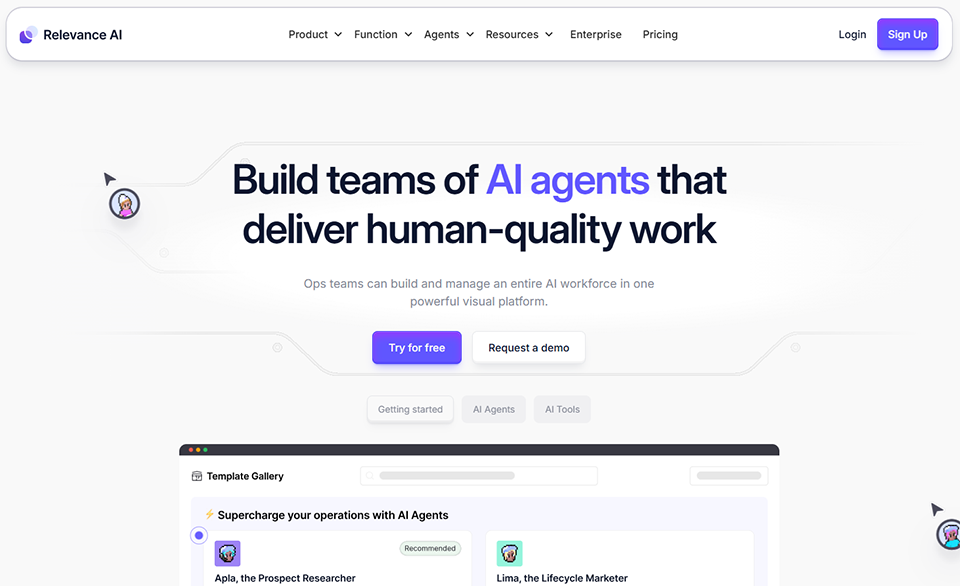

Relevance AI is designed for those who want to go beyond pre-configured agents. The platform lets you build your own AI tools and agents by combining large language models (LLMs), vector databases, and integrations with your existing apps. It’s a hybrid between a no-code platform and a full-fledged AI development environment, accessible even without expertise in machine learning.
The Relevance AI interface is built around a "tools" editor, which consists of functional blocks that you create yourself: "search my knowledge base," "draft an email based on this context," "analyze this response and classify it." You then combine these tools into autonomous agents that can perform a sequence of reasoning steps.
Development of custom AI tools, multi-step agents with long-term memory, RAG (Retrieval-Augmented Generation) for your internal documents, integration with Zapier, Make, and common APIs, deployment of agents via chat, email, or webhooks, and a "workforce" mode to coordinate multiple agents on shared tasks.
The free plan lets you test the core features with limited capacity. Paid plans start at around $19/month for small businesses and go up to Pro plans (around $99/month) or Enterprise plans, depending on your capacity and feature requirements.
Who want to integrate AI into their internal processes (customer support, lead qualification, content generation) without hiring a data scientist or spending money on custom development.
Consulting firms, agencies, HR teams. Relevance AI enables agents to search this knowledge and provide context-aware responses based on your own documents.
And who want to add a layer of intelligence to their existing automations. Integration with Make and Zapier makes it an excellent addition.
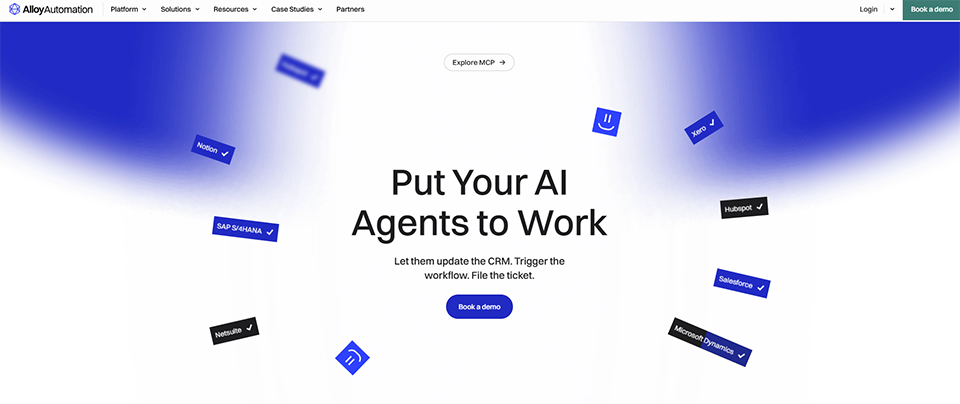
Alloy Automation is an automation platform specializing in e-commerce and retail ecosystems, with a hybrid approach that increasingly integrates AI into its workflows. The tool was initially designed to simplify integrations between Shopify, WooCommerce, ERPs, logistics solutions, and marketing platforms-an area where automation needs are often highly specific and critical.
What makes Alloy stand out in 2026 is its evolution into a smarter automation platform: agents capable of making decisions regarding order management, refunds, customer support, and marketing segmentation, without requiring manual intervention for each individual case.
Native integrations with over 200 e-commerce and SaaS tools, visual workflows with conditional logic, AI agents for e-commerce support, management of returns and order exceptions, data synchronization across platforms, and deployment of automations via an embedded interface for software publishers who wish to offer these features to their own customers.
Alloy offers solutions tailored to specific needs: a merchant-focused solution (direct e-commerce integration) and an embedded solution for software publishers who want to integrate automation capabilities into their products. Pricing is available upon request and is tailored to the size of the organization.
That handle a high volume of orders and want to automate their entire back-office operations: inventory synchronization, returns processing, shipping alerts, and post-purchase customer follow-ups.
Who juggle multiple platforms (logistics, CRM, marketing, ERP) and are looking for a tool that can seamlessly integrate them without tedious configuration.
Who want to enhance their product with native automation features without developing them themselves (using the Embedded solution).

Choosing between these two approaches isn't simply a matter of modernity or budget. Above all, it's a matter of what best suits your actual situation.
Your processes are well-defined, repetitive, and require no interpretation. You know exactly what needs to happen at each step. You process large volumes of data using precise business rules. You need maximum reliability and perfectly predictable behavior. It’s also the preferred choice when costs need to remain manageable and predictable: the per-operation or per-task billing model is transparent, with no surprises.
Make is ideal for users who want powerful functionality without having to write code. Zapier is the natural choice for those who prioritize simplicity and quick setup. n8n is the best option if you have technical expertise or specific hosting requirements.
Your tasks involve natural language processing, interpretation, or context-based decision-making. You want to delegate tasks that cannot be fully scripted in advance. You’re looking to handle emails, documents, conversations, or edge cases without rigid rules.
Lindy AI is the perfect starting point for non-technical users. Relevance AI is ideal for users who want to build custom agents using their own data. Alloy Automation is specifically designed to meet the needs of e-commerce teams.
For many teams in 2026, the real answer isn’t “one or the other”-it’shybridization. Traditional automation Make or n8n for stable, high-volume workflows, supplemented by AI agents on Relevance AI or Lindy for tasks that require understanding and adaptability.
This combined approach is now the standard for the most advanced teams. The tools themselves facilitate this integration: n8n has incorporated AI nodes into its workflows since 2024, and Relevance AI connects natively to Make or Zapier. It’s no longer a matter of choosing sides, but of determining where each approach adds the most value.
To learn more and explore all the tools available in these categories, visit the AI Software and Workflow & Automation pages on Freelance Stack.
Here is a summary of the key criteria to help you determine which tool best suits your needs.
| Tool | Type | Accessibility | Admission price | Ideal for |
|---|---|---|---|---|
| Make | Classic | Intermediate | ~ $9/month | Complex operations, semi-technical roles |
| Zapier | Classic | Easy | ~ $19,99/month | Non-technical, standard SaaS stacks |
| n8n | Classic | Technical | Free (self-hosted) | Developers, high volumes |
| Lindy AI | AI | Very easy | ~ $49/month | Freelancers, email and calendar management |
| Relevance AI | AI | Intermediate | ~ $19/month | Custom agents, knowledge bases |
| Alloy Automation | Hybrid AI | Intermediate | On request | E-commerce, SaaS providers |
The prices listed are subject to change: be sure to check the pricing terms directly on each platform’s website before committing.
Here are some answers to questions that often come up when people explore this topic.
Not right away, and probably never completely. Traditional automation is more reliable for well-defined processes. AI is complementary: it handles what fixed rules can’t manage. Most advanced teams are already using both in parallel.
No, not for most of them. Zapier, Make, and Lindy AI were designed specifically for non-developers. n8n requires a bit more technical know-how, especially in the self-hosted version. Relevance AI falls somewhere in between: it’s accessible, but you’ll get more out of it if you understand how APIs and LLMs work.
A workflow is a predefined sequence of actions that runs exactly as you configured it. An AI agent, on the other hand, is given a goal and determines on its own how to achieve it, by linking together steps that may vary depending on the context. The agent can "decide" to consult an information source, rephrase a response, or move on to an alternative step if the situation calls for it.
With the right precautions, yes. The key is to establish clear safeguards (human validation for certain actions, limits on what the agent can do) and to test thoroughly before rolling out on a large scale. For highly critical tasks (billing, financial operations), traditional automation with precise rules is generally still preferable.
Yes, and that’s often the best approach. n8n has natively supported AI nodes since 2024. Relevance AI offers direct integrations with Make and Zapier. For example, it’s entirely possible to trigger a Relevance AI agent from a Make workflow to handle a portion of a workflow that requires interpretation.
Zapier remains the best place to start for someone with no experience in automation. It’s easy to get started, offers a wide range of templates, and has excellent documentation. When it comes to AI automation, Lindy AI offers the same ease of use: you can set up your first agent in just a few minutes, even without any technical background.
It depends on the specific tool and how you configure it. Platforms that offer hosting in Europe or self-hosting options (such as n8n) provide greater control. For AI tools hosted in the United States, review the outsourcing terms and DPA clauses before processing personal data. If in doubt, consult your DPO or a compliance expert.


